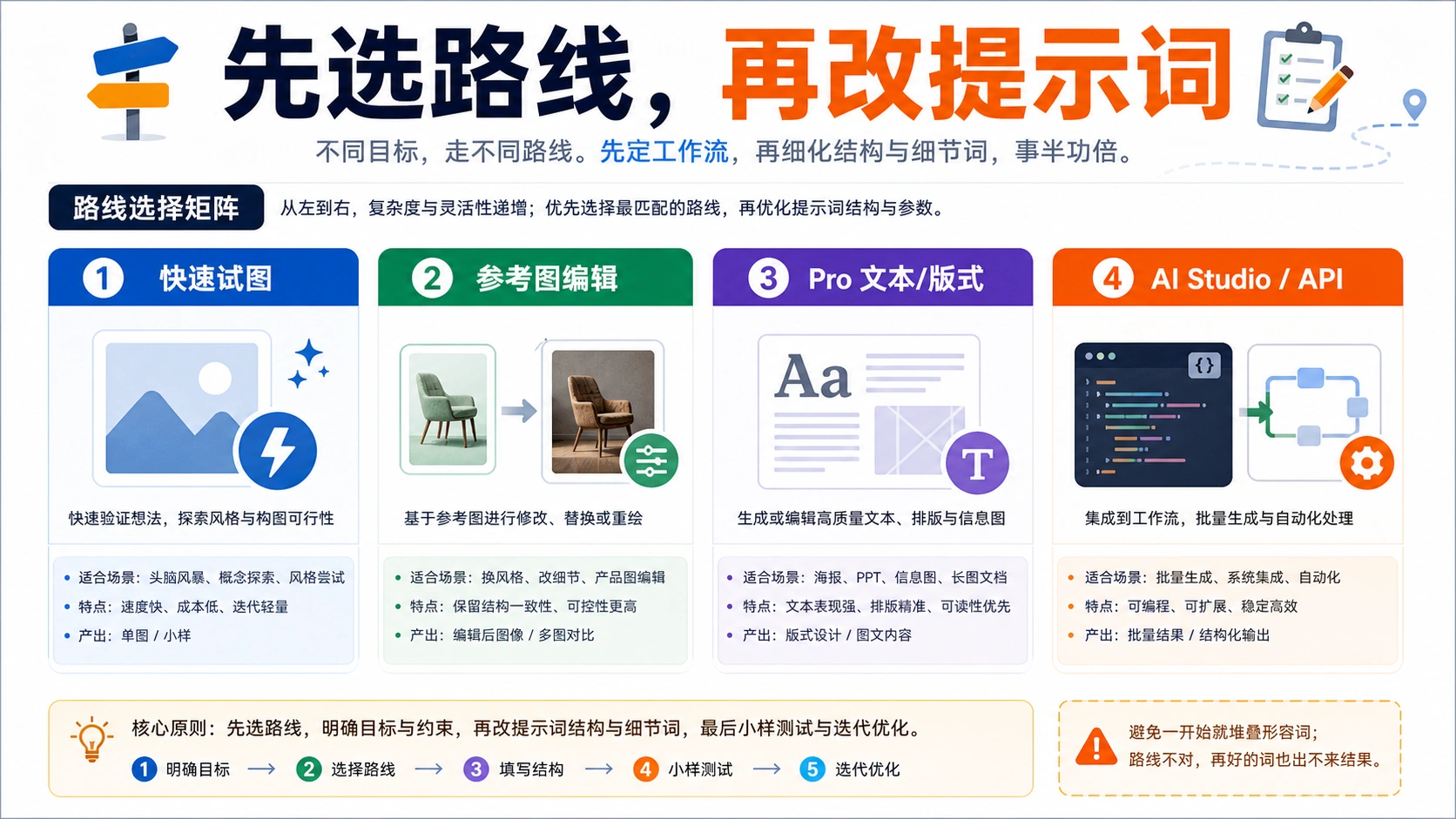
- 首页
- /
- 博客
- /
- AI Tools Guide
- /
- Nano Banana Pro Best Prompts: 50+ Copy-Paste Templates & Complete Guide (2025)
Nano Banana Pro Best Prompts: 50+ Copy-Paste Templates & Complete Guide (2025)
Master Nano Banana Pro (Gemini 3 Pro Image) with 50+ copy-paste prompts organized by category. Learn the perfect prompt framework, advanced techniques, API integration, and resolution settings for professional AI image generation.
Nano Banana Pro
4K-80%Google Gemini 3 Pro · AI Inpainting
谷歌原生模型 · AI智能修图
Nano Banana Pro has rapidly become the go-to AI image generation model for professionals and creators since its November 2025 launch. As Google DeepMind's most advanced image generation model, it combines Gemini 3's reasoning capabilities with state-of-the-art visual generation, producing everything from photorealistic product shots to complex infographics with accurate text rendering. Whether you're a marketer needing quick ad creatives, a developer building image generation into your app, or an artist exploring AI-assisted creation, having the right prompts makes the difference between mediocre outputs and stunning visuals.
This comprehensive guide provides over 50 tested, copy-paste ready prompts organized by category, along with the complete framework for crafting your own effective prompts. You'll learn the techniques that produce consistent, high-quality results—from the basic prompt structure to advanced features like reference image integration, thinking mode activation, and 4K resolution settings. By the end of this guide, you'll have both the ready-to-use prompts and the knowledge to adapt them for any creative need.
| Quick Reference | Details |
|---|---|
| Model Name | Gemini 3 Pro Image (Nano Banana Pro) |
| Launch Date | November 2025 |
| Max Resolution | 4K (4096×4096) |
| Reference Images | Up to 14 inputs |
| Text Rendering | High-fidelity, multilingual |
| Key Feature | Built-in "Thinking" mode |
What is Nano Banana Pro?
Nano Banana Pro is the community nickname for Gemini 3 Pro Image, Google DeepMind's flagship image generation model released on November 20, 2025. The name evolved from "Nano Banana," which the AI community affectionately gave to Gemini 2.5 Flash Image after it went viral in August 2025 for creating 3D figurine transformations. The "Pro" version represents a significant leap in capability, built on Gemini 3's advanced reasoning architecture.
What sets Nano Banana Pro apart from previous image models is its ability to think through complex prompts before generating. Instead of directly outputting an image, the model can reason about composition, lighting consistency, and factual accuracy—particularly valuable when creating infographics, diagrams, or images that need to represent real-world data. This thinking process runs in the background, allowing the model to produce more coherent and accurate results than models that simply pattern-match against training data.
The model excels in seven core areas that matter most for professional use. Text rendering stands out as a breakthrough—Nano Banana Pro generates sharp, legible text that actually says what you intend, making it practical for marketing materials, posters, and product mockups where text clarity was previously an AI limitation. Multi-image composition allows blending up to 14 reference images while maintaining consistency across characters and elements. Resolution flexibility spans 1K to 4K output, with the 4K option producing print-ready assets. Add to this real-world knowledge grounding (the model can verify facts while generating), localization capabilities for international campaigns, and professional studio-grade lighting controls, and you have a tool that competes with dedicated design software for many common tasks.
The naming convention matters for practical reasons too: when searching for resources, prompts, or tutorials, both "Nano Banana Pro" and "Gemini 3 Pro Image" return relevant results. The model ID for API access is gemini-3-pro-image-preview, which you'll need for programmatic generation covered later in this guide.
The Perfect Prompt Framework
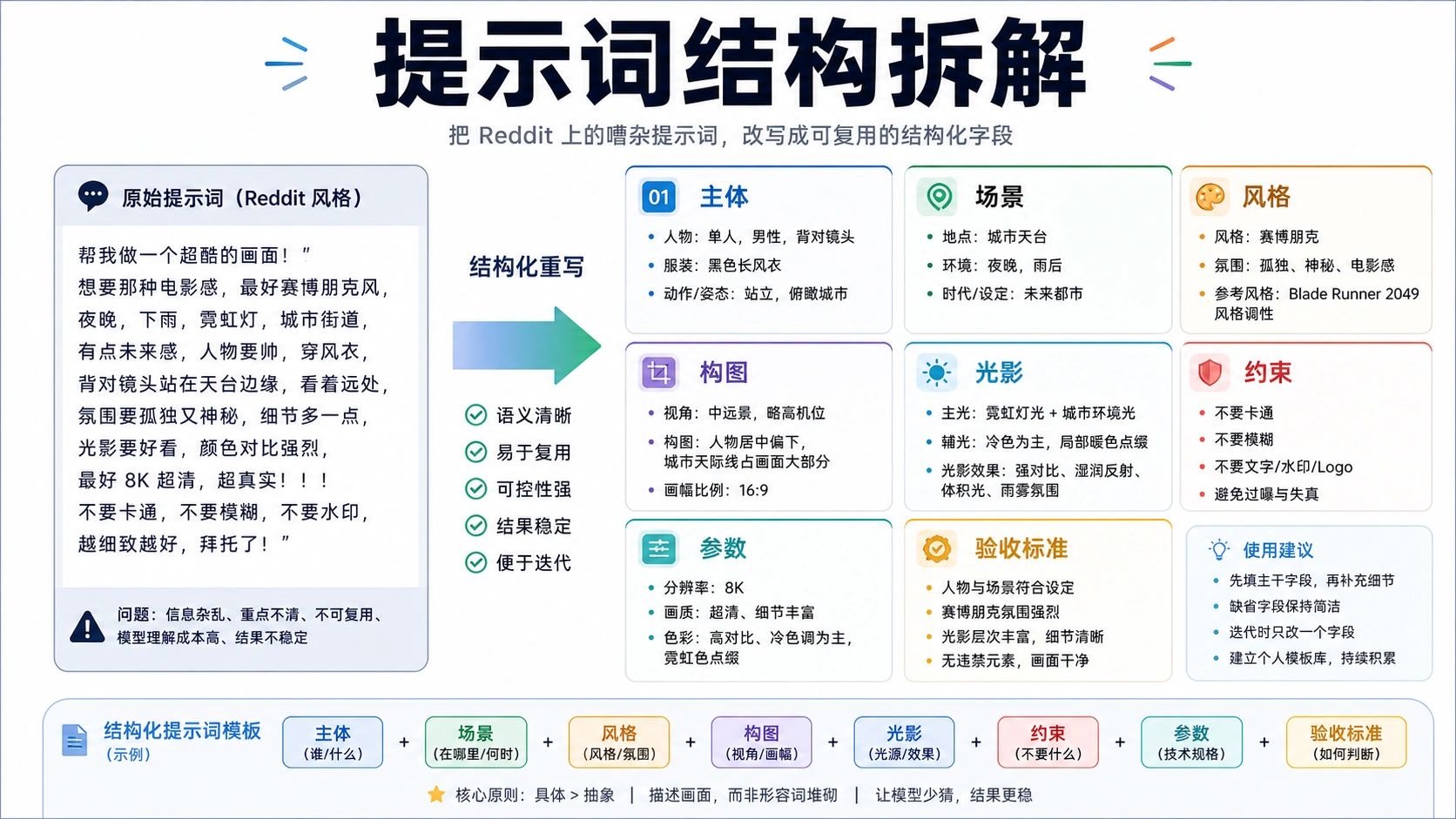
Effective Nano Banana Pro prompts follow a consistent structure that communicates your vision clearly without overwhelming the model with unnecessary keywords. The days of prompt keyword stuffing ("4K, masterpiece, trending on artstation, best quality") are over—Nano Banana Pro understands natural language and responds better to clear, organized descriptions.
The Universal Prompt Formula
The most reliable prompt structure follows this pattern:
[Subject + Adjectives] doing [Action] in [Location/Context]. [Composition/Camera Angle]. [Lighting/Atmosphere]. [Style/Media]. [Specific Text/Constraint].
Each component serves a specific purpose in guiding the generation. Let's break down what to include in each section and why it matters.
Subject defines who or what appears in the image. Specificity dramatically improves results—instead of "a cat," describe "a fluffy calico cat with bright green eyes wearing a tiny wizard hat." The more visual detail you provide, the less the model needs to guess, and guessing leads to inconsistent outputs.
Action captures what's happening. Static poses ("sitting contemplatively," "standing triumphantly") work differently than dynamic actions ("leaping through the air," "pouring coffee with precision"). The action influences the entire composition, so choose it deliberately.
Location/Context establishes the environment. "A neon-lit Tokyo alley at midnight" creates a vastly different scene than "a sunlit Tuscan vineyard at golden hour." Include atmospheric details—rain, fog, dust particles in light beams—that contribute to mood.
Composition/Camera Angle determines how the scene is framed. Options include: extreme close-up, close-up, medium shot, wide shot, birds-eye view, low angle, high angle, over-the-shoulder, and Dutch angle. Each creates different emotional impact and focus areas.
Lighting/Atmosphere sets the mood. Describe both the light source ("single overhead spotlight," "diffused natural window light," "three-point studio lighting") and the quality ("harsh shadows," "soft diffused," "dramatic chiaroscuro"). Lighting often makes or breaks an image's professionalism.
Style/Media guides the aesthetic approach. Be specific: "hyperrealistic photography" produces different results than "3D Pixar-style animation" or "Moebius comic illustration" or "1980s VHS aesthetic." When referencing artistic styles, the model performs best with well-known references.
Text/Constraint covers any specific requirements. For text rendering, be exact: "The sign reads 'FRESH COFFEE' in bold red serif letters." For factual accuracy in diagrams, specify: "Show accurate anatomical structure." For composition constraints: "Leave empty space in the right third for text overlay."
The ICS Framework for Quick Prompts
When you need something faster than the full formula, the ICS Framework provides a reliable shortcut:
- Image Type: What kind of visual? (photo, illustration, diagram, infographic, blueprint)
- Content: What's shown? (subject, data, process, comparison)
- Style: How does it look? (cinematic, minimal, hand-drawn, corporate)
A quick ICS prompt might read: "Create a technical diagram showing the coffee brewing process, illustrated in a clean modern infographic style with a teal and cream color palette."
Natural Language vs. Keyword Stuffing
Nano Banana Pro responds to conversational descriptions. Compare these approaches:
Old approach (avoid):
"cat, 4K, masterpiece, best quality, trending on artstation, highly detailed, sharp focus, professional, award-winning"
New approach (use):
"A regal Persian cat with piercing amber eyes sits on a velvet cushion in a Renaissance-style portrait. The lighting mimics Rembrandt's chiaroscuro technique, with the cat's white fur glowing against a dark background. Photorealistic, museum-quality detail."
The second prompt gives the model actual information to work with—the cat breed, eye color, setting, artistic reference, lighting style, and quality level all specified through description rather than tags.

50+ Copy-Paste Prompts by Category
Below are tested prompts organized by common use cases. Each prompt follows the framework principles and is ready to paste directly into Nano Banana Pro. Adjust specific details (colors, subjects, text) to match your needs while keeping the structural elements intact.
Product Photography Prompts
These prompts create professional product shots suitable for e-commerce, marketing, and brand materials.
Clean Studio Hero Shot
A sleek wireless headphone in matte black sits on a white marble surface. Professional three-point studio lighting with a soft gradient background transitioning from light gray to white. The product is the clear focal point with subtle reflections on the marble. High-end product photography style, 4K resolution, commercial quality.
Lifestyle Context Product
A premium leather wallet rests on a rustic wooden desk beside a vintage fountain pen and brass compass. Warm afternoon light streams through a window, creating soft shadows. The scene suggests adventure and timeless quality. Shot from a 45-degree angle with shallow depth of field. Lifestyle product photography with rich, earthy tones.
Floating Product Display
A transparent glass perfume bottle floats weightlessly against a deep purple gradient background. Dynamic water droplets and golden light particles surround the bottle. Dramatic rim lighting creates a luminous glow around the edges. Luxury fragrance advertising style with high contrast and jewel-like reflections.
Food Product Styling
An artisanal chocolate bar breaks apart mid-air, revealing a caramel center. Cocoa powder dust floats in the scene. Dark moody background with a single beam of warm light from above. Macro perspective showing texture details. High-end food photography with a sense of indulgent motion.
Tech Product on Surface
A minimalist smartwatch with a midnight blue band lies flat on a dark slate surface. Teal accent lighting reflects on the polished edges. The watch face displays "10:10" in clean typography. Top-down camera angle with dramatic shadows. Apple-style product photography, ultra-clean composition.
Cosmetics Flat Lay
An arrangement of skincare products including a serum bottle, cream jar, and tube forms an elegant composition on blush pink fabric. Fresh eucalyptus leaves accent the scene. Soft, diffused natural light from above. Overhead flat lay perspective. Instagram-worthy beauty photography with pastel tones.
Sneaker Hero Shot
A limited-edition running shoe in neon green and black hovers at a dynamic angle against a gradient background shifting from dark gray to bright green. Motion blur lines suggest speed. The shoe sole faces the camera at 30 degrees. Dramatic sports photography lighting with high energy composition.
Jewelry Close-Up
A diamond engagement ring rests on a reflective black surface. Intense point lighting creates brilliant sparkles and rainbow light dispersion through the facets. Extreme close-up showing every detail of the cut. The band's reflection creates perfect symmetry below. Fine jewelry catalog photography, maximum clarity.
Beverage Product Shot
A craft beer bottle with condensation droplets stands beside a filled glass with a perfect foam head. Amber backlight passes through the liquid, creating a warm glow. Rustic bar environment in the soft-focus background. Commercial beverage photography with thirst-appeal emphasis.
Skincare Dropper Shot
A glass serum dropper releases a single golden oil drop. The drop is frozen in time, perfectly spherical. Soft white background with minimal shadows. Focus on the drop with the bottle in soft focus above. Scientific beauty photography highlighting product texture and purity.
Portrait and People Prompts
These prompts generate professional portraits and people imagery for various commercial and creative uses.
Corporate Headshot
A confident business professional in a navy blazer smiles naturally against a clean white background. Soft three-point portrait lighting eliminates harsh shadows while maintaining definition. Medium close-up framing from chest up. The expression is approachable yet authoritative. Professional LinkedIn-style corporate photography.
Cinematic Character Portrait
A weathered detective with a five-o'clock shadow stands under a single streetlamp on a rain-slicked city street at night. Film noir lighting with strong rim light from behind and harsh shadows across the face. The character wears a trench coat with the collar turned up. 35mm film aesthetic with grain. Moody, cinematic composition.
Fashion Editorial
A model in a flowing crimson silk gown poses dramatically on marble stairs. Wind catches the fabric creating dynamic movement. Golden hour sunlight creates long shadows and warm highlights. Wide shot showing the full gown with grand architectural columns in the background. High fashion Vogue-style editorial photography.
Vintage Portrait
A young woman holds an old camera, styled in 1960s fashion with cat-eye sunglasses and a polka dot headscarf. Soft focus with warm color grading reminiscent of Kodachrome film. Suburban setting with pastel-colored houses in the background. Natural afternoon light. Nostalgic lifestyle photography with period-accurate styling.
Athlete Action Shot
A basketball player in mid-air executes a powerful dunk. Sweat droplets suspended around the athlete catch the arena lights. Low angle looking up at the player against the scoreboard glow. Frozen motion with perfect clarity. Dynamic sports photography emphasizing power and athleticism.
Environmental Portrait
A master woodworker stands in their workshop surrounded by handcrafted furniture. Dust particles float in beams of light from a high window. The craftsman holds a hand plane with calm expertise. Medium shot showing the person and their environment. Documentary-style portrait emphasizing craftsmanship and dedication.
Beauty Close-Up
An extreme close-up of a model's face focuses on flawless skin, defined eyebrows, and subtle makeup. Soft ring light creates a circular catchlight in the eyes. The background is pure white. Every pore and texture is visible but the skin appears naturally radiant. High-end beauty photography for skincare advertising.
Group Portrait
A diverse team of five startup founders stands confidently in their modern office space. Natural window light from the left creates a professional atmosphere. The composition shows the full group in a casual but unified arrangement. Corporate team photography with authentic, approachable energy.
Artistic Self-Portrait Style
A person's silhouette stands against a vibrant sunset over the ocean. The figure is completely dark against the explosive orange and purple sky. Dramatic clouds frame the scene. Wide shot emphasizing the grandeur of nature against the human form. Emotional, contemplative atmosphere.
Retro Glamour Portrait
A Hollywood-style portrait from the 1940s era featuring soft focus, dramatic butterfly lighting, and a glowing halo effect around the hair. The subject wears pearl earrings and classic red lipstick. Black and white with high contrast. Classic glamour photography reminiscent of George Hurrell.
Infographic and Diagram Prompts
These prompts create data visualizations, process diagrams, and educational graphics with accurate text rendering.
Process Flowchart
Create a vertical flowchart showing the coffee brewing process with these steps: 1. Grind Beans, 2. Heat Water to 200°F, 3. Add Grounds to Filter, 4. Pour Water Slowly, 5. Wait 4 Minutes, 6. Serve. Use rounded rectangle shapes connected by arrows. Color scheme: coffee brown and cream. Clean, minimal modern design with icons for each step.
Data Comparison Infographic
An infographic comparing three smartphone plans side by side. Display plan names at top: "Basic," "Standard," and "Premium." Show data limits (5GB, 20GB, Unlimited), monthly cost ($25, $45, $75), and features with checkmarks. Use a clean corporate blue color palette. Professional business presentation style with clear hierarchy.
Anatomy Diagram
A scientific illustration showing the structure of the human heart with accurate anatomical labels. Label the four chambers: Right Atrium, Left Atrium, Right Ventricle, Left Ventricle. Show major blood vessels: Aorta, Pulmonary Artery, Pulmonary Veins, Vena Cava. Medical textbook illustration style with a cutaway view. Red and blue coloring for oxygenated and deoxygenated blood flow.
Timeline Infographic
A horizontal timeline showing the history of the internet from 1969 to 2025. Key milestones: ARPANET (1969), WWW Invented (1989), Google Founded (1998), iPhone Launch (2007), ChatGPT Release (2022), AI Era (2025). Use connected circles on a flowing line. Tech-inspired color scheme with blue and purple gradients. Clean, modern data visualization style.
Map-Based Infographic
A stylized map of the United States showing the distribution of renewable energy sources by region. Wind power in the Midwest (green), Solar in the Southwest (yellow), Hydroelectric in the Pacific Northwest (blue). Include a legend in the corner. Flat design illustration style with simplified state boundaries.
Comparison Chart
A feature comparison table with the header "EV Charging Levels Explained." Three columns for Level 1, Level 2, and DC Fast Charging. Rows: Power Output (1.4kW, 7-19kW, 50-350kW), Charging Time (8-24 hrs, 2-8 hrs, 20-60 min), Typical Location (Home, Public, Highway). Use electric vehicle iconography. Green and white color scheme. Clean corporate design.
Step-by-Step Guide
A visual step-by-step guide showing how to tie a bow tie in 6 numbered steps. Each step shows hands manipulating the bow tie with simple arrows indicating movement direction. Minimal illustration style with navy blue bow tie on white background. Clear, instructional formatting like a product manual.
Statistical Data Visualization
A pie chart showing global market share of smartphone operating systems. Android 71%, iOS 28%, Other 1%. Use the official brand colors (green for Android, gray for iOS). Display percentages as bold labels on each segment. Clean modern business chart style with a subtle 3D perspective.
Marketing and Social Media Prompts
These prompts create engaging visuals for advertising, social posts, and promotional materials.
Instagram Story Ad
A vertical 9:16 advertisement for a summer sale. A model in sunglasses holds shopping bags against a gradient background from coral to golden yellow. Text overlay reads "SUMMER SALE" in bold white letters at top and "UP TO 50% OFF" in smaller text below. Energetic, youthful fashion advertising style. Social media-ready composition.
YouTube Thumbnail
An attention-grabbing YouTube thumbnail for a tech review video. A smartphone screen displays a surprised emoji face. Bold text reads "THIS CHANGES EVERYTHING" in yellow with black outline. Red arrow points to the phone. High contrast with saturated colors. Clickbait style but professional quality. 16:9 landscape format.
Facebook Event Banner
A wide banner image for a summer music festival. Silhouettes of people with raised hands against a dramatic sunset sky with stage lighting. The text "SUNSET MUSIC FESTIVAL 2025" appears in bold retro-style lettering. "June 21-23 | Miami Beach" in smaller text below. Festival poster aesthetic with vibrant energy.
Product Launch Announcement
A sleek product reveal image showing a new smartphone emerging from swirling light particles against a dark background. The text "INTRODUCING" in small caps above and "NOVA X" in large bold letters below. Blue and purple gradient lighting creates a futuristic atmosphere. Premium tech product launch visual.
Quote Graphic
An inspirational quote graphic for LinkedIn. The text reads: "Innovation distinguishes between a leader and a follower. — Steve Jobs" displayed in elegant serif typography against a minimal background of soft gray. Subtle geometric lines accent the corners. Professional, sophisticated design suitable for business context.
Email Header Banner
A horizontal email header for a holiday newsletter. Warm holiday imagery with wrapped gifts, pine branches, and gold ornaments. Text reads "SEASON'S GREETINGS" in elegant script. Color palette of deep red, forest green, and gold. Festive but professional design. 600 pixels wide format.
Before/After Split
A side-by-side comparison image showing a room renovation. Left side labeled "BEFORE" shows a dated kitchen with old cabinets. Right side labeled "AFTER" shows the same kitchen transformed with modern finishes. Clean diagonal line divides the image. Home improvement advertising style with dramatic contrast.
Flash Sale Banner
An urgent flash sale banner with bold diagonal stripes in red and white. Large text reads "24 HOUR FLASH SALE" with a countdown timer graphic showing "05:00:00." Product images float dynamically across the design. High energy retail promotion style with maximum urgency.
Testimonial Card
A customer testimonial graphic featuring a five-star rating at top. Quote text: "Best purchase I've ever made. Exceeded all expectations!" Customer photo in a circular frame with name "Sarah M." and "Verified Buyer" below. Clean white background with subtle shadow. Trust-building e-commerce design.
App Store Screenshot
A smartphone mockup displaying a fitness app interface. The screen shows a workout dashboard with progress rings and statistics. Text overlay "TRACK YOUR PROGRESS" floats beside the phone. Gradient background from purple to blue. App Store promotional style optimized for 1242×2208 pixel display.
Creative and Artistic Prompts
These prompts push creative boundaries for artistic expression and conceptual imagery.
Surrealist Landscape
A dreamlike landscape where a staircase rises from the ocean surface into clouds shaped like whales. The water is perfectly still, reflecting the surreal sky. Salvador Dalí meets René Magritte aesthetic. Soft golden light creates an otherworldly atmosphere. High detail surrealist digital painting.
Cyberpunk Cityscape
A rain-soaked Tokyo street at night with towering holographic advertisements in Japanese and English. Neon signs in pink and cyan reflect on wet pavement. A lone figure with an umbrella walks past a ramen stand. Blade Runner inspired atmosphere with dense visual detail. Cinematic wide shot with anamorphic lens flare.
Fantasy Character Design
A forest elf archer with flowing silver hair draws a glowing bow in a moonlit clearing. Intricate leather armor with leaf patterns. Ethereal particles float around the drawn arrow. The style blends Lord of the Rings realism with video game concept art. Full character portrait showing detailed costume design.
Abstract Emotion
An abstract representation of anxiety depicted through sharp geometric shapes in dark blue and purple pressing inward toward a small warm orange light in the center. The composition creates visual tension. Modern abstract expressionist style. Emotional and evocative without being literal.
Steampunk Invention
A detailed technical illustration of a fantastical steampunk flying machine. Brass gears, copper pipes, leather straps, and canvas wings form an impossible but internally consistent design. Annotated with handwritten labels in sepia ink. Victorian-era patent drawing aesthetic with aged paper texture.
Underwater Scene
A luminescent jellyfish drifts through deep ocean twilight, surrounded by bioluminescent plankton. Light rays penetrate from the distant surface above. A diver in vintage equipment watches from the shadows. Atmospheric underwater photography style with ethereal blue-green color grading.
Retro Sci-Fi Book Cover
A 1970s science fiction paperback cover showing an astronaut standing on an alien planet with twin suns. Geometric structures of an alien civilization rise in the background. Bold retro typography reads "BEYOND THE STARS" at top and author name "J.K. STERLING" at bottom. Classic pulp sci-fi illustration style.
Japanese Woodblock Style
A great wave scene in the style of Hokusai's The Great Wave off Kanagawa, but depicting a modern container ship instead of traditional boats. Maintain the distinctive blue color palette and wave patterns. Traditional ukiyo-e woodblock print aesthetic with historical authenticity.
Concept Art Environment
A post-apocalyptic greenhouse where nature has reclaimed a shopping mall. Vines and trees grow through escalators. Sunlight streams through broken skylights onto a pond formed in the food court. Video game concept art style with rich environmental storytelling and detailed textures.
Magical Realism Scene
A child's bedroom where the furniture has come alive to protect them from nightmare shadows. The wardrobe stands guard with drawer-handle eyes. Books fly in formation overhead. Whimsical yet slightly unsettling atmosphere. Studio Ghibli meets Tim Burton aesthetic with painterly textures.
Art Deco Poster
An art deco travel poster for "Visit The Moon - 2050." Geometric rocket ship with gold and silver metallic accents against a stylized black night sky. Bold sans-serif typography with decorative borders. Vintage travel poster composition updated for a space age subject.
Vaporwave Aesthetic
A surreal scene featuring classical Greek statues in a neon-lit mall landscape. Palm trees, checkerboard floors, and floating Windows 95 icons. Pink and cyan gradient sky. Heavy glitch effects and VHS tracking lines. Peak 1990s internet aesthetic captured in high resolution.

Advanced Techniques for Power Users
Once you've mastered the basic prompt framework, these advanced techniques unlock Nano Banana Pro's full potential for complex, multi-faceted image generation tasks.
Reference Image Integration
Nano Banana Pro accepts up to 14 reference images in a single prompt, enabling unprecedented control over style, character consistency, and composition. This capability transforms the model from a text-to-image generator into a sophisticated visual remixing tool.
Using reference images effectively requires clear role assignment. Instead of uploading images and hoping the model understands your intent, explicitly state how each image should influence the output:
"Use Image A as the character reference—match this person's face and body proportions exactly. Use Image B for the art style—apply this illustration technique with the bold linework and flat colors. Use Image C for the environment—recreate this forest setting with similar lighting."
For brand consistency across multiple assets, upload your brand guidelines, color swatches, or existing marketing materials as references. The model can extract visual DNA from these inputs and apply it to new generations, maintaining coherent aesthetics across campaigns.
Character consistency across multiple images remains one of AI's biggest challenges, but Nano Banana Pro handles this better than previous models. When generating a character for a graphic novel or marketing campaign, upload multiple angles of the same character as reference, then describe the new pose or scene you need. The model uses all uploaded references to maintain recognizable features across outputs.
Thinking Mode Activation
Nano Banana Pro includes a unique "Thinking" capability that reasons through complex prompts before generating the final image. This process creates internal "thought images" that help refine composition and ensure logical consistency—particularly valuable for infographics, technical diagrams, and scenes with complex spatial relationships.
Thinking mode activates automatically for complex prompts, but you can encourage deeper reasoning with explicit instructions:
"Think carefully about the lighting interaction between the glass prism and the sunbeam before generating. The refracted rainbow should follow accurate physics."
"Reason through the spatial layout of this infographic before rendering. Each section must logically flow into the next with clear visual hierarchy."
For images requiring factual accuracy—like scientific diagrams, historical recreations, or data visualizations—thinking mode cross-references the model's knowledge base to reduce errors. However, always verify factual outputs, as the model isn't infallible.
Search-Grounded Prompting
Nano Banana Pro can verify facts using real-time Google Search before generating, a feature called search grounding. This proves especially useful when creating:
- Infographics with accurate statistics
- Product comparisons with current specifications
- Event graphics with correct dates and details
- Educational diagrams with verified information
To leverage search grounding, include explicit accuracy requirements:
"Create an infographic showing the current top 5 programming languages by GitHub usage in 2025. Use accurate, up-to-date statistics. Verify the data before generating."
"Generate a labeled diagram of the James Webb Space Telescope with accurate component labels. Cross-reference the official specifications."
The model will conduct searches to inform its generation, though you should still verify critical data in the output.
Multi-Turn Refinement
Unlike static generation tools, Nano Banana Pro maintains context across conversation turns, enabling iterative refinement without starting over. This workflow proves more efficient than regenerating from scratch:
- Generate initial image with your complete prompt
- Request specific modifications: "Move the coffee cup to the left side of the frame"
- Layer additional changes: "Make the lighting warmer and add steam rising from the cup"
- Fine-tune details: "Sharpen the brand logo on the cup so the text is legible"
Each modification builds on the previous result, preserving elements you're happy with while adjusting others. This approach consumes fewer resources than repeated full generations and often produces more refined final results.
Precise Text Rendering Instructions
Nano Banana Pro's text rendering capabilities set it apart from previous models, but unlocking accurate text requires specific prompting techniques:
Always specify exact text content:
"The neon sign reads exactly: 'OPEN 24/7' in red cursive letters"
Define typography characteristics:
"Write 'WELCOME' in bold Impact font, dark blue color, centered at the top of the banner"
Indicate placement precisely:
"The product label shows 'ORGANIC HONEY' in gold serif letters on the white area of the jar's front face"
Include language for non-English text:
"The storefront sign displays '寿司' (sushi in Japanese Kanji) in traditional calligraphy style"
Common text errors include letter repetition, slight misspellings, and missing characters. If text accuracy is critical, generate at higher resolution (2K or 4K) and verify the output before use.
Resolution and Quality Settings
Nano Banana Pro offers three resolution tiers that balance quality against generation cost and time. Understanding when to use each optimizes your workflow and budget.
| Resolution | Pixel Output | Token Cost | Generation Time | Best Use Cases |
|---|---|---|---|---|
| 1K | 1024×1024 | 1120 | ~15 seconds | Drafts, social media, thumbnails |
| 2K | 2048×2048 | 1120 | ~25 seconds | Marketing, web, detailed graphics |
| 4K | 4096×4096 | 2000 | ~45 seconds | Print, high-detail products, fine art |
1K resolution (default) works perfectly for most digital applications. Social media images, website graphics, email assets, and concept drafts all render beautifully at this size. The quick generation time makes 1K ideal for iteration and exploration.
2K resolution offers a sweet spot for professional deliverables. The additional detail handles complex scenes, text rendering, and product photography without the premium cost of 4K. Most marketing and web applications won't benefit from anything higher.
4K resolution reserves itself for maximum quality requirements: print materials, product photography requiring zoom capability, detailed infographics, and artwork intended for large displays. The doubled token cost (2000 vs 1120) reflects the increased computational demand.
Aspect Ratio Options
Beyond resolution, Nano Banana Pro supports diverse aspect ratios matching common media formats:
| Ratio | Use Case |
|---|---|
| 1:1 | Instagram posts, profile pictures |
| 4:3 | Traditional photography, presentations |
| 3:2 | DSLR photography standard |
| 16:9 | YouTube thumbnails, video frames |
| 9:16 | Instagram/TikTok Stories, vertical video |
| 21:9 | Cinematic widescreen, banners |
| 4:5 | Instagram portrait posts |
Specify aspect ratio explicitly in your prompt or through API parameters:
"Create a 16:9 landscape banner showing a mountain range at sunset with the text 'ADVENTURE AWAITS' positioned in the lower right."
API Integration Guide
For developers building image generation into applications, Nano Banana Pro offers a straightforward API that follows the Gemini API conventions. This section covers practical implementation with working code examples.
Authentication and Endpoint
The model is accessed via the Gemini API using the model ID gemini-3-pro-image-preview. Authentication uses an API key passed in the request headers.
Official Endpoint:
https://generativelanguage.googleapis.com/v1beta/models/gemini-3-pro-image-preview:generateContent
For developers who need high-volume image generation without managing individual API keys, services like laozhang.ai provide API access at $0.05 per image—significantly lower than building direct integrations for small-scale projects. This approach suits prototyping, MVPs, and applications where predictable per-image costs simplify budgeting.
Python Implementation Example
Here's a complete, working Python script for generating images with Nano Banana Pro:
hljs pythonimport requests
import base64
import json
# Configuration
API_KEY = "your-api-key-here"
API_URL = "https://api.laozhang.ai/v1beta/models/gemini-3-pro-image-preview:generateContent"
headers = {
"Authorization": f"Bearer {API_KEY}",
"Content-Type": "application/json"
}
def generate_image(prompt, resolution="2K", aspect_ratio="16:9"):
"""
Generate an image using Nano Banana Pro
Args:
prompt: Text description of desired image
resolution: "1K", "2K", or "4K"
aspect_ratio: e.g., "1:1", "16:9", "9:16"
Returns:
Base64 encoded image data
"""
payload = {
"contents": [{
"parts": [{"text": prompt}]
}],
"generationConfig": {
"responseModalities": ["IMAGE"],
"imageConfig": {
"aspectRatio": aspect_ratio,
"imageSize": resolution
}
}
}
response = requests.post(
API_URL,
headers=headers,
json=payload,
timeout=180 # 4K can take up to 60 seconds
)
if response.status_code != 200:
raise Exception(f"API error: {response.text}")
result = response.json()
image_data = result["candidates"][0]["content"]["parts"][0]["inlineData"]["data"]
return image_data
def save_image(base64_data, filename):
"""Save base64 image data to file"""
with open(filename, "wb") as f:
f.write(base64.b64decode(base64_data))
print(f"Saved: {filename}")
# Example usage
if __name__ == "__main__":
prompt = """
A professional product photograph of a wireless earbud case
on a white marble surface. Clean studio lighting with soft shadows.
The case is open showing the earbuds inside. Premium tech aesthetic.
"""
image_data = generate_image(prompt, resolution="2K", aspect_ratio="1:1")
save_image(image_data, "product_shot.png")
Generation Configuration Options
The generationConfig object accepts several parameters:
hljs python"generationConfig": {
"responseModalities": ["IMAGE"], # or ["TEXT", "IMAGE"] for descriptions
"imageConfig": {
"aspectRatio": "16:9", # 1:1, 4:3, 3:2, 16:9, 9:16, etc.
"imageSize": "2K" # 1K, 2K, or 4K (uppercase required)
}
}
Important notes:
- Image size must use uppercase "K" (2K, not 2k)
- Set timeout to at least 180 seconds for 4K generation
- Response includes base64-encoded PNG data
- All outputs include invisible SynthID watermarks
Batch Generation Pattern
For generating multiple images efficiently:
hljs pythonimport asyncio
import aiohttp
async def generate_batch(prompts, resolution="1K"):
"""Generate multiple images concurrently"""
async with aiohttp.ClientSession() as session:
tasks = [
generate_single(session, prompt, resolution)
for prompt in prompts
]
return await asyncio.gather(*tasks)
# Generate 10 product variations simultaneously
prompts = [f"Product shot variation {i}: modern coffee mug..." for i in range(10)]
results = asyncio.run(generate_batch(prompts))

Common Mistakes and How to Fix Them
Even experienced users fall into patterns that produce suboptimal results. Recognizing these issues and their solutions accelerates your path to consistent quality output.
Mistake 1: Keyword Stuffing from Older Models
The problem: Prompts filled with quality tags like "4K, masterpiece, best quality, trending on artstation, highly detailed, sharp focus, professional, award-winning, ultra realistic" produce cluttered, sometimes incoherent results.
Why it happens: These techniques worked with earlier diffusion models that needed explicit quality signals. Nano Banana Pro's natural language understanding makes them unnecessary and counterproductive.
The fix: Replace quality tags with descriptive language. Instead of "4K masterpiece," describe what makes an image high quality in your context: "Museum-quality oil painting with visible brushstrokes and rich color depth."
Mistake 2: Vague Text Instructions
The problem: Prompts like "add some text" or "include a title" produce garbled, incomplete, or poorly positioned text.
Why it happens: The model interprets vague instructions creatively, often in unintended ways.
The fix: Always specify:
- Exact text content in quotes: 'SALE ENDS FRIDAY'
- Typography: bold, serif, handwritten, neon
- Color: red, gold gradient, black
- Position: centered at top, lower-left corner, on the sign
Before: "Add a title to the poster" After: "Add 'SUMMER VIBES' in bold coral-colored sans-serif letters, centered in the top third of the composition"
Mistake 3: Underutilizing Reference Images
The problem: Users upload reference images without explaining their purpose, leaving the model to guess which elements to extract.
Why it happens: Assuming the AI will "get it" without explicit guidance.
The fix: Assign clear roles to each reference:
"Reference image 1 provides the color palette—use these exact warm terracotta and sage green tones. Reference image 2 shows the desired layout—position elements in this grid structure. Reference image 3 is for the illustration style—match this hand-drawn quality with subtle textures."
Mistake 4: Ignoring Known Limitations
The problem: Expecting perfect results in areas where the model consistently struggles: small faces in complex scenes, accurate text in tight spaces, hands with correct finger counts.
Why it happens: Overconfidence in AI capabilities leads to unsuitable use cases.
The fix: Design around limitations:
- For small faces: generate at 4K and crop, or focus on larger portrait framing
- For text in tight spaces: add text in post-processing with design tools
- For hands: frame compositions to minimize visible hands, or accept imperfections
Mistake 5: Single-Shot Expectations
The problem: Expecting the first generation to be final, then frustration when it isn't.
Why it happens: Misunderstanding AI image generation as a precision tool rather than a creative collaboration.
The fix: Budget for iteration:
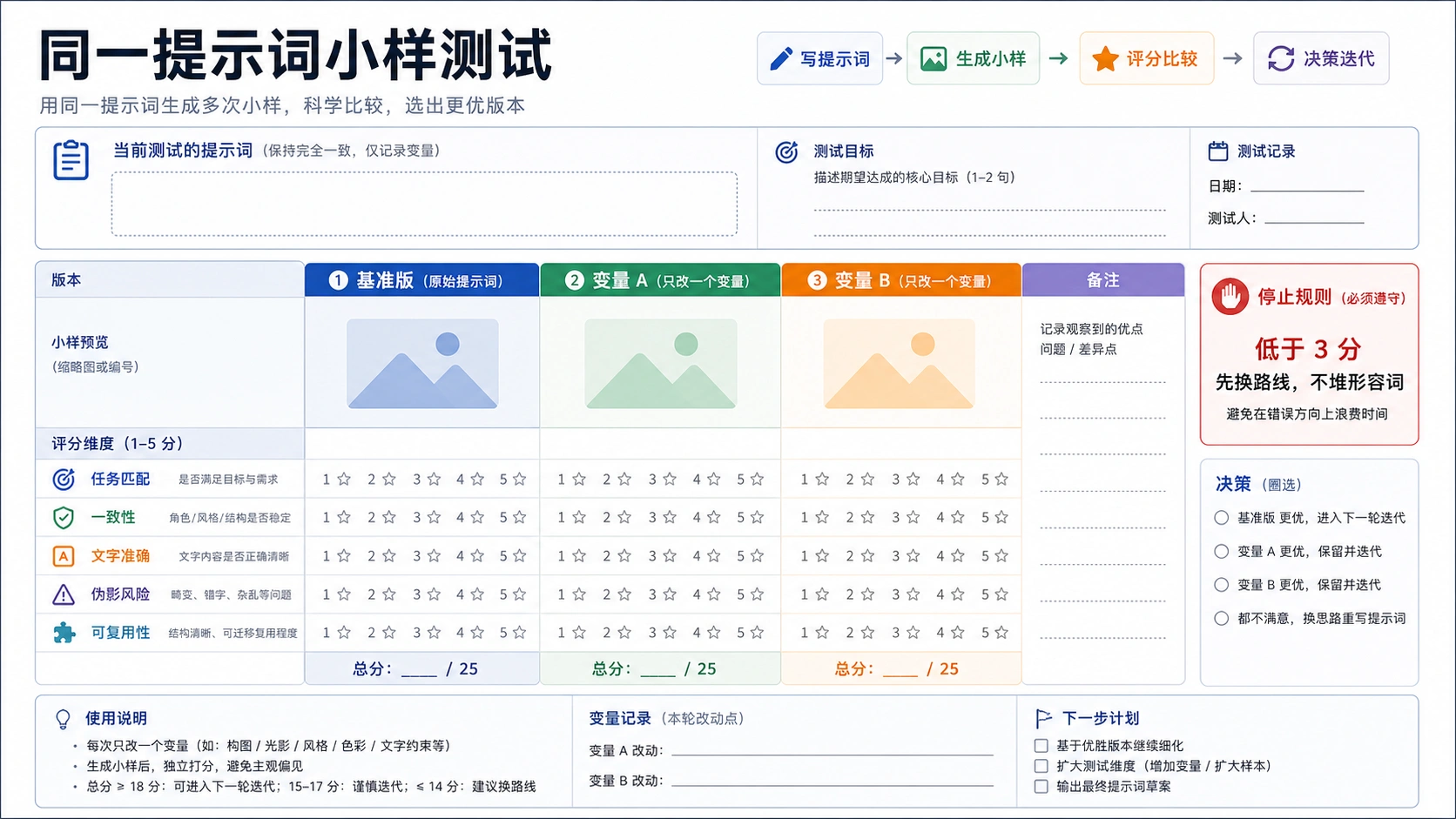
- Generate initial concept
- Evaluate what works, what doesn't
- Refine through conversation or adjusted prompts
- Repeat until satisfied
Most professional results require 2-5 iterations. Build this into your timeline and budget.
Nano Banana Pro vs Other AI Image Tools
Understanding how Nano Banana Pro compares to alternatives helps you choose the right tool for specific projects.
| Feature | Nano Banana Pro | Midjourney V6 | DALL-E 3 | Stable Diffusion 3 |
|---|---|---|---|---|
| Max Resolution | 4K | 2K | 1024×1024 | Variable |
| Text Rendering | Excellent | Good | Good | Moderate |
| Reference Images | Up to 14 | 4 | 1 | Variable |
| Thinking Mode | Yes | No | No | No |
| Search Grounding | Yes | No | No | No |
| API Access | Yes | Limited | Yes | Yes |
| Cost per Image | ~$0.02-0.05 | ~$0.04-0.10 | ~$0.04 | Free (self-hosted) |
Nano Banana Pro excels at: Professional marketing assets, infographics with accurate text, multi-reference composition, and images requiring factual accuracy. The thinking mode produces more logically consistent complex scenes.
Midjourney excels at: Artistic interpretation, stylized aesthetics, and images where creative direction matters more than prompt literalness. Its distinctive look suits editorial and artistic projects.
DALL-E 3 excels at: Tight ChatGPT integration, conversational refinement, and users who prefer OpenAI's ecosystem. Text rendering rivals Nano Banana Pro's quality.
Stable Diffusion excels at: Complete customization, local/private generation, fine-tuning on custom datasets, and use cases requiring specialized models or no usage costs.
For most commercial and professional applications, Nano Banana Pro offers the best balance of capability, quality, and workflow integration. The multi-reference feature and thinking mode provide advantages for complex projects that justify any learning curve.
Frequently Asked Questions
How many images can I generate with Nano Banana Pro?
Through Google's Gemini app, limits vary by subscription tier—free users get limited generations while paid subscribers receive higher allocations. API access (including through providers like laozhang.ai) charges per generation without daily limits, making it suitable for production workloads.
Why does my text appear garbled or misspelled?
Text rendering improves with specificity. Always include the exact text in quotes, specify the font style, color, and precise placement. Generate at 2K or 4K for smaller text elements. If critical text accuracy is needed, consider adding text in post-production.
Can I use generated images commercially?
Google's terms allow commercial use of Nano Banana Pro outputs. However, check specific licensing when using third-party API providers, and avoid generating images that infringe on trademarks or copyrights.
How do I maintain character consistency across multiple images?
Upload multiple reference images of your character showing different angles. Explicitly describe the character's consistent features in each prompt. Use multi-turn conversation to refine character appearance before generating variants.
What's the difference between Nano Banana and Nano Banana Pro?
"Nano Banana" refers to Gemini 2.5 Flash Image—a faster, lighter model optimized for quick generation. "Nano Banana Pro" (Gemini 3 Pro Image) offers higher quality, 4K output, thinking mode, and up to 14 reference images for professional use cases.
Why is my 4K generation taking so long?
4K images require significantly more computation, taking 45-60 seconds compared to 15 seconds for 1K. Set longer timeouts in API calls (180+ seconds recommended) and use 4K only when the extra resolution genuinely benefits your output.
Can Nano Banana Pro generate images of real people?
The model has safety restrictions around generating images of identifiable real individuals. For fictional characters or generic people, it works well. For specific individuals, you may encounter blocks or need to use your own photos as reference.
How do aspect ratios affect generation quality?
Extreme aspect ratios (like 21:9 cinematic) may have slightly less detail per area than standard ratios, as the total pixels are distributed differently. For maximum quality in unusual formats, consider generating at 4K.
What happens if my prompt is rejected?
Content safety filters may block prompts involving violence, explicit content, or other restricted categories. Rephrase to focus on the artistic or descriptive elements you actually need. Most rejections come from specific word combinations rather than creative intent.
Is there a way to speed up generation?
Use 1K resolution for drafts and iteration. Keep prompts focused rather than extremely long. For production, batch operations through the API execute faster than sequential Gemini app usage.
Conclusion
Nano Banana Pro represents a significant leap in accessible AI image generation. The combination of natural language understanding, up to 4K resolution, multi-reference composition, and built-in reasoning creates a tool that handles everything from quick social media graphics to complex marketing campaigns. The 50+ prompts in this guide provide tested starting points across product photography, portraits, infographics, marketing assets, and creative artwork—copy them directly or adapt them to your specific needs.
The key to consistent results lies in structured prompting: specify your subject with detail, establish composition and lighting, define the artistic style, and provide exact text when needed. Avoid legacy keyword-stuffing approaches and instead describe images the way you'd explain them to a professional designer. Use reference images with explicit role assignments, leverage thinking mode for complex compositions, and iterate through conversation rather than starting fresh with each generation.
For developers integrating image generation into applications, the API provides straightforward access with predictable costs. Whether accessing through Google's official endpoints or cost-efficient providers for prototyping, the same prompting principles apply. Generate at 1K for iteration, 2K for production web assets, and reserve 4K for print and maximum detail requirements.
As you develop your prompting skills, save successful prompts as templates, document what works for your specific use cases, and build a library of reliable starting points. The most effective Nano Banana Pro users treat it as a creative collaboration tool—one that rewards clear communication, iterative refinement, and understanding of both its strengths and current limitations.