Nano Banana Pro Coordinates: Complete Guide to Location-Based Image Generation and Object Detection (2025)
Master Nano Banana Pro coordinates for GPS-based image generation and bounding box object detection. Includes 20+ ready-to-use prompts, complete syntax guide, and API implementation code.
Nano Banana Pro
4K-80%Google Gemini 3 Pro · AI Inpainting
谷歌原生模型 · AI智能修图

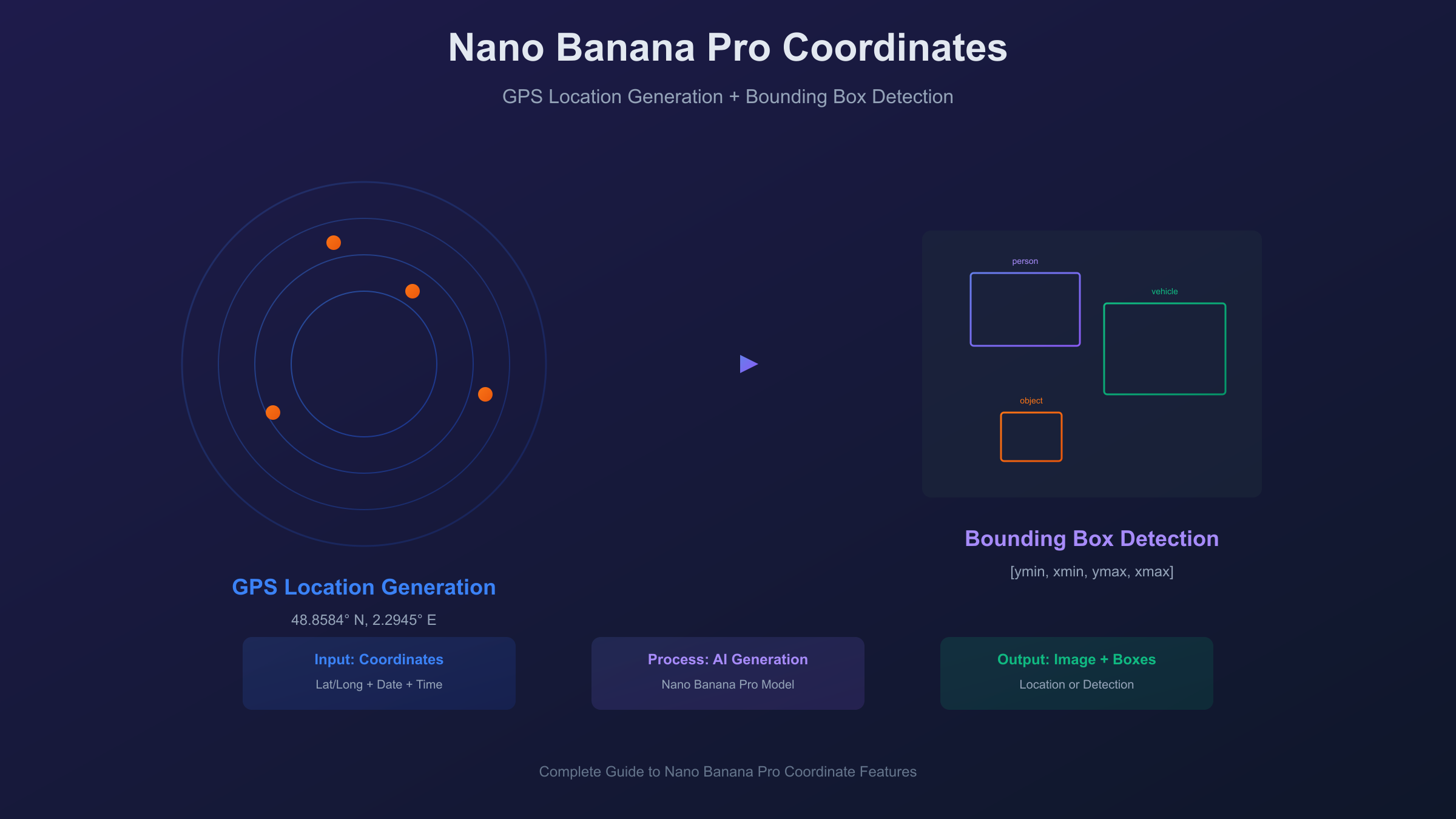
When users search for "Nano Banana Pro coordinates," they're typically looking for one of two distinct features. The first—and by far the most popular—is the viral GPS coordinate-based image generation capability that lets you create hyper-realistic images of any location on Earth simply by providing latitude and longitude values. The second meaning refers to bounding box coordinates returned by the model's object detection feature, which outputs precise location data for objects identified within images. This guide covers both comprehensively, giving you everything needed to master coordinate-based workflows with Nano Banana Pro.
The coordinate-based image generation feature went viral on X (formerly Twitter) in late November 2025 when users discovered they could recreate historical moments by providing precise GPS coordinates, dates, and times. From ancient civilizations to modern landmarks, the model interprets geographic data with remarkable accuracy, determining terrain types, seasonal vegetation, sun positions, and architectural styles based purely on coordinate and datetime inputs. Meanwhile, developers building vision applications need to understand the bounding box coordinate system that Nano Banana Pro uses for object detection—a normalized format that requires specific conversion to work with actual image dimensions.
| Feature | Coordinate Type | Format | Primary Use |
|---|---|---|---|
| Location Generation | GPS (lat/long) | 40.7128° N, 74.0060° W | Creating location-specific images |
| Object Detection | Bounding Box | [ymin, xmin, ymax, xmax] | Identifying objects in images |
Understanding Coordinate-Based Image Generation
Nano Banana Pro's location-based image generation represents a significant advancement in how AI models interpret geographic data. Unlike traditional image generation where you describe a scene in natural language, coordinate-based generation uses latitude, longitude, date, and time as primary inputs—and the model determines everything else from that data.
The technical approach relies on three interconnected systems. First, geospatial databases provide terrain information, climate zone classification, and urban density patterns for any coordinate on Earth. Second, astronomical algorithms calculate precise sun positions, shadow angles, and lighting conditions based on the date and time you specify. Third, seasonal models determine appropriate vegetation states, weather probabilities, and atmospheric conditions for the location and time of year. The model doesn't rely on learned associations from image captions—it actually calculates what a location should look like based on these objective data sources.
This approach produces remarkably consistent results. The same coordinates with the same datetime will always generate the same baseline environmental conditions: identical sun angles, equivalent seasonal characteristics, and matching geographic features. For example, entering London coordinates (51.5074° N, 0.1278° W) with a March 20th noon timestamp will consistently produce spring equinox lighting conditions with approximately 39-degree solar elevation and shadows pointing true north. This consistency makes coordinate-based generation valuable for applications requiring reproducible outputs, such as architectural visualization, environmental simulation, or location-based storytelling.
The model distinguishes itself from other AI image generators through this grounded approach to world knowledge. While models like DALL-E or Midjourney interpret location names through training data associations, Nano Banana Pro can generate accurate scenes for coordinates that may never appear in image captions—remote wilderness areas, specific ocean locations, or precise points within cities. The model knows what to expect at any coordinate because it's working from geographic and astronomical data, not learned visual patterns.
Complete Prompt Syntax Guide
Mastering coordinate prompt syntax unlocks the full potential of Nano Banana Pro's location generation. The model accepts several format variations, each suitable for different use cases.
Coordinate Format Options
Decimal Degrees (Most Common):
40.7128° N, 74.0060° W
This format works reliably and is easiest to copy from mapping services like Google Maps. Include the degree symbol (°) and cardinal direction (N/S for latitude, E/W for longitude) for best results.
Degrees-Minutes-Seconds (Traditional):
40°42'46"N 74°00'22"W
Suitable for aviation and nautical contexts or when working with traditional coordinate sources. The model interprets both formats equivalently.
Standard Decimal (Simplified):
40.7128, -74.0060
Negative values indicate South latitude and West longitude. This format works but may produce slightly less consistent results than explicit cardinal directions.
Date Format Options
Modern Dates:
December 22, 2025
2025-12-22
December 22
Any standard date format works. Include the year for precise seasonal accuracy; without a year, the model assumes the current year.
Historical Dates:
April 3, 33 CE
July 4, 1776
August 15, 1947
Use CE (Common Era) or AD for historical dates. The model interprets ancient dates but accuracy diminishes for periods with limited geographic data.
Prehistoric/Geological Dates:
June 2, 66,000,000 BCE
BCE (Before Common Era) works for prehistoric prompts. Results are interpretive rather than accurate—the model visualizes plausible prehistoric conditions.
Time Format Options
24-Hour Format (Recommended):
14:30
15:00 hours
Provides unambiguous time specification. Include "hours" for clarity in natural language prompts.
12-Hour Format:
2:30 PM
9:00 AM
Works reliably for casual prompts. AM/PM required to avoid ambiguity.
Complete Prompt Structure
The optimal prompt structure combines all elements:
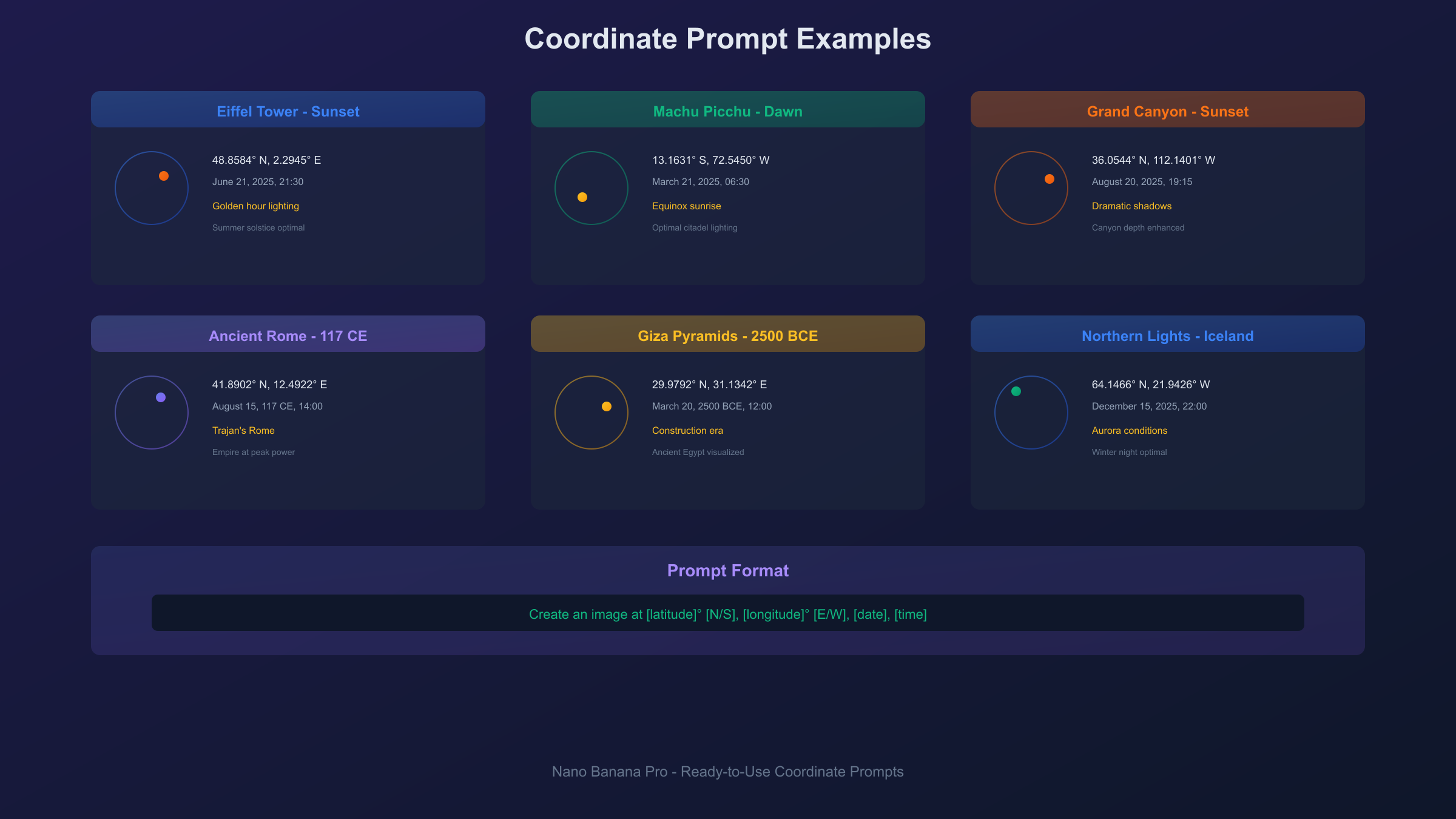
Create an image at [latitude]° [N/S], [longitude]° [E/W], [date], [time]
Example:
Create an image at 48.8584° N, 2.2945° E, September 15, 2024, 18:45
This generates an image of the Eiffel Tower area during golden hour on a September evening, with appropriate autumn lighting, shadow angles, and Parisian architectural context.
Common Syntax Errors to Avoid
Missing Degree Symbol:
- Wrong:
40.7128 N, 74.0060 W - Right:
40.7128° N, 74.0060° W
Incorrect Cardinal Direction:
- Wrong:
74.0060° N(for New York longitude) - Right:
74.0060° W
Ambiguous Time:
- Wrong:
Create an image at ... at 3:00 - Right:
Create an image at ... at 3:00 PMorat 15:00
Inconsistent Date Placement: The model is flexible, but placing the date after coordinates produces more reliable results than interspersing elements.
20+ Ready-to-Use Coordinate Prompts
These prompts are tested and ready to copy-paste into Nano Banana Pro. Each includes exact coordinates, a recommended datetime for optimal results, and notes on what to expect.
Famous Landmarks (Current Day)
Eiffel Tower at Sunset:
Create an image at 48.8584° N, 2.2945° E, June 21, 2025, 21:30
Generates the iconic tower during summer solstice sunset with maximum golden hour effect.
Great Wall of China in Autumn:
Create an image at 40.4319° N, 116.5704° E, October 15, 2025, 10:00
Produces the Badaling section with fall foliage and mid-morning lighting.
Machu Picchu at Dawn:
Create an image at 13.1631° S, 72.5450° W, March 21, 2025, 06:30
Equinox sunrise over the ancient citadel with optimal lighting.
Statue of Liberty:
Create an image at 40.6892° N, 74.0445° W, July 4, 2025, 12:00
Independence Day noon lighting with summer conditions.
Sydney Opera House:
Create an image at 33.8568° S, 151.2153° E, January 15, 2025, 19:00
Southern hemisphere summer evening with harbor lighting.
Taj Mahal at Sunrise:
Create an image at 27.1751° N, 78.0421° E, February 14, 2025, 06:45
Winter morning with optimal marble reflection conditions.
Grand Canyon Sunset:
Create an image at 36.0544° N, 112.1401° W, August 20, 2025, 19:15
Summer sunset with dramatic shadow depth in the canyon.
Mount Fuji in Spring:
Create an image at 35.3606° N, 138.7274° E, April 10, 2025, 08:00
Cherry blossom season with morning mist.
Colosseum, Rome:
Create an image at 41.8902° N, 12.4922° E, May 15, 2025, 16:00
Late afternoon Roman light with tourist-season atmosphere.
Northern Lights, Iceland:
Create an image at 64.1466° N, 21.9426° W, December 15, 2025, 22:00
Winter night with aurora conditions.
Historical Periods
Ancient Rome at Its Peak:
Create an image at 41.8902° N, 12.4922° E, August 15, 117 CE, 14:00
The Colosseum during Trajan's reign at the height of Roman power.
Revolutionary Philadelphia:
Create an image at 39.9489° N, 75.1500° W, July 4, 1776, 14:00
Independence Hall area during the Declaration signing.
Ancient Egypt:
Create an image at 29.9792° N, 31.1342° E, March 20, 2500 BCE, 12:00
Giza Plateau during pyramid construction era.
Medieval Paris:
Create an image at 48.8530° N, 2.3499° E, October 15, 1200 CE, 10:00
Notre-Dame area in the 13th century.
Indus Valley Civilization:
Create an image at 27.3167° N, 68.1333° E, June 15, 2500 BCE, 08:00
Mohenjo-daro during its urban peak.
Natural Phenomena
Total Solar Eclipse:
Create an image at 39.7684° N, 86.1581° W, April 8, 2024, 15:06
Indianapolis during the 2024 total eclipse path.
Sahara Desert Noon:
Create an image at 23.4162° N, 25.6628° E, July 15, 2025, 12:00
Maximum heat conditions in the Egyptian Sahara.
Antarctic Midnight Sun:
Create an image at 77.8419° S, 166.6863° E, December 21, 2025, 00:00
McMurdo Station during polar summer midnight.
Amazon Rainforest:
Create an image at 3.4653° S, 62.2159° W, January 20, 2025, 14:00
Heart of the Amazon during wet season.
Himalayan Base Camp:
Create an image at 28.0025° N, 86.8528° E, May 10, 2025, 06:00
Everest Base Camp during climbing season sunrise.
Historical Event Recreation
The ability to generate images at specific historical coordinates and times opens creative possibilities—but also raises important considerations about accuracy and ethics.
How to Research Historical Coordinates
Finding accurate coordinates for historical events requires careful research. Start with authoritative historical sources that document event locations precisely. Wikipedia often includes coordinate data for significant locations. For ancient sites, archaeological databases provide GPS positions of excavations. When working with historical city locations, remember that city centers may have shifted over centuries—use period-appropriate coordinates when possible.
For events at famous structures, current GPS coordinates typically work since major landmarks haven't moved. The Colosseum stands where it was built; the Pyramids of Giza haven't relocated. However, for events in urban areas that have been redeveloped, historical maps may be necessary to determine accurate positioning.
Best Practices for Historical Accuracy
Nano Banana Pro excels at generating environmental conditions—lighting, seasons, weather—based on coordinates and time. However, the model interprets rather than documents historical events. A prompt for April 3, 33 CE at Jerusalem coordinates will generate environmental conditions appropriate to that date and location, but the scene is the model's interpretation, not a historical photograph.
For best results with historical prompts:
- Provide specific times for accurate sun positioning
- Research seasonal conditions for the date
- Add contextual details in your prompt beyond just coordinates
- Expect atmospheric interpretation rather than documentary accuracy
Ethical Considerations
The power to visualize any moment in history comes with responsibility. Consider these guidelines:
What Works Well:
- Ancient civilizations and archaeological sites
- Historical landmarks at various time periods
- Natural history and geological periods
- Cultural and artistic movements
- Architectural evolution of cities
Use With Caution:
- Recent tragedies (within living memory)
- Events with surviving victims or families
- Religious imagery that may offend
- Political events with ongoing implications
Generally Avoided:
- Violent events shown graphically
- Content that could be used for misinformation
- Imagery that violates platform policies
- Sensitive historical content without context
The model may block or produce generic results for prompts involving violence, tragedy, or sensitive events. This is intentional—Google has implemented guardrails to prevent misuse.
What Works vs What Doesn't
Works Well:
- Famous landmarks across time periods
- Prehistoric and ancient environments
- Natural phenomena at specific locations
- Cultural and architectural visualization
- City evolution over centuries
Limited Accuracy:
- Specific events (only environmental conditions are accurate)
- Crowd scenes with historical figures
- Interior spaces (coordinates specify outdoor locations)
- Underground or underwater locations
Doesn't Work:
- Microscopic or cosmic scales
- Abstract concepts represented geographically
- Future dates with speculative changes
- Locations without sufficient geographic data
Location Visualization Techniques
Beyond historical recreation, coordinate-based generation serves practical applications in real estate, travel, and content creation.
Time-of-Day Variations
The same coordinates produce dramatically different results based on time. Create a location study by generating images at:
- 06:00 - Dawn light, long shadows
- 09:00 - Morning light, warm tones
- 12:00 - Midday, harsh shadows
- 15:00 - Afternoon light, softening
- 18:00 - Golden hour beginning
- 21:00 - Blue hour (summer high latitudes)
- 00:00 - Night conditions
Real estate marketers use this technique to show properties at their most flattering light conditions without scheduling multiple photo shoots.
Seasonal Changes
Combine the same coordinates with different dates to visualize seasonal transformation:
- March 21 (Spring equinox)
- June 21 (Summer solstice)
- September 22 (Fall equinox)
- December 21 (Winter solstice)
Landscape architects use these variations to demonstrate how designs will appear throughout the year.
Weather Conditions
While the model defaults to typical conditions for the datetime, you can influence atmosphere by choosing dates associated with specific weather:
- Monsoon season dates for Asian locations
- Rainy season for tropical areas
- Snow season for mountain regions
- Hurricane season for coastal areas
The model generates statistically probable conditions for the specified datetime rather than random weather.
Real Estate and Travel Applications
Property visualization benefits from coordinate-based generation when:
- Previewing undeveloped land at different times
- Showing neighborhood context around properties
- Visualizing travel destinations before booking
- Creating location-based marketing content
Travel content creators generate location previews that accurately represent destinations at specific times of year, helping audiences set realistic expectations.
Bounding Box Coordinates Explained
The second meaning of "Nano Banana Pro coordinates" refers to the bounding box system used in object detection. This developer-focused feature returns precise location data for objects identified within images.
Output Format
When Nano Banana Pro detects objects in an image, it returns coordinates in the format:
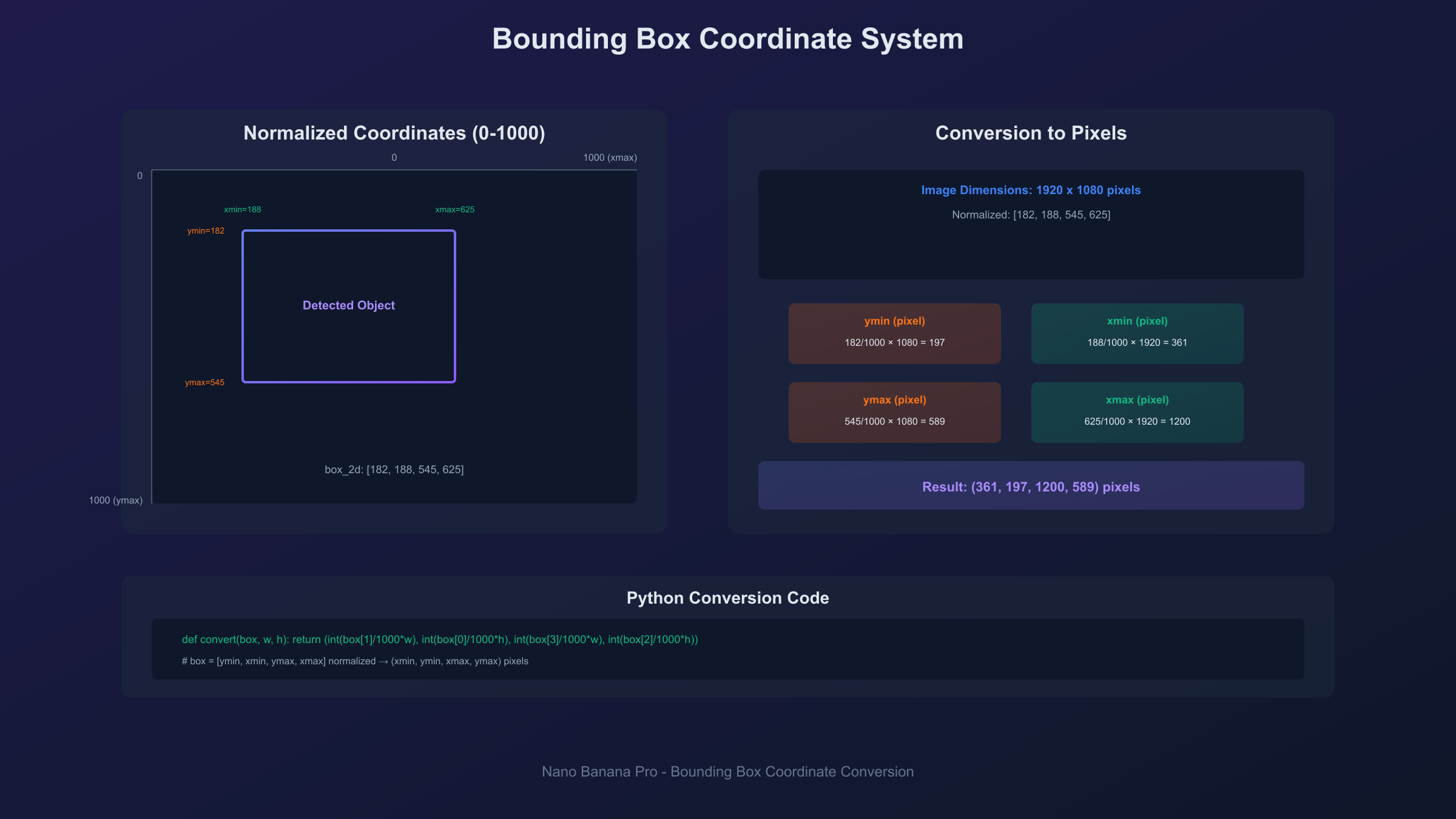
[ymin, xmin, ymax, xmax]
Each value represents a position relative to the image dimensions, normalized to a 0-1000 scale. For example:
hljs json{
"box_2d": [120, 340, 580, 890],
"label": "person"
}
This indicates a bounding box where:
- Top edge (ymin): 12% down from image top
- Left edge (xmin): 34% from image left
- Bottom edge (ymax): 58% down from image top
- Right edge (xmax): 89% from image left
Converting to Pixel Coordinates
To use these normalized values with actual images, convert them to pixel coordinates:
hljs pythondef convert_to_pixels(box_2d, image_width, image_height):
"""Convert normalized coordinates to pixel values."""
ymin = int(box_2d[0] / 1000 * image_height)
xmin = int(box_2d[1] / 1000 * image_width)
ymax = int(box_2d[2] / 1000 * image_height)
xmax = int(box_2d[3] / 1000 * image_width)
return (xmin, ymin, xmax, ymax)
# Example usage
box_normalized = [120, 340, 580, 890]
image_width = 1920
image_height = 1080
pixel_coords = convert_to_pixels(box_normalized, image_width, image_height)
# Returns: (653, 130, 1709, 626)
Practical Applications
Bounding box coordinates enable several workflows:
Object Counting: Count instances of specific objects in images by counting returned bounding boxes.
Cropping: Extract detected objects by cropping to bounding box coordinates.
Annotation: Draw boxes around detected objects for labeling or verification.
Spatial Analysis: Determine object positions relative to image center or each other.
Filtering: Select objects based on size (bounding box area) or position.
Segmentation Masks (Gemini 2.5+)
Starting with Gemini 2.5 models, Nano Banana Pro also returns segmentation masks alongside bounding boxes. These provide pixel-level outlines of detected objects rather than just rectangular bounds. The mask data enables precise object extraction even for irregular shapes.
For developers building production applications, understanding both coordinate systems—GPS for generation and bounding boxes for detection—enables sophisticated multimodal workflows.
API Implementation Guide
Developers integrating Nano Banana Pro coordinates into applications need working code examples for both features.
Coordinate-Based Image Generation
hljs pythonimport google.generativeai as genai
import base64
# Configure API
genai.configure(api_key="YOUR_API_KEY")
model = genai.GenerativeModel("gemini-3-pro-image-preview")
def generate_location_image(latitude, longitude, date, time, style=""):
"""Generate an image based on GPS coordinates and datetime."""
prompt = f"""Create an image at {latitude}, {longitude}, {date}, {time}.
{style}"""
response = model.generate_content(prompt)
# Extract image data
image_data = response.candidates[0].content.parts[0].inline_data.data
return base64.b64decode(image_data)
# Example: Eiffel Tower at sunset
image_bytes = generate_location_image(
latitude="48.8584° N",
longitude="2.2945° E",
date="June 21, 2025",
time="21:30",
style="Golden hour photography style"
)
with open("eiffel_sunset.png", "wb") as f:
f.write(image_bytes)
Object Detection with Bounding Boxes
hljs pythonfrom PIL import Image
import io
def detect_objects_with_boxes(image_path, object_type="all objects"):
"""Detect objects and return bounding box coordinates."""
# Load image
with open(image_path, "rb") as f:
image_data = f.read()
prompt = f"""Detect the {object_type} in this image.
Return bounding boxes in format [ymin, xmin, ymax, xmax] normalized to 0-1000.
Provide results as JSON with 'box_2d' and 'label' for each detection."""
response = model.generate_content([
{"mime_type": "image/png", "data": base64.b64encode(image_data).decode()},
prompt
])
return response.text # Parse JSON from response
# Example usage
detections = detect_objects_with_boxes("street_scene.png", "vehicles")
Batch Processing for Multiple Locations
For high-volume coordinate generation, batch processing reduces costs and improves efficiency:
hljs pythonlocations = [
("48.8584° N", "2.2945° E", "June 21, 2025", "21:30"), # Paris
("40.6892° N", "74.0445° W", "July 4, 2025", "12:00"), # New York
("35.3606° N", "138.7274° E", "April 10, 2025", "08:00"), # Mt. Fuji
]
for i, (lat, lon, date, time) in enumerate(locations):
image = generate_location_image(lat, lon, date, time)
with open(f"location_{i}.png", "wb") as f:
f.write(image)
For developers processing hundreds or thousands of coordinate-based images, API aggregation services like laozhang.ai offer significant cost advantages. At approximately $0.05 per generation versus official rates of $0.139+, batch processing 1,000 location images drops from $139 to roughly $50—a 64% reduction that compounds significantly for production workloads.
Limitations and Accuracy Considerations
Understanding what coordinate features can and cannot do prevents frustration and sets realistic expectations.
Geographic Coverage Quality
Coordinate-based generation performs best for well-documented locations:
Excellent Results:
- Major world cities
- Famous landmarks
- Popular tourist destinations
- Well-mapped natural areas
Good Results:
- Secondary cities
- Regional landmarks
- Agricultural areas
- Documented wilderness
Variable Results:
- Remote locations
- Areas with limited satellite/geographic data
- Underground or underwater coordinates
- Rapidly changing environments
The model's knowledge of specific coordinates correlates with how well those areas are documented in geographic databases. A precise coordinate in central London produces more accurate results than the same precision level for an unmarked point in the Siberian wilderness.
Temporal Accuracy Limits
Modern Dates (1900-present): Best accuracy for lighting, seasonal conditions, and environmental states.
Historical Dates (1000 CE-1900): Good lighting and seasonal accuracy; architectural and cultural elements are interpretive.
Ancient Dates (before 1000 CE): Solar positioning remains accurate; everything else is model interpretation based on historical knowledge.
Prehistoric Dates: Highly interpretive. The model creates plausible visualizations but cannot claim accuracy for conditions millions of years ago.
What Coordinates Cannot Do
Specific Events: Providing coordinates and time for a historical event generates environmental conditions for that moment, not the event itself. The model won't automatically include historical figures, crowds, or specific occurrences.
Interior Spaces: GPS coordinates specify outdoor locations. Interior generation requires additional prompting beyond coordinate data.
Microscopic Detail: Coordinate precision doesn't translate to centimeter-level environmental accuracy. The model represents the general area, not the exact square meter.
Future Speculation: Coordinates with future dates generate current conditions with that datetime's lighting, not speculated future development.
Ethical and Content Policy Boundaries
Nano Banana Pro implements content policies that may affect coordinate-based generation:
- Violent historical events may produce generic or blocked results
- Sensitive religious imagery may be restricted
- Recent tragedies are often protected from visualization
- Political events may trigger content filters
These limitations are intentional and reflect responsible AI deployment rather than technical constraints.
Frequently Asked Questions
Can I generate interior images using coordinates?
GPS coordinates specify outdoor locations only. For interior spaces, you'll need to add descriptive context to your prompt beyond the coordinate data. The coordinates can establish the building's location and lighting conditions, but interior details require explicit prompting.
Why do some historical coordinates produce modern-looking images?
The model generates typical current conditions unless you specify a historical date. If your prompt includes coordinates but omits a date, you'll get present-day results. Always include the date for historical generation.
How precise do coordinates need to be?
Three to four decimal places provide sufficient precision for most use cases. More decimals don't improve results—the model represents the general area rather than exact meter positions. For famous landmarks, even rounded coordinates produce accurate results.
Can I save images generated from coordinates commercially?
Check your Nano Banana Pro access tier. API and paid subscription outputs generally permit commercial use, while free tier outputs may have restrictions. The coordinates themselves don't affect licensing—standard image rights apply.
Why don't bounding box coordinates match my image size?
Bounding boxes are normalized to a 0-1000 scale regardless of actual image dimensions. You must convert these values using your image's specific width and height. Divide each coordinate by 1000, then multiply by the appropriate dimension.
Do coordinate-generated images always look the same?
The same coordinates and datetime produce consistent baseline conditions (lighting, season, geography) but may vary in minor details across generations. The underlying environmental calculations are deterministic; artistic interpretation varies slightly.
Can I combine coordinate generation with object detection?
Yes, you can generate a coordinate-based image, then run object detection on the result to get bounding boxes. This workflow enables applications like "generate a street scene at coordinates X, then identify all vehicles."
What's the difference between location generation and bounding box detection?
Location generation uses GPS coordinates as input to create images. Bounding box detection analyzes existing images and outputs coordinates where objects appear. They're complementary features—one creates, the other analyzes.
How do I find coordinates for a specific location?
Google Maps provides coordinates when you click any location. Right-click on the point of interest, and coordinates appear in the context menu. Copy these directly into your Nano Banana Pro prompt.
Are prehistoric date prompts accurate?
Prehistoric prompts (millions of years ago) are interpretive rather than accurate. The model visualizes plausible conditions based on paleontological and geological knowledge, but nobody can verify conditions from 66 million years ago. Treat these as artistic interpretations.
Conclusion
Nano Banana Pro coordinates unlock two powerful capabilities: GPS-based image generation that transforms latitude and longitude into hyper-realistic location visualizations, and bounding box object detection that provides precise spatial data for objects within images. Mastering both expands what's possible with AI image generation.
For creative applications, the coordinate-based generation feature enables:
- Location visualization for any point on Earth
- Historical recreation with accurate environmental conditions
- Time-of-day and seasonal variations at specific coordinates
- Consistent, reproducible results for professional workflows
For developers, understanding both coordinate systems enables sophisticated applications:
- Generate images programmatically using coordinate data
- Analyze generated or existing images for object positions
- Build location-aware applications with visual outputs
- Create batch processing pipelines for high-volume generation
The key to success with Nano Banana Pro coordinates lies in understanding what each system does well. Coordinate-based generation excels at environmental accuracy—lighting, seasons, geographic context—while interpreting rather than documenting specific events. Bounding box detection provides precise spatial data that requires conversion for practical use. Together, they form a comprehensive toolkit for location-aware AI image workflows.
Whether you're recreating ancient civilizations, visualizing travel destinations, building object detection applications, or exploring the creative possibilities of location-based generation, the coordinate features of Nano Banana Pro provide capabilities no previous AI image generator has offered.