AI Image Generation

Gemini 3 Pro Image vs Gemini 3.1 Flash Image: Which API Route Should You Use Now?

Compare Gemini 3.1 Flash Image and Gemini 3 Pro Image with current model IDs, official API pricing, capability boundaries, and a practical rule for when Pro is worth the premium.

Yingtu AI Editorial
Yingtu AI Editorial
YingTu Editorial
2026年5月30日
Gemini 3 Pro Image vs Gemini 3.1 Flash Image: Which API Route Should You Use Now?
yingtu.ai

目次

見出しがありません

Use Gemini 3.1 Flash Image first for most Google image API work, then switch to Gemini 3 Pro Image when precision failures cost more than the higher call.

The current model IDs are gemini-3.1-flash-image for the default high-volume lane and gemini-3-pro-image for the premium precision lane. Nano Banana 2 maps to Flash Image; Nano Banana Pro maps to Pro Image.

As of May 30, 2026, both image API routes show no Free Tier in Google's pricing table. Flash has the lower raw image-output price; Pro becomes the better route only when it reduces failed generations, text/layout cleanup, reference drift, or expensive manual revision.

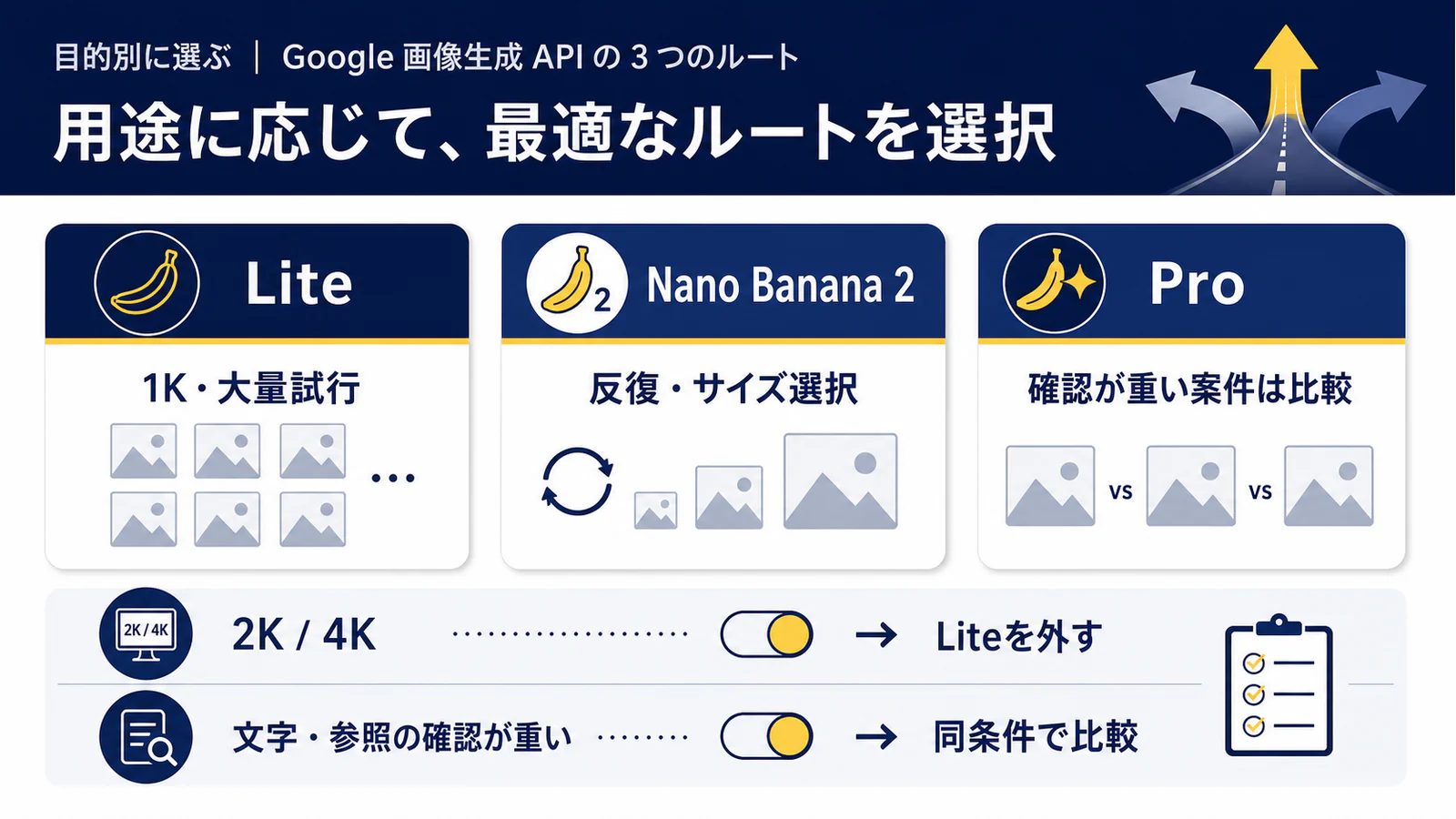
Route answer: start with Flash for high-volume, iterative, or cost-sensitive image generation and editing. Upgrade to Pro for dense text, complex layouts, brand-critical references, premium 4K assets, or any workflow where a failed output costs more than the price gap.

Stop rule: do not move production traffic to Pro just because it sounds more advanced. Run the same prompt, same aspect ratio, same reference images, and the same acceptance bar on both routes, then compare cost per accepted output.

Use the current image model IDs

The first practical difference is not quality. It is the model string you put in a request. Google's current Gemini API model list names Nano Banana 2 and Nano Banana Pro as Gemini 3 generative media models, and the current pricing rows use gemini-3.1-flash-image and gemini-3-pro-image as the image model IDs. Older examples may still include -preview suffixes, but the production decision should start from the current IDs.

Current ID map linking Nano Banana 2 to gemini-3.1-flash-image and Nano Banana Pro to gemini-3-pro-image

That distinction matters because Gemini model names are easy to shorten too far. gemini-3-pro-image is the Pro image endpoint, not the same thing as a text-only Gemini Pro route. gemini-3.1-flash-image is the Flash image endpoint, not a generic Flash text model. When the article, code comment, or provider dashboard drops the word image, check the actual model ID before you assume the route is equivalent.

Use this compact map when you review examples:

Market nameCurrent API model IDPractical role
Nano Banana 2gemini-3.1-flash-imageDefault Google image route for high-volume, iterative, and cost-sensitive work.
Nano Banana Progemini-3-pro-imagePremium Google image route for precision, complex layout, dense text, reference fidelity, and expensive failures.
Old Flash preview examplesusually gemini-3.1-flash-image-preview or similarTreat as legacy example language unless the current endpoint you use still requires it.
Old Pro preview examplesusually gemini-3-pro-image-preview or similarTreat as legacy example language unless your platform explicitly documents it today.

The API route, AI Studio test surface, Gemini App behavior, and third-party wrapper row can all differ. Keep the official model ID and the access layer separate. A wrapper can be convenient, but it does not change the official Google price row, model limit, or status label unless the wrapper's own documentation proves a separate hosted contract.

The default route is Flash, not the cheapest compromise

Gemini 3.1 Flash Image should be the first route for most image API jobs because it is built for speed and high-volume use. Google's image generation guide describes Flash as optimized for speed and high-volume use cases, while the model docs list a broad input and output surface: text and images, video input in preview, image/text output, image generation and edits, Search grounding, system instructions, thinking, C2PA, and supported output sizes from 512 through 4K preview.

That does not make Flash a low-quality throwaway route. It means Flash is the lane to prove first when the cost of one imperfect output is low and iteration is expected. Social variants, internal creative exploration, many product mockups, rough campaign boards, catalog refreshes, and prompt-tuning loops usually need fast acceptable outputs more than the most expensive single attempt.

Start with Flash when these conditions are true:

Workload signalWhy Flash usually belongs first
Many variants are expectedLower raw output cost matters because the workflow already includes iteration.
Output is reviewed internallySmall defects can be accepted, revised, or regenerated without brand risk.
Text is short or optionalThe premium text/layout advantage of Pro may not change the final asset.
Reference fidelity is useful but not mission-criticalA near match may be enough for exploration or planning.
4K is not the core deliverableFlash can still support high-resolution output, but the job may not need premium asset handling.

The stop rule is simple: if Flash passes the real acceptance bar with an acceptable retry count, keep it as the default. Do not pay for Pro because a sample from another workflow looks better. Pay for Pro when your own rejection patterns show that Flash is not cheap after cleanup, reruns, and missed deadlines.

Pro is an escalation for precision and failure cost

Gemini 3 Pro Image is the premium route when output failure is expensive. Google's model list describes Nano Banana Pro as a professional design engine for 4K visuals, complex layouts, and precise text rendering. The image generation guide positions Pro for professional asset production. That is a workload boundary, not a universal winner claim.

Use Pro earlier when the image has to survive as a finished asset rather than a draft. Dense text boards, packaging mockups, brand templates, infographics, menu boards, product launch graphics, annotated diagrams, multilingual text layouts, and executive presentation imagery all punish small errors. A misspelled word, shifted label, incorrect product angle, or broken reference detail can cost more than the model price difference.

Pro is also stronger when the asset has a high review burden. If a designer, legal reviewer, client, or product owner must manually inspect every output, reducing the number of rejected outputs can be more valuable than lowering the raw per-image price. In that case, the metric is not "which model costs less per generated image." The better metric is "which route costs less per accepted asset."

Use Pro when one or more of these triggers appears:

Pro triggerWhat to measure
Dense text or labelsSpelling, punctuation, placement, hierarchy, and repeated-word errors.
Complex layoutWhether the image preserves the requested structure across several outputs.
Reference fidelityObject identity, pose, material, brand shape, and background constraints.
Premium 4K assetWhether 4K output has enough detail and low enough artifact risk for final use.
High failure costHuman cleanup time, review delay, lost campaign time, or rejected deliverables.

If none of those triggers apply, Pro can still be worth a spot check, but it should not automatically become the production default.

Pricing: compare accepted-output cost

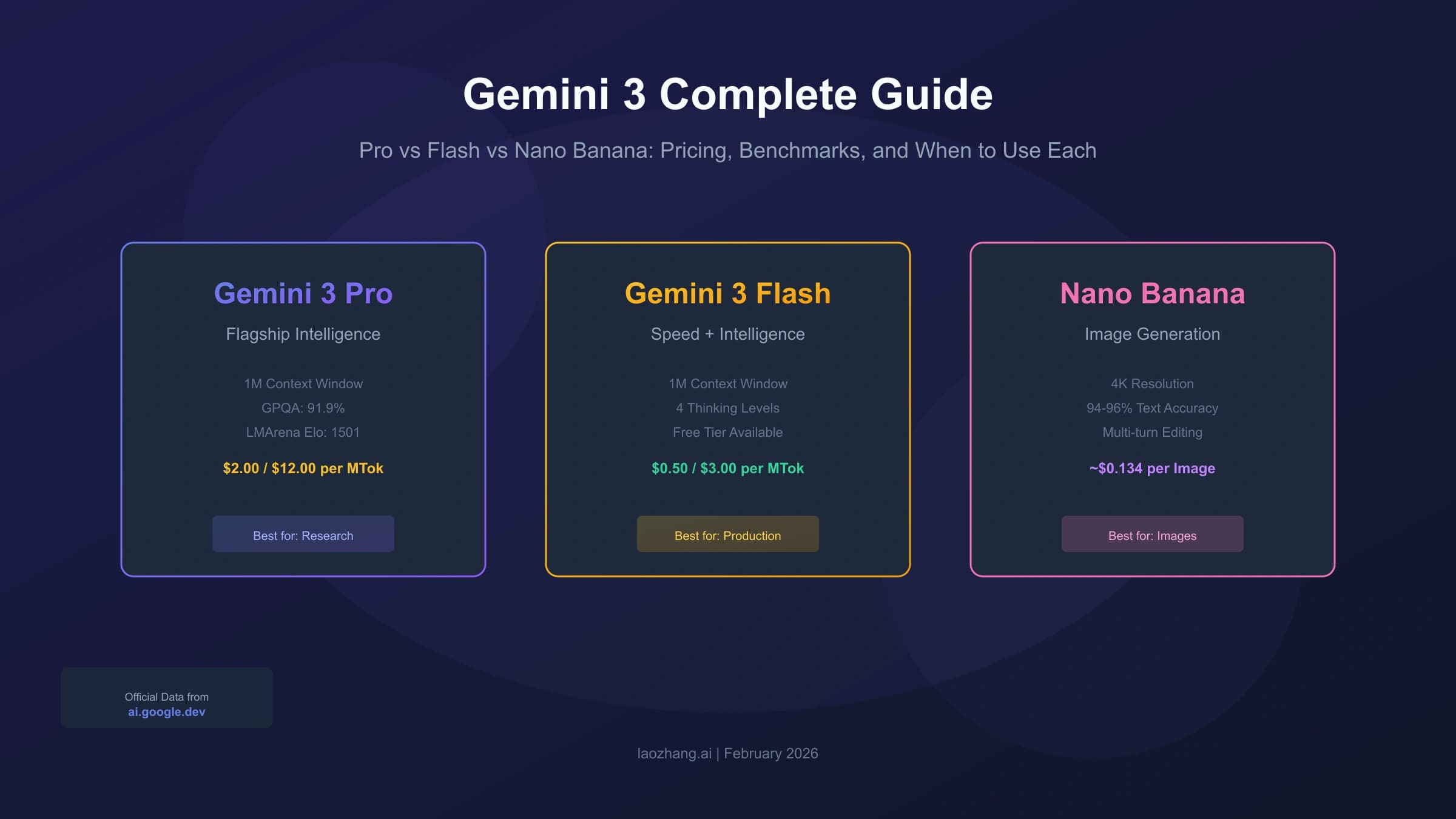
As of May 30, 2026, Google's Gemini API pricing table lists no Free Tier for both gemini-3.1-flash-image and gemini-3-pro-image. It lists Flash standard input at $0.50 per million text/image tokens and image output at $60 per million output tokens. The same table gives example Flash image prices of $0.045 at 0.5K, $0.067 at 1K, $0.101 at 2K, and $0.151 at 4K.

For Pro, the current pricing table lists standard input at $2 per million text/image tokens and image output at $120 per million output tokens. The example image output prices are $0.134 at 1K or 2K and $0.24 at 4K. Batch, and Flex where listed for Pro, can lower some output prices, but those modes are a separate operational choice. Do not mix batch pricing into a real-time workflow unless the latency contract also fits.

Pricing threshold board comparing Flash and Pro by accepted output cost after retries and cleanup

Raw price points are useful only after you connect them to acceptance. A Flash 4K output at $0.151 can be cheaper than Pro's $0.24 if one or two attempts pass. It can become more expensive if five attempts still need manual cleanup. A Pro output at $0.24 can be wasteful for everyday variants, but cheap for a brand-critical image that would otherwise require hours of editing.

Use this formula in your test log:

MetricHow to track it
Generated outputsCount every paid generation, not just the one you keep.
Accepted outputsCount only assets that pass the real review bar.
Cleanup costEstimate human edit time, retouching, copy fixes, and approval delay.
Accepted-output cost(model spend + cleanup cost) / accepted outputs.
Switch thresholdMove to Pro only when it lowers accepted-output cost or reduces unacceptable risk.

Keep consumer app access, AI Studio behavior, and provider promotions out of this table unless you verify those routes separately. The official API price boundary is enough for the model decision.

Capability differences that change the route

Both current Gemini image routes share several high-level capabilities: image generation and editing, high-resolution output, text rendering, Google Search grounding, thinking mode, and support for multiple reference images. The route split is about which capability you need most and how expensive failure is.

The Cloud model detail pages add useful operational differences. Gemini 3.1 Flash Image is listed as GA with a release date of May 28, 2026, an input token limit of 131,072, and an output token limit of 32,768. It supports text, image, and video input, with video input marked as preview. It lists supported resolutions including 512, 1K, 2K, and 4K preview.

Gemini 3 Pro Image is also listed as GA with a May 28, 2026 release date, an input token limit of 65,536, and an output token limit of 32,768. It supports text and image input, text and image output, and 1K, 2K, and 4K preview output sizes. The smaller input limit does not make Pro weaker for its core job; it means the route is not just a bigger-context version of Flash. It is the premium precision lane.

CapabilityGemini 3.1 Flash ImageGemini 3 Pro ImageDecision effect
Official roleSpeed and high-volume image useProfessional asset productionStart Flash, escalate for precision.
Current model IDgemini-3.1-flash-imagegemini-3-pro-imageUse exact IDs in code.
Input limit131,072 tokens65,536 tokensFlash can be attractive for broader input context.
Output limit32,768 tokens32,768 tokensNot the main differentiator.
Resolution rows512, 1K, 2K, 4K preview1K, 2K, 4K preview4K is not Pro-only, but premium 4K work may still justify Pro.
Video inputListed as previewNot listed the same wayFlash may matter for video-to-image experiments.
Text and layoutSupportedPremium strengthPro is the escalation for dense typography and layout fidelity.

The most common mistake is treating one column as a trophy. A route that is better for one asset class can be worse for another because price, input shape, latency, and review cost all change.

Run the proof checklist before switching

The proof run should be small, repeatable, and hard enough to reveal the problems that make you reject images. Use the same prompt family across both models. Keep the same aspect ratio, reference images, language, output resolution, and acceptance criteria. Record every generated output, not just the one you liked.

Same-prompt proof checklist for testing Flash against Pro before switching production image traffic

Use at least five prompt families:

Prompt familyWhy it matters
Dense text boardExposes spelling, punctuation, repeated words, label placement, and hierarchy.
Product imageTests realism, object consistency, material, lighting, and brand-safe detail.
Reference editShows whether the route follows the source image instead of inventing a new scene.
Layout or infographicTests structure, grouping, label alignment, and visual order.
4K hero assetTests detail stability, artifact risk, and final-use readiness.

For each output, score instruction following, text accuracy, reference preservation, layout stability, visual artifacts, retry count, and accepted-output cost. The winning route is not the prettiest single sample. It is the route that meets your acceptance bar with the least operational friction.

For a broader OpenAI-versus-Google route decision, use the separate GPT Image 2 vs Nano Banana Pro comparison. For deeper high-resolution mechanics, keep the Gemini 4K image generation API notes separate from this model route decision. If you already chose Pro and hit failures, move to the Nano Banana Pro troubleshooting path instead of changing the comparison rules midstream.

API, app, and provider boundaries

The Gemini API price table does not automatically describe every way a person can create images with Gemini. Gemini App access, Google AI Studio experiments, Vertex or Cloud surfaces, and provider dashboards can have different quotas, region rules, request shapes, and billing owners. That is why the model ID should be only one field in your route record.

Before production, record:

BoundaryWhat to confirm
Official APImodel ID, price unit, free-tier status, token or image-output unit, response shape, safety and data terms.
AI Studio or test UIwhether the prompt behavior matches the API you will deploy.
Cloud or Vertex surfacemodel availability, region, quota, project billing, and enterprise controls.
Provider wrapperprice unit, model coverage, failure charging, privacy terms, limits, support path, and fallback behavior.

No provider route is recommended here because no current provider advantage was verified for this comparison. If you use a gateway for convenience, treat it as a separate access decision after the official model route is clear. The model comparison should not hide a commercial route inside an official API price table.

FAQ

Is Gemini 3 Pro Image better than Gemini 3.1 Flash Image?

Not as a universal default. Gemini 3 Pro Image is the better route when dense text, complex layout, reference fidelity, premium 4K output, or high failure cost makes the higher price worthwhile. Gemini 3.1 Flash Image is the better starting route for most high-volume, iterative, and cost-sensitive image jobs.

Should I still use the preview model IDs?

Use current official model IDs unless your exact platform still documents a preview string. For current Gemini API routing, start with gemini-3.1-flash-image and gemini-3-pro-image. Treat older -preview examples as legacy code samples, not the main contract.

Is Nano Banana 2 the same as Gemini 3.1 Flash Image?

For this route decision, yes. Nano Banana 2 is the market name to map to gemini-3.1-flash-image. Nano Banana Pro maps to gemini-3-pro-image. Keep those image endpoint IDs separate from text-model Gemini Pro or Flash names.

Does Flash support 4K?

Google's current model detail page lists 4K preview support for Gemini 3.1 Flash Image, and the pricing table includes a Flash 4K example price. Pro can still be the better 4K route when final-asset detail, layout, text rendering, or failure cost matters. 4K support alone is not the same as a Pro-only requirement.

Is either image model free in the Gemini API?

As of May 30, 2026, Google's Gemini API pricing table shows no Free Tier for both current image routes. Consumer experiences, test surfaces, credits, or wrappers can differ, but they need separate verification.

When should I switch production from Flash to Pro?

Switch only after a controlled prompt set shows that Flash fails your acceptance bar and Pro materially improves accepted-output cost, precision, review time, or risk. If Flash passes the same prompts with acceptable retries, keep it as the default and reserve Pro for the jobs that actually need it.

タグ

この記事を共有

XTelegram