API Guides18 min

Gemini API Free Tier: Complete Guide to Rate Limits, Models & Getting Started (2026)

Everything developers need to know about the Gemini API free tier in 2026. Covers rate limits for all 3 stable models, setup guide, model selection framework, key changes through February 2026, free vs paid comparison, and optimization strategies.

API Developer
API DeveloperAI API Integration Specialist

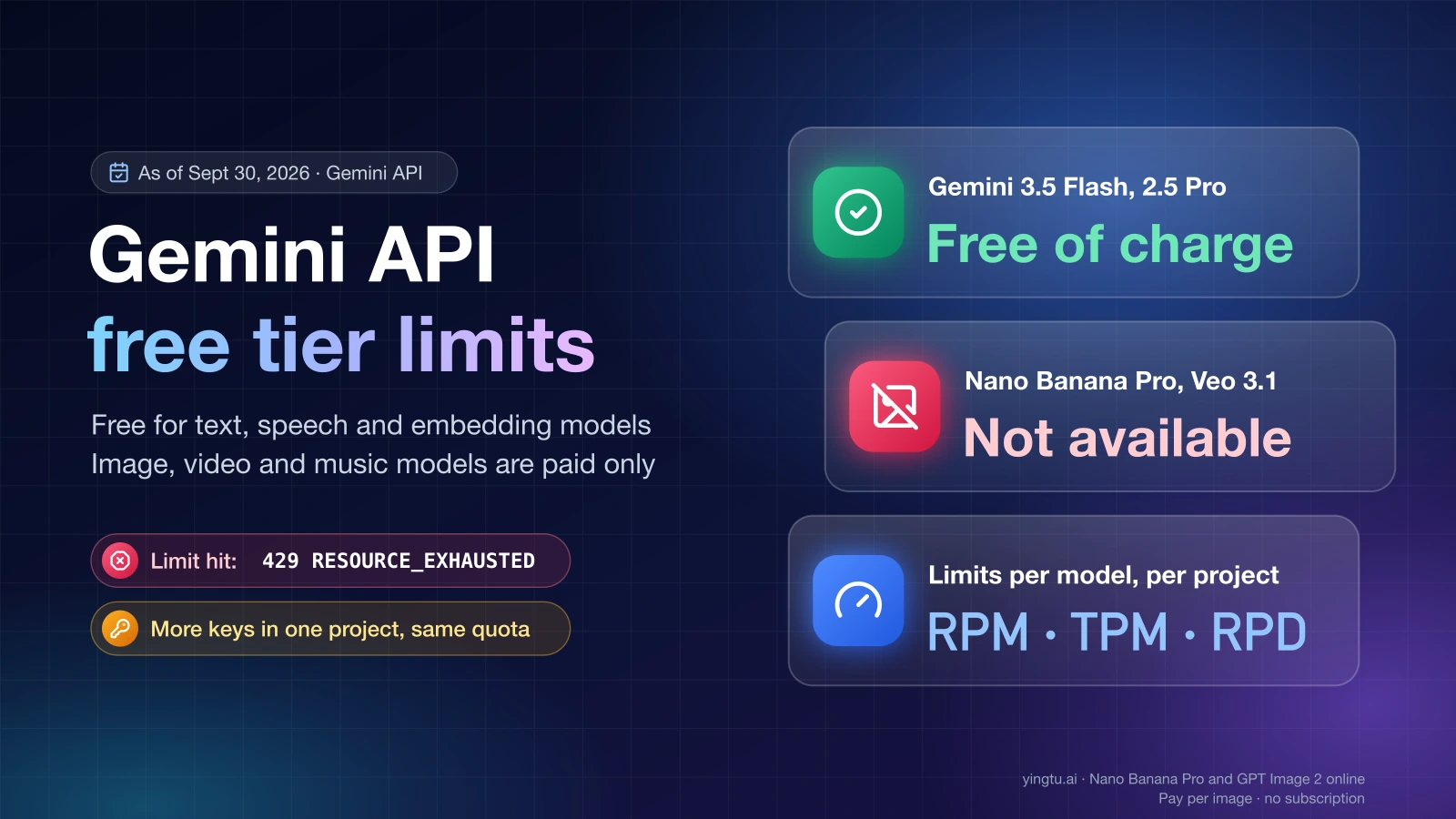
Google's Gemini API free tier provides developers with access to three stable AI models—Gemini 2.5 Pro, 2.5 Flash, and 2.5 Flash-Lite—at zero cost and without requiring a credit card. Rate limits range from 5 to 15 requests per minute and 100 to 1,000 requests per day, with a universal cap of 250,000 tokens per minute across all models. Note that Gemini 2.0 Flash, previously a free tier option, was deprecated by Google in February 2026 and is retiring on March 3, 2026. Meanwhile, the new Gemini 3.x generation (including 3.1 Pro) is currently available only to paid users as preview models. This guide covers everything you need to get started, choose the right model, and maximize what you get for free.

Gemini API Free Tier complete guide cover showing 3 stable free models, zero cost, and 250K tokens per minute

TL;DR

The Gemini API free tier is one of the most generous free AI API offerings available today, giving developers access to Google's latest stable models without spending a cent. You get three models to choose from, each with different rate limit trade-offs that suit different use cases. Gemini 2.5 Pro offers the most capable reasoning at 5 requests per minute, while Flash-Lite provides the highest throughput at 15 RPM and 1,000 requests per day. All models share a 250,000 tokens per minute limit and support context windows up to 1 million tokens. Google's newest Gemini 3.x models (including 3.1 Pro, released February 19, 2026) are available only on paid tiers as preview models.

The most important thing to understand about the free tier is that it has undergone two major changes recently. First, in December 2025, Google reduced rate limits by 50-80% across all free models, citing fraud and abuse as the primary reason. Second, in February 2026, Google deprecated the Gemini 2.0 Flash models (retiring March 3, 2026) while launching the Gemini 3.x generation for paid users. If you're working with numbers from older guides, they're likely outdated. The limits in this article reflect the current state as of February 2026, aggregated from multiple verified sources since Google's official rate limits page now directs users to check their AI Studio dashboard rather than publishing specific numbers.

For most developers building prototypes, learning AI integration, or running hobby projects, the free tier provides more than enough capacity. You can build a functional chatbot, document analyzer, or code assistant without upgrading. The key is choosing the right model for your workload and implementing smart optimization strategies—both of which this guide covers in detail.

Complete Free Tier Rate Limits by Model

Gemini API free tier rate limits comparison showing RPM, RPD, and TPM for all four available models

Understanding the exact rate limits for each free model is essential for planning your project. The numbers below come from multiple verified sources as of February 2026, since Google's official rate limits documentation now uses a usage tier system (Free, Tier 1, Tier 2, Tier 3) and directs developers to check their Google AI Studio dashboard for specific limits. For a deeper dive into how these limits work across all tiers, see our guide on understanding how Gemini API rate limits work.

Rate Limits Table

ModelRPMRPDTPMContext WindowStatus
Gemini 2.5 Pro5100250,0001M tokensStable
Gemini 2.5 Flash10500250,0001M tokensStable
Gemini 2.5 Flash-Lite151,000250,0001M tokensStable
Gemini 2.0 FlashDeprecated (retiring March 3, 2026)

Gemini 2.5 Pro is the most capable model in the free tier, designed for complex reasoning tasks, advanced code generation, and multi-step analysis. Its 5 RPM and 100 RPD limits are the most restrictive of all free models, which reflects its higher computational cost. Despite these tighter limits, 100 daily requests is enough to build and test a working prototype. The 2.5 Pro model uses tiered pricing on the paid tier—$1.25 per million input tokens for prompts under 200K tokens, rising to $2.50 per million for longer prompts, with output costing $10-$15 per million tokens (according to the official pricing page, last updated February 19, 2026).

Gemini 2.5 Flash represents the best balance between capability and throughput in the free tier. With 10 RPM and 500 RPD, it offers five times the daily quota of the Pro model while still delivering strong performance across general tasks like chatbots, content generation, and data extraction. On the paid tier, Flash is significantly more affordable at $0.30 per million input tokens and $2.50 per million output tokens, making it the go-to choice for developers who eventually upgrade. Flash handles most tasks that Pro can, though with somewhat less nuanced reasoning on highly complex problems.

Gemini 2.5 Flash-Lite is the throughput champion of the free tier, offering the highest limits at 15 RPM and an impressive 1,000 requests per day. This makes it ideal for high-volume tasks where raw speed matters more than advanced reasoning—think classification, entity extraction, simple summarization, and routing decisions. With paid pricing at just $0.10 per million input tokens and $0.40 per million output tokens, Flash-Lite is also the cheapest option if you upgrade. The trade-off is reduced capability on complex tasks, but for straightforward operations, the difference is often negligible.

Gemini 2.0 Flash (Deprecated). As of February 2026, Google has officially deprecated Gemini 2.0 Flash and 2.0 Flash-Lite, with both models scheduled to retire on March 3, 2026. If you're currently using 2.0 Flash in your projects, you should migrate to Gemini 2.5 Flash, which offers the same rate limits (10 RPM, 500 RPD) with significantly better performance across all tasks. Developers should not start new projects on deprecated models. Meanwhile, Google has launched the next-generation Gemini 3.x family—including Gemini 3.1 Pro (released February 19, 2026), 3 Pro, and 3 Flash—as preview models available exclusively on paid tiers. These models represent a significant capability leap, with Gemini 3.1 Pro priced at $2.00 per million input tokens and $10.00 per million output tokens (according to the official pricing page). Free tier users should expect these models to eventually become available, following Google's pattern of making stable releases accessible to all tiers.

One critical detail that applies universally: all free tier models share a 250,000 tokens per minute (TPM) limit. This means even if you're within your RPM allowance, sending very large prompts can exhaust your token budget quickly. A single request using a 200K token context won't leave much room for other calls in the same minute. Planning your token usage carefully is one of the most important optimization strategies for the free tier.

Getting Your Free API Key (5-Minute Setup)

Getting started with the Gemini API free tier is straightforward and genuinely takes less than five minutes. Unlike many AI API providers that require credit card verification or billing account setup, Google's free tier only requires a Google account. This makes it one of the lowest-friction ways to start building with AI APIs, which is particularly valuable for students, independent developers, and anyone who wants to experiment before committing financially.

Step-by-Step Setup

The setup process begins at Google AI Studio, which serves as the primary interface for managing your Gemini API access. Sign in with your Google account—any standard Gmail account works, and you don't need a Google Cloud Platform (GCP) account or billing setup for the free tier. Once signed in, navigate to the API key management section by clicking "Get API Key" in the left sidebar.

Creating your key takes a single click. Google AI Studio will generate an API key that you can immediately use for making requests. Copy this key and store it securely—treat it like a password, because anyone with your key can make requests against your quota. Unlike paid tier keys that can incur charges, a compromised free tier key only risks consuming your rate limit quota, but it's still good practice to keep it private and never commit it to version control.

With your key in hand, you can make your first API call in seconds. Here's a minimal Python example using the official Google AI SDK:

hljs python
import google.generativeai as genai

genai.configure(api_key="YOUR_API_KEY")
model = genai.GenerativeModel("gemini-2.5-flash")
response = model.generate_content("Explain how API rate limits work in one paragraph.")
print(response.text)

If you prefer working with the REST API directly, a simple curl command works just as well:

hljs bash
curl "https://generativelanguage.googleapis.com/v1beta/models/gemini-2.5-flash:generateContent?key=YOUR_API_KEY" \
  -H "Content-Type: application/json" \
  -d '{"contents":[{"parts":[{"text":"Hello, Gemini!"}]}]}'

Common pitfalls to avoid during setup. The most frequent issue new developers encounter is an invalid or improperly formatted API key. If you receive authentication errors, double-check that you've copied the entire key without extra spaces or line breaks. For detailed troubleshooting steps, see our guide on troubleshooting API key issues. Another common mistake is selecting the wrong model name in your API calls—model names are case-sensitive and must match exactly (for example, gemini-2.5-flash rather than Gemini-2.5-Flash). Regional restrictions also catch some developers off guard: the free tier is not available in the EU, UK, or Switzerland due to data processing requirements, which means developers in those regions must use the paid tier with a billing account.

One detail worth noting for developers who have used Google Cloud APIs before: the Gemini API key from Google AI Studio is separate from GCP service account credentials. You don't need to configure OAuth, service accounts, or IAM permissions for the free tier. The API key approach is intentionally simple, and it works with both the Python SDK and direct REST calls without any additional authentication setup.

Choosing the Right Free Model for Your Project

Selecting the right model is arguably the most impactful decision you'll make when working with the Gemini API free tier. Each of the three available stable models occupies a different position on the capability-versus-throughput spectrum, and choosing incorrectly means either wasting your limited quota on an overpowered model or getting poor results from an underpowered one. This section provides a practical decision framework based on real use cases. For a more detailed technical comparison, check out our detailed Pro vs Flash comparison.

When to choose Gemini 2.5 Pro. The Pro model is your best choice when the quality of each individual response matters significantly more than the volume of requests you can make. Use it for tasks that require deep reasoning, multi-step problem solving, complex code generation, or nuanced analysis of lengthy documents. If you're building a prototype that needs to demonstrate AI capability to stakeholders—say, a legal document analyzer or a sophisticated coding assistant—Pro delivers the most impressive results. The trade-off is clear: at just 5 RPM and 100 RPD, you need to be strategic about when and how you call it. In practice, 100 daily requests is enough for development and testing, but not for serving multiple users simultaneously.

When to choose Gemini 2.5 Flash. Flash is the default recommendation for most developers because it strikes the best balance between quality and quota. With 10 RPM and 500 RPD, you get five times the daily capacity of Pro while retaining strong general-purpose performance. Flash handles chatbot interactions, content generation, summarization, translation, and basic code tasks with good quality. If you're building a prototype that needs to handle moderate user traffic—perhaps a demo with 10-20 daily active users—Flash gives you the breathing room to iterate without constantly hitting limits. For developers exploring getting free access to Gemini Flash, the free tier is the simplest path.

When to choose Gemini 2.5 Flash-Lite. Flash-Lite is specifically designed for high-volume, lower-complexity tasks. Its 15 RPM and 1,000 RPD make it the clear winner when you need to process many requests quickly. Classification tasks (categorizing support tickets, detecting sentiment, routing queries) are its sweet spot, as are simple data extraction, entity recognition, and straightforward question answering. Flash-Lite also shines as a preprocessing step—use it to analyze and route incoming requests, then send only the complex ones to Pro or Flash. This model routing approach is one of the most effective optimization strategies for maximizing your free tier value.

A note on Gemini 2.0 Flash. If you're reading older guides that recommend Gemini 2.0 Flash, be aware that this model was deprecated in February 2026 and is retiring on March 3, 2026. Google has officially recommended migrating to the 2.5 series. Gemini 2.5 Flash is the natural replacement—it shares the same rate limits (10 RPM, 500 RPD) while delivering better performance across all task types, including the multimodal capabilities that 2.0 Flash was known for.

For many projects, the smartest approach isn't choosing a single model—it's using multiple models strategically. Route simple queries to Flash-Lite (preserving its generous quota for volume), send general tasks to Flash, and reserve Pro for only the requests that genuinely need its superior reasoning. This model routing pattern can effectively multiply your free tier capacity by 3-5x, which we'll cover in detail in the optimization section below.

What Changed: December 2025 Cuts and February 2026 Deprecations

In early December 2025, Google made a significant and largely unexpected change to the Gemini API free tier: rate limits were reduced by approximately 50-80% across all free models. The change was announced on December 7, 2025, with Google citing "at scale fraud and abuse" as the primary reason. This marked a pivotal moment for the developer community and fundamentally shifted how developers need to think about the free tier.

Before the December changes, the Gemini API free tier was exceptionally generous by industry standards. Flash models reportedly offered around 250 requests per day—some sources cite even higher numbers—and the overall throughput was sufficient for light production use. Many developers, including those running Home Assistant integrations and personal automation tools, were relying on the free tier for ongoing operations rather than just prototyping. The December cuts changed that calculus dramatically, with some models seeing daily request limits drop to as few as 20-50 requests (though the exact numbers varied by model and source, as the changes weren't uniformly documented).

The impact on the developer community was immediate and widespread. Reddit threads and developer forums filled with reports of unexpected 429 errors from applications that had been running smoothly for months. Home Assistant users who had integrated Gemini for voice control and automation found their setups suddenly failing. Open-source projects that relied on the free tier needed emergency updates to handle the new limits. The most frustrating aspect for many developers was the lack of advance notice—the changes took effect before most users even knew they were coming.

Google's stated rationale centered on preventing abuse. The free tier, by not requiring billing information or identity verification, had become a target for automated fraud at scale. While Google didn't provide specific examples, the pattern is common across free API offerings: bad actors create numerous accounts to aggregate free quotas, then use the resulting capacity for spam generation, content farming, or other abuse. The rate limit reductions were designed to make such abuse economically unviable while still providing genuine developers with enough capacity for legitimate use.

What the December 2025 changes mean for developers today is essentially a recalibration of expectations. The free tier is now clearly positioned as a prototyping and learning tool, not a production solution. If you're starting a new project in 2026, the current limits (5-15 RPM, 100-1,000 RPD) are your baseline—and they're still quite usable for development and testing. The key takeaway is to build your application with the assumption that free tier limits may change again, and design your upgrade path from the start rather than discovering you need it during a crisis.

The positive side of this story is that the free tier still exists and remains genuinely useful. Many competing AI API providers offer no free tier at all, or limit access to older, less capable models. Google continues to provide access to its latest stable models (including 2.5 Pro with its advanced reasoning capabilities) at zero cost, which is remarkable. The context window remains at 1 million tokens, and model quality between free and paid tiers is identical—you're paying for higher throughput and data privacy, not better AI.

February 2026 brought a second wave of changes that reshaped the free tier landscape differently. On February 19, 2026, Google released Gemini 3.1 Pro Preview and simultaneously deprecated the entire Gemini 2.0 generation. Both Gemini 2.0 Flash and 2.0 Flash-Lite are scheduled to retire on March 3, 2026, which means any code still referencing these models will break after that date. The new Gemini 3.x family—including 3.1 Pro, 3 Pro, and 3 Flash—represents a significant capability leap but is currently available only to paid tier users as preview models. For free tier developers, the practical impact is a reduction from four available models to three (the 2.5 series), though the remaining models are Google's most capable stable offerings. Developers using 2.0 Flash should migrate to 2.5 Flash immediately, as it offers equivalent or better performance with the same rate limits.

Free Tier vs Paid Tier: Complete Comparison

Side-by-side comparison of Gemini API free tier versus paid tier features including rate limits, data privacy, and regional availability

The decision between staying on the free tier and upgrading to paid access involves more than just rate limits. There are fundamental differences in data handling, regional availability, and support that affect how and where you can deploy your application. Understanding these differences upfront helps you plan your project timeline and avoid surprises when you're ready to scale.

Data Privacy: The Most Important Difference

The single most consequential difference between free and paid tiers has nothing to do with rate limits—it's data privacy. On the free tier, Google explicitly states that your API data may be used for product improvement. This means the prompts you send and the responses you receive could be reviewed by Google's teams and used to train future models. On the paid tier, Google commits to not using your data for product improvement. For any application handling sensitive information—customer data, proprietary business logic, personal health information, or confidential documents—this distinction alone may require the paid tier regardless of your throughput needs.

This data policy has practical implications that go beyond theoretical privacy concerns. If you're building an application for a business client, their compliance requirements almost certainly prohibit sharing data with third parties for model training. Healthcare applications subject to HIPAA, financial services applications under SOC 2, or any application processing EU resident data under GDPR will likely need the paid tier's data protection guarantees. The free tier is perfectly fine for development with synthetic data, but switch to paid before processing any real sensitive information.

Rate Limits and Throughput

The throughput difference between free and paid tiers is dramatic. Paid Tier 1 (which activates when you link a billing account) increases rate limits by roughly 100x compared to the free tier. Where the free tier gives you 5-15 RPM, Tier 1 offers 1,000-4,000 RPM depending on the model. Daily request limits similarly scale from hundreds to effectively unlimited for most use cases. Tier 2 (achieved after $250 cumulative spend and 30 days) and Tier 3 ($1,000 and 30 days) provide even higher limits, though Tier 1 is sufficient for the vast majority of production applications.

The pricing on the paid tier is competitive with other major AI API providers. Gemini 2.5 Flash at $0.30 per million input tokens is notably cheaper than comparable models from other providers, and Flash-Lite at $0.10 per million input tokens is among the most affordable options available. The paid tier also includes a $300 credit for new Google Cloud users, which can cover several months of moderate API usage.

FeatureFree TierPaid Tier 1
RPM5-151,000-4,000
RPD100-1,000Effectively unlimited
TPM250,0004,000,000
Data PrivacyUsed for improvementNot used
Credit CardNot requiredRequired
SLANoneAvailable
Regional AccessLimited (no EU/UK/CH)Global
Models3 stable (2.5 Pro, Flash, Flash-Lite)All models including 3.x previews

Feature Access

Paid tier users get access to preview models that aren't available on the free tier. As of February 2026, this includes Gemini 3 Pro Preview, Gemini 3.1 Pro Preview, and Gemini 3 Flash Preview (according to the official pricing page updated February 19, 2026). These preview models offer cutting-edge capabilities but may have less stable behavior than the stable releases available on the free tier. For developers who want to experiment with the latest advances, upgrading provides early access to Google's newest model generations.

The paid tier also unlocks additional features like Batch API access, which allows you to submit large volumes of requests at a 50% discount in exchange for longer processing times. For use cases that don't require real-time responses—such as bulk content processing, dataset analysis, or offline evaluation—the Batch API can significantly reduce costs while avoiding rate limit concerns entirely.

Maximizing Your Free Tier (Optimization & Error Handling)

Making the most of the free tier requires deliberate strategies for token management, request optimization, and graceful error handling. The difference between a developer who runs out of quota by noon and one who operates comfortably all day often comes down to these implementation details. This section provides concrete techniques you can apply immediately, along with production-ready code for handling the inevitable 429 errors. For a comprehensive troubleshooting guide when you hit quota limits, see fixing quota exceeded errors.

Token budgeting is the foundation of free tier optimization. Every token in your prompt counts against your 250,000 TPM limit, so reducing prompt size directly increases how many requests you can make per minute. Start by examining your system prompts—these are sent with every request and often contain unnecessary detail. A system prompt that's 500 tokens instead of 2,000 tokens saves 1,500 tokens per request, which adds up quickly at scale. Use concise, directive language rather than verbose instructions. Strip any examples from system prompts that aren't strictly necessary, and consider moving infrequently needed context into user messages only when relevant.

Model routing is the single most effective optimization strategy. Instead of sending every request to the same model, analyze the complexity of each query and route it to the appropriate model. Simple classification, yes/no questions, and entity extraction can go to Flash-Lite at 15 RPM, while general conversational tasks use Flash at 10 RPM, and only genuinely complex reasoning problems get routed to Pro. Here's a practical implementation:

hljs python
import google.generativeai as genai

genai.configure(api_key="YOUR_API_KEY")

# Define models for different complexity levels
MODELS = {
    "simple": genai.GenerativeModel("gemini-2.5-flash-lite"),
    "general": genai.GenerativeModel("gemini-2.5-flash"),
    "complex": genai.GenerativeModel("gemini-2.5-pro"),
}

def classify_complexity(query: str) -> str:
    """Simple heuristic-based complexity classification."""
    query_lower = query.lower()
    if any(kw in query_lower for kw in ["classify", "yes or no", "extract", "categorize"]):
        return "simple"
    elif any(kw in query_lower for kw in ["analyze", "explain in detail", "write code", "debug"]):
        return "complex"
    return "general"

def smart_generate(query: str) -> str:
    complexity = classify_complexity(query)
    model = MODELS[complexity]
    response = model.generate_content(query)
    return response.text

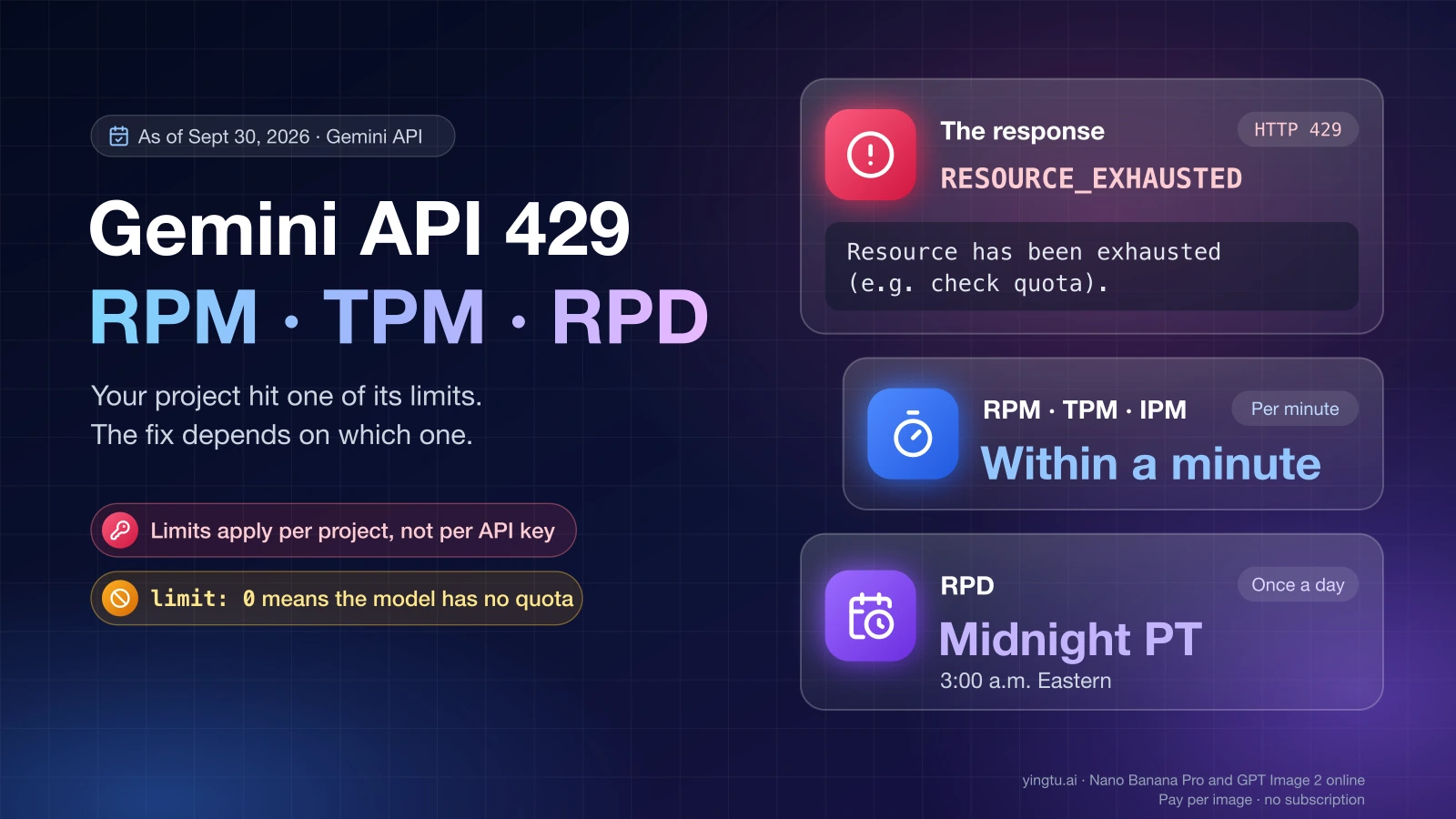
Handling 429 errors gracefully prevents your application from crashing. When you exceed any rate limit, the Gemini API returns a 429 RESOURCE_EXHAUSTED error. The correct response is exponential backoff with jitter—wait an increasing amount of time between retries, with a random component to prevent thundering herd problems when multiple requests retry simultaneously. Here's a robust implementation:

hljs python
import time
import random
from google.api_core.exceptions import ResourceExhausted

def generate_with_retry(model, prompt, max_retries=5):
    for attempt in range(max_retries):
        try:
            return model.generate_content(prompt)
        except ResourceExhausted:
            if attempt == max_retries - 1:
                raise
            wait_time = (2 ** attempt) + random.uniform(0, 1)
            print(f"Rate limited. Waiting {wait_time:.1f}s before retry...")
            time.sleep(wait_time)

Response caching eliminates redundant API calls entirely. If your application frequently processes similar or identical queries, caching responses locally can dramatically reduce your API usage. Even a simple in-memory dictionary cache can help during development, while production applications might use Redis or a database. The key insight is that many AI workloads involve repeated patterns—the same classification prompt applied to different inputs often produces cacheable results for the system prompt portion, and frequently asked questions in a chatbot context can be served from cache entirely.

For production workloads that consistently exceed free tier limits, API aggregation platforms like laozhang.ai provide access to multiple AI models through a single endpoint, offering higher throughput and transparent pay-as-you-go pricing. This can be particularly useful when you need to combine models from different providers—using Gemini for some tasks and other models for others—without managing multiple API integrations.

When to Upgrade and What to Expect

Knowing when to transition from free to paid is as important as knowing how to optimize the free tier. Upgrading too early wastes money on capacity you don't need; upgrading too late means your users experience degraded service from rate limiting. The key is identifying clear triggers that indicate you've genuinely outgrown the free tier.

The most reliable upgrade trigger is consistent 429 errors during normal usage. If your application regularly hits rate limits despite implementing optimization strategies like model routing and caching, it's time to upgrade. "Regularly" means daily occurrences that affect user experience—occasional 429 errors during development or testing don't count. Track your daily request counts for a week: if you're consistently using more than 70% of your RPD limit, you're approaching the ceiling and should plan your upgrade.

Data privacy requirements are a non-negotiable upgrade trigger. The moment your application processes any real user data, proprietary business information, or anything covered by privacy regulations, you need the paid tier's commitment that your data won't be used for model improvement. This applies even if your request volume is well within free tier limits. Many developers discover this requirement during a compliance review or client security assessment, so it's better to plan for it proactively.

Regional restrictions force the upgrade for EU/UK/CH developers. If you or your users are located in the European Union, United Kingdom, or Switzerland, the free tier simply isn't available. These regions require a paid billing account, which means the "upgrade" is actually just the starting point. Google provides the same $300 credit for new accounts in these regions, which helps offset the initial cost.

The upgrade process itself is straightforward and takes about ten minutes. You'll need to link a Google Cloud billing account to your Google AI Studio project. This involves adding a payment method (credit card or other accepted payment), at which point your rate limits immediately increase to Tier 1 levels—roughly 100x the free tier. Your existing API keys continue to work without changes, and there's no service interruption during the transition.

Cost expectations for the paid tier are surprisingly manageable for most applications. A chatbot handling 1,000 conversations per day, with an average of 500 input tokens and 200 output tokens per request using Gemini 2.5 Flash, would cost approximately $0.65 per day—about $20 per month. Even heavy usage of the Pro model for complex tasks typically runs $50-200 per month for small to medium applications. The Batch API offers 50% savings for non-real-time processing, and Google's $300 new account credit covers 5-15 months of typical usage. For multi-model access with transparent pricing, platforms like laozhang.ai offer competitive rates that can further optimize costs across providers.

Frequently Asked Questions

Is the Gemini API free tier really free, with no hidden costs?

The free tier is genuinely free with no hidden costs, no credit card requirement, and no trial period that converts to paid. You will never receive a bill from using the free tier—the worst that can happen is hitting your rate limit, at which point the API returns 429 errors until the limit window resets. There is no mechanism for the free tier to incur charges, which is why it's popular for learning and experimentation. The only "cost" is that your data may be used for Google's product improvement, which is clearly stated in the terms.

Can I use the Gemini API free tier for production applications?

Technically yes, but practically it depends on your definition of "production." The free tier doesn't prohibit commercial use, and some very low-traffic applications can run within its limits. However, the low rate limits (5-15 RPM), lack of SLA, and data privacy policy (your data may be used for model training) make it unsuitable for most production scenarios. If your application serves external users, handles sensitive data, or needs reliable uptime, upgrade to the paid tier. The free tier is best viewed as a development and prototyping tool.

What happens when I hit the rate limit?

When you exceed any rate limit (RPM, RPD, or TPM), the API returns a 429 RESOURCE_EXHAUSTED error for subsequent requests until the relevant time window resets. RPM limits reset every 60 seconds, while RPD limits reset daily. Your application doesn't get banned or suspended—the error is temporary. The recommended handling approach is exponential backoff with retry, which we covered in the optimization section. Importantly, hitting the rate limit on one model doesn't affect your quota for other models, which is why the model routing strategy is so effective.

Are free tier models lower quality than paid tier models?

No—the models are identical between free and paid tiers. Gemini 2.5 Pro on the free tier produces the exact same quality responses as Gemini 2.5 Pro on the paid tier. The only differences are throughput (rate limits), data handling policies (privacy), and available features (like Batch API access). Google does not throttle model quality or capability based on your tier level.

Will the free tier rate limits change again?

Google hasn't announced plans for further changes, but the December 2025 precedent demonstrates that limits can change without extended notice. The best approach is to build your application with the flexibility to adapt—implement model routing, caching, and graceful degradation so that limit changes don't break your system. If your application's viability depends on specific free tier quotas, that's a strong signal to consider upgrading to the paid tier where Google provides more formal commitments around service levels.

Does the free tier work with the Gemini API's multimodal features?

Yes, the free tier supports all multimodal capabilities available in each model, including image understanding, audio processing, and video analysis. You can send images, audio files, and video content along with text prompts at no cost. The token counting for multimodal inputs differs from text—images and audio consume more tokens per unit of content—so be mindful of your TPM budget when working with multimedia inputs. The same models, the same capabilities, and the same quality apply regardless of whether you're on the free or paid tier.

🍌
PRO

Nano Banana Pro

4K-80%

Google Gemini 3 Pro · AI Inpainting

Google Native Model · AI Inpainting

100K+ Developers Trust
20ms Latency
🎨4K UHD
🚀30s/image
🏢Enterprise
Enterprise|Alipay · WeChat · Credit Card|🔒 Secure
100+ enterprises using
99.9% Uptime·Global CDN
Limited Offer
$0.24¥1.7
$0.05
$0.05
per image
Save 80%

Related Posts