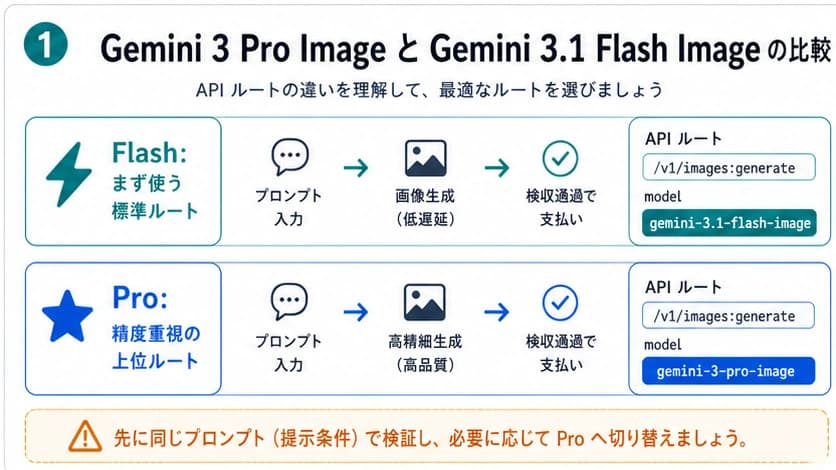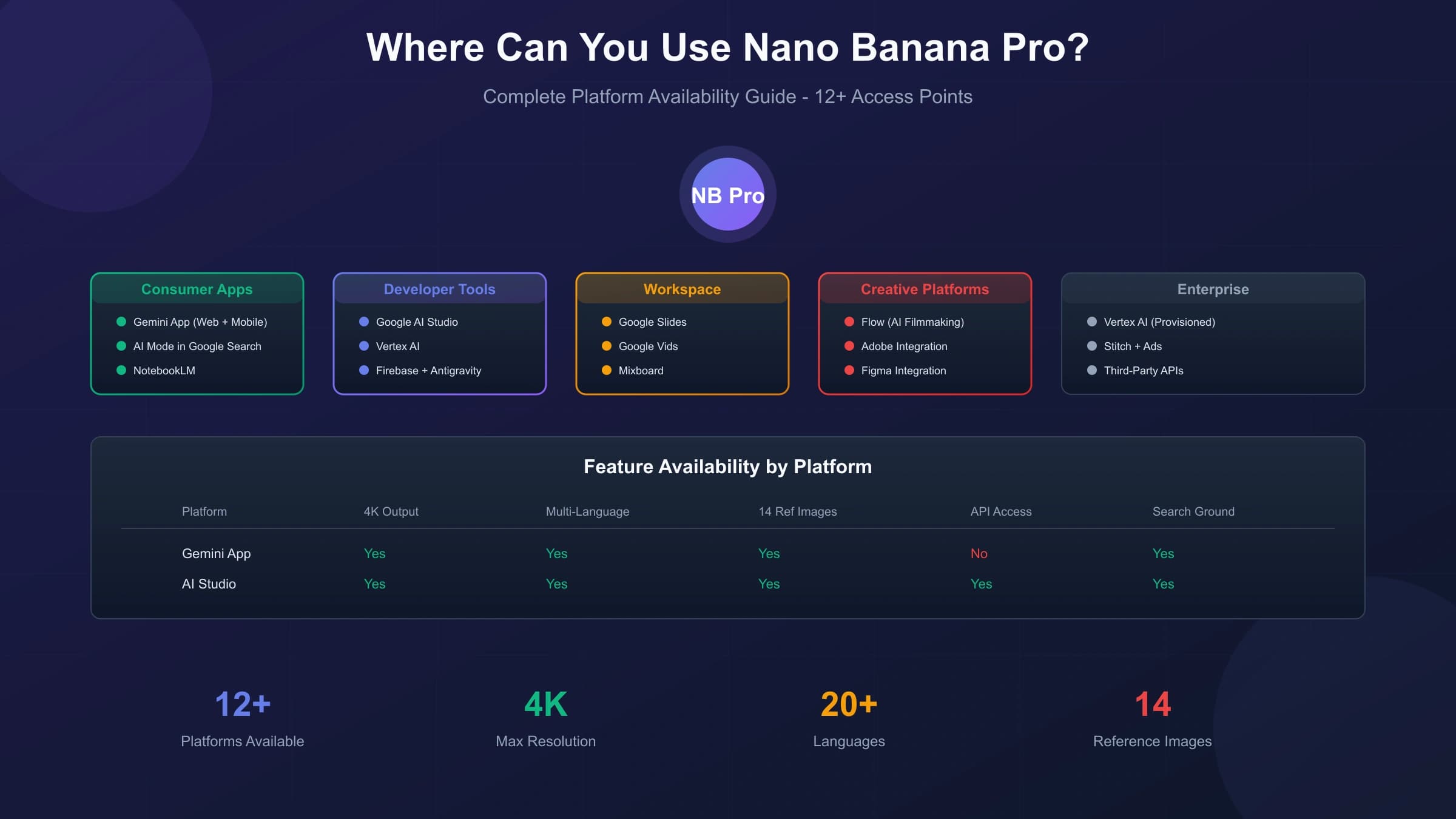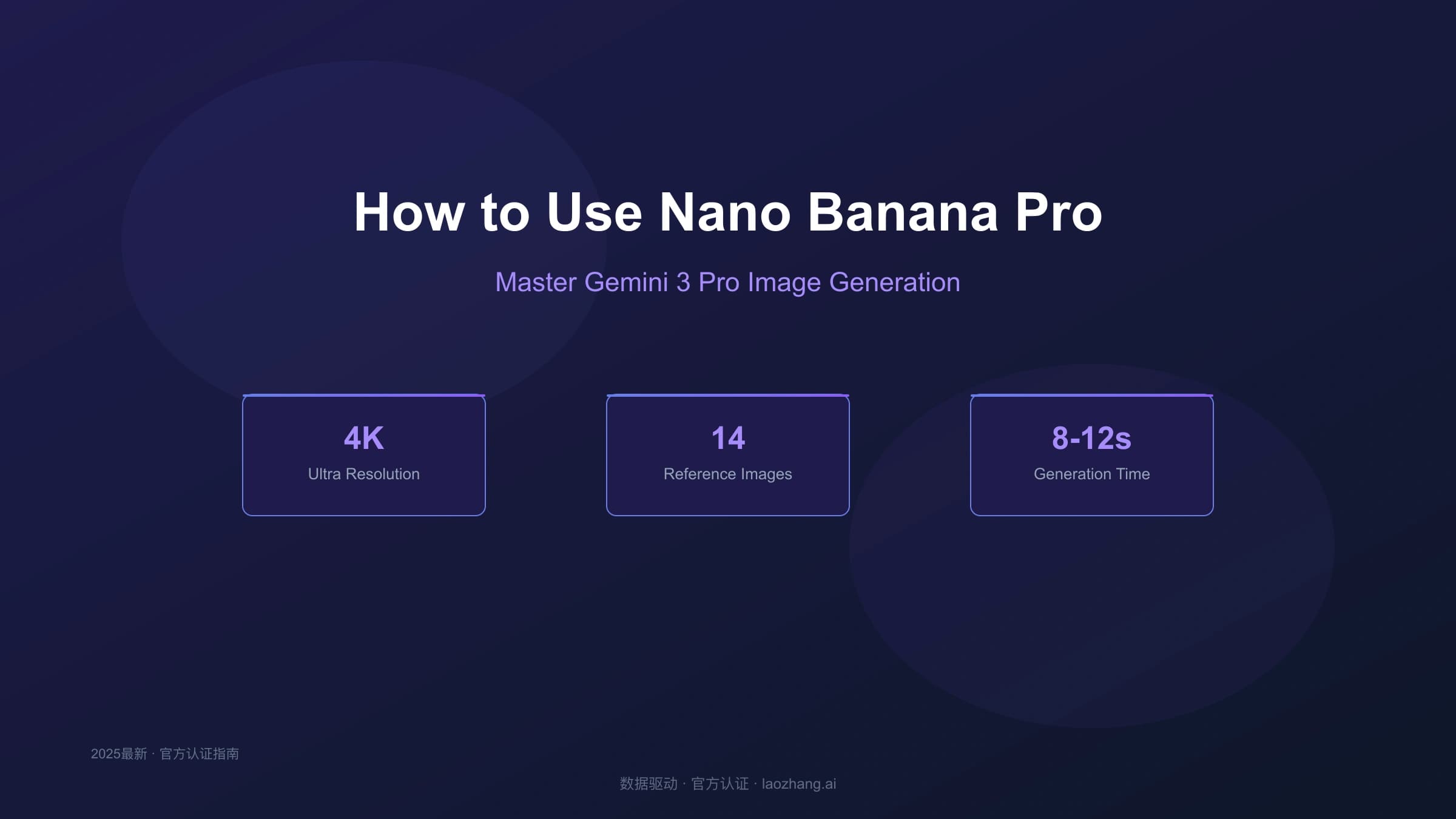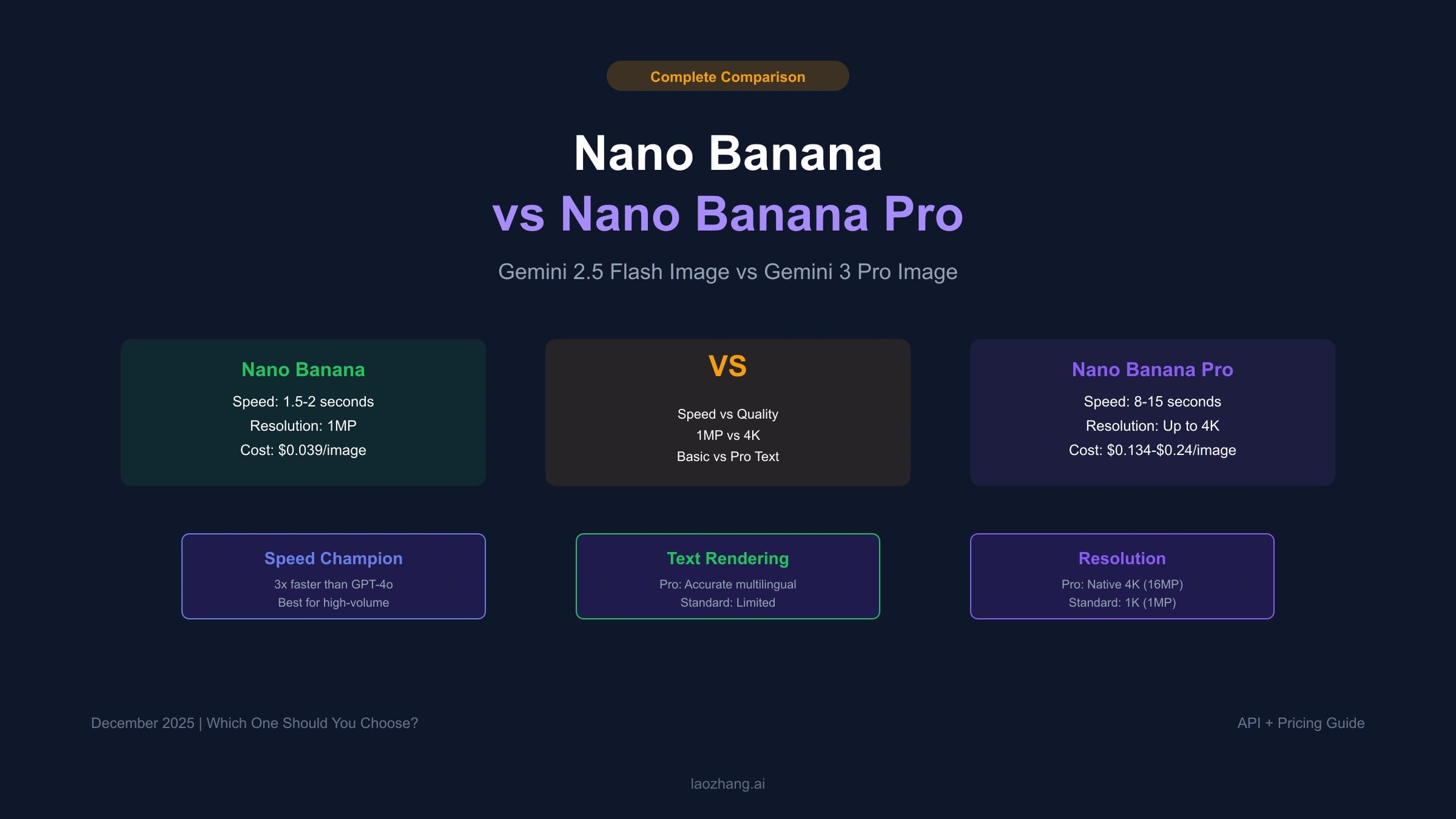
Nano Banana vs Nano Banana Pro is now mostly a naming and workflow decision, not a simple "cheap model versus expensive model" table. Older articles often used Nano Banana to mean gemini-2.5-flash-image. Google's current image generation docs now describe Nano Banana 2 as gemini-3.1-flash-image, while Nano Banana Pro is gemini-3-pro-image.
That naming drift matters. If you copy an older comparison, you may choose a retired, preview, or lower-fit route for a current production workflow. The clean comparison for new API work is:
| Reader question | Current answer |
|---|---|
| What is the current non-Pro Nano Banana route? | Nano Banana 2, gemini-3.1-flash-image, is the balanced image model for speed, throughput, and broad image generation. |
| What is Nano Banana Pro? | gemini-3-pro-image, the premium Gemini image route for complex professional assets. |
| Is the older Pro preview ID still the production ID? | No. Use the current stable ID gemini-3-pro-image when the official docs and your account support it. |
| Which one should I start with? | Start with Nano Banana 2 for general image generation; escalate to Pro when the job needs premium reasoning, precision, brand consistency, or final-asset quality. |
| Where should prices come from? | Google's live Gemini API pricing page, not a copied blog table. |
Checked on July 8, 2026, Google's current docs position gemini-3.1-flash-image as the versatile Nano Banana 2 model and gemini-3-pro-image as Nano Banana Pro. Use the official image generation, pricing, and rate limits pages before changing production code.
The fast decision
Choose Nano Banana 2 when you need a strong default image model for interactive tools, concept generation, thumbnails, social assets, internal design drafts, and workflows that create many images before a final pick.
Choose Nano Banana Pro when the image itself is the deliverable: marketing art, product visuals, localized text-heavy assets, brand-sensitive work, complex multi-reference scenes, or output that needs to survive client review without many retries.
| Dimension | Nano Banana 2 | Nano Banana Pro |
|---|---|---|
| Current model ID | gemini-3.1-flash-image | gemini-3-pro-image |
| Best fit | Balanced speed, throughput, and cost | Premium final assets and complex control |
| Cost posture | Lower cost per image than Pro at the same standard route | Higher cost; use when failure cost is higher than model cost |
| Text-heavy images | Much stronger than older image routes, but still validate | Better fit for serious typography, localization, diagrams, and branded text |
| Reference workflows | Strong general multi-reference support | Better fit for professional consistency and complex reference mixes |
| 4K output | Available on current Gemini 3 image route | Available and priced as a premium output |
| Default production role | Drafting, iteration, scalable generation | Final render, difficult brief, high-value asset |
The wrong move is using Pro for every image because it sounds better, or using the non-Pro model for every image because it is cheaper. Route by the cost of failure. If a bad image is easy to regenerate or discard, start with Nano Banana 2. If a bad image triggers manual design cleanup, client rejection, or brand risk, use Pro earlier.
Naming: original Nano Banana, Nano Banana 2, and Pro
The term "Nano Banana" has carried multiple meanings across launch waves, community posts, and older API examples. Treat it as a reader-facing alias, then map it to a specific model before making a technical decision.
| Alias you may see | Current interpretation | Action |
|---|---|---|
| Nano Banana | Could mean an older Flash Image route or the general non-Pro family | Do not ship code from the alias alone. Verify the exact model ID. |
| Nano Banana 2 | gemini-3.1-flash-image in current Google docs | Use as the current non-Pro comparison point. |
| Nano Banana Pro | gemini-3-pro-image | Use for premium image-generation and editing workflows. |
| Nano Banana Lite | gemini-3.1-flash-lite-image | Consider when cost and latency are more important than capability. |
This page compares Nano Banana 2 and Nano Banana Pro because that is the most useful decision for current API users. If you are maintaining old code that calls gemini-2.5-flash-image, treat this as a migration prompt: verify whether that model is still supported for your project, then decide whether the current Flash Image, Lite Image, or Pro Image route matches the workload.
Price and quota boundary
Prices and rate limits are freshness-sensitive. The numbers below are included to show relative shape, not to freeze a contract.
| Route | Standard image output price checked July 8, 2026 | Batch note |
|---|---|---|
| Gemini 3.1 Flash Image, 0.5K | $0.045 per image | Batch can be lower when delayed processing fits. |
| Gemini 3.1 Flash Image, 1K | $0.067 per image | Check current pricing before launch. |
| Gemini 3.1 Flash Image, 2K | $0.101 per image | Good for higher-quality drafts and digital assets. |
| Gemini 3.1 Flash Image, 4K | $0.151 per image | Use when the final asset needs the resolution. |
| Gemini 3 Pro Image, 1K or 2K | $0.134 per image | Premium route; compare against failure cost. |
| Gemini 3 Pro Image, 4K | $0.24 per image | Use for high-value final assets, not routine drafts. |
Google also lists input pricing and text/thinking output pricing for these models. A complex image workflow can include text, image input, thinking, grounding, and image output, so budget from real usage logs rather than multiplying one image price by request count.
Rate limits are also project-owned. RPM, TPM, RPD, and image-specific limits can vary by model, tier, account state, and project. If image generation returns 429, use the current Gemini image generation 429 runbook instead of creating more API keys.
Quality differences that actually matter
Nano Banana 2 is not just a cheap draft model. Google's current docs position it as a versatile model with 4K generation, improved text rendering, reference-image support, and a strong balance of speed, quality, and cost.
Nano Banana Pro still matters because some image jobs are not tolerant of approximation. It is the better starting point when the prompt has many constraints, brand details, local language text, multiple reference objects, or a final deliverable that will be reviewed closely.
Use this test before picking:
| Workload | Better first route | Why |
|---|---|---|
| Ten quick visual directions for an article cover | Nano Banana 2 | You need variety and speed before final selection. |
| Product hero image with packaging text | Nano Banana Pro | Text, brand fidelity, and detail matter. |
| Social post without readable text | Nano Banana 2 | Fast iteration is usually more valuable. |
| Bilingual infographic or menu board | Nano Banana Pro | Typography and localization are part of the asset. |
| Internal moodboard or UI placeholder | Nano Banana 2 or Lite | Failure cost is low. |
| Final campaign asset at 4K | Nano Banana Pro | Review cost and output quality dominate. |
| High-volume templated generation | Nano Banana 2 first, Pro only for exceptions | Route expensive calls only where they change outcome. |
The practical distinction is not "Pro is always better." It is "Pro should be used when the job's evaluation criteria are strict enough that a cheaper failed attempt is not really cheap."
Text rendering and localization
Older Nano Banana comparisons often said the non-Pro route was unsuitable for text. That is too broad for current Gemini 3 image models. Current Gemini image docs emphasize stronger text rendering across the family, especially for logos, menus, diagrams, and marketing assets.
Still, production text has a higher bar than a demo screenshot. If the image contains names, prices, units, regulatory copy, Japanese/Korean/Chinese text, menu items, product labels, or brand spelling, you should test with the exact text and review output manually. Use Nano Banana Pro earlier when the asset contains:
- multiple text blocks;
- non-English or mixed-language text;
- small labels that need to stay legible;
- brand names or product claims;
- diagrams where one wrong word changes meaning.
For simple one-word signs or exploratory mockups, Nano Banana 2 may be enough. For published visual copy, Pro often saves downstream correction work.
Reference images and consistency
Both routes can use reference images, but the reason to pay for Pro is consistency under constraint.
Nano Banana 2 is a good default when references are mainly style, composition, color, or simple object guidance. Nano Banana Pro is a better fit when the references carry identity: a product that must stay recognizable, a character that must remain consistent, a brand layout that cannot drift, or a scene where several source images need to be fused without losing details.
Before scaling either route, create a small test set:
| Test prompt | What to inspect |
|---|---|
| Same product, three backgrounds | Shape, label, color, and material consistency. |
| Same person or character, three poses | Face structure, clothing, proportions, and identity drift. |
| Same layout in two languages | Text accuracy, line breaks, font behavior, and cultural fit. |
| One complex multi-reference scene | Whether all required objects appear without hallucinated extras. |
If Nano Banana 2 passes your actual review criteria, use it. If it needs repeated rerolls, the Pro route may be cheaper in real workflow cost even when the per-image price is higher.
API implementation
For new Gemini image work, prefer the current Interactions API pattern shown in Google's image generation docs. Keep the model ID a runtime decision so the same workflow can route drafts to Nano Banana 2 and finals to Pro.
hljs tsimport { GoogleGenAI } from "@google/genai";
const ai = new GoogleGenAI({ apiKey: process.env.GEMINI_API_KEY });
type ImageRoute = "draft" | "final";
const modelForRoute: Record<ImageRoute, string> = {
draft: "gemini-3.1-flash-image",
final: "gemini-3-pro-image",
};
export async function createGeminiImage(route: ImageRoute, prompt: string) {
return ai.interactions.create({
model: modelForRoute[route],
input: prompt,
response_format: {
type: "image",
aspect_ratio: "16:9",
image_size: route === "final" ? "2K" : "1K",
},
});
}
This example intentionally avoids a hard-coded promise about speed, quota, or cost. Those belong in monitoring, not in a static snippet. Log model ID, route, output size, prompt class, latency, and failed requests so you can decide whether Pro is improving real outcomes.
Where gateways fit
Third-party gateways can be useful when they reduce integration friction, payment friction, or multi-model routing complexity. They should not replace official Google docs as the source of truth for model capability, pricing, and limits.
If you test a gateway route, verify:
- the exact upstream model ID;
- whether the route is standard, batch, or provider-specific;
- current per-call and failed-call billing;
- whether 1K, 2K, and 4K outputs map correctly;
- latency and error behavior under your own prompts;
- support and refund terms.
For a gateway-specific route decision, use the current Nano Banana Pro API route guide and verify the dashboard in the same session. Do not treat any old discount table or affiliate landing page as production evidence.
Recommended workflow
For most teams, a hybrid workflow beats a one-model rule.
- Generate draft directions with Nano Banana 2.
- Keep the best prompt, reference set, aspect ratio, and text.
- Send only the selected final prompt to Nano Banana Pro when the asset needs premium accuracy.
- Review text, identity consistency, and output size before publishing.
- Store the model ID, price route, prompt version, and selected output in your asset log.
This workflow limits Pro usage to the moments where it changes the outcome. It also avoids the opposite mistake: wasting time repairing many cheaper drafts when one Pro generation would have produced the right asset faster.
FAQ
Is Nano Banana the same as Nano Banana Pro?
No. Treat Nano Banana as a non-Pro family alias and Nano Banana Pro as gemini-3-pro-image. For current API work, compare Nano Banana 2 (gemini-3.1-flash-image) with Nano Banana Pro.
Should I still use the older Pro preview ID?
No for current production guidance. Use the stable current ID gemini-3-pro-image when your project has access, and check the official model docs before shipping.
Is Nano Banana Pro always better?
Not economically. It is better for strict final-asset jobs, complex prompts, text-heavy visuals, and brand-sensitive work. Nano Banana 2 is usually the better first route for exploration and scale.
Which model is cheaper?
Nano Banana 2 is cheaper per image on the current standard API pricing page. Pro is more expensive, but can be cheaper in real workflow cost if it avoids many failed drafts or manual design corrections.
Can I use the free tier for these API models?
Do not assume that from the name. Check Google's pricing page and your project state. Current image model rows can show Free Tier as not available even when AI Studio offers some interactive experimentation.
What if I hit 429 while comparing the models?
Check the active project limits first. Rate limits are project-owned, not key-owned. Use a queue, reduce image pressure, or move to the right paid tier instead of creating more keys.
Bottom line
Use Nano Banana 2 as the default current non-Pro image route. Use Nano Banana Pro when the asset needs premium control, complex reasoning, reliable text, strong reference consistency, or higher-value final output.
The decision should be driven by the cost of a failed image, not by the model name. If failure is cheap, iterate with Nano Banana 2. If failure creates review, brand, or production cost, start with Pro.