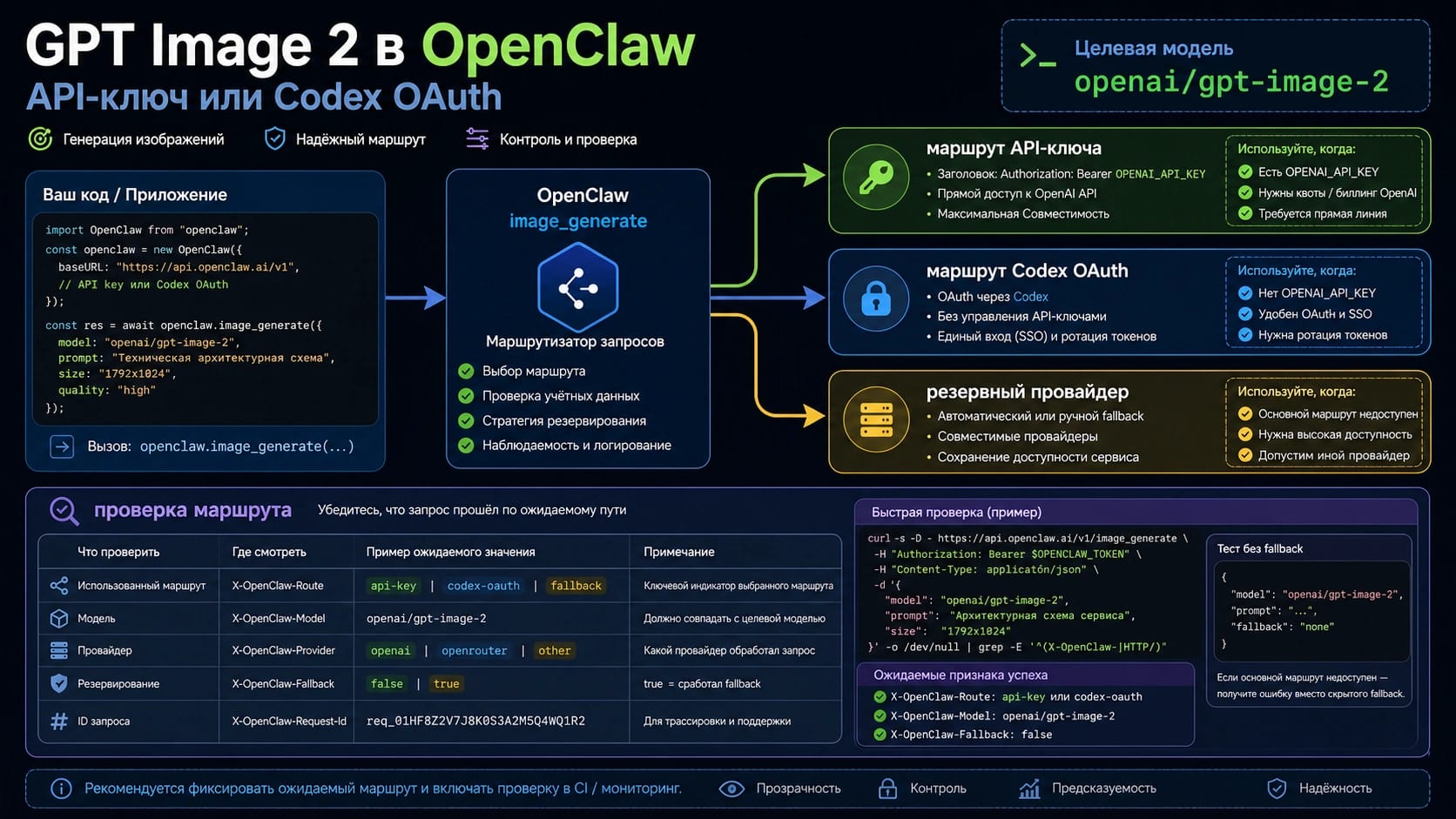
В OpenClaw для изображения указывайте openai/gpt-image-2. Но сама строка модели еще ничего не доказывает. Практическое решение состоит в выборе auth route: OPENAI_API_KEY для production control, billing, logs and organization ownership; Codex OAuth only when the current OpenClaw profile is proven to support image generation.
Не считайте первую сгенерированную картинку доказательством маршрута. Fallback provider может вернуть изображение после того, как путь OpenAI упал, а OAuth profile может указывать на другую учетную запись, устаревший token или неожиданный workspace. Первый полезный шаг - маленький явный тест модели с отключенным или явно помеченным fallback.
| Route | When to use | Proof | Switch when |
|---|---|---|---|
OPENAI_API_KEY | Production work needs billing clarity, org control, support logs and repeatable ownership. | Logs or provider output show OpenAI and openai/gpt-image-2. | Cost policy, quota or provider strategy changes. |
| Codex OAuth | You already use a Codex-authenticated OpenClaw profile and want a light test path. | Active profile, account/workspace, provider output and no-fallback test agree. | 403, stale profile, wrong workspace or missing OpenAI route appears. |
| Fallback provider | You deliberately want a backup after OpenAI fails. | Output is labeled as non-OpenAI fallback. | You are verifying GPT Image 2 itself. |
Если Codex OAuth возвращает HTTP 403, не продолжайте переписывать prompt. Проверьте версию OpenClaw, OAuth token, активную учетную запись, workspace, provider output и fallback configuration. Если production работа уже ждет, переход на OPENAI_API_KEY дает более ясную операционную границу. Если запрос требует transparent background, gpt-image-2 не является правильным маршрутом для такого результата.
Настройте openai/gpt-image-2 в OpenClaw
Официальный OpenAI model ID - gpt-image-2. OpenClaw добавляет provider prefix, поэтому ссылка на image model становится openai/gpt-image-2. Этот prefix важен: он выбирает слой OpenAI provider, а не text-model route, не Codex text route и не запасной image provider.
Начинайте с минимального default. Не меняйте provider, auth, fallback и prompt одновременно. Маленькая конфигурация сохраняет диагностику читаемой: auth failure, ошибка model reference, отсутствие image tool и unsupported output parameter остаются разными ветками.
hljs json{
"agents": {
"defaults": {
"imageGenerationModel": {
"primary": "openai/gpt-image-2"
}
}
}
}
Для маршрута API key положите ключ в environment, из которого запускается OpenClaw:
hljs bashexport OPENAI_API_KEY="sk-..."
Ценность этого маршрута в том, что его можно проверять. Учетная запись OpenAI Platform отвечает за billing, состояние organization/project, quota, доступ к модели и API responses. Когда image request падает, вы можете сопоставить OpenClaw logs с ответом OpenAI, а не гадать, был ли активен локальный profile.
Для маршрута Codex OAuth не создавайте фиктивный API key. Авторизуйте OpenAI Codex profile через OpenClaw, подтвердите активные account и workspace, затем сохраните ту же ссылку openai/gpt-image-2. Удобство реально, но любая диагностика должна включать token storage, refresh state, выбор account и фактический provider output.
| Question | API key route | Codex OAuth route |
|---|---|---|
| Who owns the request? | OpenAI API organization behind OPENAI_API_KEY. | OpenAI/Codex account selected by the OpenClaw OAuth profile. |
| Where do you debug quota and billing? | OpenAI Platform project, org and billing controls. | OpenClaw OAuth profile plus the account/workspace behind it. |
| What proves the route? | Provider output names OpenAI and openai/gpt-image-2. | Provider output names OAuth-backed OpenAI and no fallback. |
Проверьте route до оценки картинки
Начните с provider inventory. OpenClaw image generation учитывает provider, поэтому итогового файла недостаточно. Нужны provider path, selected model, auth owner и fallback state.
hljs bashimage_generate action=list
Затем выполните маленький явный тест модели. Prompt должен быть простым: без text rendering, transparent background, огромного size и сложного edit. Этот тест проверяет route health, а не качество дизайна.
hljs bashimage_generate model=openai/gpt-image-2 prompt="A simple product icon on a white desk, no text"
Читайте результат как оператор. Успешная картинка без OpenAI provider output означает, что мог ответить fallback. 403 на OAuth означает расследование profile или account route. Model not found указывает на provider prefix, версию OpenClaw или доступ. Ошибка transparent background означает unsupported option, а не слабый prompt.
| Result | Meaning | Next action |
|---|---|---|
Image succeeds and logs show openai/gpt-image-2 | Intended route worked. | Save the config and re-enable labeled fallback if needed. |
| Image succeeds but provider is not OpenAI | Fallback handled the request. | Label the output and isolate the OpenAI route. |
| HTTP 403 with Codex OAuth | OAuth-backed route is blocked. | Re-auth, check workspace, update OpenClaw or switch to API key. |
| Model not found | Active provider does not expose the model. | Check prefix, version and model access. |
| Transparent background fails | Request uses an unsupported option. | Remove transparency or use a separate background-removal workflow. |
Выбирайте API key для production control
Используйте OPENAI_API_KEY, когда изображения входят в клиентскую работу, reporting, approvals, batch jobs или командную поддержку. У маршрута API key яснее владельцы: OpenAI отвечает за model contract, ваша OpenAI organization - за billing и access, OpenClaw - за routing и локальные logs.
Маршрут API key не становится автоматически дешевле или всегда лучше. Он проще для аудита. Если request падает, можно проверить outgoing model, состояние project/org, quota, billing и точный API response. Если request успешен, результат можно привязать к маршруту, который операционная команда умеет мониторить.
| Production requirement | Why API key is cleaner |
|---|---|
| Billing attribution | Usage maps to an OpenAI API project or organization. |
| Supportable logs | OpenClaw output and API responses can be correlated. |
| Repeated jobs | Quota, cost and retry policy need a stable owner. |
| Multiple users | Central API controls are easier than per-user OAuth profiles. |
| Account boundary | Platform route is easier to document for audits. |
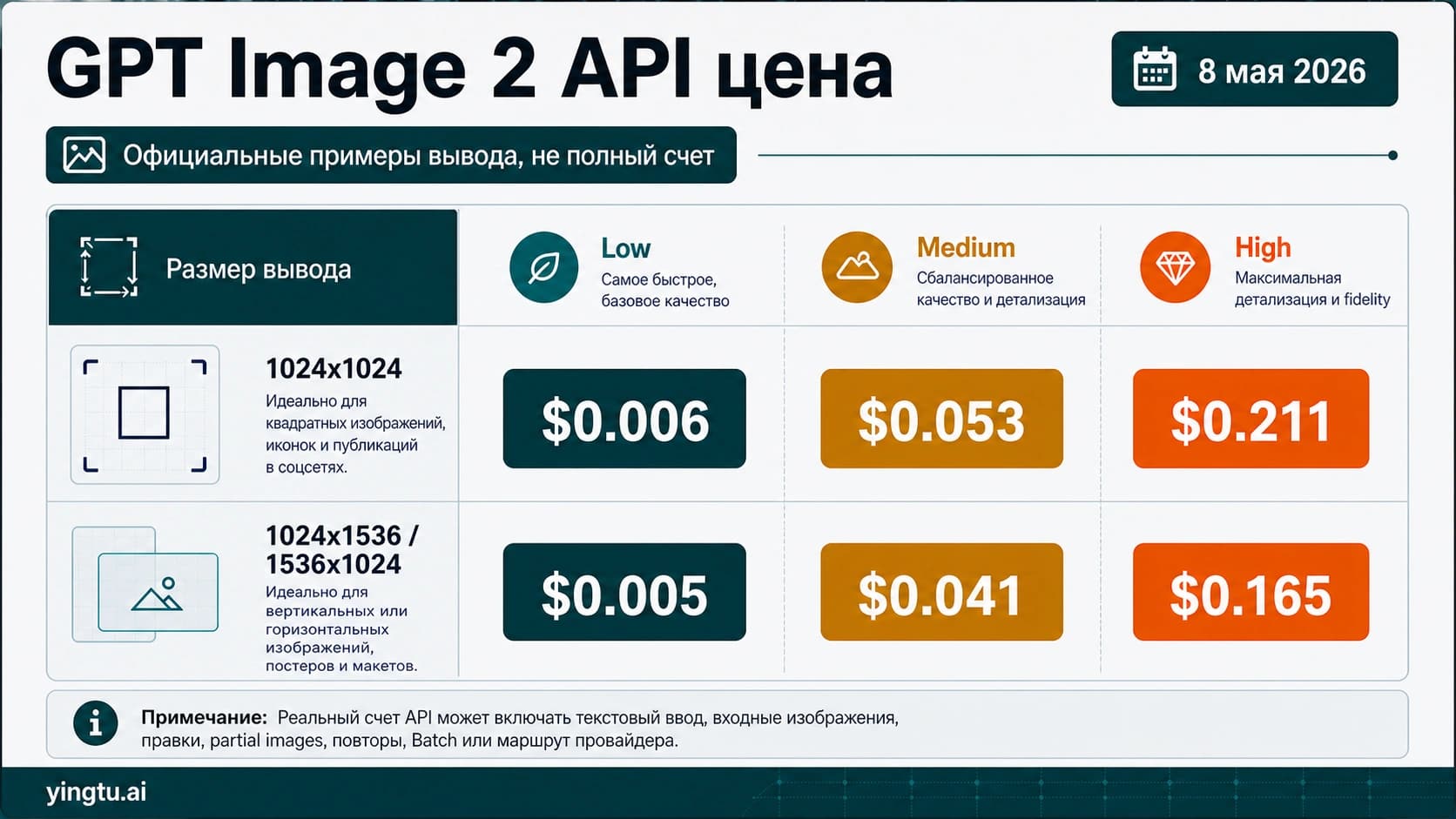
Если главным решением становится cost, переходите к отдельной странице о цене, а не превращайте настройку OpenClaw в каталог тарифов: дешевый маршрут GPT Image 2 API. Здесь задача уже - route proof внутри OpenClaw.
Используйте Codex OAuth только после проверки profile
Codex OAuth удобен, потому что может лечь в существующий workflow OpenClaw. Для поддерживаемого пути отдельный API key может не понадобиться, а локальные эксперименты ощущаются легче.
But OAuth is not a magic free API entitlement. It is an authenticated profile. A stale token, wrong account, wrong workspace, unsupported image route or OpenClaw version mismatch can all look like a prompt problem if you keep retrying blindly.
| Check | What to verify |
|---|---|
| Active profile | OpenClaw points to the intended OpenAI/Codex account. |
| Token state | OAuth storage and refresh are healthy; stale credentials are removed. |
| Workspace/account | The image route is not running under an unexpected workspace. |
| Provider output | The request resolves to OpenAI and openai/gpt-image-2. |
| No-fallback test | Another provider cannot hide OAuth failure. |
Treat HTTP 403 as route diagnosis. Re-authenticate, clear stale profile state, check whether a newer OpenClaw build is needed, confirm model availability and rerun with fallback disabled. If the same 403 remains, switch to OPENAI_API_KEY for any work that must ship.
Разберите 403, fallback и неподдерживаемые параметры
Большинство сбоев относится к одной из четырех веток: auth, provider selection, unsupported parameter или environment readiness. Диагностируйте именно в этом порядке, иначе последующий успех не покажет, какое изменение было важным.
| Symptom | First branch | First check | Better move |
|---|---|---|---|
| HTTP 403 with Codex OAuth | Auth/profile | Account, workspace, token refresh, OpenClaw version | Re-auth and rerun without fallback |
| Image succeeds through another provider | Provider selection | Fallback notes and provider output | Disable fallback and force model=openai/gpt-image-2 |
image_generate is missing | Environment/tooling | Whether an image provider is configured | Finish provider setup first |
openai/gpt-image-2 is rejected | Model reference | Prefix and OpenClaw docs version | Confirm model ref and access |
| Transparent background fails | Unsupported parameter | Background option | Remove transparency or use another workflow |
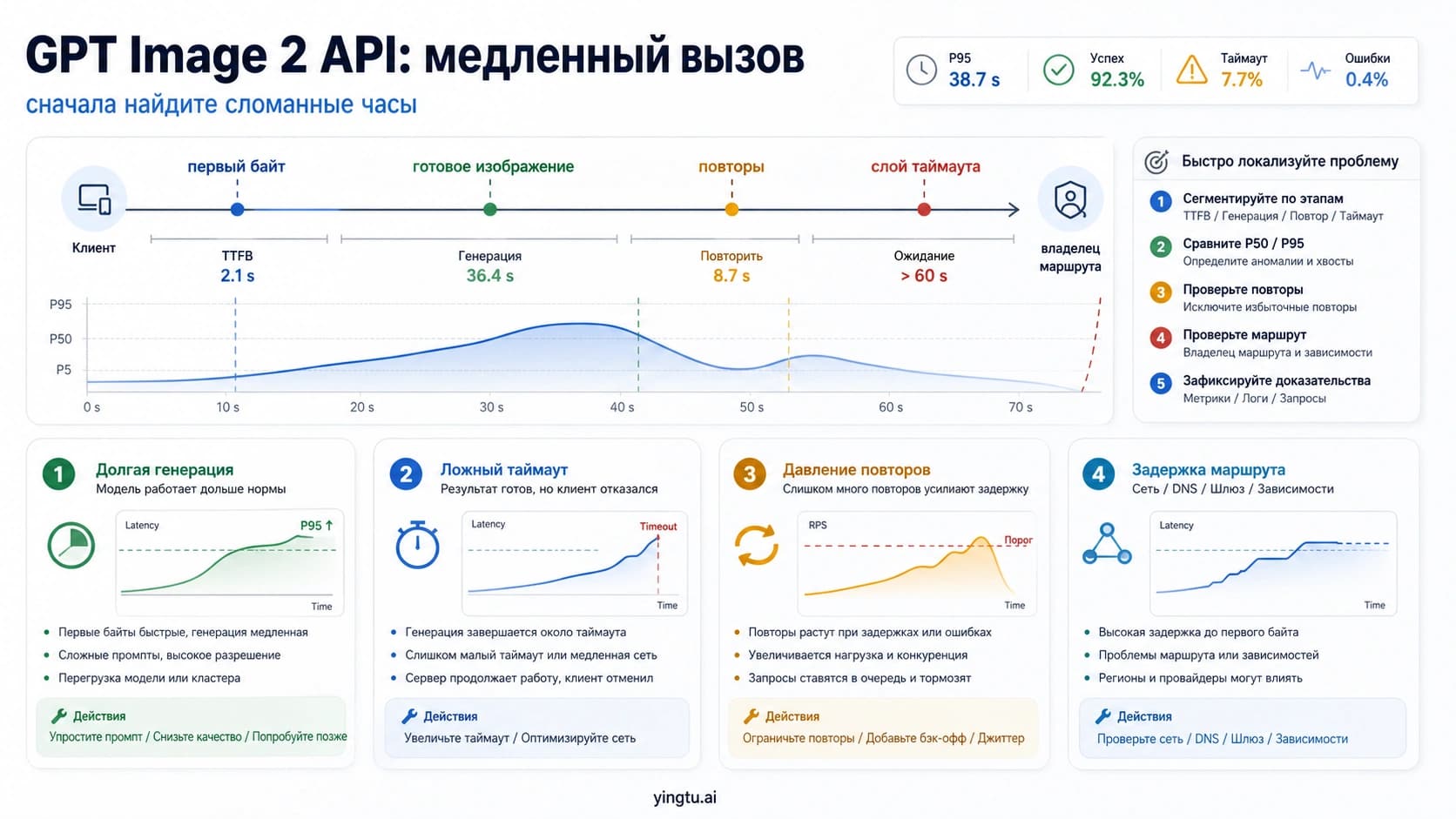
| Slow or inconsistent output | Route/capacity | Quota, fallback, size, quality | Prove route before retry policy |
Transparent background требует жесткой остановки. Текущие опции GPT Image 2 не делают gpt-image-2 генератором transparent background. Сначала сгенерируйте изображение через рабочий маршрут, затем используйте другую модель или editing/compositing step, если нужна прозрачность.
4K is also a separate decision. OpenClaw route verification proves who handled the request; size verification proves what file came back. Use the high-resolution sibling for size, saved pixels and 4K workflow: GPT Image 2 high-resolution settings.
Operational acceptance notes
Production checklist
Before handing this setup to another teammate or an automated job, write the operating contract. It should include model reference, auth owner, route proof, fallback policy, failure branch and switch trigger.
| Item | API key route | Codex OAuth route |
|---|---|---|
| Model reference | openai/gpt-image-2 | openai/gpt-image-2 |
| Auth owner | OpenAI project/org behind OPENAI_API_KEY | OpenAI Codex OAuth profile |
| Route proof | Provider output or logs show OpenAI | Provider output or logs show OAuth-backed OpenAI |
| Fallback policy | Disabled during proof, labeled in production | Disabled during proof, labeled in production |
| Failure branch | OpenAI API response plus OpenClaw logs | OAuth profile/account plus OpenClaw logs |
| Switch trigger | Cost, quota, org policy or provider strategy | 403, stale profile, unknown workspace or audit need |
Keep a known-good smoke prompt. It should avoid text, transparency, giant sizes and complicated edits. A smoke test proves route health; it is not a quality benchmark. After it passes, run the real image prompt with the same model reference and log settings.
Часто задаваемые вопросы
Какое имя модели указать в OpenClaw?
Используйте openai/gpt-image-2. OpenAI model ID - gpt-image-2; OpenClaw добавляет openai/, чтобы направить request через OpenAI provider.
Codex OAuth делает GPT Image 2 API бесплатным?
Нет. Codex OAuth - это auth route, а не официальный free API entitlement. Границы free tier и безопасные тесты смотрите в границе бесплатного GPT Image 2 API.
API key или Codex OAuth?
Для production accountability, понятного billing, org control и предсказуемых logs используйте API key. Codex OAuth используйте только после того, как profile, account/workspace, provider output и no-fallback proof согласуются между собой.
Почему Codex OAuth возвращает HTTP 403?
Treat 403 as an auth/profile branch. Check OpenClaw version, token state, active account, workspace, model access and fallback configuration. Switch to API key if the route remains blocked.
Как доказать, что fallback не сгенерировал картинку?
Run a no-fallback test, force model=openai/gpt-image-2 and inspect provider output or logs. If another provider appears, the image is not proof of GPT Image 2 in OpenClaw.
Можно ли получить transparent background?
Не полагайтесь на gpt-image-2 для transparent background. После генерации используйте отдельную модель или editing step.
Можно ли делать 4K через OpenClaw?
First prove the route to openai/gpt-image-2; then validate size settings and saved-file dimensions in a separate high-resolution workflow.