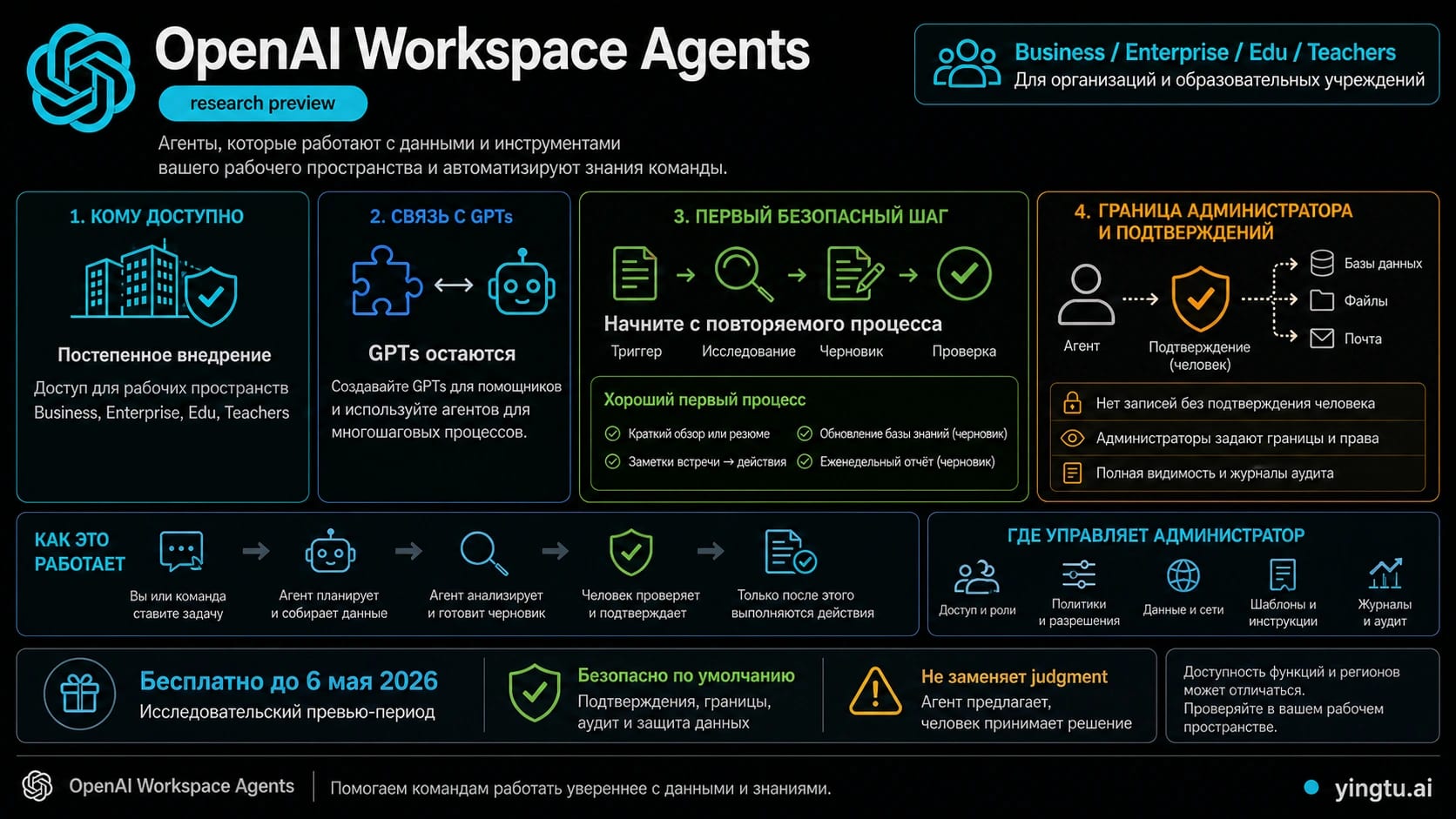
На 11 июля 2026 года OpenAI называет Workspace Agents исследовательской предварительной версией для рабочих пространств ChatGPT Business, Enterprise, Edu и Teachers. Это уже не только конструктор инструкции: в актуальной справке описаны Preview, приложения, файлы, навыки, custom MCP, общие черновики, каналы ChatGPT и Slack, расписания, API-запуск, история версий, аналитика и разграничение ролей.
Но широкий набор функций не делает широкий сценарий хорошим первым проектом. Начните с повторяемой внутренней задачи, где известны источники, результат можно проверить как черновик, а рискованное действие подтверждает человек. Подключайте новые системы и каналы только после того, как команда умеет объяснить права, владельца, критерий успеха и способ отката.
Сначала проверьте маршрут доступа
Официальная страница Workspace Agents перечисляет Business, Enterprise, Edu и Teachers. Операционные детали находятся в Help Center: в боковой панели ChatGPT нужно открыть Agents, выбрать шаблон, описать задачу или начать с пустого конструктора, а затем проверить поведение в Preview.
| Вопрос | Текущая граница | Практическое действие |
|---|---|---|
| Agents нет в меню | Видимость зависит от рабочего пространства, роли и настроек администратора | Проверьте активное workspace и RBAC до диагностики браузера |
| Доступен ли личный Pro | Публичная страница называет рабочие тарифы, но не личный Pro | Не переносите права корпоративного workspace на личную подписку |
| Можно ли запускать вне ChatGPT | Есть Slack, расписание и API channel | Рассматривайте каждый канал как отдельное решение об аутентификации и риске |
| Можно ли получить ответ через API | Триггер ставит запуск в очередь, но не возвращает результат | Не проектируйте синхронный вызов или опрос статуса |
| Какова цена | На текущих продуктовой и справочной страницах нет стабильной единой числовой таблицы | Уточните условия в своем workspace или у владельца официального плана |
Старое предложение о бесплатном периоде до 6 мая 2026 года уже истекло. Оно полезно как историческая деталь запуска, но не как основание для бюджета. Так же нельзя считать название приложения в примере гарантией того, что конкретный connector включен именно в вашей организации.
Когда агент действительно лучше обычного ChatGPT
Workspace Agent оправдан, когда процесс повторяется, принадлежит команде, использует разрешенные источники или инструменты, имеет узнаваемый триггер и требует управляемого выполнения. Хорошими первыми задачами бывают еженедельная внутренняя сводка, черновик передачи клиента, список действий после встречи или предложение обновления базы знаний.
Обычный ChatGPT лучше для разового исследования. GPT может оставаться удобным для повторяемого диалога без сложной операционной поверхности. Детерминированный скрипт лучше, когда правила жесткие и результат должен быть одинаковым. Не мигрируйте работающий процесс ради нового названия: сначала сформулируйте, какую новую ценность дают общие права, расписания, каналы, инструменты, согласования или история версий.
Первым агентом не должен быть «полный менеджер почты», «автономная работа со всеми клиентами» или неограниченный редактор CRM. В таких формулировках нет точного результата, границы данных и понятной остановки. Если процесс требует широкого доступа к личным данным, необратимой записи или общего пароля без владельца, остановитесь и спроектируйте вариант с черновиком.
Соберите первый безопасный процесс
Рабочая последовательность выглядит так:
- Опишите задачу одним предложением и укажите владельца результата.
- Выберите один триггер: ручной запрос, упоминание, время, событие или API.
- Перечислите конкретные документы, приложения и области данных, которые разрешено читать.
- Определите формат результата: сводка, рекомендация, чек-лист, черновик сообщения или предложение изменения.
- Подключите только необходимые приложения, файлы, skills и custom MCP.
- Проверьте в Preview обычный случай, отсутствие данных, противоречивые источники и запрос вне границ.
- Оставьте отправку, изменение, публикацию и удаление на подтверждении.
- Зафиксируйте метрику, стоп-условие, владельца учетных данных и известную исправную версию.
Хорошая инструкция похожа на эксплуатационный договор. Она называет событие, разрешенные источники, формат, требование ссылок, аудиторию, владельца, действие с записью и условия остановки. «Каждый понедельник подготовь по этим трем документам черновик сводки и не отправляй его без согласования» можно проверить. «Будь нашим автономным операционным помощником» — нельзя.
Приложения, skills, MCP и права — разные уровни
Приложение или connector дает внешнюю поверхность данных и действий. Файл дает стабильный контекст. Skill описывает повторяемую процедуру. Custom MCP добавляет специализированный инструмент. Канал определяет место запуска. Ни один из этих объектов сам по себе не заменяет модель прав.
Подключение может работать от учетной записи конечного пользователя или через общую связь, принадлежащую агенту. Для общей связи предпочтительна service account с явным системным владельцем. Личный аккаунт сотрудника создает зависимость от его должности, увольнения, изменения прав и личных данных.
Запись нужно разделять по риску. Внутренний черновик, отправка внешнего письма, удаление файла и изменение базы — не одна категория. Для первого запуска оставьте рискованные действия в режиме Always ask, укажите согласующего и место аудита. Только успешная серия проверок может быть основанием для более свободного режима.
API trigger: запуск есть, ответа пока нет
API channel позволяет внутренней системе поставить работу Workspace Agent в очередь. Для этого создается токен доступа со scope Workspace Agents в ChatGPT Admin. Токен должен оставаться на сервере, а окружающая интеграция должна иметь не больше прав, чем сам агент.
Критическая текущая граница: OpenAI описывает ответ 202 Accepted без тела. Триггер не возвращает run ID, и результат нельзя получить обратно через тот же механизм. Это подходит для схемы «поставить задачу, а эффект или артефакт появится в заранее известном месте». Это не подходит для чат-API, где вызывающая система ждет текст, или для процесса, где нужно опрашивать статус конкретного запуска.
| Потребность | Подходящий маршрут | Когда остановиться |
|---|---|---|
| Сотрудник запускает и читает результат | ChatGPT | Не добавляйте новый канал, пока этот запуск нестабилен |
| Команда работает в канале | Slack | Не включайте без shared auth и узкой аудитории |
| Повторение по времени | Schedule | Сначала выполните несколько ручных Preview |
| Система только ставит задачу | API trigger | Не используйте, если нужен ответ или run ID |
Connector Action Constraints не фильтруют все данные
Connector Action Constraints могут сузить поддерживаемое действие: например, разрешить письмо только определенному домену или работу только с одним документом. Это важный слой, но не универсальный фильтр содержимого. Разрешенное действие все равно может вернуть больше полей и контекста, чем ожидал автор инструкции.
Поэтому ограничение действия надо сочетать с минимальными правами учетной записи, узкой областью connector, ограничением аудитории, подтверждением записи и проверкой фактического ответа. Особенно важно это для почты, CRM, кадровых, финансовых и клиентских систем. Фраза в prompt не заменяет технического контроля доступа.
Совместное редактирование и возврат версии
Владелец может дать человеку или группе права Can chat или Can edit. Редакторы меняют общий черновик, инструкции, файлы, skills и поддерживаемые приложения. Однако публикация на все workspace, удаление, настройка каналов, общий доступ и часть ресурсов остаются у Owner.
Multiplayer editing означает общий черновик, но не бесконфликтное объединение в реальном времени. Если коллега сохранит первым, обновление страницы может заменить несохраненные локальные изменения. Перед большим редактированием назначьте одного редактора, копируйте несохраненный текст и используйте version history для сравнения и публикации известной исправной версии.
До широкого запуска назначьте три роли: владелец процесса отвечает за полезность, владелец агента — за публикацию и каналы, системный владелец — за shared credentials и connector. Метрики unique users и runs показывают использование, но не доказывают качество результата и не заменяют аудит согласований.
Slack — канал развертывания, а не модель безопасности
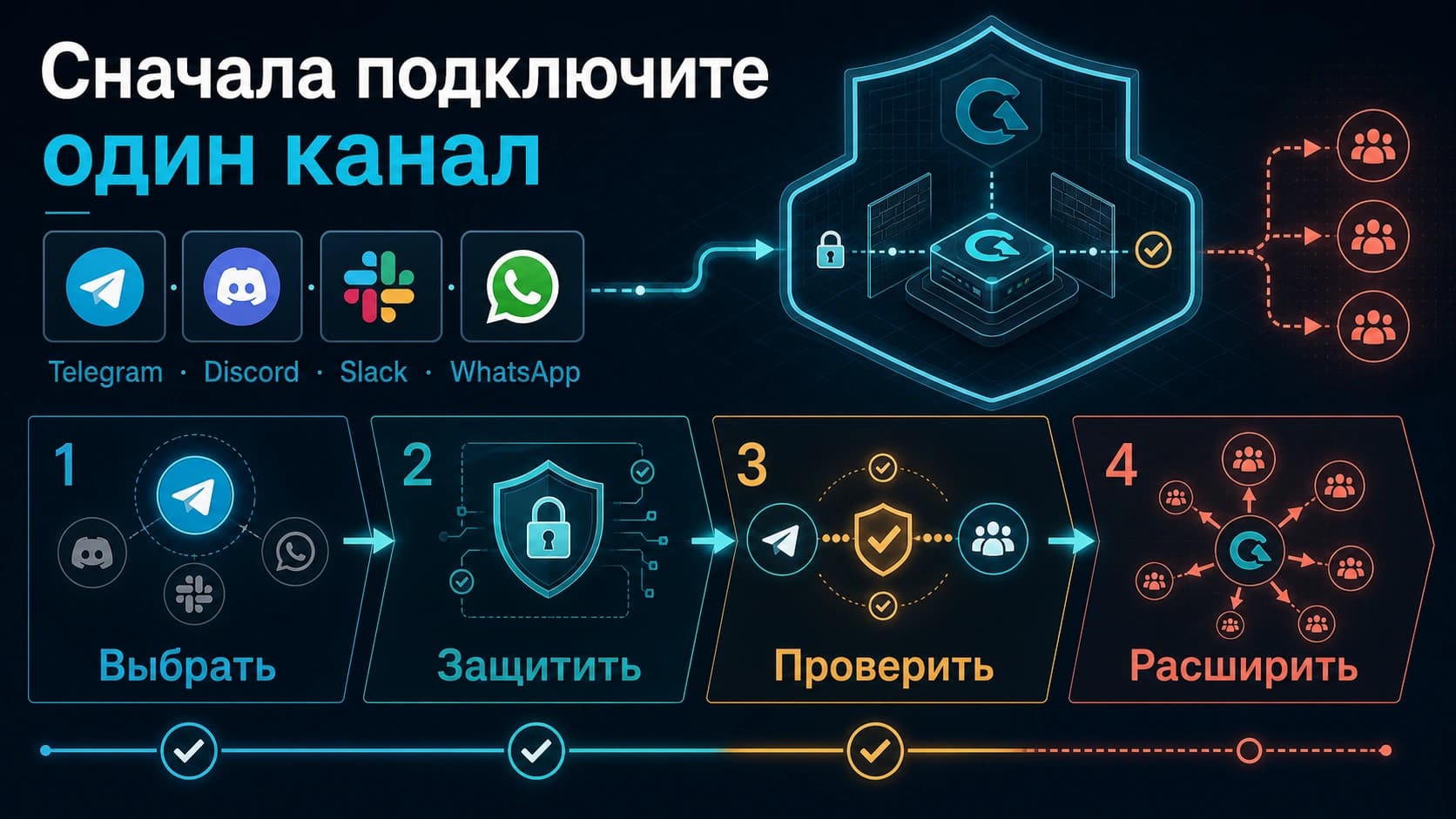
Подключайте Slack после стабильного теста в ChatGPT. Администратору Slack может понадобиться подтвердить соединение; все app connections агента должны использовать shared authentication. Определите workspace, каналы или user groups, режим ответа, владельца общей учетной записи и действия, требующие согласования.
Начните с ручных mentions. Клиентские сообщения оставляйте черновиками. Изменение файлов и баз проводите с явным подтверждением и журналом. Контекст частного канала не должен становиться доступным более широкой аудитории только потому, что агент опубликован для группы. Если меняется Slack workspace, канал придется настроить заново — этот сценарий тоже нужен в операционном плане.
Чек-лист перед расширением
Перед публикацией проверьте активное workspace и роль, одну задачу и один результат, минимальный набор источников, владельца аутентификации, результаты Preview, политику записи, область канала, аудит, стоп-условие и восстановимую версию. Перед расписанием или большой нагрузкой отдельно подтвердите актуальные условия использования и стоимость у официального владельца.
Лучшая метрика запуска — не число подключенных систем. Хороший результат означает, что повторяемая работа стала быстрее, а команда по-прежнему может объяснить, откуда взялись данные, кто подтвердил действие и как исправить ошибку.
После запуска оценивайте не только unique users и количество runs. Выборочно проверяйте, ссылается ли результат на разрешенные источники, отмечает ли отсутствующие сведения как неизвестные, соблюдает ли согласование и появляется ли только у допустимой аудитории. Полезны доля принятых черновиков, доля полной переделки, число отклоненных действий записи, остановки из-за недоступных данных и случаи rollback. Эти показатели помогают решить, сохранить, сузить, исправить или расширить процесс.
При инциденте сначала остановите расписание и внешнюю запись, сохраните журнал и номер опубликованной версии, затем определите затронутые каналы и данные. После исправления повторите в Preview именно неудачный пример и получите подтверждение владельца. Не продолжайте автоматическое выполнение той же версии во время расследования.
FAQ
Доступны ли Workspace Agents пользователям ChatGPT Pro?
В текущем публичном перечне указаны Business, Enterprise, Edu и Teachers, а личный Pro не назван. Проверяйте активное рабочее пространство и роль, а не только название личной подписки.
Обязательно ли заменять существующие GPT?
Нет. Сохраняйте работающий GPT или автоматизацию, пока новый агент не докажет преимущество в общем выполнении, инструментах, расписаниях, каналах или управлении.
Почему два сотрудника одной компании видят разные возможности?
Они могут быть в разных workspace или иметь разные роли RBAC. В Enterprise функция также зависит от включения администратором. Плагин Codex Workspace Agents использует ту же модель RBAC, отдельного Codex-переключателя нет.
Может ли API trigger вернуть результат синхронно?
Нет. Сейчас он ставит работу в очередь и возвращает 202 Accepted без тела, run ID и механизма получения ответа через этот trigger.
Можно ли нескольким людям редактировать одного агента?
Да, через Can edit и групповой доступ. Но одновременные правки автоматически не сливаются, а некоторые операции остаются только у Owner. Координируйте изменения и используйте историю версий.
Что именно защищают Connector Action Constraints?
Они ограничивают использование поддерживаемых действий, но не являются общим фильтром возвращаемых данных. Нужны также least privilege, узкая область подключения, аудитория и согласования.
Какую задачу выбрать первой?
Повторяемую внутреннюю задачу с известными источниками, проверяемым черновиком, человеческим владельцем и простым откатом. Не начинайте с внешних сообщений, неограниченной почты или необратимой записи.
Итог
Workspace Agents полезны не максимальной автономностью, а возможностью превратить командный процесс в управляемое выполнение. Сначала подтвердите доступ и роль. Затем соберите один узкий процесс, проверьте его в Preview и оставьте рискованные действия на согласовании. Slack, расписания, API и более широкие connector добавляйте только после того, как ChatGPT-маршрут стабилен, а владельцы, журналы и откат уже определены.
Каждое расширение аудитории, частоты запуска или прав должно получить отдельный Preview и отдельное одобрение владельца процесса.