


Перейти к основному содержанию

Стикеры для Telegram нейросетью: целый набор из одного фото

Загрузите селфи или фото питомца либо просто опишите персонажа — нейросеть нарисует 9 или 16 стикеров с разными эмоциями. Фон удаляется, а лист режется на отдельные стикеры прямо в браузере; файлы сразу готовы для Telegram (сторона 512 px), WhatsApp, Discord, LINE и KakaoTalk. Весь набор стоит как одно изображение — от $0.018.

9 или 16 стикеров в набореот $0.018 за наборTelegram · WhatsApp · Discord

1Персонаж

Вы, питомец или игрушка. Нет фото — просто опишите персонажа словами.

2Стиль

3Количество и подписи

4Модель

Весь набор за один раз

Один персонаж, 9 или 16 эмоций: фон удаляется автоматически, стикеры режутся по одному и сохраняются в размерах Telegram, WhatsApp, Discord, LINE и KakaoTalk.

Главное

  • На 27 сентября 2026 года: набор — это одна генерация по цене выбранной модели за изображение (Seedream 5.0 Flash $0.018, GPT Image 2 VIP $0.03, Nano Banana 2 $0.055, Nano Banana Pro $0.09).
  • В наборе 9 (3×3) или 16 (4×4) стикеров с одного листа 2048×2048.
  • Для Telegram: PNG, одна сторона ровно 512 px, другая не больше 512 px, плюс иконка набора 100×100.
  • Удаление фона, нарезка и упаковка в ZIP идут в браузере; готовые стикеры никуда не загружаются.
  • Новые пользователи, вошедшие через Gmail, получают бесплатный кредит $0.1 на все четыре модели.

Как сделать стикеры в нейросети

  1. 1Загрузите фото или опишите персонажаЛучше всего работает чёткое фото одного человека или одного питомца. Без фото можно написать, например: «сиба-ину бариста в поварском колпаке».
  2. 2Выберите стиль, количество и подписиЧиби, 3D-фигурка, аниме, пиксель-арт или дудл; 9 или 16 стикеров; каждую подпись можно изменить или убрать.
  3. 3Сгенерируйте и экспортируйте для TelegramПроверьте нарезку, снимите отметку с лишних и скачайте ZIP с PNG нужного размера и иконкой набора.

Реальные наборы, сделанные здесь

Все сделаны тем же промптом и той же нарезкой, что и в инструменте выше, без ручной правки.

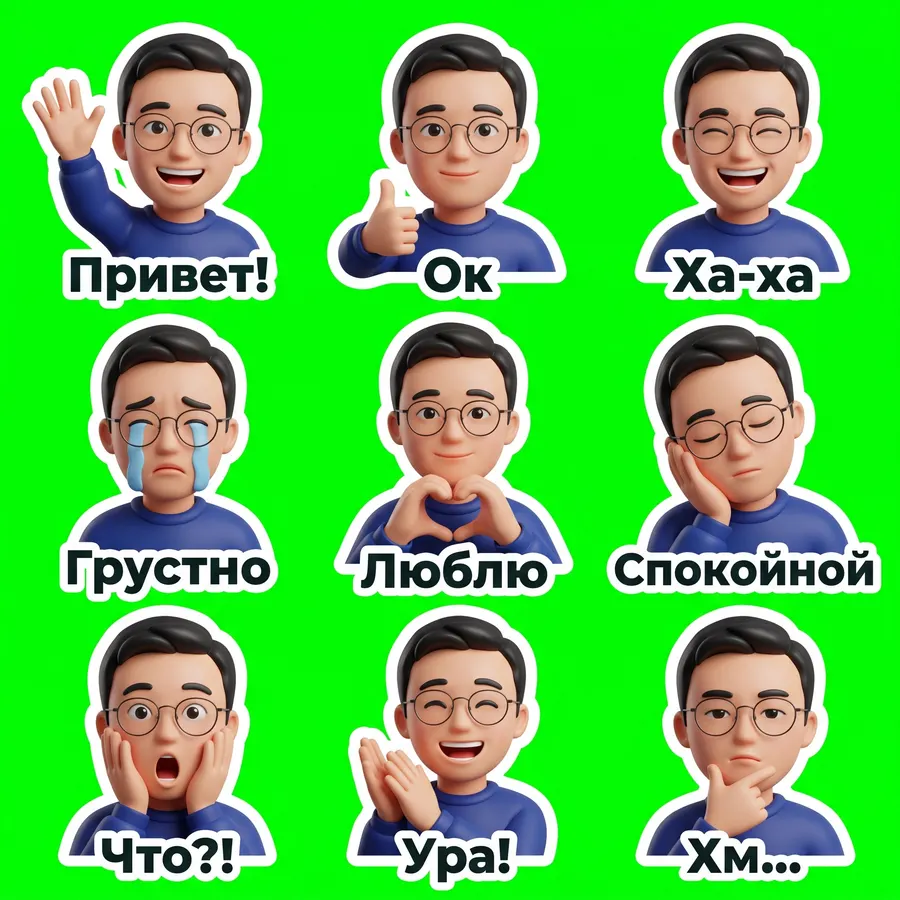
Фото · 9 стикеров, 3D-фигурка

Nano Banana 2 · 21 с · вырезано 9 из 9 · $0.055

Исходное фото
Исходное фото
Фото · 9 стикеров, 3D-фигурка sheet
2048 × 2048
Показать промпт целиком

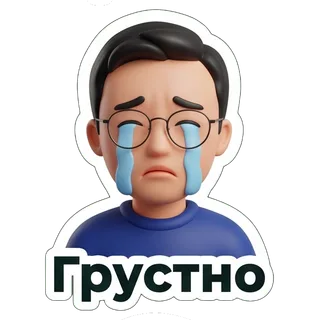
Create a sticker sheet of the man in the reference image. Keep the face, hairstyle, colors, markings and clothing so it is instantly recognizable in every sticker. Draw 9 different stickers of the same character arranged in a 3x3 grid, evenly spaced with wide gaps between stickers, each sticker fully inside its own cell and not touching the others. Style: glossy 3D rendered figure style like a vinyl toy, soft studio lighting, rounded shapes. Stickers, in order from top left to bottom right: 1. waving hello with a big smile, caption "Привет!" 2. giving a thumbs up, caption "Ок" 3. laughing out loud with eyes squeezed shut, caption "Ха-ха" 4. crying with big tears, caption "Грустно" 5. making a heart with both hands, caption "Люблю" 6. sleepy, eyes closed, resting the cheek on a hand, caption "Спокойной" 7. shocked with the mouth wide open and hands on the cheeks, caption "Что?!" 8. clapping and cheering, caption "Ура!" 9. thinking with a hand on the chin, caption "Хм…" Captions are short, bold, easy to read, in black or another dark non-green color, placed under or beside the character inside its outline. Every sticker has a thick white die-cut outline around the character and its caption. The background is one flat solid pure green color (#00FF00) everywhere, with no shadows, no gradients, no texture, no borders, no grid lines and nothing else on it. Do not use any green inside the stickers (no green text, clothing or props).


  • Привет!
  • Ок
  • Ха-ха
  • Грустно
  • Люблю
  • Спокойной
  • Что?!
  • Ура!
  • Хм…

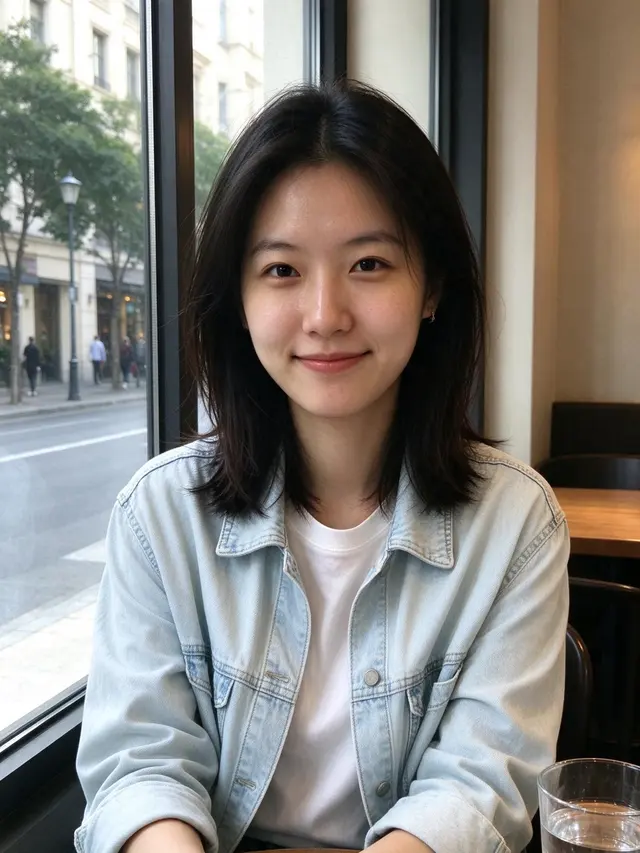
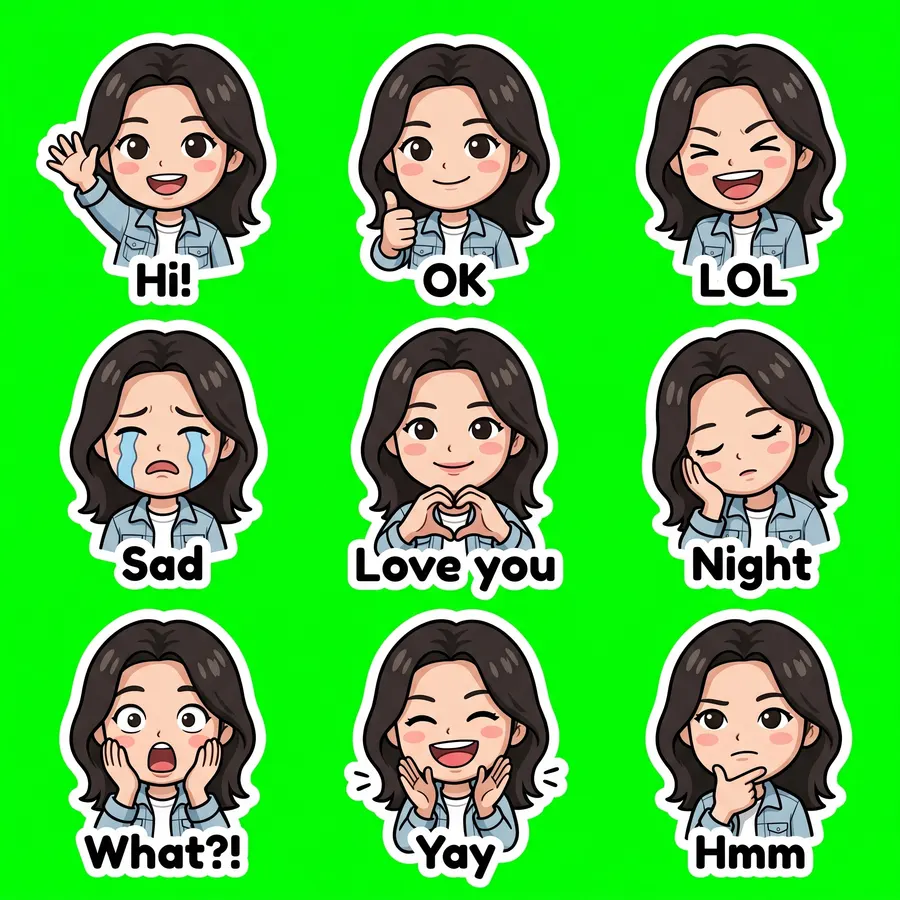
Селфи · чиби

Nano Banana 2 · 20 с · вырезано 9 из 9 · $0.055

Исходное фото
Исходное фото
Селфи · чиби sheet
2048 × 2048
Показать промпт целиком

Create a sticker sheet of the woman in the reference image. Keep the face, hairstyle, colors, markings and clothing so it is instantly recognizable in every sticker. Draw 9 different stickers of the same character arranged in a 3x3 grid, evenly spaced with wide gaps between stickers, each sticker fully inside its own cell and not touching the others. Style: cute chibi cartoon style with a big head and small body, bold clean outlines and flat cel shading. Stickers, in order from top left to bottom right: 1. waving hello with a big smile, caption "Hi!" 2. giving a thumbs up, caption "OK" 3. laughing out loud with eyes squeezed shut, caption "LOL" 4. crying with big tears, caption "Sad" 5. making a heart with both hands, caption "Love you" 6. sleepy, eyes closed, resting the cheek on a hand, caption "Night" 7. shocked with the mouth wide open and hands on the cheeks, caption "What?!" 8. clapping and cheering, caption "Yay" 9. thinking with a hand on the chin, caption "Hmm" Captions are short, bold, easy to read, in black or another dark non-green color, placed under or beside the character inside its outline. Every sticker has a thick white die-cut outline around the character and its caption. The background is one flat solid pure green color (#00FF00) everywhere, with no shadows, no gradients, no texture, no borders, no grid lines and nothing else on it. Do not use any green inside the stickers (no green text, clothing or props).

  • Hi!
  • OK
  • LOL
  • Sad
  • Love you
  • Night
  • What?!
  • Yay
  • Hmm

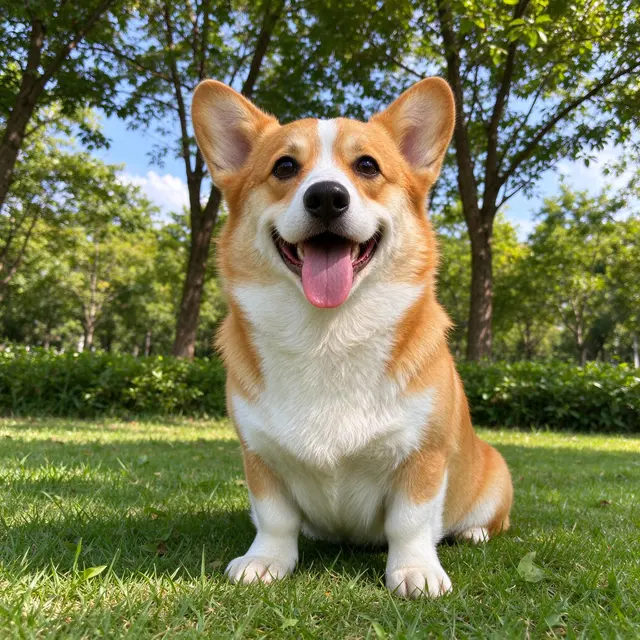
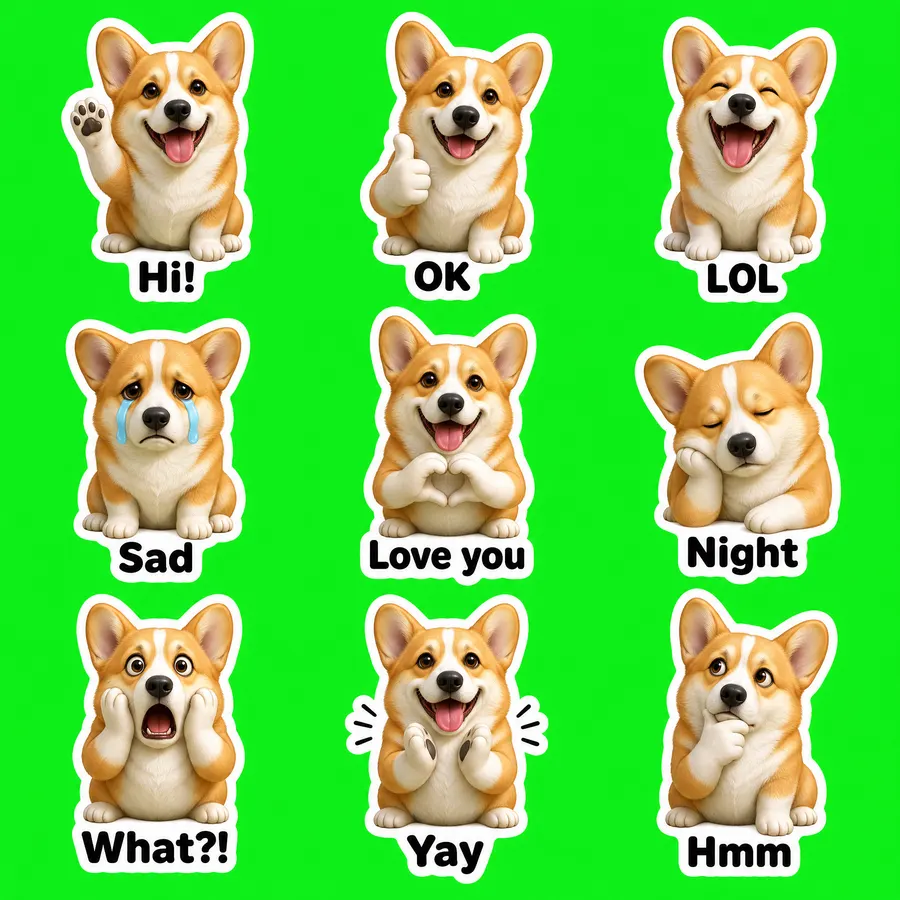
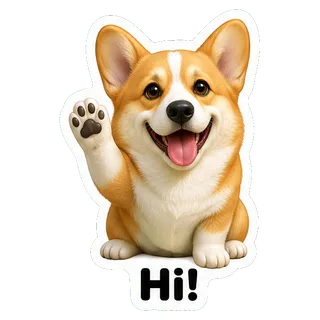
Фото питомца · 3D-фигурка

GPT Image 2 VIP · 55 с · вырезано 9 из 9 · $0.03

Исходное фото
Исходное фото
Фото питомца · 3D-фигурка sheet
2048 × 2048
Показать промпт целиком

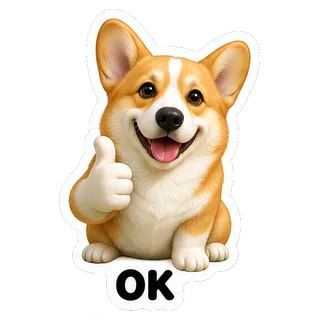
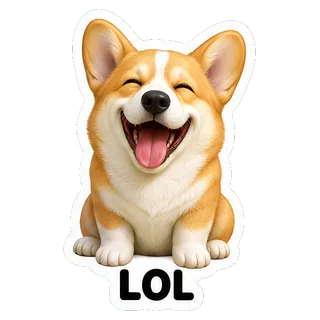
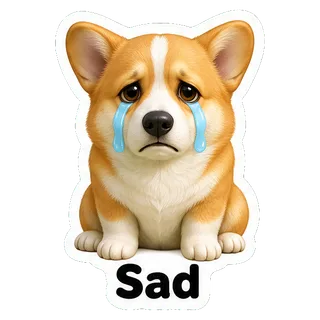
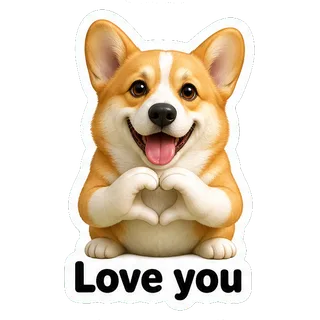
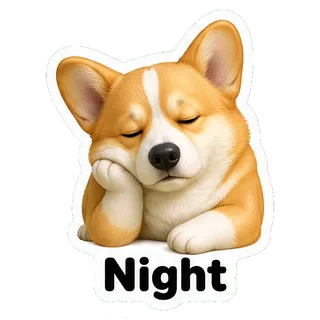
Create a sticker sheet of the corgi dog in the reference image. Keep the face, hairstyle, colors, markings and clothing so it is instantly recognizable in every sticker. Draw 9 different stickers of the same character arranged in a 3x3 grid, evenly spaced with wide gaps between stickers, each sticker fully inside its own cell and not touching the others. Style: glossy 3D rendered figure style like a vinyl toy, soft studio lighting, rounded shapes. Stickers, in order from top left to bottom right: 1. waving hello with a big smile, caption "Hi!" 2. giving a thumbs up, caption "OK" 3. laughing out loud with eyes squeezed shut, caption "LOL" 4. crying with big tears, caption "Sad" 5. making a heart with both hands, caption "Love you" 6. sleepy, eyes closed, resting the cheek on a hand, caption "Night" 7. shocked with the mouth wide open and hands on the cheeks, caption "What?!" 8. clapping and cheering, caption "Yay" 9. thinking with a hand on the chin, caption "Hmm" Captions are short, bold, easy to read, in black or another dark non-green color, placed under or beside the character inside its outline. Every sticker has a thick white die-cut outline around the character and its caption. The background is one flat solid pure green color (#00FF00) everywhere, with no shadows, no gradients, no texture, no borders, no grid lines and nothing else on it. Do not use any green inside the stickers (no green text, clothing or props).
  • Hi!
  • OK
  • LOL
  • Sad
  • Love you
  • Night
  • What?!
  • Yay
  • Hmm

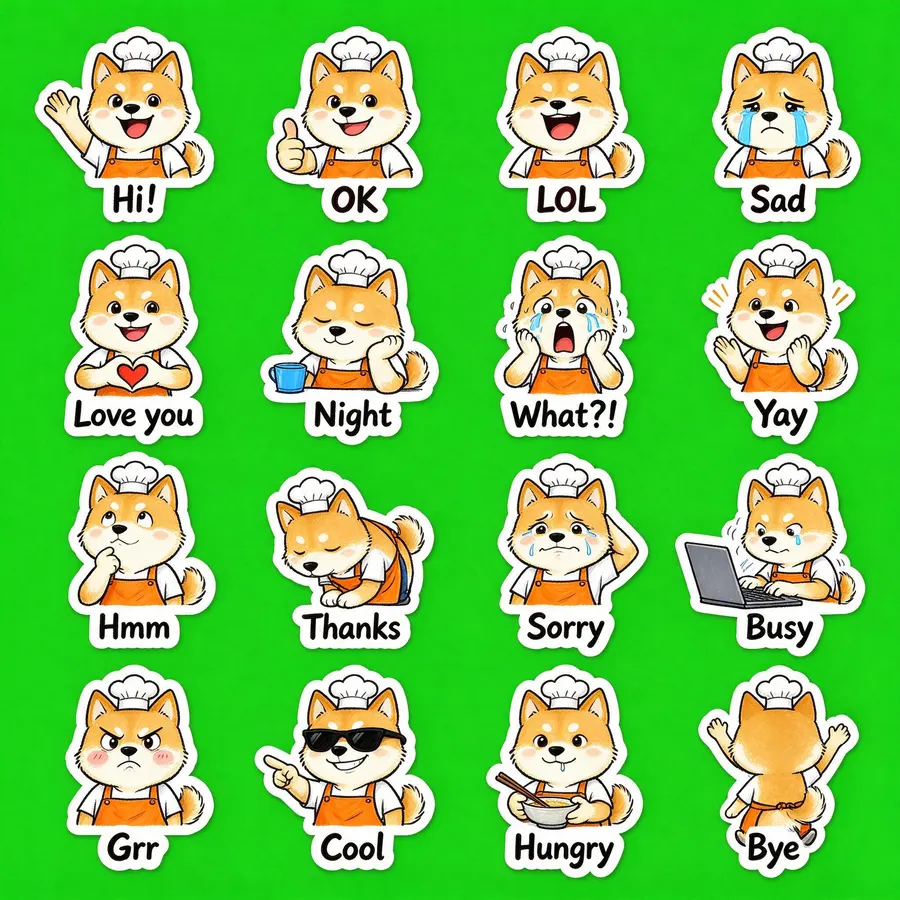
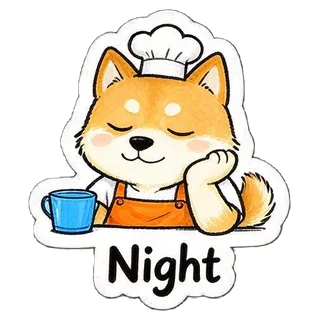
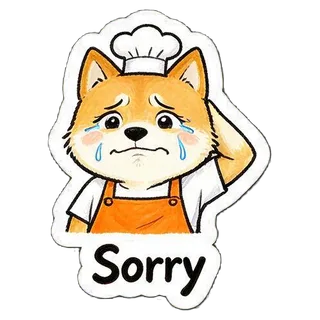
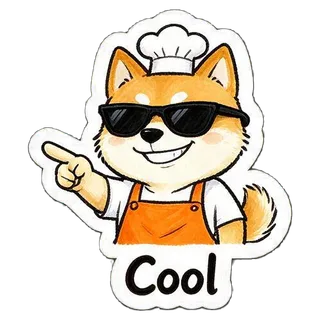
Только по описанию · 16 стикеров

Seedream 5.0 Flash · 24 с · вырезано 16 из 16 · $0.018

“a cheerful shiba inu barista wearing an orange apron and a small white chef hat”
Без фото, только описание
Только по описанию · 16 стикеров sheet
2048 × 2048
Показать промпт целиком

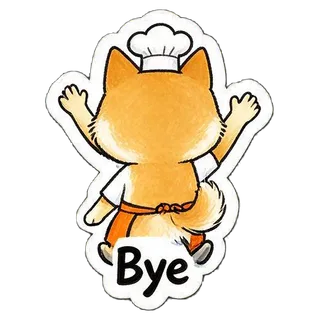
Create a sticker sheet of a cheerful shiba inu barista wearing an orange apron and a small white chef hat. Draw 16 different stickers of the same character arranged in a 4x4 grid, evenly spaced with wide gaps between stickers, each sticker fully inside its own cell and not touching the others. Style: hand-drawn marker doodle style with wobbly lines and bright flat colors. Stickers, in order from top left to bottom right: 1. waving hello with a big smile, caption "Hi!" 2. giving a thumbs up, caption "OK" 3. laughing out loud with eyes squeezed shut, caption "LOL" 4. crying with big tears, caption "Sad" 5. making a heart with both hands, caption "Love you" 6. sleepy, eyes closed, resting the cheek on a hand, caption "Night" 7. shocked with the mouth wide open and hands on the cheeks, caption "What?!" 8. clapping and cheering, caption "Yay" 9. thinking with a hand on the chin, caption "Hmm" 10. bowing politely with both hands together, caption "Thanks" 11. apologizing with an awkward smile and one hand behind the head, caption "Sorry" 12. typing fast on a laptop, a little stressed, caption "Busy" 13. angry and pouting with puffed cheeks, caption "Grr" 14. wearing sunglasses and pointing with a confident grin, caption "Cool" 15. holding a bowl and chopsticks, drooling a little, caption "Hungry" 16. waving goodbye while walking away, caption "Bye" Captions are short, bold, easy to read, in black or another dark non-green color, placed under or beside the character inside its outline. Every sticker has a thick white die-cut outline around the character and its caption. The background is one flat solid pure green color (#00FF00) everywhere, with no shadows, no gradients, no texture, no borders, no grid lines and nothing else on it. Do not use any green inside the stickers (no green text, clothing or props).

  • Hi!
  • OK
  • LOL
  • Sad
  • Love you
  • Night
  • What?!
  • Yay
  • Hmm
  • Thanks
  • Sorry
  • Busy
  • Grr
  • Cool
  • Hungry
  • Bye

Размеры стикеров для Telegram, WhatsApp и других

Экспорт уже соответствует этим требованиям; данные взяты из официальной документации сервисов.
СервисФорматРазмерОграниченияИсточник
TelegramPNG или WebPодна сторона ровно 512 px, другая ≤ 512 px; иконка 100×100иконка ≤ 128 КБ; при создании набора 1–50 стикеровcore.telegram.org
WhatsAppWebP512×512; иконка 96×96≤ 100 КБ на стикер; 3–30 в набореgithub.com
DiscordPNGровно 320×320≤ 512 КБdiscord.com
LINEPNG, прозрачный≤ 370×320, чётные стороны, отступ ~10 px≤ 1 МБ; 8, 16, 24, 32 или 40 в набореcreator.line.me
KakaoTalkPNG, прозрачный360×360; иконка 78×78≤ 150 КБ; в заявке 32kakaoemoticonstudio.notion.site

Safari не умеет создавать WebP в браузере, поэтому набор для WhatsApp экспортируйте в Chrome, Edge или Firefox.

Как добавить стикеры

  • Telegram

    Откройте официального бота @Stickers, отправьте /newpack, придумайте название, затем по одному отправляйте PNG как файл (не как фото) с эмодзи. В конце — /publish и icon.png как иконка набора.

  • WhatsApp

    В WhatsApp Web или приложении для Windows: в чате нажмите скрепку → «Стикер» → «Создать» и загрузите WebP. На телефоне весь набор можно импортировать приложением для стикерпаков в формате WhatsApp.

  • Discord

    Настройки сервера → Стикеры → Загрузить стикер; для каждого укажите название и эмодзи.

Советы

  • На фото должен быть один человек или один питомец, лицо или окрас хорошо видны.
  • Для максимального сходства выбирайте Nano Banana 2 или Nano Banana Pro, для экономии начните с Seedream 5.0 Flash.
  • Подписи короткие: «Ура!», «Пока» читаются даже в маленьком размере.
  • Если ячейки слиплись или одной нет, просто сгенерируйте ещё раз.

Частые вопросы

Какой бот делает стикеры в ТГ?

Официальный бот Telegram — @Stickers: через него создаётся и публикуется набор. Этот инструмент готовит сами файлы: рисует персонажа, удаляет фон и сохраняет PNG ровно под требования Telegram.

Можно ли самому сделать стикеры в ТГ?

Да, любой пользователь может создать свой набор через @Stickers. Нужны PNG или WebP, где одна сторона ровно 512 px; экспорт «Telegram» здесь делает именно такие файлы и иконку 100×100.

Как сделать стикеры в нейросети?

Загрузите фото или опишите персонажа, выберите стиль и количество и нажмите «Создать». Примерно через 20–75 секунд получите набор, уже разрезанный на отдельные стикеры.

Сколько стоит набор стикеров?

Набор — это одно изображение: Seedream 5.0 Flash $0.018, GPT Image 2 VIP $0.03, Nano Banana 2 $0.055, Nano Banana Pro $0.09. Новые пользователи с Gmail получают $0.1 бесплатно.

Почему вырезано меньше стикеров, чем я выбрал?

Иногда модель рисует два стикера вплотную или пропускает ячейку. Повторная генерация обычно помогает, а уже вырезанные можно сохранить.

Сохраняются ли мои фото?

Фото отправляется только вместе с одним запросом на генерацию — через шлюз YingTu к провайдеру модели (через LaoZhang API); результаты некоторых моделей проходят автоматическую проверку безопасности. Удаление фона, нарезка и упаковка идут в браузере, готовые стикеры на серверы YingTu не загружаются.

Обновлено: 27 сентября 2026 г.