50+ Gemini AI Photo Prompts You Can Copy & Paste: Complete Guide with Examples (2025)
Ready-to-use Gemini AI photo prompts for portraits, editing, logos & more. Copy-paste templates with explanations of why they work. Includes Nano Banana Pro tips.
Nano Banana Pro
4K-80%Google Gemini 3 Pro · AI Inpainting
谷歌原生模型 · AI智能修图

Writing the perfect AI image prompt feels like solving a puzzle blindfolded. You describe what you want, hit generate, and hope for the best. Sometimes you get a masterpiece. More often, you get something that looks nothing like what you imagined. The frustration is real, and it costs you time you do not have.
This guide eliminates the guesswork entirely. You will find over 50 tested Gemini AI photo prompts organized by category, each one ready to copy and paste directly into your workflow. But more importantly, you will understand why these prompts work, so you can customize them for your specific needs without starting from scratch every time.
Whether you want to transform a selfie into a cinematic portrait, swap backgrounds while keeping your face perfectly preserved, generate logos with accurate text, or create consistent characters across multiple images, you will find exactly what you need here. Every prompt has been tested with both Nano Banana and Nano Banana Pro models, with notes on which works best for each use case.
By the end of this guide, you will have a complete prompt library covering portraits, photo editing, product photography, logo design, and creative effects. You will also know how to avoid the ten most common mistakes that ruin AI-generated images, and you will understand exactly what each prompt feature does so you can modify them confidently.
Understanding Gemini Image Generation: Nano Banana vs Nano Banana Pro
Before diving into the prompts, understanding which Gemini model to use will save you significant time and money. Google currently offers two image generation models with very different capabilities, and choosing the wrong one for your task leads to either subpar results or unnecessary costs.
Nano Banana refers to Gemini 2.5 Flash Image, the faster and more accessible model designed for quick iterations and everyday image tasks. It generates images in approximately 3 seconds, outputs at 1024×1024 pixels, and costs $0.039 per image through the API. The free tier in the Gemini app provides 5-10 images daily depending on server load, though these come with visible watermarks. This model excels at conversational editing where you refine an image through multiple turns of natural dialogue.
Nano Banana Pro is the internal name for Gemini 3 Pro Image, Google's most advanced image model released in late 2025. This model features what Google calls a "thinking" process that reasons through complex prompts before generating, resulting in significantly better handling of intricate compositions and accurate text rendering. It outputs up to 4096×4096 pixels (4K resolution), supports input of up to 14 reference images for composition, and connects to Google Search for factually grounded diagrams. Generation takes approximately 8 seconds, and API pricing sits around $0.13 per image.
| Feature | Nano Banana (2.5 Flash) | Nano Banana Pro (3 Pro) |
|---|---|---|
| Resolution | 1024×1024 px | Up to 4096×4096 px |
| Generation Speed | ~3 seconds | ~8 seconds |
| API Price | $0.039/image | ~$0.13/image |
| Text Rendering | Good | Excellent (multi-language) |
| Reference Images | Up to 3 | Up to 14 |
| Best For | Quick edits, iterations | Professional assets, logos |
For the prompts in this guide, most work well with both models. Where a specific model produces notably better results, the prompt section indicates which to use. Generally, start with Nano Banana for initial concepts and switch to Nano Banana Pro when you need perfect text, higher resolution, or complex multi-element compositions. For a detailed comparison between these models and other alternatives, see our Nano Banana Pro comparison guide.
The Anatomy of a Perfect Gemini Prompt
Google's official guidance emphasizes one fundamental principle that separates effective prompts from mediocre ones: describe the scene rather than listing keywords. The model's core strength lies in its deep language understanding, and a narrative paragraph will almost always produce better, more coherent images than disconnected terms strung together.
The most effective Gemini prompts contain six key elements, though not every prompt needs all of them. Understanding what each element contributes helps you decide which to include based on your specific image goals.
Subject defines who or what appears in the image. Be specific rather than generic. Instead of "a woman," describe "a sophisticated elderly woman with silver hair wearing a vintage Chanel-style suit." The more precise your subject description, the less the model guesses and the more control you maintain over the final result.
Composition determines how the shot frames your subject. Terms like "extreme close-up," "wide shot," "low angle," or "overhead view" dramatically change the visual impact. For portraits, "medium shot from the waist up" produces very different results than "tight headshot with shallow depth of field."
Action describes what your subject does in the image. "Standing confidently" creates a different mood than "leaning casually against a wall" or "caught mid-laugh." Even static subjects benefit from implied action: "a coffee cup releasing wisps of steam" adds life that "a coffee cup" lacks.
Location establishes the environment and context. "In a modern minimalist living room with floor-to-ceiling windows" provides the model with concrete visual elements to render. Abstract locations like "in a nice place" force the model to make arbitrary decisions that may not match your vision.
Style sets the aesthetic and mood. This can reference artistic movements (film noir, impressionist), specific media (oil painting, Polaroid photograph), or general atmospheres (moody, ethereal, gritty). Combining style descriptors often produces unique results: "vintage film grain with neon accents" creates a specific look neither term achieves alone.
Technical specifications give the model camera and lighting information. For photorealistic results, think like a photographer: mention lens types (50mm portrait lens, wide-angle), lighting conditions (soft diffused daylight, harsh single spotlight), and film or sensor characteristics (shot on Kodak Portra 400, DSLR quality). These details guide the model toward specific visual signatures.
Here is an example that combines all six elements effectively:
"A weathered fisherman in his sixties (subject) photographed from a low angle (composition) mending nets with calloused hands (action) on a wooden dock at dawn (location). Moody documentary style with desaturated colors (style), natural available light creating rim highlights, shot on a 35mm lens with subtle film grain (technical)."
The key insight from Google's prompting research is that over-prompting with quality buzzwords like "4K, trending on artstation, masterpiece, ultra-detailed" no longer helps and can actually harm results. Nano Banana and Pro understand natural language, so focus on describing what you want to see rather than demanding vague quality levels.
15 Portrait and Selfie Prompts Ready to Copy
Portrait generation represents the most popular use case for Gemini AI photo prompts, and for good reason. The model excels at creating photorealistic human images with consistent features and natural expressions. The following prompts have been tested extensively and produce reliable results. Each includes notes on customization options and which scenarios it works best for.
Cinematic Portrait Prompts
These prompts create dramatic, movie-poster-quality portraits with professional lighting and composition.
Neo-Noir Detective "A hyper-realistic cinematic portrait with harsh, high-contrast black and white lighting. Subject stands on a wet, rain-slicked city street at 3 AM. Film Noir aesthetic with moody shadows and heavy film grain. Shot on a 50mm lens with a single streetlamp creating strong rim light from behind. Deep blacks, crisp whites, no mid-tones."
This prompt works exceptionally well for dramatic profile photos or artistic portfolio pieces. Replace "city street" with any urban location, and adjust the time of night to change the mood. Adding "fedora and trench coat" to the subject description completes the noir aesthetic.
Golden Hour Goddess "Cinematic portrait at golden hour with warm sunlight streaming from behind, creating a natural halo effect around the subject's hair. Shallow depth of field with creamy bokeh in the background. Shot on Kodak Portra 400 film emulation. Soft, romantic lighting with subtle lens flare. The subject gazes slightly off-camera with a serene, confident expression."
Best for lifestyle photography, dating profile upgrades, or personal branding images. The backlighting forgives minor complexion issues while creating an ethereal quality.
Vintage Hollywood Glamour "Classic 1940s Hollywood studio portrait with soft, diffused lighting. Black and white with rich tonal range. Subject positioned against a dark velvet backdrop with Rembrandt lighting creating a triangle of light on the cheek. Slight soft focus for a dreamy quality. Elegant, timeless composition reminiscent of George Hurrell's celebrity portraits."
Perfect for sophisticated headshots or artistic self-portraits. Specify "slight sepia tone" instead of pure black and white for a warmer vintage feel.
Moody Forest Saga "Editorial portrait set deep in a misty old-growth forest. Dappled sunlight filtering through the canopy creates pools of light and shadow. Desaturated color palette with enhanced greens and earth tones. Fantasy aesthetic with an otherworldly, ethereal atmosphere. Subject wears flowing natural fabrics that blend with the environment. Medium shot with cinematic 2.39:1 aspect ratio."
Ideal for creative professionals, musicians, or anyone wanting to project a mysterious, artistic persona.
High-Contrast Urban "Gritty street photography portrait against a weathered concrete wall covered in shadows and textures. Stark midday sun creates harsh, unforgiving shadows. High contrast with deep blacks and blown-out highlights. Shot on a 35mm lens with subtle vignetting. Raw, authentic, documentary style. No retouching aesthetic."
Works well for musicians, artists, or anyone wanting an edgy, authentic look. The harsh lighting creates dramatic definition but can emphasize skin texture, which some users may want to soften.
Professional Headshot Prompts
These prompts generate polished, business-appropriate portraits suitable for LinkedIn, corporate websites, or professional portfolios.
Corporate Executive "Professional headshot against a softly blurred white office background. Even, diffused lighting from a large softbox creates gentle shadows that define facial structure without harshness. Subject wearing formal business attire, looking directly at camera with a confident, approachable expression. Studio photography quality with natural skin texture. Vertical 4:5 format optimized for LinkedIn."
The most reliable prompt for immediate professional use. Add "wearing a navy blazer" or specify other attire as needed. Works equally well for both traditional corporate environments and creative industries when you adjust the background description.
Creative Professional "Relaxed professional portrait in a bright, naturally-lit modern workspace. Large windows provide soft directional light from the side. Subject dressed in smart casual attire, leaning slightly forward with engaged expression. Shallow depth of field blurs the tastefully decorated background. Warm, inviting color temperature. Shot at eye level for approachable perspective."
Best for startups, creative agencies, or freelancers who want to appear professional but not stiff. The environmental context adds personality without becoming distracting.
Editorial Fashion "High-fashion editorial portrait with dramatic single-source lighting from above and to the side. Strong shadows sculpt facial features. Clean, minimal background in neutral gray. Subject's expression is intense and focused, looking slightly past camera. Magazine-quality skin retouching while maintaining realistic texture. Shot on a medium format camera for that distinctive shallow focus falloff."
Ideal for models, influencers, or anyone in fashion-adjacent industries. The lighting creates striking drama while remaining polished and professional.
Minimalist Studio "Ultra-clean portrait against a seamless off-white backdrop. Even, gallery-style lighting with no visible shadows. Subject centered in frame with generous negative space around them. High-key exposure creating a bright, optimistic mood. Expression is genuine and warm. Suitable for museum or gallery about page aesthetics."
Perfect for artists, consultants, or therapists who want to project calm competence. The abundant negative space works well for website headers where text overlays the image.
Warm Natural Light "Authentic portrait taken near a large north-facing window during overcast afternoon light. Soft, even illumination without harsh shadows. Subtle catchlights in the eyes. Natural, unposed expression as if caught mid-conversation. Background is softly blurred interior space. Realistic skin tones and textures. The warmth and intimacy of natural available light photography."
The most natural-looking option, ideal for personal branding where approachability matters more than formality.
Creative Transformation Prompts
These prompts transform ordinary photos into stylized artistic interpretations.
3D Action Figure "Transform this photo into a hyper-detailed collectible action figure displayed in original retail packaging. The figure is made of high-quality plastic with articulated joints and realistic proportions. Packaging includes a clear plastic window, product name, manufacturer logo, and illustrated backing card. Studio product photography lighting with clean white background. The face captures the exact likeness of the original photo."
Hugely popular for social media content. Specify the type of figure (superhero, sports star, historical figure) for themed packaging design.
Pixar Character "Convert this image into a 3D Pixar-style animated character. Clean, stylized features with exaggerated proportions typical of Pixar films. Smooth, polished render with soft ambient occlusion. Large, expressive eyes with detailed highlights. Simplified but recognizable likeness. Warm, friendly color palette. Studio lighting typical of Pixar promotional stills."
Extremely shareable and consistently produces charming results. Works best with clear, well-lit source photos where the face is fully visible.
Anime Transformation "Reimagine this photo as a high-quality anime character in the style of Studio Ghibli. Soft watercolor palette with delicate linework. Large, expressive eyes with detailed reflections. Hair rendered with flowing, dynamic strands. Cozy atmosphere with magical elements like floating lights or subtle sparkles. Maintain the original person's key identifying features while adapting to anime proportions."
The Ghibli style specifically produces warmer, more nostalgic results than generic anime transformations.
Retro VHS Aesthetic "Transform this portrait into a frozen frame from a 1980s VHS tape. Vibrant magenta and cyan color bleeding, visible tracking lines, and authentic CRT scanline artifacts. Color temperature shifts toward warm yellows in highlights and cool purples in shadows. Deliberate chromatic aberration and subtle distortion at frame edges. Nostalgic, analog imperfection."
Perfect for throwback content, synthwave aesthetics, or retro-themed promotions.
Watercolor Portrait "Convert this photo into a delicate watercolor painting. Soft, translucent washes of color that blend naturally at the edges. Visible paper texture beneath the paint. Subtle brush strokes and intentional areas where the white paper shows through. Loose, artistic interpretation rather than photorealistic rendering. Muted, harmonious color palette with occasional bold accent."
Best for artists, creative professionals, or anyone wanting a softer, more artistic representation. Works particularly well for couples or family portraits.
12 Photo Editing Prompts for Flawless Results
While Gemini excels at generating images from scratch, its editing capabilities often produce more practical everyday value. These prompts modify existing photos while maintaining natural consistency in lighting, perspective, and style. Upload your image first, then paste the prompt to transform it.
Background and Environment Modifications
Seamless Background Replacement "Replace the current background with a modern minimalist living room featuring floor-to-ceiling windows overlooking a city skyline at sunset. Match the existing lighting on the subject perfectly, ensuring shadows and highlights remain consistent with the new environment. Maintain the original subject exactly as they appear, including position, expression, and clothing."
The key to natural results is explicitly requesting lighting consistency. Specify any environment you want, from tropical beach to corporate office.
Weather Transformation "Add gentle rainfall to this outdoor scene. Include visible raindrops catching the light, wet reflections on ground surfaces, and a slightly overcast ambient light. The subject's hair and clothing should show subtle moisture effects. Maintain the overall composition but adjust colors to reflect the moody, atmospheric conditions of a rainy day."
Weather modifications work best with outdoor photos. You can request snow, fog, dramatic storm clouds, or golden sunset light using similar structure.
Time of Day Shift "Transform this daytime photo into a nighttime scene with city lights in the background. Add realistic artificial lighting that illuminates the subject from nearby sources like street lamps or building windows. Stars visible in the clear night sky. Adjust the overall color temperature to cooler blues while maintaining warm accent lights on the subject."
Particularly effective for urban and architectural shots. Specify the lighting sources to control where illumination appears.
Environment Enhancement "Enhance this outdoor scene by adding more lush vegetation in the background and improving the sky to show dramatic cumulus clouds with golden-hour lighting. Increase the vibrancy of natural colors without making them look artificial. Maintain the subject and foreground exactly as they are while enriching the environmental context."
Useful for improving vacation photos or creating more impressive portfolio shots from ordinary locations.
Retouching and Enhancement
Natural Skin Retouching "Perform a professional beauty retouch on this portrait. Even skin tone subtly, remove only temporary blemishes like spots or redness, while preserving all natural pores, texture, and facial features. Avoid the plastic, over-smoothed look. Subtle dodge and burn to balance midtones. The result should look like naturally perfect skin, not obviously edited."
This prompt produces the most natural results. Explicitly avoiding over-smoothing prevents the artificial look that ruins many AI retouches.
Cinematic Color Grading "Apply a cinematic teal and orange color grade to this photo. Shadows pushed toward deep teal, midtones slightly warm, highlights with orange cast. Increase contrast for a more dramatic look while preserving shadow detail. The overall effect should resemble a contemporary Hollywood film still."
The teal-orange combination works universally. Request specific film emulations (Blade Runner, Wes Anderson, film noir) for different aesthetics.
Lighting Enhancement "Improve the lighting in this photo by adding subtle fill light to the shadow side of the face. Create more defined catch lights in the eyes. Slightly enhance rim lighting along hair edges. The goal is professional studio-quality lighting while maintaining the natural look of the original setting."
Works wonders on poorly lit snapshots without making them look artificially manipulated.
Object Removal "Remove the [specific object] from this image. Fill the resulting space with contextually appropriate content that matches the surrounding area seamlessly. Pay attention to perspective, lighting, and texture consistency so the edit is completely invisible."
Be specific about what to remove. Works best for isolated objects; complex overlapping removal may require multiple iterations.
Style and Effect Applications
Artistic Black and White "Convert this color photo to a high-contrast black and white image with rich tonal range. Emphasize texture and form through dramatic lighting. Apply subtle grain reminiscent of classic film photography. Ensure deep, true blacks and clean whites without losing important detail in either extreme. The result should feel timeless and dramatic."
More effective than basic desaturation because it addresses the full tonal transformation needed for impactful monochrome images.
Soft Focus Enhancement "Add professional-quality background blur to this portrait, simulating a wide aperture lens with beautiful bokeh. The subject should remain perfectly sharp while the background falls away into soft, creamy blur. Any light sources in the background should become soft, circular bokeh orbs. Maintain natural edge transitions without harsh cutouts."
Transforms smartphone photos into DSLR-quality portraits. Specify the blur intensity for more or less separation.
Film Grain Application "Add authentic film grain to this digital photo that matches the characteristics of Kodak Tri-X 400 black and white film. The grain should be fine but visible, with natural clumping patterns rather than digital noise. Slightly reduce sharpness for that soft film look. Adjust contrast to match the film stock's characteristic curve."
Specifying actual film stocks produces more authentic results than generic "add grain" requests.
Social Media Optimization "Optimize this photo for Instagram feed display. Enhance colors for maximum impact on mobile screens without appearing oversaturated. Adjust composition to work in both square and 4:5 vertical crops. Increase clarity and micro-contrast for sharpness that survives compression. The result should be scroll-stopping while still looking natural."
Practical for influencers and marketers who need platform-optimized content quickly.
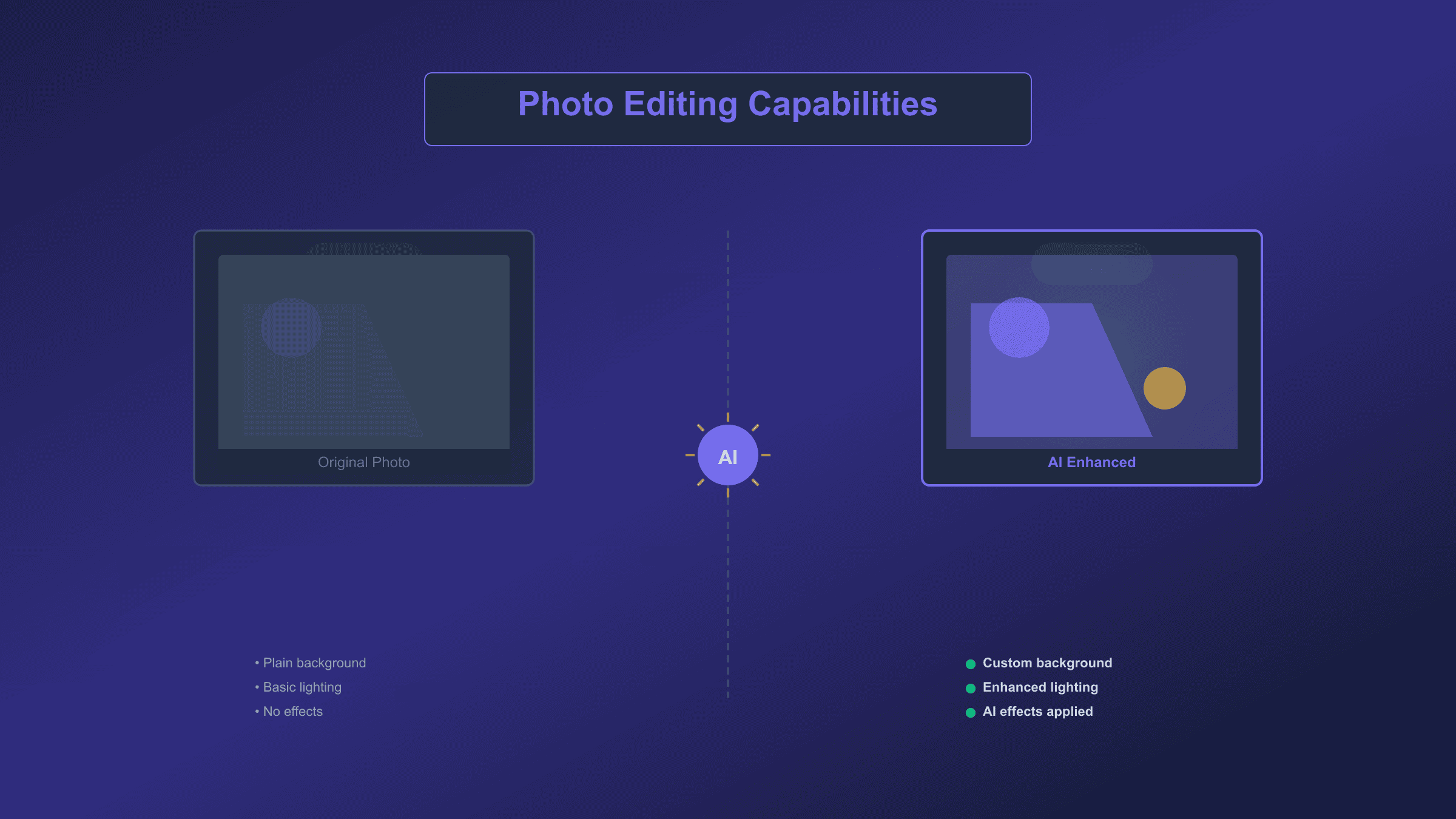
The before-and-after examples demonstrate how these editing prompts maintain subject integrity while dramatically transforming the environment and mood. Notice how the lighting on the subject automatically adjusts to match the new background, creating seamless integration that would require significant manual work in traditional photo editing software.
10 Logo and Text Rendering Prompts
One of Gemini's standout capabilities is generating images with accurate, readable text, a task that historically challenged AI image generators. Nano Banana Pro excels here, though Nano Banana handles simpler text adequately. The key to success is explicit instruction about the exact text, font style, and placement.
Minimalist Logo Design "Create a modern, minimalist logo for a coffee shop called 'The Daily Grind'. The text should be in a clean, bold, sans-serif font. Feature a simple, stylized icon of a coffee bean seamlessly integrated with the text. Color scheme is black and white only. The design should work at any size from business card to storefront signage. Professional vector-style quality."
Always specify the exact business name in quotes to ensure correct spelling. Request "vector-style" for logos that will need to scale.
Vintage Badge Emblem "Design a vintage-style circular badge logo for 'Mountain Peak Brewing Co.' established 2020. Include decorative borders, small stars, and a mountain silhouette. Text arranged in an arc following the circle's curve. Weathered, distressed texture as if printed on aged paper. Colors: deep forest green and cream. Classic Americana aesthetic."
The establishment date adds authenticity. Circular badges work well for labels, stamps, and social media profile images.
Neon Sign Text "Generate a photorealistic neon sign that reads 'OPEN LATE' against a dark brick wall. Pink and blue neon tubes with authentic glow, subtle flickering effect, and realistic reflections on the wall surface. Visible mounting brackets and power cables for authenticity. The overall mood is late-night urban atmosphere."
Neon text prompts consistently produce impressive results. Specify colors and add environmental context for more realism.
Hand-Lettered Style "Create a hand-lettered chalk art design on a dark green chalkboard that reads 'Fresh Baked Daily'. Decorative flourishes and small illustrations of bread and croissants around the text. Imperfect, charming letterforms that look genuinely hand-drawn. Subtle chalk dust and texture. Warm, inviting bakery aesthetic."
Specifying imperfection prevents the overly perfect rendering that makes hand-lettered styles look fake.
3D Typography "Generate bold 3D text that says 'SUMMER SALE' with dramatic perspective. Bright yellow letters with subtle gradient, casting strong shadows on a clean background. Letters appear to pop out of the image toward the viewer. High-gloss, plastic-like material with reflections and highlights. Dynamic, energetic retail promotional style."
Works exceptionally well for promotional graphics and social media announcements.
Social Media Quote Card "Design an Instagram quote graphic with the text: 'Success is not final, failure is not fatal: it is the courage to continue that counts.' Attribution: Winston Churchill. Clean, modern layout with elegant serif font for the quote and simple sans-serif for attribution. Soft gradient background in pastel pink to lavender. Square format optimized for Instagram feed."
Quote cards require exact text specification. Keep quotes under 100 characters for best readability.
Product Label Design "Create a premium product label for 'Organic Lavender Honey' 12oz jar. Include product name in elegant script, net weight, certified organic seal, and small honeybee illustration. Color palette of deep purple, gold, and cream. The design conveys artisanal quality and natural ingredients. Rectangular label format with decorative border."
Product labels require multiple text elements. List all required information explicitly.
Event Invitation "Design an elegant wedding invitation for 'Sarah & Michael' getting married on June 15, 2025 at The Garden Estate. Romantic script font for names, clean serif for details. Floral illustrations in soft watercolor style framing the text. Color palette of sage green, blush pink, and gold accents. Classic, timeless elegance."
Specify all key information (names, date, venue) exactly as it should appear.
Infographic Header "Create a professional infographic header that reads '5 Steps to Better Sleep' with a small moon and stars icon. Modern, clean design with blue gradient background. Bold, easily readable sans-serif typography. The style should match corporate health and wellness content. Horizontal banner format suitable for blog post headers."
Headers work best with short, punchy text. Request specific dimensions if needed for your platform.
Watermark Signature "Design a subtle photographer's watermark that reads 'J.Smith Photography' in an elegant, thin script font. Semi-transparent white text that would overlay on photos without being distracting. Include a small camera aperture icon. The overall design should be professional and minimally intrusive."
Watermarks require subtlety. Specify "semi-transparent" to ensure the design works as an overlay.
For text-heavy prompts, Nano Banana Pro delivers notably superior results with fewer spelling errors and more consistent typography. When working with the standard Nano Banana model, keep text shorter and simpler, iterate if necessary, and always double-check the output for accuracy before use.
8 Product and Marketing Prompts
Product photography represents a growing use case for Gemini prompts, particularly for e-commerce sellers and marketers who need professional-looking images without expensive photo shoots. These prompts help create or enhance product visuals for various marketing applications.
Clean White Background "Photograph this product on a pure white seamless background with soft, even studio lighting from multiple angles. No shadows, no gradients, just clean white surrounding the product. Professional e-commerce quality with accurate colors and sharp detail. The product should appear to float on the white space. Suitable for Amazon or Shopify listings."
The e-commerce standard. Adding "suitable for Amazon" helps the model understand the specific clean aesthetic required.
Lifestyle Context Shot "Place this product in a realistic lifestyle setting where it would naturally be used. A modern, well-lit home environment with complementary decor. The product is the clear focal point, but the setting tells a story about the type of person who would own it. Shallow depth of field keeps the product sharp while the background provides context. Natural daylight from a window."
Lifestyle shots sell by helping customers imagine the product in their own lives.
Flat Lay Composition "Create an aesthetically pleasing flat lay arrangement featuring this product as the hero item. Include complementary props that enhance without distracting. Clean, neutral background surface (marble, wood, or linen). Overhead camera angle. Balanced composition with intentional negative space. Soft, even lighting with minimal shadows. Instagram-worthy styling."
Flat lays work particularly well for beauty, food, and small consumer products.
Hero Image for Landing Page "Generate a dramatic hero image featuring this product with dynamic lighting and bold composition. Slightly low angle to make the product appear impressive and desirable. Rich colors and high contrast for maximum visual impact. Subtle motion blur or particle effects suggesting energy and innovation. Premium brand aesthetic suitable for above-the-fold website placement."
Hero images need impact. The dramatic angle and lighting create the premium perception that drives conversions.
Social Media Ad Creative "Create a scroll-stopping social media ad featuring this product. Bold, saturated colors that pop on mobile screens. Clean composition with clear product focus. Room for text overlay in the upper portion. Lifestyle elements that suggest the product's benefits without cluttering the image. Optimized for Instagram feed and Facebook ads."
Specify "room for text overlay" when you plan to add copy in post-production.
Packaging Mockup "Display this product packaging on a clean surface with professional product photography lighting. Show the package at a slight angle to reveal depth and dimension. Subtle reflections on the surface beneath. Sharp focus on all text and design elements. The setting is a premium retail or unboxing environment. Suitable for investor presentations or media kits."
Packaging shots help with investor materials and press releases before physical products exist.
Before and After Comparison "Create a split-screen comparison image. The left side shows the 'before' state with problem elements clearly visible. The right side shows the 'after' state demonstrating the product's positive effects. Clean dividing line down the center. Consistent lighting and angle on both sides for fair comparison. Labels indicating 'Before' and 'After' in clean, readable text."
Before-and-after images require identical conditions on both sides to appear credible.
Collection Grid Layout "Arrange multiple product variants in an organized grid layout. Each item photographed consistently from the same angle with identical lighting. Clean spacing between items. Neutral background that lets the product colors stand out. The arrangement should showcase the full range while maintaining visual harmony. Suitable for catalog pages or product line announcements."
Grid layouts work best with 3-6 items. More becomes cluttered; fewer doesn't justify the grid format.
Mastering Face Preservation and Character Consistency
The single most requested capability in AI image generation is maintaining a person's face accurately across different images, styles, and settings. Gemini has made significant advances here, but achieving consistent results requires understanding how the models handle identity preservation and using specific prompting techniques.
When editing an existing photo, Gemini automatically attempts to preserve the subject's appearance. However, as you make more dramatic changes or generate across multiple images, features can begin to drift. The model excels at preserving identity when you explicitly instruct it to do so, and struggles when you leave identity open to interpretation.
The most reliable technique is creating what professional prompt engineers call an "identity anchor," a detailed description of the subject's key features that you include in every related prompt. This anchor should describe the aspects of appearance that define the person's recognizable identity.
Consider this identity anchor template:
"Maintain the exact identity of the original subject: [face shape], [distinctive features], [eye color and shape], [hair color, length, and style], [approximate age], [any unique identifying marks]. Do not alter facial proportions, bone structure, or key identifying features under any circumstances."
For a specific person, this might become:
"Preserve exact likeness: oval face with high cheekbones and small rounded chin, wide-set hazel eyes, short wavy dark-brown bob with slight natural highlights, right eyebrow with small scar notch, light olive skin, subtle dimple on left cheek when smiling. Mid-thirties appearance. Do not change any facial features or proportions."
This level of detail gives the model concrete targets to match rather than general concepts to interpret. The more specific your anchor, the more consistent your results across multiple generations.
When working on a series of images, several practices help maintain consistency. Always reference the same original image as your source. If the conversation grows long and you notice features beginning to shift, start a fresh conversation with your identity anchor rather than continuing to iterate. Each new conversation resets the model's context, which can help recover accurate features.
For multi-image projects like creating a character across different scenes, generate a high-quality "hero" image first that captures exactly the look you want. Then reference this specific image in subsequent prompts: "Using the attached reference image, recreate this exact person in [new scenario]. Maintain identical facial features, hair, and proportions while adapting clothing and pose to the new setting."
The key phrases that most effectively trigger identity preservation in Gemini prompts include:
- "Maintain original face geometry"
- "Keep facial features unchanged"
- "Preserve subject identity exactly"
- "Same face, same features, different [setting/clothing/style]"
- "Do not alter bone structure or proportions"
- "Identity must remain consistent"
Conversely, phrases that often cause unwanted changes include vague descriptors like "similar to" or "resembling," requests to "enhance" or "improve" facial features, and style transfers that don't explicitly protect identity. If you want a vintage photo filter but not a vintage face, state "apply vintage photo aesthetic while preserving the exact modern appearance of the subject's face and features."
For projects requiring the highest consistency, Nano Banana Pro offers superior identity preservation due to its reasoning capabilities. The model's "thinking" process better understands the goal of maintaining likeness across transformations. For a deeper dive into Nano Banana Pro's full capabilities, check out our complete Nano Banana Pro capabilities guide.
10 Common Mistakes and How to Fix Them
After generating thousands of images with Gemini, clear patterns emerge in what causes disappointing results. These ten mistakes account for the vast majority of frustrations, and each has a straightforward solution.
Mistake 1: Vague, Generic Prompts
Writing "a beautiful woman in a nice dress" gives the model almost no useful information. It will generate something technically matching those words but unlikely to match your mental image. The fix is ruthless specificity. Describe the woman's age range, expression, pose, and distinctive features. Define "nice dress" as "floor-length emerald green silk evening gown with subtle sheen and draped neckline." Every adjective you add reduces the model's guessing.
Mistake 2: Wrong Aspect Ratio
Many users generate images only to find faces cropped off when posting to Instagram or YouTube. Gemini defaults to square or slightly rectangular outputs unless instructed otherwise. Always specify aspect ratio upfront: "16:9 horizontal format for YouTube thumbnail" or "9:16 vertical for Instagram Story." This prevents wasted generations and frustrating cropping attempts.
Mistake 3: Overloaded Prompts
Cramming every idea into one prompt typically produces confused, incoherent results. When you request a subject that is simultaneously "sitting at a café, walking through a forest, and swimming in the ocean," the model cannot satisfy all conditions. Focus on one clear scene per generation. If you want multiple scenarios, generate them separately.
Mistake 4: Face Distortion in Edits
Editing a photo and finding the subject's face has subtly changed is frustrating and common. This happens when editing prompts don't explicitly protect identity. Always include face preservation phrases like "maintain exact original face and features" in any editing prompt, even for changes that seem unrelated to the face.
Mistake 5: Text Misspelling
AI-generated text often contains subtle errors, especially with longer words or unusual spellings. Reduce risk by keeping text short, using common words, specifying the exact text in quotation marks, and requesting simple font styles. With important text, always verify the output before publishing. Nano Banana Pro makes fewer text errors than the standard model.
Mistake 6: Style Inconsistency Across Series
Creating multiple images with consistent style proves challenging because each generation starts with some randomness. Combat this by using identical style language across all prompts in a series, referencing the same source image when possible, and working within one conversation session rather than starting fresh each time.
Mistake 7: Hitting Daily Limits
Free tier users often exhaust their daily quota mid-project. The limit resets within approximately 6 hours, but server load affects timing. Plan important projects for times when you have sufficient quota, save prompts that work for reuse rather than experimenting endlessly, and consider the premium tier for serious ongoing use.
Mistake 8: Group Photo Failures
Gemini struggles with multiple distinct faces in one image. The model tends to blend features between people, creating odd hybrid faces. For group shots, generate individual portraits separately and composite them in photo editing software, or accept that group generations may require multiple attempts.
Mistake 9: Low Resolution for Print
Screen-quality images (1024px) become visibly pixelated when printed larger than a few inches. If you need print-quality output, use Nano Banana Pro for its 4K capability, or plan to upscale standard outputs using dedicated AI upscaling tools before printing.
Mistake 10: Outdated Keyword Spam
Older AI image generators responded to quality keywords like "4K, masterpiece, trending on artstation, highly detailed, award-winning." Gemini's natural language understanding makes these unnecessary and potentially counterproductive. Focus on describing what you want to see rather than demanding quality levels. The model produces high-quality output by default when it understands your intent clearly.
Gemini vs Midjourney vs DALL-E: When to Use Each
With multiple capable AI image generators available, choosing the right tool for each task can significantly impact your results. Each platform has distinct strengths, and understanding these helps you select the best option rather than forcing any single tool to do everything.
Gemini (Nano Banana and Pro) excels at conversational, iterative editing. Its native ability to refine images through multiple turns of dialogue makes it ideal for projects where you need to progressively adjust results. The speed of approximately 3 seconds per generation enables rapid experimentation. Text rendering in images works better than competitors, making it the clear choice for logos, signs, and graphics requiring legible words. Pricing sits at the low end at $0.039 per image through the API, with a generous free tier for casual use.
Midjourney remains the leader for pure artistic quality, particularly in stylized, cinematic, and fantasy aesthetics. The distinctive Midjourney "look" is often described as dreamlike and highly polished. Version 7, released in early 2025, further improved photorealism while maintaining artistic appeal. However, the Discord-based interface presents a learning curve, no direct API access limits automation possibilities, and the subscription model ($10-30/month) makes occasional use expensive compared to pay-per-image alternatives.
DALL-E 3 through ChatGPT offers the simplest entry point for beginners. The natural conversation interface requires no special syntax or commands. Integration with ChatGPT allows combined text and image creation in single conversations. Image editing through inpainting works reliably for simple modifications. However, the limited free tier (2 images/day for free ChatGPT users) and lack of advanced iterative editing make it less suitable for production workflows.
| Factor | Gemini | Midjourney | DALL-E 3 |
|---|---|---|---|
| Generation Speed | ~3 seconds | 9-22 seconds | 10-15 seconds |
| Best For | Editing, iteration, text | Artistic quality | Beginners, simplicity |
| Editing Style | Conversational | Region-based | In-painting |
| Text Rendering | Excellent | Good | Very Good |
| API Access | Yes, flexible | Limited | Via ChatGPT |
| Price Per Image | $0.039 | ~$0.08 | $0.04-0.12 |
When to choose Gemini: You need fast iterations, accurate text in images, natural editing through conversation, or cost-effective high-volume generation. For projects involving photo editing, logo creation, or rapid prototyping, Gemini typically delivers results faster and cheaper.
When to choose Midjourney: Pure artistic quality matters most, you want the distinctive Midjourney aesthetic, or you're creating fantasy, sci-fi, or highly stylized content. For portfolio pieces, art prints, or creative projects where every detail must be perfect, Midjourney's output quality justifies the subscription cost and slower workflow.
When to choose DALL-E: You're new to AI image generation, you need simple one-off images without learning a system, or you're already using ChatGPT and want seamless integration. The conversational interface and integration with text generation make it ideal for content creators who need words and images together.
For developers integrating AI image generation into applications, Gemini's API flexibility and clear pricing model typically makes it the practical choice. If you need cost-effective API access to multiple models, services like laozhang.ai provide unified endpoints with OpenAI-compatible syntax, allowing you to switch between models without rewriting integration code.
Pricing and Access Guide
Understanding Gemini's pricing and access tiers prevents unexpected costs and helps you choose the right plan for your usage patterns. Google offers multiple ways to access Gemini image generation, each with different cost structures.
Free Tier (Gemini App)
The Gemini app provides free access to Nano Banana with a dynamic daily quota. Most users receive between 5 and 10 image generations per day, though this varies based on server load and demand. Free tier limitations include visible watermarks on all generated images, no access to Nano Banana Pro features, and potential throttling during peak usage periods. This tier works well for casual experimentation and personal projects where watermarks are acceptable.
Google One AI Premium ($19.99/month)
The premium subscription dramatically expands capabilities. Subscribers receive access to Nano Banana Pro with its advanced features, significantly higher daily limits often exceeding 500 images, priority queue access during busy periods, and watermark-free outputs suitable for professional use. For regular users generating dozens of images monthly, this subscription often provides better value than API pricing while offering a simpler, app-based workflow.
API Pricing (Developers)
For developers and high-volume users, the Gemini API offers granular, pay-per-use pricing. Gemini 2.5 Flash Image (Nano Banana) costs $0.039 per generated image, calculated as 1,290 output tokens at $30 per million tokens. Image input for editing costs $0.0011 per image (560 tokens). Higher resolution output (2K images) increases to $0.134 per image.
The free API tier provides 1,500 requests per day at no cost, making it generous for development and testing. Beyond the free tier, costs remain predictable: 100 images costs approximately $4, 1,000 images approximately $39, and 10,000 images approximately $390.
Cost Comparison Scenario
Consider a small e-commerce business generating 500 product images monthly:
| Platform | Monthly Cost | Notes |
|---|---|---|
| Gemini API | ~$20 | 500 × $0.039 |
| Gemini Premium | $19.99 | Unlimited within daily quota |
| DALL-E 3 Standard | ~$20 | 500 × $0.04 |
| DALL-E 3 HD | ~$60 | 500 × $0.12 |
| Midjourney Basic | $10 | Limited hours |
| Midjourney Standard | $30 | More hours, faster |
At 500 images monthly, Gemini Premium subscription and API pricing roughly break even, but premium offers the simpler workflow. For volumes above 1,000 monthly images, API pricing becomes more economical if you can automate the workflow. For detailed API pricing breakdowns, see our Nano Banana Pro API pricing guide.
Advanced Techniques for Power Users
Moving beyond single-image generation, Gemini offers capabilities that enable more sophisticated workflows. These techniques require Nano Banana Pro for full effectiveness and assume familiarity with the basics covered earlier.
Multi-Image Fusion allows combining elements from up to 14 reference images into a single coherent output. This enables workflows like compositing a person from one photo into a background from another, combining a product with a lifestyle setting, or merging elements from multiple concept sketches into a final design. The key is clearly defining each image's role in your prompt: "Use Image A for the person's face and pose, Image B for the clothing style, and Image C for the background environment. Combine these elements into a single cohesive image with consistent lighting."
Iterative Refinement Chains leverage Gemini's conversational memory to progressively perfect an image. Start with a basic generation, then refine through natural dialogue: "Make the background warmer," "Add more detail to the foreground," "Shift the subject slightly left." Each iteration builds on the previous, allowing precise control without regenerating from scratch. For complex projects, document your refinement chain so you can recreate successful sequences.
Search Grounding in Nano Banana Pro connects to Google Search for factual accuracy. Request "Generate a diagram of the 2024 Mars Rover with accurate component labels based on current mission data" and the model pulls real information rather than hallucinating specifications. This capability makes technical diagrams, educational materials, and factual infographics dramatically more reliable.
Batch Processing through the API enables high-volume automated generation. For developers, a Python script can generate hundreds of product variations, A/B testing creatives, or personalized images systematically. The OpenAI-compatible API format means existing code for other image generators often works with minimal modification:
hljs pythonfrom openai import OpenAI
client = OpenAI(
api_key="YOUR_GEMINI_API_KEY",
base_url="https://generativelanguage.googleapis.com/v1beta"
)
def generate_product_image(product_name, style):
response = client.images.generate(
model="gemini-2.5-flash-preview-image",
prompt=f"Professional product photo of {product_name} in {style} setting",
n=1
)
return response.data[0].url
# Generate variations
styles = ["minimalist studio", "lifestyle kitchen", "outdoor natural light"]
for style in styles:
url = generate_product_image("ceramic coffee mug", style)
print(f"Generated {style}: {url}")
This approach enables generating hundreds of variations programmatically, testing different styles, and scaling content production beyond what manual workflows allow.
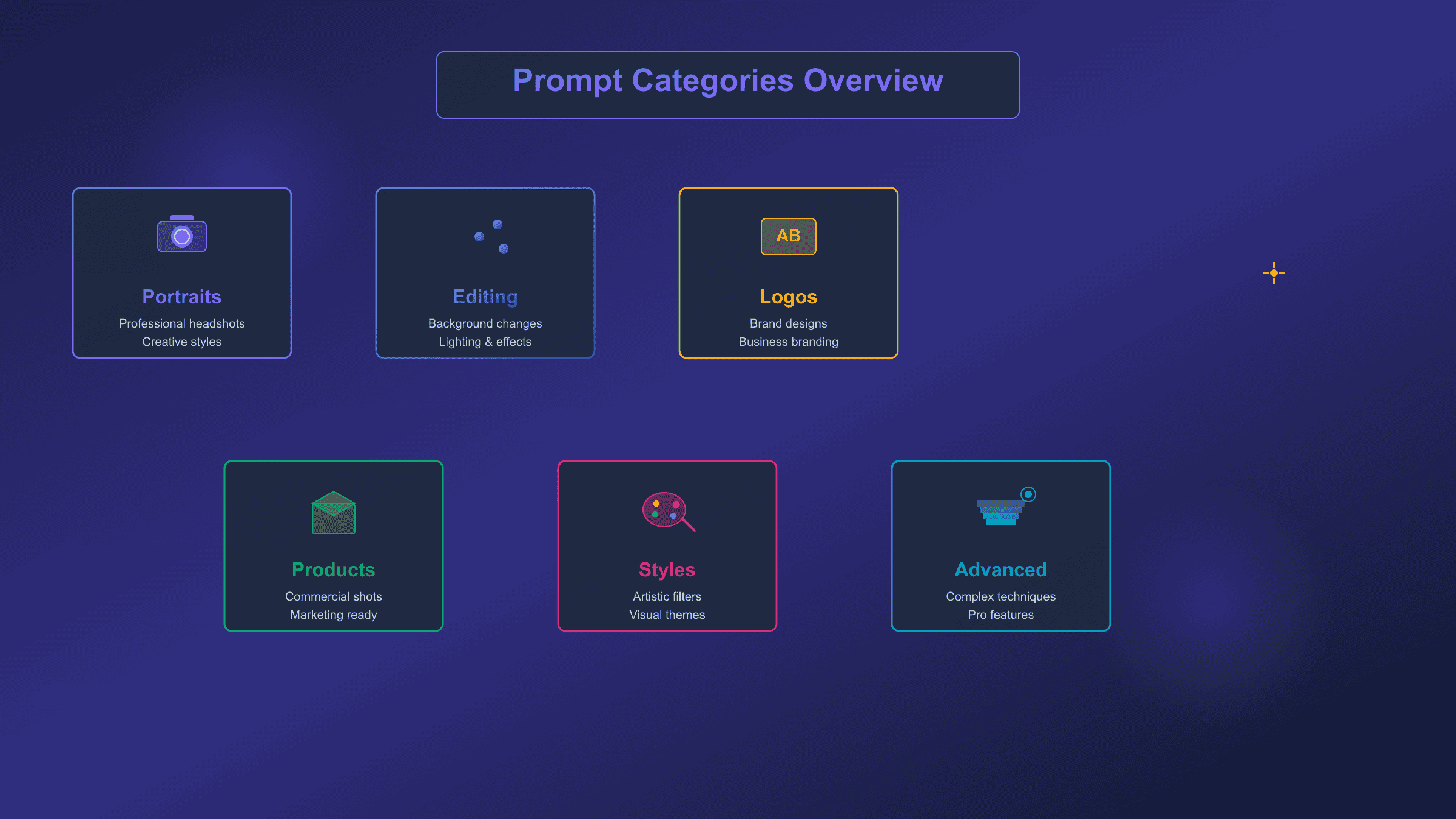
The image above summarizes the major prompt categories covered in this guide, highlighting the progression from basic portrait generation through advanced multi-image workflows. Each category builds on the fundamentals of descriptive prompting while adding specialized techniques for specific use cases.
Frequently Asked Questions
How do I use Gemini AI photo prompts?
Using Gemini prompts requires just four steps. First, open the Gemini app on your phone or visit gemini.google.com in your browser. Second, if editing an existing photo, upload it by tapping the image icon. Third, paste or type your prompt describing what you want. Fourth, tap send and wait approximately 3 seconds for generation. For the best results, use prompts from this guide as starting templates, then modify them for your specific needs. The model responds to natural language, so you can type conversationally rather than using special syntax.
Can Gemini edit my own photos?
Gemini excels at editing personal photos. Upload any image and describe the changes you want in natural language. You can replace backgrounds, adjust lighting, add or remove objects, apply style filters, or transform the aesthetic entirely. The model analyzes your original image's lighting, perspective, and style to make edits appear natural. Always include "preserve original face and features" in editing prompts if you want the subject to remain recognizable. The conversational editing approach means you can refine results through multiple turns: "make it warmer," "add more contrast," "try a different background" until you achieve the exact result you want.
Is Gemini free for image generation?
Gemini offers a free tier with limitations. Free users can generate approximately 5-10 images daily through the Gemini app, though the exact number varies with server demand. Free generations include visible watermarks. For more capacity, Google One AI Premium at $19.99/month removes watermarks and provides access to Nano Banana Pro with significantly higher daily limits. Developers can access the API with 1,500 free requests daily, scaling to pay-per-use at $0.039 per image beyond the free tier.
How do I keep my face the same in Gemini edits?
Face preservation requires explicit instruction in your prompts. Include phrases like "maintain exact original face geometry," "keep facial features unchanged," and "preserve subject identity" in any editing prompt. For best results, create a detailed identity anchor describing the subject's specific features: face shape, eye color, hair style, distinctive marks. Reference this anchor in every related prompt. When features begin drifting after many iterations, start a fresh conversation with your identity anchor rather than continuing to refine. Nano Banana Pro offers better identity preservation than the standard model for complex multi-step edits.
What is the difference between Nano Banana and Nano Banana Pro?
Nano Banana refers to Gemini 2.5 Flash Image, optimized for speed and everyday tasks. It generates images in approximately 3 seconds at 1024×1024 pixels, costs $0.039 per image via API, and handles most common prompts well. Nano Banana Pro is Gemini 3 Pro Image, the advanced model featuring a "thinking" process for complex prompts, output up to 4096×4096 pixels (4K), support for 14 reference images, superior text rendering, and Search Grounding for factual accuracy. Pro costs approximately $0.13 per image and takes about 8 seconds per generation. Choose standard Nano Banana for quick iterations and typical editing; choose Pro for professional assets, complex compositions, and perfect text.
Can Gemini generate text in images?
Text generation is one of Gemini's strongest capabilities, particularly in Nano Banana Pro. For accurate results, always specify exact text in quotation marks: "write the text 'HELLO WORLD' in bold red serif font on the sign." Describe font style, size relative to the image, and placement. Simple, common words work most reliably; complex or unusual spellings may require iteration. Pro handles longer text passages, multiple text elements, and non-English languages better than the standard model. Always verify generated text before publishing, as occasional spelling errors can occur.
Start Creating Today
This guide has provided over 50 tested Gemini AI photo prompts across six categories, from cinematic portraits to product photography to logo design. More importantly, you now understand the principles behind effective prompting: descriptive narrative over keyword lists, explicit identity anchoring for face preservation, and specific technical details for precise control.
The fastest path to results combines copying prompts from this guide with understanding their structure. Start with a prompt that matches your goal, substitute your specific details, and iterate based on initial results. The three-step process is straightforward: choose a template, customize the variables, refine through conversation.
For face preservation, always anchor identity explicitly. For text in images, specify exact wording in quotes. For consistent style across multiple images, use identical language and reference the same source image. For professional quality, move to Nano Banana Pro when the task demands it.
The prompts and techniques here represent a foundation. Each successful generation teaches you more about how the model interprets language, handles specific scenarios, and responds to refinement. Save prompts that work well for your use cases, document successful iteration sequences, and build your personal prompt library over time.
Gemini's conversational approach to image generation means you can always ask for changes rather than starting over. That capability, combined with the prompts and principles in this guide, gives you everything needed to create professional-quality AI images consistently.
For developers wanting to integrate these capabilities into applications, the official Gemini API documentation provides complete technical specifications and code examples across multiple programming languages.