Nano Banana Pro Watermark: Complete Guide to Visible, SynthID & Removal Methods 2026
Complete guide to Nano Banana Pro watermarks. Covers visible Gemini sparkle vs SynthID invisible watermark, official watermark-free options, removal with GeminiWatermarkTool, API access, and legal considerations.
Nano Banana Pro
4K-80%Google Gemini 3 Pro · AI Inpainting
谷歌原生模型 · AI智能修图
Nano Banana Pro (Gemini 3 Pro Image) applies two distinct types of watermarks to generated images: a visible Gemini sparkle logo and an invisible SynthID watermark. Understanding the difference between these watermarks—and knowing which can be removed—is essential for anyone using this powerful image generation model for professional or commercial purposes.
This guide provides a complete reference for Nano Banana Pro watermarks. You'll learn exactly what each watermark type is, how to get watermark-free images through official channels, step-by-step instructions for removing visible watermarks using open-source tools, and the legal considerations that apply to watermark removal. Whether you're a free tier user looking to clean up your generated images or a developer evaluating API options, this guide covers every practical scenario.
The information reflects January 2026 specifications, including the current subscription tiers, API behavior, and the latest version of the GeminiWatermarkTool that handles the updated watermark patterns.

Understanding Nano Banana Pro Watermarks
Nano Banana Pro applies watermarks to generated images to indicate AI-generated content. These watermarks serve Google's commitment to transparency about synthetic media, but they affect different users differently depending on subscription tier and access method.
When you generate an image through the Gemini app or web interface, Nano Banana Pro adds a visible watermark by default for free and Pro tier users. This appears as the recognizable Gemini sparkle logo, typically positioned in one of the bottom corners of your generated image. According to Google's official documentation, all generated images also include a SynthID watermark—this is separate from the visible logo and represents a fundamentally different technology.
The visible watermark exists primarily as a consumer-facing signal that the image was AI-generated. It's semi-transparent and designed to be noticeable without completely obscuring the image content. The watermark size varies based on output resolution: images 1024 pixels or smaller receive a 48×48 pixel watermark, while larger images get a 96×96 pixel version.
What confuses many users is that these two watermark systems operate independently. You can remove the visible Gemini sparkle using various tools, but SynthID remains embedded in the image data regardless. Understanding this distinction is crucial before attempting any watermark modification—SynthID cannot be removed because it's not applied to the image, it's encoded within the image generation process itself.
The practical impact depends on your use case. For personal projects and social media sharing, the visible watermark might be acceptable or even desirable as a novelty. For professional work, marketing materials, or commercial applications, most users want clean outputs without visible branding.
Visible vs SynthID: Key Differences
The visible Gemini sparkle and SynthID invisible watermark serve different purposes and behave completely differently. Understanding these differences determines which removal methods work and which are impossible.
The visible watermark is exactly what it sounds like—a semi-transparent overlay applied to the final image output. According to analysis from the GeminiWatermarkTool project, this watermark uses standard alpha blending to composite the Gemini logo onto your generated image. Because it's a post-processing step, the watermark can be mathematically reversed by applying the inverse blending operation. The original pixel values beneath the watermark still exist in degraded form and can be recovered with reasonable accuracy.
SynthID operates on an entirely different principle. Developed by Google DeepMind, SynthID embeds invisible information directly into the image generation process. According to Google's AI blog, "SynthID is not a watermark added to an image — it IS the image." The watermarking happens during the diffusion process that creates the image, not after. This means the watermark information is distributed throughout every pixel rather than concentrated in one corner.
| Characteristic | Visible Watermark | SynthID |
|---|---|---|
| Location | Bottom corner | Entire image |
| Visibility | Semi-transparent logo | Invisible |
| When applied | Post-processing | During generation |
| Removable | Yes | No |
| Purpose | Consumer awareness | Technical provenance |
| Affects quality | Slightly | No |
The practical implication is clear: you can remove the visible watermark to get a clean-looking image, but that image will always contain SynthID. This matters for AI detection systems—sophisticated analysis can still identify the image as AI-generated regardless of visible watermark removal. For most practical purposes, however, SynthID doesn't affect how you can use the image commercially or personally.
For more details on the underlying image generation technology, see our Nano Banana Pro API guide.
Official Watermark-Free Options
Google provides several official ways to generate images without the visible Gemini sparkle watermark. These options vary in cost and accessibility, making them suitable for different use cases.
The most straightforward option is subscribing to Google AI Ultra at $34.99 per month. According to Google's pricing documentation, Ultra subscribers receive watermark-free outputs on all Nano Banana Pro generations. This tier also provides approximately 1,000 daily image generations, making it suitable for heavy users who need both volume and clean outputs.
The Google AI Pro tier at $19.99 per month does NOT remove visible watermarks. This is a common point of confusion—Pro increases your daily limit to approximately 100 images but maintains the Gemini sparkle on all outputs. If watermark-free images are your primary requirement, Pro isn't the right choice unless you plan to remove watermarks manually.
| Tier | Monthly Cost | Daily Limit | Visible Watermark |
|---|---|---|---|
| Free | $0 | 2 images | Yes |
| Pro | $19.99 | ~100 images | Yes |
| Ultra | $34.99 | ~1,000 images | No |
| API | Per-use | Rate limited | No |
The API route provides watermark-free outputs without a subscription commitment. When you access Nano Banana Pro through the official Gemini API or Google AI Studio, generated images don't include the visible watermark. This makes API access attractive for developers and users who need occasional clean outputs without committing to Ultra pricing. For details on API pricing and quotas, see our Nano Banana Pro pricing guide.
For users who need clean outputs but find Ultra pricing prohibitive, third-party API services offer an alternative path. These services provide access to the same Nano Banana Pro model at different price points, which we'll cover in the alternatives section.

Removing Visible Watermarks: Complete Guide
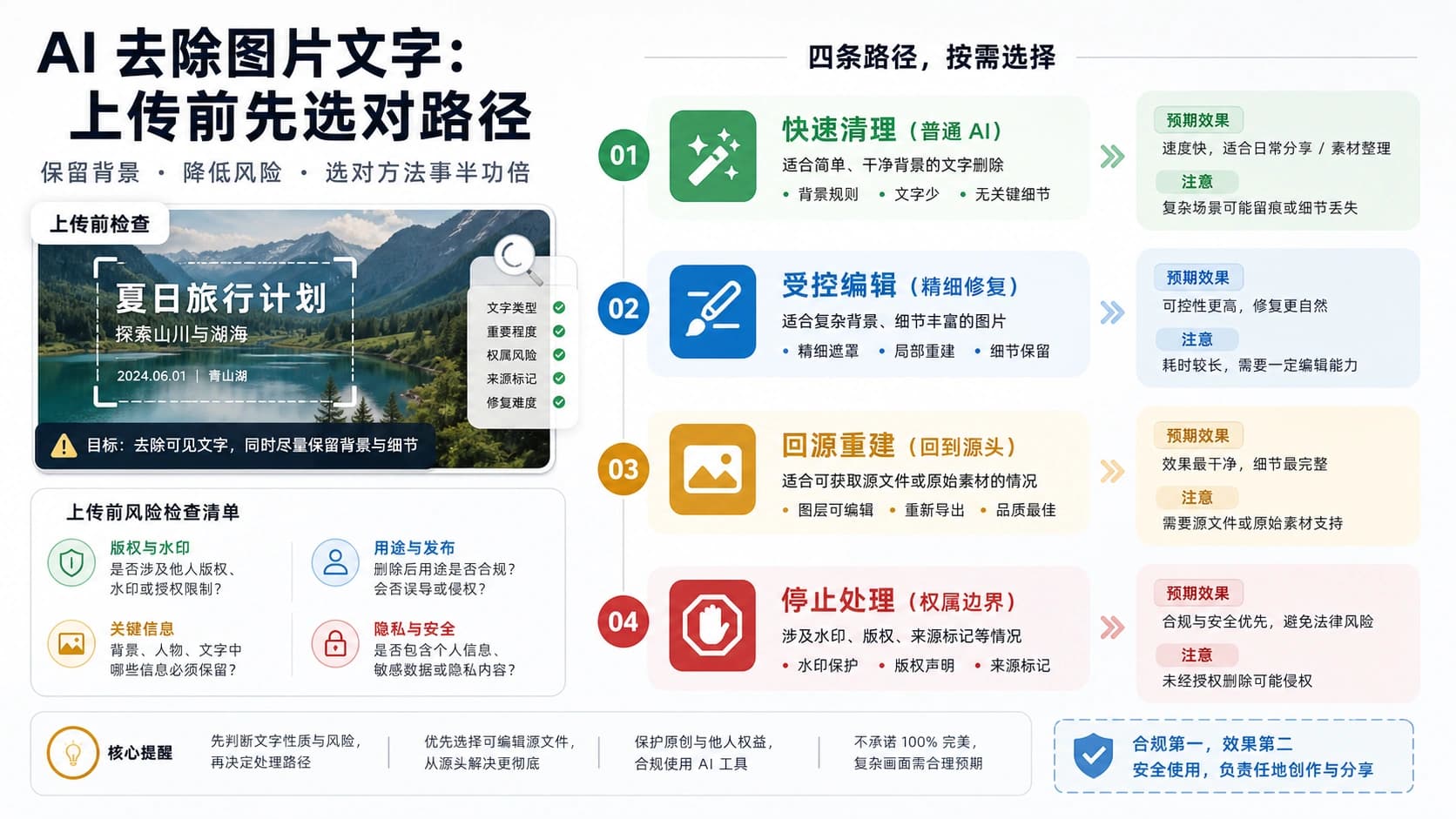
If you're using the free or Pro tier and need to remove visible watermarks from images you've generated, several tools can help. The most accurate method uses the open-source GeminiWatermarkTool, which mathematically reverses the alpha blending process rather than attempting AI-based inpainting.
The GeminiWatermarkTool is a command-line utility that achieves high-precision watermark removal by using calibrated reverse-alpha masks. Unlike AI inpainting tools that guess at what the covered pixels might look like, this tool uses the known watermark pattern to mathematically extract the original pixel values. The result is accurate restoration of the area behind the watermark.
Installation
Download the appropriate binary for your operating system from the GitHub releases page. The tool is available as a standalone executable with no external dependencies:
- Windows: Download the x64 binary for Windows 10/11
- macOS: Universal binary supporting both Intel and Apple Silicon (macOS 11.0+)
- Linux: x64 binary requiring glibc 2.31+
- Android: ARM64 binary for Android 10+
Basic Usage
The simplest usage modifies the image in place:
hljs bash# In-place watermark removal
GeminiWatermarkTool image.jpg
# Preserve original, output to new file
GeminiWatermarkTool -i input.jpg -o output.jpg
# Batch process entire folder
GeminiWatermarkTool -i ./watermarked/ -o ./clean/
Auto-Detection
The tool automatically detects whether your image uses the 48×48 or 96×96 watermark based on image dimensions. Images 1024 pixels or smaller on either side use the smaller mask; larger images use the larger mask. You can override this with --force-small or --force-large flags if auto-detection produces poor results.
Limitations to Understand
This tool only removes visible watermarks—it cannot affect SynthID. The tool works specifically with Gemini's current watermark pattern (as of 2025-2026) and may need updates if Google changes their watermarking approach. Results are best on images where the watermark area has relatively uniform backgrounds; complex textures behind the watermark may show slight artifacts after removal.
For images where the watermark overlaps with important details, consider regenerating the image with a different composition rather than attempting removal. The mathematical approach recovers original pixels accurately, but any information loss from the original blending process cannot be recovered.

API Access for Clean Output
Accessing Nano Banana Pro through the API provides watermark-free outputs without requiring an Ultra subscription. This approach suits developers building applications, users who need occasional clean images, and anyone who prefers pay-per-use pricing over monthly commitments.
The official API is available through Google AI Studio at no cost for experimentation and development. According to Google's developer documentation, API-generated images include SynthID but not the visible Gemini sparkle watermark. This makes API access the most flexible option for professional use cases.
Basic API Request
Here's a working Python example using the Gemini native format:
hljs pythonimport requests
import base64
API_KEY = "your_api_key" # From Google AI Studio or laozhang.ai
API_URL = "https://generativelanguage.googleapis.com/v1beta/models/gemini-3-pro-image-preview:generateContent"
headers = {
"Content-Type": "application/json"
}
payload = {
"contents": [{
"parts": [{"text": "A serene mountain landscape at sunset, photorealistic, 4K quality"}]
}],
"generationConfig": {
"responseModalities": ["IMAGE"],
"imageConfig": {
"aspectRatio": "16:9",
"imageSize": "2K"
}
}
}
response = requests.post(
f"{API_URL}?key={API_KEY}",
headers=headers,
json=payload,
timeout=180
)
result = response.json()
image_data = result["candidates"][0]["content"]["parts"][0]["inlineData"]["data"]
with open("output.png", "wb") as f:
f.write(base64.b64decode(image_data))
print("Image saved without visible watermark")
Rate Limits and Quotas
Free tier API access has rate limits that restrict high-volume usage. According to Google's quota documentation, typical free tier limits are approximately 15 requests per minute. For production applications requiring higher throughput, you'll need to enable billing on your Google Cloud project or use a third-party API service.
For developers who need reliable, high-volume access without dealing with Google's rate limits, third-party services like laozhang.ai provide Gemini-native endpoints at $0.05 per image. These services handle quota management and provide stable access suitable for production workloads. The same code works—you simply change the base URL and use your service API key instead of a Google key.
Cost-Effective Alternatives
If official API access doesn't meet your needs—whether due to rate limits, regional restrictions, or pricing preferences—several alternative approaches provide watermark-free Nano Banana Pro access.
Third-party API services offer the same Nano Banana Pro model with different pricing structures and reliability characteristics. The key advantage is predictable per-image pricing without subscription commitments or complex quota calculations.
| Option | Cost | Volume | Key Advantage |
|---|---|---|---|
| Google AI Ultra | $34.99/mo | ~1,000/day | Official, highest limits |
| Official API | Variable | Rate limited | Free tier available |
| laozhang.ai | $0.05/image | High concurrency | Stable, no rate issues |
| Other third-party | Varies | Varies | Check reliability |
The laozhang.ai service specifically supports Nano Banana Pro through the Gemini native format, which enables advanced features like 4K output that may not be available through OpenAI-compatible wrappers. At $0.05 per image generation—roughly 20% of official pricing—this represents a significant cost reduction for high-volume users. For batch operations generating 1,000 images, official API costs approximately $25 while third-party access costs $5.
Before choosing any third-party service, verify they actually provide access to the genuine Nano Banana Pro model rather than a substitute. Request test outputs and compare quality to images generated through official channels. Legitimate services produce identical results because they're accessing the same underlying model.
For development and testing, the free tier of the official API remains the best option—you get genuine model access without cost, just with volume limitations. Reserve third-party services for production workloads where reliability and cost predictability matter more than free quota.
You can experience Nano Banana Pro generation before committing to any service to understand the output quality and verify it meets your requirements.
Legal and Ethical Considerations
Removing watermarks from AI-generated images involves legal and ethical considerations that vary by jurisdiction and use case. Understanding these boundaries protects you from potential liability and ensures responsible use of the technology.
The visible Gemini watermark can legally be removed from images you personally generated through your own Gemini account. Google's terms of service don't prohibit modifying outputs you create—the watermark is a default setting, not a legal requirement for your own content. When you remove the watermark from your own generations, you're simply editing content you have rights to modify.
The situation differs for images generated by others or obtained from unknown sources. Using watermark removal tools on third-party content potentially violates copyright, terms of service, or both. According to guidance from multiple sources analyzing this issue, "using these tools on third-party or licensed photos without a green light is a fast track to violating TOS or copyright laws."
Regarding SynthID specifically, there's no practical way to remove it, but there's also no legal requirement to preserve it for personal use. SynthID exists primarily for content moderation systems and provenance tracking rather than individual compliance requirements. Images with SynthID can still be used commercially—the watermark doesn't restrict your usage rights, it simply provides a technical mechanism for detecting AI-generated content.
For commercial applications, the safest approach is using watermark-free channels from the start: Ultra subscription, official API, or verified third-party API services. This avoids any questions about modification while providing clean outputs suitable for professional use. The cost of legitimate watermark-free access is minimal compared to potential legal complications from improper watermark removal.
If you're building applications that generate images for end users, ensure your pipeline uses API access rather than relying on users to remove watermarks themselves. This provides better user experience and keeps your service clearly within acceptable use boundaries.
Frequently Asked Questions
Does Nano Banana Pro always add a watermark?
It depends on how you access the model. Free and Pro tier users ($0-$19.99/month) see the visible Gemini sparkle watermark on all generated images. Ultra subscribers ($34.99/month) and API users receive outputs without the visible watermark. All outputs, regardless of access method, include the invisible SynthID watermark that cannot be removed.
Can I use watermark-removed images commercially?
Yes, if you generated the original images yourself. Removing the visible watermark from your own Nano Banana Pro generations doesn't restrict commercial use. The remaining SynthID watermark is invisible and doesn't affect commercial rights. However, check Google's terms of service for any content-specific restrictions unrelated to watermarking.
What's the difference between removing and not having a watermark?
Images generated through Ultra subscription or API never have the visible watermark applied—they're clean from the start. Removed watermarks leave minor artifacts in the corner area where the logo was. For most uses, the difference is imperceptible, but pixel-level analysis can distinguish between the two. Both contain SynthID.
Will SynthID cause problems for my commercial use?
No. SynthID is designed for content provenance and moderation systems, not to restrict individual users. Your commercial rights to AI-generated images depend on Google's terms of service and applicable laws, not on watermark presence. SynthID is invisible and doesn't affect how your images look or function.
Is the GeminiWatermarkTool safe to use?
The tool is open source and can be audited on GitHub. It's a mathematical transformation that modifies only the watermark area of your images. However, as with any third-party software, download only from the official repository and verify checksums if security is critical for your workflow.