- Home
- /
- Blog
- /
- API Guides
- /
- Gemini 3.1 Flash Image Preview API: Get $0.03/Image Access (2026 Complete Guide)
Gemini 3.1 Flash Image Preview API: Get $0.03/Image Access (2026 Complete Guide)
Complete guide to gemini-3.1-flash-image-preview API pricing, cheapest access at $0.03/image through third-party providers, OpenAI SDK integration code, and quality comparison with Pro and DALL-E 3.
Google's gemini-3.1-flash-image-preview model generates high-quality images up to 4K resolution in just 4-6 seconds. While Google's official API charges $0.067 per standard 1024px image with no free tier available, developers can access the exact same model through laozhang.ai for just $0.03 per image — representing a 55% cost reduction with full OpenAI SDK compatibility and real-time processing.
TL;DR
- Model ID:
gemini-3.1-flash-image-preview(community codename: Nano Banana 2) - Official pricing: $0.045-$0.151 per image depending on resolution (no free tier)
- Cheapest real-time access: $0.03/image through laozhang.ai — 55% cheaper than Google's 1K pricing
- Integration: Full OpenAI SDK compatibility — change just 2 lines of code
- Performance: 4K resolution support, 4-6 second generation, ~90% text rendering accuracy
What Is Gemini 3.1 Flash Image Preview?
Gemini 3.1 Flash Image Preview is Google's latest addition to their image generation model family, combining the high-quality output previously exclusive to their Pro-tier models with the speed efficiency of the Flash architecture. Known within the developer community as Nano Banana 2, this model represents the third evolution of Google's native image generation capabilities, following the original Nano Banana (gemini-2.5-flash-image) released in August 2025 and the Pro variant (gemini-3-pro-image-preview) that launched in November 2025.
The model's official description on Google's AI documentation page reads: "Powerful, high-efficiency image generation and editing, optimized for speed and high-volume use cases" (Google AI for Developers, February 2026). This positioning reveals Google's intent — the Flash Image model targets developers building applications that require fast, affordable image generation at scale, rather than the absolute highest quality that the Pro model delivers for premium use cases.
What makes this model particularly significant for developers is the speed-quality tradeoff it achieves. Community benchmarks suggest generation times of 4-6 seconds for standard images, roughly half the 8-12 seconds required by the Pro variant, while maintaining image quality that's remarkably close to Pro-level output. The model supports resolutions up to 4K (4096x4096 pixels) and achieves approximately 90% text rendering accuracy — a critical metric for applications that need readable text within generated images.
The API follows standard Gemini conventions and supports OpenAI-compatible request formats, making it accessible through familiar SDKs. This is especially relevant for developers already using OpenAI's DALL-E models who want to explore Gemini's image generation without rewriting their integration code. For a deeper look at how the Flash and Pro architectures compare, you can review the detailed Pro vs Flash comparison that covers benchmark differences across multiple test scenarios.
The Nano Banana naming convention traces back to Google's practice of anonymously submitting models to community benchmark platforms like LMArena before officially announcing them. The original Nano Banana appeared on LMArena in August 2025 and quickly gained attention for its surprisingly strong image generation capabilities relative to its compact size. When the Pro variant launched in November 2025, the community dubbed it Nano Banana Pro to maintain the naming pattern. The 3.1 Flash Image variant — Nano Banana 2 — continues this tradition, with its community codename now widely recognized in developer forums, Discord servers, and technical blogs as shorthand for the model.
Understanding this lineage matters for practical reasons beyond trivia. Each evolution in the Nano Banana family has improved the speed-quality-cost equation, and the Flash Image variant represents the most aggressive push toward accessibility. The original model proved Google could compete with established image generators; the Pro variant pushed quality to best-in-class levels; and the Flash variant now makes that quality accessible at prices and speeds suitable for high-volume production use. This progression signals Google's strategic commitment to making image generation a commodity capability rather than a premium feature — a trend that directly benefits developers who build on these APIs.
Official Pricing: The Complete Breakdown

Understanding the pricing for gemini-3.1-flash-image-preview requires grasping Google's token-based billing model, because the per-image cost varies significantly based on the output resolution you select. Google charges $60.00 per million output image tokens with input text priced at $0.25 per million tokens (Google AI Developer Pricing, February 2026). Since different resolutions consume different numbers of tokens, the actual cost per image scales accordingly.
The resolution-to-cost relationship works as follows: a 512px image consumes approximately 747 output tokens, resulting in a cost of roughly $0.045 per image. A standard 1024px image uses about 1,120 tokens at approximately $0.067. Moving up to 2K (2048px) resolution increases consumption to roughly 1,680 tokens at $0.101 per image, and the maximum 4K (4096px) resolution requires approximately 2,520 tokens, bringing the cost to about $0.151 per image.
| Resolution | Tokens Used | Cost per Image | Batch Cost (50% off) |
|---|---|---|---|
| 512px | ~747 | $0.045 | $0.023 |
| 1024px | ~1,120 | $0.067 | $0.034 |
| 2048px | ~1,680 | $0.101 | $0.051 |
| 4096px | ~2,520 | $0.151 | $0.076 |
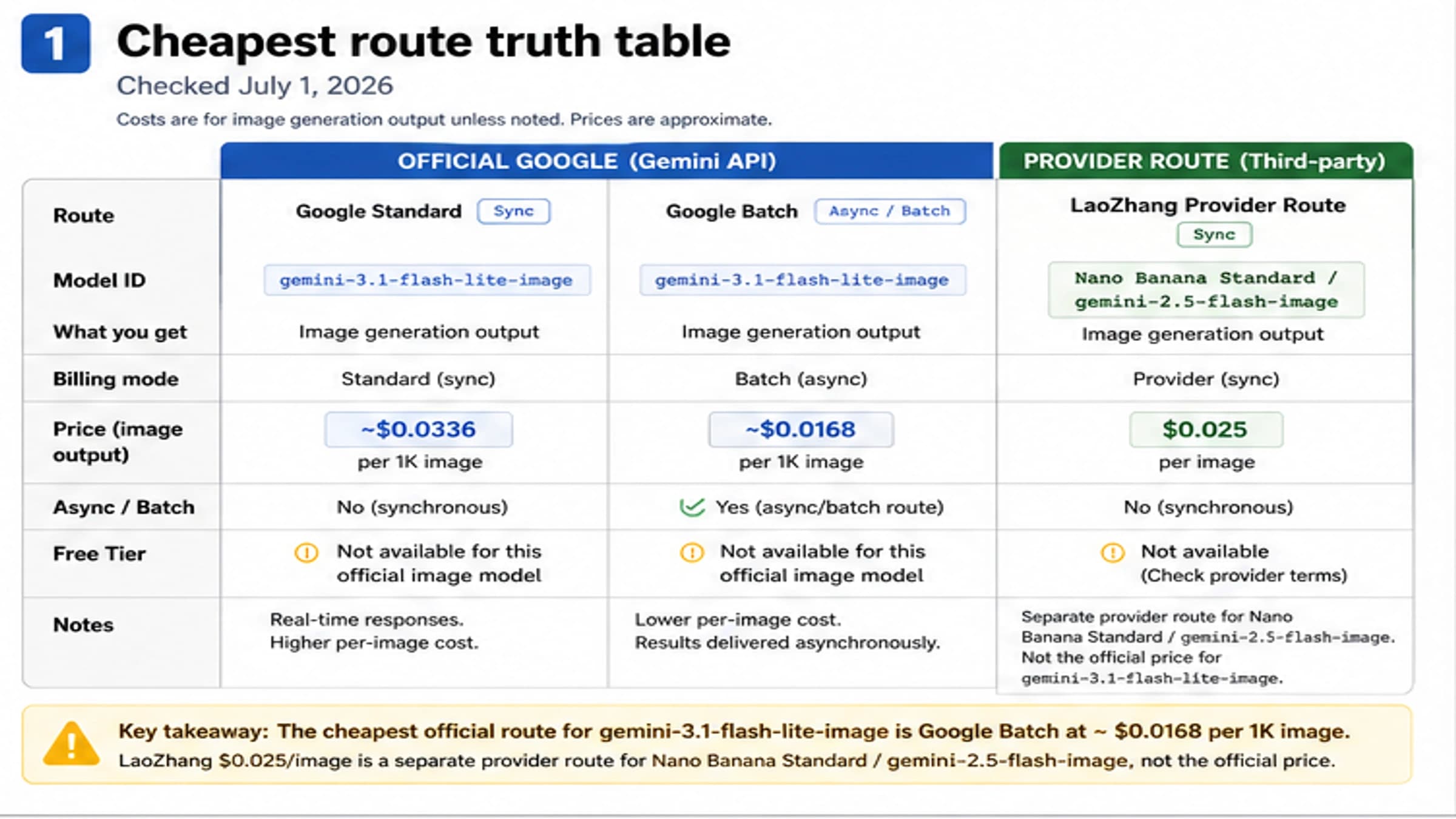
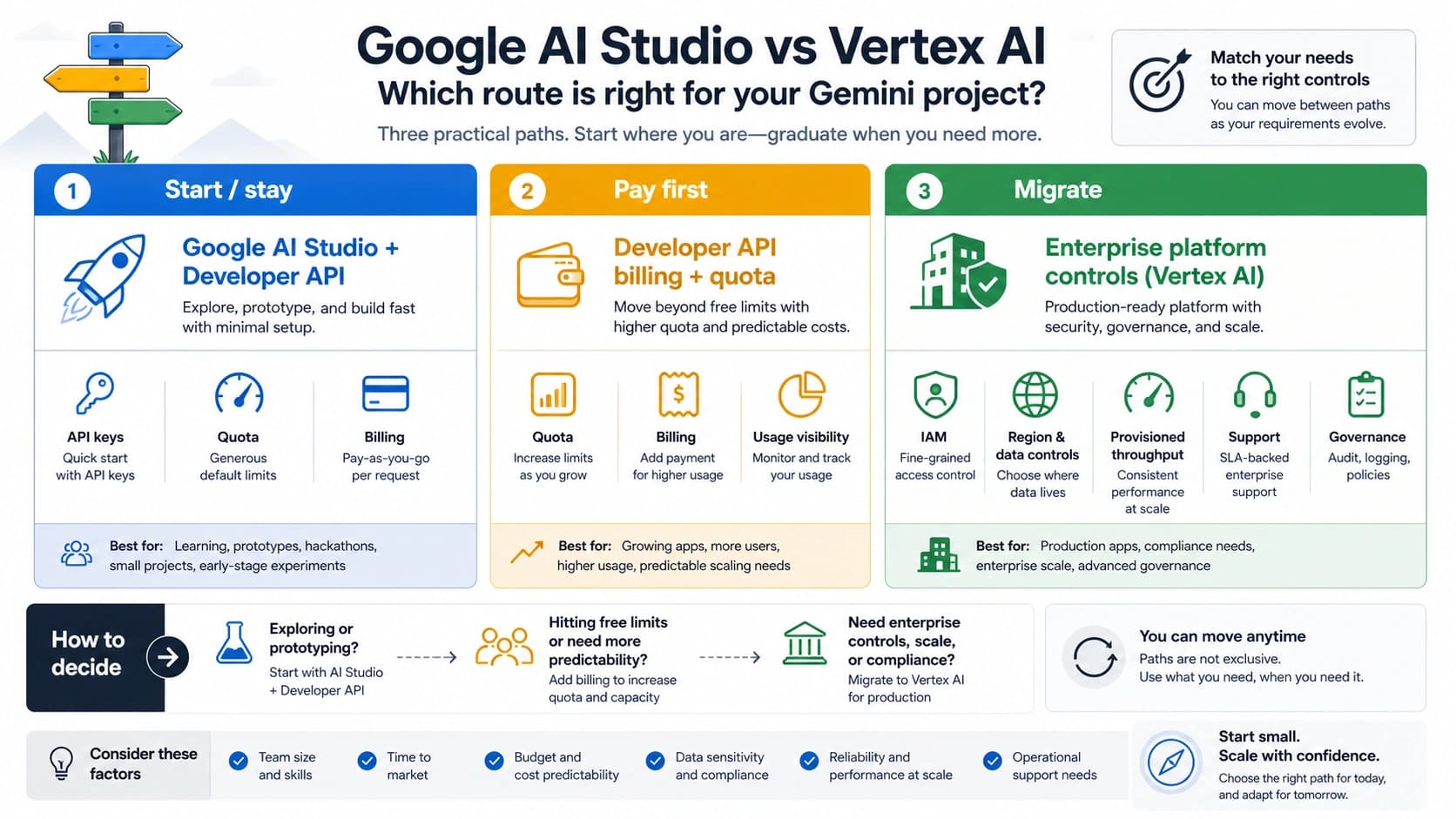
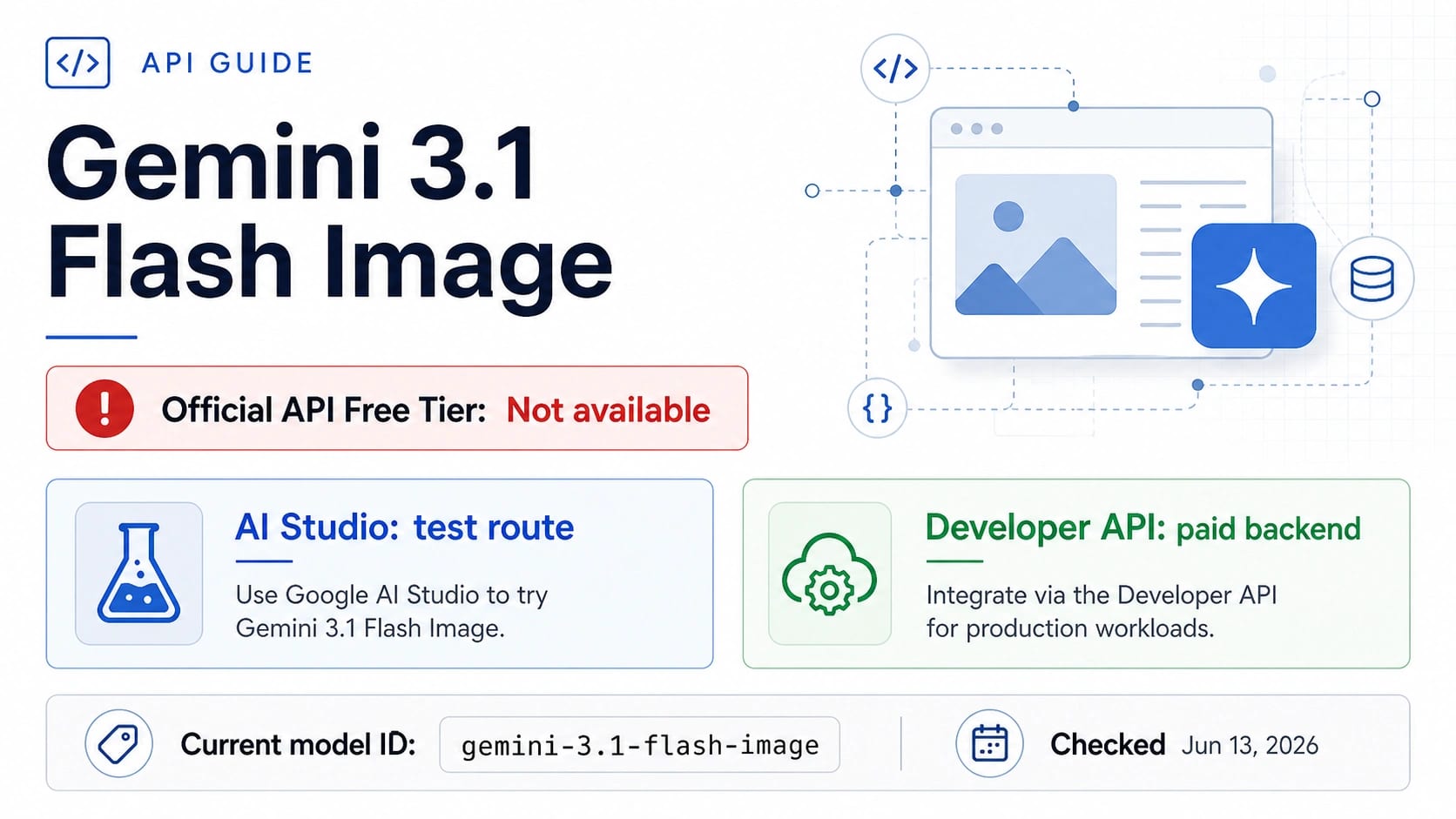
One critical detail that catches many developers off guard: gemini-3.1-flash-image-preview has no free tier. Unlike some of Google's text models that offer generous free quotas through Google AI Studio, the image generation model requires a paid API key from day one. The free tier column on Google's pricing page explicitly shows "Not Available" for this model, and it also comes with "more restrictive rate limits" compared to stable model versions.
Google does offer a Batch API option that provides a 50% discount on image output tokens, bringing the cost down to $30.00 per million tokens. This translates to roughly $0.034 per 1024px image — a significant saving. However, batch processing comes with a substantial trade-off: results are delivered asynchronously with up to 24-hour processing delays, making it unsuitable for real-time applications or interactive user experiences. For more background on how free and paid tiers compare across the Gemini ecosystem, the Gemini API free tier guide provides useful context.
The input token cost — $0.25 per million tokens — is easy to overlook but worth understanding because it applies to the text prompt you send with each generation request. A typical image generation prompt of 50-100 words translates to roughly 75-150 tokens, costing a fraction of a cent per request ($0.00002-$0.00004). This means the input cost is effectively negligible compared to the output image cost. However, for applications that include extensive system prompts or image editing instructions with reference images as input, the input token consumption can become meaningful. Google charges the same $0.25/M rate for image inputs as text inputs, so uploading a reference image alongside your prompt adds to the total cost proportionally.
The overall pricing structure reveals an important strategic reality: Google has priced gemini-3.1-flash-image-preview to be accessible for production use but not trivially cheap for experimentation. The absence of a free tier and the relatively high per-image cost compared to text generation (where $0.25/M input tokens can process thousands of queries) creates a clear signal that Google views image generation as a premium capability within their API ecosystem. This pricing posture creates the economic space for third-party providers to offer competitive alternatives.
Why Google's Official API Isn't Always Your Best Option
The official Google API provides the most straightforward access to gemini-3.1-flash-image-preview, but several practical considerations make it worth exploring alternatives — especially for cost-conscious developers building production applications.
The first challenge is the absence of a free tier for experimentation. Developers accustomed to prototyping with free quotas on other Google AI models face an immediate barrier: testing gemini-3.1-flash-image-preview requires committing to paid API usage from the very first call. For a developer who wants to evaluate the model's suitability for their use case, this means spending real money before making any architectural decisions. Even generating just 100 test images at 1024px resolution costs $6.70 — not a trivial amount for individual developers or small startups exploring options.
The second limitation involves the restrictive rate limits on this preview model. Google's documentation explicitly notes that preview models have "more restrictive rate limits" than their stable counterparts. For applications with variable or bursty traffic patterns — think e-commerce product image generation during a flash sale, or a social media tool during peak hours — these limits can become a bottleneck that directly affects user experience. When your application hits a rate limit, your users see errors or loading spinners, regardless of how good the underlying model is.
The third factor is cost at scale. Consider a moderately successful application generating 1,000 images per day at 1024px resolution. At Google's official pricing, that's $67 per day or roughly $2,010 per month. For a startup operating on limited runway, the difference between $2,010 and $900 (at $0.03 per image through a third-party provider) represents $1,110 in monthly savings — enough to cover other infrastructure costs or extend the company's runway by meaningful margins.
The fourth consideration is the billing complexity itself. Google's token-based pricing for images creates a non-obvious cost structure where the same API call can cost anywhere from $0.045 to $0.151 depending on the output resolution. For developers building applications where users can select image sizes, this variable pricing makes cost prediction difficult. You need to implement resolution-aware cost tracking, set up alerts for unexpected spending spikes, and potentially build rate-limiting logic that accounts for the per-resolution cost differences. A flat-rate alternative eliminates this entire category of engineering complexity.
That said, the official API has genuine advantages that deserve honest acknowledgment. Direct support from Google means you have a clear escalation path when things go wrong. Enterprise customers get guaranteed SLA commitments backed by Google's infrastructure. The API integrates seamlessly with Google Cloud's broader ecosystem — Vertex AI pipelines, Cloud Storage for generated images, IAM for access control, and Cloud Monitoring for observability. For enterprise applications where vendor relationships and compliance certifications matter more than per-unit economics, the official API remains the right choice.
The key insight is that "official" doesn't automatically mean "best for your specific situation." A solo developer building an image generation feature into a side project has fundamentally different requirements than an enterprise team deploying at scale with compliance obligations. Both are valid use cases, but they point to different optimal solutions.
How to Access gemini-3.1-flash-image-preview at $0.03 per Image
For developers who want the capabilities of Google's Flash Image model without the official API's pricing overhead, third-party API aggregators provide access to the same underlying model at significantly reduced costs. Among available options, laozhang.ai offers gemini-3.1-flash-image-preview at $0.03 per image — a flat rate regardless of output resolution, which becomes increasingly valuable as you move to higher resolutions where Google's token-based pricing climbs steeply.
The cost advantage is straightforward to quantify. At 1024px resolution, laozhang.ai's $0.03 price represents a 55% reduction from Google's $0.067. At 4K resolution, the savings become even more dramatic: $0.03 versus Google's $0.151, representing an 80% cost reduction. The flat-rate pricing model eliminates the complexity of calculating token consumption for different resolutions, making cost forecasting simpler and more predictable for budget planning.
Getting started requires three steps:
-
Create an account at docs.laozhang.ai — registration takes approximately two minutes and does not require a credit card for the initial signup process.
-
Add credits to your account — the minimum top-up is $5, which provides approximately 166 image generations at the $0.03 per-image rate. This low entry point means you can thoroughly test the service's performance, latency, and image quality before committing to larger purchases.
-
Copy your API key and configure your client with the laozhang.ai base URL (
https://api.laozhang.ai/v1). The service supports the OpenAI-compatible API format, so if you're already using the OpenAI SDK, you only need to change two configuration values: the API key and the base URL.
The service provides real-time processing (no batch delays), does not impose restrictive rate limits on standard usage patterns, and maintains multi-provider failover infrastructure for reliability. For context on similar API credit approaches, the Nano Banana API credits guide explains how per-image credit systems work across different providers.
Transparency note: Google's official API provides direct vendor support and enterprise SLA guarantees that third-party providers cannot match. If your application requires contractual uptime commitments or compliance certifications, the official API is the appropriate choice despite its higher per-unit cost.
Complete Integration Guide: Python + OpenAI SDK

The practical advantage of gemini-3.1-flash-image-preview's OpenAI compatibility is that integration requires minimal code changes from existing OpenAI image generation implementations. Below is a complete, working example using Python and the OpenAI SDK that generates an image and saves it locally.
Prerequisites: Install the required packages using pip:
hljs bashpip install openai Pillow
Complete working example:
hljs pythonimport base64
from openai import OpenAI
from PIL import Image
from io import BytesIO
# Configuration - change these two values to switch providers
API_KEY = "your-laozhang-api-key" # From docs.laozhang.ai
BASE_URL = "https://api.laozhang.ai/v1" # laozhang.ai endpoint
# Initialize client (same as standard OpenAI usage)
client = OpenAI(
api_key=API_KEY,
base_url=BASE_URL,
)
# Generate an image - $0.03 per call
response = client.images.generate(
model="gemini-3.1-flash-image-preview",
prompt="A modern tech startup office with floor-to-ceiling windows, "
"minimalist furniture, and warm afternoon sunlight casting "
"long shadows across the hardwood floor",
response_format="b64_json",
n=1,
)
# Decode and save the image
image_data = response.data[0].b64_json
image = Image.open(BytesIO(base64.b64decode(image_data)))
image.save("generated_image.png")
print(f"Image saved: {image.size[0]}x{image.size[1]}px")
The critical detail to understand is that gemini-3.1-flash-image-preview returns images as base64-encoded data rather than hosted URLs. This means you receive the complete image data directly in the API response, eliminating the need for subsequent download requests. While this increases the response payload size, it simplifies the overall architecture by removing the dependency on an image hosting service for initial retrieval.
Switching between providers is a two-line change. To use Google's official API instead, modify the configuration to:
hljs python# Google Official API configuration
API_KEY = "your-google-api-key" # From aistudio.google.com
BASE_URL = "https://generativelanguage.googleapis.com/v1beta/openai/"
Everything else — the model name, request structure, response handling — remains identical. This interchangeability means you can test with one provider and deploy with another, or implement provider fallback logic without maintaining separate codepaths for different APIs.
Error handling for production use:
hljs pythonimport time
from openai import OpenAI, APIError, RateLimitError
def generate_image_with_retry(client, prompt, max_retries=3):
for attempt in range(max_retries):
try:
response = client.images.generate(
model="gemini-3.1-flash-image-preview",
prompt=prompt,
response_format="b64_json",
n=1,
)
return response.data[0].b64_json
except RateLimitError:
wait_time = 2 ** attempt # Exponential backoff
time.sleep(wait_time)
except APIError as e:
if attempt == max_retries - 1:
raise
time.sleep(1)
return None
This pattern implements exponential backoff for rate limit errors and basic retry logic for transient API errors — both essential for production deployments where reliability matters as much as cost efficiency.
Batch image generation is another common production pattern. When you need to generate multiple images from a list of prompts — for example, creating product thumbnails for an e-commerce catalog — sequential generation wastes time waiting for each response. The following async pattern generates images concurrently while respecting reasonable concurrency limits:
hljs pythonimport asyncio
from openai import AsyncOpenAI
async_client = AsyncOpenAI(
api_key=API_KEY,
base_url=BASE_URL,
)
async def generate_batch(prompts, max_concurrent=5):
semaphore = asyncio.Semaphore(max_concurrent)
async def generate_one(prompt):
async with semaphore:
response = await async_client.images.generate(
model="gemini-3.1-flash-image-preview",
prompt=prompt,
response_format="b64_json",
n=1,
)
return response.data[0].b64_json
tasks = [generate_one(p) for p in prompts]
return await asyncio.gather(*tasks, return_exceptions=True)
# Generate 20 images concurrently (5 at a time)
prompts = ["product photo of " + item for item in product_list]
results = asyncio.run(generate_batch(prompts))
This approach processes 20 images in roughly the same time it takes to generate 5 sequentially, because the 4-6 second generation time overlaps across concurrent requests. With the semaphore limiting concurrency to 5, you stay well within typical rate limits while achieving significantly better throughput than sequential processing. At $0.03 per image through laozhang.ai, this entire batch of 20 images costs just $0.60 — compared to $1.34 through Google's official API at 1024px resolution.
Response handling considerations: The base64 response format means each image response is approximately 1-4 MB depending on resolution. For applications processing many images, consider streaming responses to disk rather than holding all decoded images in memory simultaneously. The PIL library used in the examples above handles this efficiently, but memory-constrained environments (serverless functions, edge workers) may need explicit cleanup of decoded image buffers after processing.
Image Quality: Flash 3.1 vs Pro vs DALL-E 3

Choosing an image generation model involves balancing multiple factors, and the right choice depends heavily on your specific use case rather than any single benchmark number. The comparison below draws from community testing data and official specifications to help inform that decision.
The most consequential difference between Flash 3.1 and Pro Image lies in the speed-quality trade-off. Flash 3.1 generates images in 4-6 seconds compared to Pro's 8-12 seconds, effectively doubling throughput for applications where generation speed affects user experience. For interactive applications — chatbots that generate images in conversation, real-time design tools, or customer-facing product visualization — this speed advantage directly translates to better user satisfaction. The quality difference, while measurable, is subtle enough that most end users won't notice it in typical use cases.
| Metric | Flash 3.1 | Pro Image | DALL-E 3 |
|---|---|---|---|
| Max resolution | 4K (4096x4096) | 4K (4096x4096) | 1K (1024x1024) |
| Generation speed | 4-6 sec | 8-12 sec | 15-25 sec |
| Text rendering | ~90% accurate | ~94% accurate | ~85% accurate |
| Cost (1K image) | $0.03 (laozhang.ai) | $0.134 (official) | $0.040 (OpenAI) |
| Character consistency | ~90% | High | Moderate |
| Best for | High-volume, speed-critical | Max quality, text-heavy | Creative, artistic |
Text rendering accuracy is where the Pro model maintains a meaningful edge. At approximately 94% accuracy versus Flash 3.1's ~90%, the Pro model is the better choice for applications where generated images must contain reliably readable text — product labels, infographics with data, or marketing materials with taglines. For images where text rendering isn't critical — landscapes, portraits, abstract art, product photos without text overlays — the 4% accuracy difference is effectively irrelevant while the 55% cost saving is very real.
DALL-E 3 from OpenAI occupies a different position in this landscape. Limited to 1024x1024 maximum resolution, it cannot match either Gemini model's 4K capability. Its generation speed of 15-25 seconds is notably slower. However, DALL-E 3 excels in creative and artistic image generation, with a distinct aesthetic style that some applications specifically prefer. Its native integration with the OpenAI ecosystem also makes it the path of least resistance for teams already deeply embedded in OpenAI's platform.
The practical recommendation depends on your specific application context. For e-commerce and product visualization, Flash 3.1 is the clear winner — the combination of fast generation, 4K resolution for zoom-in capabilities, and $0.03 per-image economics makes it viable to generate unique product images at scale rather than relying solely on photography. A product catalog with 10,000 items can generate hero images for under $300, a fraction of what professional photography would cost.
For content marketing and social media, Flash 3.1 handles most use cases effectively. Blog post hero images, social media graphics, and newsletter illustrations rarely require perfect text rendering, making the ~90% accuracy entirely sufficient. The speed advantage means your content team can generate and iterate on visual assets in real-time during the creative process rather than waiting minutes per image.
For technical documentation and data visualization, where text accuracy is paramount, the Pro model justifies its higher cost. API documentation with code screenshots, infographics with precise data labels, and instructional diagrams all benefit from the Pro model's 94% text rendering accuracy — those extra 4 percentage points matter when a misrendered number could mislead users.
For most API-first applications building image generation features, Flash 3.1 at $0.03 per image offers the strongest value proposition — particularly when accessed through providers like laozhang.ai where the cost advantage is most pronounced. For a thorough breakdown of cheapest options across the entire Gemini Flash lineup, the cheapest Gemini Flash API options resource provides additional context.
Cost Optimization Strategies for Production Use
Moving from development to production with gemini-3.1-flash-image-preview means thinking carefully about cost optimization — because small per-image savings compound dramatically at scale. The difference between a $0.03 and $0.067 per-image cost seems minor in isolation, but across thousands or tens of thousands of daily generations, it fundamentally changes the economics of your application.
Volume-based cost analysis reveals the real impact of provider choice:
| Daily Volume | Google Official (1K) | Google Batch | laozhang.ai | Monthly Savings vs Official |
|---|---|---|---|---|
| 100 images | $6.70/day | $3.40/day | $3.00/day | $111 |
| 1,000 images | $67.00/day | $34.00/day | $30.00/day | $1,110 |
| 10,000 images | $670.00/day | $340.00/day | $300.00/day | $11,100 |
At 10,000 images per day, the annual savings from using laozhang.ai instead of Google's official API exceed $133,000. Even against Google's batch pricing, laozhang.ai saves $12,000 annually — and without the 24-hour processing delay that batch mode imposes. These aren't theoretical numbers; they're the direct result of the pricing differential applied across realistic production volumes.
Beyond provider selection, several architectural decisions can further reduce your per-image costs. Caching generated images is the most impactful: if your application generates similar images for recurring prompts (product category thumbnails, standard avatar styles, template-based designs), storing and reusing previous results eliminates redundant API calls entirely. A simple hash-based cache using the prompt text as a key can reduce actual API calls by 30-60% for applications with repetitive generation patterns.
Resolution optimization is equally important. Not every use case requires 4K output. A thumbnail displayed at 200px on a website doesn't benefit from being generated at 4096px resolution. By matching your requested resolution to the actual display size — generating at 512px for thumbnails, 1024px for standard web display, and reserving 4K for print or full-screen use — you minimize token consumption when using Google's official API and maximize your budget regardless of provider.
Prompt engineering also affects costs indirectly. Well-crafted prompts that produce acceptable results on the first attempt eliminate the need for regeneration. Spending time refining your prompt templates during development — testing different phrasings, specificity levels, and style directives — pays dividends in production by reducing the average number of API calls per successful image. The cheapest image generation call is the one you don't need to make.
Provider failover strategies add resilience without significantly increasing average costs. By configuring your application to attempt image generation through your primary provider (laozhang.ai at $0.03) and falling back to Google's official API only when the primary is unavailable, you achieve near-perfect uptime while keeping average costs close to the cheapest tier. In practice, primary provider availability typically exceeds 99.5%, so the slightly more expensive fallback provider is invoked rarely enough to have negligible impact on overall costs. This pattern also works in reverse — using Google's batch API for non-urgent background jobs and laozhang.ai for real-time user-facing requests, optimizing each path for its specific latency and cost requirements.
Monitoring and alerting round out a production-ready cost optimization strategy. Set up daily cost tracking that compares actual spending against your per-image budget. A sudden spike in per-image costs might indicate that your application is inadvertently requesting higher resolutions than intended, or that a code change removed your caching layer. Catching these issues within hours rather than at the end of a billing cycle can save thousands of dollars for high-volume applications. Most API providers, including laozhang.ai, offer usage dashboards and API-accessible billing data that makes this monitoring straightforward to implement.
The compounding effect of these strategies is substantial. An application that implements caching (30-60% reduction), resolution optimization (variable savings), quality prompt engineering (10-20% fewer regenerations), and provider selection ($0.03 vs $0.067) can achieve effective per-image costs well below $0.02 for typical workloads — transforming image generation from a significant line item into a manageable, predictable expense.
Common Pitfalls and How to Avoid Them
Developers integrating gemini-3.1-flash-image-preview for the first time frequently encounter several issues that are easy to prevent once you know what to watch for. The most common mistake is attempting to use the model through a free-tier Google AI Studio API key. Since the model has no free tier, these requests fail immediately with an authentication or billing error that can be confusing if you're expecting the same free access you get with Gemini's text models. The solution is straightforward: ensure your API key is associated with a paid billing account, or use a third-party provider like laozhang.ai where credit-based billing is explicit and clear.
The second frequent issue involves response format expectations. Developers migrating from DALL-E or other image APIs often expect a URL in the response that points to a hosted image. Gemini's image generation models return base64-encoded image data exclusively — there is no URL option. If your existing code expects a url field in the response, it will fail or return null. Always set response_format="b64_json" and implement the base64 decoding workflow shown in the integration guide above.
Content filtering is another area where developers encounter unexpected behavior. Gemini's image generation models include built-in safety filters that can reject prompts containing certain keywords or concepts, even when the intended output is benign. If you receive a content policy error, the issue is usually with specific trigger words in your prompt rather than the overall intent. Rephrasing the prompt to avoid flagged terms — while maintaining the same creative direction — typically resolves the issue. Google's safety filtering tends to be more conservative than OpenAI's, so prompts that work with DALL-E may need adjustment for Gemini models.
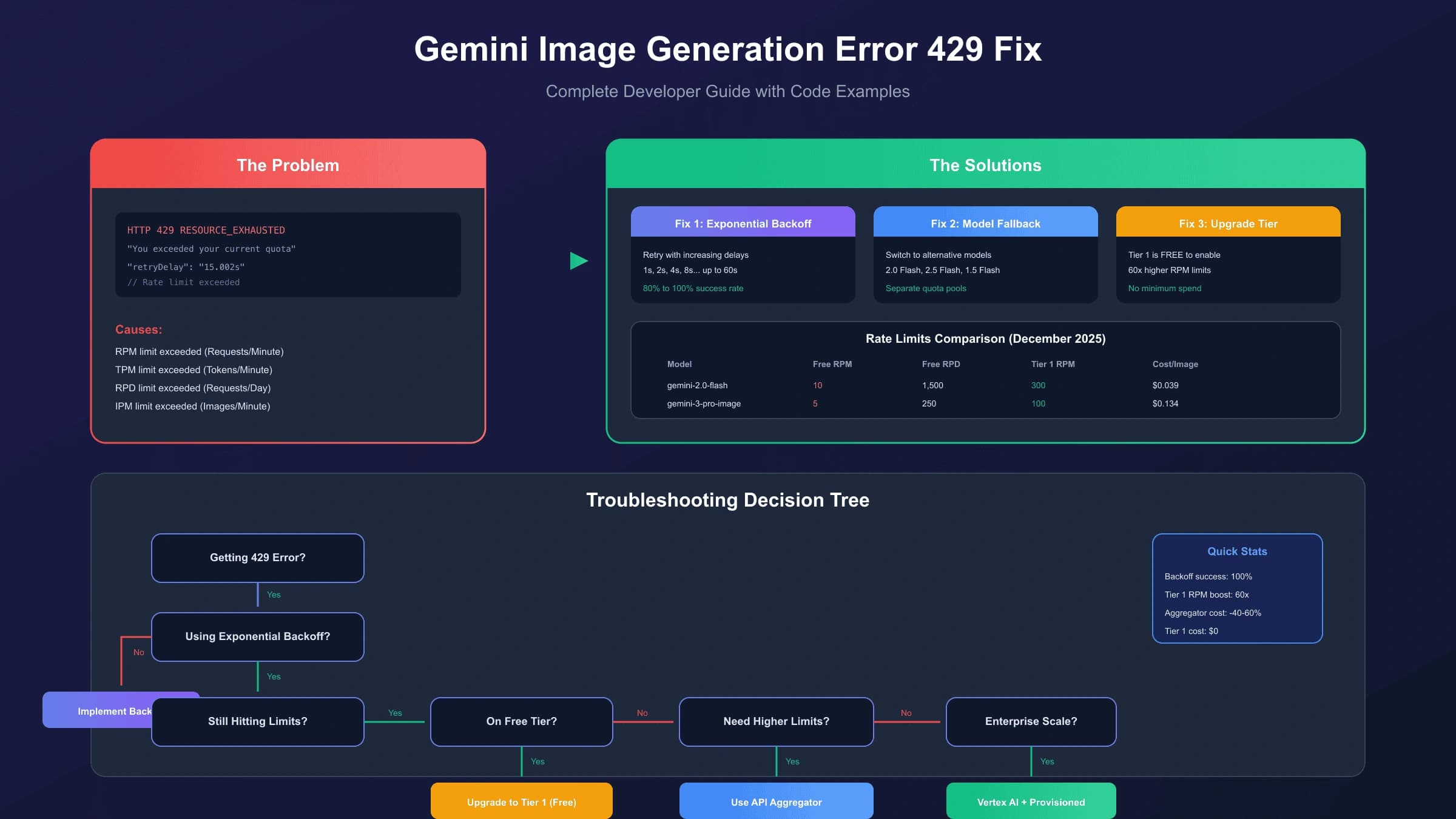
Finally, be aware of the preview model's rate limits. Unlike stable Gemini models, the preview variant enforces tighter request-per-minute caps. For applications with bursty traffic patterns, implement a request queue that smooths out API calls over time rather than sending burst requests that hit the rate limiter. The exponential backoff pattern shown earlier in this guide handles individual rate limit errors, but a queue-based approach prevents them from occurring in the first place, leading to more predictable latency and better user experience.
Frequently Asked Questions
Is there a free tier for gemini-3.1-flash-image-preview?
No. Google's official pricing page explicitly lists the free tier as "Not Available" for gemini-3.1-flash-image-preview. This applies to both Google AI Studio and Vertex AI access. The most affordable entry point for testing is through a third-party provider like laozhang.ai, where $5 in credits provides approximately 166 image generations — enough for thorough evaluation without a significant financial commitment.
Can I use my existing OpenAI code with this model?
Yes. Gemini's image generation models support the OpenAI-compatible API format. You need to change only two configuration values: the API key and the base URL. The request structure, response format (base64-encoded images), and error handling patterns remain identical to OpenAI's image generation API. The model parameter changes to gemini-3.1-flash-image-preview, and everything else works as expected.
How does $0.03/image compare to Google's batch pricing?
Google's batch API offers a 50% discount, bringing the 1024px image cost down to approximately $0.034. This is close to laozhang.ai's $0.03 flat rate, but with a crucial difference: batch processing introduces up to 24-hour delays in receiving results. laozhang.ai provides real-time processing at a comparable price point, making it the better choice for applications that need immediate image delivery. For applications where processing delay is acceptable, Google's batch API is a viable cost-optimization alternative.
What's the maximum image resolution supported?
Gemini 3.1 Flash Image Preview supports image generation up to 4K resolution (4096x4096 pixels). The resolution directly affects cost when using Google's token-based pricing ($0.045 at 512px to $0.151 at 4K), but providers with flat-rate pricing like laozhang.ai charge the same $0.03 regardless of output resolution — making 4K generation particularly cost-effective through third-party access.
Is the image quality lower through third-party providers?
No. Third-party API providers like laozhang.ai route requests to the same underlying Google model. The generated images are identical in quality, resolution, and characteristics to those produced through Google's official API. The cost difference reflects the provider's business model and infrastructure efficiency, not a quality difference in the model output. The same prompt will produce equivalent results regardless of which endpoint you use to access gemini-3.1-flash-image-preview.
Nano Banana Pro
4K-80%Google Gemini 3 Pro · AI Inpainting
Google Native Model · AI Inpainting