AI Image Generation18 min

Nano Banana Pro Rate Limits 2026: Free vs Pro vs Ultra Tier Comparison

Complete 2026 guide to Nano Banana Pro rate limits across Free, Pro, Ultra and API tiers. Verified pricing, cost-per-image analysis, and decision framework.

AI Free API Team
AI Free API Team

Nano Banana Pro limits free users to just 2 images per day at 1MP resolution as of February 2026, down from 3 images before the November 2025 reduction. Google AI Pro subscribers paying $19.99 per month receive approximately 100 images daily at 2K resolution, while Ultra tier users get up to 1,000 images per day at full 4K quality. For developers using the API directly, rate limits depend on your billing tier, ranging from 5-10 requests per minute on the free tier to over 100 RPM on paid tiers, with each image costing $0.134 at standard resolution. This guide breaks down every tier with verified 2026 data, calculates the true cost per image across all access methods, and provides a decision framework to help you pick the right option for your needs.

TL;DR

TierPriceDaily ImagesResolutionCost/Image
Free$021MP (1024x1024)$0 (but only 2/day)
Pro$19.99/mo~1002K (2048x2048)~$0.007
Ultra$99.99/mo1,0004K (4096x4096)~$0.003
API (Standard)Pay-as-you-goBy quotaUp to 4K$0.134 (1K-2K)
API (Batch)50% discountBy quotaUp to 4K$0.067 (1K-2K)

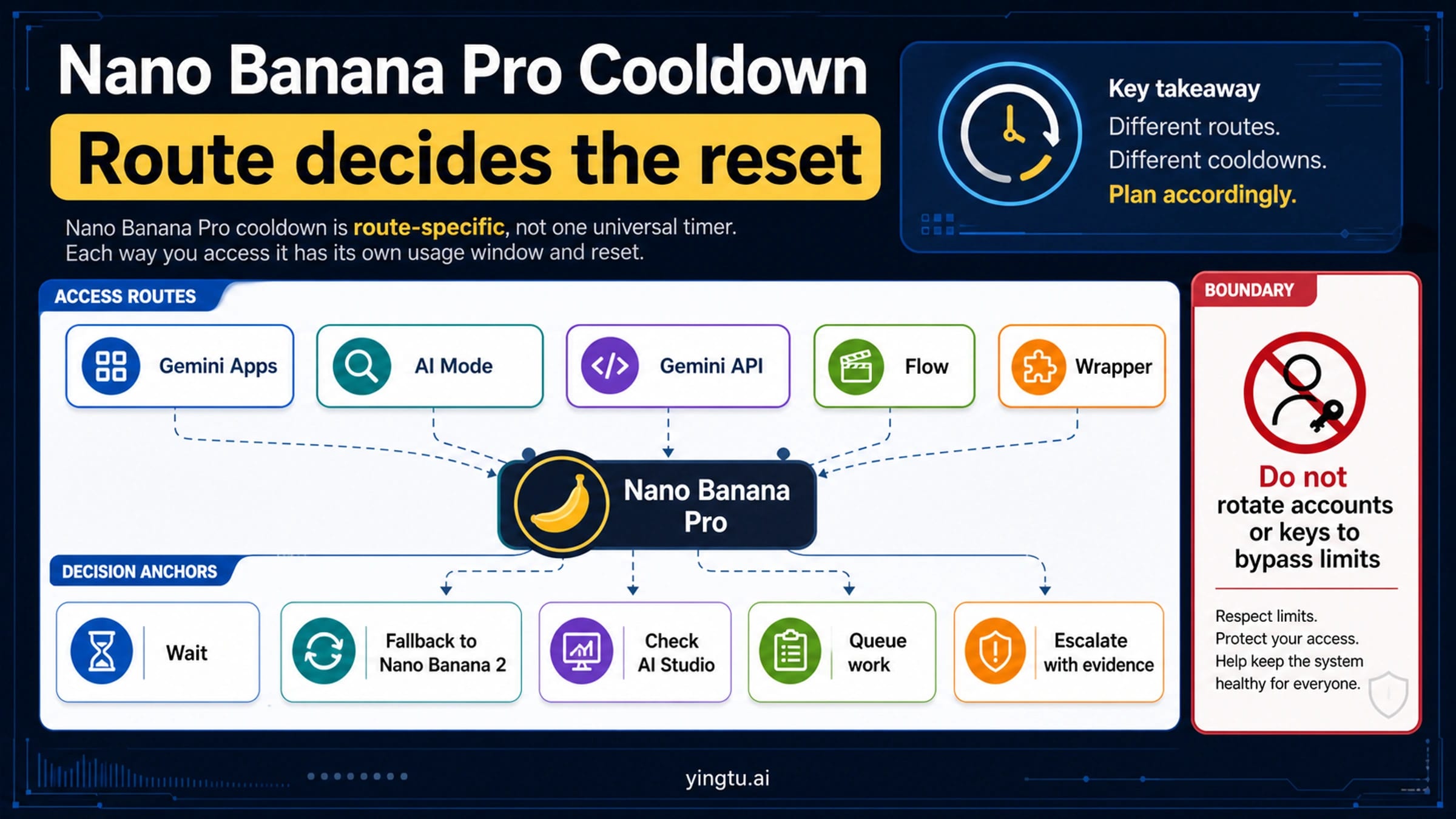
The most important thing to understand about Nano Banana Pro rate limits in 2026 is that Google offers two fundamentally different access paths: consumer subscriptions (Free, Pro, Ultra) and the developer API. Consumer subscriptions give you a fixed number of images per day at a remarkably low per-image cost, while the API provides programmatic access with pay-per-use pricing that costs significantly more per image but offers flexibility and automation capabilities that subscriptions cannot match. Your choice between these paths depends entirely on whether you need programmatic access or simply want to generate images through the Gemini interface.

Understanding the distinction between these two paths is critical because most guides online conflate consumer tier limits with API rate limits, leading to confusion when developers sign up for a Pro subscription expecting API access, or when casual users look at API pricing and assume that is what all Nano Banana Pro usage costs. The sections below break down each path separately, then bring them together in a cost comparison and decision framework.

Complete Tier Breakdown: Free vs Pro vs Ultra in 2026

Nano Banana Pro tier comparison showing Free, Pro, Ultra and API features side by side

Google structures Nano Banana Pro consumer access into three tiers, each designed for a different level of usage. The differences extend well beyond just the number of images you can generate per day — resolution, watermarking, generation priority, and access to advanced editing features all vary between tiers. Here is what each tier actually provides based on data verified against official Google documentation as of February 2026.

The Free Tier gives you access to Nano Banana Pro at no cost, but with significant limitations. You can generate a maximum of 2 images per day at 1MP resolution (1024x1024 pixels), and every image includes a visible watermark. This was reduced from 3 images per day in November 2025, which frustrated many users who relied on the free tier for regular use. The free tier is genuinely useful for trying out Nano Banana Pro's capabilities and generating the occasional image, but it is not practical for any workflow that requires more than a couple of images per day. Generation speed on the free tier is also the slowest, as paid users receive priority in the queue.

The Pro Tier at $19.99 per month represents the sweet spot for most regular users. You get approximately 100 images per day at 2K resolution (2048x2048), with no watermarks on any generated image. The Pro tier also unlocks advanced image editing features and provides standard generation priority, meaning your requests are processed before free tier users. For a detailed pricing breakdown, the effective cost works out to roughly $0.007 per image if you generate near the daily maximum — making it extraordinarily cost-effective compared to any other AI image generation service at this quality level. The Pro tier is included as part of Google AI Pro, which also provides enhanced access to other Gemini models and capabilities.

The Ultra Tier is where pricing gets complicated. Multiple sources report different prices, ranging from $99.99 to $249.99 per month, depending on whether it is offered as a standalone product or bundled with Google AI Ultra features. At the commonly cited $99.99 per month price point, Ultra provides up to 1,000 images per day at full 4K resolution (4096x4096), the highest generation priority, and access to all advanced features. The per-image cost drops to approximately $0.003 when generating at maximum capacity, which is the lowest per-image cost available through any access method. Ultra is designed for power users, content creation teams, and businesses that need high-volume, high-resolution output without the complexity of API integration.

It is worth noting that the 4K resolution capability of Ultra is not just a minor quality bump — at 4096x4096 pixels, Ultra outputs contain 16 times more pixels than the free tier's 1MP images, making them suitable for large-format printing, high-resolution displays, and professional creative work where fine detail matters. The generation priority advantage also becomes noticeable during peak usage periods, when free and Pro tier users may experience slower generation times due to queue congestion.

A Budget Alternative: Nano Banana Flash. If you need more than 2 free images per day but the Pro subscription feels like overkill, consider Gemini 2.5 Flash Image — Google's lighter image model available through the API at just $0.039 per image (verified on ai.google.dev/pricing, February 2026). Flash produces images at a maximum of 1024x1024 resolution, comparable to the free tier's output, but without the daily limit restriction. For users who need moderate volume at lower quality, Flash offers a middle ground between free tier constraints and Pro subscription commitment.

API Rate Limits: RPM, RPD, and How to Unlock Higher Tiers

The Nano Banana Pro API operates on an entirely separate rate limit system from consumer subscriptions. Rather than simple daily image caps, the API uses requests per minute (RPM), requests per day (RPD), and tokens per minute (TPM) as its throttling mechanisms. Understanding these limits is essential for developers building applications that rely on Nano Banana Pro for image generation, because hitting a rate limit in production means your users see errors instead of images.

Google organizes API access into tiers based on your billing account status and cumulative spending. The official rate limits documentation (verified February 19, 2026) defines four tiers, though notably, Google does not publish exact RPM and RPD numbers on its documentation pages — instead directing users to check Google AI Studio for current limits specific to their account. The tier structure works as follows: the Free tier is available to any user in an eligible region and provides basic access with the lowest rate limits. Tier 1 requires a paid billing account linked to your project. Tier 2 requires $250 or more in cumulative spending plus 30 days of active use. Tier 3 requires $1,000 or more in cumulative spending plus 30 days of active use, and provides the highest available rate limits.

Based on aggregated data from multiple sources — keeping in mind that Google does not publish these exact numbers officially — the Free API tier appears to allow approximately 5 to 10 requests per minute and 50 to 100 requests per day for the Nano Banana Pro model (gemini-3-pro-image-preview). Tier 1 paid users report significantly higher limits, with estimates ranging from 100 to 300 RPM and substantially higher daily quotas. These numbers should be treated as approximate, as Google adjusts them dynamically and the only authoritative source for your specific limits is your Google AI Studio dashboard.

One critically underappreciated feature is the Batch API, which allows you to queue up to 2 million tokens worth of image generation requests (for Tier 1 users) at a 50% discount from standard pricing. The Batch API does not process requests in real-time — instead, Google processes them within a guaranteed time window, typically 24 hours. For workloads that do not require immediate results, such as generating product images for an e-commerce catalog or creating training data, the Batch API cuts your cost from $0.134 to $0.067 per image at standard resolution. For a comprehensive look at the broader Gemini API rate limit system beyond image generation, see our Gemini API rate limits guide.

Understanding how tier progression works is essential for planning your API usage. When you first create a Google AI account and start using the API, you begin at the Free tier regardless of whether you intend to pay — this gives you time to prototype without commitment. Once you link a billing account and enable payments, you automatically move to Tier 1, which substantially increases your rate limits. The jump from Free to Tier 1 is the most significant, typically providing a 10-30x increase in RPM allowance. The qualification criteria for Tier 2 ($250 cumulative spend plus 30 days of active use) mean that moderate-volume applications will naturally reach Tier 2 within their first month or two of production use. Tier 3 qualification at $1,000 cumulative spend is designed for high-volume applications and provides the headroom needed for services that generate thousands of images per day.

You can check your current tier and exact rate limits at any time through the Google AI Studio dashboard. Navigate to the settings section and look for "API Rate Limits" or "Billing Tier" — this shows your current tier, your exact RPM and RPD allocations for each model, and your progress toward the next tier. This is the only authoritative source for your limits, as the numbers published in third-party articles (including the estimates in this guide) may not exactly match your specific account configuration.

All API rate limits reset at midnight Pacific Time (UTC-8), which is an important detail for developers designing systems that need to maximize daily throughput. If you are approaching your daily limit, scheduling generation requests just after midnight PT can effectively double your available quota across a 24-hour window.

The Real Cost: Price Per Image Across Every Access Method

Bar chart comparing cost per image across all Nano Banana Pro access methods

Understanding the true cost per image is essential for anyone making a budget decision about Nano Banana Pro, yet surprisingly few resources provide this calculation across all access methods. The numbers reveal some counterintuitive insights — the most flexible option (direct API) is by far the most expensive per image, while the consumer subscriptions offer almost unbelievably low per-image costs if you use them near capacity. Here is the complete breakdown, calculated from official pricing verified on February 19, 2026, via the Google AI pricing page at ai.google.dev/pricing.

Access MethodMonthly CostImages/MonthCost Per ImageResolution
Free Tier$0~60$01MP
Pro Subscription$19.99~3,000$0.0072K
Ultra Subscription$99.99~30,000$0.0034K
API Standard (1K-2K)Pay-per-useUnlimited$0.1341K-2K
API Standard (4K)Pay-per-useUnlimited$0.2404K
API Batch (1K-2K)Pay-per-useUnlimited$0.0671K-2K
Third-party APIPay-per-useUnlimited~$0.05Varies

The most striking finding in this comparison is the 19x price gap between a Pro subscription ($0.007/image) and standard API access ($0.134/image). This gap exists because Google prices consumer subscriptions as a flat monthly fee with generous daily limits, effectively subsidizing high-volume users, while the API charges on a strict per-token basis. The API pricing is calculated from Google's official rate of $120 per million output tokens, with each standard resolution image consuming 1,120 output tokens, producing a per-image cost of $0.134 (verified via Chrome DevTools on ai.google.dev/pricing, February 2026).

The breakeven analysis reveals important decision points. If you generate more than about 150 images per month at standard API rates, a Pro subscription at $19.99 becomes cheaper ($19.99 divided by 150 equals $0.133 per image, matching the API rate). For Ultra, the breakeven is approximately 750 images per month ($99.99 divided by 750 equals $0.133). These breakeven points are remarkably low, which means that most users who generate images with any regularity should strongly consider a subscription over direct API access — unless they specifically need programmatic automation.

For developers who do need API access but want to reduce costs, the Batch API at $0.067 per image (50% of standard) represents the best official option. Third-party API providers like laozhang.ai offer Nano Banana Pro access at approximately $0.05 per image, roughly 63% less than Google's direct API pricing, which can translate to significant savings at scale. The tradeoff with third-party providers is typically slightly higher latency and the dependency on an intermediary service, but for many use cases the cost savings outweigh these considerations.

To put these numbers in practical context, consider a typical use case: a developer building an e-commerce platform that generates product lifestyle images. If the platform processes 500 images per day, the monthly cost at standard API rates would be approximately $2,010 (500 x 30 x $0.134). The same workload through the Batch API drops to $1,005, through a third-party provider like laozhang.ai to approximately $750, and if the images could be generated through a Pro subscription (which would require manual generation through the Gemini interface), the cost would be just $19.99. This dramatic cost difference explains why many businesses use a hybrid approach — automating what must be automated through the API while handling predictable, recurring image needs through subscriptions.

Which Path Should You Choose? Subscription vs API Decision Guide

Flowchart decision guide for choosing between Nano Banana Pro Free, Pro, Ultra and API tiers

Choosing between Nano Banana Pro's consumer subscriptions and its API is not simply a matter of picking the cheapest option — it is about matching the access method to your actual use case. The subscription tiers and the API serve fundamentally different purposes, and picking the wrong one can either cost you significantly more than necessary or leave you without the capabilities you need. Based on extensive analysis of both access paths, here is a framework for making the right choice.

Choose the Free Tier if you are evaluating Nano Banana Pro for the first time, need only occasional images for personal projects, or want to test image quality before committing to a paid plan. The 2-image daily limit is restrictive, but it costs nothing and gives you real experience with the model's capabilities. Keep in mind that free tier images are watermarked and limited to 1MP, so they are not suitable for professional use.

Choose Pro ($19.99/month) if you are a content creator, designer, marketer, or anyone who regularly needs AI-generated images but does not require programmatic access. At roughly $0.007 per image with up to 100 images daily, Pro offers extraordinary value. This is the right choice for the majority of individual users. If you are currently hitting the free tier's 2-image limit more than a few times per week, the upgrade pays for itself almost immediately in time saved and frustration avoided.

Choose Ultra ($99.99/month) if you need high-volume output (hundreds of images daily), require 4K resolution, or want the fastest generation speeds. Ultra makes sense for small creative teams, agencies, or individual power users who are generating images as a core part of their workflow. The per-image cost at full utilization ($0.003) is the lowest available through any access method.

Choose the API if you need to integrate image generation into software, automate image creation workflows, or require programmatic control over generation parameters. The API is the only option for building products and services that leverage Nano Banana Pro — subscriptions only work through the Gemini web interface. If you go the API route, start with the free tier to prototype, then link a billing account to unlock Tier 1 limits. For a step-by-step API integration guide, we have a dedicated article covering setup, authentication, and first API calls.

Choose the Batch API specifically when you have large batches of images to generate and do not need real-time results. Batch processing at $0.067 per image (half of standard API pricing) is ideal for e-commerce product images, dataset generation, content pre-generation, or any workflow where 24-hour turnaround is acceptable.

Hitting the Limit? How to Handle 429 Rate Limit Errors

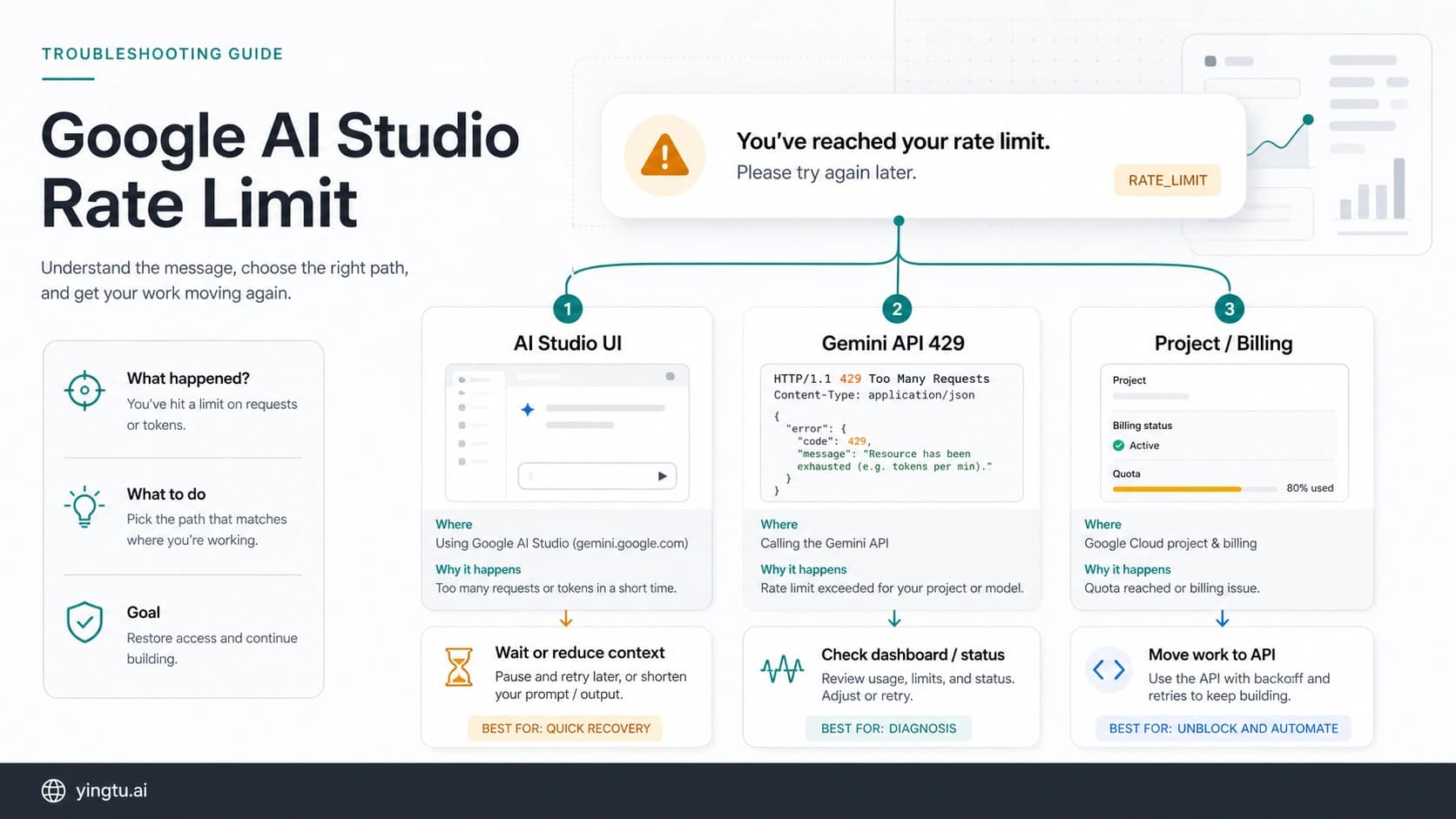
When you exceed your Nano Banana Pro rate limits — whether on the consumer side or the API — you will encounter rate limit errors. On the consumer side, you simply see a message telling you that you have reached your daily limit and must wait until the next day. On the API side, you receive HTTP 429 (Too Many Requests) responses, and how you handle these errors can mean the difference between a robust application and one that fails under load. For a complete 429 error troubleshooting guide covering all edge cases, see our dedicated article.

The most effective strategy for handling API rate limits is implementing exponential backoff with jitter. This approach automatically retries failed requests with increasing delay between attempts, preventing your application from hammering the API and making the rate limiting worse. Here is a production-ready Python implementation that handles both RPM (requests per minute) and RPD (requests per day) limits gracefully:

hljs python
import time
import random
import google.generativeai as genai

def generate_with_retry(prompt, max_retries=5, base_delay=2):
    """Generate image with exponential backoff for rate limits."""
    for attempt in range(max_retries):
        try:
            model = genai.GenerativeModel('gemini-3-pro-image-preview')
            response = model.generate_content(prompt)
            return response
        except Exception as e:
            error_str = str(e)
            if '429' in error_str or 'RESOURCE_EXHAUSTED' in error_str:
                if 'per day' in error_str.lower():
                    print("Daily limit reached. Retry after midnight PT.")
                    return None  # Don't retry daily limits
                delay = base_delay * (2 ** attempt) + random.uniform(0, 1)
                print(f"Rate limited. Retrying in {delay:.1f}s (attempt {attempt + 1})")
                time.sleep(delay)
            else:
                raise  # Re-raise non-rate-limit errors
    print("Max retries exceeded.")
    return None

Beyond retry logic, there are several architectural strategies that help you stay within rate limits in production. Request queuing with a token bucket algorithm allows you to smooth out bursts of image generation requests, ensuring you never exceed your RPM allocation even during traffic spikes. For applications that serve multiple users, implementing per-user quotas prevents any single user from exhausting your API allocation. Caching generated images based on prompt similarity can dramatically reduce the number of API calls needed — if a user requests an image very similar to one already generated, serving the cached version is both faster and free.

The daily limit reset at midnight Pacific Time is worth building into your system design. If your application operates across time zones, you can implement a "quota reservation" system that allocates a percentage of your daily limit to each hour, ensuring you do not burn through your entire daily allocation in the first few hours of the day. This is particularly relevant for applications with global user bases where peak usage may not align with the PT midnight reset.

For applications that handle significant volumes, implementing a request queue with rate limiting is far more robust than simple retry logic. Here is a basic queue-based approach using Python's asyncio that respects both RPM and RPD limits:

hljs python
import asyncio
from collections import deque
from datetime import datetime, timezone

class RateLimitedQueue:
    def __init__(self, rpm_limit=10, rpd_limit=100):
        self.rpm_limit = rpm_limit
        self.rpd_limit = rpd_limit
        self.minute_requests = deque()
        self.daily_count = 0
        self.queue = asyncio.Queue()

    async def submit(self, prompt):
        """Add request to queue, respecting rate limits."""
        now = datetime.now(timezone.utc)
        # Clean old minute-window entries
        while self.minute_requests and (now - self.minute_requests[0]).seconds > 60:
            self.minute_requests.popleft()
        # Check limits before proceeding
        if len(self.minute_requests) >= self.rpm_limit:
            wait = 60 - (now - self.minute_requests[0]).seconds
            await asyncio.sleep(wait + 0.5)
        if self.daily_count >= self.rpd_limit:
            return None  # Daily limit reached
        self.minute_requests.append(now)
        self.daily_count += 1
        return await self._generate(prompt)

This pattern ensures your application never exceeds its allocated rate limits, eliminating 429 errors entirely rather than simply recovering from them after the fact. The upfront investment in queue management pays for itself through improved reliability and the elimination of wasted API calls caused by repeated retry attempts.

What Changed: The November 2025 Reduction and Future Outlook

Google reduced the Nano Banana Pro free tier from 3 images per day to 2 images per day in November 2025, a change that affected millions of users and generated significant frustration in the AI image generation community. Understanding why this happened and what it signals about future changes helps you make better long-term decisions about which tier to commit to and how much to rely on any specific rate limit remaining constant.

The reduction appears to be part of Google's broader strategy to encourage paid adoption as Nano Banana Pro has gained popularity and computational costs have increased. When Nano Banana Pro launched with 3 free images per day, user adoption exceeded expectations, and the cost of serving free-tier image generation at scale became substantial. Reducing the free tier by one-third while maintaining the same paid tier limits is a clear signal that Google views the consumer subscription tiers as the primary revenue model for Nano Banana Pro. This pattern is consistent with how other AI services have evolved — initial generous free tiers that gradually tighten as the product matures and usage scales.

What does this mean for future rate limit changes? While no one outside Google can predict specific changes, several patterns are worth noting. First, free tier limits have historically only gone down, never up, across AI services. If you are building a workflow or business around the free tier, plan for the possibility that it could be reduced further. Second, paid tier limits have generally remained stable or increased, as Google has an incentive to keep paying customers satisfied. Third, API pricing has trended downward across the AI industry as infrastructure costs decrease and competition intensifies — the current $0.134 per image may well decrease over time.

The practical advice is to not anchor your plans to any specific rate limit staying constant. If you are currently on the free tier and regularly hitting the 2-image limit, upgrading to Pro removes this uncertainty entirely — your $19.99 per month buys you roughly 100 images per day regardless of future free tier changes. For API users, building in flexibility to adjust to rate limit changes (such as configurable retry delays and quota management) ensures your applications remain resilient even if Google adjusts the specific numbers.

There is also growing competition in the AI image generation space that may influence Google's pricing and limit decisions. Services like DALL-E 3, Midjourney, and Stable Diffusion continue to improve their offerings, and Google has a strong incentive to keep Nano Banana Pro competitive both on quality and accessibility. The November 2025 reduction was specifically targeted at the free tier — paid tiers were not affected, and API pricing actually decreased compared to earlier previews. This suggests that Google's strategy is to maintain generous paid offerings while tightening free access, which is a sustainable model that benefits committed users regardless of which access path they choose.

Maximizing Your Quota: Optimization Tips and Alternatives

Whether you are on the free tier trying to stretch 2 images per day or a developer optimizing API costs at scale, there are practical strategies for getting more out of your Nano Banana Pro allocation. These optimization techniques work across all tiers and can meaningfully reduce the number of images you need to generate to achieve your goals.

Prompt optimization is the single most impactful technique. A well-crafted prompt that clearly specifies your desired output reduces the need for regeneration. Instead of generating 5 images hoping one matches your vision, invest time in describing exactly what you want — style, composition, lighting, color palette, and subject details. Users who optimize their prompts typically report needing 60-70% fewer generations to get results they are happy with, effectively multiplying their daily quota.

Image editing over regeneration is another powerful strategy. Nano Banana Pro supports image editing and variation capabilities — rather than regenerating from scratch when an image is close but not perfect, use editing features to refine specific elements. This counts as a single generation against your quota rather than the multiple generations a from-scratch approach would require.

Time zone awareness matters for daily limit management. Nano Banana Pro daily limits reset at midnight Pacific Time. If you are in a significantly different time zone, you can effectively spread your usage across two "days" by generating some images before and after the reset window. This does not increase your actual quota, but it prevents the frustration of hitting your limit at an inconvenient time.

For developers seeking to reduce API costs while maintaining programmatic access, several alternatives and optimization approaches deserve consideration. The Batch API at 50% discount is the most straightforward cost reduction for non-time-sensitive workloads. Third-party API aggregators such as laozhang.ai provide access to Nano Banana Pro at reduced rates — typically around $0.05 per image — which can be a practical option for applications where slightly higher latency is acceptable in exchange for significant cost savings. For getting started with Nano Banana Pro and learning the basics, we have a comprehensive beginner guide available.

Implementing intelligent caching in your application is perhaps the highest-impact optimization for API users. If multiple users request similar images, or if the same images are needed across sessions, storing and reusing previously generated results eliminates redundant API calls entirely. Even a simple hash-based cache that matches exact prompts can reduce API usage by 15-30% in typical applications.

Flash as a fallback strategy is an underutilized approach that deserves attention. Gemini 2.5 Flash Image generates images at $0.039 per image — roughly 71% cheaper than standard Nano Banana Pro API pricing. While Flash produces lower-resolution images (up to 1024x1024), many use cases do not require 2K or 4K output. Building a multi-model pipeline that routes requests to Flash for previews, thumbnails, or draft images, and only uses Nano Banana Pro for final high-resolution output, can cut total image generation costs by 40-60% depending on your resolution mix. This approach also provides a natural fallback if Nano Banana Pro rate limits are hit — rather than failing entirely, your application can degrade gracefully to Flash-quality output while waiting for Nano Banana Pro quota to refresh.

Monitor and analyze your usage patterns regularly. Google AI Studio provides usage analytics that show your API call volume over time, broken down by model. Reviewing this data monthly helps identify waste (such as duplicate requests that should be cached), peak usage periods that might benefit from load spreading, and trends that indicate when you should upgrade to a higher tier. Applications that optimize based on actual usage data consistently spend 20-30% less than those that simply let API calls accumulate without analysis.

FAQ: Common Nano Banana Pro Rate Limit Questions

Is Nano Banana Pro limited to 2 images per day now?

Yes, the free tier is limited to 2 images per day as of November 2025, reduced from the previous limit of 3. This applies to unpaid users accessing Nano Banana Pro through the Gemini web interface. Paid subscribers (Pro at $19.99/month and Ultra at $99.99/month) receive significantly higher limits of approximately 100 and 1,000 images per day respectively.

How much does it cost to use Nano Banana Pro through the API?

The API costs $0.134 per image at standard resolution (1K-2K) and $0.24 per image at 4K resolution, based on the official token pricing of $120 per million output tokens verified on ai.google.dev/pricing as of February 2026. The Batch API offers a 50% discount, bringing the cost to $0.067 per standard image. These prices apply to the gemini-3-pro-image-preview model.

What is the difference between Nano Banana Pro subscriptions and API access?

Subscriptions (Free, Pro, Ultra) provide access through the Gemini web interface with daily image limits and flat monthly pricing. The API provides programmatic access for developers building applications, with pay-per-use pricing and rate limits measured in requests per minute (RPM) and requests per day (RPD). You cannot use a Pro or Ultra subscription to make API calls — API access requires a separate Google AI billing account.

How do I increase my Nano Banana Pro API rate limits?

You increase API rate limits by progressing through Google's tier system. Link a paid billing account to reach Tier 1, accumulate $250 or more in total spending with at least 30 days of active use to reach Tier 2, and spend $1,000 or more with 30 days of use for Tier 3. Each tier upgrade increases your RPM and RPD allocations. Check your current limits in Google AI Studio, as Google does not publish exact per-model limits on its documentation pages.

When do Nano Banana Pro rate limits reset?

Daily rate limits for both consumer subscriptions and API access reset at midnight Pacific Time (UTC-8). If you have hit your daily limit, you will need to wait until midnight PT for it to reset. Per-minute limits (RPM) reset on a rolling window basis — meaning the system tracks your requests over the most recent 60-second period rather than resetting at fixed intervals.

🍌
PRO

Nano Banana Pro

4K-80%

Google Gemini 3 Pro · AI Inpainting

Google Native Model · AI Inpainting

100K+ Developers Trust
20ms Latency
🎨4K UHD
🚀30s/image
🏢Enterprise
Enterprise|Alipay · WeChat · Credit Card|🔒 Secure
100+ enterprises using
99.9% Uptime·Global CDN
Limited Offer
$0.24¥1.7
$0.05
$0.05
per image
Save 80%

Related Posts