


주요 콘텐츠로 이동

AI 이모티콘 만들기: 사진 한 장으로 이모티콘 세트 완성

셀카나 반려동물 사진, 또는 캐릭터 설명 한 줄로 같은 캐릭터의 이모티콘 9개 또는 16개를 한 번에 그려요. 배경 지우기와 한 개씩 자르기는 브라우저에서 자동으로 하고, 카카오 이모티콘 스튜디오 규격(360×360 PNG)이나 LINE·Telegram 규격으로 바로 내보낼 수 있어요. 한 세트 비용은 이미지 1장 값, $0.018부터예요.

한 세트 9개 / 16개$0.018부터/세트카카오톡 · LINE · Telegram

1캐릭터

나, 반려동물, 인형 모두 가능해요. 사진이 없으면 캐릭터를 글로 설명해도 돼요.

2스타일

3개수와 문구

4모델

한 번에 한 세트

같은 캐릭터로 9개 또는 16개 표정을 만들고, 배경을 자동으로 지워 한 개씩 잘라 카카오톡·LINE·Telegram·WhatsApp 규격으로 내보내요.

핵심 정보

  • 2026년 9월 27일 기준: 한 세트는 이미지 생성 1번이고, 고른 모델의 장당 가격으로 계산돼요(Seedream 5.0 Flash $0.018, GPT Image 2 VIP $0.03, Nano Banana 2 $0.055, Nano Banana Pro $0.09).
  • 한 세트는 9개(3×3) 또는 16개(4×4)예요. 카카오 멈춰있는 이모티콘 제안은 32개가 필요하니, 같은 캐릭터로 16개 세트를 두 번 만들면 돼요.
  • 카카오톡용 내보내기: 360×360 PNG, 투명 배경, 한 개 150KB 이하, 아이콘 78×78(16KB 이하). 문구에는 다크 모드에서도 보이도록 흰색 테두리가 들어가요.
  • 배경 지우기, 자르기, ZIP 만들기는 모두 브라우저에서 하고, 완성된 이모티콘은 업로드되지 않아요.
  • Gmail로 로그인한 신규 사용자는 $0.1 무료 크레딧을 받고, 위 4개 모델에 모두 쓸 수 있어요.

사진으로 이모티콘 만드는 방법

  1. 1사진을 올리거나 캐릭터를 설명해요한 사람이나 한 마리가 또렷하게 나온 사진이 가장 좋아요. 사진이 없다면 “요리사 모자를 쓴 시바견 바리스타”처럼 적어도 돼요.
  2. 2스타일, 개수, 문구를 골라요SD 캐릭터, 3D 피규어, 애니메이션, 픽셀 아트, 손그림 중에서 고르고, 문구는 하나씩 바꿀 수 있어요.
  3. 3만든 뒤 “카카오톡”으로 내보내요잘린 이모티콘을 확인하고 필요 없는 것은 빼고 내보내요. 규격에 맞춘 PNG와 아이콘이 ZIP으로 저장돼요.

실제로 만든 이모티콘

모두 이 페이지와 같은 프롬프트와 자르기 과정으로 만들었고, 손으로 수정하지 않았어요.

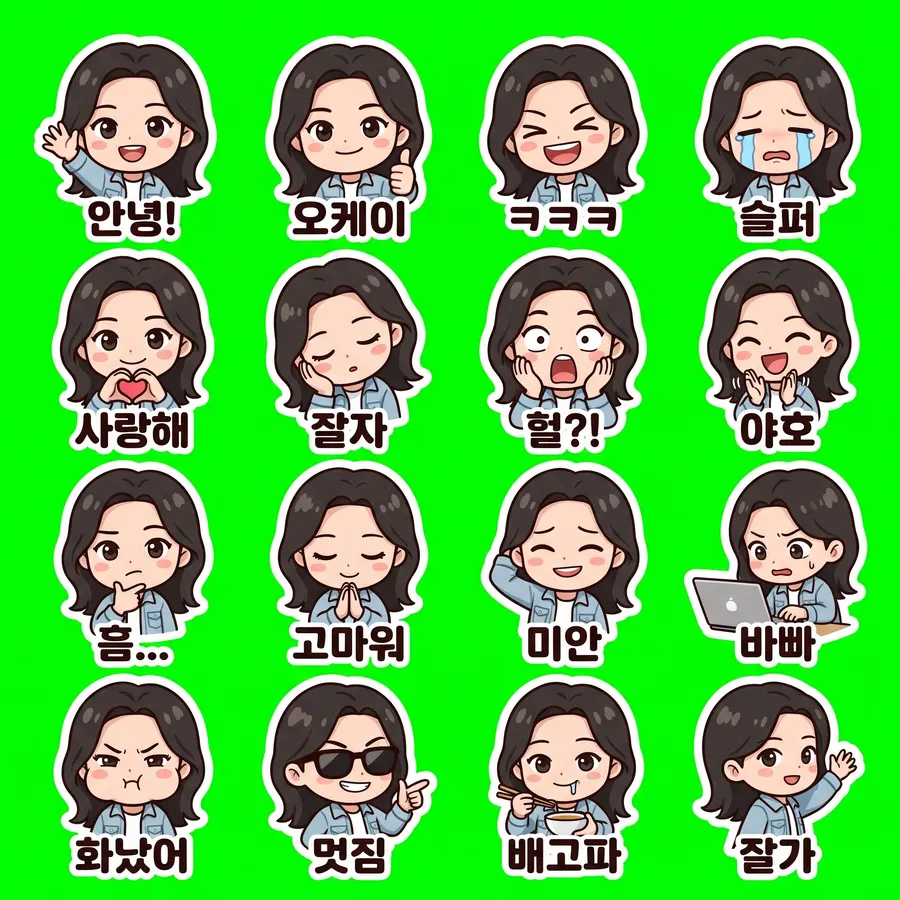
셀카 · 16개 (카카오톡용)

Nano Banana 2 · 26초 · 16개 중 16개 · $0.055
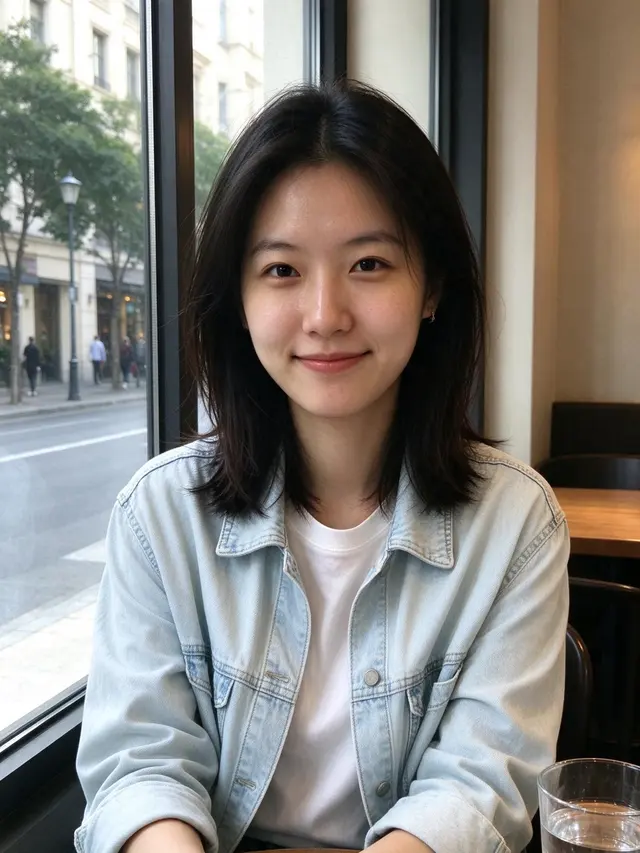
원본 사진
원본 사진
셀카 · 16개 (카카오톡용) sheet
2048 × 2048
전체 프롬프트 보기

Create a sticker sheet of the woman in the reference image. Keep the face, hairstyle, colors, markings and clothing so it is instantly recognizable in every sticker. Draw 16 different stickers of the same character arranged in a 4x4 grid, evenly spaced with wide gaps between stickers, each sticker fully inside its own cell and not touching the others. Style: cute chibi cartoon style with a big head and small body, bold clean outlines and flat cel shading. Stickers, in order from top left to bottom right: 1. waving hello with a big smile, caption "안녕!" 2. giving a thumbs up, caption "오케이" 3. laughing out loud with eyes squeezed shut, caption "ㅋㅋㅋ" 4. crying with big tears, caption "슬퍼" 5. making a heart with both hands, caption "사랑해" 6. sleepy, eyes closed, resting the cheek on a hand, caption "잘자" 7. shocked with the mouth wide open and hands on the cheeks, caption "헐?!" 8. clapping and cheering, caption "야호" 9. thinking with a hand on the chin, caption "흠…" 10. bowing politely with both hands together, caption "고마워" 11. apologizing with an awkward smile and one hand behind the head, caption "미안" 12. typing fast on a laptop, a little stressed, caption "바빠" 13. angry and pouting with puffed cheeks, caption "화났어" 14. wearing sunglasses and pointing with a confident grin, caption "멋짐" 15. holding a bowl and chopsticks, drooling a little, caption "배고파" 16. waving goodbye while walking away, caption "잘가" Captions are short, bold, easy to read, in black or another dark non-green color, placed under or beside the character inside its outline. Every sticker has a thick white die-cut outline around the character and its caption. The background is one flat solid pure green color (#00FF00) everywhere, with no shadows, no gradients, no texture, no borders, no grid lines and nothing else on it. Do not use any green inside the stickers (no green text, clothing or props).


  • 안녕!
  • 오케이
  • ㅋㅋㅋ
  • 슬퍼
  • 사랑해
  • 잘자
  • 헐?!
  • 야호
  • 흠…
  • 고마워
  • 미안
  • 바빠
  • 화났어
  • 멋짐
  • 배고파
  • 잘가

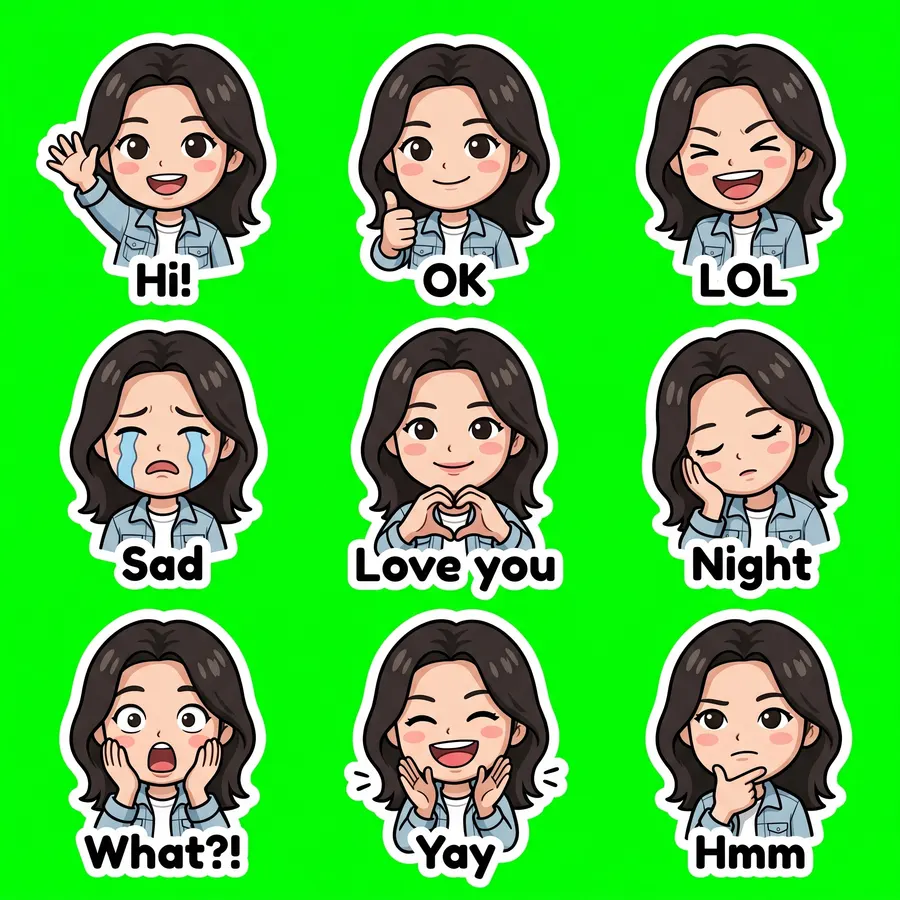
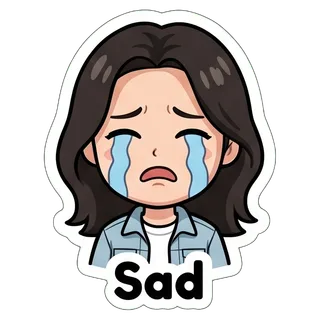
셀카 · SD 캐릭터

Nano Banana 2 · 20초 · 9개 중 9개 · $0.055

원본 사진
원본 사진
셀카 · SD 캐릭터 sheet
2048 × 2048
전체 프롬프트 보기

Create a sticker sheet of the woman in the reference image. Keep the face, hairstyle, colors, markings and clothing so it is instantly recognizable in every sticker. Draw 9 different stickers of the same character arranged in a 3x3 grid, evenly spaced with wide gaps between stickers, each sticker fully inside its own cell and not touching the others. Style: cute chibi cartoon style with a big head and small body, bold clean outlines and flat cel shading. Stickers, in order from top left to bottom right: 1. waving hello with a big smile, caption "Hi!" 2. giving a thumbs up, caption "OK" 3. laughing out loud with eyes squeezed shut, caption "LOL" 4. crying with big tears, caption "Sad" 5. making a heart with both hands, caption "Love you" 6. sleepy, eyes closed, resting the cheek on a hand, caption "Night" 7. shocked with the mouth wide open and hands on the cheeks, caption "What?!" 8. clapping and cheering, caption "Yay" 9. thinking with a hand on the chin, caption "Hmm" Captions are short, bold, easy to read, in black or another dark non-green color, placed under or beside the character inside its outline. Every sticker has a thick white die-cut outline around the character and its caption. The background is one flat solid pure green color (#00FF00) everywhere, with no shadows, no gradients, no texture, no borders, no grid lines and nothing else on it. Do not use any green inside the stickers (no green text, clothing or props).

  • Hi!
  • OK
  • LOL
  • Sad
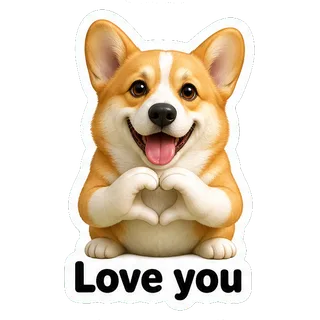
  • Love you
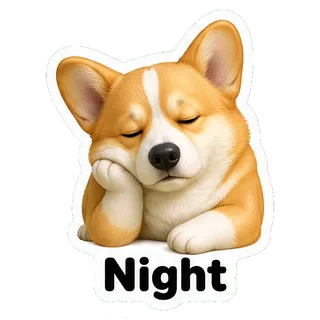
  • Night
  • What?!
  • Yay
  • Hmm

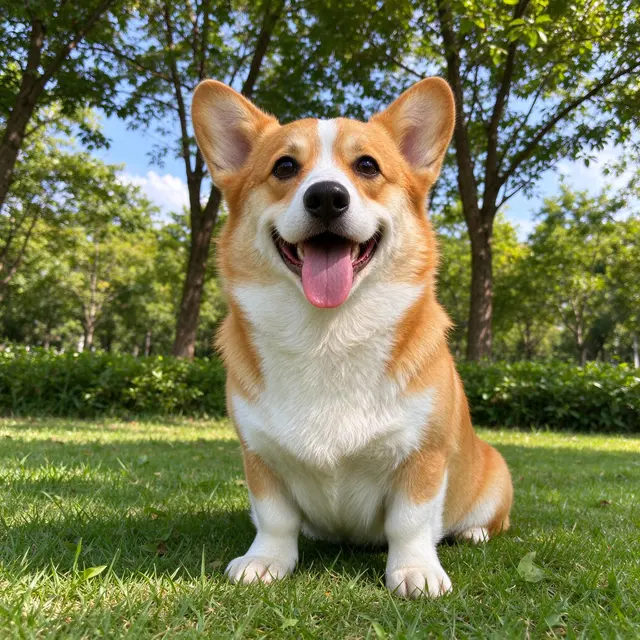
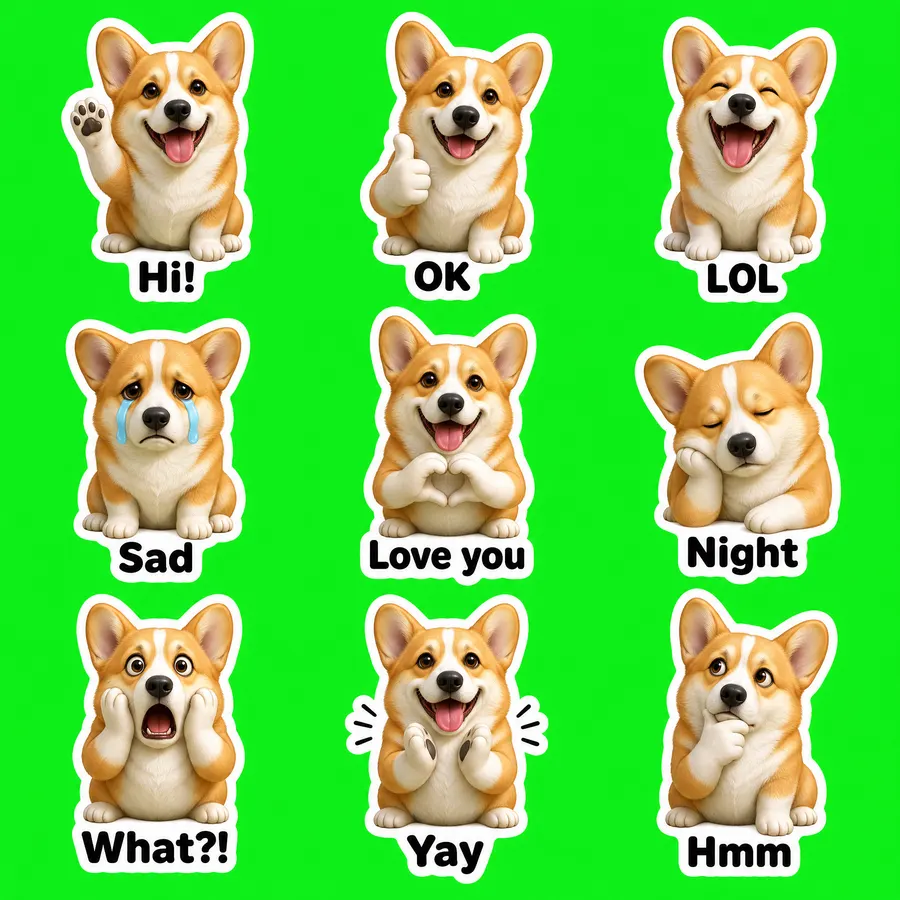
반려동물 사진 · 3D 피규어

GPT Image 2 VIP · 55초 · 9개 중 9개 · $0.03

원본 사진
원본 사진
반려동물 사진 · 3D 피규어 sheet
2048 × 2048
전체 프롬프트 보기

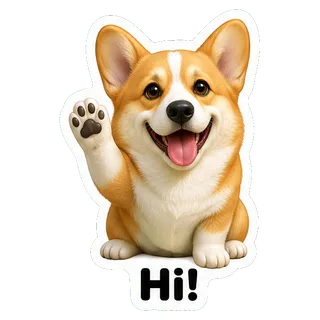
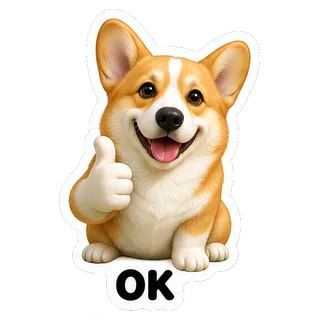
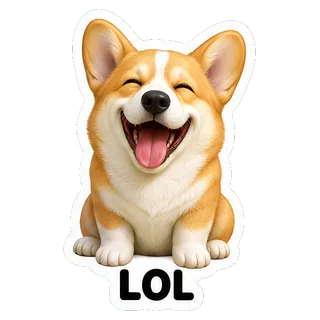
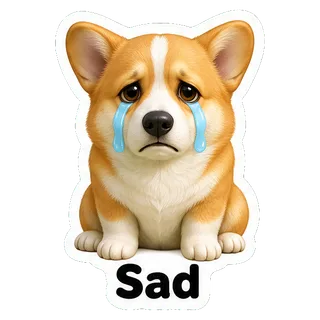
Create a sticker sheet of the corgi dog in the reference image. Keep the face, hairstyle, colors, markings and clothing so it is instantly recognizable in every sticker. Draw 9 different stickers of the same character arranged in a 3x3 grid, evenly spaced with wide gaps between stickers, each sticker fully inside its own cell and not touching the others. Style: glossy 3D rendered figure style like a vinyl toy, soft studio lighting, rounded shapes. Stickers, in order from top left to bottom right: 1. waving hello with a big smile, caption "Hi!" 2. giving a thumbs up, caption "OK" 3. laughing out loud with eyes squeezed shut, caption "LOL" 4. crying with big tears, caption "Sad" 5. making a heart with both hands, caption "Love you" 6. sleepy, eyes closed, resting the cheek on a hand, caption "Night" 7. shocked with the mouth wide open and hands on the cheeks, caption "What?!" 8. clapping and cheering, caption "Yay" 9. thinking with a hand on the chin, caption "Hmm" Captions are short, bold, easy to read, in black or another dark non-green color, placed under or beside the character inside its outline. Every sticker has a thick white die-cut outline around the character and its caption. The background is one flat solid pure green color (#00FF00) everywhere, with no shadows, no gradients, no texture, no borders, no grid lines and nothing else on it. Do not use any green inside the stickers (no green text, clothing or props).

  • Hi!
  • OK
  • LOL
  • Sad
  • Love you
  • Night
  • What?!
  • Yay
  • Hmm

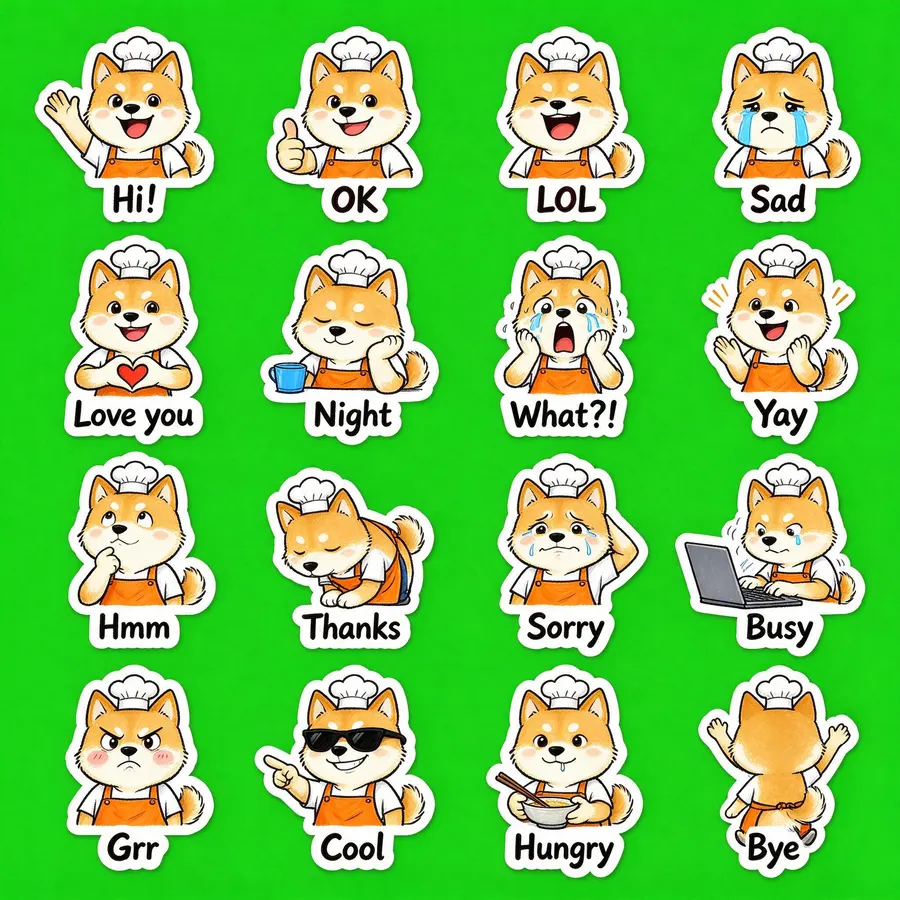
설명만으로 · 16개

Seedream 5.0 Flash · 24초 · 16개 중 16개 · $0.018

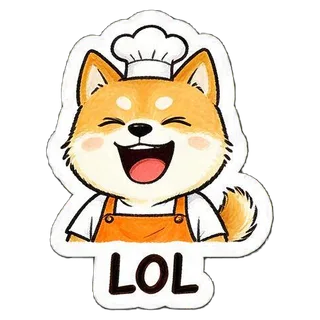
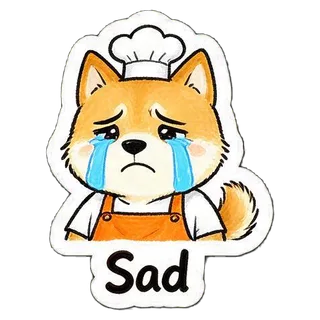
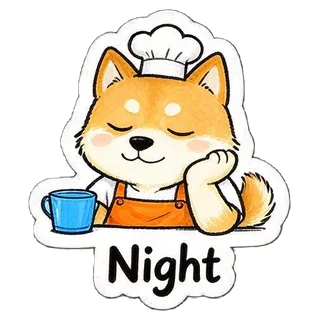
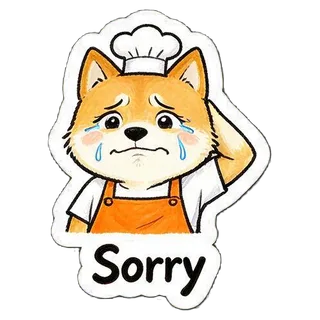
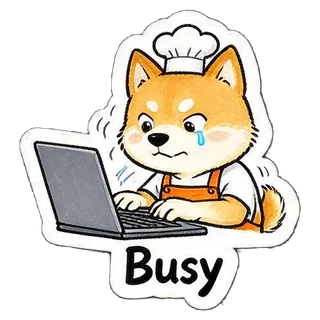
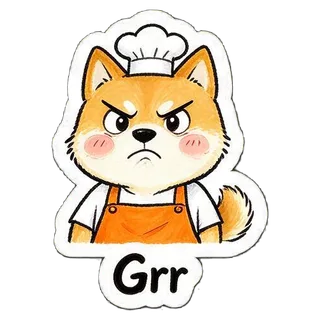
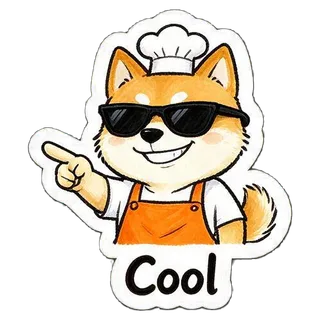
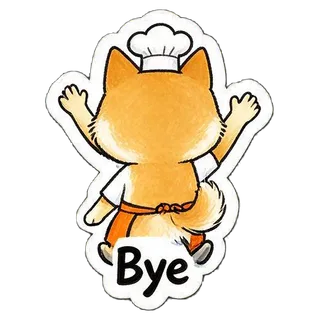
“a cheerful shiba inu barista wearing an orange apron and a small white chef hat”
사진 없이 설명만
설명만으로 · 16개 sheet
2048 × 2048
전체 프롬프트 보기

Create a sticker sheet of a cheerful shiba inu barista wearing an orange apron and a small white chef hat. Draw 16 different stickers of the same character arranged in a 4x4 grid, evenly spaced with wide gaps between stickers, each sticker fully inside its own cell and not touching the others. Style: hand-drawn marker doodle style with wobbly lines and bright flat colors. Stickers, in order from top left to bottom right: 1. waving hello with a big smile, caption "Hi!" 2. giving a thumbs up, caption "OK" 3. laughing out loud with eyes squeezed shut, caption "LOL" 4. crying with big tears, caption "Sad" 5. making a heart with both hands, caption "Love you" 6. sleepy, eyes closed, resting the cheek on a hand, caption "Night" 7. shocked with the mouth wide open and hands on the cheeks, caption "What?!" 8. clapping and cheering, caption "Yay" 9. thinking with a hand on the chin, caption "Hmm" 10. bowing politely with both hands together, caption "Thanks" 11. apologizing with an awkward smile and one hand behind the head, caption "Sorry" 12. typing fast on a laptop, a little stressed, caption "Busy" 13. angry and pouting with puffed cheeks, caption "Grr" 14. wearing sunglasses and pointing with a confident grin, caption "Cool" 15. holding a bowl and chopsticks, drooling a little, caption "Hungry" 16. waving goodbye while walking away, caption "Bye" Captions are short, bold, easy to read, in black or another dark non-green color, placed under or beside the character inside its outline. Every sticker has a thick white die-cut outline around the character and its caption. The background is one flat solid pure green color (#00FF00) everywhere, with no shadows, no gradients, no texture, no borders, no grid lines and nothing else on it. Do not use any green inside the stickers (no green text, clothing or props).

  • Hi!
  • OK
  • LOL
  • Sad
  • Love you
  • Night
  • What?!
  • Yay
  • Hmm
  • Thanks
  • Sorry
  • Busy
  • Grr
  • Cool
  • Hungry
  • Bye

카카오톡·LINE·Telegram 이모티콘 규격

내보낼 때 아래 조건에 맞춰요. 수치는 각 서비스의 공식 안내를 따랐어요.

서비스형식크기용량·개수출처
카카오톡PNG(투명 배경)360×360 / 아이콘 78×78150KB 이하, 아이콘 16KB 이하 / 제안 32개kakaoemoticonstudio.notion.site
LINEPNG(투명 배경)370×320 이내, 가로·세로 짝수, 여백 약 10px / 메인 240×240, 탭 96×74한 개 1MB 이하 / 8·16·24·32·40개creator.line.me
TelegramPNG 또는 WebP한 변이 정확히 512px, 다른 변 512px 이하 / 아이콘 100×100아이콘 128KB 이하core.telegram.org
WhatsAppWebP512×512 / 트레이 아이콘 96×96한 개 100KB 이하 / 팩당 3~30개github.com
DiscordPNG정확히 320×320512KB 이하discord.com

Safari에서는 WebP를 만들 수 없어서, WhatsApp용은 Chrome·Edge·Firefox에서 내보내 주세요.

내보낸 뒤 사용하는 방법

  • 카카오톡

    카카오 이모티콘 스튜디오에서 작가·시리즈 이름을 정하고 “멈춰있는 이모티콘”을 골라 32개 이미지와 정보를 등록한 뒤 제안을 제출해요. 제출 후 24시간 안에는 수정·삭제할 수 있어요.

  • LINE

    LINE Creators Market에서 스티커를 새로 등록하고, 내보낸 ZIP(01.png~, main.png, tab.png)을 올린 뒤 심사를 요청해요.

  • Telegram

    Telegram에서 공식 봇 @Stickers에 /newpack을 보내고, PNG를 “파일”로 하나씩 보내며 이모지를 붙인 뒤 /publish 해요.

더 잘 만드는 팁

  • 사진에는 한 사람 또는 한 마리만, 얼굴이나 털 무늬가 잘 보이게.
  • 더 닮게 하려면 Nano Banana 2나 Nano Banana Pro, 싸게 먼저 해 보려면 Seedream 5.0 Flash.
  • 문구는 짧게. “잘자”, “ㅋㅋㅋ” 정도 길이가 작은 크기에서도 잘 읽혀요.
  • 칸이 붙거나 빠지면 한 번 더 만들면 대부분 해결돼요.

자주 묻는 질문

카카오톡 이모티콘 규격은 어떻게 되나요?

멈춰있는 이모티콘은 360×360px PNG 32개, 한 개 150KB 이하, 투명 배경이에요. 아이콘은 78×78px, 16KB 이하예요. 문구에는 다크 모드용 흰색 테두리를 넣어야 해요.

사진으로 이모티콘 만드는 프롬프트가 있나요?

아래 예시마다 실제로 쓴 전체 프롬프트를 공개해 두었어요. 이 페이지에서는 사진과 스타일만 고르면 프롬프트가 자동으로 만들어져요.

AI로 만든 이모티콘도 카카오에 제안할 수 있나요?

카카오 이모티콘 스튜디오의 제안 가이드에는 AI 제작에 대한 별도 기준이 없어요(2026년 9월 27일 확인). 다만 저작권·상표권·초상권 침해 금지와 품질 기준은 똑같이 적용돼요.


한 세트 만드는 데 얼마인가요?

한 세트는 이미지 1장 값이에요: Seedream 5.0 Flash $0.018, GPT Image 2 VIP $0.03, Nano Banana 2 $0.055, Nano Banana Pro $0.09. Gmail로 로그인한 신규 사용자는 $0.1를 무료로 써 볼 수 있어요.

왜 설정한 개수보다 적게 잘리나요?

가끔 모델이 두 표정을 붙여 그리거나 한 칸을 빼먹어요. 다시 만들면 대부분 해결되고, 이미 잘린 것만 내보낼 수도 있어요.

사진은 저장되나요?

사진은 한 번의 생성 요청과 함께 YingTu 게이트웨이를 거쳐 모델 제공사로 전달되고(LaoZhang API 경유), 일부 모델의 결과는 자동 안전 검사를 거쳐요. 배경 지우기·자르기·ZIP 만들기는 브라우저에서 하며, 완성된 이모티콘은 YingTu 서버에 올라가지 않아요.

최종 업데이트: 2026년 9월 27일