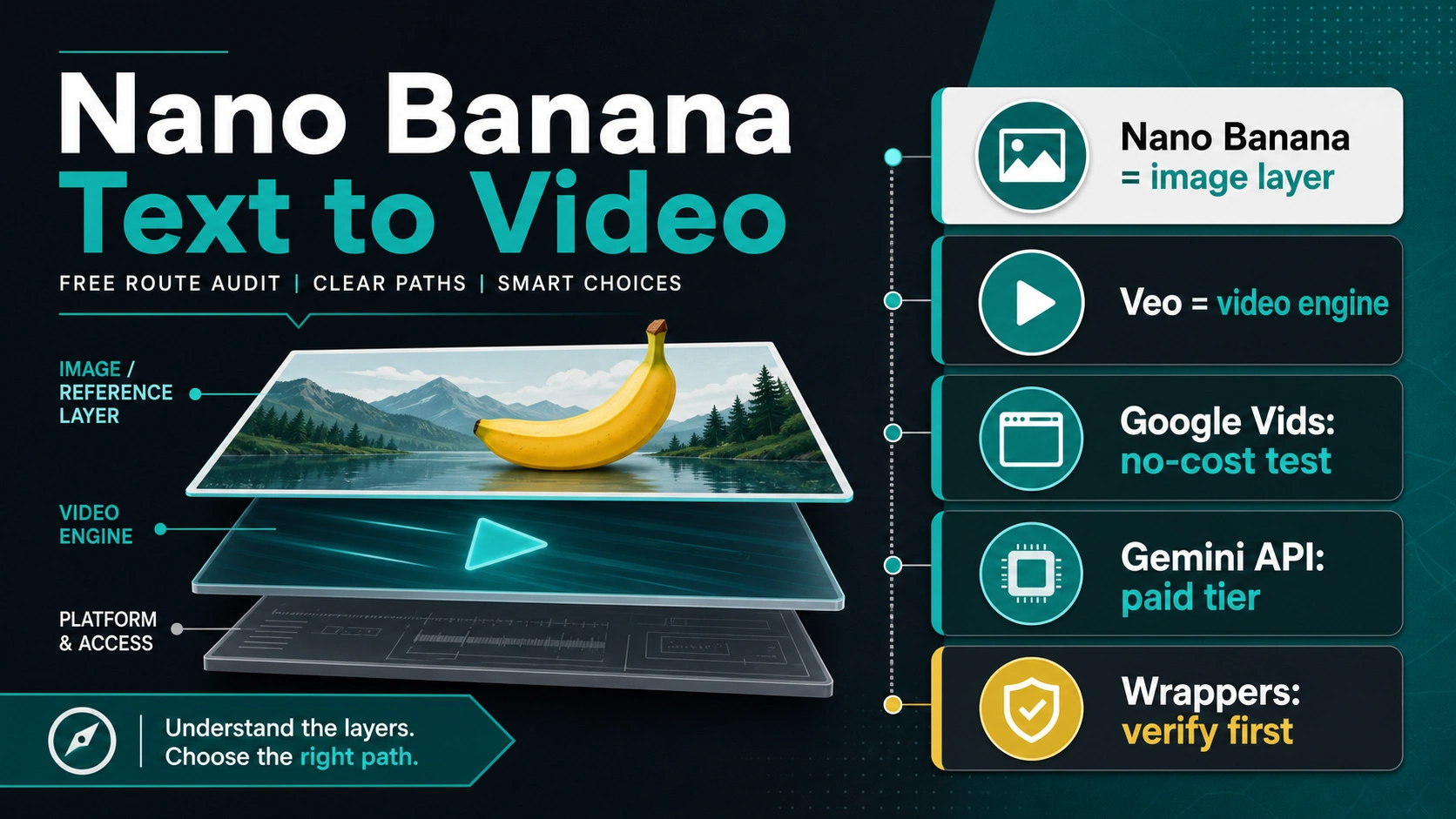
Short answer: Nano Banana can support a video workflow, but it is not the official Google video-generation model. Use it for still images, reference frames, storyboards, and visual consistency; use a video route when you need motion, timing, export, audio, or API ownership.
That makes "Can Nano Banana make videos?" a route question. The right answer depends on whether you need a quick browser test, a developer API workflow, a wrapper shortcut, or a safer non-Nano video model.
| Route | What Nano Banana owns | What makes the video | Best first use | Stop before trusting |
|---|---|---|---|---|
| Image/reference workflow | Reference frame, storyboard, style, product angle, character consistency | A separate video route | Preparing stronger inputs for video generation | Calling Nano Banana the official video model |
| Official app surface | Sometimes the starting image or prompt context | The specific Google product surface shown in your account | Low-risk manual tests | Assuming every account, region, export path, or plan has the same limit |
| Gemini API + Veo | Optional image input or reference preparation | Veo in the developer API route | Backend automation and repeatable jobs | Treating API video as free without current pricing proof |
| Third-party wrapper | Usually a marketing label or image-prep step | The provider's selected model route | Low-stakes experiments after checks pass | Uploading real assets before terms, credits, watermark, privacy, rights, and support are clear |
| Alternative video model | Nothing directly | A separate video model or editor | When motion quality, controls, rights, or reliability matter more than the Nano Banana label | Picking by hype instead of owner, output, and terms |
Start With The Official Boundary
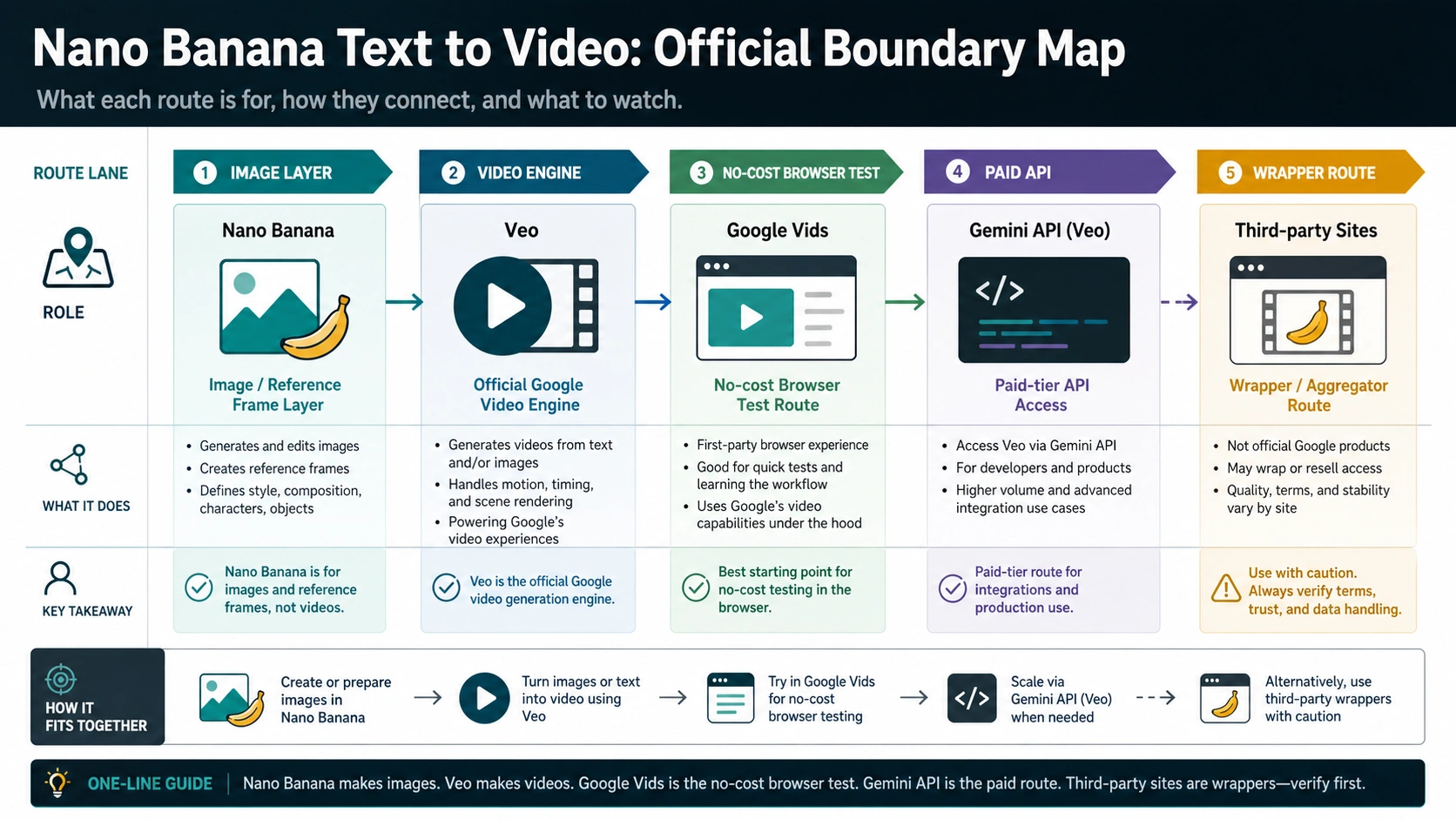
The clean boundary is image first, video second. Google's current Gemini image documentation describes Nano Banana as part of the image-generation and image-editing family, including Gemini 3.1 Flash Image / Nano Banana 2 and related image models. Google's video documentation describes video generation through Veo and includes image-to-video workflows where an image can be used as input.
That does not make the distinction academic. It changes who owns the claim. If the task is creating a reference frame, editing a product angle, preserving a character look, or making a storyboard still, Nano Banana can be the right starting layer. If the task is rendering motion, camera movement, timing, duration, video export, or developer calls, the proof needs to come from the video route, not from the Nano Banana name.
Use this owner test before you choose a tool:
| Question | If yes, the likely owner is |
|---|---|
| Do you need a still image, product frame, storyboard, or style reference? | Nano Banana or another image model |
| Do you need generated motion from text or image input? | Veo, an app video surface, or another video model |
| Do you need API calls, logs, retries, and billing ownership? | Gemini API with a documented video model route |
| Do you need a quick UI with credits or a prompt box? | A wrapper provider whose terms must be checked |
Checked on 2026-06-21, the safest language is still: Nano Banana can help make the inputs for video. It should not be described as the official Google video model unless Google's own model documentation changes.
What Nano Banana Can Do For Video Work
Nano Banana is useful when the video problem starts as an image problem. Many short video attempts fail because the first frame is vague, the product angle is inconsistent, the character drifts, or the desired scene takes too many words to describe. A strong image model can make that starting point concrete before a video tool tries to animate it.
Good Nano Banana jobs include reference frames, storyboard frames, thumbnails, product stills, character poses, background concepts, style anchors, and before/after visual ideas. Those are not decorative steps. They reduce ambiguity before you spend video credits or API budget.
For example, an ecommerce team can create a clean product frame with the right angle, lighting, and background before sending that image into an image-to-video route. A creator can make a consistent character pose before asking a video model for a camera move. A developer can treat the image as a pre-processing artifact, then call a video API only when the still frame is good enough to animate.
The important wording is "support a video workflow." That phrase is accurate. "Nano Banana makes videos" is only accurate when a specific product surface or wrapper actually renders video and clearly says which route owns the output.
What Nano Banana Does Not Own
Nano Banana does not automatically own motion continuity, timing, camera control, video duration, audio, export format, watermark behavior, download resolution, commercial rights, or API billing. Those are video-route properties.
This is where many pages become misleading. A site can put "Nano Banana video generator" on the page, but the actual generation path may be a Google video route, another video model, or the provider's own routing layer. The page title does not tell you who pays for the job, what happens to uploaded images, whether the output is watermarked, or whether you can use the clip commercially.
The safest way to read any route is to separate four contracts:
| Contract | What to verify |
|---|---|
| Model contract | Which image or video model is actually used |
| Account contract | Which account, plan, region, or credits unlock the route |
| Upload contract | How images, faces, client files, and prompts are stored or reused |
| Output contract | Download, watermark, resolution, rights, refund, and support rules |
If one of those contracts is missing, use a low-stakes test prompt or stop before uploading real assets.
Official Routes: App Surfaces And Gemini API With Veo
Official routes are safer because the owner is clearer, but they are not all the same route. A Google app surface can expose video creation or editing to a user account under product-specific rules. Gemini API with Veo is a developer route with different billing, model, input, and output contracts.
For a casual test, an official app surface is usually the better first stop. It lets you learn whether a prompt-to-video or image-to-video workflow fits the job without giving a third-party wrapper sensitive assets. The catch is that app availability, monthly allowances, export behavior, and admin controls can vary by account, region, plan, and product surface. Check the live account screen rather than copying a number from a blog post.
For a developer build, follow the Gemini API video documentation and the current Google AI pricing page. That is where model IDs, supported inputs, generated-video handling, billing tier, and output constraints belong. If a page says "free Nano Banana video API," ask which API project, model, unit price, quota, failure handling, and data policy it actually uses.
There is no need to force a provider recommendation here. If Google's official route fits the job and the account terms are clear, use it. If it does not fit, choose an alternative by job rather than by the loudest "free" headline.
Limits To Check Before You Trust A Route
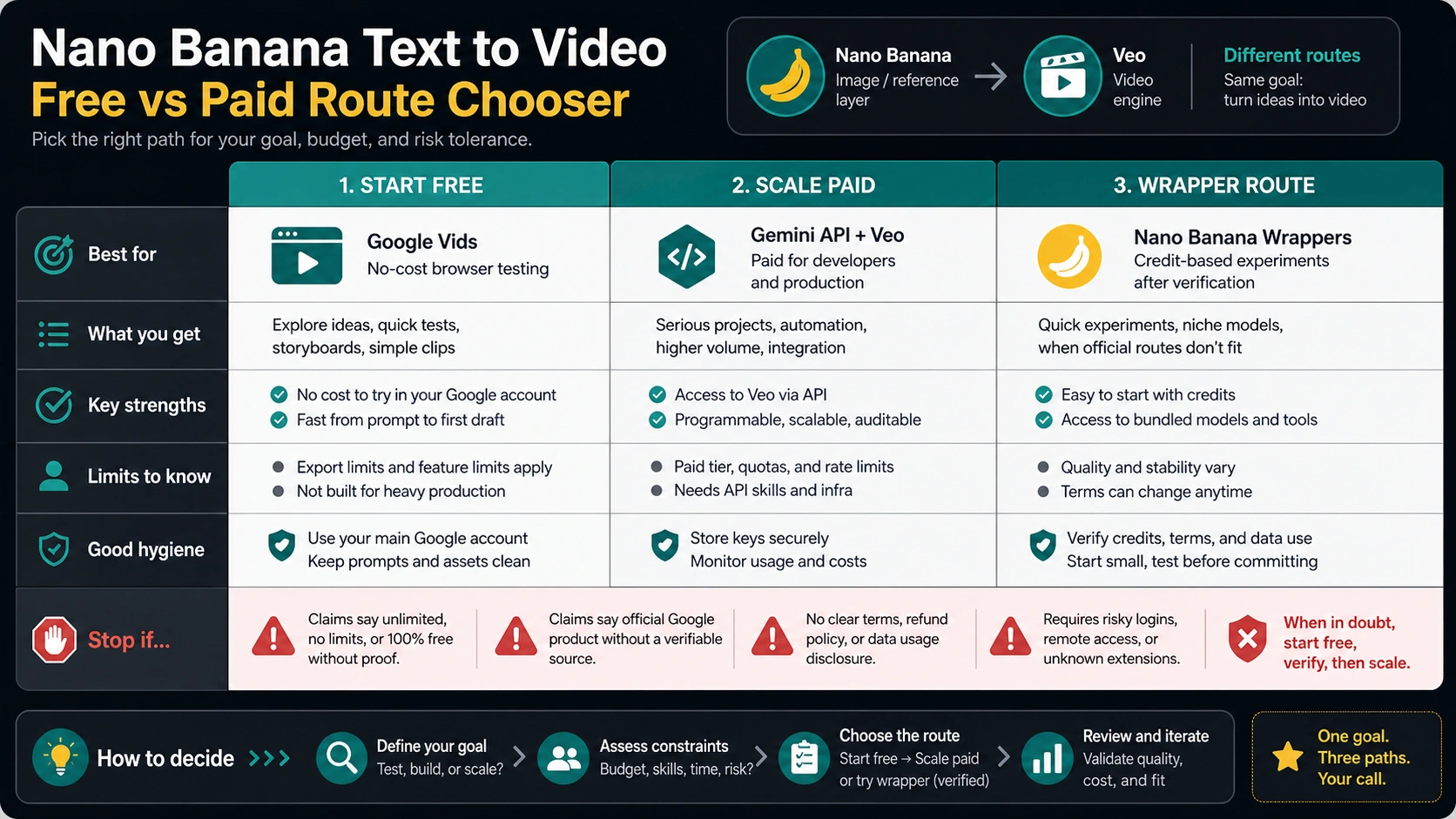
Every generous video claim needs an owner and a limit. "Free" can mean a monthly allowance, a trial credit, a queue, a watermarked preview, a low-resolution export, a consumer-only feature, or a wrapper promotion. Those are different things.
Before you use any Nano Banana video route, check these items:
| Claim | What it must prove |
|---|---|
| Free | Who pays, what limit applies, when it resets, and what happens after the limit |
| API billing | Whether the official API route is free, paid, preview-only, or provider-subsidized |
| Watermark | Whether watermark-free export is included for the specific route and account |
| Download | Resolution, format, duration, reuse, and raw-file access |
| Commercial use | Terms that match your real use case, not a landing-page slogan |
| Privacy | Upload retention, training use, deletion, visibility, and admin controls |
| Support | Who helps when a job fails, credits vanish, or output is blocked |
| Unlimited | A written route-specific policy; otherwise treat it as marketing language |
For private work, client assets, faces, product launches, or brand files, privacy and rights matter more than speed. If a route cannot explain its upload and output contracts clearly, do not use it for sensitive material.
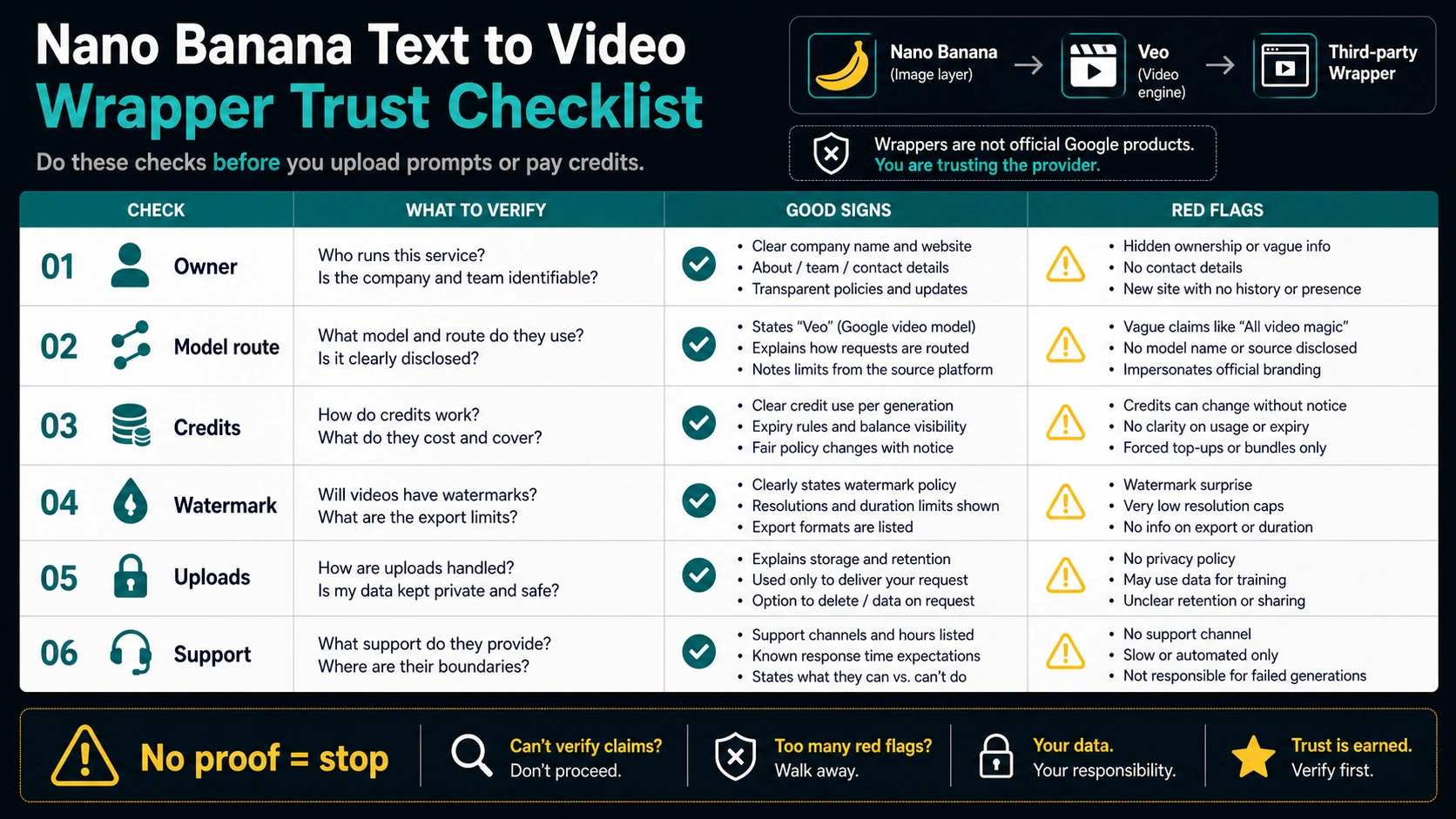
Wrapper Sites Are Provider Contracts
Wrapper sites can be useful for low-stakes exploration. They often answer the click quickly with a prompt box, model menu, credits, and a generate button. Some may route to Veo, Sora, Seedance, Kling, or another video model while using Nano Banana language because the search demand is there.
That does not make a wrapper bad. It makes it a provider contract. The provider owns the UI, account system, credit rules, model routing, upload policy, and support path. Treat those details as part of the product, not as footnotes.
Read a wrapper in this order:
- Owner: Who operates the site and support channel?
- Model route: Which model is selected at generation time?
- Credit rule: What does one attempt cost, and what happens on failure?
- Upload policy: What happens to images, prompts, faces, and brand assets?
- Output rule: What resolution, watermark, duration, and download rights are included?
- Rights: Can the specific output be used for your intended channel or client?
- Stop rule: What happens if any of the above is unclear?
If the page hides those answers behind vague "official", "unlimited", "free forever", "no watermark", or "commercial use" language, run a harmless test or leave.
Alternatives By Job
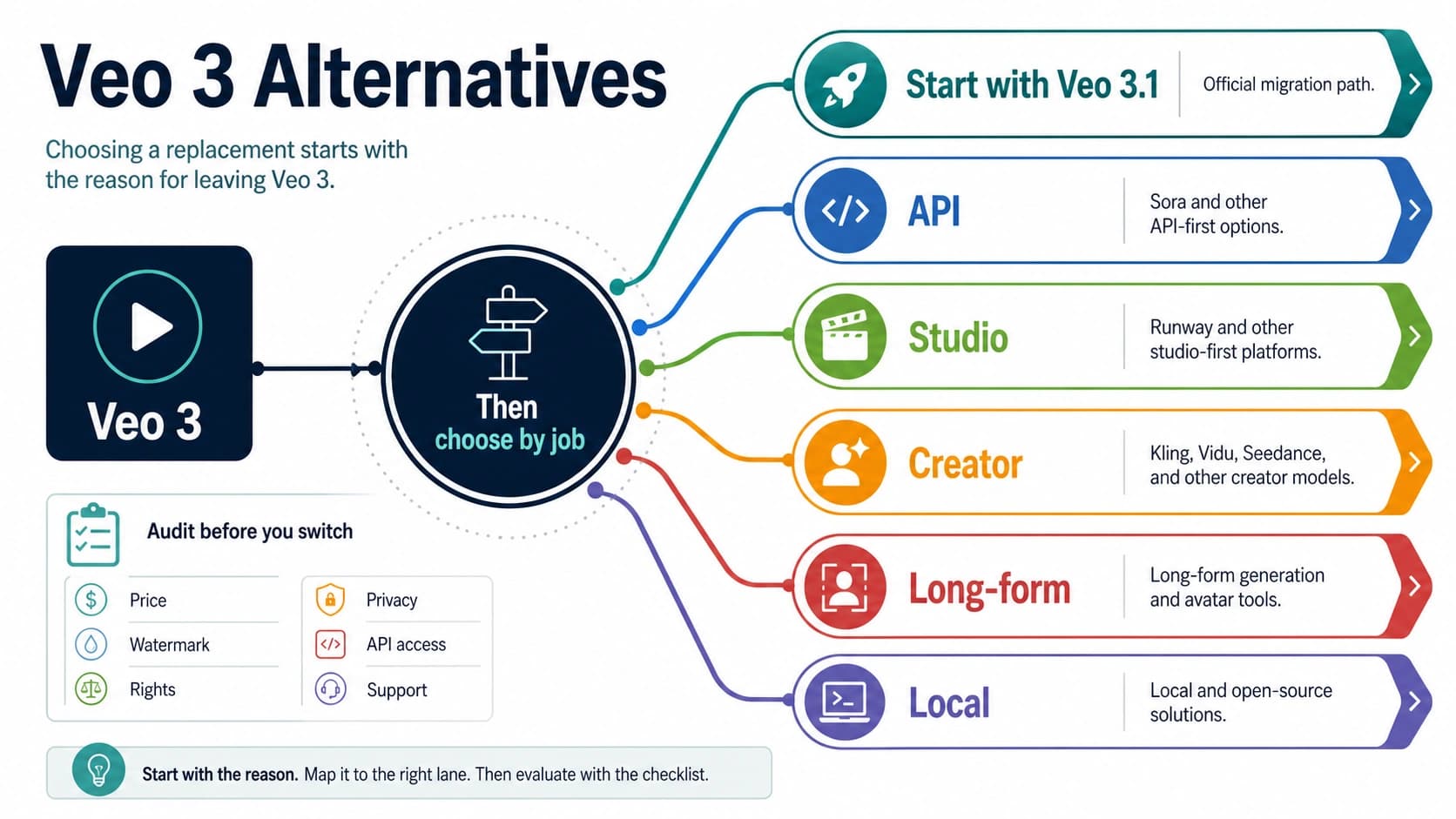
The best alternative depends on why Nano Banana was not enough.
| Your job | Better route | Why |
|---|---|---|
| One quick personal experiment | Official app surface if your account exposes it | Clearer owner than a random upload page |
| Stronger first frame | Nano Banana, then an image-to-video route | Keeps image control separate from motion |
| Developer automation | Gemini API with Veo or another documented video API | Project ownership, logs, retries, and billing controls |
| Social video with easy UI | A known app surface or vetted wrapper | Convenience matters when the material is low-risk |
| Brand or client asset | Official route or contracted provider | Terms, privacy, support, and rights matter more than speed |
| Motion quality comparison | A dedicated video model guide | The video model, not Nano Banana, owns the motion result |
If your real task is specifically a Nano Banana Pro image-to-video workflow, use the Pro-focused sibling guide at /en/posts/nano-banana-pro-image-to-video. If your real task is image pricing or API cost for still images, use /en/posts/nano-banana-api-pricing. If the task is Sora-specific, a Sora guide will be cleaner than forcing the Nano Banana label onto a separate video model.
A Safe Nano Banana-To-Video Workflow
Use this workflow when you want the benefits of Nano Banana without confusing the route:
- Create the reference frame. Make the subject, product angle, background, style, and composition clear.
- Refine the still image before spending video attempts. Fix lighting, artifacts, text, hands, logos, and crop.
- Choose a video route that accepts the input type you have. Do not assume every app or API route accepts the same image inputs.
- Write the motion prompt for movement, camera, timing, and stability. Do not redescribe the entire image if the image already carries the scene.
- Verify export, watermark, rights, and retention before publishing or sending the clip to a client.
- Stop if terms are unclear.
This keeps the work honest. Nano Banana solves the image preparation step. The video route solves motion and output. The provider or platform terms solve whether the result is usable for your purpose.
FAQ
Can Nano Banana make videos directly?
Not as the official Google video-generation model. Nano Banana is best treated as an image and reference-frame layer. Actual video output needs a video route such as Veo, an app surface, a wrapper site, or another video model.
Can Nano Banana help with image-to-video?
Yes. It can make or edit the image you use as a starting frame, product reference, character pose, or storyboard still. The video route still owns motion, duration, export, and billing.
Is Nano Banana text-to-video free?
Only if the specific route you use offers a free allowance or credit under its own terms. Do not generalize an app allowance, wrapper credit, or trial into "free official Nano Banana video."
Is Gemini API video free with Nano Banana?
Do not assume that. Check the current Google AI pricing page and model documentation for the exact video model and account you use. A free image model or app trial does not automatically make API video generation free.
Why do Nano Banana video sites mention Veo, Sora, Seedance, or Kling?
Because many sites use Nano Banana as market language while the actual video may be rendered by another model or provider route. The model selector and terms matter more than the page title.
Can I get no-watermark downloads?
Only if the owner of the route says so for your account and output type. Watermark-free export, resolution, duration, and commercial rights are provider-specific claims.
Is Nano Banana Pro different for video?
Nano Banana Pro still belongs to the image side of the workflow unless a product surface or wrapper clearly renders video through another route. Use the Pro image-to-video guide when your main question is how to turn a Pro image result into a clip.
What should I use instead?
For a quick low-risk test, start with an official app surface your account actually exposes. For developer work, evaluate Gemini API with Veo or another documented video API. For wrappers, verify owner, model route, credits, watermark, privacy, rights, and support before uploading real assets.