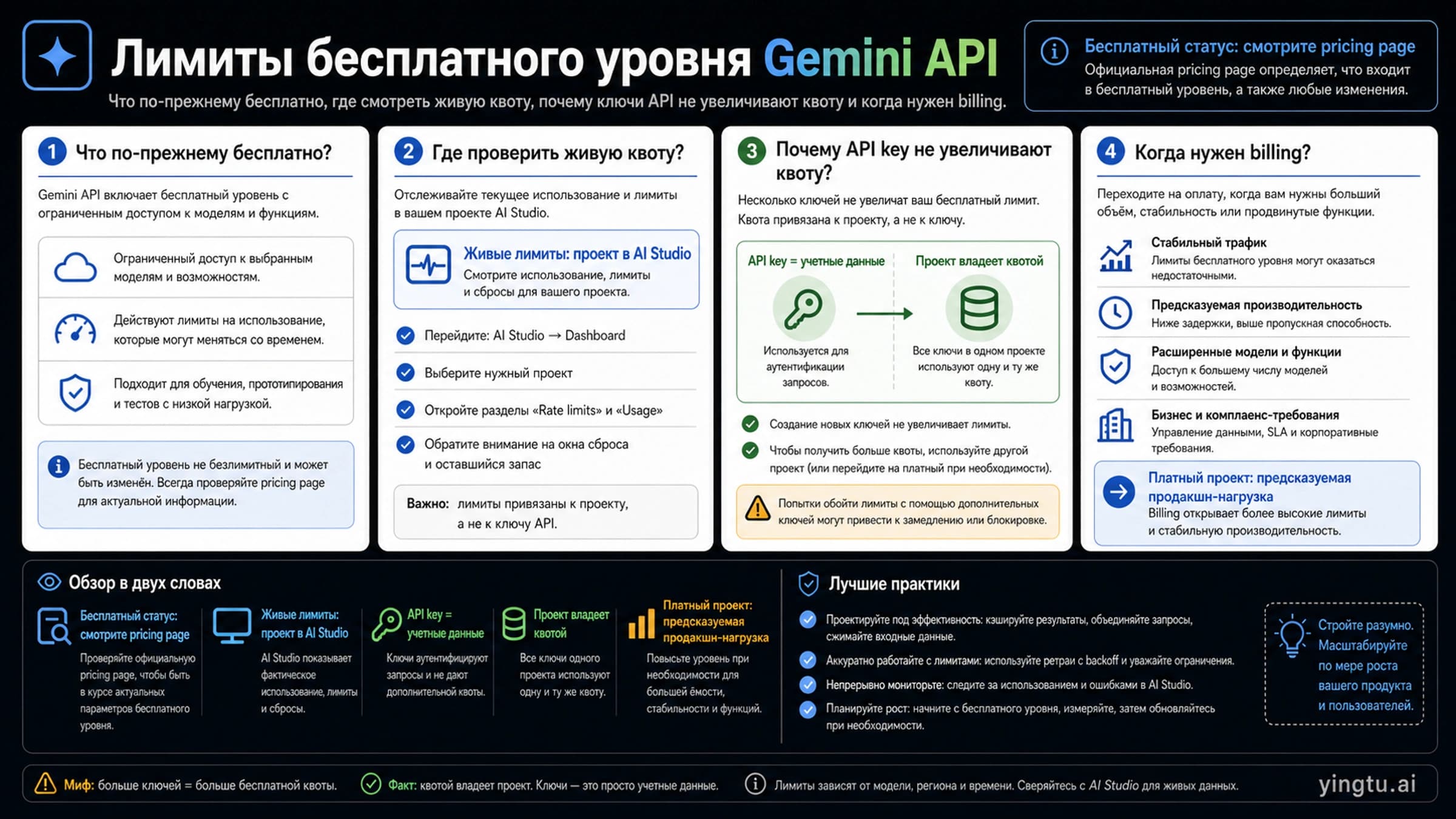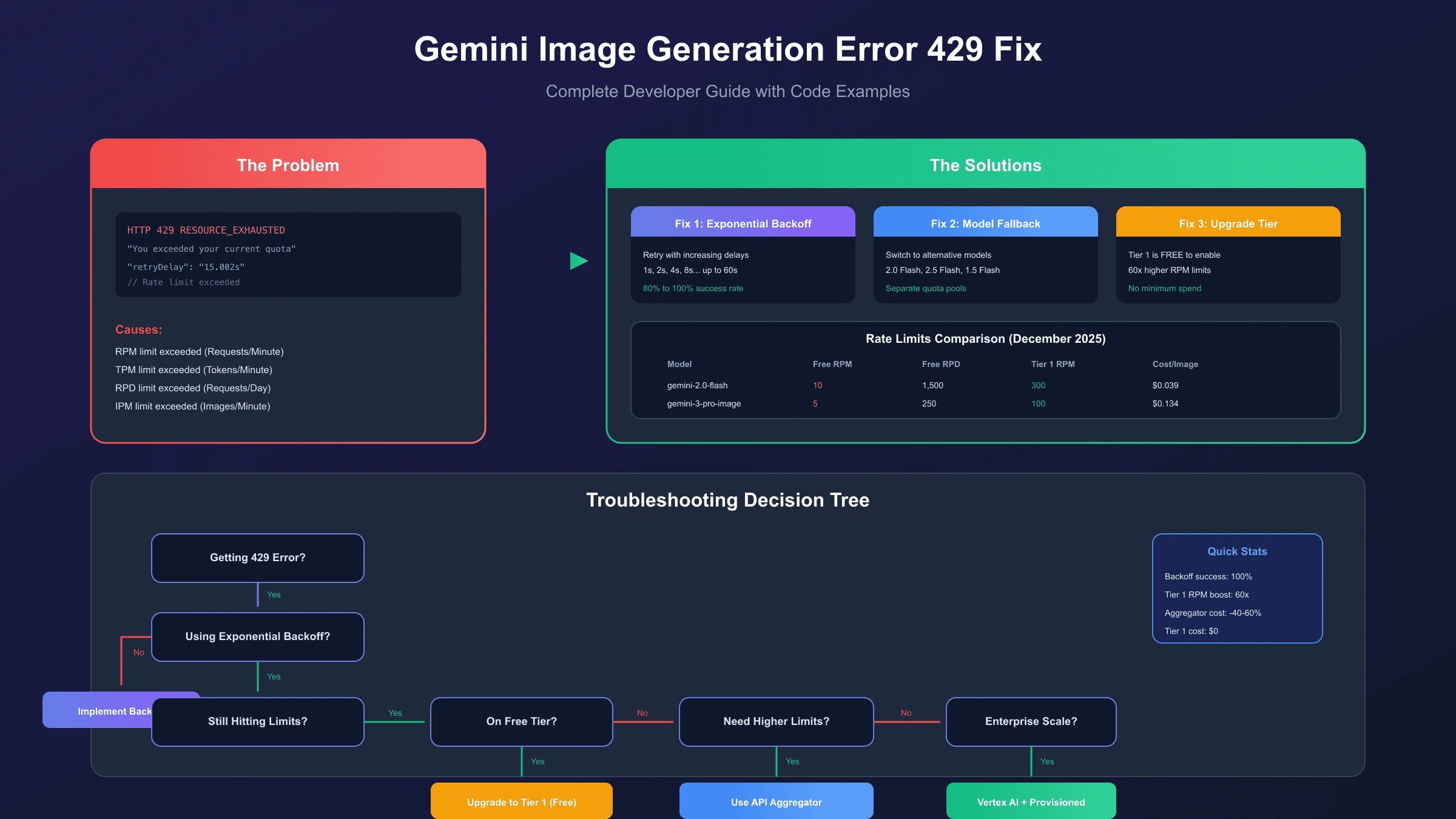
Gemini image generation 429 errors are not fixed by creating another API key or copying an old quota table. A 429 RESOURCE_EXHAUSTED response means the project behind your request exceeded a rate, token, image, or spend-related limit for the model and tier currently in use.
The current Gemini API rate-limit docs define the main dimensions as RPM, TPM, and RPD, and note that image-capable models can also have Images per minute (IPM) limits. Those limits apply per project, not per API key. The troubleshooting docs also group 429 under rate, token, daily, spend, and tier exhaustion.
For image generation, the practical fix is a short runbook:
| Step | What to check | Why it matters |
|---|---|---|
| 1 | The exact Google project behind the key | Quota belongs to the project, not the key. |
| 2 | The exact model ID and API surface | Gemini 3 image models, older image models, Batch, and Vertex routes can have different contracts. |
| 3 | Active AI Studio rate limits | Public docs explain the dimensions; your project dashboard shows the live numbers. |
| 4 | Error timing and payload size | Bursts, high-resolution outputs, long prompts, and many reference images stress different limits. |
| 5 | Billing and tier state | Paid tiers, spend caps, and quota-increase requests change the operating boundary. |
Use Google's current rate limits, troubleshooting, image generation, and billing pages as the source of truth. This page is a decision and implementation runbook, not a replacement for live project limits.
First, classify the 429
Do not start with a retry loop. Start by identifying what kind of pressure your image workflow is creating.
| Symptom | Likely pressure | First fix |
|---|---|---|
| A burst of requests fails, then later requests work | RPM or IPM | Add a queue, cap concurrency, and retry with jitter. |
| Failures rise with larger prompts, more references, or higher output size | TPM, image processing pressure, or spend | Reduce payload size, split jobs, or choose a cheaper/lower-latency image route. |
| Everything works early in the day, then stops until reset | RPD | Reduce daily job volume or move the workload to a tier that fits real usage. |
| Errors appear only on a premium or preview image model | Model-specific limit | Check that model row, tier, and project state rather than assuming all Gemini models share quota. |
| Errors mention billing or spend | Spend-based limit or billing state | Check billing tier, spend caps, and usage history before retrying. |
This classification keeps the page away from over-optimization. A developer who is hitting daily quota does not need a more aggressive retry loop; they need lower volume, a paid project, a quota request, or a product decision that avoids promising unavailable capacity.
Check the project before the code
The most common mistake is treating the key as the limit owner. The key authenticates the request. The project owns quota, billing, tier, and usage reporting.
Use this checklist:
- Open AI Studio with the Google account that manages the key.
- Select the project used by the application.
- Open that project's active rate-limit view.
- Confirm the model ID in the failing request.
- Record RPM, TPM, RPD, IPM if shown, tier, billing state, and recent usage.
- Compare the timestamp of each 429 with queued jobs, retries, batch jobs, and user traffic.
If two services use keys from the same project, they share the same quota pool. If a staging job, cron task, or test suite runs against the production project, it can create 429s that look random in the product.
For the broader free-tier boundary, use the current Gemini API free tier limits guide. For a rate-limit-only explanation, use the Gemini API rate limits guide.
Fix 1: add a real queue, not just retries
Retries help temporary spikes. They do not solve a workload that is constantly above the project limit.
For image generation, queue requests before they reach Gemini. Keep separate counters for user-visible work, background work, retries, and failed jobs. Give interactive user requests priority over bulk jobs. Put a hard cap on concurrent image generations so one traffic burst cannot consume the entire minute window.
Good queue behavior:
| Queue rule | Why it helps |
|---|---|
| One project-wide limiter per Gemini project | Mirrors the actual quota owner. |
| Separate interactive and background lanes | Protects user-facing work from bulk jobs. |
| Retry after jittered delay | Avoids synchronized retry bursts. |
| Drop or delay non-urgent jobs when queue is too deep | Prevents a 429 loop from becoming an outage. |
| Log model, project, response time, and error code | Lets you prove whether the problem is RPM, IPM, RPD, or spend. |
Avoid setting a hard "safe RPM" in the article or code comments. Your safe rate should be derived from the live AI Studio limit for the project, then kept below that number with headroom.
Fix 2: retry with exponential backoff and jitter
Use retries only for quota pressure that may clear soon. If the project has exhausted its daily quota, retries will waste time and may make logs harder to read.
This current JavaScript pattern uses the Gemini SDK and the Interactions API style shown in Google's image generation docs. It keeps the model ID and response format explicit, and it only retries quota-shaped failures.
hljs tsimport { GoogleGenAI } from "@google/genai";
const ai = new GoogleGenAI({ apiKey: process.env.GEMINI_API_KEY });
const imageModel = "gemini-3.1-flash-image";
const sleep = (ms: number) => new Promise((resolve) => setTimeout(resolve, ms));
function isQuotaError(error: unknown) {
const text = error instanceof Error ? error.message : JSON.stringify(error);
return /429|RESOURCE_EXHAUSTED|rate limit|quota/i.test(text);
}
export async function generateImageWithBackoff(prompt: string) {
const maxAttempts = 5;
for (let attempt = 0; attempt < maxAttempts; attempt += 1) {
try {
return await ai.interactions.create({
model: imageModel,
input: prompt,
response_format: {
type: "image",
aspect_ratio: "1:1",
image_size: "1K",
},
});
} catch (error) {
if (!isQuotaError(error) || attempt === maxAttempts - 1) {
throw error;
}
const baseDelayMs = 1000 * 2 ** attempt;
const jitterMs = Math.floor(Math.random() * 750);
await sleep(Math.min(baseDelayMs + jitterMs, 60000));
}
}
}
For production, wrap this function in a project-level queue. The queue decides when a request is allowed to start; the retry loop handles short-lived quota or capacity pressure after a request is already in flight.
Fix 3: reduce image pressure
If 429s correlate with image workflows, reduce the resource profile before you ask for more quota.
| Lever | Use it when | Tradeoff |
|---|---|---|
| Lower output size | Drafts, previews, internal review, or prompt testing | Less detail, lower cost and pressure. |
| Fewer reference images | Multi-reference jobs fail more often than text-only prompts | May reduce identity or object consistency. |
| Split complex edits | One large edit combines too many instructions and references | More calls, but each call is simpler. |
| Route only hard cases to premium image models | Most jobs do not need the highest quality model | Requires model-selection rules and QA. |
| Cache repeatable outputs | Users request similar prompts or same templates | Not useful for unique creative jobs. |
| Move bulk work off peak | Background generation does not need instant response | Higher latency for non-urgent jobs. |
Gemini 3 image models add features such as higher-resolution output, reference-image workflows, thinking behavior, and interleaved text/image output. Those features are useful, but they also make each request more important to measure. Do not call the most capable model by default when a lower-cost or lower-latency image model is enough for the task.
Fix 4: handle billing and tier limits honestly
Billing is not a magic "429 off" switch. Google's billing and rate-limit docs describe usage tiers, spend caps, account history, and qualification rules. Tier 1 requires setting up and linking an active billing account; higher tiers depend on paid usage history and may still be subject to review.
Use paid billing when:
| Situation | Why billing helps |
|---|---|
| Normal user traffic keeps hitting quota | The free lane is not sized for the workload. |
| The required image model or feature is paid-only | Retrying cannot unlock an unavailable route. |
| Data-handling or production reliability matters | Free, paid API, and enterprise routes can have different operating terms. |
| Spend-based 429s appear | You need budget controls, usage monitoring, or a limit-increase process. |
Before enabling billing, set budget alerts, log model-level usage, and decide who owns the spend decision. A billed project without monitoring can replace 429 pain with cost surprise.
If you consistently hit paid-tier limits during normal traffic, request a rate-limit increase through the current Google flow and include real usage evidence: model IDs, request volume, peak windows, queue behavior, business reason, and what you already did to reduce load.
Fix 5: decide whether a gateway is appropriate
A third-party gateway should not be sold as a guaranteed-capacity fix. It can still have provider limits, model coverage gaps, queueing behavior, account policy boundaries, and its own billing rules.
Use a gateway only when it materially helps the reader's job: unified model routing, a compatible API surface, operational logs, payment route, or fallback coverage that your application actually needs. Verify the current model list, pricing, error semantics, support terms, and refund/billing behavior before production use.
For most teams, the fair order is:
- Fix project ownership, queueing, and retry behavior.
- Reduce image request pressure.
- Move to a billed Google project or request quota when official capacity is the right owner.
- Consider a gateway only when integration and billing constraints make it a better operating route than direct Google access.
Production checklist
Before shipping Gemini image generation to users, require these checks:
- The application logs project, model ID, request type, output size, and 429 count.
- Interactive and background image jobs use separate queues.
- The queue limit is based on active AI Studio project limits, not a copied blog number.
- Retries use jitter and stop after a bounded number of attempts.
- Daily quota exhaustion returns a product-friendly "try later" or upgrade path, not infinite retry.
- Billing is enabled only with budget alerts and owner approval.
- High-resolution or multi-reference jobs have stricter admission controls.
- Fallback models are quality-tested rather than silently changing the user result.
FAQ
What does 429 RESOURCE_EXHAUSTED mean for Gemini image generation?
It means the request exceeded a limit attached to the project, model, tier, spend state, or image workload. Check the active AI Studio project limits and Google's troubleshooting page before changing code.
Are Gemini API limits per API key?
No. Limits apply per project. Multiple API keys in one project share quota, so creating more keys is not a legitimate capacity fix.
Should I retry every 429?
No. Retry short-lived burst pressure with exponential backoff and jitter. Do not retry forever when daily quota, spend limits, or model availability is the real problem.
Which Gemini image model should I use after a 429?
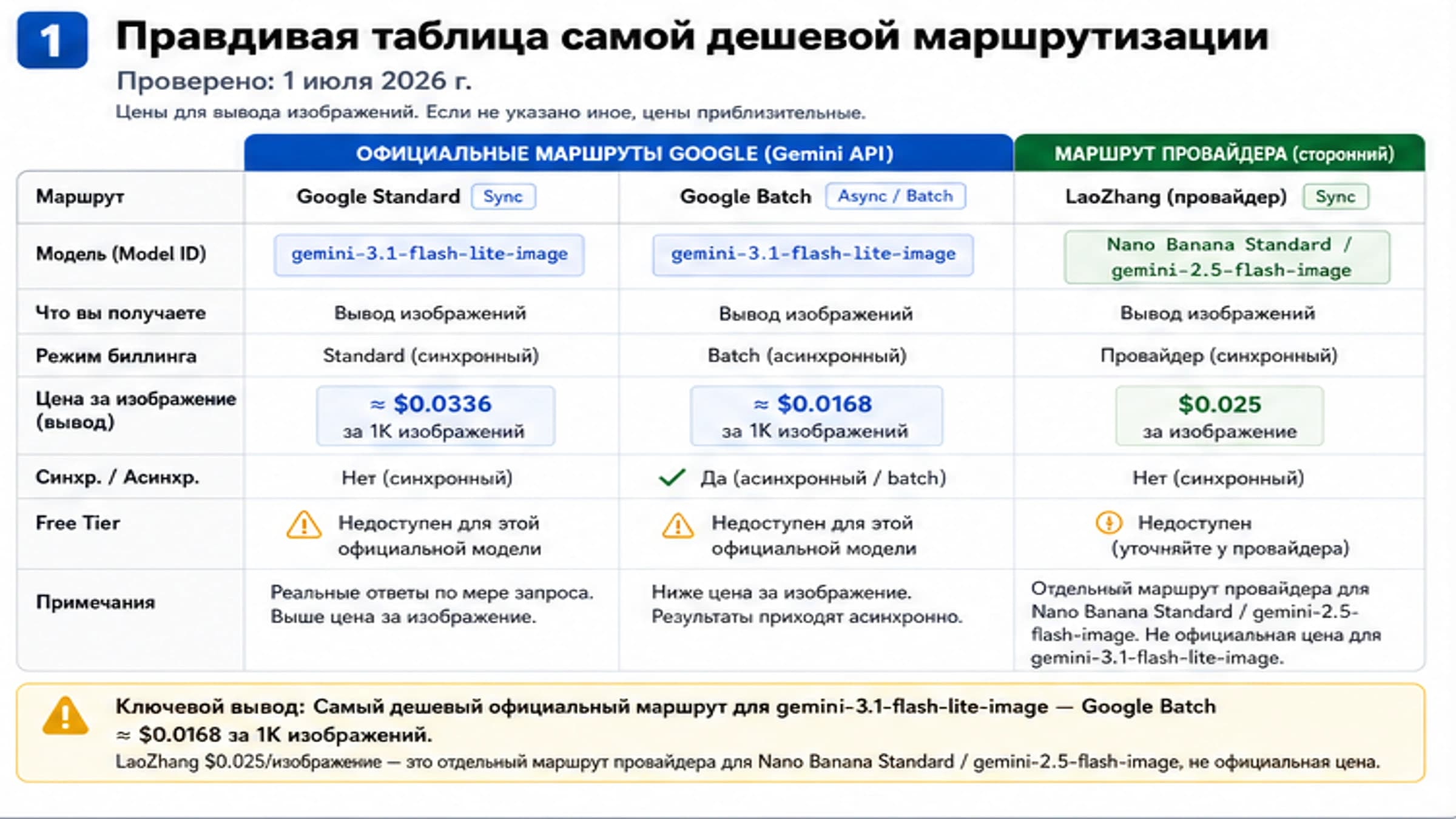
Choose by workload, not panic. gemini-3.1-flash-image is positioned as the balanced image model, while gemini-3-pro-image is for complex professional production. Check current model capabilities, pricing, and project limits before changing routes.
Does enabling billing remove 429 errors?
No. Billing can move a project into a higher tier and make paid-only routes available, but rate limits and spend caps still exist. Monitor usage and request increases when normal demand exceeds the tier.
Can a third-party gateway solve Gemini 429 errors?
Sometimes it can help with routing, integration, or payment constraints, but it is not a capacity guarantee. Verify current evidence and keep the official Google route as the source of truth for Gemini API behavior.