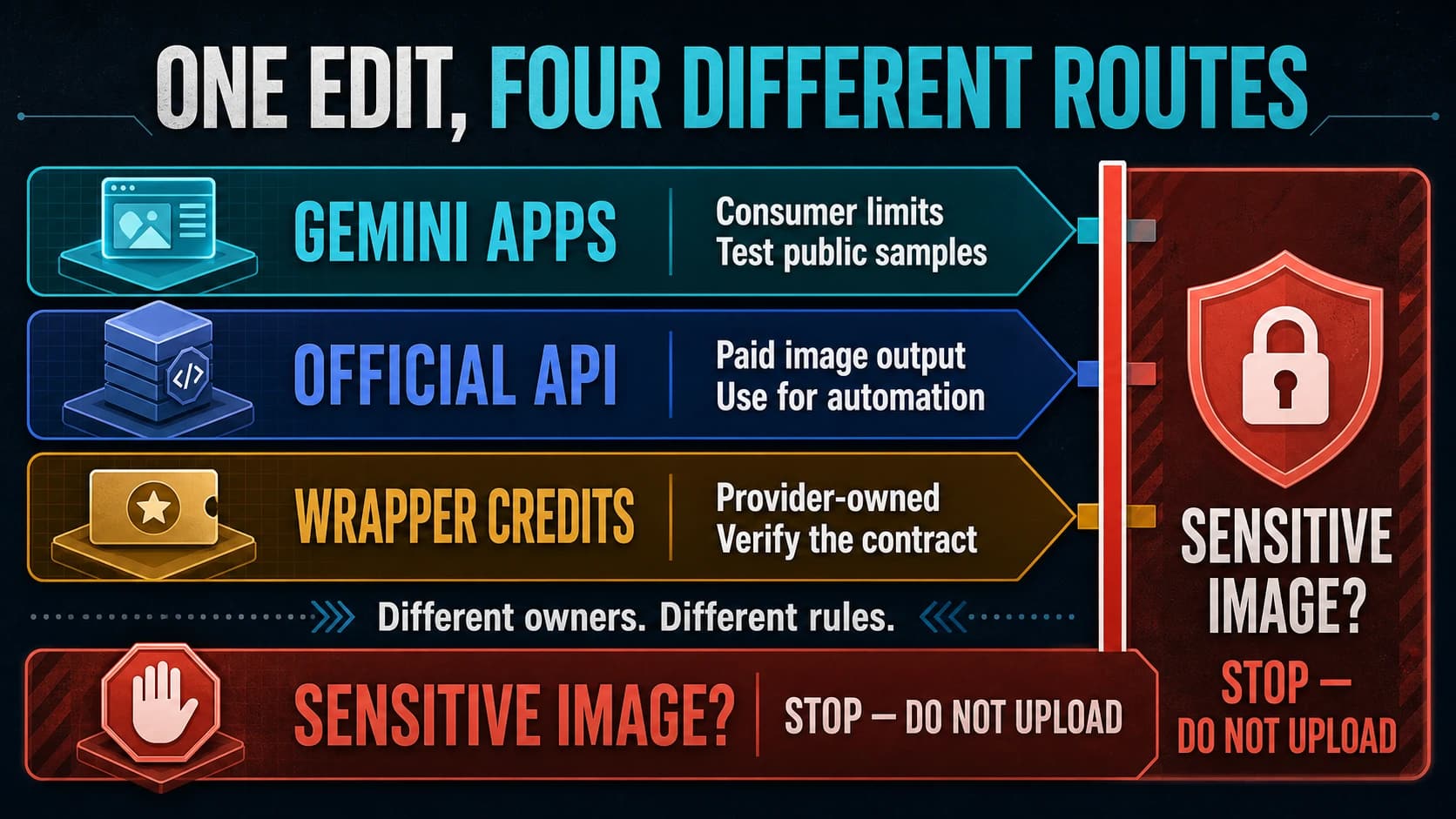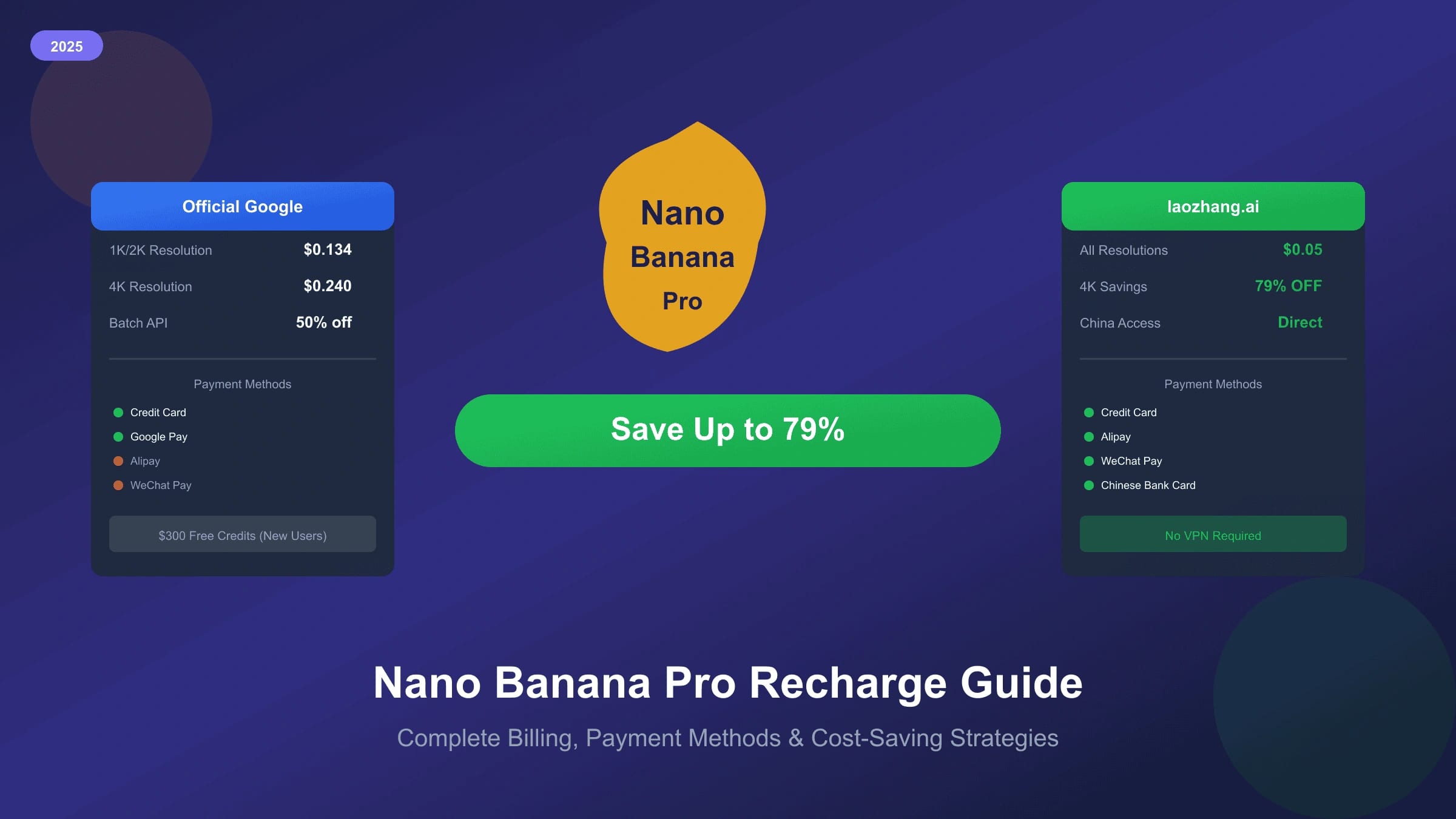
Nano Banana Pro recharge is really a billing-route decision. Google direct uses Gemini API billing, tiers, Prepay or Postpay, spend caps, project ownership, and official price rows. A gateway uses its own balance, payment flow, route string, call logs, order records, support process, and billing rules. Do not mix those two surfaces into one "cheap recharge" promise.
Use this guide when you need to fund Gemini 3 Pro Image usage safely. For official price math, use the Nano Banana Pro pricing and quota guide. For route selection across Google direct, Batch/Flex, and gateways, use the Nano Banana Pro API route guide.
| Recharge route | Best fit | Verify before funding |
|---|---|---|
| Google Prepay | Teams that want first-party Gemini API billing with prepaid controls | AI Studio billing page, project, billing account, current credit balance, spend cap, and expiry rules |
| Google Postpay | Eligible accounts that need end-of-cycle billing and higher operational scale | Eligibility, spend cap, payment method, billing account owner, and cost-report workflow |
| Google Batch or Flex | Jobs that can wait and should stay on official lower-cost lanes | Queue behavior, delivery monitoring, latency tolerance, and retry plan |
| Gateway top-up | Local payment, OpenAI-compatible migration, logs, order review, POC, or fallback lane | Current route, account price, balance movement, returned image status, order ID, and support owner |
The safe first move is to buy or add only enough balance to run a representative test. Scale after logs prove returned images, accepted images, retries, charges, and support behavior.
The Official Google Billing Baseline
Google's Gemini API billing documentation says billing tiers are determined at the billing-account level and based on payment history. New accounts begin on Free Tier for supported models. Paid access requires linking a billing account, and Google now describes Prepay and Postpay billing plans for Gemini API and AI Studio.
As of July 8, 2026, Google's billing docs describe these important Prepay rules:
| Official billing fact | What it means for recharge planning |
|---|---|
| Prepay credits are purchased in advance | Treat the balance as operating budget, not a generic Cloud credit pool |
| AI Studio lists a $10 purchase floor and $5,000 prepay ceiling | Do not rely on old recharge screenshots or copied purchase amounts |
| Unused Prepay credits expire after 12 months | Do not overfund test accounts |
| Prepay credits are generally non-refundable except specific account-type switches | Decide budget size before buying |
| If the Prepay balance reaches zero, API keys under that billing account stop together | Monitor balance and alerts before production traffic |
| Billing data can lag by minutes, and some graphs can lag longer | Use spend caps and logs; do not assume every chart is real time |
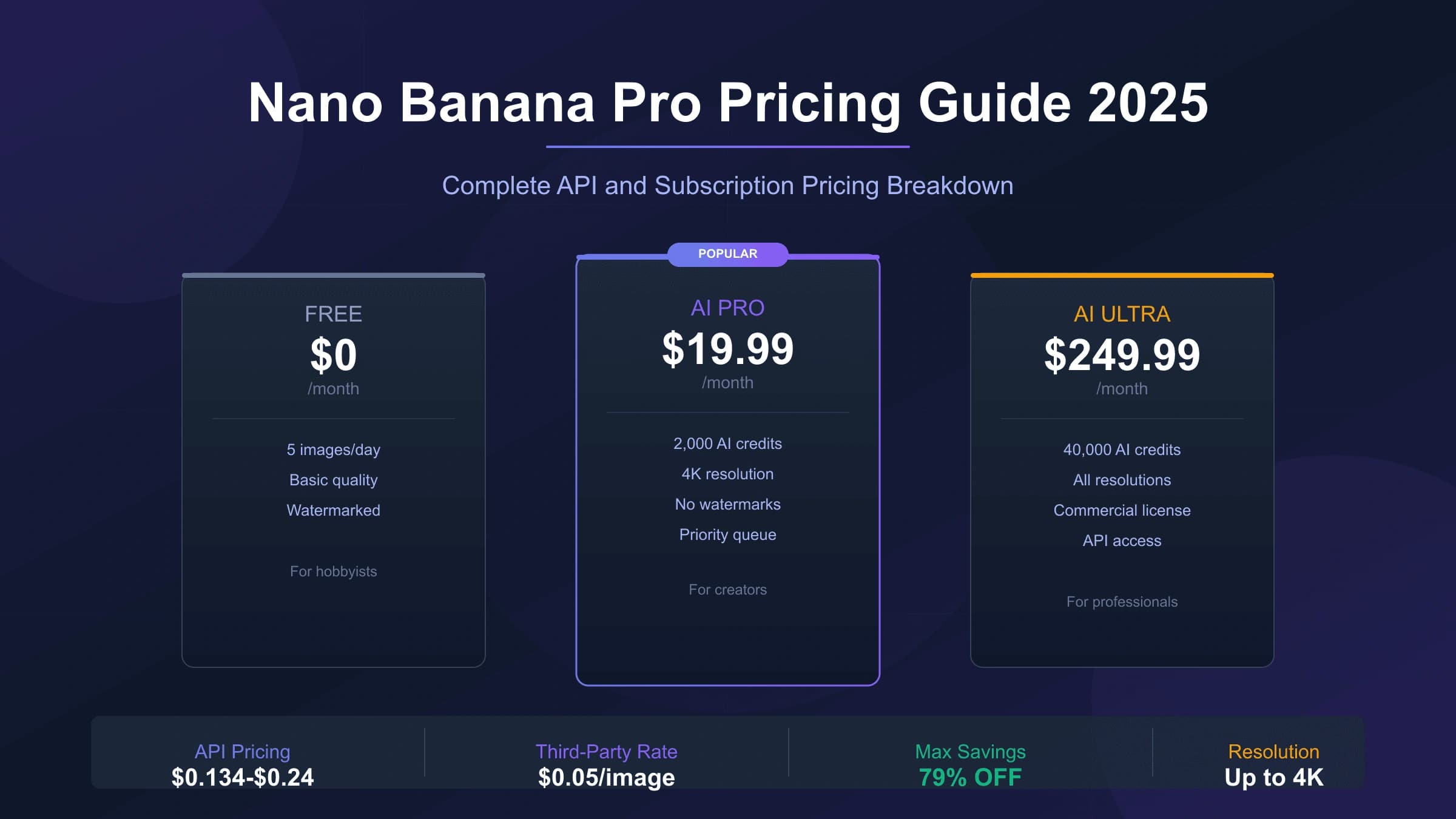
Google's pricing page remains the owner for model prices. The current Gemini 3 Pro Image official image-output baseline is about $0.134 for 1K or 2K output and $0.24 for 4K output on Standard, with Batch and Flex lower at about $0.067 for 1K or 2K and $0.12 for 4K. Those rows are official cost baselines, not gateway recharge prices.
Google Prepay Setup Checklist
Use this checklist before adding funds:
| Step | Check |
|---|---|
| Project ownership | Confirm which Google Cloud project owns the API key |
| Billing account | Confirm the billing account linked to that project |
| Billing plan | Confirm whether the account is Prepay or Postpay |
| Credit balance | Confirm available Gemini API balance before the test |
| Spend caps | Set project or billing-account caps where appropriate |
| Usage dashboard | Know where Dashboard > Usage and Billing reports appear |
| Alert owner | Assign one person to watch balance, errors, and overages |
| Expiry and refund rules | Record the credit expiry and refund policy before buying |
For a new test, avoid funding for a full month of imagined production. Start with a small controlled workload, then compare actual spend with the number of accepted images.
Postpay And Spend Caps
Postpay can be useful for eligible accounts that need end-of-cycle billing, but it also requires stronger cost controls. Google's billing docs describe billing-account tier spend caps and project-level spend caps. Long-running jobs and billing processing delays can still create short windows where charges continue before limits catch up.
Before moving to Postpay:
| Control | Why it matters |
|---|---|
| Billing-account owner | Someone must be able to view charges and manage payment methods |
| Project spend cap | Prevents one test project from consuming the whole account budget |
| Monthly review | Confirms Gemini API spend by SKU, not just total Cloud spend |
| Alert threshold | Catches runaway retry loops early |
| Batch/Flex policy | Keeps non-urgent image jobs away from real-time spend |
| Key hygiene | Prevents leaked keys from creating unexpected charges |
If the team cannot audit charges quickly, stay with a smaller Prepay balance or a bounded test lane.
Gateway Top-Up: What To Verify
A gateway top-up is different from Google billing. It can be useful when local payment, a balance console, OpenAI-compatible routing, order review, support, POC speed, or fallback design solves a real problem. It is not proof that the route is cheaper, production-ready, or equivalent for every workload.
For a gateway such as laozhang.ai, verify these items inside the current account:
| Check | Evidence to keep |
|---|---|
| Payment route | Current top-up method, receipt, currency, fees, and balance movement |
| Route string | Current route name shown in docs or console |
| Model mapping | Whether the route maps to the intended Gemini image model |
| Billing unit | Whether charges are per request, per image, per token, or another unit |
| No-image behavior | Whether an empty or blocked result is charged |
| Logs | Request ID, timestamp, status, returned output, order ID, and balance change |
| Support | How support inspects a failed or disputed order |
| Data handling | What the provider says about request storage, retention, and review |
Do not copy an old provider price into a production budget. Calculate the real cost per accepted image:
hljs textreal cost per accepted image = total balance consumed / images that returned and passed your acceptance rule
A Safe First Recharge Test
Use the same test for Google direct and a gateway:
- Choose 20 to 50 representative prompts.
- Fix resolution, reference images, timeout, retry count, and acceptance criteria.
- Run a small batch through Google direct or official Batch/Flex.
- Run the same batch through the gateway route if gateway value is part of the decision.
- Record request ID, route, returned output, accepted output, error code, retry count, latency band, and charge.
- Reconcile every no-image or failed request before buying more balance.
- Decide whether the route belongs in POC, fallback, limited production, or not at all.
This test prevents two common mistakes: overfunding a route that fails on your prompts, and underestimating official Batch/Flex when the job can wait.
Payment Route Risk Checklist
Recharge pages often go stale because payment availability, fees, currency handling, promotions, and refund rules change. Treat every payment claim as account-current evidence.
| Claim type | Safe way to write it |
|---|---|
| Local wallet support | Verify in the current account checkout before recommending it |
| Top-up floor | Use the current checkout or official billing page, and date the claim |
| Bonus credits | Mention only when visible in the current account and relevant to the reader |
| Refund behavior | Link to the current official or provider refund terms |
| Failed-call billing | Test with logs and order records |
| Currency fees | Verify receipt, processor fee, and balance credited |
| Service coverage | Confirm the route can call the model you need today |
If a claim cannot be verified, omit it or turn it into a check the reader should perform.
Cost Planning Worksheet
Estimate budget from accepted outputs, not from request count:
| Input | Example question |
|---|---|
| Workload type | Is it real-time user traffic, scheduled asset production, or internal testing? |
| Resolution mix | How many images need 4K, and how many can use 1K or 2K? |
| Retry rate | How many requests are expected to fail or need regeneration? |
| Acceptance rate | What percentage of returned images are usable? |
| Latency tolerance | Can Batch or Flex handle part of the workload? |
| Route owner | Who handles billing, logs, and support for each route? |
| Budget cap | What is the maximum loss if a loop or key leak happens? |
For production, keep a monthly budget cap, an alert threshold, and a test route separate from the live route. Do not let a single top-up account become the only production lane without a fallback plan.
When Google Direct Is Better
Use Google direct when first-party support, Cloud billing, compliance, official quota ownership, Batch/Flex, Cloud logs, or auditability matters. It is also better when the team already has approved Cloud billing and does not need local payment or a gateway compatibility layer.
For delayed jobs, official Batch or Flex can be the cheaper and simpler route than topping up a gateway. Compare the accepted-output cost and operational evidence before assuming a gateway is the lower-cost answer.
When A Gateway Is Better To Test
Test a gateway when:
- Local payment or top-up review is the real blocker.
- The application already uses OpenAI-compatible SDKs.
- A POC needs fast setup with visible call logs.
- You need a fallback lane beside Google direct.
- Support can inspect request IDs and order IDs quickly.
- The gateway's account console makes charge reconciliation clearer for your team.
Keep the gateway recommendation proportional. Say plainly when official Google billing is better.
FAQ
How do I recharge Nano Banana Pro on Google direct?
Use Google AI Studio billing to link a billing account, confirm whether the account is Prepay or Postpay, and add credits or manage payment according to the current billing page. Record the project, billing account, credit balance, spend cap, and alert owner before running production traffic.
What is the current Google Prepay purchase floor?
Google's billing docs checked on July 8, 2026 list a $10 purchase floor for Prepay credits and a $5,000 prepay ceiling. Recheck the AI Studio Billing page before buying because billing rules can change by account, country, and rollout state.
Can I use local payment for official Google billing?
Do not assume a local payment method works until the current Google billing page accepts it for your account. If local payment is the blocker, test a gateway as a separate route and verify its payment, billing, logs, and support evidence before production.
Are gateway top-ups cheaper than Google direct?
Sometimes, but only after you compare actual balance consumed per accepted image. Include retries, no-image cases, rejected outputs, support time, and official Batch/Flex alternatives in the comparison.
What happens when Google Prepay balance reaches zero?
Google's billing docs state that when the Prepay balance reaches zero, API keys in projects linked to that billing account stop working together. Use alerts, auto-reload only when appropriate, and project spend caps to avoid surprises.
Should I buy a large balance before testing?
No. Run a small prompt set first, reconcile every charge, and scale only after the route proves returned images, accepted images, latency, retry behavior, and billing traceability.
Bottom Line
Recharge Nano Banana Pro by route owner. Use Google billing docs and pricing rows for official Prepay, Postpay, spend caps, and Batch/Flex. Use gateway docs, console, logs, order records, and support evidence for gateway top-ups. The safest budget is the one tied to accepted images and current billing evidence, not a stale payment promise.