OpenClaw Messaging Channels: Connect One Safely, Then Expand
Choose Telegram, Discord, Slack, or WhatsApp for OpenClaw, keep pairing and group access locked down, protect secrets, and verify one complete reply before adding more channels.
7 related posts
This topic page groups 7 posts around OpenClaw, with coverage across Access and integration, Guides and Fixes, so you can jump straight to the right article for the task.

Choose Telegram, Discord, Slack, or WhatsApp for OpenClaw, keep pairing and group access locked down, protect secrets, and verify one complete reply before adding more channels.

Fix an OpenClaw install failure by checking the active Node, installer, Git, npm prefix, PATH, onboarding, and Gateway in order—then change and verify only the failed step.

OpenClaw accepts messages but sends no reply? Check the CLI, Gateway, dashboard, channel, model, and update path in order before you restart or reset.

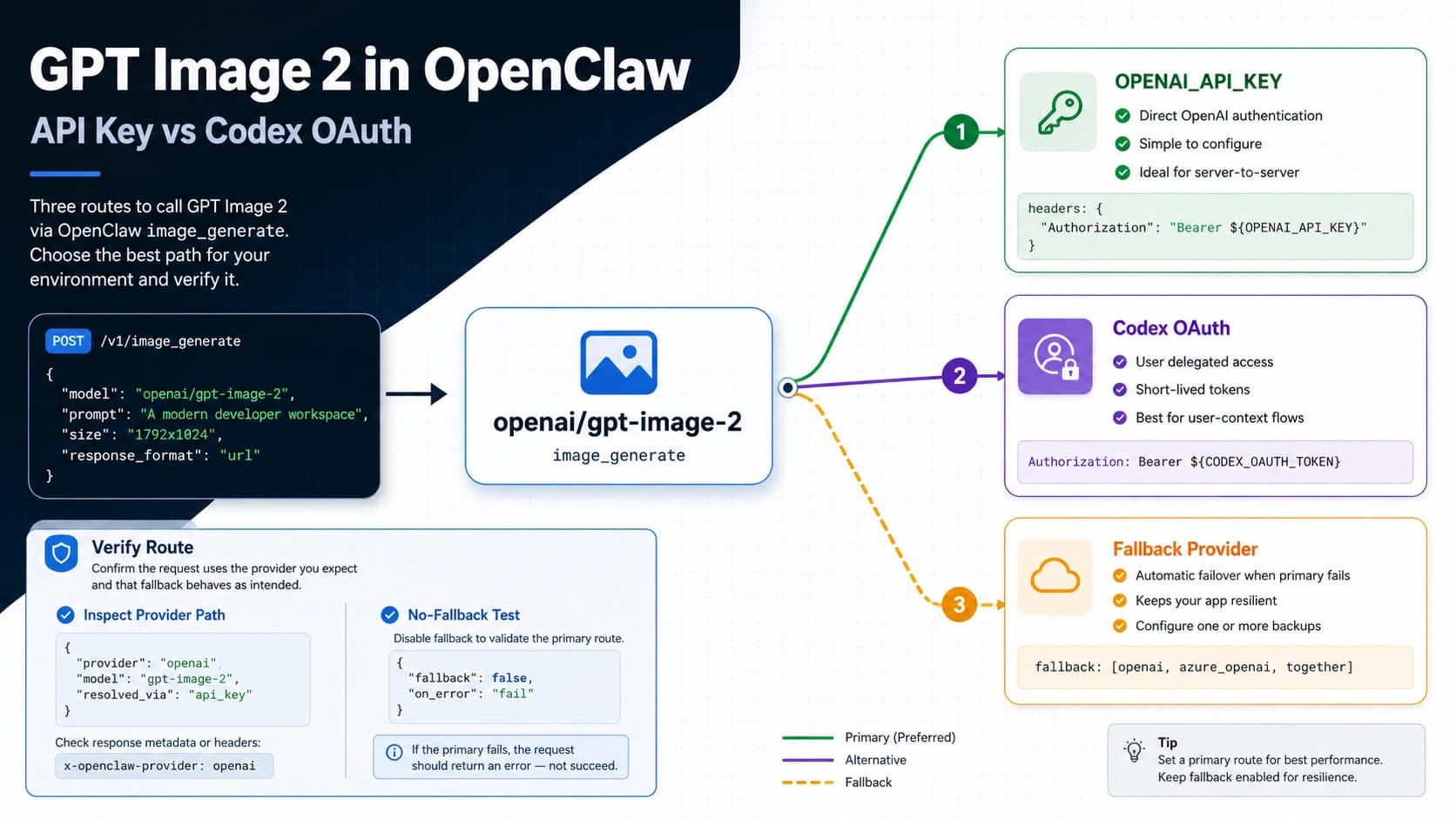
Run `openai/gpt-image-2` through OpenClaw, choose API key or Codex OAuth, verify the provider route, and fix 403 or fallback issues.

Step-by-step solutions to fix 403 forbidden errors in Clawdbot (OpenClaw), OpenRouter, and Anthropic API. Covers content moderation flags, OAuth token issues, Telegram bot blocked errors, and gateway authentication problems with diagnostic commands.

Complete guide to reducing OpenClaw/Clawdbot API costs. Learn to configure cheap models like Claude Haiku, set up free local models with Ollama, implement multi-tier fallback strategies, and prevent unexpected cost spikes.

Step-by-step guide to install Clawdbot (now OpenClaw) on macOS, Linux, Windows WSL2, and Docker. Covers system requirements, security configuration, messaging channel setup for WhatsApp, Telegram, and Discord, plus API cost optimization strategies.