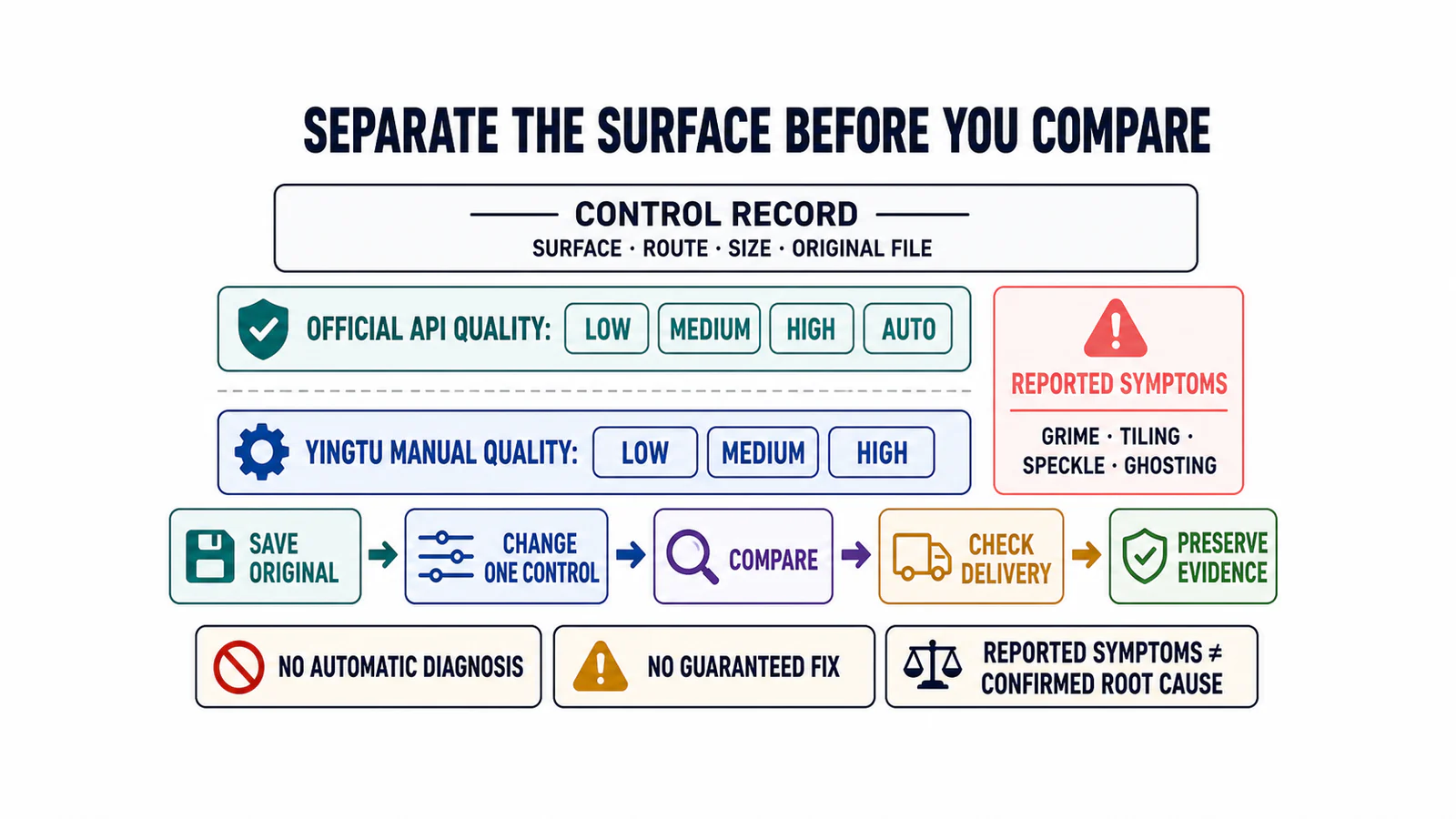
GPT Image 2 Weird Artifacts: A Controlled Diagnostic
Separate GPT Image 2 settings from grime, tiling, speckle, text, consistency, and composition symptoms with a one-variable comparison and a clear stop rule.
17 related posts
This topic page groups 17 posts around OpenAI, with coverage across Access and integration, Pricing and quotas and Fixes, so you can jump straight to the right article for the task.

Separate GPT Image 2 settings from grime, tiling, speckle, text, consistency, and composition symptoms with a one-variable comparison and a clear stop rule.

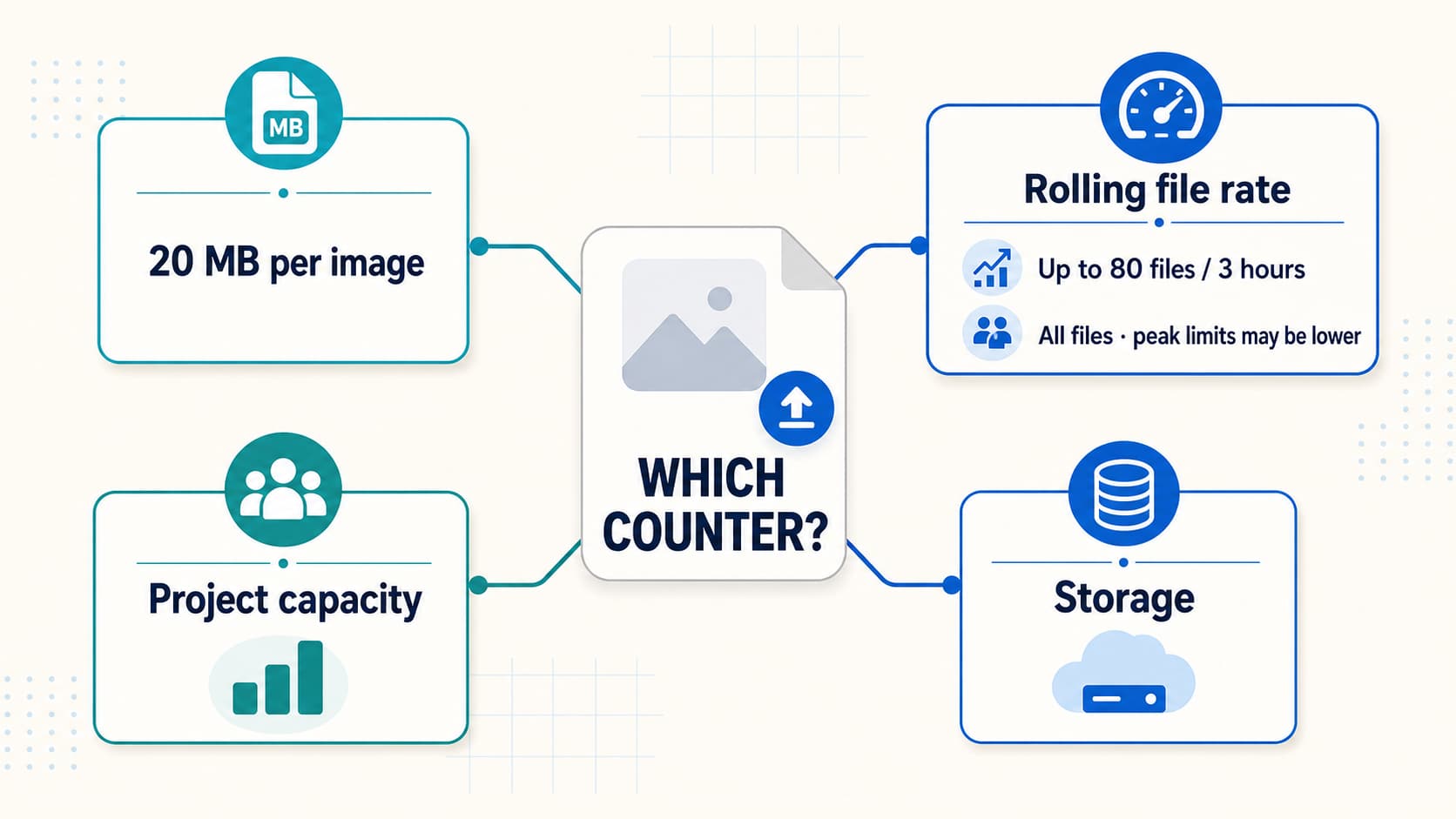
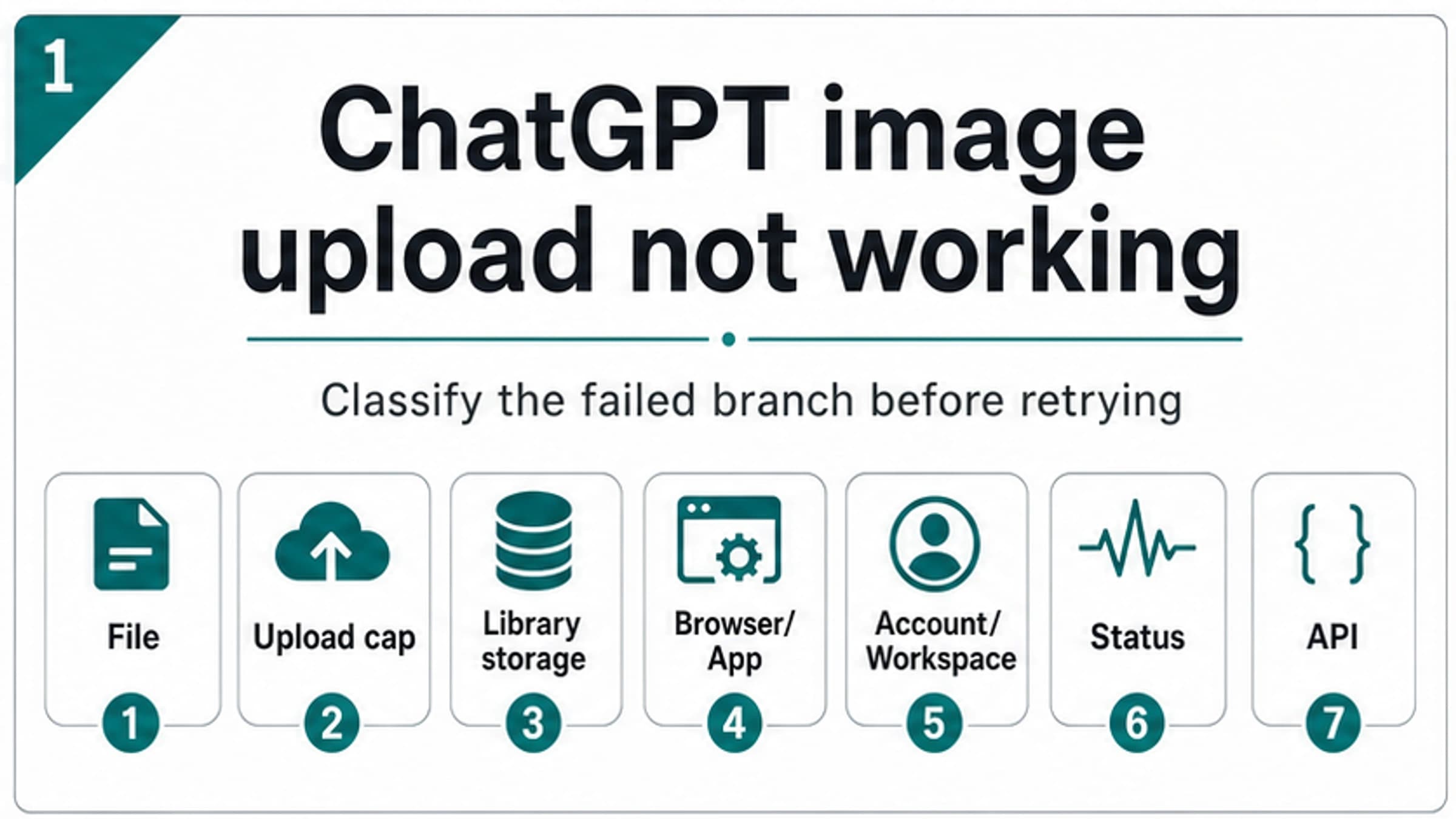
A current guide to ChatGPT image and file upload limits: 20 MB images, the rolling file cap, Project and GPT conflicts, storage, resets, and next steps.

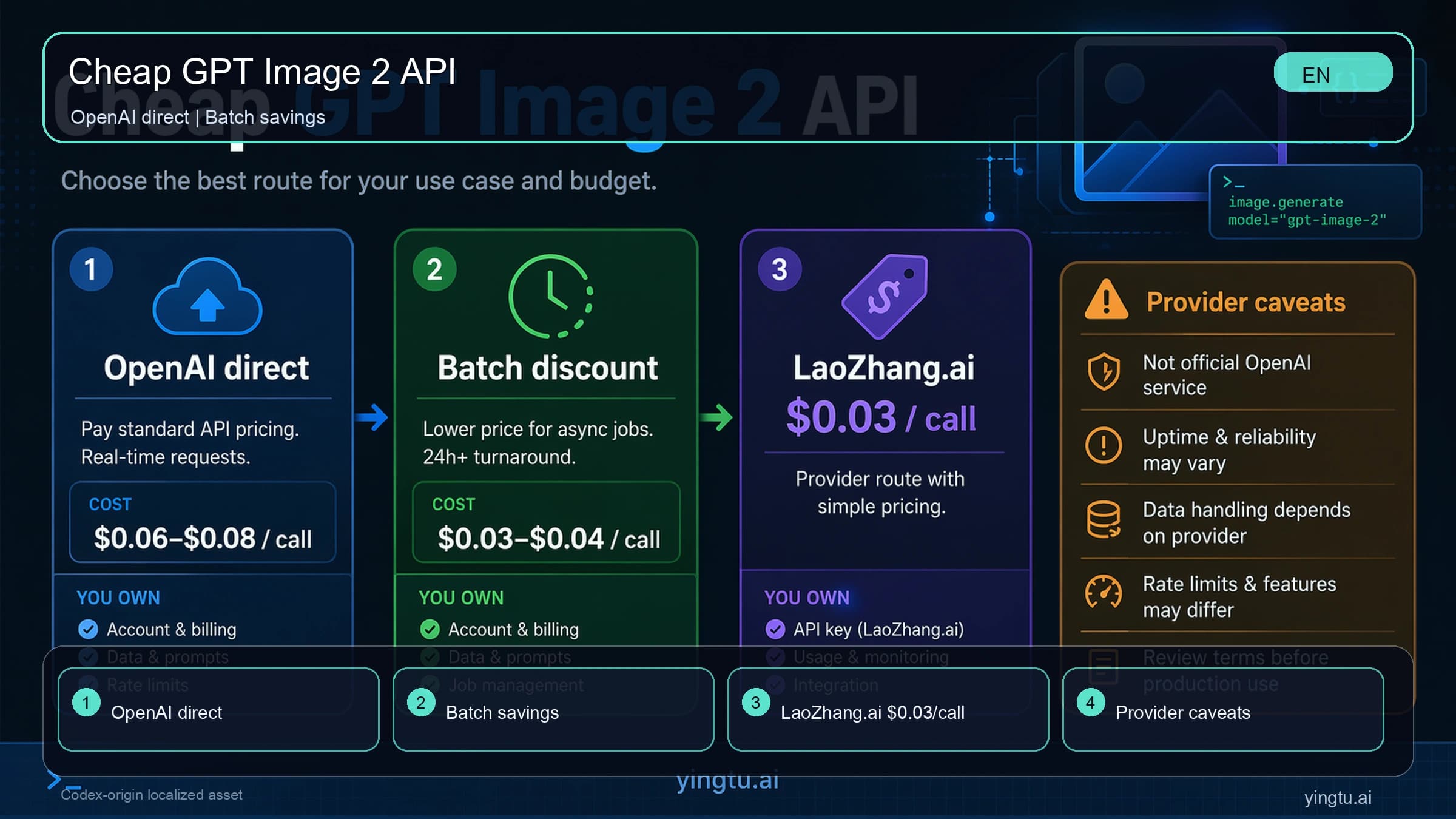
Compare LaoZhang.ai's $0.03 gpt-image-2-vip 4K route with Kie, HiAPI, Segmind, and OpenAI direct, then send and verify a 3840x2160 request.

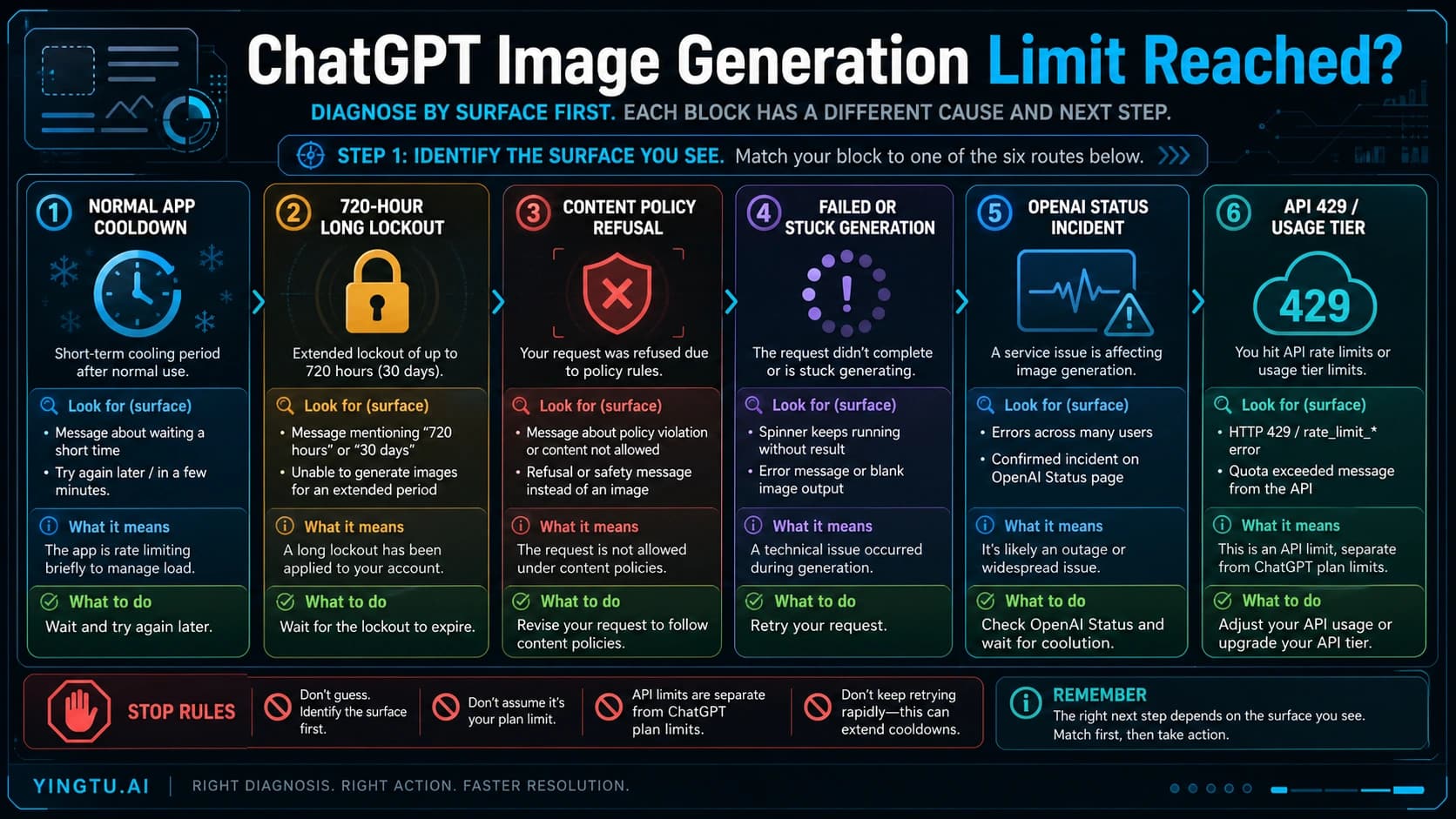
Diagnose app cooldowns, 720-hour lockouts, policy refusals, failed generations, status incidents, and API 429 limits when ChatGPT image generation gets blocked.

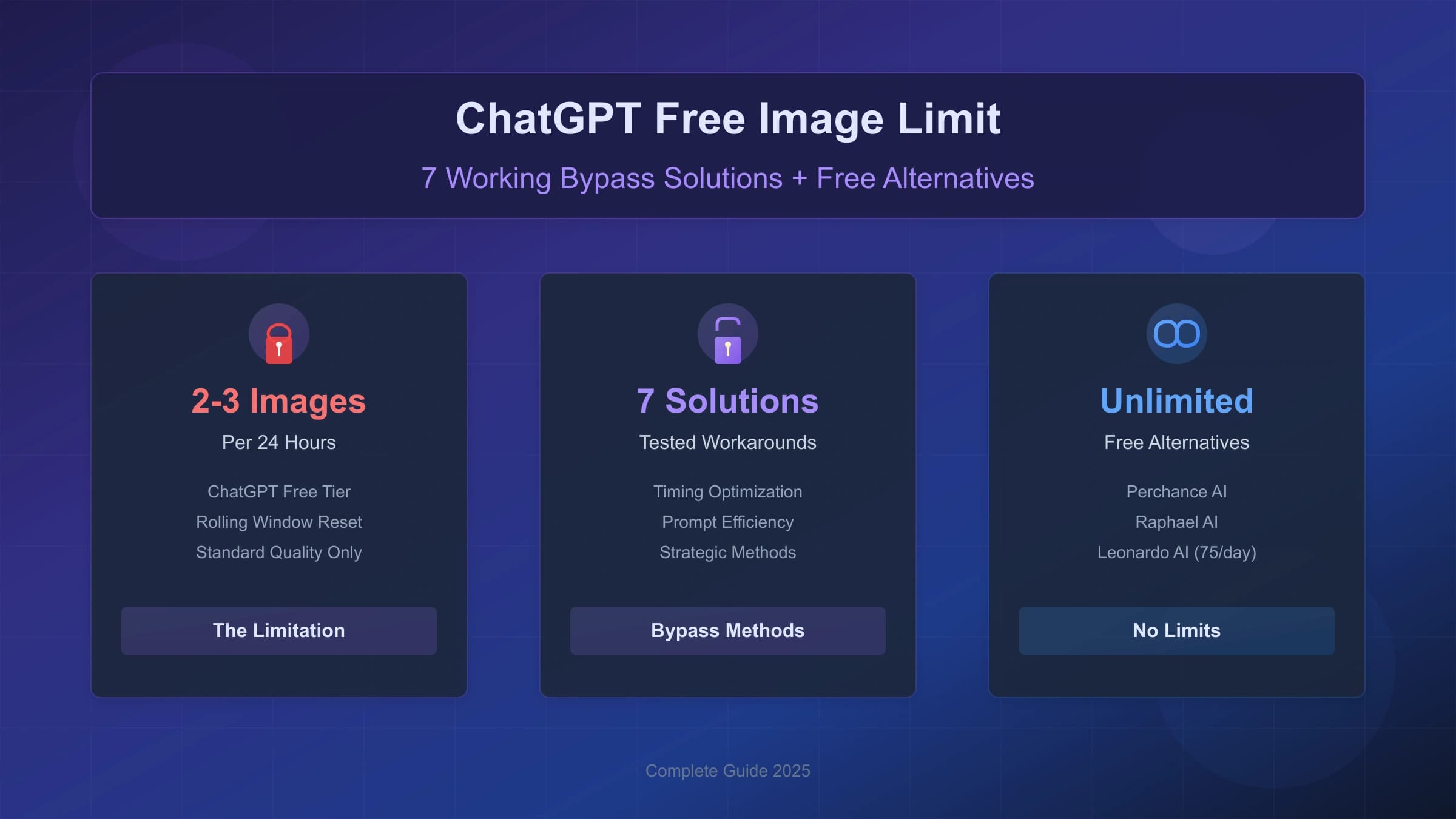
A current, safety-first guide to ChatGPT free image limits: what OpenAI says about Free tier image rate limits, why account-limit tricks are risky, how to reduce wasted generations, when Plus helps, and when API or alternative image tools make more sense.

Fix ChatGPT image upload failures by checking the upload button, file type and size, upload limits, Library storage, browser or app state, workspace access, OpenAI Status, and API boundaries.

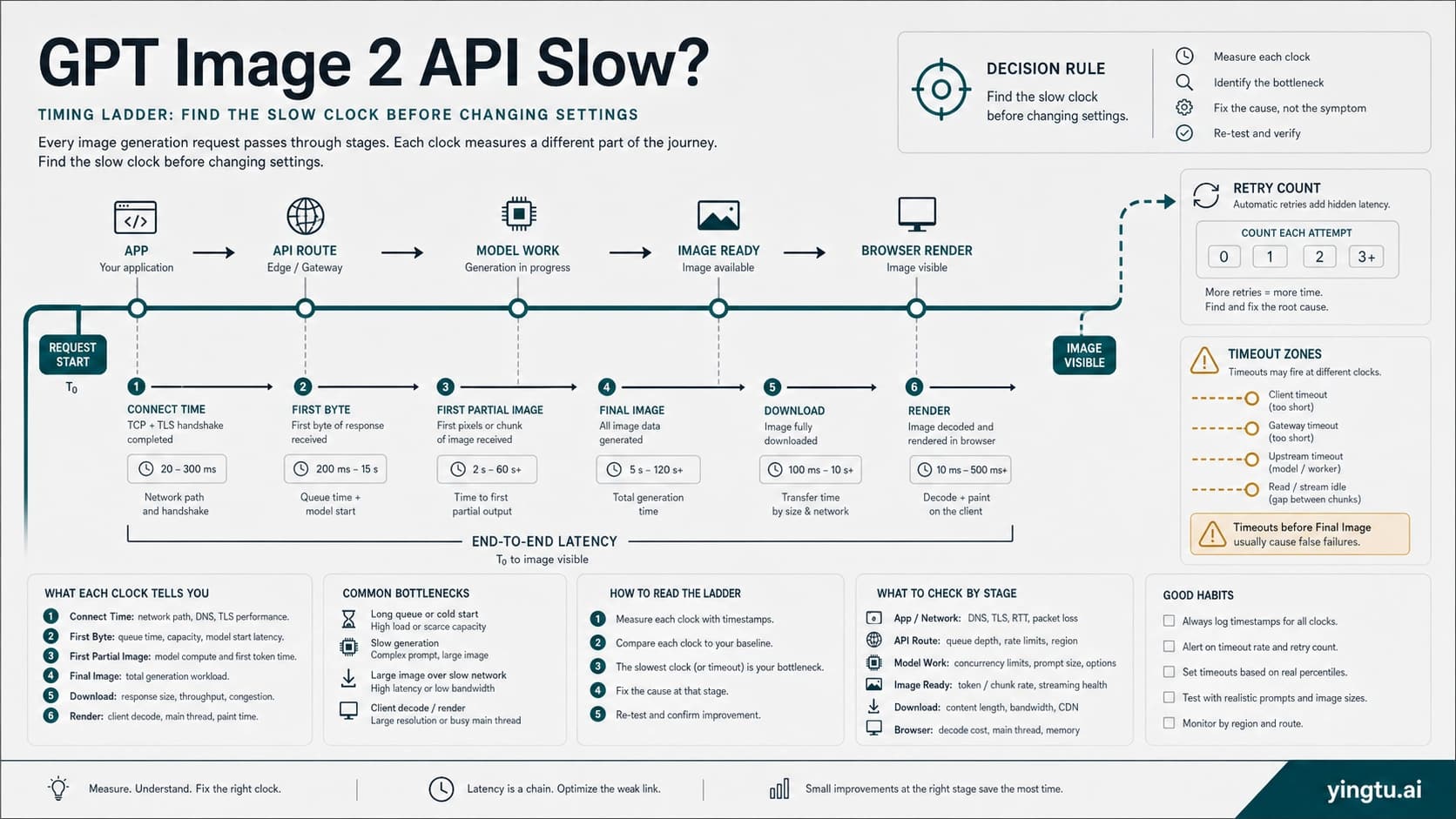
Fix slow GPT Image 2 API calls by measuring first byte, final image, retries, timeout layers, request parameters, streaming behavior, and route owner before changing quality or provider route.

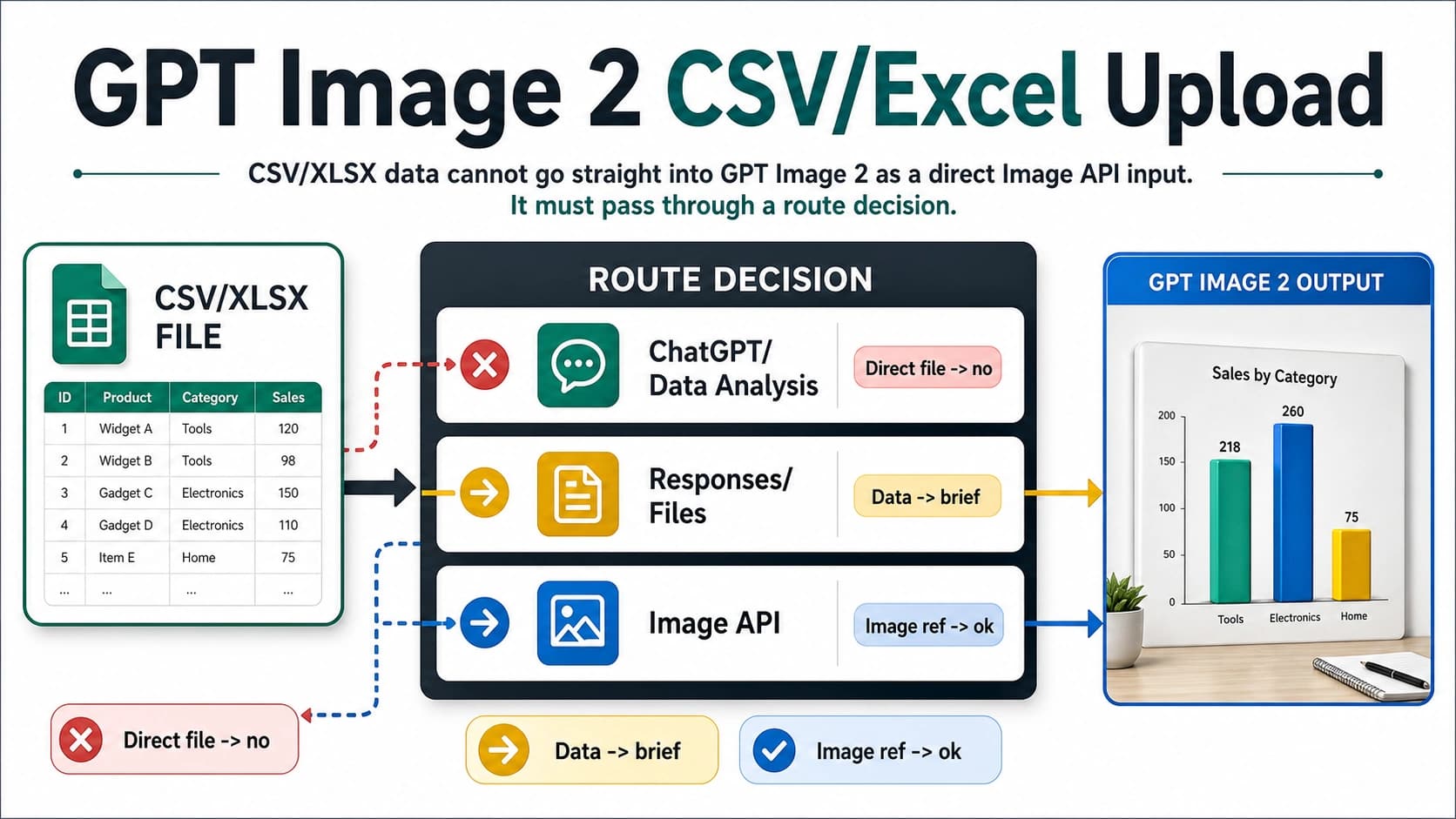
Learn when CSV or Excel data can feed a GPT Image 2 workflow, which OpenAI surface to use, and how to convert spreadsheet rows into a visual brief or image reference.

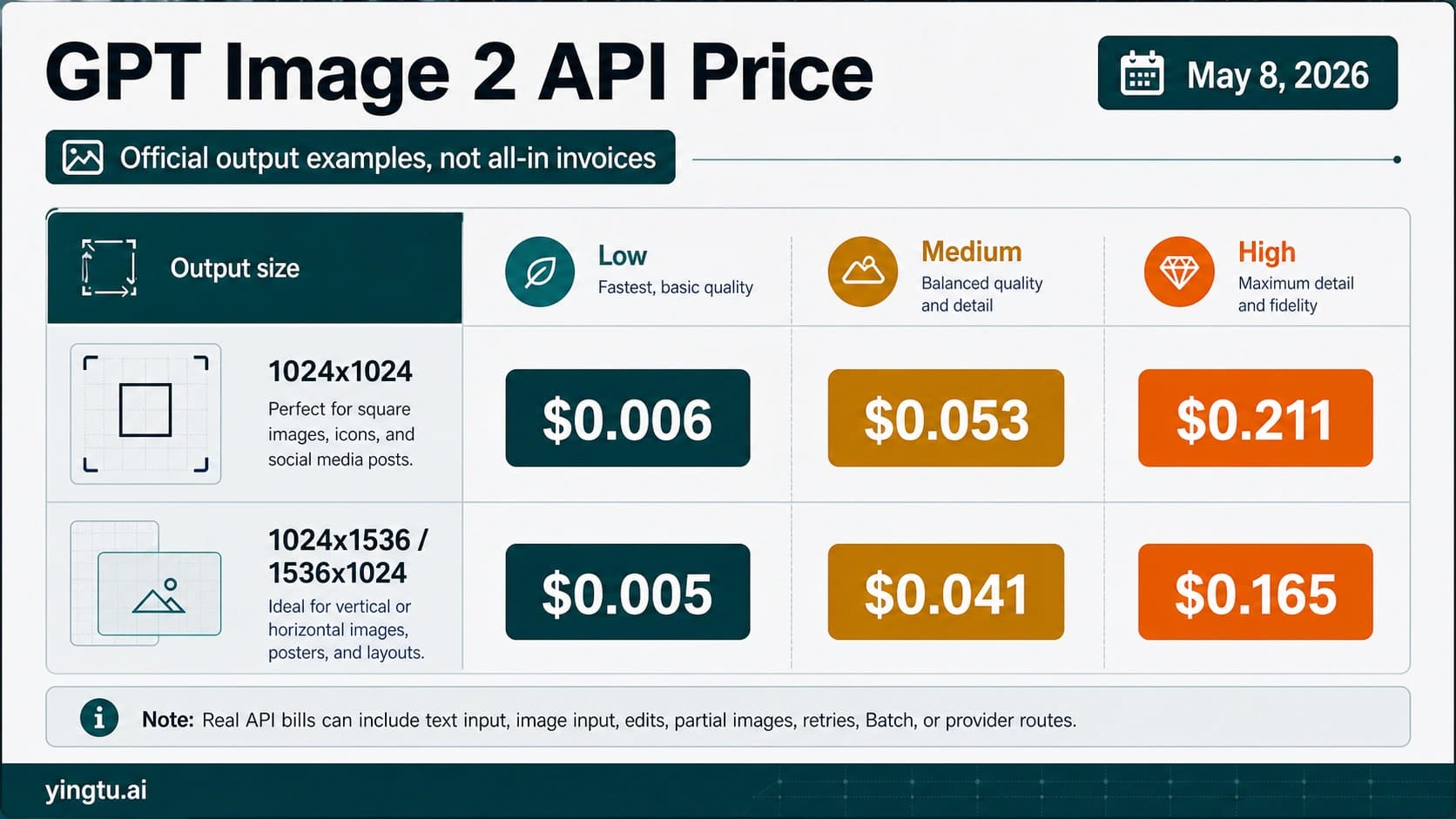
See the official GPT Image 2 API price examples checked on May 8, 2026, plus the formula that turns output prices into a real API bill.

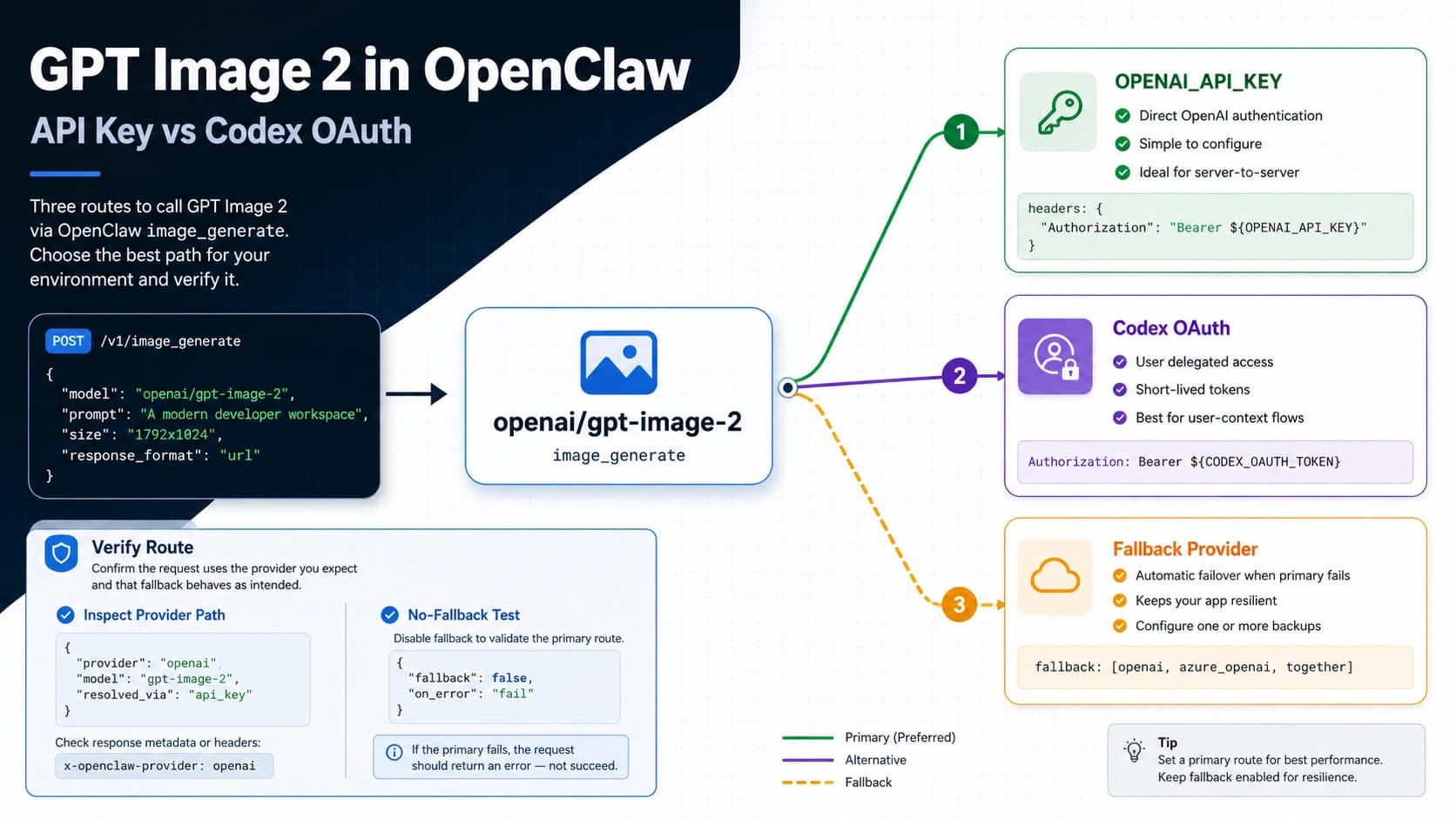
Run `openai/gpt-image-2` through OpenClaw, choose API key or Codex OAuth, verify the provider route, and fix 403 or fallback issues.

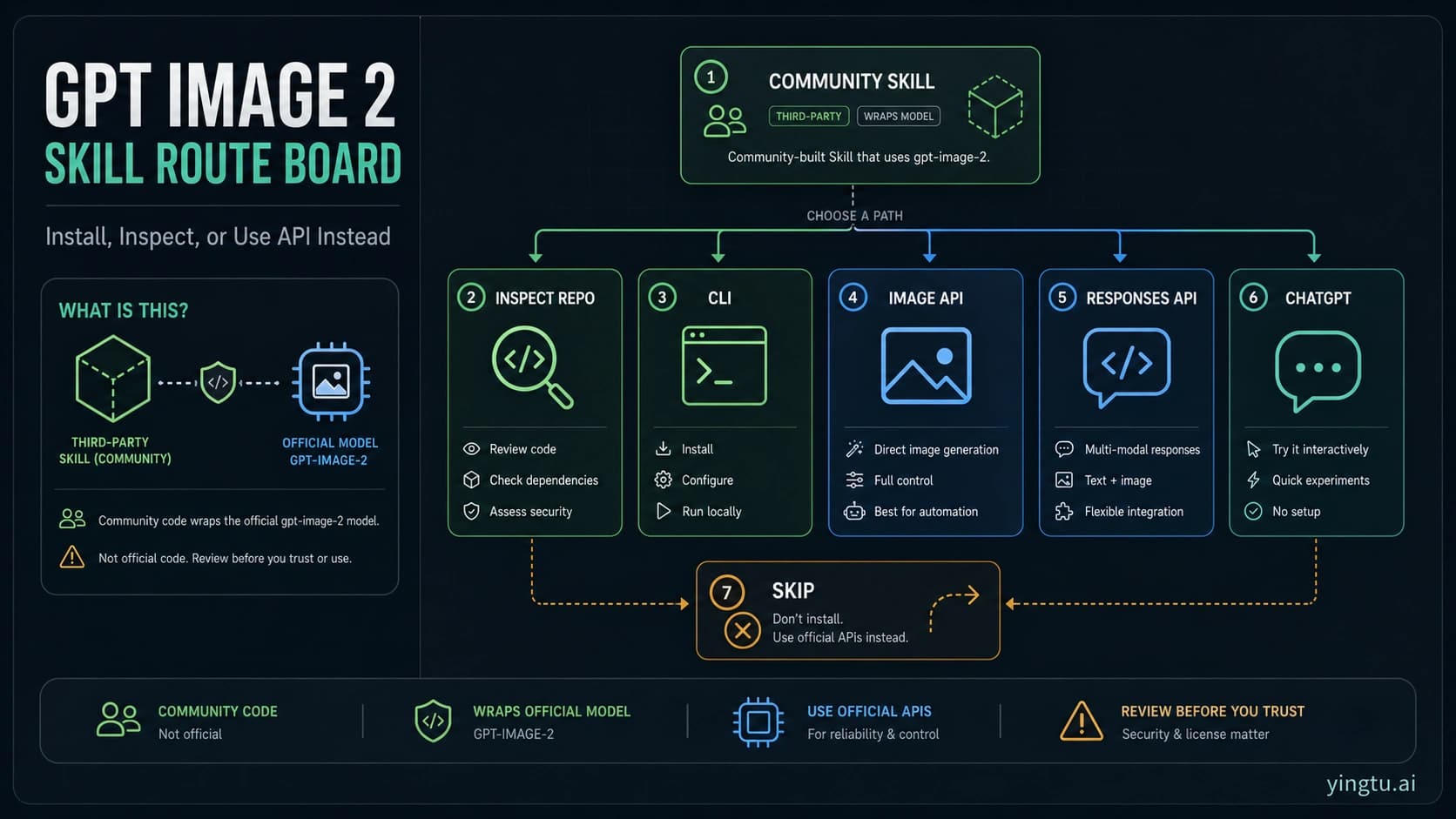
GPT Image 2 Skill is a third-party GitHub skill and CLI around OpenAI's gpt-image-2; learn when to install it, what to inspect first, and when Image API, Responses API, ChatGPT, or skipping is safer.

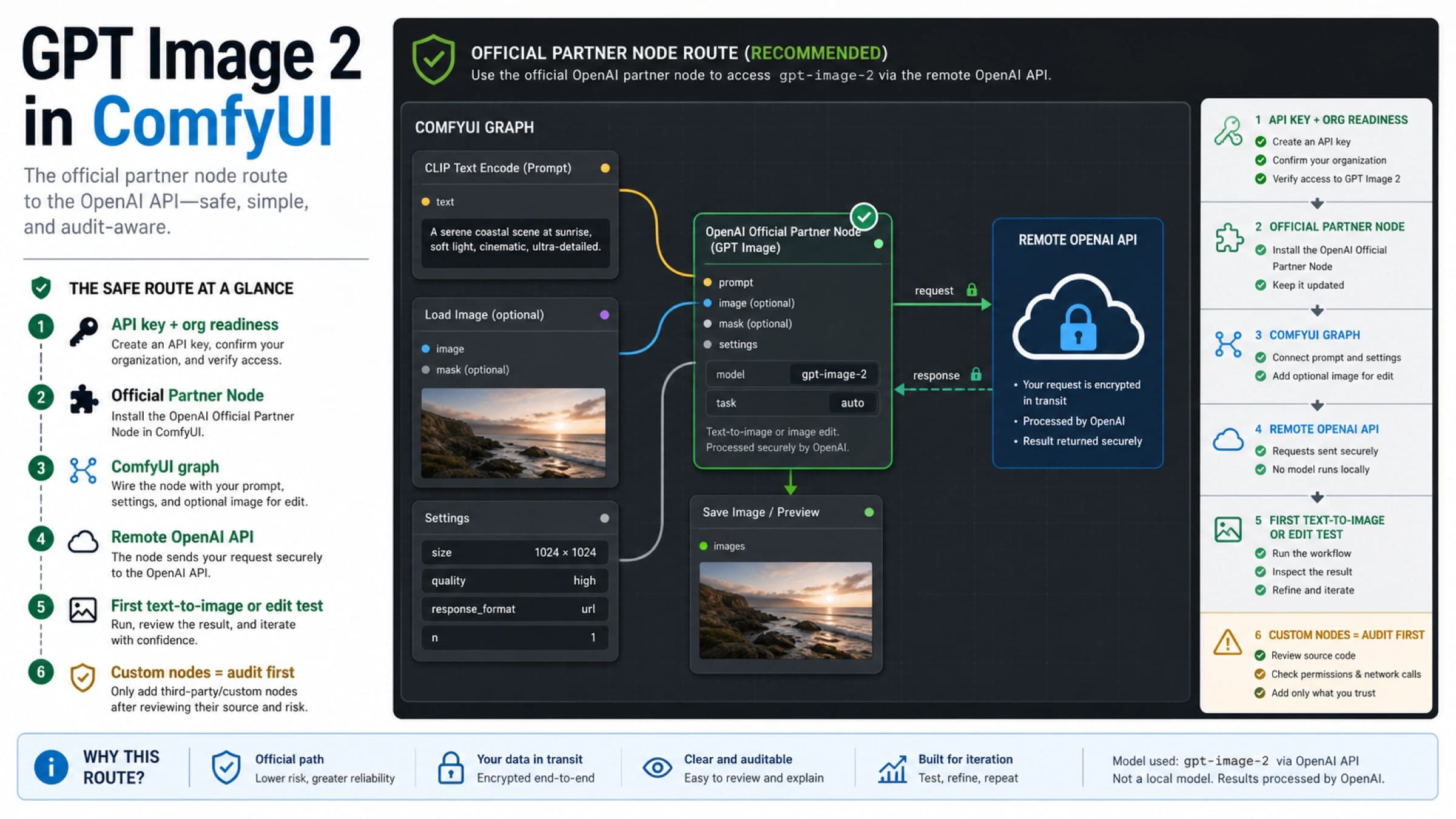
Use GPT Image 2 in ComfyUI through the official OpenAI Partner Node, with API key and organization checks, first text-to-image and edit tests, direct API fallbacks, and custom-node audit rules.

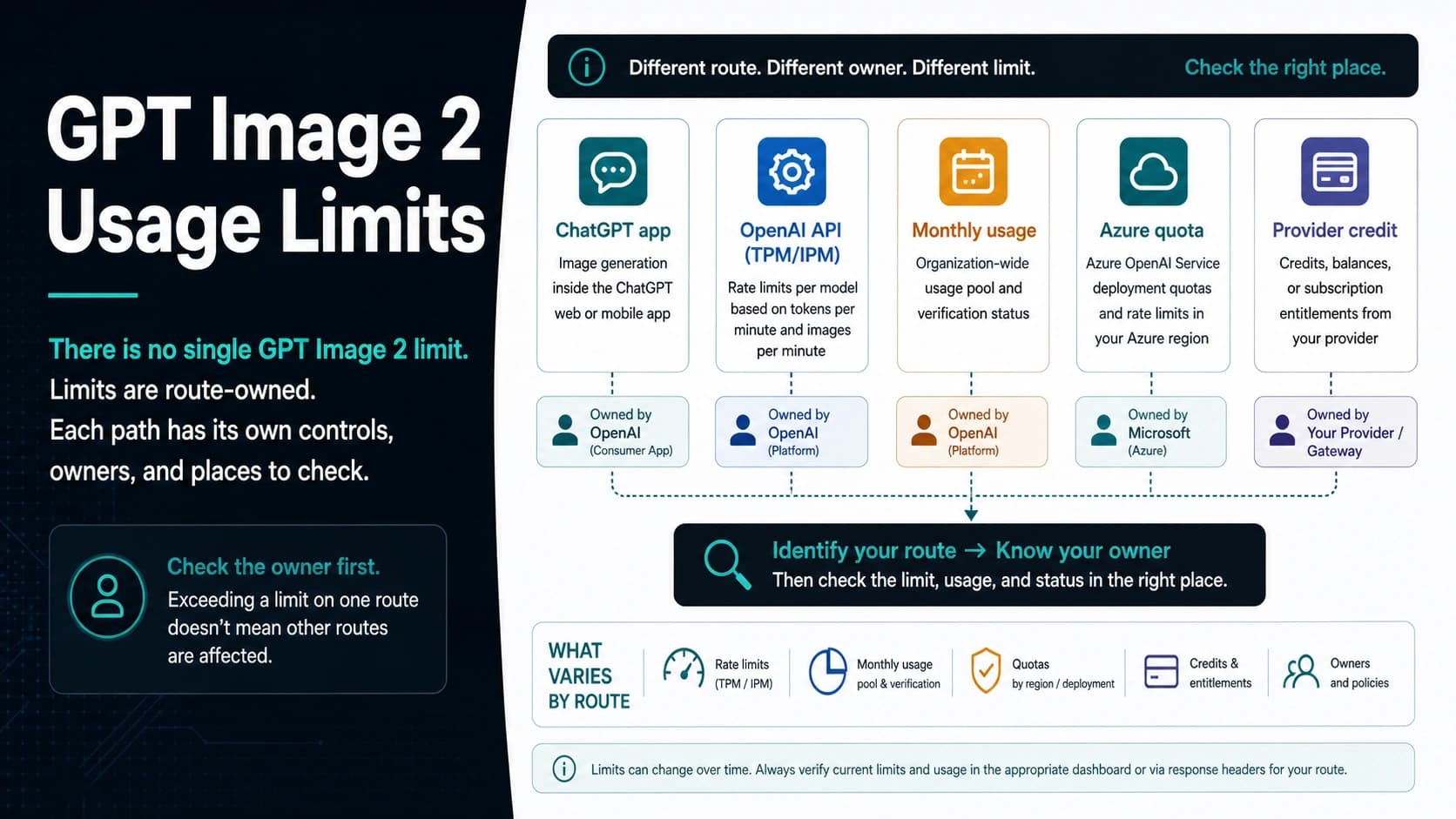
GPT Image 2 limits depend on the route you use: ChatGPT app caps, OpenAI API TPM/IPM, monthly usage, Azure quotas, and provider credits each have a different owner and recovery path.

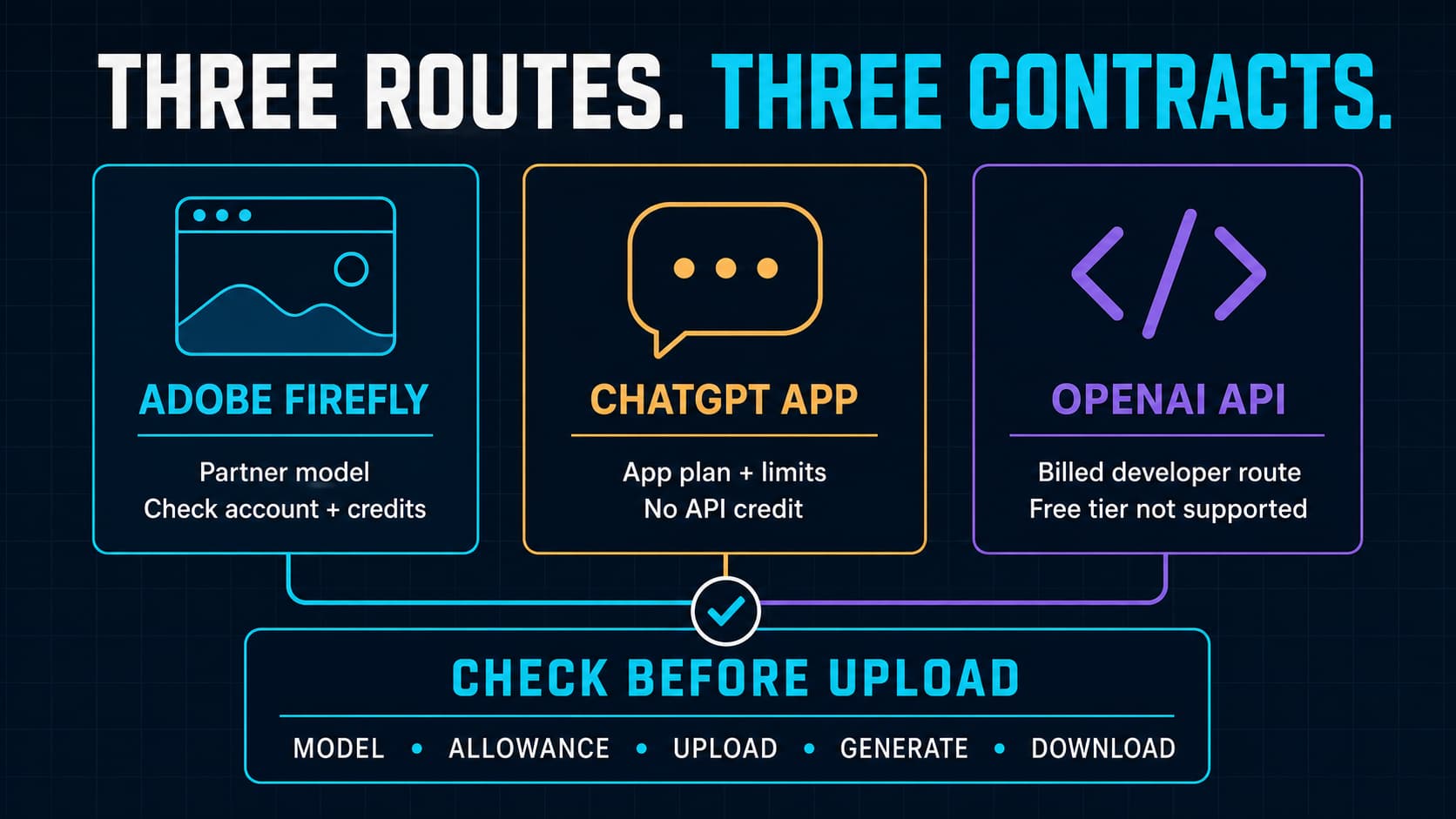
Adobe Firefly can be started free, but that does not guarantee free GPT Image 2 access. Check the current model, credits, plan, privacy boundary, and output path before uploading real work.

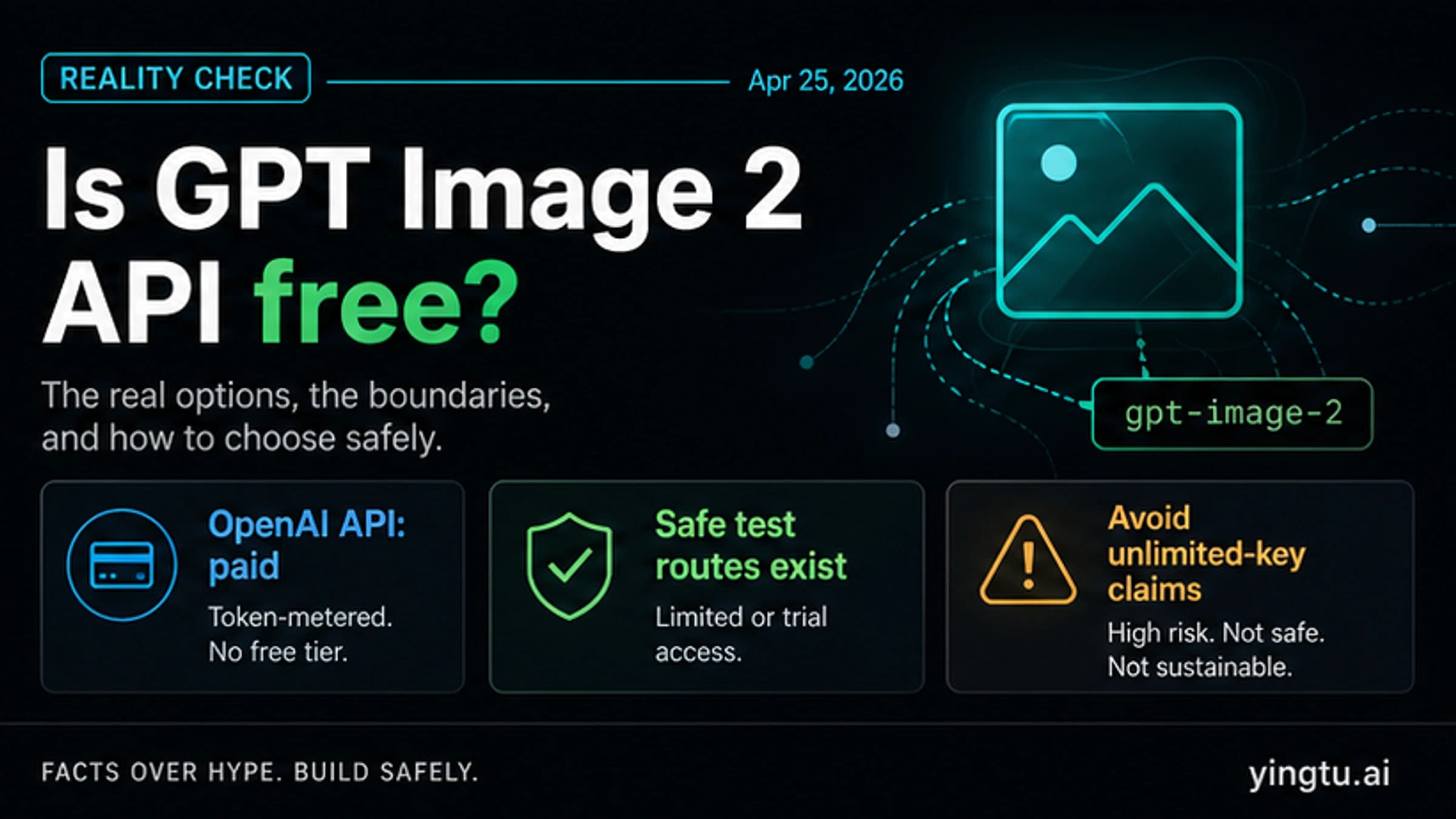
GPT Image 2 API is not free through the official OpenAI API; safe testing means separating OpenAI billing, ChatGPT app access, YingTu browser testing, provider credits, user-pays routes, and unsafe wrappers.

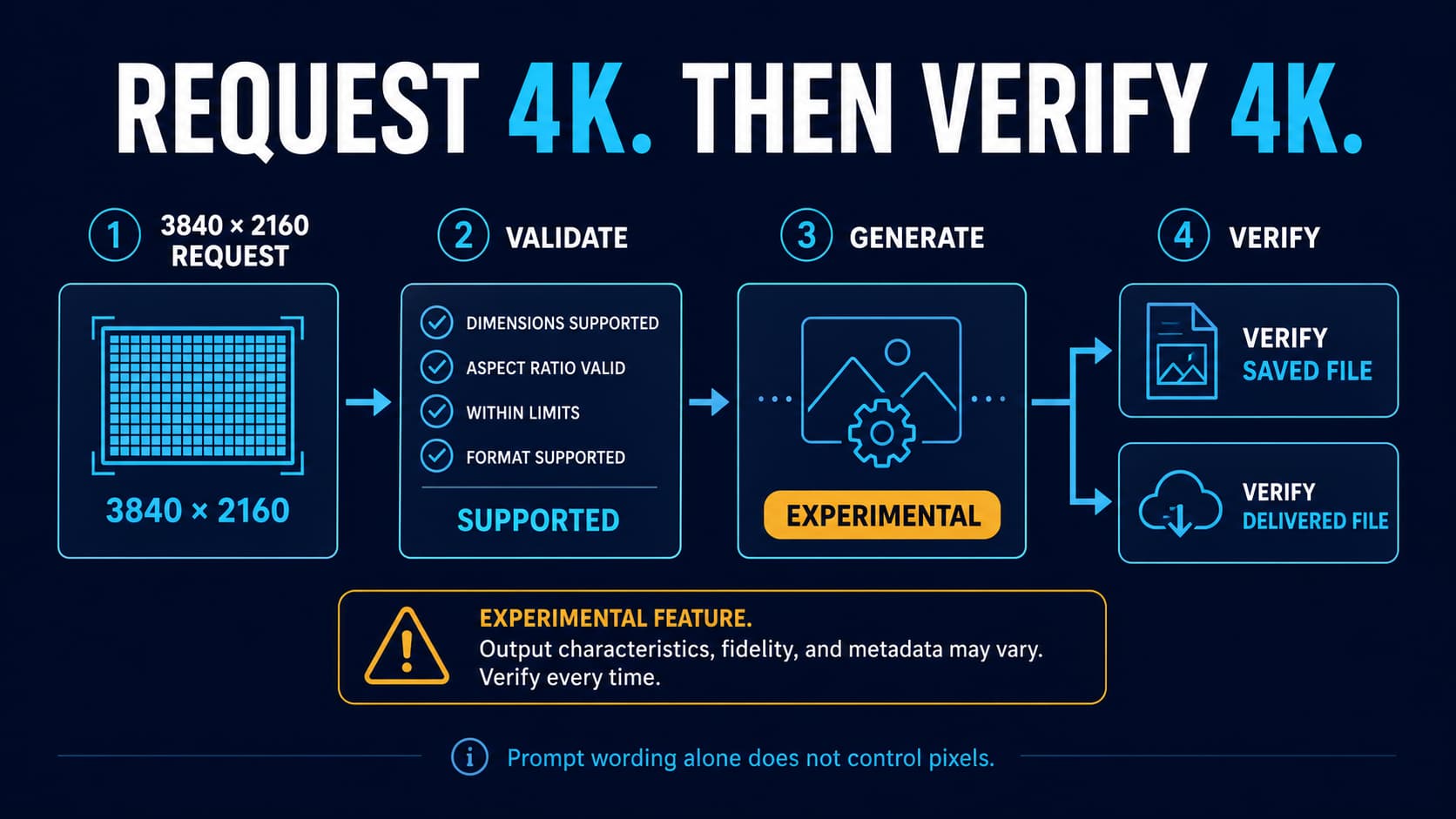
Request valid GPT Image 2 sizes, understand experimental 4K, choose Image or Responses API, decode the result, and verify the actual delivered pixels.

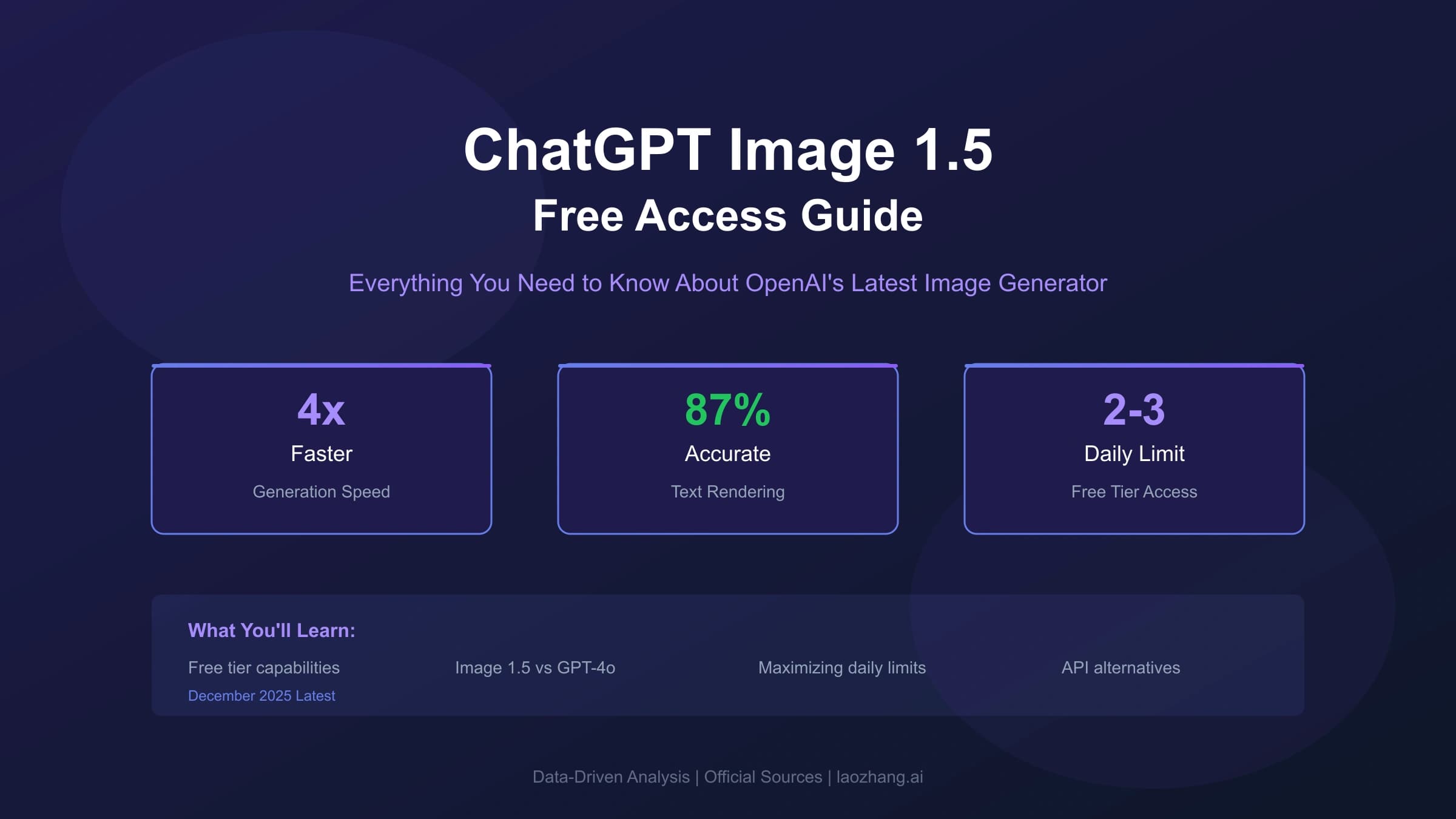
Everything you need to know about ChatGPT Image 1.5 for free users. Learn what capabilities are available, daily limits, quality comparison with GPT-4o, and practical workarounds to maximize your free tier access.