If Nano Banana Pro returns a text description instead of an image, start with the current API boundary: Google's stable Gemini 3 Pro Image model ID is gemini-3-pro-image, and Google's current image-generation docs show the Interactions API as the default path. In the current SDK examples, generated image bytes are exposed through interaction.output_image, not through the old candidates[0].content.parts[].inlineData pattern.
This page was refreshed on July 8, 2026. It separates current Interactions API fixes from legacy generateContent fixes because many "text instead of image" bugs come from mixing the two API surfaces in the same codebase.
Fast Diagnosis
Use this table before changing code:
| Symptom | Most likely cause | First fix |
|---|---|---|
| You only get prose such as "Here is an image..." | Prompt or API route is producing text, not an image block | Use gemini-3-pro-image with Interactions API and inspect interaction.output_image |
output_image is empty | Safety block, non-image prompt, wrong model, or response is interleaved | Log the full interaction, check steps, safety, and model ID |
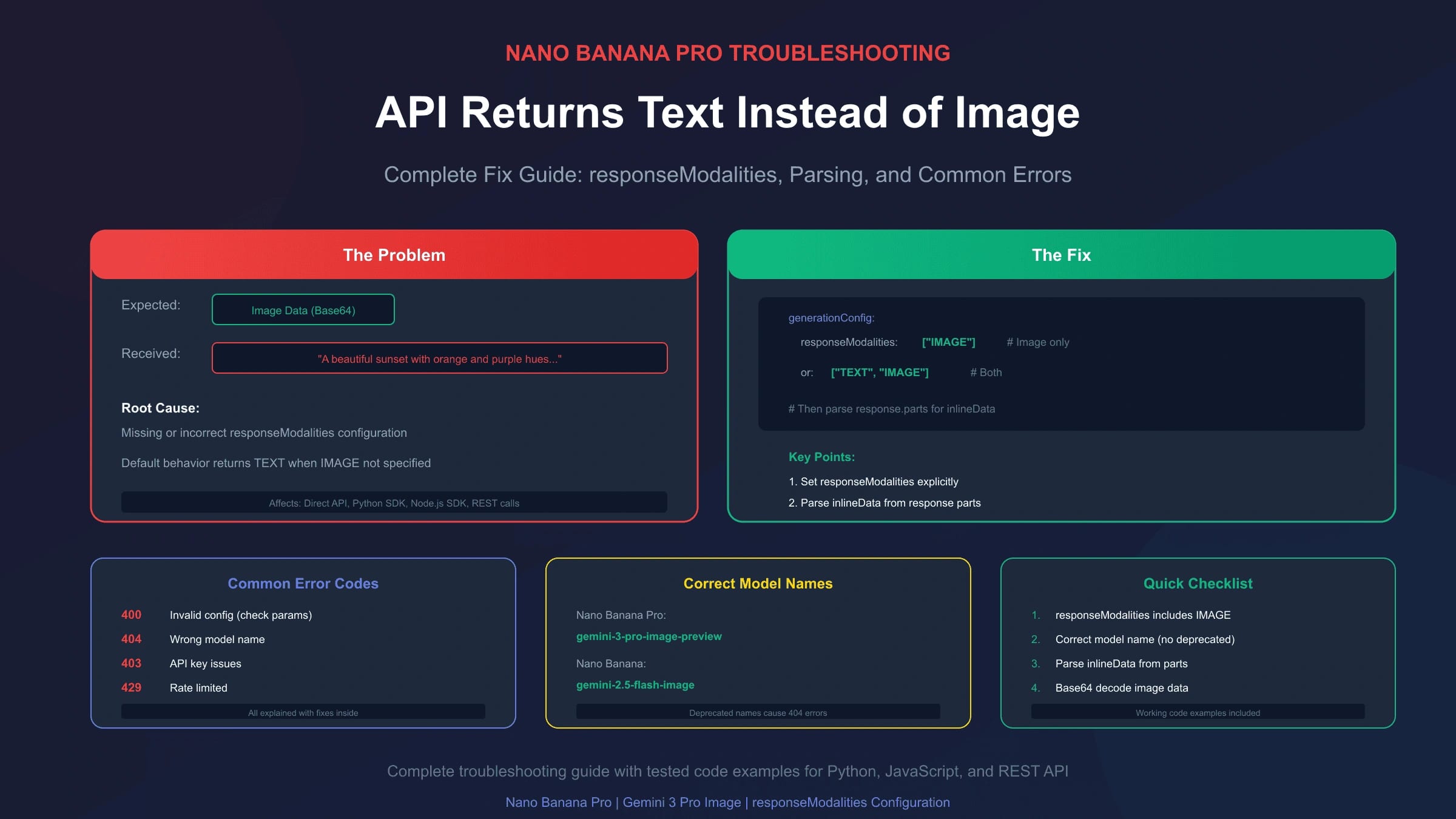
Legacy REST returns only text parts | Missing or wrong generationConfig.responseModalities | Include "IMAGE" for legacy generateContent calls |
| 404 or model not found | Old preview model ID or wrong endpoint | Replace gemini-3-pro-image-preview with gemini-3-pro-image in official Google calls |
| Works in AI Studio but not code | SDK version, endpoint, env var, or response parsing mismatch | Reproduce with a minimal Interactions request |
| Gateway route behaves differently | Provider compatibility layer maps fields differently | Check provider docs, console route, logs, and billing record |
For a broader integration baseline, use the current Nano Banana Pro API integration guide. For quota and 429 behavior, use the Gemini 3 Pro Image API quota guide.
Current Official Path: Interactions API
Google's image-generation docs show text-to-image generation through the Interactions API:
hljs pythonimport base64
from google import genai
client = genai.Client()
interaction = client.interactions.create(
model="gemini-3-pro-image",
input="Create a clean product photo of wireless earbuds on a marble surface, soft studio lighting.",
)
if not interaction.output_image:
raise RuntimeError("No image returned. Inspect the full interaction before retrying.")
with open("output.png", "wb") as f:
f.write(base64.b64decode(interaction.output_image.data))
JavaScript:
hljs javascriptimport { GoogleGenAI } from "@google/genai";
import * as fs from "node:fs";
const ai = new GoogleGenAI({});
const interaction = await ai.interactions.create({
model: "gemini-3-pro-image",
input: "Create a clean product photo of wireless earbuds on a marble surface, soft studio lighting.",
});
const image = interaction.output_image;
if (!image?.data) {
throw new Error("No image returned. Log the full interaction and inspect safety or response steps.");
}
fs.writeFileSync("output.png", Buffer.from(image.data, "base64"));
REST:
hljs bashcurl -s -X POST \
"https://generativelanguage.googleapis.com/v1beta/interactions" \
-H "x-goog-api-key: $GEMINI_API_KEY" \
-H "Content-Type: application/json" \
-d '{
"model": "gemini-3-pro-image",
"input": [
{
"type": "text",
"text": "Create a clean product photo of wireless earbuds on a marble surface, soft studio lighting."
}
]
}'
The practical fix is not "look harder for a URL." Google's current examples return image data as base64. The helper property interaction.output_image returns the last generated image block. If your response contains complex interleaved text and images, inspect the interaction steps rather than relying only on the convenience property.
Why You May Still See Text
There are five common causes.
1. Old Model ID
For official Google calls, use:
hljs textgemini-3-pro-image
Do not treat gemini-3-pro-image-preview as the current official model ID. Google's Gemini 3 Pro Image model page lists gemini-3-pro-image as stable and says Interactions API is generally available for the latest features and models.
2. Prompt Sounds Like a Description Request
Image models can return text when the prompt asks for analysis, planning, or a description instead of generation. Make the image task explicit:
hljs textCreate an image: a 16:9 product launch hero visual for a matte black smart speaker on a neutral studio background.
If you ask "describe a product hero image for..." you should not be surprised when the model describes it.
3. Safety or Rights Issue
Google reminds developers to have rights to uploaded images and not to generate deceptive, harmful, abusive, or rights-infringing content. A blocked or constrained response can look like a text-only answer. Log the full interaction and the prompt context before retrying.
4. Legacy generateContent Configuration
If you are maintaining older generateContent code, then responseModalities still matters. A legacy request that asks only for text, or omits image output, can produce a text-only response.
hljs json{
"contents": [
{
"role": "user",
"parts": [
{ "text": "Create an image of a red apple on a white table." }
]
}
],
"generationConfig": {
"responseModalities": ["IMAGE"]
}
}
For mixed text and image output:
hljs json{
"generationConfig": {
"responseModalities": ["TEXT", "IMAGE"]
}
}
Keep this rule scoped to legacy generateContent code. Do not paste a legacy request body into the Interactions endpoint and expect it to behave the same way.
5. Parser Assumes the Wrong Response Shape
Old code often scans candidates[0].content.parts for inlineData. Current Interactions examples use interaction.output_image. If you migrated only the endpoint and model name, but not the parser, your app may throw away the image block or report "no image" incorrectly.
Current Model Reference
| Name readers use | Current official model ID | Use in official Google calls? |
|---|---|---|
| Nano Banana Pro | gemini-3-pro-image | Yes |
| Nano Banana 2 | gemini-3.1-flash-image | Yes, for faster general image work |
| Nano Banana | gemini-2.5-flash-image | Legacy; Google recommends moving to newer Nano Banana 2 Lite for many users |
| Preview-flavored aliases | varies by provider or legacy code | Verify before using |
This matters because a 404, a text-only fallback, or a missing image can be caused by a model mismatch before your prompt ever reaches the expected image model.
Step-by-Step Troubleshooting
- Confirm the official model ID is
gemini-3-pro-image. - Confirm your endpoint is
https://generativelanguage.googleapis.com/v1beta/interactionsif you are using Interactions API. - Reproduce with the smallest possible prompt:
Create an image of a red apple on a white table. - Inspect
interaction.output_imagefirst. - If
output_imageis empty, log the full interaction object before retrying. - If you are using legacy
generateContent, confirm"IMAGE"is present ingenerationConfig.responseModalities. - Check whether the prompt may trigger safety, rights, or policy restrictions.
- Check rate limits only after the request shape is correct; Google's rate limits are project-level and model-specific.
- If a gateway is involved, verify the provider route string, response shape, logs, and billing record.
A Safer Debug Wrapper
hljs pythonimport base64
from pathlib import Path
from google import genai
client = genai.Client()
def generate_image_or_debug(prompt: str, output_path: str = "output.png") -> dict:
interaction = client.interactions.create(
model="gemini-3-pro-image",
input=f"Create an image: {prompt}",
)
image = getattr(interaction, "output_image", None)
if image and image.data:
Path(output_path).write_bytes(base64.b64decode(image.data))
return {"success": True, "image_path": output_path}
return {
"success": False,
"reason": "No output_image returned",
"debug_hint": "Log the full interaction, check safety, model ID, endpoint, and prompt wording.",
}
Do not retry this wrapper blindly. If the problem is a prompt, safety state, parser mismatch, or wrong route, retries only add cost and noise.
Legacy generateContent Parser
If you cannot migrate immediately, parse legacy responses defensively:
hljs pythonimport base64
from pathlib import Path
def save_legacy_image_response(result: dict, output_path: str = "output.png") -> dict:
parts = (
result.get("candidates", [{}])[0]
.get("content", {})
.get("parts", [])
)
text_parts = []
for part in parts:
if "inlineData" in part:
Path(output_path).write_bytes(base64.b64decode(part["inlineData"]["data"]))
return {"success": True, "image_path": output_path, "text": text_parts}
if "text" in part:
text_parts.append(part["text"])
return {
"success": False,
"text": text_parts,
"debug_hint": "Legacy response contained no inlineData image block.",
}
This keeps a legacy app from incorrectly reporting success just because a 200 response contained text.
Rate Limits Are A Separate Problem
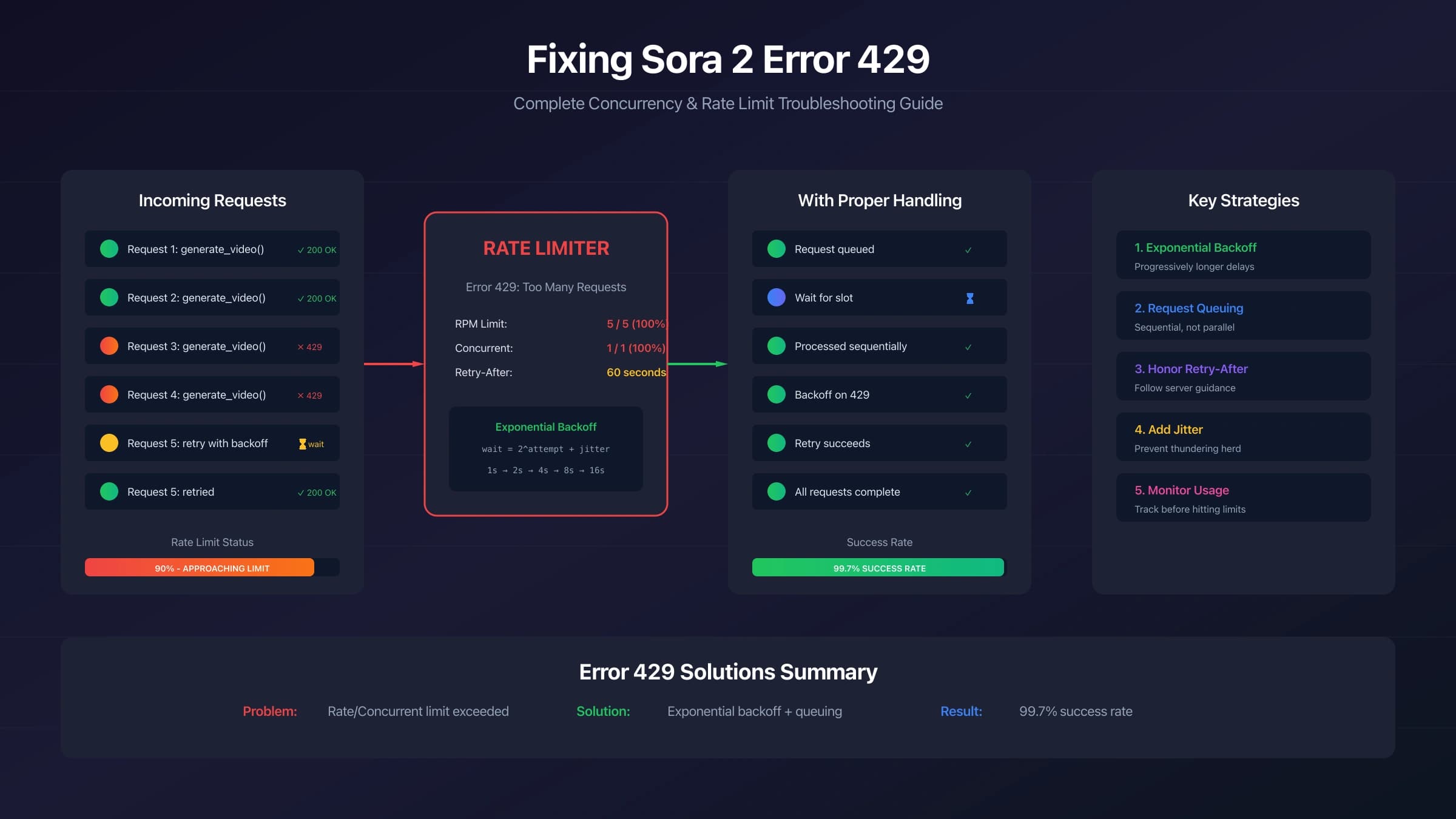
A 429 error is not the same as "text instead of image." Google's rate-limit docs say limits are applied per project, vary by model, and can be viewed in AI Studio. They also warn that specified limits are not guaranteed.
Handle rate limits after the response-shape bug is fixed:
| Problem | Correct response |
|---|---|
output_image is missing | inspect prompt, safety, model ID, endpoint, and parser |
429 RESOURCE_EXHAUSTED | backoff with jitter, queue requests, reduce expensive calls, or request a limit increase |
| no image plus billed request | preserve request ID, response body, logs, and billing evidence |
| gateway mismatch | verify route, provider response shape, and provider support notes |
For 429-only debugging, use the Gemini image generation error 429 fix guide.
Gateway and OpenAI-Compatible Routes
A third-party gateway can be useful when it lowers integration friction, adds local payment options, or provides a fallback lane. It can also change the response shape, model route name, failure handling, and billing semantics.
If a gateway returns text instead of an image:
- verify the provider's current route string maps to Gemini 3 Pro Image,
- confirm whether the provider expects OpenAI-compatible image syntax or Gemini-native syntax,
- inspect provider logs and order records,
- check whether failed or text-only responses are billed,
- keep the gateway behind a provider adapter so official and gateway routes can be compared.
Do not treat a gateway as a way to ignore official model names, rights checks, safety states, or response parsing.
FAQ
Should I still use responseModalities?
Use it only for legacy generateContent requests. For current Interactions API examples, inspect interaction.output_image and the interaction steps.
Why does AI Studio generate an image but my code returns text?
Usually your code differs in model ID, endpoint, prompt wording, SDK version, or response parsing. Reproduce with the smallest Interactions API call before adding advanced parameters.
Can I force Gemini 3 Pro Image to return no text at all?
You can write an image-only prompt and save only output_image, but you should still handle text-only or no-image states. Safety, rights, or prompt interpretation can still produce non-image output.
Is gemini-3-pro-image-preview still correct?
Not for new official Google integrations. Use gemini-3-pro-image. If a provider route still uses preview-like naming, verify it as a provider-specific alias rather than a universal official model ID.
Why does my parser find no URL?
Google's current examples save base64 image data from interaction.output_image.data. Do not expect a hosted image URL unless a specific gateway creates one.
Bottom Line
For current Nano Banana Pro API work, fix text-only responses by using gemini-3-pro-image, calling the Interactions API, and checking interaction.output_image. Use responseModalities only when maintaining older generateContent code. If the image block is still missing, inspect the full interaction for prompt, safety, model, endpoint, parser, quota, or gateway-route issues instead of retrying blindly.