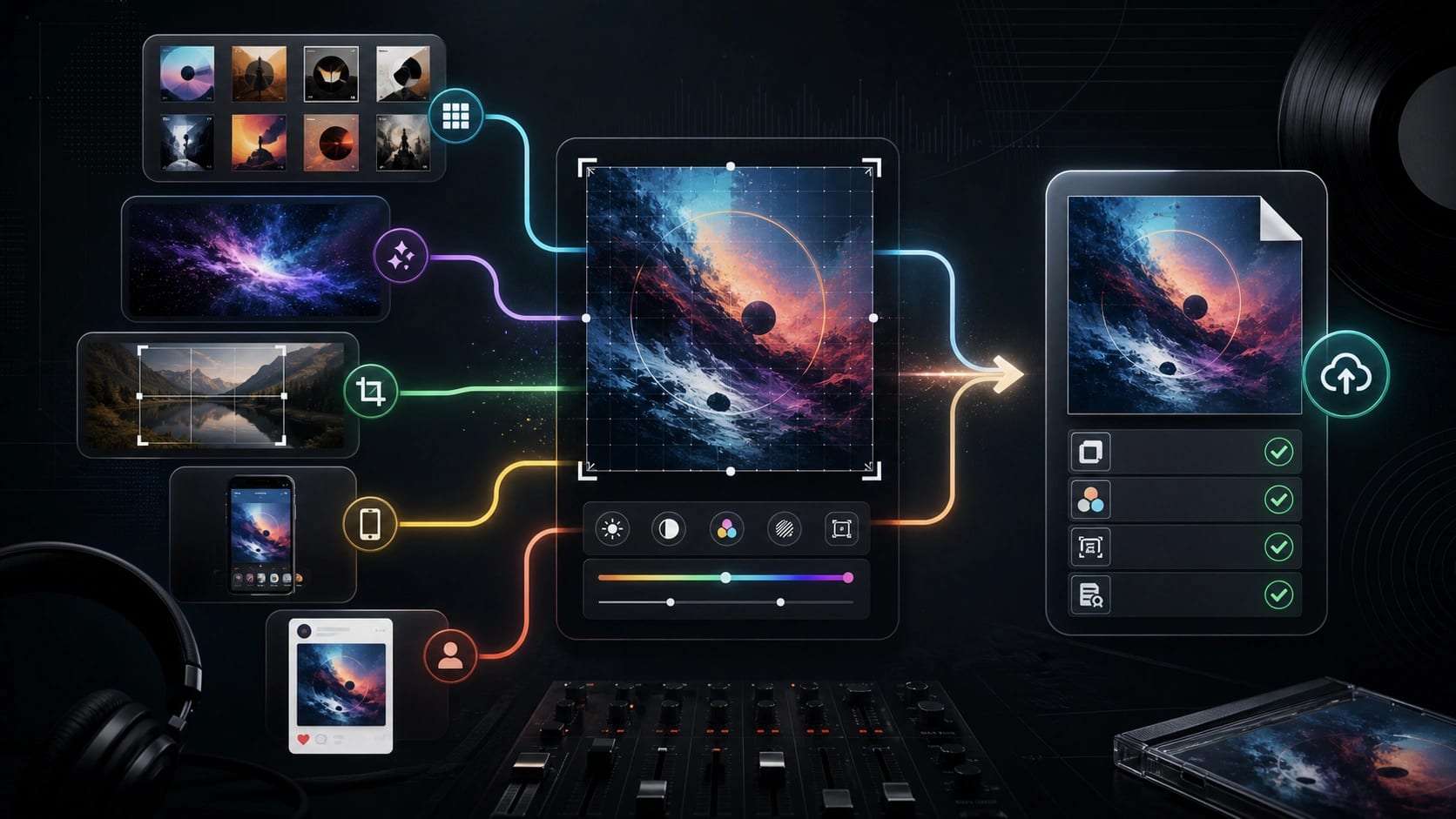
Choose an online album cover maker only after you know where the artwork will go. A cover for a social post can be playful; a cover for a single, EP, or album needs a square high-resolution RGB/sRGB file, metadata-matching text or no text, and proof that you can use every image element.
| Your starting point | Choose this maker lane | Check before upload |
|---|---|---|
| You need a fast, polished layout | Template-first maker | Replace every placeholder, remove promo text, and export a square file |
| You want original art direction | AI album cover maker | Add final typography manually when needed and keep license or prompt proof |
| You already own a photo | Photo-first editor | Crop for a square thumbnail, clear the subject, and confirm image rights |
| You are working on a phone | Mobile app | Use it for speed, then inspect the final file on desktop before release |
| You only need social artwork | Social or playlist template | Do not assume it is distributor-ready without export and rights checks |
The safest working baseline is a square 3000x3000 JPG or PNG in RGB/sRGB, but that is not a universal approval guarantee. Platform and distributor rules can still vary, so verify the target upload route before you submit. Free and AI tools can still be useful; just export, thumbnail-test, metadata-check, and rights-check the final file before you call it release-ready.
Pick the Maker by the Release Target
Pick the maker by the file you need at the end, not by the editor that looks fastest on the first screen. Most album cover maker tools can produce an attractive square image. Fewer help you think through metadata text, rights proof, file color, thumbnail readability, and the difference between a social graphic and release artwork.
A template-first maker fits when the music already has a clear title, artist name, genre mood, and image direction. The risk is placeholder residue. Remove fake track names, sample barcodes, discount copy, social handles, template logos, and any extra text that does not belong in the release metadata. If the cover says a title or artist name, those words should match the release fields exactly.
An AI album cover maker fits when you need a visual concept before you have photography or design assets. Use it for mood, composition, scene, object, texture, and color. Be more careful with final text. AI-generated letters are often wrong, and even when they look stylish, they may not match metadata. Generate the art first, then add the artist name and release title manually in a normal editor.
A photo-first workflow fits when the artist, band, object, or scene already exists. It is usually the safest lane for identity, but it is not automatically rights-safe. Confirm the photographer, model releases when needed, stock license, or ownership chain before upload. Then crop for a square thumbnail instead of only checking the full-size preview.
Mobile album cover apps are useful for speed, especially when you are finishing a demo, playlist image, or early single idea. Use them as a first pass, not as the final inspection surface. Before distribution, open the exported file on a larger screen and inspect edges, compression, small text, and color. A cover that looks sharp on a phone can still fail because the final upload file is the wrong format or because the text is too crowded in a small streaming thumbnail.
The Safer Export Target Before Upload
The export settings matter more than the preview. A good maker should let you control canvas shape, resolution, file type, and whether the final image is RGB or sRGB. If a tool only gives you a low-resolution social download, treat that as a concept asset, not as release artwork.
Use 3000x3000 as the practical starting canvas because many distributors and music-release checklists converge around that square size. It is large enough for most stores, easy to crop, and easier to downscale than rescue later. But do not turn it into a myth. Spotify's current cover art page accepts a wider range of square images, while TuneCore's support page describes a 1600x1600 to 3000x3000 range, RouteNote asks for an exact 3000x3000 JPG, and Apple Music for Artists currently lists at least 4000x4000. The target route still owns the final rule.
The safest export pass looks like this:
| Check | Safer working move | Why it matters |
|---|---|---|
| Shape | 1:1 square canvas | Most music artwork surfaces expect square cover art |
| Size | Start at 3000x3000 when the target allows it | Keeps detail while avoiding low-res rejection risk |
| Color | RGB or sRGB, not CMYK | Several upload systems reject or misread print color files |
| File | JPG or PNG unless the distributor says otherwise | Some routes accept multiple formats, while others prefer one |
| Text | Exact artist and release title, or no text | Mismatched artwork text can delay release review |
| Rights | Owned, licensed, or documented AI output | Attractive art is not enough if you cannot prove usage rights |
Do not upscale a small image just to hit a number. If the source image is weak, make a new cover at the right size. Upscaling can leave soft edges, compression marks, or fake detail that looks worse in streaming thumbnails. When you use an AI generator, request the largest native output available and continue editing from that file rather than from a compressed social preview.
Build Without Creating a Rejection Problem
The most common album cover mistakes are not creative mistakes. They are upload-policy mistakes. A cover can look finished and still get rejected because it includes a URL, QR code, social handle, streaming-service logo, price, physical-media reference, unlicensed stock image, or text that does not match the release metadata.
Keep the front cover simple. The safest text is the artist name and release title exactly as they appear in the release form. If the cover has no text, that can be acceptable for many routes and avoids spelling conflicts. If it has text, check capitalization, featuring artists, version names, punctuation, and language before export. Do not put production credits, release dates, "available now," web addresses, or platform logos on the cover.
Explicit-label handling deserves a separate check. Do not add a Parental Advisory sticker because it looks like a genre convention. Use it only when the release is actually marked explicit and the target route accepts that treatment. SoundCloud's distribution artwork guidance, for example, calls out that a Parental Advisory sticker should not appear unless the release is marked explicit.
Run a thumbnail test before upload. Shrink the cover to the size of a phone lock-screen widget or a streaming list tile. The title does not need to be perfectly readable in every tiny placement, but the cover should not collapse into a muddy block. Check contrast around the main subject, avoid thin white type over busy light backgrounds, and leave enough edge padding that platform rounding or cropping does not cut off important text.
AI Workflow: Generate Art, Then Own Text and Proof
AI can make the art, but you still own the text and proof problem. A strong AI album cover maker workflow separates concept generation from release packaging.
Start with a prompt that describes the music mood and cover system, not just a genre. Include the emotional tone, subject, visual era, color contrast, framing, texture, and whether the image should leave space for typography. Avoid asking the model to draw exact artist-name lettering unless you are willing to replace it. If your next decision is model choice rather than cover upload, compare image-model behavior separately from the release checklist.
Generate several directions, then choose one based on thumbnail strength. Look for a readable silhouette, clear focal point, and enough negative space for text. If the image depends on tiny background details, it may look impressive full-size but weak on a streaming platform.
After generation, move the selected image into an editor. Add real text manually, align it to the square crop, and export from the editor rather than from a chat preview or low-quality share card. Keep the prompt, raw output, tool license page, stock license, or contract note in the project folder. SoundCloud's current distribution guidance says original AI-generated images are allowed but need valid license documentation, which is a useful reminder even when another distributor phrases the rule differently.
Use AI for alternate covers carefully. If you generate five covers with similar faces, fictional logos, parody labels, or visual references to known artists, the rights check gets harder, not easier. The release-ready question is not "does the AI image look professional?" It is "can I explain why this image is mine to distribute?"
Photo, Template, and Mobile Workflows
A photo workflow should begin with ownership. If you shot the photo yourself, keep the original file and the edit project. If someone else shot it, keep a written permission note or license. If the photo includes recognizable people, locations, logos, artwork, or trademarks, decide whether those elements are cleared before design starts. A beautiful portrait can become a release blocker if the right permission is missing.
Crop early. Album artwork is not a poster. Set the canvas to a square, place the subject where it still works after small platform crops, and check both dark and light UI backgrounds. If the cover is typography-heavy, test at 300px wide and again at very small thumbnail size. Thin fonts, low contrast, and long subtitles usually fail this test.
A template workflow should be treated as a replacement job. Replace the sample photo, sample title, sample artist name, fake label text, and decorative barcode. Check whether the template license allows commercial music-release use. Free basic downloads can be enough for social drafts, but paid or commercial-use terms may differ by maker. Verify the live license rather than trusting a template gallery badge.
For image-to-image or reference-based workflows, start from an asset you are allowed to transform. A sketch, reference photo, or existing brand image can help the model hold a direction, but it also makes source rights more important. If your main problem is that the crop is too tight, use an expansion workflow carefully and keep the final square composition clean.
Platform and Distributor Checklist
No album cover maker can guarantee acceptance everywhere because the target route owns the rule. As rechecked on July 8, 2026, the examples below still point to different size, format, and content restrictions, so use them as a pre-upload checklist and then open the current help page for your distributor or platform before release.
| Target route | Current check to remember | Practical action |
|---|---|---|
| Spotify cover art requirements | Spotify lists TIFF, PNG, or JPG using lossless encoding, 1:1 aspect ratio, sRGB 24-bit color, and 640px to 10000px width and height | Do not upscale; export a clean square file with direct color profiles |
| DistroKid artwork requirements | DistroKid says JPG, minimum 1000x1000, ideally 3000x3000, RGB, and avoids URLs, QR codes, social handles, prices, logos, unlicensed images, and duplicate artwork | Use a square RGB JPG and remove promo or platform references |
| TuneCore cover art requirements | TuneCore lists JPG, PNG, or GIF, under 10MB, square 1600x1600 to 3000x3000, RGB, and text only matching artist and release title or no text | Check file size and do not add extra words beyond metadata |
| SoundCloud distribution artwork guidance | SoundCloud distribution guidance lists 3000x3000, 300dpi, 1:1, PNG or JPEG, exact metadata text, explicit-label caution, and license documentation for copyrighted or AI imagery | Keep AI, stock, and ownership proof with the release files |
| RouteNote album artwork requirements | RouteNote asks for a JPG under 25MB, RGB, 3000x3000, and excludes web/contact info, pricing, copyrighted images, CD scans, blur, and barcodes | Export the exact JPG they ask for and remove physical-product signals |
| Apple Music cover art and style guidance | Apple Music for Artists lists JPG, PNG, or GIF, perfect square artwork at least 4000x4000, and strict limits on misleading content, trademarks, URLs, QR codes, logos, pricing, format references, and physical-packaging language | Do not assume a 3000x3000 export is enough for every Apple-facing route; check Apple or distributor guidance before delivery |
The pattern is clear: release artwork is not only a design file. It is a metadata, rights, and platform-compliance asset. That is why a tool page that says "ready for Spotify" or "ready for Apple Music" should be treated as a starting promise, not final proof. The upload route gets the last word.
What to Do When Artwork Is Rejected
When a distributor rejects the cover, do not regenerate the whole image first. Identify the rejection class.
If the error is technical, re-export from the source editor. Check square dimensions, RGB/sRGB color, file type, file size, and whether the file is actually a JPG or PNG rather than a renamed extension. A one-pixel resize and fresh export can solve encoding problems, but only after the canvas and color mode are correct.
If the error is content-related, remove the risky element instead of arguing with the maker. URLs, QR codes, prices, platform logos, social handles, physical-media references, and copied brand marks are not worth keeping on a cover meant for distribution. If the text mismatches metadata, change either the metadata or the artwork so they agree.
If the error is rights-related, gather proof before resubmitting. That proof may be a photo license, stock license, designer invoice, written permission, AI tool license, or internal note showing the generation route and prompt. The exact document depends on your workflow, but the principle is the same: if the image source is challenged, you need something stronger than "I made it in a maker."
If the error is unclear, test a conservative export: square 3000x3000 RGB JPG, no extra text, no logos, no URLs, no QR codes, no explicit sticker unless the release is marked explicit, and only artwork you own or can document. If that passes, add complexity back only when it serves the release.
FAQ
What is the best free album cover maker?
The best free album cover maker is the one that matches your lane. Use a template maker when you need layout speed, an AI maker when you need original art direction, and a photo editor when you already own the source image. Free is useful for drafting, but check export size, watermark, commercial-use terms, and whether the final file is suitable for your distributor.
Can I make an album cover online without signing up?
Sometimes, but treat no-sign-up tools as draft tools until the export proves otherwise. Check whether the download is high resolution, watermark-free, commercially usable, and available as a clean square JPG or PNG. If the best export or license terms require an account, decide that before you build the final cover around the tool.
Can I use an AI album cover for a music release?
Usually you can consider it, but do not treat AI output as automatically rights-safe. Keep the prompt, output, tool terms, and any license or ownership evidence. Add final text manually when the model creates unreliable letters. Then check the distributor's current AI, stock, and rights requirements before upload.
Does an album cover need to be 3000x3000?
3000x3000 is a strong working baseline, but it is not a universal rule. DistroKid and RouteNote point strongly toward 3000x3000, TuneCore describes a 1600x1600 to 3000x3000 range, Spotify accepts a wider square range, and Apple Music for Artists currently lists at least 4000x4000. Choose the target route first, then export to that rule.
Can I make an album cover from a photo?
Yes, if you own or can license the photo and any important visible elements. Crop it to a square, check the subject at thumbnail size, add only metadata-matching text or no text, and export in the file type and color mode required by your upload route.
Should I add a Parental Advisory sticker?
Only add it when the release is actually marked explicit and the target route accepts that usage. Do not add the sticker as decoration. If the release is not marked explicit, the sticker can create a mismatch between artwork and metadata.
What should I do if my cover looks good but the upload fails?
Re-export first, then remove policy risks. Check square size, RGB/sRGB color, file type, file size, metadata text, URLs, QR codes, platform logos, prices, explicit stickers, and rights proof. If the issue remains, submit the simplest clean version that satisfies the distributor's stated requirements.
Which AI image tools should I compare after the cover workflow is clear?
If you need broader tool choice after the release checks are clear, compare generation routes in the GPT Image 2 vs Nano Banana Pro guide or review consumer image access limits in the ChatGPT free image generation guide. Keep that comparison separate from the final upload checklist so creative quality does not hide file, rights, or metadata problems.