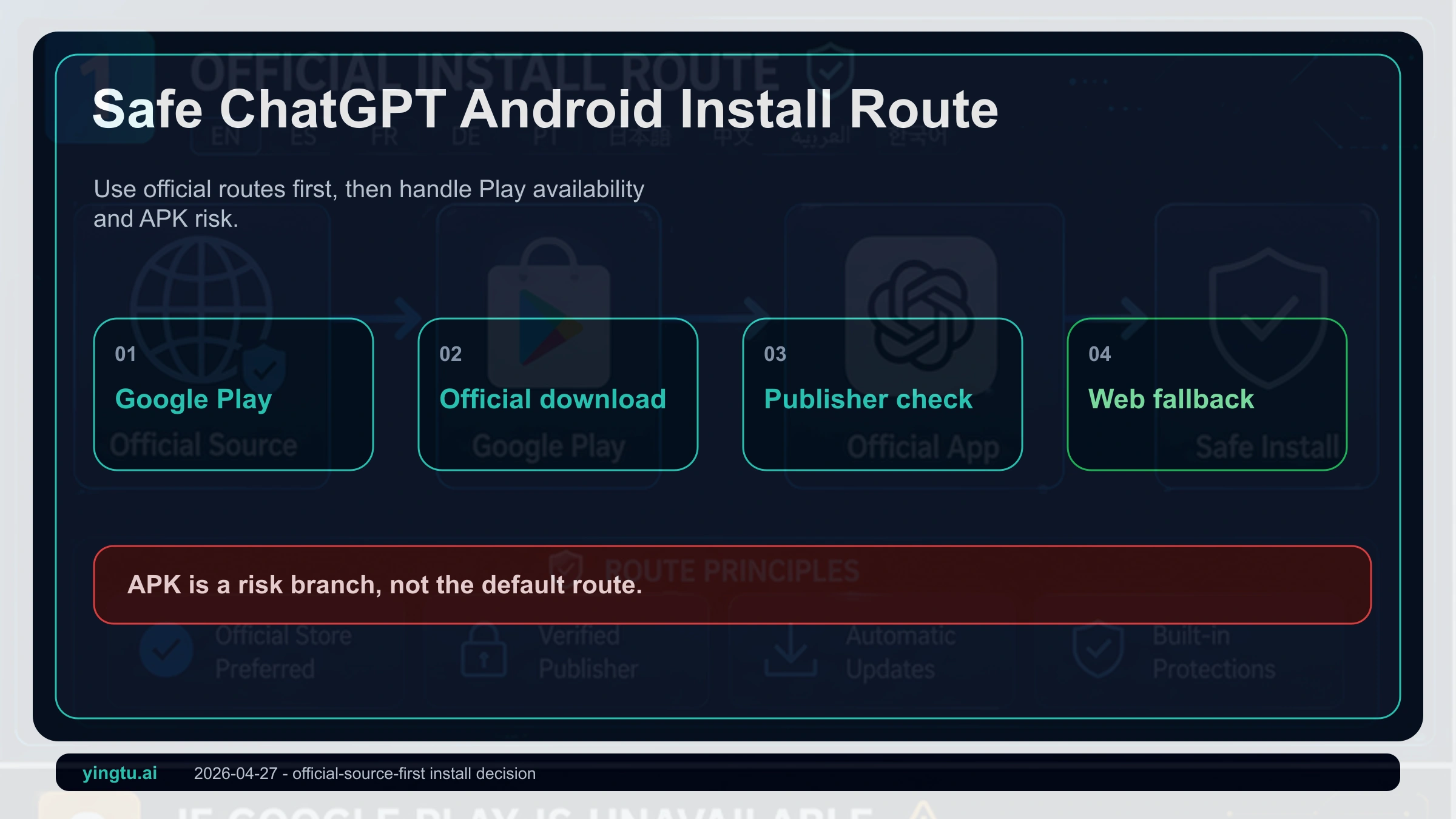
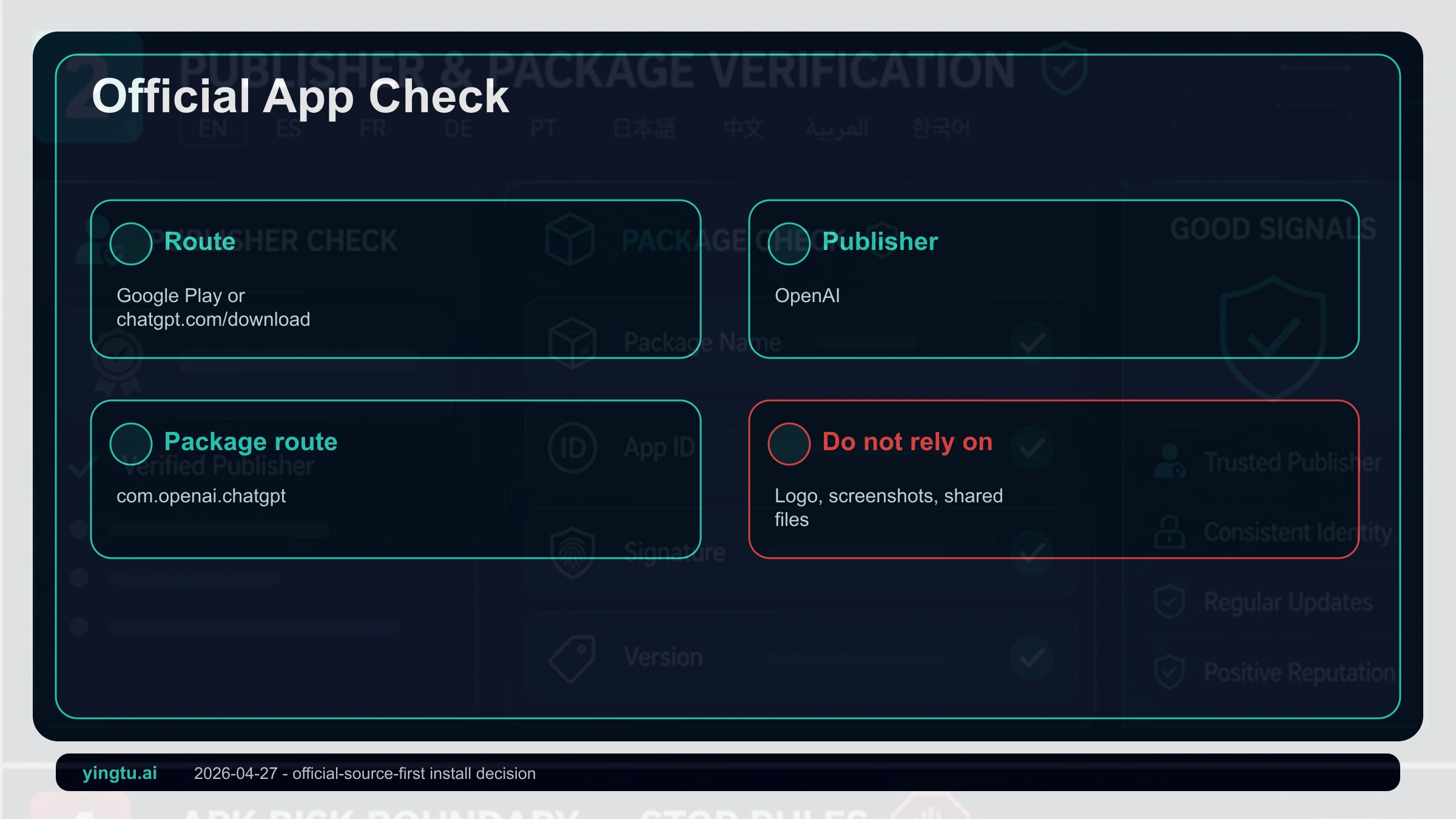
As of April 27, 2026, the safe Android path for ChatGPT starts with Google Play or the official ChatGPT download page, then a publisher check: the app should be ChatGPT from OpenAI. An APK is not the default route. If Play does not show the app, first separate country support, account or device state, and store compatibility before deciding whether the web app is the safer fallback.
Use the route order below before touching any installer file:
| Route | Use it when | Verify first | Risk boundary |
|---|---|---|---|
| Google Play | Your Android device can open the official listing | Title ChatGPT, publisher OpenAI, route com.openai.chatgpt | Use live store fields instead of fixed version numbers |
| ChatGPT download page | You are unsure which store result is real | Start from chatgpt.com/download | Official page sends you to app stores, not random APK files |
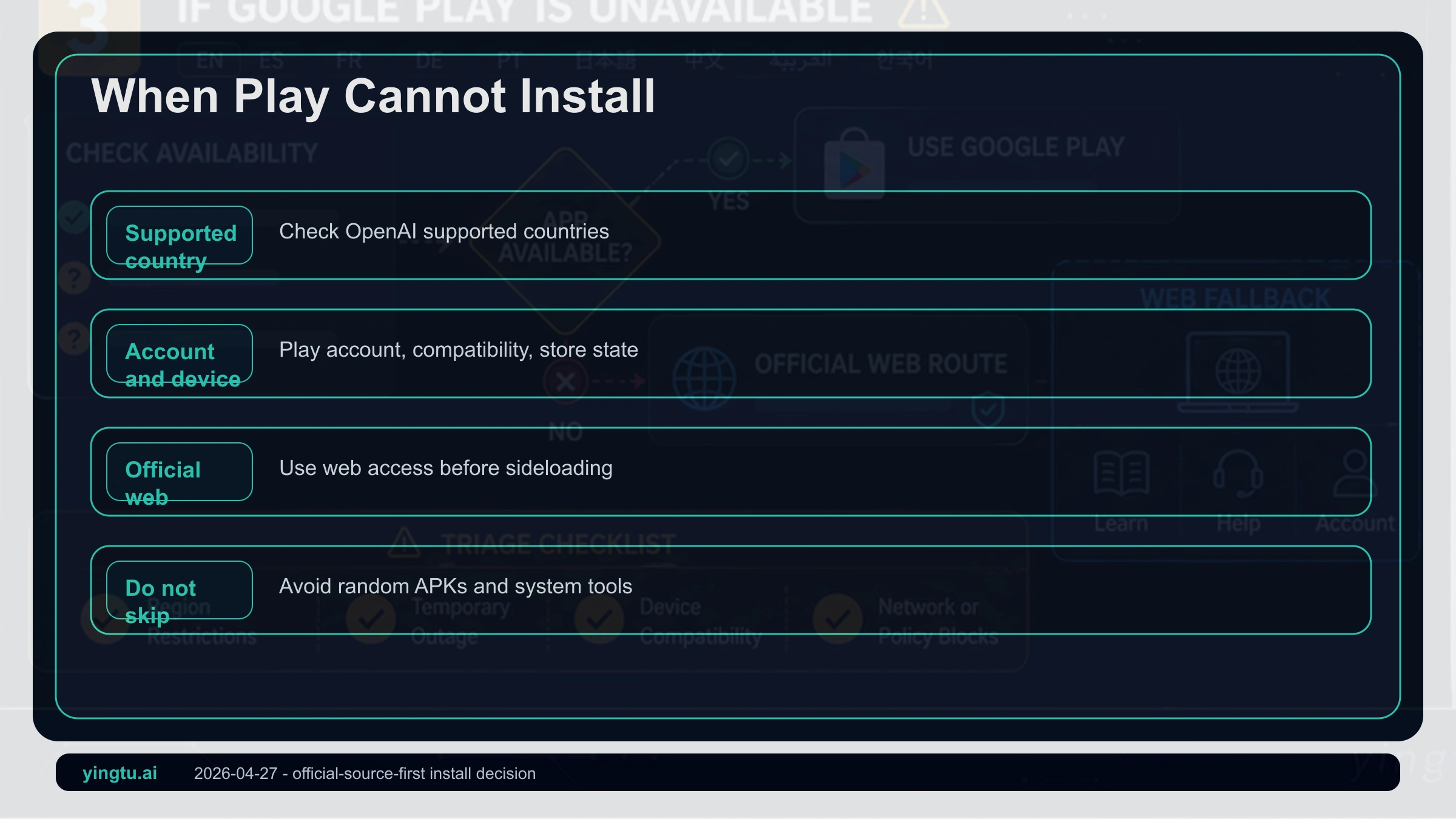
| Play unavailable | Play cannot find or install the app | Supported countries, Google account, device compatibility, Play state | Do not turn account or region workarounds into install instructions |
| Official web app | No Play Store or you do not want sideloading | Use chatgpt.com where ChatGPT is supported | Less native than the app, lower risk than unknown APKs |
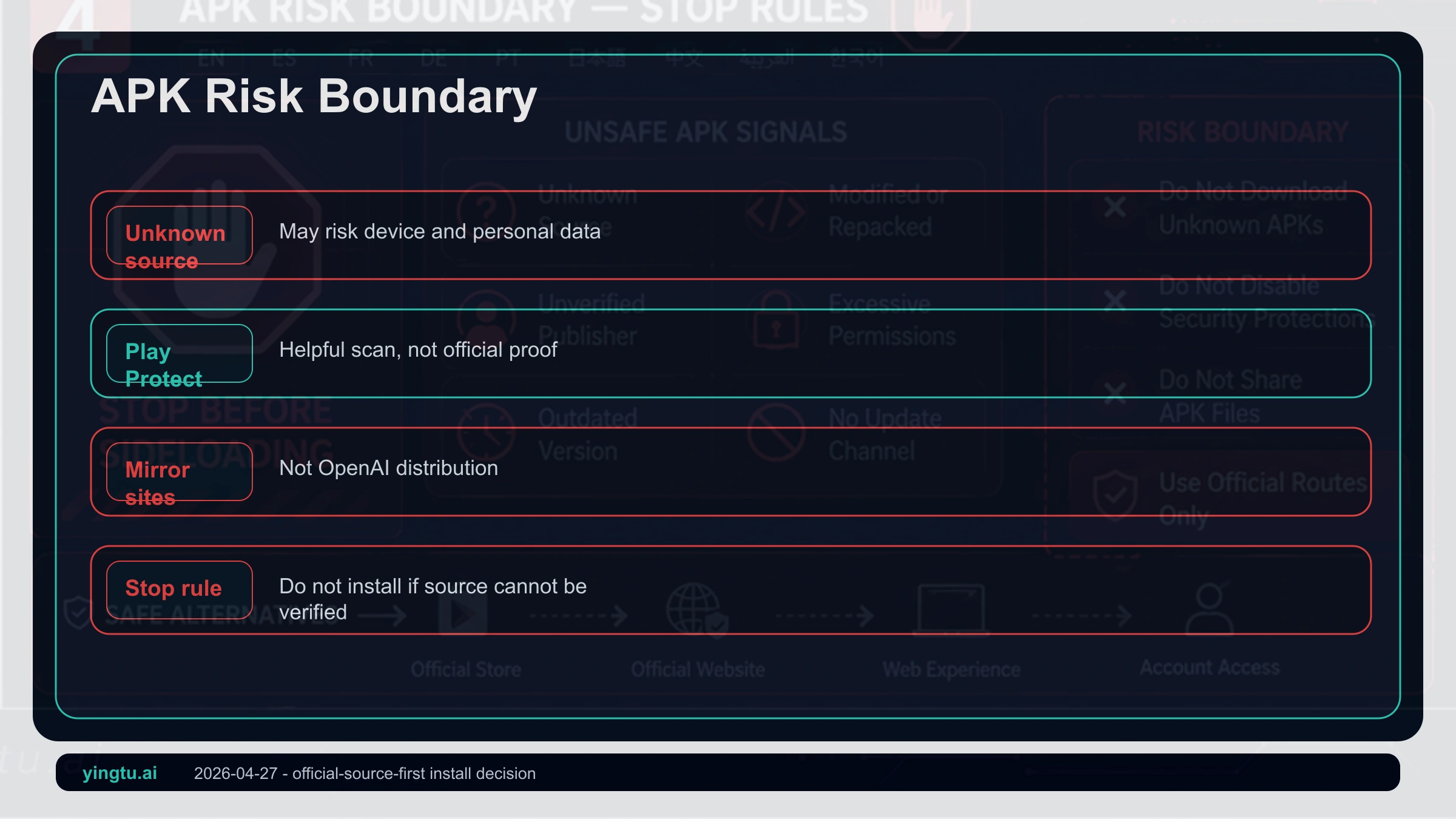
| Third-party APK | Not a normal route | A scan cannot prove official OpenAI distribution | If the source chain is unclear, do not install |
Start With The Official Route
OpenAI's Android install path is intentionally narrow. Use Google Play, or start from chatgpt.com/download and let the official page send you to the Android route. The Help Center guidance is equally practical: search for openai chatgpt in Google Play and verify that OpenAI is the publisher.
Do not trust a familiar logo by itself. Many Play listings and download pages use GPT language, black-and-white icons, or "AI chat" names. The safer check is ownership: official domain, official store listing, publisher OpenAI, and the package route used by the Play listing.
If Google Play Does Not Show ChatGPT
A missing Play result does not automatically mean an APK is required. It can mean your account, device, Play Store state, Android components, or current ChatGPT service availability do not line up. Check the original Play message before changing anything.
If the listing opens but cannot install, update Google Play, Google Play services, Chrome, Android System WebView, and the device system. If the service itself says it is unavailable, compare that with OpenAI's supported country list. App installation and service access are related but not identical.
| Symptom | More likely meaning | Safer next step | Avoid |
|---|---|---|---|
| Official app does not appear | Query, account region, or store filtering | Search openai chatgpt or use the official download page | Installing look-alike chat apps |
| Listing opens but install is blocked | Device, system, country, or account condition | Read the Play message and update official components | Overwriting with a random APK |
| Login fails after install | Browser/WebView, account, or service availability | Update browser components and check support status | Treating account tricks as support |
| No Google Play | Device ecosystem lacks the official store path | Use chatgpt.com in the browser | System-modification tutorials |
Treat APK Files As A Risk Branch
Android allows unknown-source installs, but allowance is not endorsement. Google's Android safety guidance warns that unknown-source apps can put the device and personal information at risk. Play Protect may scan a file; it does not convert a third-party APK into official OpenAI distribution.
The key question is not whether an APK runs. The question is whether you can prove its source, integrity, update path, and login surface. If a download page asks you to disable protection, grant unrelated permissions, install certificates, join a file-sharing group, or use a shared account, stop. If the official web app works for your account and location, it is usually the safer fallback.
Huawei, HarmonyOS, And No-Play Devices
A phone without Google Play is missing the official Android distribution chain. That is a different problem from finding a download button. For most users, chatgpt.com in a mobile browser is the first fallback to try because it keeps the source under OpenAI's domain and avoids unknown installers.
System-level Google service tools, Root modules, store emulators, and integrity patches change more than the ChatGPT app. They can affect stability, payments, account trust, and future updates. Advanced users may understand those tradeoffs, but they do not belong in a normal Android download path.
Troubleshooting After A Play Install
If the official Play version opens poorly, start with official components: update the app, Google Play, Google Play services, Chrome or WebView, then restart the phone. Check storage, default browser, time settings, and app cache. Clear only the ChatGPT app data first so that a small login issue does not become a wider account problem.
When the message points to availability, use OpenAI's supported country list rather than a workaround recipe. A successful app install does not guarantee service access everywhere, and a working web session does not guarantee the Play listing is installable on every Android device.
Free, Plus, Language, And Data Settings
The Android app is a client for your ChatGPT account. Free or paid access depends on the account and the current ChatGPT plan, not on an APK file. Claims that a modified APK unlocks Plus, models, or subscription benefits should be treated as account-risk behavior.
There is no separate official "English only" or local-language APK requirement. You can use ChatGPT in your language inside the official app or web app, while interface labels and visible features may vary by app version, account, system language, and region.
FAQ
How do I download the official ChatGPT app on Android?
Use Google Play or start from chatgpt.com/download. Verify that the app title is ChatGPT and the publisher is OpenAI before installing.
Is a ChatGPT APK safe?
Not by default. A clean scan does not prove official distribution. If the file source, signature, update path, or login surface cannot be verified, do not install it.
What should I do if Google Play cannot find ChatGPT?
Search for openai chatgpt, try the official download page, then check account, device, store, and supported-country messages. Do not install look-alike apps just because they rank nearby.
Can Huawei or no-Play devices use ChatGPT?
The official web app at chatgpt.com is the safer first fallback. Third-party Google service tools or unknown APKs should not become the default consumer route.
Is there a special local-language ChatGPT app?
No separate official APK is needed for local-language conversations. Use the official ChatGPT app or web app, then type in the language you prefer.
App or web app: which is safer?
Use the official app when Google Play installation works. Use the web app when Play is unavailable, the device is incompatible, or sideloading would lower the security boundary.