Codex GPT-5.5: How to Use It, API-Key Limits, and Fallbacks
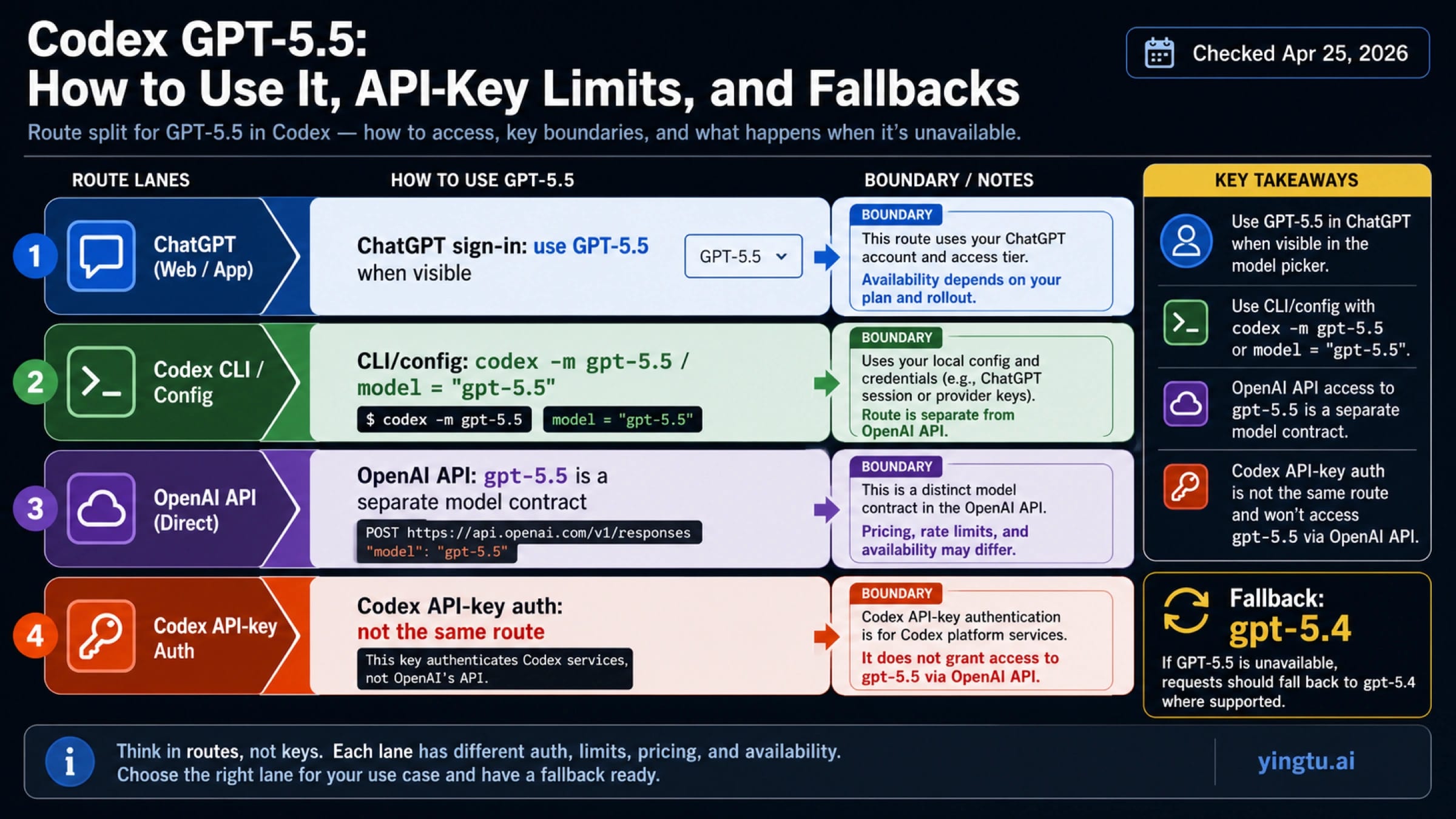
As of April 25, 2026, GPT-5.5 is the first model to try for serious Codex work when it appears under ChatGPT sign-in, but Codex API-key authentication is still a different route. Use codex -m gpt-5.5 or model = "gpt-5.5" where your Codex client and account support it; if the model is missing or rejected, switch to gpt-5.4 instead of forcing an unsupported route.
| If your job is... | Use this route first | What to check before troubleshooting |
|---|---|---|
| Run serious Codex work with the strongest available model | Codex with ChatGPT sign-in, then select GPT-5.5 when it appears | The account, plan, rollout state, and model picker must expose GPT-5.5. |
| Force the local CLI or config to a model | codex -m gpt-5.5 or model = "gpt-5.5" | Do not claim a minimum CLI version unless official docs state one; update the client and recheck. |
| Call GPT-5.5 through the OpenAI API | Use the OpenAI API model ID gpt-5.5 under API pricing and endpoint rules | API billing and Codex/ChatGPT plan usage are separate. |
| Use Codex with API-key authentication | Do not assume GPT-5.5 works through this route | Current Codex docs say GPT-5.5 is not available with API-key authentication. |
| Keep working when GPT-5.5 is missing | Fall back to gpt-5.4 | Treat gpt-5.4-mini as a lighter-cost option, not the quality default. |
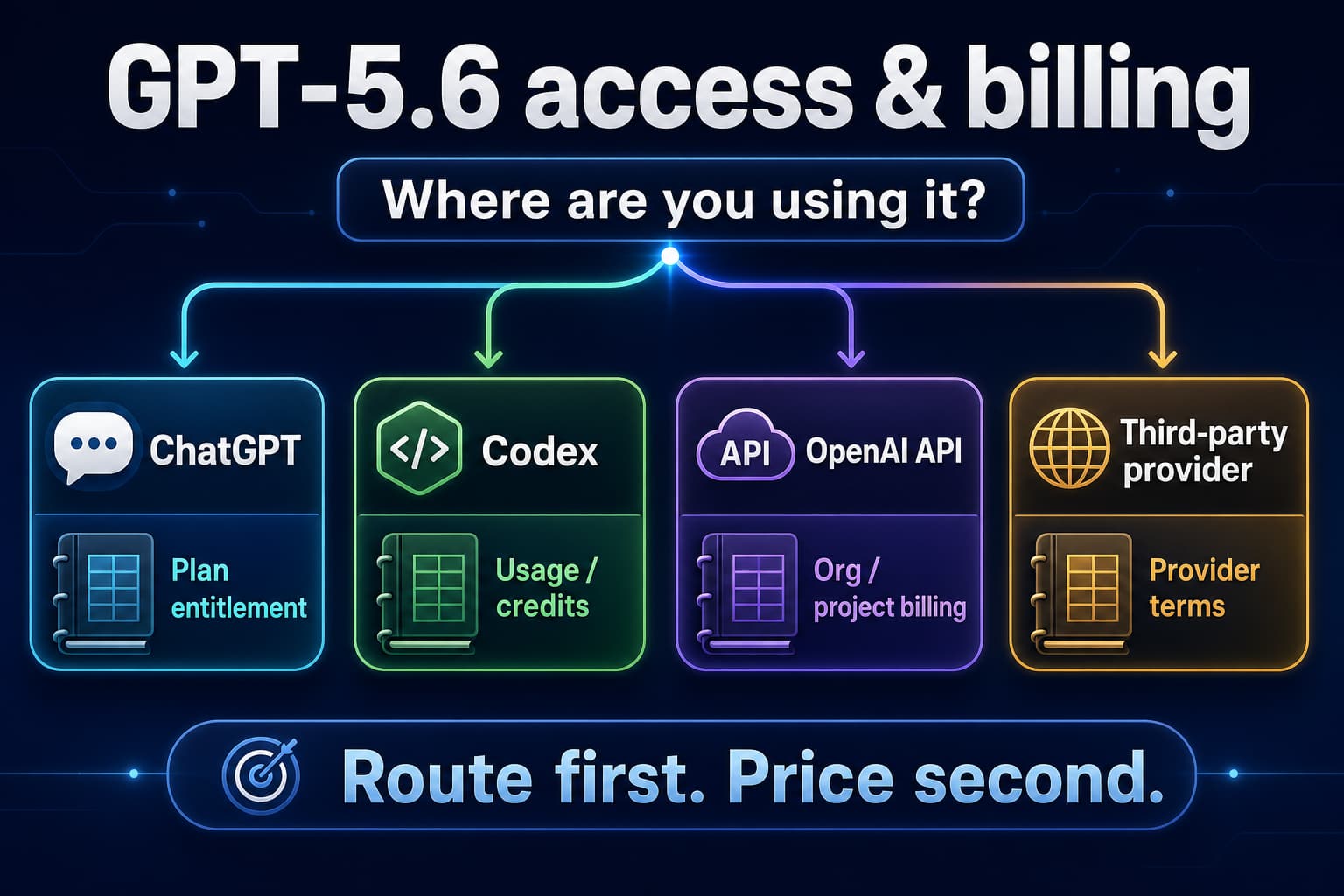
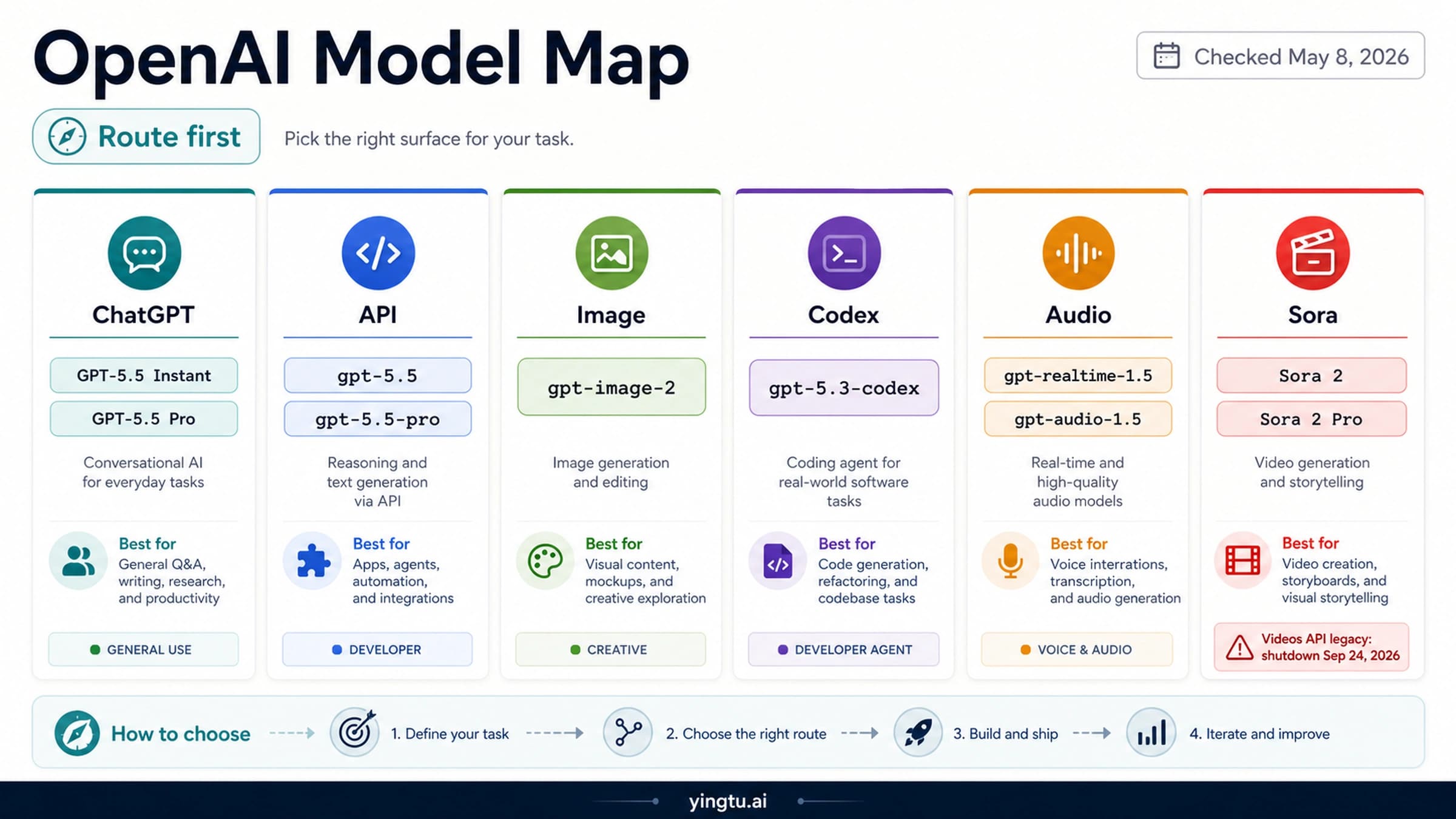
The common mistake is treating every OpenAI surface as one model switch. For this topic, the safe order is route first, command second, API pricing third, and model-quality discussion last.
What "GPT-5.5 in Codex" Actually Means
Codex is not just a thin wrapper around whichever OpenAI API model exists. It has several entry points, including the Codex web/app surface, the local CLI, IDE integrations, cloud tasks, ChatGPT-plan access, and API-key authentication. GPT-5.5 can be a valid model ID in one OpenAI surface while still being unavailable in another Codex authentication mode.
OpenAI's Codex model documentation is the source to trust for Codex behavior. It recommends starting with gpt-5.5 for most Codex tasks when the model appears, shows both codex -m gpt-5.5 and model = "gpt-5.5", and also states the important boundary: GPT-5.5 is available in Codex through ChatGPT sign-in, while API-key authentication does not currently expose it.
That split explains most confusion. A developer may see OpenAI's API model page for gpt-5.5, confirm that the model exists for API use, and still hit a Codex-side failure when using an API key inside Codex. Those are not contradictory facts. They are different access contracts.
Codex Cloud also has its own constraint. The same Codex model documentation says the cloud default model cannot currently be changed by the user. If your question is specifically "how do I force cloud Codex to GPT-5.5?", the answer is different from local CLI control: check the current cloud default behavior rather than assuming the local -m flag applies.
How To Try GPT-5.5 Locally
Start in the model picker if you use the app, IDE extension, or a signed-in local client that exposes one. If GPT-5.5 is visible, select it for complex codebase work, multi-file edits, hard debugging, architecture changes, and agent tasks where better reasoning is worth the higher cost or usage weight.
For the CLI, the direct command is:
hljs bashcodex -m gpt-5.5
For persistent local configuration, use the model field shown in the Codex docs:
hljs tomlmodel = "gpt-5.5"
Do not turn a working local observation into a universal minimum-version claim. A local client can support -m, --model <MODEL> while a different user's account, rollout state, authentication mode, or client build still blocks GPT-5.5. The practical update path is simpler: update Codex, sign in with ChatGPT if that is your intended route, reopen the model picker or rerun the CLI command, and only then troubleshoot the model name.
If the local command accepts gpt-5.5, keep the first test narrow. Open a real repository task, ask for a contained change, and confirm that the response actually uses the desired model. If the command fails immediately with an unsupported-model style error, move to the route checks below instead of retrying the same command with small spelling variations.
Why GPT-5.5 May Not Show or May Fail
Most failures are not solved by arguing about whether GPT-5.5 exists. They are solved by identifying which access route you are on.
| Symptom | Most likely cause | First recovery move |
|---|---|---|
| GPT-5.5 does not appear in the picker | Account, plan, rollout, or client state has not exposed it | Update the client, sign in again with ChatGPT, and recheck the picker. |
codex -m gpt-5.5 is rejected | The local route does not currently have model access | Confirm ChatGPT sign-in versus API-key authentication, then use gpt-5.4. |
API docs show gpt-5.5, but Codex still rejects it | API model access and Codex API-key authentication are separate | Do not use API availability as proof that Codex API-key auth supports GPT-5.5. |
| A cloud Codex task uses another model | Cloud model selection is not the same as local CLI selection | Check current Codex Cloud defaults and avoid assuming local config controls cloud tasks. |
| The task is light and cost-sensitive | GPT-5.5 may be unnecessary | Use gpt-5.4-mini only when the task does not need the stronger model. |
The clean recovery path is:
- Confirm whether you are signed in with ChatGPT or using API-key authentication.
- Check whether GPT-5.5 appears in the Codex model picker.
- Update your Codex client and retry the picker or
codex -m gpt-5.5. - If the model is still missing or rejected, use
gpt-5.4. - Use
gpt-5.4-minionly for smaller, lower-risk work where cost matters more than maximum capability.
That sequence avoids two bad outcomes: spending time on community-only fixes before checking the official route, and downgrading to a cheaper model before proving that GPT-5.5 is actually unavailable in your supported path.
API Availability and Pricing Boundary
OpenAI's API model index and gpt-5.5 model page list GPT-5.5 as an API model. The model page lists Chat Completions and Responses among supported endpoints, and the pricing page lists current token prices. That answers the API question, but it does not override the Codex authentication boundary.
As of April 25, 2026, OpenAI's API pricing page lists these standard rates:
| Model | Input | Cached input | Output | Better fit |
|---|---|---|---|---|
gpt-5.5 | $5.00 / 1M tokens | $0.50 / 1M tokens | $30.00 / 1M tokens | Highest-quality API and coding/reasoning work where the cost is justified. |
gpt-5.4 | $2.50 / 1M tokens | $0.25 / 1M tokens | $15.00 / 1M tokens | Codex fallback and cheaper serious-work baseline. |
gpt-5.4-mini | $0.75 / 1M tokens | $0.075 / 1M tokens | $4.50 / 1M tokens | Lightweight tasks, drafts, simple edits, extraction, and cost-sensitive runs. |
Read those prices as API billing, not ChatGPT plan consumption. The OpenAI Help Center article on using Codex with a ChatGPT plan describes Codex access through ChatGPT plans and clients, while the API pricing page describes token billing for API calls. A team can use both, but the accounting, limits, and model availability checks are not the same.
There is also a context-length pricing caveat on OpenAI's model and pricing pages: very long GPT-5.5 prompts can fall under a higher full-session pricing rule. If your workload sends extremely large codebases or logs, check the current pricing note before treating the normal per-token row as the whole cost model.
Which Model Should You Use?
Use GPT-5.5 first when the route works and the task is serious enough to benefit from it. That usually means multi-file repository edits, stubborn bugs, architecture choices, frontend implementation with many constraints, security-sensitive refactors, or work where a failed edit costs more than the model premium.
Use GPT-5.4 when GPT-5.5 is unavailable in Codex, when the stronger model is not exposed to your account yet, or when you need a lower-cost serious-work default. This is the fallback OpenAI names in the Codex model docs, so it should be the first replacement rather than a random model swap.
Use GPT-5.4 mini for lighter tasks: summarizing a file, generating a small helper, rewriting copy, classifying issues, or doing early exploration where you can cheaply escalate later. It is not the right default when the reason you opened Codex was hard codebase work.
| Decision | Pick |
|---|---|
| You are signed in with ChatGPT, GPT-5.5 appears, and the code task is complex | gpt-5.5 |
| GPT-5.5 is missing or rejected in Codex | gpt-5.4 |
| The task is small, reversible, or cost-sensitive | gpt-5.4-mini |
| You need an API call rather than Codex behavior | Use the OpenAI API model ID and API pricing rules |
| You are using Codex with API-key authentication | Do not assume GPT-5.5 is supported; check Codex docs and fall back when needed |
Practical Checklist
Before changing model names across your workflow, run this checklist:
- Confirm the task is a Codex task, an OpenAI API task, or a ChatGPT-plan access question.
- If it is Codex, confirm ChatGPT sign-in versus API-key authentication.
- Check whether GPT-5.5 appears in the Codex picker.
- For local CLI use, try
codex -m gpt-5.5. - For persistent local use, set
model = "gpt-5.5"only where the supported route accepts it. - If GPT-5.5 is missing or rejected, switch to
gpt-5.4. - Use OpenAI API prices only for API billing decisions.
- Recheck OpenAI's Codex model docs before treating any route limitation as permanent.
The short version: GPT-5.5 is the right first try for serious Codex work when Codex exposes it through the supported sign-in route. If your route does not expose it, gpt-5.4 is the safe fallback, and API availability by itself does not prove Codex API-key support.
FAQ
Can I use GPT-5.5 in Codex?
Yes, when your Codex route exposes it. OpenAI's Codex model docs say GPT-5.5 is available in Codex through ChatGPT sign-in and recommend starting with it for most Codex tasks when it appears in the picker.
What command selects GPT-5.5 in the Codex CLI?
Use codex -m gpt-5.5. For persistent configuration, use model = "gpt-5.5" in the Codex config format shown by OpenAI. If the model is rejected, check authentication and rollout state before assuming the command syntax is wrong.
Does an OpenAI API key unlock GPT-5.5 in Codex?
Not necessarily. The Codex model docs distinguish ChatGPT sign-in from API-key authentication and state that GPT-5.5 is not currently available with API-key authentication in Codex.
Is gpt-5.5 available in the OpenAI API?
Yes. OpenAI's API model docs list gpt-5.5, and the model page lists API endpoints such as Chat Completions and Responses. That API availability is separate from Codex API-key authentication.
What should I use if GPT-5.5 is missing?
Use gpt-5.4 first. OpenAI names it as the fallback in the Codex model docs when GPT-5.5 is unavailable. Use gpt-5.4-mini only when the task is lighter or cost-sensitive.
Can I force Codex Cloud to use GPT-5.5?
Do not assume local CLI flags control Codex Cloud. OpenAI's Codex model docs say the cloud default model cannot currently be changed by the user, so cloud model behavior must be checked separately from local CLI configuration.
Does ChatGPT plan access use the same billing as the API?
No. ChatGPT-plan Codex access and OpenAI API token billing are different. Use the Help Center for ChatGPT-plan Codex access, and use the API pricing page for API token costs.
Should I benchmark GPT-5.5 before switching every Codex workflow?
Yes. Use GPT-5.5 first for hard Codex tasks when it is available, but test it on your own repository work before making it the default everywhere. Keep gpt-5.4 ready as the fallback so model access problems do not block the work.