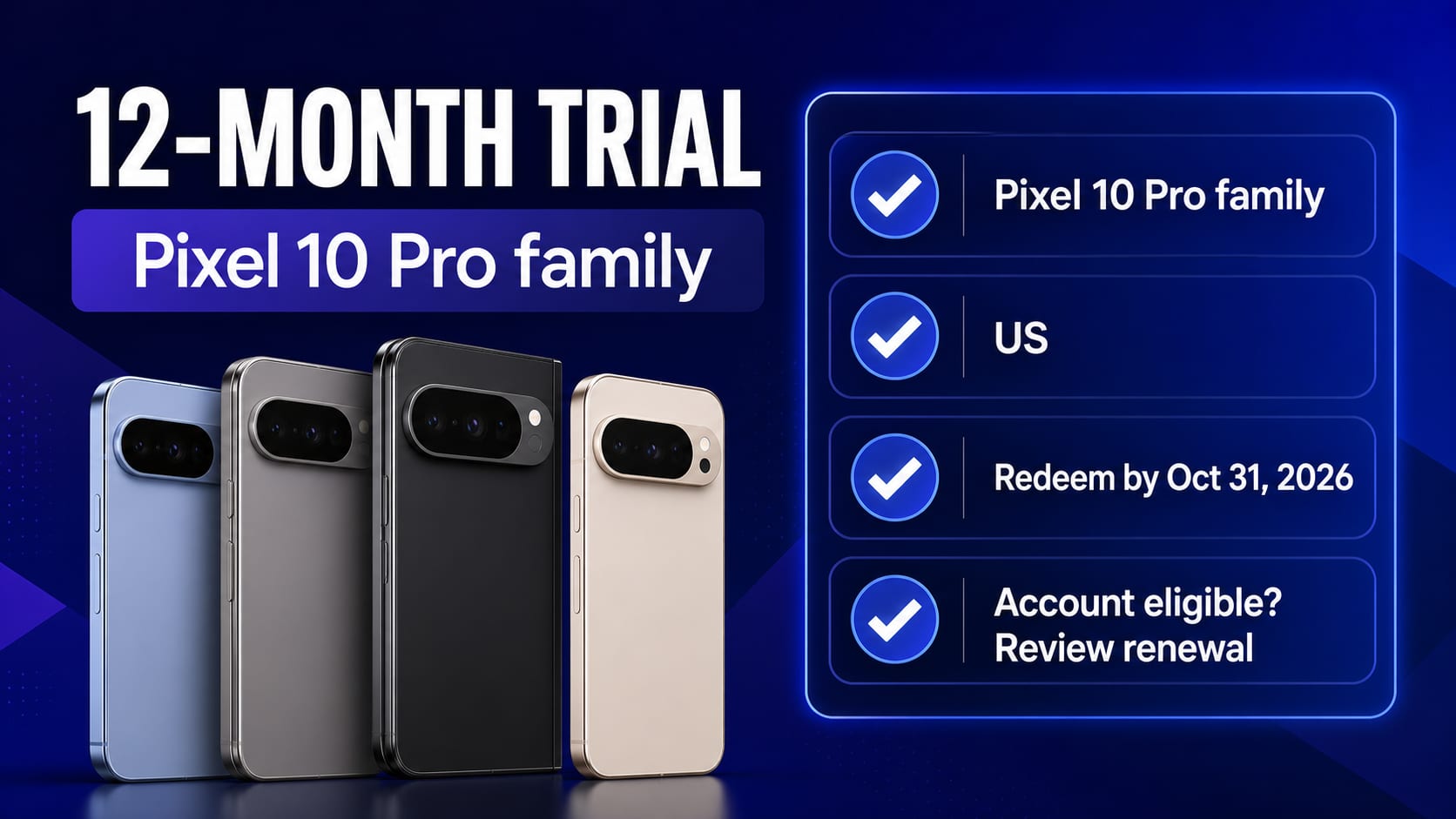
There is still a legitimate way to get 12 months of Google AI Pro at no charge in the United States, but it is not a general Gemini promotion. It is a device benefit for an eligible Pixel 10 Pro, Pixel 10 Pro XL, or Pixel 10 Pro Fold, and Google currently says it must be redeemed by October 31, 2026.
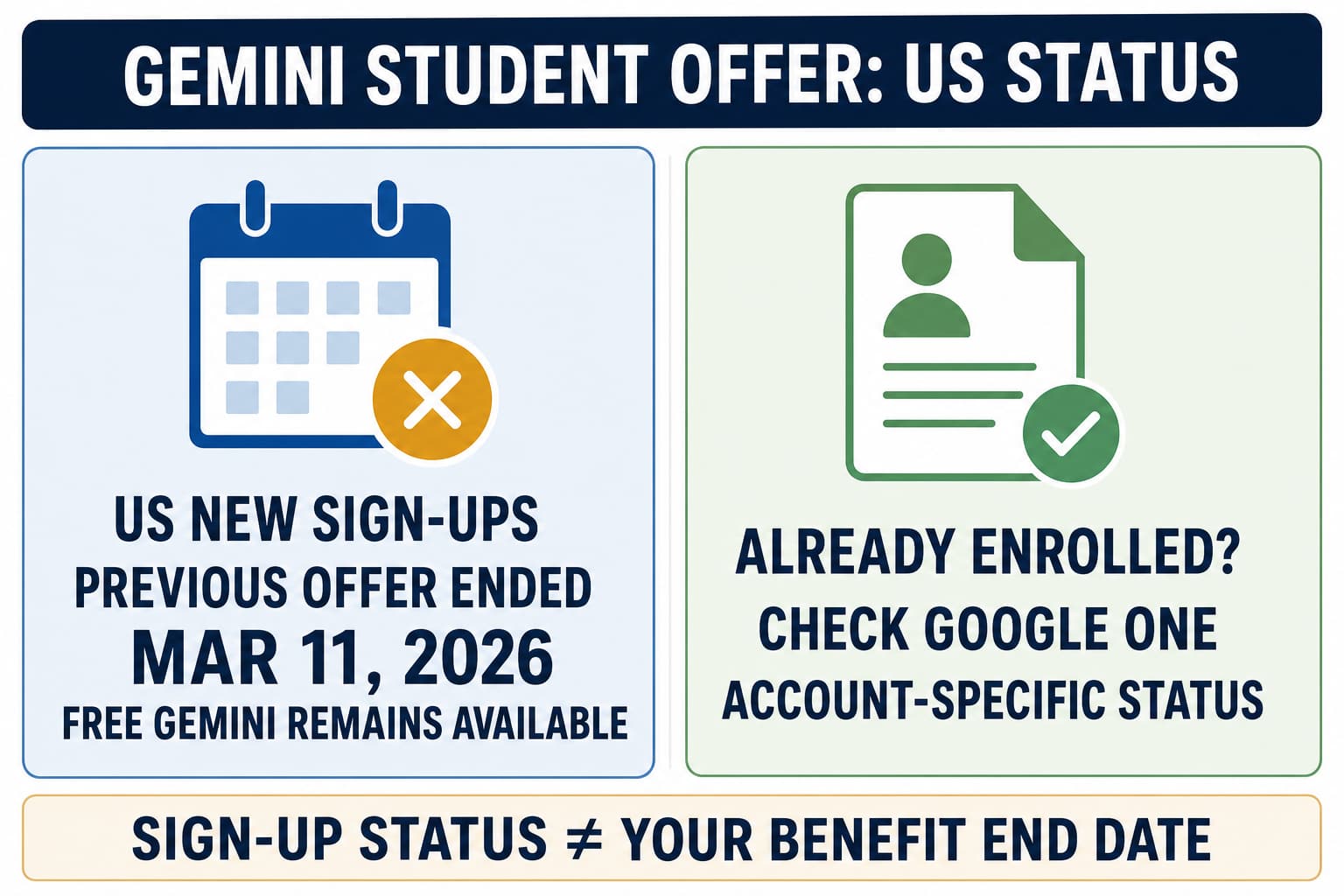
That distinction solves most of the confusion. The regular Pixel 10 has a different six-month Google One Premium benefit. The previous US student offer ended on March 11, 2026. Free Gemini, Google AI Studio, the Gemini Developer API Free Tier, and Google Cloud credits are also separate products with separate limits and billing rules.
If the 12-month offer does not appear on your real US device and account, do not try to manufacture eligibility with another identity, region, billing address, or account. Use the checks below to identify whether the problem belongs to the phone, the Google account, the membership, the app, or checkout.
The 30-second answer
Use this decision before following any redemption tutorial:
| Your situation | What is currently true | What to do next |
|---|---|---|
| US Pixel 10 Pro, Pro XL, or Pro Fold owner | A 12-month Google AI Pro trial may be available through October 31, 2026 | Check the offer on that phone in Gemini or Google One, then review the checkout and renewal date |
| Regular Pixel 10 owner | The listed device benefit is six months of Google One Premium, not 12 months of Google AI Pro | Read the exact plan name on the device offer before accepting |
| Pixel 9 Pro-family owner who never redeemed | Its 12-month redemption period ended November 15, 2025 | Treat old Pixel 9 instructions as expired |
| US student seeking a new public student offer | Google's current US page says the previous offer ended March 11, 2026 | Stop before SheerID; use free Gemini or review current memberships |
| Developer who needs an API | Consumer trials do not provide API quota | Check the Gemini Developer API Free Tier for the actual project and model |
| New Google Cloud user expecting $300 of Gemini API credit | The Cloud trial is separate, and new Welcome credit cannot pay Gemini API or AI Studio usage under the current contract | Use Cloud credit only for eligible Cloud services and check API billing separately |
Start with the offer that actually owns your access
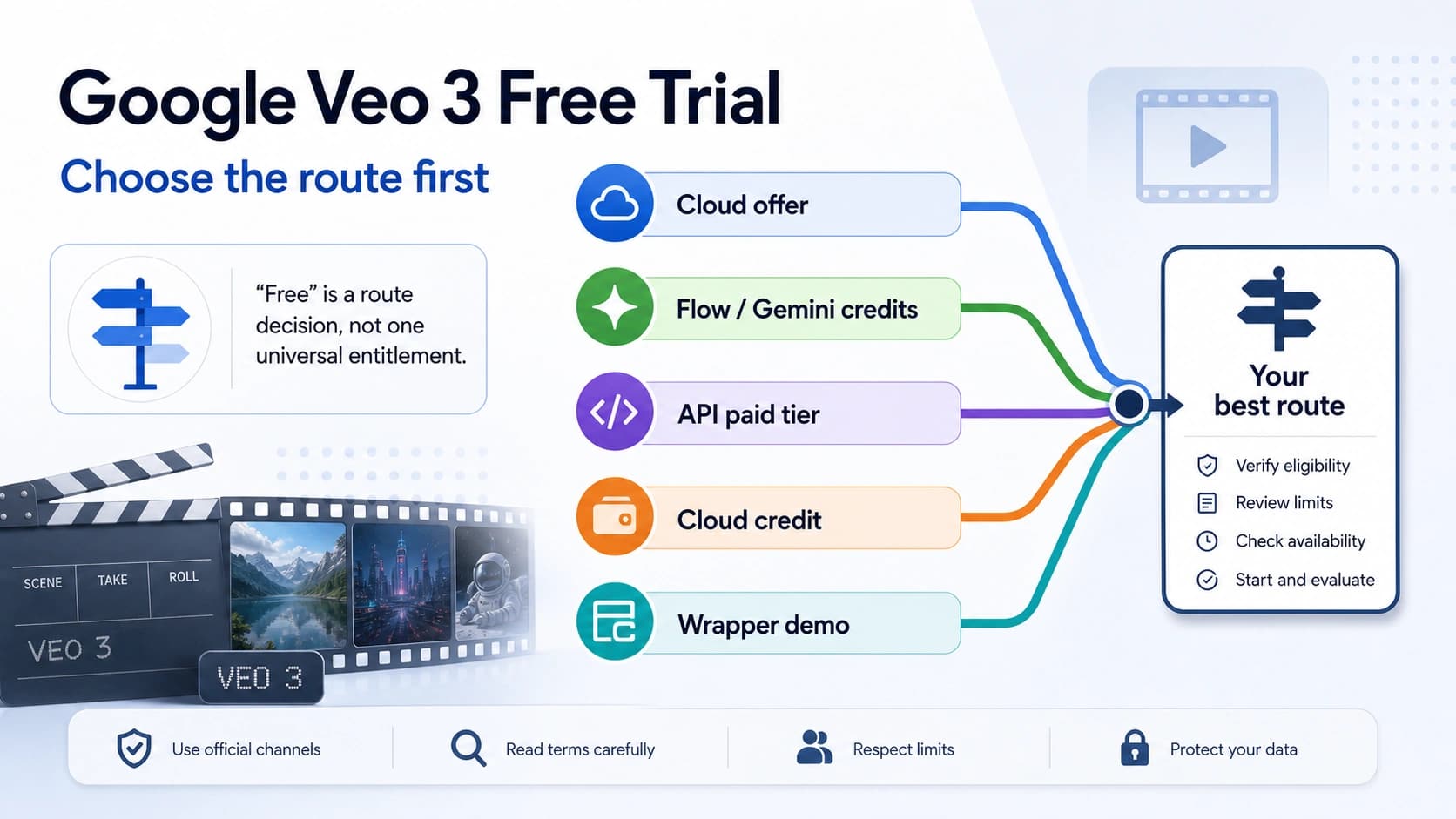
“Free Gemini” is not one entitlement. Before troubleshooting, name the route you expect to receive.
You want consumer AI features for everyday use
The Gemini app has a no-charge consumer experience, with features and usage limits that can change by account and product. It does not promise one year of Google AI Pro, and it does not grant Developer API quota. If free everyday use is enough, this is the simplest route and it does not require a Pixel promotion.
You bought a qualifying Pixel in the United States
This is the current one-year route covered by this guide. Google's Pixel offer page lists the Pixel 10 Pro, Pixel 10 Pro XL, and Pixel 10 Pro Fold for a 12-month Google AI Pro trial in the US, with an October 31, 2026 redemption end date.
Buying one of those models is necessary, but it is not the entire eligibility test. Your account and existing Google One membership still matter.
You are a student
Google's current US student page says the previous public offer ended on March 11, 2026 and is no longer available in the region. An old campaign page, search result, or SheerID link is not proof that a new account can enroll.
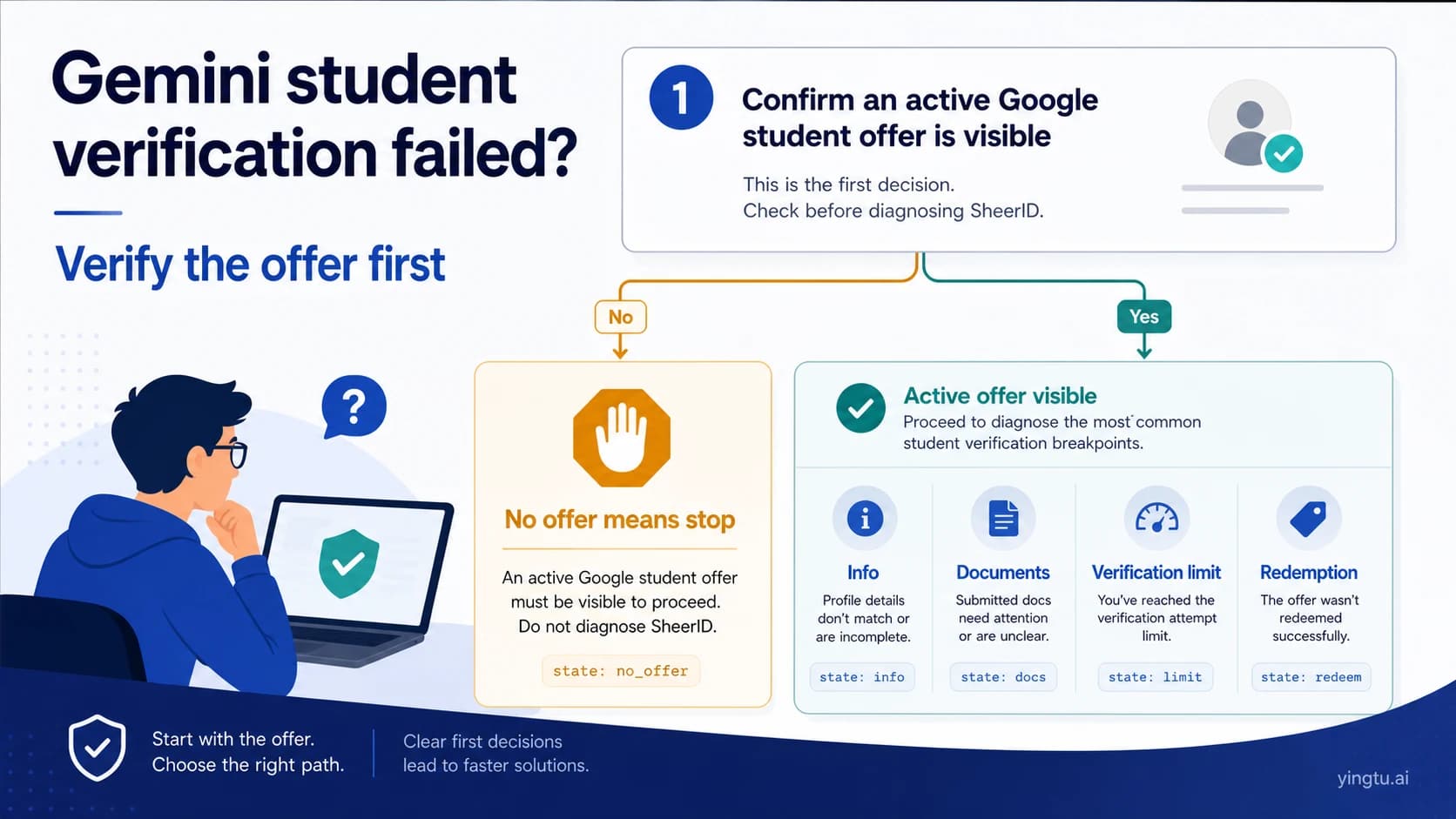
If you redeemed an earlier offer, your signed-in Google One membership owns your personal benefit end date and future charge. If a current offer does appear before verification, use our separate Gemini student verification guide to distinguish SheerID eligibility from Google redemption or membership problems.
You need Gemini in an application
Use the Developer API contract, not a consumer Google AI Pro trial. The Free Tier applies only to eligible models and has project-, model-, and tier-specific limits. The current limits shown in AI Studio are more reliable than a quota table copied into an article. Our Gemini API Free Tier guide covers model eligibility, active limits, and 429 errors without hard-coding a universal allowance.
US Pixel 10 Pro-family eligibility: check all four layers
The device offer is easiest to diagnose as four separate layers. Passing one does not imply that the others pass.
1. Device layer: exact model and activation
For the 12-month Google AI Pro benefit, confirm that the phone is a Pixel 10 Pro, Pixel 10 Pro XL, or Pixel 10 Pro Fold. A regular Pixel 10 is not the same offer: Google's page lists a six-month Google One Premium trial for that model.
The phone must be purchased and activated. If a marketplace listing says only “Pixel 10” or “includes Gemini,” verify the exact model in Settings → About phone rather than relying on the seller's title.
2. Market and time layer: US route, October 31 deadline
The United States appears in Google's current country list for the 12-month Pro-family offer. The current redemption end date is October 31, 2026. The checkout displayed on the eligible phone remains the final account-specific record.
Do not change a region, address, network, or identity to imitate the US route. If the genuine device/account is outside a listed market, the correct conclusion is that this promotion is unavailable there; check the product access legitimately offered to that account instead.
3. Membership layer: account status can block an eligible phone
Google's current Pixel help lists several membership states that can prevent the offer from appearing or being accepted. Check whether the account is:
- a family-plan member who is not the plan manager;
- billed through a third party or an integrated billing arrangement;
- on a 5 TB Google One plan; or
- subscribed through an add-on arrangement such as YouTube Premium.
Existing Google One or Google AI Pro customers can have more nuanced treatment, including immediate replacement of an existing plan and possible proration. Do not cancel an existing membership blindly. First read the checkout's plan replacement, refund, trial start, and renewal terms for your account.
4. Checkout layer: payment, conversion, and the account that receives it
Google requires a valid payment method to start the trial. At the end of the offer period, the membership converts to the standard monthly price shown for the account unless cancelled beforehand. There is no reliable universal dollar figure to copy here because the account surface owns the current price and next payment date.
Before tapping Subscribe, record:
- the Google account receiving the benefit;
- the exact plan name;
- the trial end date;
- the price and billing cadence after the trial;
- whether an existing Google One plan will be replaced; and
- the cancellation path shown in Google One.
This turns a vague “free year” into a checkable subscription contract.
How to redeem the Pixel offer without skipping the evidence
Google documents two official paths on the eligible phone.
Gemini app path
- Open Gemini on the qualifying Pixel with the intended Google account active.
- Look for the offer banner and tap Check eligibility.
- If the banner is missing, open the profile menu and choose the upgrade option to run the eligibility check.
- On the gift-box screen, choose Start Trial.
- Read the checkout, enter a valid payment method, and subscribe only if the account, dates, plan replacement, and renewal terms are correct.
Google One app path
- Open Google One on the same qualifying Pixel and sign in to the intended account.
- If no offer appears, open Settings and choose Check for offers.
- Select Start Trial, review the same contract details, and complete checkout only when they match your situation.
Take a screenshot of the final checkout terms for your own records, but redact payment details and do not share one-time codes, identity documents, or full account information with anyone offering to “activate” the benefit.
Offer missing or redemption failed? Find the owner of the failure
Repeatedly reinstalling apps or switching accounts can make the state harder to understand. Diagnose the first failing checkpoint instead.
| What you see | Most likely owner | Safe next action |
|---|---|---|
| No offer on a regular Pixel 10 | Device/offer mismatch | Confirm that you were expecting its six-month Google One Premium benefit, not the Pro-family 12-month benefit |
| No offer on a qualifying US Pixel 10 Pro-family phone | Device activation, account selection, or membership eligibility | Confirm activation and exact account, then use both official in-app offer checks |
| “Not eligible” with a family membership | Google One membership role | Ask the plan manager to review the membership; do not move accounts solely to force the promotion |
| Offer appears but checkout changes or replaces a plan | Google One billing and proration | Read the replacement and refund terms before accepting; contact Google One support if they are unclear |
| Payment method is rejected | Google checkout/payment profile | Use Google's payment troubleshooting for the real account; do not use a false address or purchased card profile |
| Offer was already redeemed | Account/device redemption record | Check the membership on the account that originally accepted it; do not rotate accounts to create another claim |
| Invitation is expired | Offer date | Stop trying the expired route and use a currently available product |
| Eligible details look correct, but the apps still fail | Pixel/Google One support | Preserve screenshots of the non-sensitive error, device model, app path, and date, then contact official support |
The useful escalation packet is small: exact device model, real country, intended Google account, current Google One plan and billing owner, redemption path attempted, timestamp, and the non-sensitive error text. Do not send passwords, one-time codes, complete card numbers, or identity documents.
Why the old US student route is not a fallback
The previous US student offer and the Pixel offer are not interchangeable. The student route required its own active campaign, student eligibility, Google account and checkout. The public US campaign is now closed to new enrollment, even though pages discussing it can still appear in search and earlier recipients may still have account-specific benefits.
Use this order:
- Open the current regional student page while signed in to the account that would receive the benefit.
- If it says the previous offer ended or presents no enrollment path, stop. There is nothing for SheerID to verify.
- If a genuinely current offer leads into verification, let SheerID decide student eligibility and let Google decide redemption, checkout, and membership state.
- For a deeper status check, use the current US Gemini student-offer guide.
Do not buy or borrow a school account, alter documents, use someone else's identity, or change region and payment details to manufacture eligibility. Besides the account and billing risk, those actions do not fix the absence of a current offer.
Consumer “free,” API Free Tier, and Cloud credit are three different promises
These routes are often combined in outdated guides. Keeping them separate prevents both billing surprises and false expectations.
Free Gemini app
This is consumer access for everyday tasks. Features and limits can change by account, product, country, and capacity. It is not a timed one-year Google AI Pro membership and does not provide an API key or production quota.
Google AI Studio and Gemini Developer API Free Tier
AI Studio is a developer workspace. Certain Gemini API models may have a Free Tier, but the current rate-limit documentation says limits vary by model and project tier and should be checked in AI Studio. Linking a paid project or API key can create charges. Free Tier and paid-service data handling can also differ, so review the current pricing row and terms for the model you plan to use.
Google Cloud Free Trial
Eligible new Cloud users can receive a $300 Welcome credit valid for 90 days for covered Cloud services. That is neither a consumer Gemini subscription nor a one-year offer. More importantly, Google's current Gemini API billing page says accounts opened after March 2, 2026 cannot use Welcome credit for Gemini API or AI Studio usage; the page also states that Gemini API usage is excluded from the $300 Cloud Free Trial starting March 2026.
So a new Cloud account may have Cloud credit while still having zero promotional credit applicable to Gemini API calls. Check the Gemini API's own billing state before running a paid workload.
Three examples that prevent the wrong fix
Example A: qualifying phone, wrong membership role
Jordan activates a Pixel 10 Pro in the US before the deadline, but the offer is missing. The active Google account is a member of a family plan and is not the plan manager. This is not evidence that the phone failed activation. Jordan should check the membership role and official offer terms, not factory-reset the phone or create a synthetic region profile.
Example B: old student article, no current enrollment button
Maya finds a search result describing a year of Google AI Pro for students. The current US page says the previous offer ended. There is no claim path in her account. The correct stop is before document upload: this is offer unavailability, not a SheerID failure.
Example C: Cloud credit, developer workload
Devon opens a new Cloud trial and sees $300 in the billing account. The team plans to call the Gemini Developer API. Because the account was opened after March 2, 2026, that Welcome credit cannot pay Gemini API or AI Studio usage. Devon should check Free Tier model eligibility and active project limits, then deliberately configure billing only if the workload requires it.
Plan the end of the trial before starting it
A no-charge period can still produce a paid subscription. The Pixel offer converts to the standard monthly Google One price shown for the account after the offer period unless cancelled before it ends. Google says cancellation during the offer period leaves membership active until the period ends, but the signed-in membership page remains the authority for your dates and account.
Set two reminders: one 30 days before the recorded conversion date and another seven days before it. At the first reminder, decide whether the plan's actual benefits justify the displayed renewal price. At the second, verify that your keep-or-cancel decision is reflected in Google One.
Also check storage before cancellation. If the plan ends while your account uses more storage than the remaining allowance, Google says you may be unable to add new Drive files, back up new Photos content, or send and receive Gmail until usage is reduced or storage is restored.
Frequently asked questions
Can anyone in the US get Gemini free for one year?
No. The current 12-month US route is a Google AI Pro trial tied to an eligible Pixel 10 Pro, Pixel 10 Pro XL, or Pixel 10 Pro Fold, plus qualifying account and membership status. The offer must currently be redeemed by October 31, 2026.
Does the regular Pixel 10 include the same 12-month Google AI Pro trial?
No. Google's current page lists a six-month Google One Premium benefit for the regular Pixel 10. Read the exact device and plan name rather than treating every Pixel 10 offer as identical.
My Pixel 10 Pro offer is missing. Should I change my region?
No. Confirm the exact device, activation, genuine market, account, Google One membership state, and official in-app offer checks. Region spoofing, false addresses, account rotation, and payment tricks do not create legitimate eligibility.
Is the US student offer still open in July 2026?
Google's current US page says the previous student offer ended on March 11, 2026. Earlier participants should check their own Google One membership; new readers should not start with SheerID when no active offer is present.
Does Google AI Pro include Gemini API credits?
No. Google AI Pro is a consumer membership. Gemini Developer API eligibility and quotas belong to a separate project, model, tier, pricing, and billing contract.
Can I use the Google Cloud $300 credit for Gemini API calls?
Not for a new Cloud account under the current terms. Google's Gemini billing documentation says accounts opened after March 2, 2026 cannot use Welcome credit for Gemini API or AI Studio, and it describes Gemini API usage as excluded from the $300 Cloud Free Trial starting March 2026.
What should I save before contacting support?
Save the exact phone model, purchase/activation state, real country, Google account identifier with sensitive parts hidden, current Google One plan and billing owner, app path used, date and time, and a redacted screenshot of the error. Never share passwords, one-time codes, full card details, or identity documents in a public support post.
Bottom line
For a US reader in 2026, “Gemini free for one year” has one current, narrow meaning: an eligible Pixel 10 Pro-family device may expose a 12-month Google AI Pro trial before October 31. The phone, market, account, membership, checkout, and renewal terms all have to agree.
If that exact route does not exist for you, choose the product that matches the real task: free Gemini for consumer use, a current membership shown in Google One, or the Gemini Developer API Free Tier for development. An ended student campaign and ineligible Cloud Welcome credit are not substitute paths—and a missing offer is a stop signal, not an invitation to fake eligibility.