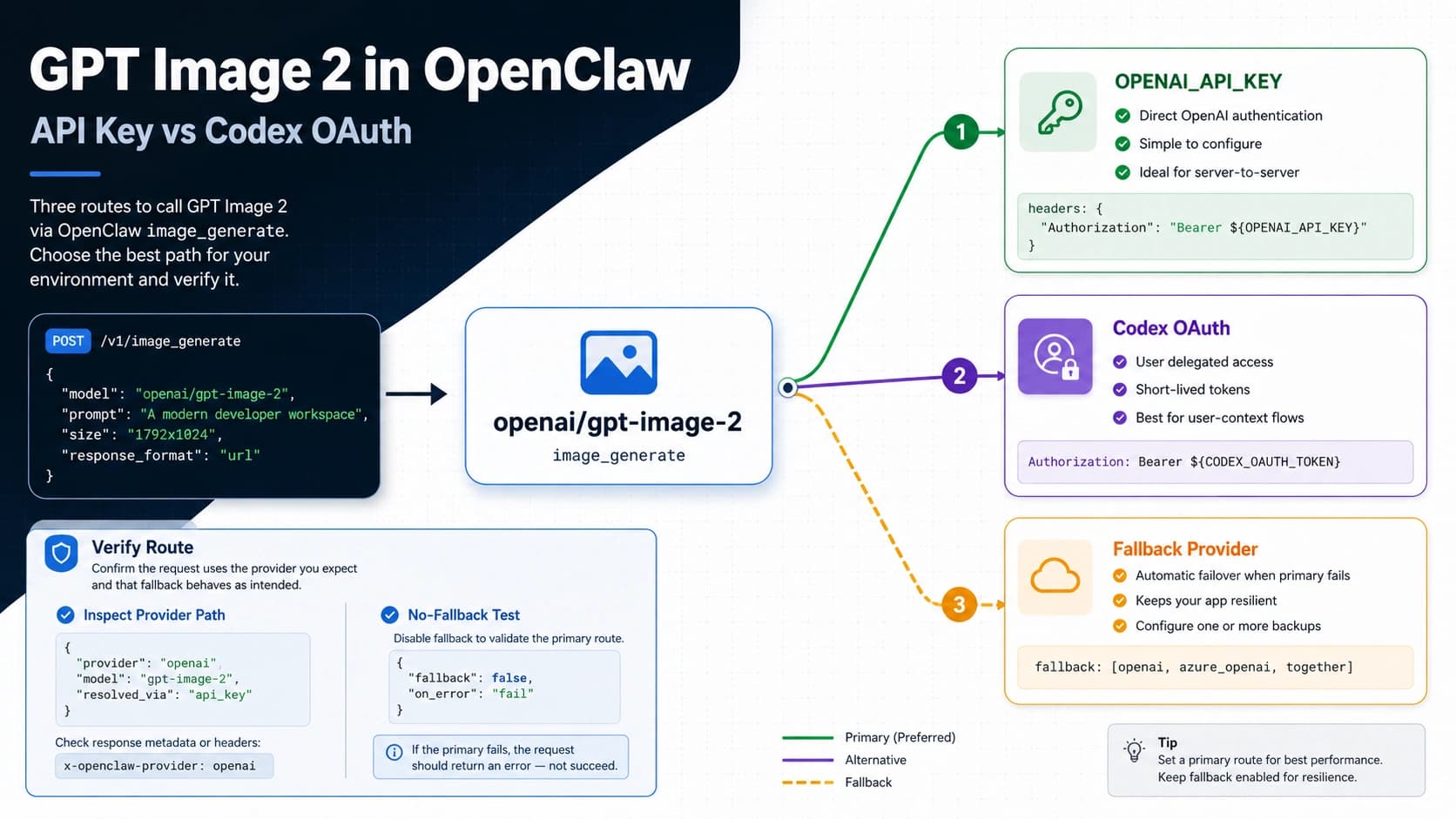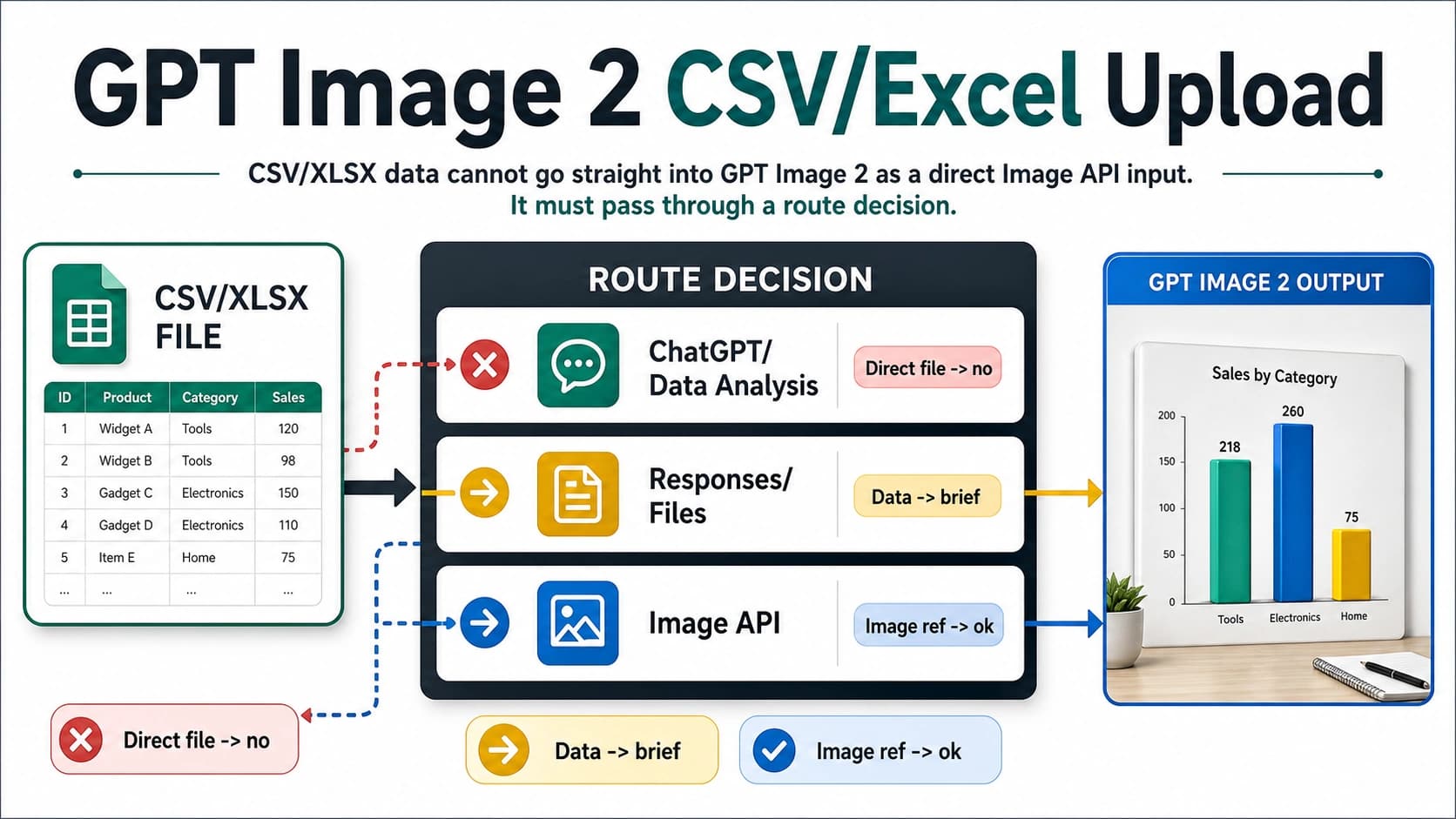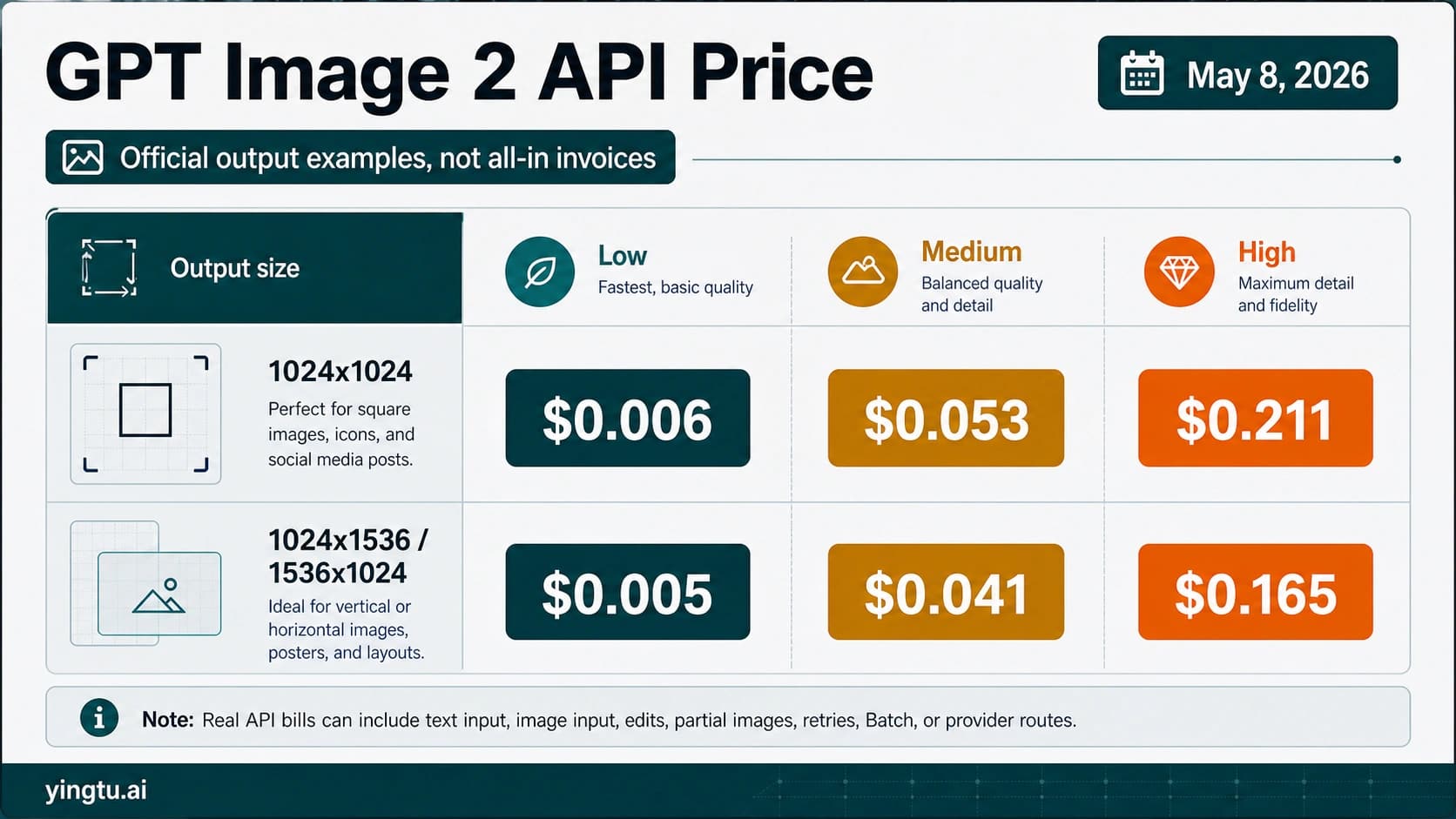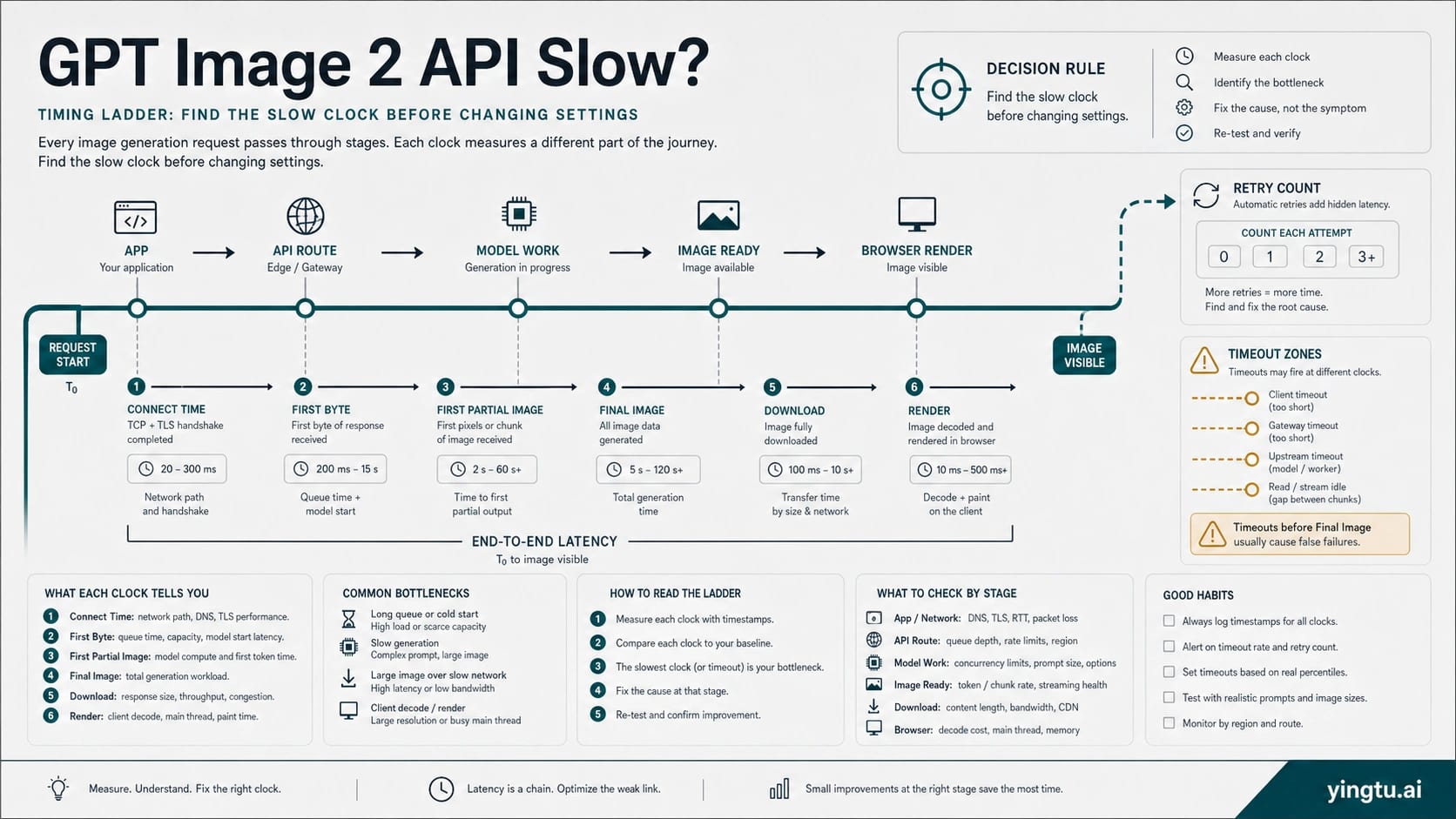
A slow GPT Image 2 API call is not one problem. Complex image prompts can legitimately take close to two minutes, while a browser, serverless worker, reverse proxy, gateway, or frontend can time out before the final image is ready. Treat the first pass as a timing audit: log connect time, first byte, first partial image if streaming, completed image, download, render, retry count, HTTP status, request ID if present, model, quality, size, format, route owner, and the timeout layer that actually failed.
| If you see | First classification | First safe move |
|---|---|---|
| First byte is late but the request eventually succeeds | long model or queue wait | keep users informed, consider streaming or async handling, then test lower quality or square output only if product quality allows |
| Backend finishes but browser or proxy fails | false timeout | widen the failing layer and keep stricter limits elsewhere |
| Retries pile up or 429 appears | retry or rate-limit pressure | stop tight retries, read limit headers, and drain the queue with backoff |
| Only a gateway or provider route is slow | route-owner delay | compare the same request against a direct route if available and escalate with sanitized timing evidence |
Do not rotate keys, switch providers, lower quality, or loop retries until the slow clock and route owner are known.
Decide Whether The Call Is Slow Or Falsely Timed Out
The first mistake in GPT Image 2 latency debugging is treating every long wait as the same failure. A request that returns a valid image after 85 seconds is not the same incident as a browser fetch that dies at 60 seconds while the backend is still waiting. A request that reaches OpenAI and later returns a JSON error is not the same incident as a reverse proxy that never forwards the response. Your first job is to split the symptom into clocks.
Use one structured log event per image job. At minimum, capture:
| Field | Why it matters |
|---|---|
request_started_at and connect_ms | Separates network setup from model work. |
first_byte_ms | Shows whether the route is silent before any response. |
first_partial_image_ms | Only applies when streaming partial images are enabled. |
final_image_ms | Measures generation completion, not frontend rendering. |
download_ms and render_ms | Catches large output or client rendering delays after generation. |
retry_count and retry_reason | Shows whether the system is multiplying the work. |
http_status, error_type, and request_id | Routes returned errors away from pure latency debugging. |
model, quality, size, format, and route_owner | Makes parameter and owner comparisons possible. |
The route_owner field matters as much as the time fields. gpt-image-2 through OpenAI direct, Azure, a compatible gateway, or a reverse route can share a model label while exposing different timeouts, logs, retry rules, and support paths. If the same prompt is fast in one route and slow in another, the model is no longer the only suspect.
Build A Timeout Budget That Fits GPT Image 2
A safe timeout budget is not one large number pasted everywhere. It is a chain of limits where the outer product experience, backend worker, proxy, gateway, and API client all know whether they are waiting synchronously, streaming progress, or handing work to an asynchronous job.
Start with the layer that actually failed:
| Layer | Common failure shape | Better rule |
|---|---|---|
| Browser or mobile client | fetch aborts before the server finishes | Do not make the browser own the whole generation window; return a job ID, stream progress, or poll status. |
| CDN or edge function | request cut off by platform limit | Keep image generation out of short edge paths unless the platform explicitly supports the wait. |
| Serverless worker | function timeout reached | Use a longer-running worker, queue, or background job when the official generation window can exceed the platform limit. |
| Reverse proxy | idle or upstream timeout | Raise the failing upstream/idle timeout only for the image route, not globally. |
| Gateway or provider route | compatible route returns late or silently retries | Check provider route logs and timeout settings separately from OpenAI direct behavior. |
| API client | SDK or HTTP client aborts | Set an explicit request timeout that matches the product path and retry policy. |
For interactive products, the user experience should not wait silently for the full generation window. Return a stable job identifier, show progress state, and make the frontend tolerant of long waits. For batch or back-office work, a queue is usually cleaner than keeping an HTTP request open until the final image exists.
The wrong fix is raising every timeout to several minutes without a branch. That hides real network failures, increases resource pressure, and makes support logs harder to interpret. Widen the timeout that is too short for image generation, keep health-check and connection setup limits strict, and make the product surface explain that image generation is still running.
Tune Request Shape Only After The Baseline Is Measured
GPT Image 2 latency is sensitive to the amount and kind of work you ask from the model. OpenAI's image generation guidance gives several official levers: lower quality is fastest for drafts, square images are typically fastest, JPEG is faster than PNG when latency is a concern, and complex prompts may take close to two minutes. Those are real levers, but they should come after the timing baseline.
Use a small experiment matrix:
| Change | What it can improve | What it can damage | When to try it |
|---|---|---|---|
quality: "low" | Draft turnaround and first visual feedback | Final detail, text fidelity, and production polish | During ideation, thumbnailing, or fallback previews. |
| Square output | Generation speed and simpler layout assumptions | Product layouts that need portrait or landscape assets | When the product can crop or compose later. |
| JPEG output | Transfer and browser decode speed | Transparency and some post-production workflows | When the image is photographic or preview-only. |
| PNG or WebP output | Post-production compatibility or compression control | May be slower than JPEG in latency-sensitive paths | When downstream quality or format matters more than speed. |
| Fewer reference/edit images | Input processing time and upload overhead | Less control over style, identity, or layout | When edits use many references without measurable benefit. |
| Simpler prompt | Model work and moderation complexity | Less precise art direction | When logs show generation, not network, is the slow clock. |
| Smaller or non-experimental size | Generation and transfer budget | Final resolution | When high resolution is not required for the current surface. |
If the output quality is the product, do not lower quality just to make a metric look better. A social preview, rough concept, or internal draft can tolerate lower quality. A client deliverable, product hero image, or design asset may need high quality plus a queue. For deeper quality tradeoffs, use the dedicated GPT Image 2 low-quality guide; keep the live decision anchored to latency diagnosis.
High-resolution work deserves the same discipline. Outputs above the usual sizes can add risk to generation, transfer, and rendering. If the slow path is tied to 4K or large-format assets, separate the high-resolution decision from the baseline API path and use the GPT Image 2 4K generation guide for that branch.
Use Streaming And Async UX For Perceived Latency
Streaming partial images can improve the user's experience before the final image is ready. It does not mean the final image computes faster. Treat streaming as a product-state tool: the interface can show progress, let the user understand that the job is alive, and reduce duplicate clicks or forced refreshes.
A useful streaming implementation separates three events:
| Event | Product meaning | Logging field |
|---|---|---|
| First response bytes | The route is alive. | first_byte_ms |
| First partial image | The model is producing visible progress. | first_partial_image_ms |
| Final image | The asset is ready to store, bill, render, or hand off. | final_image_ms |
When streaming is not practical, use asynchronous job handling. The backend creates an image job, returns a job ID, and lets the frontend poll or subscribe to status. That pattern is better than keeping a short-lived browser request open for the whole generation window. It also makes retry behavior safer because the product can distinguish "job still running" from "job failed, create another one."
The strongest UX pattern is honest status language: queued, generating, partial preview available, finalizing, saved, failed with returned error, failed at local timeout. Avoid vague "loading" states that encourage users to click generate again. In image generation, duplicate clicks can become duplicate model work.
Avoid Retry Loops That Turn Slowness Into Rate-Limit Pressure
Slow calls and rate limits can feed each other. If a client times out locally at 60 seconds and immediately retries while the original job may still be running upstream, the system can create multiple expensive attempts and then hit RPM, TPM, IPM, or daily project limits. OpenAI's rate-limit guidance also warns that unsuccessful requests can still count against per-minute limits, so tight retry loops are a bad recovery plan.
Use these retry rules:
| Condition | Retry behavior |
|---|---|
| No response because local timeout fired | Check whether the backend or route may still be running before creating another image job. |
| Returned 429 or rate-limit headers | Back off with jitter and respect reset headers instead of retrying on a fixed short interval. |
| Returned 5xx or transient route error | Retry only with a bounded policy and clear max attempts. |
| User clicked generate again | Reuse the existing job or require explicit confirmation if another billable image will be created. |
| Gateway route retried internally | Count gateway retries separately from your own retries. |
Keep an idempotency or job-deduplication concept in your product even if the image endpoint itself does not solve every duplicate case for you. For a user-facing image tool, "same user, same prompt, same parameters, same pending job" should normally return the existing job status instead of launching another full generation.
If logs show 429 or quota pressure, move that branch to the OpenAI API rate-limit guide or the GPT Image 2 usage-limit branch. Latency recovery should not become a hidden quota workaround.
Separate OpenAI Direct, Azure, Gateway, And Reverse-Route Delays
Route ownership decides what evidence is useful. The model label gpt-image-2 is not enough. You need to know which system accepted the request, which system timed out, and which system can show authoritative logs.
| Route | What to verify | What not to assume |
|---|---|---|
| OpenAI direct Image API | model ID, endpoint, request ID, rate-limit headers, returned status, official parameter support | Do not blame a gateway, proxy, or browser until the direct path is measured. |
| Responses API | whether the image step is part of a longer multi-step flow | Do not compare multi-step flow latency to a single Image API generation without labeling the extra work. |
| Azure route | deployment name, Azure quota, regional status, gateway/proxy layer, returned headers | Do not treat Azure limits or regions as OpenAI direct limits. |
| Compatible gateway | base URL, provider timeout, upstream status, retry policy, header forwarding, logs | Do not present gateway timing as first-party OpenAI behavior. |
| Reverse route | account/session owner, unsupported behavior, hidden retries, policy and support risk | Do not build production recovery around opaque account-pool behavior. |
For direct OpenAI calls, keep request_id and returned status details when present. For provider or gateway calls, collect the provider's route logs, base URL owner, timeout setting, and upstream/error mapping. If the gateway has no transparent logs, no clear owner, or no way to distinguish local timeout from upstream model wait, treat that route as unsuitable for production latency diagnosis.
Cost and access questions are separate. If the problem becomes "which cheaper provider route should I test?", use the GPT Image 2 API cheap route guide. If the problem becomes "how many calls or images can I make?", use the GPT Image 2 usage limits guide. The slow-call path should stay focused on clocks, timeout layers, and route accountability.
Escalate With The Right Evidence
Escalation is much faster when the packet already separates request shape, route owner, and failed clock. Send enough data to reproduce the route without exposing secrets.
Collect:
| Evidence | Include |
|---|---|
| Time | timestamp, timezone, and whether the issue is one-off or repeated |
| Route | OpenAI direct, Azure, compatible gateway, provider, reverse route, or client infrastructure |
| Model and endpoint | gpt-image-2, Image API or Responses API route, and whether streaming is enabled |
| Request shape | quality, size, output format, compression, reference/edit images, prompt complexity, and high-resolution requirement |
| Timing | connect, first byte, first partial image, final image, download, render, timeout layer, retry count |
| Returned evidence | HTTP status, error type/body, request ID if present, rate-limit headers if relevant |
| Local infrastructure | worker/runtime, proxy, gateway, CDN, browser/client timeout, and queue behavior |
| Sanitized reproduction | smallest request shape that still reproduces the slow or timeout behavior |
Never send API keys, tokens, full user prompts with sensitive data, private images, raw customer identifiers, IPs, channel IDs, account-pool details, or unredacted logs. If support needs a request ID, send the request ID and timestamp, not the whole secret-bearing request.
The final decision after escalation should be explicit: widen a specific timeout, move to async job handling, lower request complexity for drafts, change output format, split high-resolution work, adjust retry/backoff, or move the route-owner branch to the provider that can actually fix it.
FAQ
Is GPT Image 2 normally slow?
It can be legitimately slow for complex prompts. OpenAI's image guidance says complex prompts may take close to two minutes, so a long wait is not automatically a failure. It becomes a failure when a local layer times out too early, retries multiply work, or the route has no clear owner for the delay.
Is a 60-second timeout too short for GPT Image 2?
It can be too short for complex image jobs, especially if the same path waits synchronously for the final image. Do not simply raise every timeout. Identify whether the browser, worker, proxy, gateway, or API client is the layer failing at 60 seconds, then widen only the layer that must legitimately wait.
Does streaming make GPT Image 2 generation faster?
Streaming partial images helps perceived latency because the user can see progress before the final image. It should be logged separately from final image completion. Treat streaming as a UX and progress mechanism, not as a guarantee that final generation work is shorter.
Should I lower quality to fix latency?
Use lower quality for drafts, quick previews, or internal exploration when the product can tolerate it. Do not lower quality as the first fix for a production asset. Measure the slow clock first, then test low, medium, square output, and output format as controlled comparisons.
Why does my backend finish but the browser still fails?
That usually means the browser, edge, CDN, or frontend timeout is shorter than the backend image job. Return a job ID, stream progress, poll status, or move the job to an async path instead of forcing the browser request to own the entire generation window.
Can retries make slow GPT Image 2 calls worse?
Yes. If the original job is still running and the client launches another generation after a local timeout, retries can multiply workload and push the project toward rate limits. Use bounded retries, jittered backoff, queue draining, and job deduplication.
How do I know whether the gateway is the slow layer?
Compare the same request shape against the route you control most directly, if available. Log base URL owner, provider timeout, upstream status, retry count, first byte, final image time, and returned status. If the gateway cannot show transparent route logs, keep its behavior separate from OpenAI direct behavior.
What should I send support for a slow image call?
Send timestamp, timezone, route owner, model, endpoint, request ID if present, HTTP status or error body if present, request parameters, first byte, final image time, timeout layer, retry count, and a sanitized reproduction. Do not send API keys, tokens, private prompts, private images, user data, IPs, or raw internal logs.