Adobe Firefly is a real way to use GPT Image 2, but “Firefly has a free plan” does not prove “GPT Image 2 is free in my account.” Adobe currently lists GPT Image 2 as an OpenAI partner model in Generate Image, Prompt to Edit Image, Firefly Boards, and Firefly Graph. Its US plan page separately promises limited free daily generations across selected models. It does not explicitly include GPT Image 2 in that free promise.
The practical answer, checked July 29, 2026, is therefore free to inspect and possibly test, not a guaranteed free entitlement. Open Firefly with a low-risk prompt, confirm that GPT Image 2 appears in the model picker, inspect the account's credit or plan state, and complete one prompt-to-download path before relying on it. If the model, cost, data path, or export cannot be confirmed, stop.
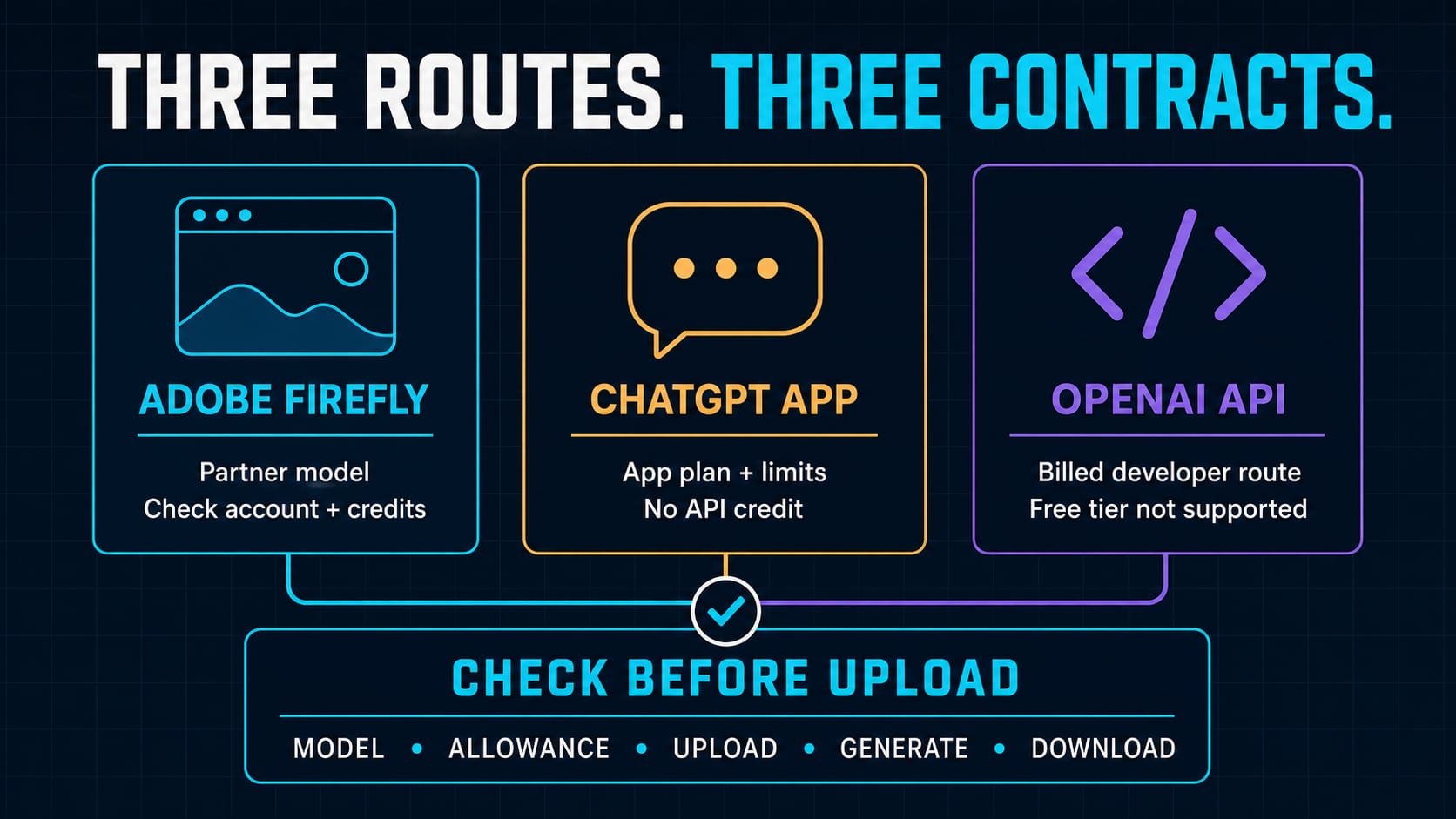
The route contract: Firefly, ChatGPT, and the API are not one plan
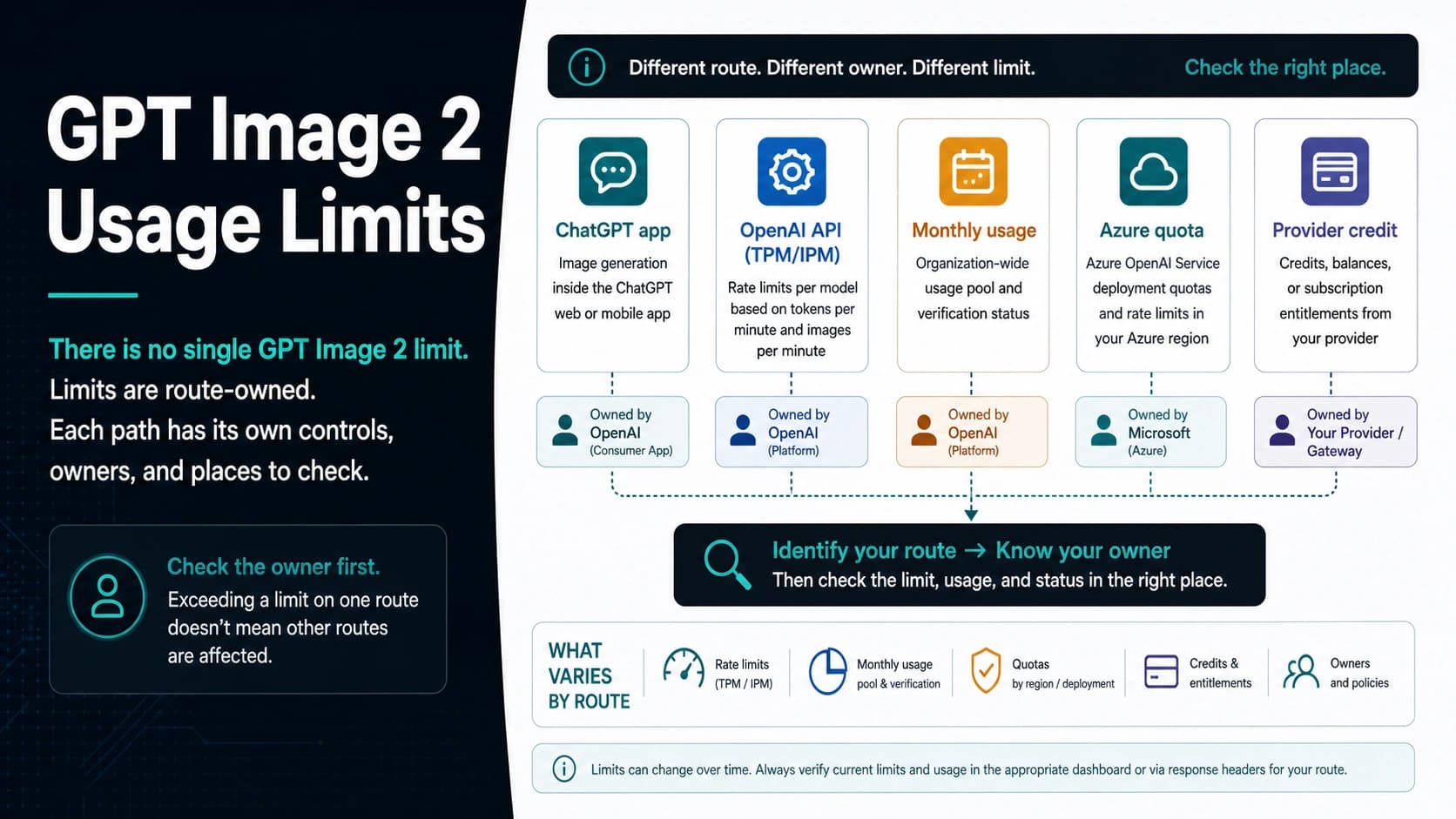
This matrix is the decision tool. It separates the three surfaces that search results and product copy can make look interchangeable.
| Route owner | Displayed model or product label | Payer and account | What “free” means | Current limit or paid boundary | Upload and data-risk check | Official next step | Stop rule |
|---|---|---|---|---|---|---|---|
| Adobe Firefly | GPT Image 2 as an OpenAI partner model | Adobe account; Adobe plan and generative-credit state govern the session | Adobe's US page says a plan is not required for limited daily generations across selected models. It does not explicitly promise GPT Image 2 to every free account. | Adobe Help currently lists 5 credits at low resolution, 20 at medium, and 80 at high. Current Premium promotional wording includes ChatGPT Image 2 among unlimited image models for the first year; the pricing promotion says it ends August 26, 2026. | Adobe says it shares the prompt and uploaded reference files needed for generation with the partner. Adobe also says inputs are not used to train partner or Adobe AI models. This is useful disclosure, not a complete project-specific privacy, retention, rights, or compliance approval. | Open official Firefly, choose GPT Image 2, inspect the live plan/credit indicator, then use a non-sensitive test prompt. | Stop if GPT Image 2 is absent, the debit is unclear, the partner-model confirmation is unacceptable, or the output cannot be downloaded. |
| ChatGPT app | ChatGPT Images 2.0 | OpenAI ChatGPT account and app plan | OpenAI says Images 2.0 is available on all ChatGPT tiers, while Free image creation has stricter, changing limits. | App limits are shown in ChatGPT and can reset or change. They are not Adobe credits and not API credit. | Apply ChatGPT's current account, upload, data-control, and workspace rules. Do not assume Adobe's Firefly disclosures govern this route. | Use ChatGPT for a manual image task and read the limit shown in the app. | Stop treating the app as a backend route or as proof of free API entitlement. |
| Official OpenAI API | gpt-image-2; current snapshot gpt-image-2-2026-04-21 | OpenAI API organization and billing account | The official model page lists the API Free tier as not supported. | Usage tier and rate limits apply; generation and editing use API endpoints and billing. | Apply the API organization's data, logging, access-control, and retention policy. Adobe is not the route owner. | Use the official GPT Image 2 model page and calculate a paid workload. | Stop looking for a free official API key; use a budgeted integration or do not automate. |
The non-obvious point is the first row. Two true statements—“Firefly offers daily free generations” and “Firefly offers GPT Image 2”—do not combine into proof that a particular free account can generate with GPT Image 2 today. Plan, region, promotion, model availability, and live credit state sit between them.
What Adobe actually confirms
Adobe's GPT Image 2 partner page calls GPT Image 2 a partner model and gives a direct workflow: open Firefly, select Generate Image, Prompt to Edit, or Boards, choose GPT Image 2 from the model menu, then enter a prompt or upload a reference image. Adobe says no separate OpenAI account is required because the execution contract is with Firefly.
Adobe's more detailed partner-model reference, updated July 24, 2026, adds two boundaries that matter:
- GPT Image 2 is currently listed in Text to image, Prompt to Edit Image, Firefly Boards, and Firefly Graph. Availability can vary by country or region.
- Current image-generation rates are 5 credits for low resolution, 20 for medium, and 80 for high. Adobe says usage rates and plans can change.
Those rates make “unlimited” especially easy to misread. A promotional plan can waive or change how credits are applied for included models and resolutions, but that does not erase the underlying route contract. Always read the live plan row, eligibility terms, resolution, and expiry together.
What the free Firefly page does—and does not—promise
The current US Firefly plan comparison says users can start without buying a plan and receive free daily generations across image, video, and audio, with access to popular models. It also says the limits refresh daily.
That is a bounded free-start promise. It does not name GPT Image 2 in the free paragraph. The same page describes partner-model outputs as premium features that use generative credits. A free account may still expose a partner model under a current allocation, test, or promotion, but the account UI must prove that—not an article, snippet, or generic “start free” button.
The page's paid comparison is more explicit. In the US individual-plan table checked July 29, Firefly Premium includes ChatGPT Image 2 among image models described as unlimited for the first year. Adobe's page also displays a pricing promotion ending August 26, 2026. This is paid, time-bound, market-sensitive wording. It should not be rewritten as “Adobe gives everyone unlimited GPT Image 2.”
Treat every such promotion as an expiring contract:
- Confirm the country and account type.
- Confirm the plan name and eligibility.
- Confirm that GPT Image 2 and the intended resolution are included.
- Record the offer end date and the post-promotion price or credit behavior.
- Recheck before renewal or production launch.
A five-minute account test before you upload real work
No authenticated generation was performed for this article, so model availability, the exact debit, and successful export remain unknown for any particular account. You can close that gap with a reproducible low-risk test.
1. Start with a disposable prompt
Use a prompt that contains no customer image, unreleased product, face, contract, medical record, credential, or confidential brand asset. For example:
A flat editorial illustration of three labeled doors—Firefly, ChatGPT, and API—on a neutral background, no logos, 16:9.
This tests text rendering, route visibility, generation, and export without creating a meaningful privacy loss if the input is processed outside your preferred boundary.
2. Capture the contract before clicking Generate
In Firefly, record:
- the visible model label;
- the Adobe account and plan type;
- the credit balance or daily allowance;
- the selected output resolution;
- the partner-model confirmation shown by the UI;
- the stated debit, if shown.
If any of these are hidden, do not infer them from a landing page.
3. Complete one prompt-to-download path
Generate once. Verify that an image actually appears, the selected model remains visible, the expected number of credits is consumed, and the result can be downloaded or stored where the real workflow needs it. A visible picker is not proof of a completed output.
4. Test one failure branch
Do not deliberately trigger policy abuse. Instead, check an ordinary operational failure: cancel before generation, choose a resolution your balance cannot cover, or inspect the service-status path without submitting. Learn whether the route explains credit consumption, retry behavior, and support.
5. Decide with an acceptance checklist
The Adobe route is ready for your project only when all five are true:
- GPT Image 2 is visibly selected.
- The account's plan or allowance covers the intended resolution.
- The prompt and reference-file sharing boundary fits the asset.
- One result completes and exports in the intended format.
- The credit, failure, rights, retention, and support terms fit the risk.
One failure means downgrade the route to experimentation or stop. It does not mean the model itself is broken.
The privacy boundary before a reference-image upload
Adobe says partner models are not developed by Adobe. It also says the text prompt and any reference image or video files needed to guide generation are shared for the partner-model request. Adobe states that content is not used to train partner generative AI models or Adobe AI models and that prompts and inputs are used to generate the content.
That is stronger disclosure than a mystery no-login wrapper, but it is not the last compliance question. Before uploading a production asset, decide:
- whether the project allows a partner model at all;
- whether the asset contains a person, customer data, confidential design, location, or unreleased product;
- which Adobe account or enterprise agreement governs the session;
- whether the output rights and Content Credentials fit the intended publication;
- what retention, support, and incident-response evidence your organization requires.
If you cannot answer those questions from the current account agreement and official documentation, use a synthetic reference image or pause for an internal review. “Not used for training” is not identical to “never transmitted, logged, retained, or reviewed.”
When ChatGPT or the official API is the better route
Choose ChatGPT when a person wants to create or edit a few images manually and can work within the app's current limits. OpenAI's current ChatGPT Free Tier FAQ says Free users can create images, but image creation can have a separate, stricter limit. That is a valid free app route, not Adobe Firefly access and not developer capacity.
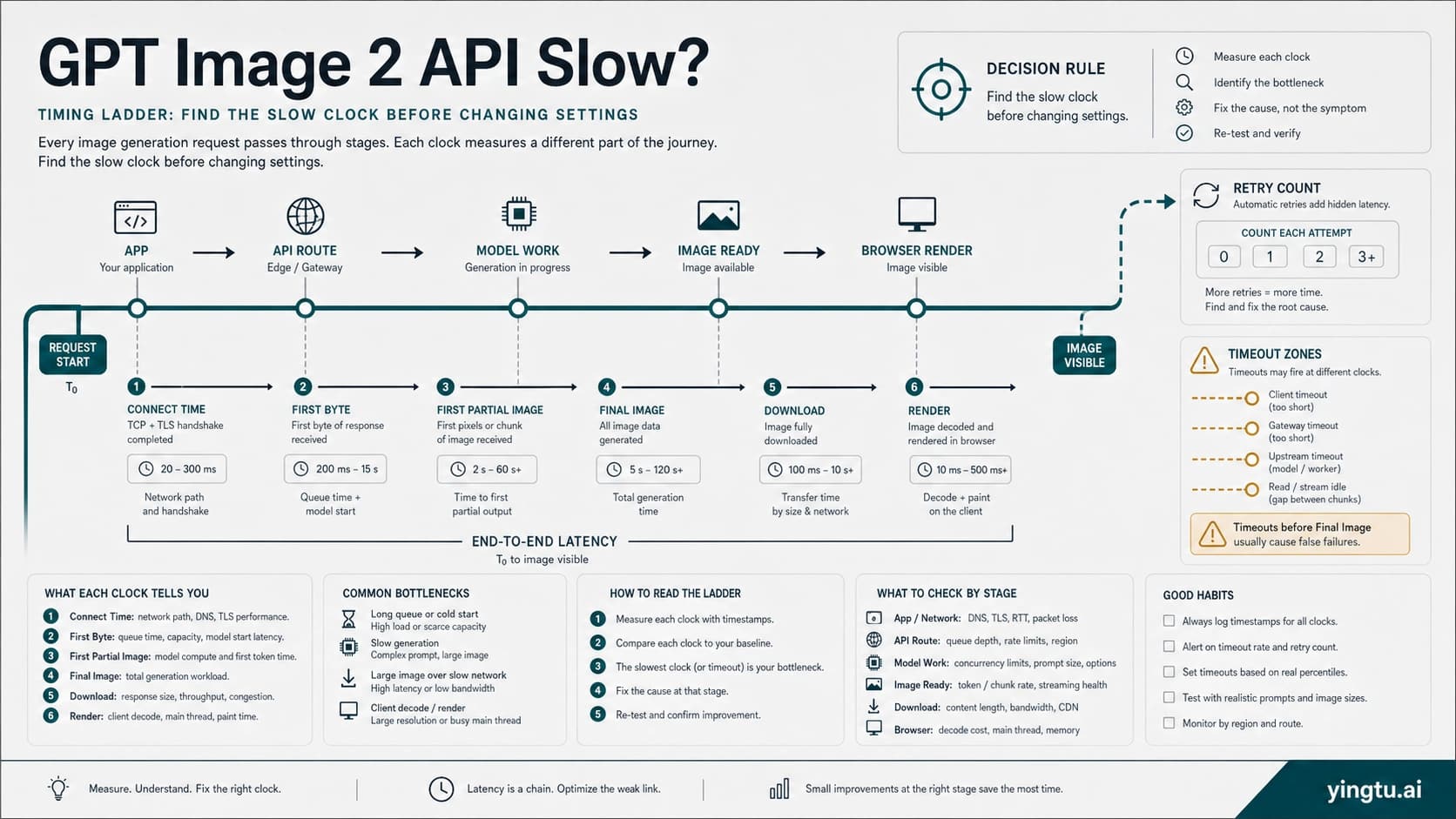
Choose the official API when the job needs automation, request logs, access control, retries, storage, customer-facing reliability, or a defined support owner. The current gpt-image-2 model page supports image generation and editing, but its API Free tier is not supported. Once that is the route, use the same-locale GPT Image 2 cost-per-image guide to model paid usage rather than stretching an app promotion into an infrastructure plan.
Choose Firefly when the Adobe workspace itself is useful: the creator wants partner-model access inside Generate Image, Prompt to Edit, Boards, or Graph; the Adobe credit contract is visible; and the prompt/reference sharing boundary fits. Firefly is not merely a wrapper to dismiss—it is a separate Adobe-owned product contract.
How to read “free” and “unlimited” claims elsewhere
The same audit applies to any third-party GPT Image 2 page. “Free” may mean daily credits, a trial, a subsidized browser session, a paid app entitlement, or a temporary promotion. “Unlimited” may mean fair-use limits, selected resolutions, selected models, a first-year offer, or an account that can still be throttled.
Reject a route for sensitive or production work when it cannot name:
- the service owner;
- the payer after the first request;
- the model and fallback behavior;
- the current limit or renewal rule;
- the prompt and upload data path;
- output rights and support;
- what happens to failed or blocked requests.
A no-sign-up route can be convenient for a throwaway prompt, but hidden ownership and hidden payment make it unsuitable for customer assets. The safer free route is not the one with the biggest headline. It is the one whose bounded contract you can inspect and test.
FAQ
Is GPT Image 2 free in Adobe Firefly?
Not as a guaranteed universal entitlement. Adobe offers limited daily free generations and separately lists GPT Image 2 as a partner model, but its free-plan paragraph does not explicitly include GPT Image 2. Check the live model picker and credit state in your own account.
How many Firefly credits does GPT Image 2 use?
Adobe Help listed 5 credits for low resolution, 20 for medium, and 80 for high when checked July 29, 2026. Adobe says rates, plans, and regional availability can change, so confirm the debit shown in Firefly before generating.
Does Firefly Premium include unlimited GPT Image 2?
Adobe's current US individual-plan table names ChatGPT Image 2 in a Premium “unlimited for the first year” row. The page also shows a promotion ending August 26, 2026. Treat this as paid, eligibility- and date-bound wording, not a permanent global entitlement.
Do I need an OpenAI account to use GPT Image 2 in Firefly?
Adobe says no separate OpenAI account is required. You use the partner model under the Adobe Firefly account, plan, credit, and product contract.
Are my Firefly prompts or reference images sent to the partner?
Adobe says it shares the text prompt and reference image or video files needed for partner-model generation. It also says the content is not used to train partner or Adobe AI models. Check your Adobe agreement and project requirements for retention, rights, compliance, and support details before uploading sensitive assets.
Is ChatGPT Images 2.0 free?
OpenAI says ChatGPT Images 2.0 is available on all ChatGPT tiers, and Free users can create images under stricter, changing app limits. That access is separate from Adobe Firefly and from the official OpenAI API.
Is the official gpt-image-2 API free?
No Free-tier support is listed on the current OpenAI model page. The official API is a paid developer route with usage-tier rate limits, not a free Firefly or ChatGPT allowance.
What is the safest first step?
Open the official route, use a non-sensitive prompt, capture the visible model and allowance, generate once, verify the debit, and download the output. Stop if the owner, model, credits, data boundary, or failure path is unclear.