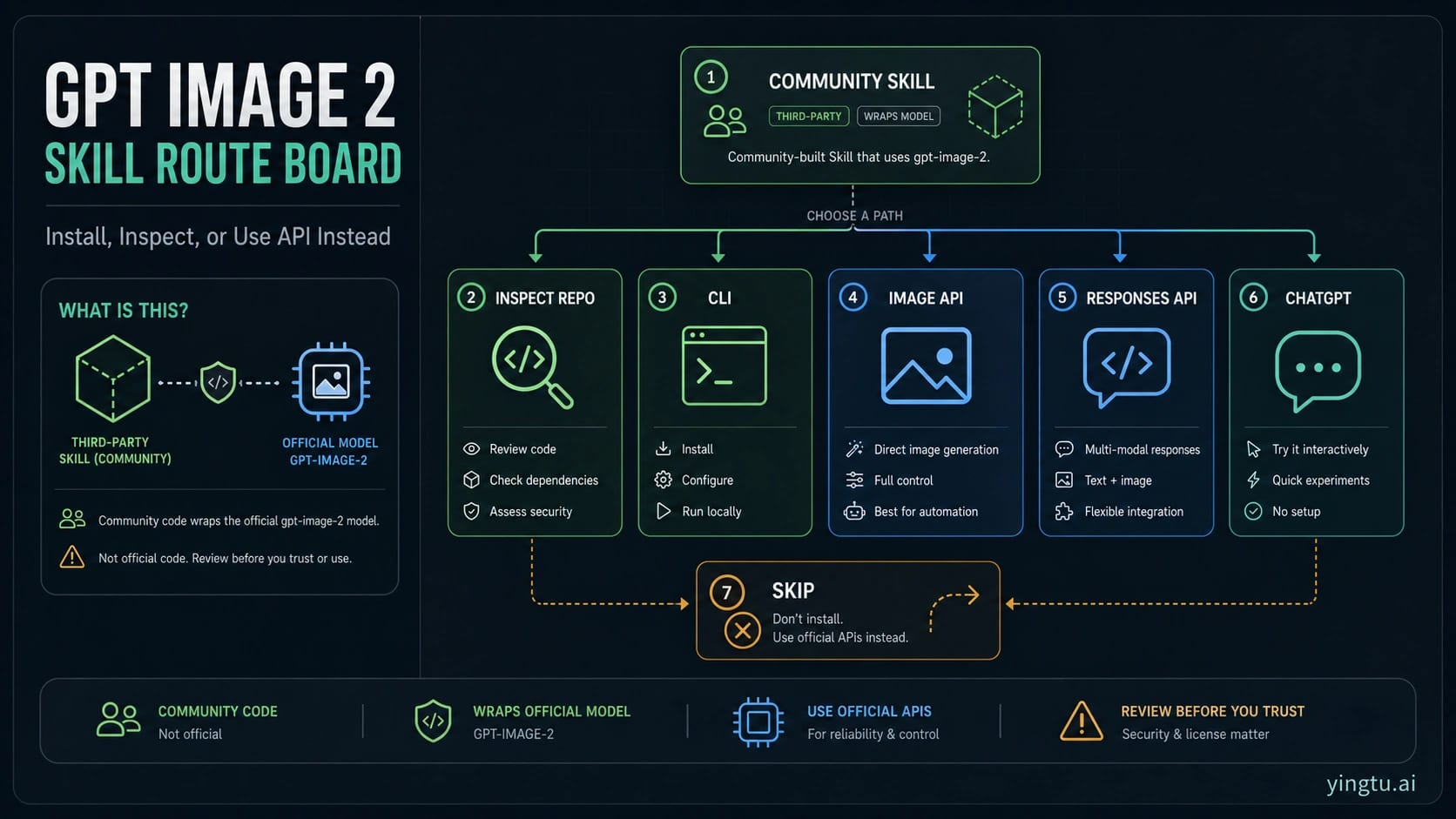
Use the GPT Image 2 skill only when a local prompt gallery and CLI inside an agent runtime are worth inspecting third-party code first. The model behind the workflow is OpenAI's gpt-image-2, but the skill itself is community code, so the first decision is route and trust, not installation speed.
| If your job is... | Start with... | Use it when... | Stop or switch when... |
|---|---|---|---|
| Reusing prompt patterns inside Codex, Claude Code, or another local agent | Inspect, then install the skill | You have reviewed the source repo, SKILL.md, scripts, dependencies, API-key handling, output paths, license, and update path. | You cannot inspect what will run locally or where outputs and keys go. |
| Trying one local command from a trusted repo | CLI route | You want a prompt-gallery-assisted one-off test and can provide the right API credentials yourself. | You are assuming the skill makes GPT Image 2 free or subscription-billed without proof. |
| Building a product endpoint | OpenAI Image API | You need direct request logs, billing ownership, input handling, and output storage in your own code. | The image step is part of a broader conversational or tool workflow. |
| Building a multi-step app or agent | Responses API image generation | The image is one action among text, tools, state, and follow-up reasoning. | A direct generate/edit endpoint is enough. |
| Making one manual image | ChatGPT or a browser image route | You want to prompt, inspect, and iterate by hand. | You do not need local files, scripts, or a reusable agent skill. |
| Trust, billing, license, or data handling is unclear | Skip for now | The safest answer is to avoid running community code until you can verify it. | A verified direct API route would solve the job with fewer moving parts. |
Do not treat a marketplace listing, Reddit post, or package mirror as proof that the skill is official, free, unlimited, or billed through ChatGPT Plus or Pro. If the real question is launch status, 4K size, official API-free access, free/unlimited wrappers, or cheap provider pricing, use the focused GPT Image 2 guide for that job instead of stretching this skill page.
What the GPT Image 2 skill actually is
The public object behind most "GPT Image 2 skill" searches is a community GitHub project, not an OpenAI product page. Its README frames the project as a GPT Image 2 prompt gallery, image prompt library, agent skill, and CLI for runtimes such as Codex and Claude Code. That is useful, but it changes the trust contract: you are not enabling a first-party OpenAI feature; you are deciding whether to let third-party local files and scripts participate in your workflow.
The official model boundary is separate. OpenAI's developer docs identify gpt-image-2 as the model ID, and the image generation guide explains how image generation and editing fit into the API surface. Use those docs for model, endpoint, size, quality, and account-readiness claims. Use the GitHub repo for what the skill files and CLI claim to do.
That split prevents two mistakes. The first is calling the skill "official" because it uses an official model ID. The second is assuming the skill changes billing, access, or policy because a directory page or community post says it is easy to install. A local skill can make a workflow more convenient; it does not automatically make the underlying image model free, unlimited, or subscription-billed.
Inspect before installing
Before installing any third-party skill, read the files that will shape your local execution. For a GPT Image 2 skill, the minimum inspection set is the repo README, skills/gpt-image/SKILL.md, any Python or shell scripts the skill calls, package metadata, lock files, and examples that show file writes or API use.
Use this checklist before you run an installer:
| Check | What to look for | Why it matters |
|---|---|---|
| Source repo | Owner, recent commits, issues, license, and whether the skill path is the real source. | Mirrors and directories can drift from the actual code. |
SKILL.md | Tool description, supported commands, environment variables, output behavior, and refusal boundaries. | The skill file is what the agent will read as instructions. |
| Scripts | Network calls, file writes, dependency installation, subprocess behavior, and path handling. | Local scripts can do more than send an image request. |
| Dependencies | Whether the installer pulls packages through uv, pip, npm, or another manager. | Dependency execution is part of the trust decision. |
| API key | Whether it expects OPENAI_API_KEY, reads .env, or supports other backends. | A skill does not remove account and billing responsibility. |
| Output paths | Where generated images, edits, logs, and temporary files are written. | You need to know what will be saved in your repo or home directory. |
| License | Code license and prompt-gallery license or attribution terms. | Commercial reuse depends on more than whether a prompt is convenient. |
| Updates | How you will update, pin, or remove the skill later. | A convenient one-time install can become unreviewed drift. |
If one of those checks is unclear, pause. The goal is not to distrust every community project; the goal is to avoid letting a promising image workflow become an uninspected local execution path.
Install paths after inspection
The README route for Codex uses the skill installer with a GitHub path:
hljs text$skill-installer install https://github.com/wuyoscar/gpt_image_2_skill/tree/main/skills/gpt-image
After installation, restart the agent runtime so it can load the new skill. The manual route is to place the skills/gpt-image folder under your Codex skills directory, typically ${CODEX_HOME:-$HOME/.codex}/skills/, then restart the runtime.
That install step only loads the community wrapper into your local agent environment. It does not prove that the wrapper is current, official, cheaper, subscription-billed, or safe for your repo; those decisions still come from source inspection and your own OpenAI account context.
The CLI route is different. The README documents a uvx invocation that can run the package from GitHub, for example:
hljs bashuvx --from git+https://github.com/wuyoscar/gpt_image_2_skill gpt-image -p "a clean product storyboard"
That command is attractive for a quick test, but it is still local code execution with dependency resolution. Inspect the package path and dependency behavior before using it in a real repository. Also keep credentials explicit. If the tool reads OPENAI_API_KEY from your environment or a .env file, that means your API account is still the route owner.
What the wrapper maps to
The skill is useful because it packages recurring prompt and CLI behavior around GPT Image 2. It is not magic. Under the hood, a wrapper should map to recognizable image-generation jobs:
| Job | Better mental model | Route owner |
|---|---|---|
| Text prompt to one or more generated images | Image generation request | OpenAI Image API or compatible backend |
| Reference image, edit, inpaint, or mask workflow | Image edit request | OpenAI Image API editing route or compatible backend |
| Prompt library plus repeated local output files | Skill or CLI convenience | Community skill code |
| Image generation as one step inside an app or agent | Tool workflow | Responses API image generation |
| One manual image with visual iteration | Consumer or browser workflow | ChatGPT or a browser image route |
The official image generation guide is the safer source for size and quality behavior. The Responses API image-generation tool docs are the safer source when image generation belongs inside a larger text-and-tool flow. OpenAI's current tool options also note a practical limitation: transparent background is not currently supported for gpt-image-2. A skill wrapper should not be used to promise a capability that the underlying route does not document.
For product code, the wrapper usually adds an avoidable layer. Direct API calls are easier to log, retry, rate-limit, secure, and test. Use the skill when prompt reuse and local agent ergonomics are the value; use the API directly when request ownership is the value.
When direct OpenAI routes are better
Use OpenAI Image API first when the image request is a product endpoint. The job is narrow: your application receives input, sends an image request, stores the output, records errors, and owns cost behavior. A third-party prompt-gallery skill does not help much there unless you are still prototyping prompts.
Use Responses API when the image is part of a broader application flow. For example, an agent might gather requirements, reason about a visual brief, call image generation, explain the result, and ask for a revision. If your app already needs tool use, text reasoning, and state, the image step should not be isolated just because a local CLI exists.
Use ChatGPT or a browser route when the work is manual. If a designer, marketer, or editor only wants to make one image, local skill setup is usually overhead. The right path is the one with the fewest moving parts that still gives the user control.
Skip the skill when you cannot inspect the local execution path. That is a real route, not a failure. A good community repo can still be the wrong choice for a regulated workflow, a client asset, a shared company machine, or a production repository that cannot tolerate unknown file writes.
Keep adjacent GPT Image 2 questions in their owner pages
The skill page should not become a catch-all GPT Image 2 hub. It is an adoption and trust guide for one kind of local wrapper.
Use the focused guide that matches the real question:
| If the real question is... | Use this owner instead |
|---|---|
What changed in ChatGPT Images 2.0, and how does gpt-image-2 fit the product/API split? | ChatGPT Images 2.0 route guide |
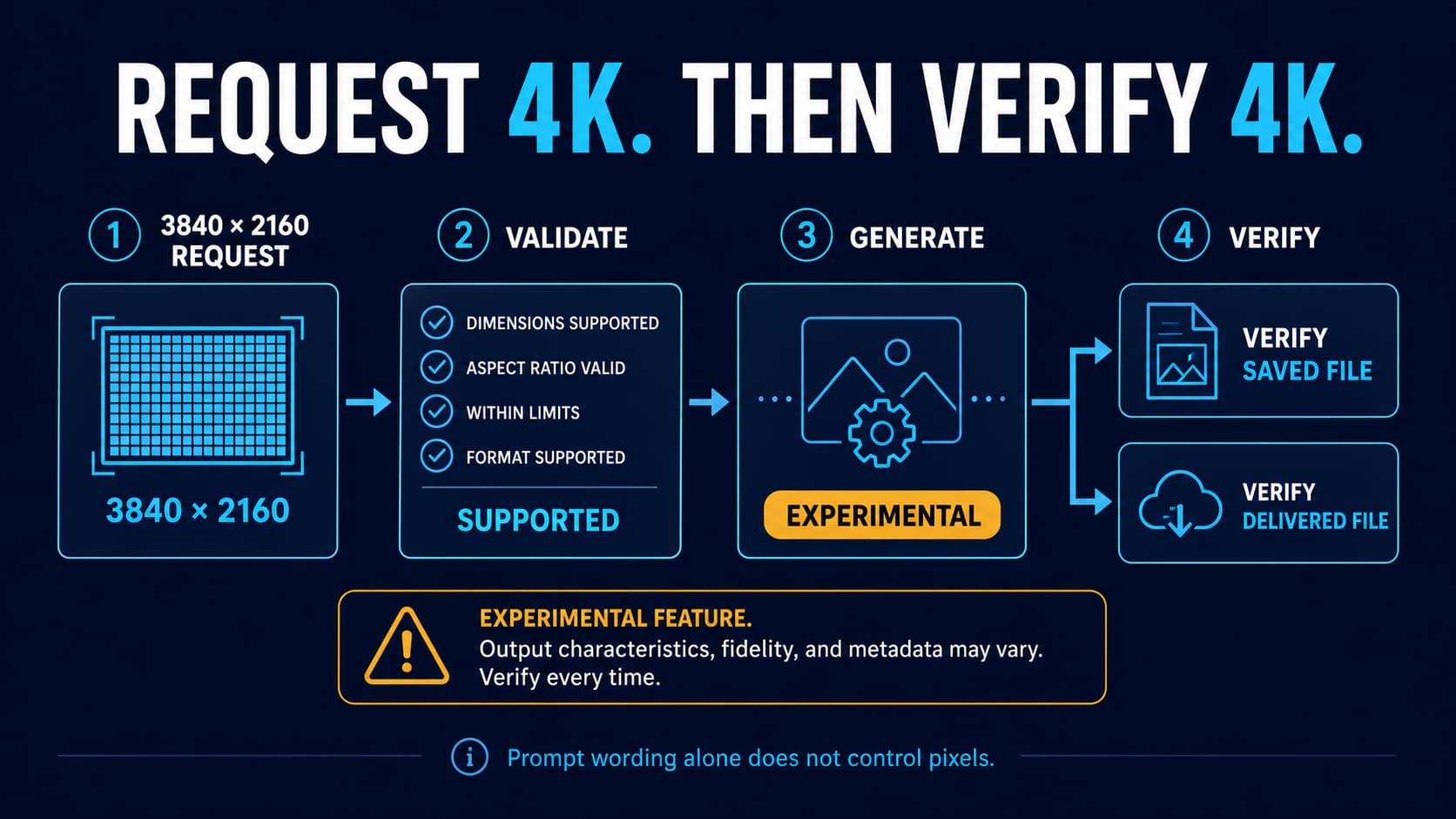
| Can GPT Image 2 generate 4K or exact high-resolution outputs? | GPT Image 2 4K generation guide |
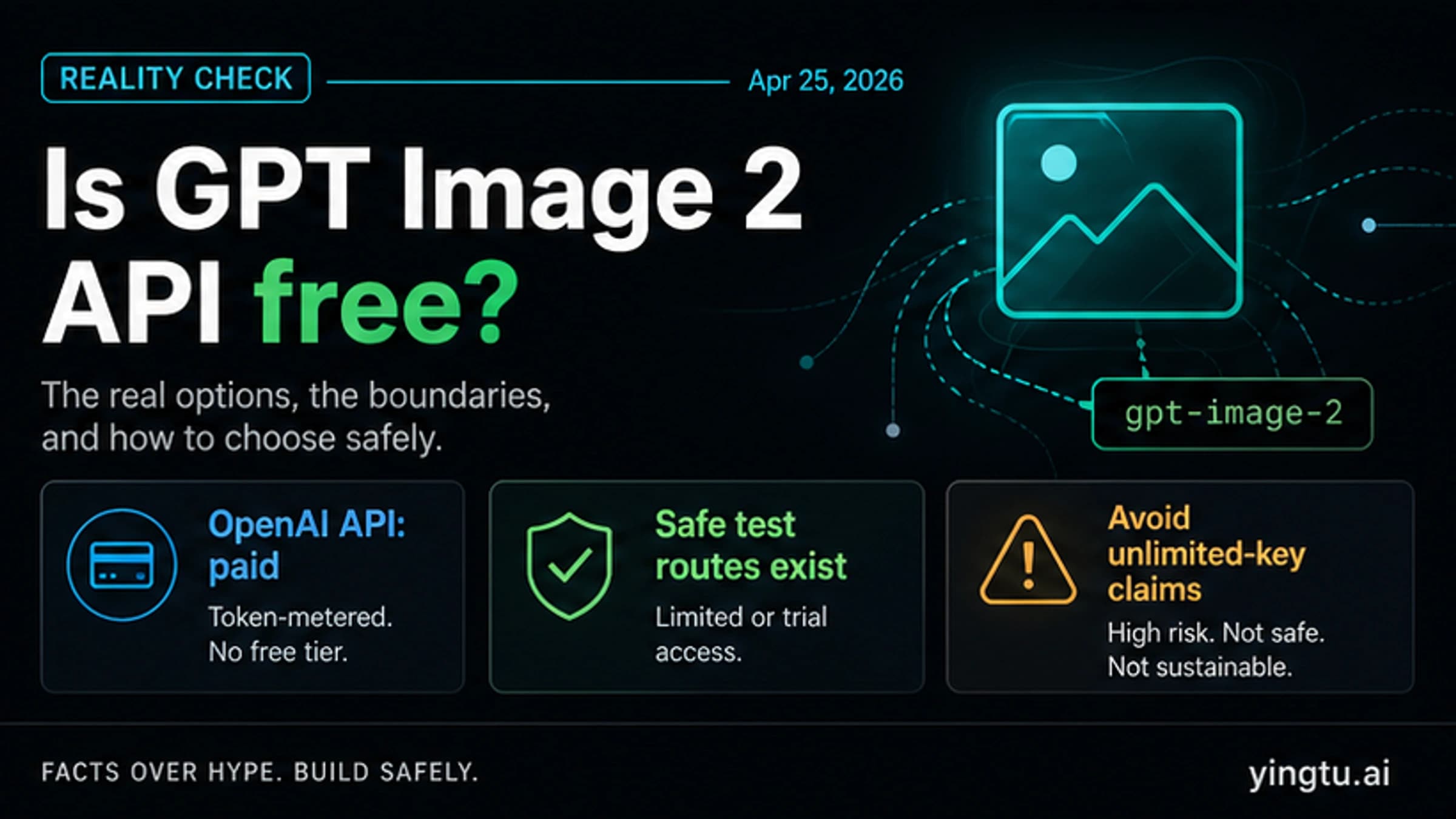
| Is the official GPT Image 2 API free? | GPT Image 2 API free answer |
| Are free or unlimited GPT Image 2 wrappers trustworthy? | GPT Image 2 free unlimited guide |
| What is the cheapest paid GPT Image 2 API route? | Cheap GPT Image 2 API guide |
This boundary helps the skill article stay useful. A reader who wants to install a skill gets install and trust guidance. A reader who wants price, free access, or resolution does not have to dig through a wrapper review.
FAQ
Is GPT Image 2 Skill an official OpenAI product?
No. Treat it as a third-party community skill and CLI around OpenAI's official gpt-image-2 model. Use OpenAI docs for official model and API facts; use the repository files for skill behavior.
Does installing the skill make GPT Image 2 free?
No verified source in this run supports that claim. A local skill can call an image route, but your API key, account status, provider route, or app subscription still controls access and billing. Do not treat "free skill" language as proof of free model usage.
Should I install it in Codex?
Install it only if you need a reusable prompt gallery or CLI inside Codex and you have inspected the repo first. If you only need one manual image, use ChatGPT or a browser image route. If you are building an app endpoint, start with direct OpenAI APIs.
What should I inspect first?
Start with SKILL.md, scripts, dependencies, environment-variable handling, output paths, license, and update behavior. Confirm whether the tool reads OPENAI_API_KEY, writes files into the current repo, installs dependencies, or calls network routes you did not expect.
When should I use Responses API instead?
Use Responses API when image generation is one part of a larger agent or application workflow that also needs text, tools, state, or follow-up reasoning. Use Image API when the app just needs direct generation or editing.
Does the skill support transparent backgrounds?
Do not assume it does. OpenAI's current image-generation tool options say transparent background is not currently supported for gpt-image-2. If a wrapper claims otherwise, verify the exact route and output before using it.
What is the safest first test?
Use a non-sensitive prompt, a dedicated test output folder, and an API key you understand. Watch what files are created, what dependencies are installed, and whether logs include prompts, image inputs, or paths you would not want to expose.