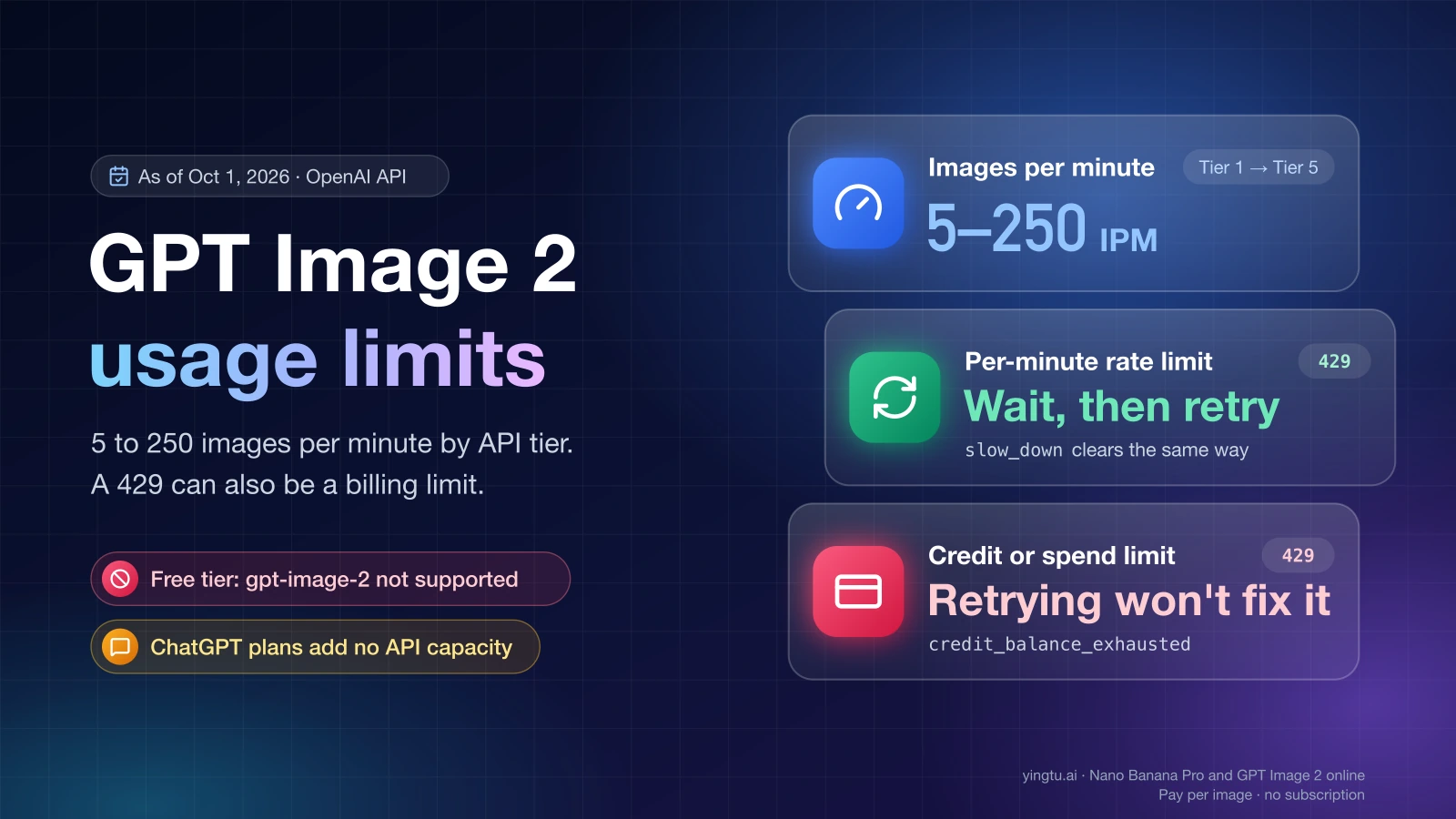
A GPT Image 2 usage limit on the OpenAI API is a per-minute allowance that OpenAI assigns to your organization according to its usage tier. As of October 1, 2026, gpt-image-2 runs from 5 images per minute on Tier 1 to 250 images per minute on Tier 5, and the Free tier cannot call the model at all.
That allowance is only one of the things an HTTP 429 can report. The same status code is returned when your prepaid credits run out, when a spend limit you set yourself is reached, and when your organization reaches the monthly usage limit OpenAI approved for it. Waiting fixes the first kind. It never fixes the other three. The error.code field in the response body tells you which one you have.
Image generation inside the ChatGPT app is a separate system with its own allowance. A ChatGPT message such as "No image generation quota is currently available." has nothing to do with your API tier, and a paid ChatGPT plan does not add API capacity. For the app side, see How Many Images Can ChatGPT Generate for Free? Limits Explained.
GPT Image 2 API rate limits by usage tier
OpenAI's gpt-image-2 model page publishes two per-minute limits for each tier. TPM is tokens per minute. IPM is images per minute. The rate limits guide adds the conditions for reaching each tier and the monthly usage limit that comes with it.
| Usage tier | You qualify after | Approved monthly usage limit | TPM | IPM |
|---|---|---|---|---|
| Free | Being in an allowed geography | $100 per month | Not supported | Not supported |
| Tier 1 | $5 paid | $100 per month | 100,000 | 5 |
| Tier 2 | $50 paid | $500 per month | 250,000 | 20 |
| Tier 3 | $100 paid | $1,000 per month | 800,000 | 50 |
| Tier 4 | $250 paid | $5,000 per month | 3,000,000 | 150 |
| Tier 5 | $1,000 paid | $200,000 per month | 8,000,000 | 250 |
Limits for gpt-image-2 (snapshot gpt-image-2-2026-04-21) on the OpenAI API, as of October 1, 2026.
Four details decide how these numbers behave in practice.
- Whichever limit is reached first stops you. A Tier 1 organization that stays under 100,000 tokens per minute is still refused on the sixth image inside one minute. At a steady pace, 5 IPM works out to at most 5 × 60 = 300 images per hour on Tier 1, and fewer if the token limit is reached first.
- Limits belong to the organization and the project, not to a user or an API key. Two scripts or two teammates working in the same project draw on the same allowance. A new key in that project adds nothing.
- Changing the endpoint does not change the allowance.
gpt-image-2is available throughv1/images/generations,v1/images/edits, the Responses API and Batch, and only Batch is counted separately (see the section on getting more capacity). Some model families also share one limit, which the Limits page marks as a shared limit. - The published table is the default, and your account can differ. The Limits page in your organization settings shows the numbers that actually apply to you, per model.
GPT Image 2.5 follows the same pattern: as of September 30, 2026, the model page for gpt-image-2.5-flare lists the same tier table as gpt-image-2.
Which 429 you have, and whether retrying helps
Read error.code before deciding anything. OpenAI's error codes page lists the following cases for image and other API calls, as of October 1, 2026.
| What the response says | Kind of limit | Does waiting and retrying help? | Where it gets fixed |
|---|---|---|---|
| 429 "Rate limit reached for requests" | Per-minute rate limit (TPM or IPM) for your tier | Yes | In your code: wait for Retry-After, then send more slowly |
429 slow_down (type rate_limit_error) | Traffic rose too quickly, even if it is inside your per-minute limits | Yes, after you reduce the rate | In your code: drop the rate, then ramp up gradually |
429 credit_balance_exhausted | No prepaid credits left | No | Billing: add credits |
429 organization_spend_limit_exceeded | A hard spend limit set on your organization | No | Organization settings: raise the hard spend limit |
429 project_spend_limit_exceeded | A hard spend limit set on the project | No | Project settings: raise the hard spend limit |
429 organization_usage_limit_exceeded | The monthly usage limit OpenAI approved for your organization | No | Request a higher approved limit or contact OpenAI support |
503 server_is_overloaded (type service_unavailable_error) | No limit of yours; the model is temporarily overloaded | Yes | Nothing to change: retry after a pause |
| 403 "Country, region, or territory not supported", or a refusal that mentions access or verification | No rate limit at all | No | Account eligibility, not request pacing |
Two notes on reading the field. For billing-related errors the broader error.type can still read insufficient_quota, so the code is the part that separates the causes. Older SDK versions and third-party gateways may return only insufficient_quota or rate_limit_exceeded. Treat the first as a billing problem that retrying will not clear, and the second as a per-minute rate limit.
"Rate limit reached for requests" and slow_down
Both of these clear on their own once you send less, and they are the only 429s where a retry is the right response. "Rate limit reached for requests" means you sent more per minute than your tier allows. slow_down is different: it can appear while you are still inside your requests-per-minute and tokens-per-minute limits, because it reflects how fast your traffic grew. OpenAI's rule of thumb for traffic above 1 million input tokens per minute is to increase it by no more than 50% every 15 minutes.
Retrying immediately makes things worse. Failed requests count toward the per-minute limit, so a loop that resends at once keeps the limit exhausted.
credit_balance_exhausted
This code means the organization has no prepaid credits left, and the only fix is adding credits on the billing page. No amount of waiting brings the calls back.
organization_spend_limit_exceeded and project_spend_limit_exceeded
These two codes come from a hard spend limit that someone in your organization configured, at organization or project level. OpenAI offers two controls here. A spend alert only sends a notification, and API traffic continues. A hard spend limit makes the affected requests return 429. If you did not set the limit yourself, ask whoever administers the organization or project. Raising it is a settings change, and it takes no request to OpenAI.
organization_usage_limit_exceeded
This code means your organization reached the approved monthly usage limit in the tier table above, such as $100 per month on Tier 1. OpenAI assigns that limit, and it is separate from the spend limits you configure. You can request a higher approved limit or contact support. Moving up a tier raises it as well.
503 server_is_overloaded
A 503 with this code says the model is temporarily overloaded on OpenAI's side. Your tier, credits and spend limits are not involved. Retry with the same pause logic you use for rate limits.
Access and verification refusals
A refusal that mentions country, access or verification is not a rate limit, and waiting will not clear it. OpenAI may require organization verification before certain models or features can be used. If the message points there, the fix is in your organization's settings and eligibility.
Where to see your own limits
Three places show your real numbers, as opposed to the published defaults.
- The Limits page in your organization settings lists the per-model limits that apply to your organization.
- Response headers on each call report the request and token allowance:
x-ratelimit-limit-requests,x-ratelimit-remaining-requests,x-ratelimit-reset-requests, the matching-tokensheaders, and project-scoped versions such asx-ratelimit-remaining-project-tokens. Retry-After, when it is present on a 429 or 503, gives the minimum number of seconds to wait.
The documented headers cover requests and tokens only. None of them reports how many images you have left this minute, so keep your own count of images sent per minute if you run close to the IPM limit.
Retry-After can appear on a 429 caused by a temporary rate limit and on a 503 caused by overload. OpenAI states that the header does not mean a quota or billing error can be resolved by retrying.
A retry loop that stops on billing errors
The Python sketch below uses the official openai SDK. It retries only the temporary cases, waits at least as long as Retry-After asks, adds a small random delay, and gives up after a fixed number of attempts or a fixed total time. Treat it as a starting point and adapt the limits to your own workload.
hljs pythonimport random
import time
from openai import OpenAI, InternalServerError, RateLimitError
# The SDK retries eligible 429 and 503 responses by itself.
# Turn that off so this loop is the only one retrying.
client = OpenAI(max_retries=0)
# Codes and types that need an action from you. Never retry these.
NO_RETRY = {
"credit_balance_exhausted",
"organization_spend_limit_exceeded",
"project_spend_limit_exceeded",
"organization_usage_limit_exceeded",
"insufficient_quota",
}
def generate_image(prompt, max_attempts=5, max_total_seconds=120):
started = time.monotonic()
for attempt in range(max_attempts):
try:
return client.images.generate(model="gpt-image-2", prompt=prompt)
except (RateLimitError, InternalServerError) as e:
if e.code in NO_RETRY or e.type in NO_RETRY:
raise # billing, spend or usage limit: waiting will not help
if isinstance(e, InternalServerError) and e.status_code != 503:
raise
header = e.response.headers.get("retry-after")
try:
wait = float(header)
except (TypeError, ValueError):
wait = min(2 ** attempt, 30) # no usable header: exponential backoff
wait += random.uniform(0, 1) # small random delay
out_of_attempts = attempt == max_attempts - 1
out_of_time = time.monotonic() - started + wait > max_total_seconds
if out_of_attempts or out_of_time:
raise
time.sleep(wait)
The max_retries=0 line matters. The official SDKs already retry eligible 429 and 503 responses automatically. If you leave that on and add your own loop, every outer attempt multiplies into several inner ones, and each failed attempt still counts toward your per-minute limit.
Getting more capacity
Moving up a tier. Tiers rise automatically as your organization's paid total on the API grows, at the amounts in the tier table. Each step raises the per-minute limits and the approved monthly usage limit together. Going from Tier 1 to Tier 2 takes the IPM limit from 5 to 20.
Using Batch for work that can wait. Batch jobs do not consume your synchronous per-minute limits. Batch has its own queue limit, counted in queued input tokens per model. For what that does to the bill, see GPT Image 2 Price Per Image: Official API Costs and Formula.
Spreading requests out. If a job needs 200 images and your tier allows 20 per minute, a queue that releases 20 per minute finishes in about 200 ÷ 20 = 10 minutes without a single 429, provided the token limit is not reached first. Sending all 200 at once produces refusals that then count against the next minute.
Opening a second account or rotating keys to get past a limit is not an option. OpenAI's terms prohibit circumventing rate limits, and limits are counted per organization and project in any case.
Azure OpenAI uses a different table
Azure does not reuse OpenAI's tier numbers. Microsoft counts gpt-image-2 in requests per minute (RPM), not images, and sets its own quota tiers. The figures below come from Microsoft's quotas and limits page, dated August 20, 2026, as of October 1, 2026.
| Azure quota tier | gpt-image-2 Global Standard | gpt-image-2 Data Zone Standard | gpt-image-2.5-flare and gpt-image-2.5-sunburst Global Standard |
|---|---|---|---|
| Tier 1 | 6 RPM | 2 RPM | 5 RPM |
| Tier 2 | 12 RPM | 4 RPM | 5 RPM |
| Tier 3 | 18 RPM | 6 RPM | 5 RPM |
| Tier 4 | 24 RPM | 8 RPM | 5 RPM |
| Tier 5 | 30 RPM | 10 RPM | 5 RPM |
Azure has seven quota tiers in total (Free and 1 through 6), and tiers rise automatically with usage. Extra quota goes through Microsoft's quota request form. Do not count on extra regions for extra allowance. Microsoft began managing quota at the subscription level after May 7, 2026, starting with a few models and, in its words, soon all models. Under that scheme, Global Standard deployments of one model and version share a single quota pool across all regions in a subscription, and Data Zone Standard deployments share one pool per data zone.
A 429 from a gateway or reseller is a different limit
If your requests go to a third-party endpoint and not to api.openai.com, the 429 comes from that provider's own capacity. A gateway that serves its customers from one shared gpt-image-2 pool returns 429s or timeouts to all of them when that pool is busy. Your OpenAI usage tier plays no part, and the codes in the table above may not appear at all. The provider's own notices and documentation are the places to check.
The same separation applies to per-image services. YingTu's GPT Image 2 page lists the model at $0.03 per image as of October 1, 2026, billed per image through your own LaoZhang API key. That is a separate quota system from your OpenAI organization. It suits someone who wants a handful of images without building up an OpenAI tier, and it does not raise your OpenAI limits. YingTu publishes no images-per-minute figure.
FAQ
Why am I getting a 429 when my monthly budget is not used up?
Because the per-minute rate limit and the monthly limits are counted separately. You can have most of the month's budget left and still send a sixth image inside one minute on Tier 1. If the response is "Rate limit reached for requests" or slow_down, pacing fixes it. If the code is one of the spend or usage codes, check whether a project-level spend limit is lower than the organization budget you were looking at.
Do GPT Image 2 API limits reset every day?
No. The limits published for gpt-image-2 are per minute, so the allowance comes back within a minute once you stop sending. The approved usage limit is monthly. The x-ratelimit-reset-requests and x-ratelimit-reset-tokens headers show the time until the current window resets.
Is there a GPT Image 2 API tier without a per-minute limit?
No. Every paid tier has both a TPM and an IPM limit, and the highest published figure is 250 images per minute on Tier 5 as of October 1, 2026.
Does a ChatGPT Plus subscription raise my API limits?
No. ChatGPT Plus costs $20 per month as of September 30, 2026, and OpenAI states that API usage is separate and billed independently. Your API tier depends only on what your organization has paid for API usage.