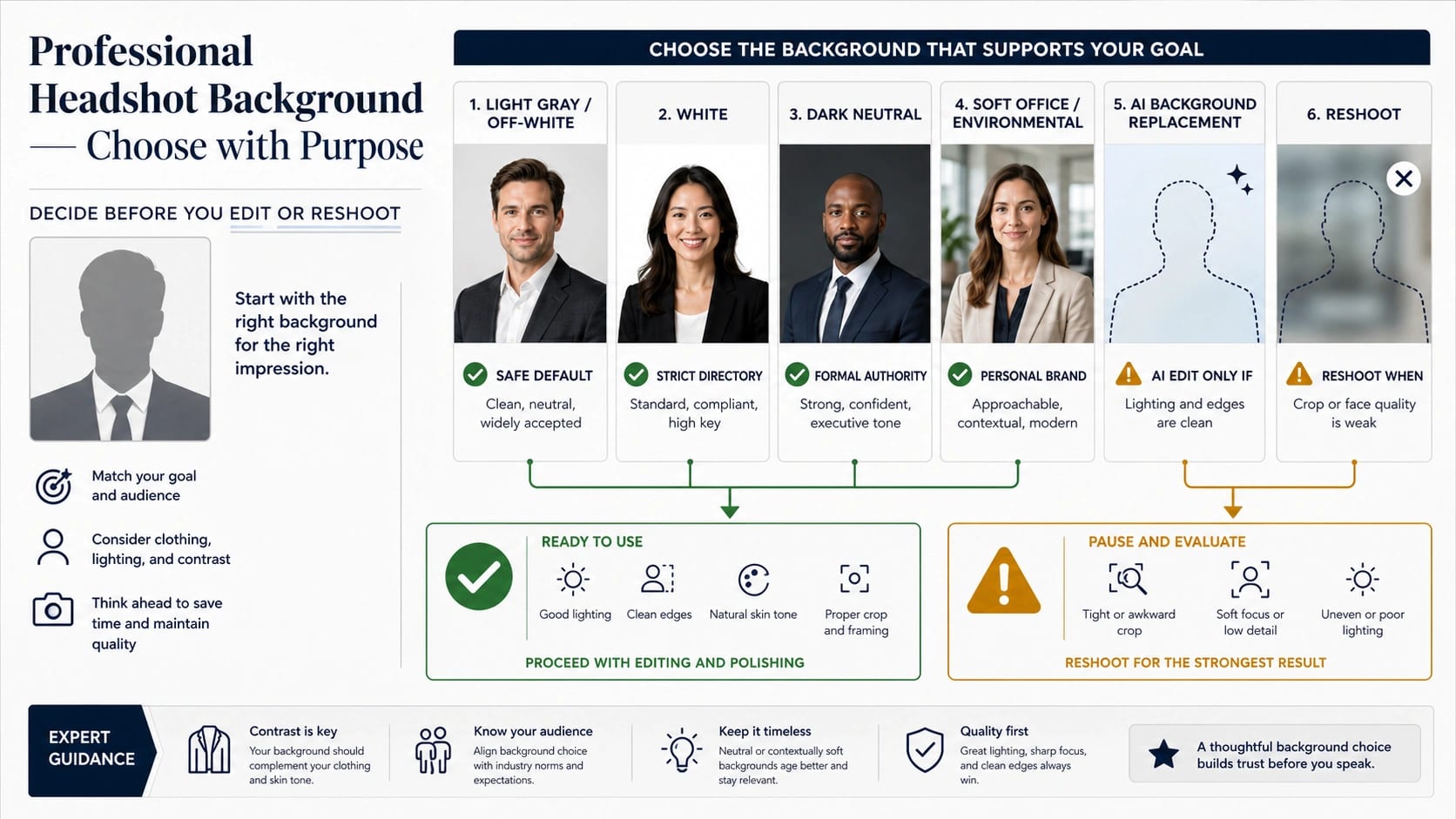
Start with a light gray or off-white background if the headshot has to work across LinkedIn, resumes, team pages, speaker bios, and general professional profiles. Use white when a directory, badge, or cutout workflow requires strict consistency; use charcoal or navy when the role needs a more formal tone and the subject still separates cleanly; use a soft office or outdoor background only when the environment adds useful context without competing with the face.
Choose the background by destination first, then by style. The safest background is not the one that looks most dramatic in isolation; it is the one that keeps attention on the face, works with the clothing, and still looks credible when cropped into a small profile photo.
| Headshot destination | Best first background choice | Why it works |
|---|---|---|
| LinkedIn, resume, team page, general profile | Light gray or off-white | Neutral, flattering, reusable, and easy to crop |
| Provider directory, ID-like profile, cutout workflow | White | Standardized and easy to match across a group |
| Executive, legal, finance, formal speaker profile | Charcoal, navy, or another dark neutral | Adds authority if clothing and hair still separate from the background |
| Founder, consultant, creator, real-estate, personal brand | Soft office, studio, or outdoor context | Adds warmth and context when blur, lighting, and clutter stay controlled |
| Busy room, saturated color, fake blur, low-resolution source photo | Change the background or reshoot | The background is already competing with the face |
If the source photo is sharp, evenly lit, and leaves room around the head and shoulders, AI background replacement can clean up clutter or test a neutral backdrop. If the face is soft, the shoulders are cut off, the light is uneven, or hair edges are messy, a new photo will beat a heavy background edit.
If your real task is not a headshot background choice, use the narrower next step instead:
| Real task | Better next page |
|---|---|
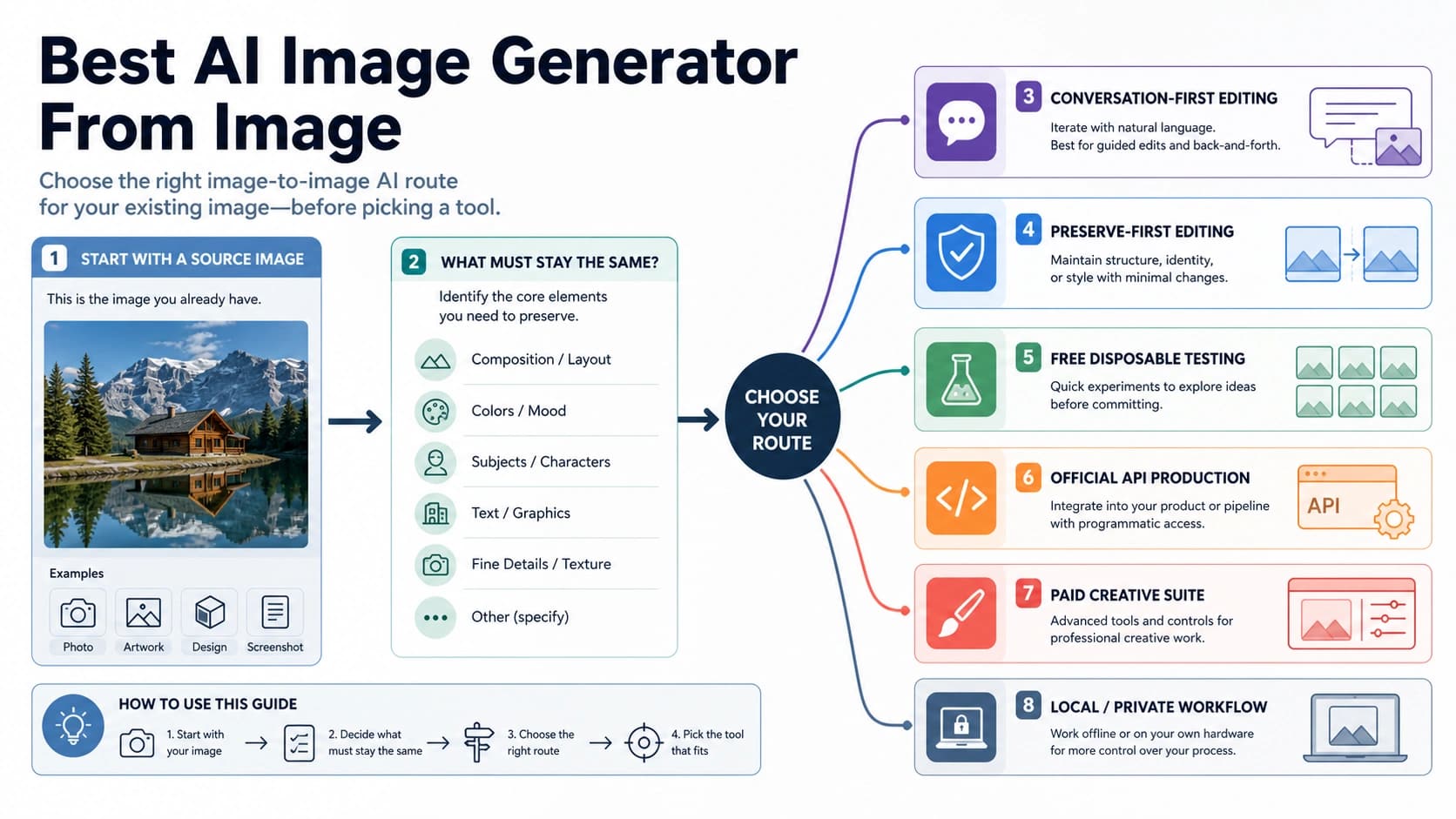
| Keep the same subject while changing or rebuilding an image background | AI image generator from image route guide |
| Prepare product photos, ecommerce main images, or transparent cutouts | AI product background remover workflow |
| Diagnose hierarchy, contrast, grouping, and spacing in a visual asset | Visual design principles checklist |
Choose by Use Case Before You Choose a Color
A professional headshot background has one job: support the face and the intended signal of the photo. It should not become the most memorable part of the image. Adobe's headshot-background guidance frames the choice around environmental, artificial, and post-production backgrounds, but the practical decision is the same across those categories: does the background help the subject look credible for the place the headshot will appear?
For a broad professional profile, light gray and off-white are difficult to beat. They are neutral without looking as stark as pure white, they leave enough contrast for dark or light clothing, and they tolerate square, circle, and vertical crops. If you are sending one headshot to LinkedIn, a company bio, a speaker page, a resume PDF, and a meeting profile, this is the safest default.
White is not automatically better; it is more system-friendly. Choose it when the destination expects consistency: a medical provider directory, an employee badge, a staff page with dozens of portraits, a cutout workflow, or a marketing system that needs every person on the same plain background. The UMass provider headshot guidelines emphasize a plain, non-busy background, while the United Community Bank headshot guidelines ask for a solid white or near-white background. Those examples do not create a rule for everyone, but they show why strict systems often prefer simple backgrounds.
Dark neutrals work when the headshot is meant to feel formal, senior, or high-trust. Charcoal, navy, and deep gray can suit executive, legal, finance, consulting, or formal speaker portraits, but they need cleaner lighting than a light background. City Headshots' background recommendations make the same practical point: background choice depends on profession, use case, clothing, and formality rather than one universal best color. Hair, shoulders, and dark clothing can blend into the backdrop if separation is weak. If you wear a black jacket against a dark gray background, the face may still look sharp while the body turns into a flat shape.
Soft environmental backgrounds are useful when context matters. A founder, therapist, realtor, designer, professor, consultant, or creator may benefit from a subtle office, studio, library, outdoor, or workspace cue. The risk is distraction. The viewer should register warmth or context, not scan the room behind you. If the background contains shelves, windows, street signs, bright plants, monitor glow, or other faces, simplify it or choose a neutral setup.
The Background Choice Matrix
Use the matrix below when you have a real destination in mind.
| Background | Best for | Main risk | What to check before using it |
|---|---|---|---|
| Light gray or off-white | LinkedIn, resume, team pages, general professional use | Can look too plain if the lighting is flat | Face contrast, clothing separation, clean crop |
| White | Directories, badges, staff pages, cutouts, healthcare or institutional systems | Can look harsh, clinical, or overexposed | Skin tone, exposure, edge cleanliness |
| Charcoal, navy, dark gray | Executive, legal, finance, formal speaking, premium brand portraits | Clothing and hair can disappear into the background | Rim light, shoulder separation, dark-on-dark clothing |
| Warm neutral, beige, muted taupe | Coaching, education, wellness, approachable consulting | Can drift into casual or dated if too warm | Skin tone, wardrobe color, brand fit |
| Soft office or studio | Founder, creator, realtor, consultant, personal brand | Can become cluttered or too lifestyle-focused | Depth of field, visible objects, crop at small sizes |
| Outdoor background | Approachable personal brands, real estate, local professionals, casual bios | Weather, glare, greenery, and background detail can dominate | Even shade, low clutter, no random passersby |
| Brand color or textured wall | Creative roles, campaign-specific portraits, editorial use | Can age quickly or clash with clothing and skin tone | Color cast, crop variants, whether the destination allows it |
The best headshot background is usually the quietest one that still fits the reader's expectation for your role. That does not mean every professional portrait must be gray. It means the background should earn its place. If it does not make the headshot more credible, more consistent, or easier to use, it is probably adding risk.
Fix an Existing Photo Without Making It Look Fake
An existing headshot can be worth repairing when the person is already photographed well. Check the source photo before you open any editor:
| Source-photo check | Good enough to edit | Better to reshoot |
|---|---|---|
| Face sharpness | Eyes and facial features are crisp | Motion blur, soft focus, or heavy compression |
| Lighting | Even, flattering light across the face | Harsh side shadows, blown highlights, mixed color casts |
| Crop | Room around head and shoulders | Top of head, shoulders, or hair cut off |
| Edges | Hair and clothing separate from the background | Flyaway hair, messy edges, or background bleeding into the subject |
| Resolution | Large enough for profile and web crops | Small, pixelated, or pulled from a group photo |
| Expression and posture | Professional, current, centered | Awkward pose, old photo, casual party crop |
If the only weak part is the background, edit it. Remove clutter, replace a distracting room, soften a busy setting, or test a neutral studio backdrop. If the face, crop, and lighting are weak, editing the background will only make the rest of the problem more obvious. A clean new photo with a simple wall or daylight setup will usually outperform a heavily repaired old image.
The repair should preserve realism. Keep natural depth, plausible shadows, and believable separation around hair and shoulders. Heavy fake blur, pasted-on studio gradients, and unnaturally sharp cutout edges tell the viewer that the image has been overworked. The edit is successful when the background disappears as a topic.
When AI Background Replacement Helps
AI background replacement is useful when the source photo already has a strong subject and the background is the only obvious failure. Canva's AI headshot and background-removal surfaces, for example, emphasize that clearer, well-lit, centered faces produce better results. That input-quality rule matters more than the specific tool: the editor can replace a wall, but it cannot reliably invent sharp eyes, natural shoulder shape, or clean hair edges from a weak image.
Use AI replacement for these jobs:
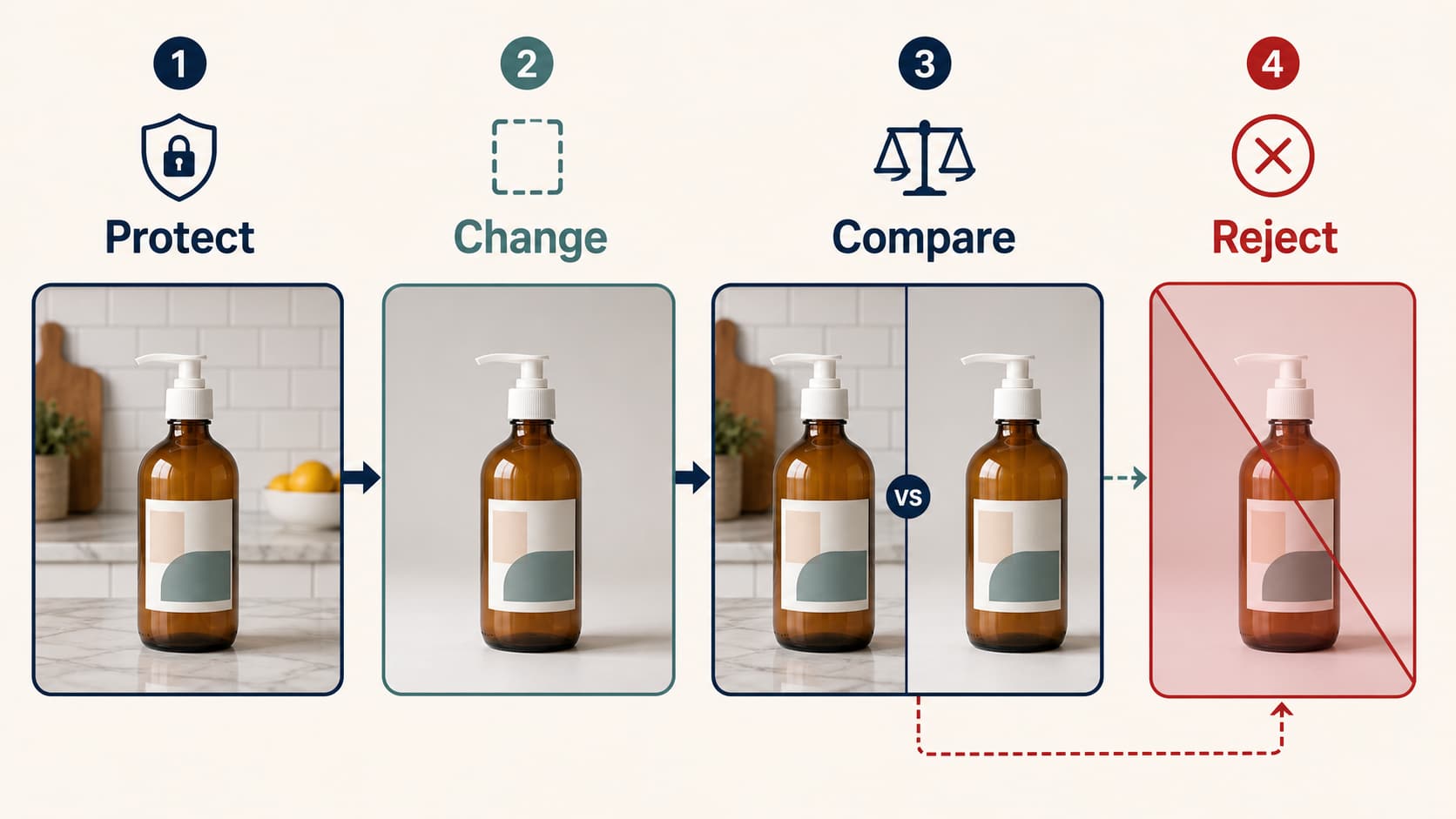
| Job | What to ask for | What to reject |
|---|---|---|
| Remove a busy room | Plain light gray, off-white, or soft neutral studio background | New furniture, dramatic architecture, fake bokeh |
| Match a team page | Same background family, similar light direction, consistent crop | One person looking much more stylized than the rest |
| Test profile variants | Light gray, white, charcoal, or soft office versions | Saturated colors, fantasy lighting, high-fashion effects |
| Prepare a cutout | Clean white or transparent-ready background | Hair halos, jagged shoulders, missing clothing edges |
| Improve a casual photo | Subtle neutralization and crop cleanup | Over-smoothed skin, changed identity, unrealistic wardrobe |
Do not treat an AI headshot background as a permission slip to upload anything. If the original image includes another person, a private setting, a copyrighted backdrop, company-confidential material, or a photo you do not have the right to edit, choose a new source image. If you download a stock background or backdrop texture, check its license before using it in a business profile or commercial page.
For AI-generated or heavily edited backgrounds, compare the final result at small sizes. A LinkedIn avatar, Slack circle, speaker thumbnail, or provider card will hide some detail but amplify face/background contrast. If the image looks convincing only when opened full-size, it is not ready.
Common Background Mistakes and the Fix Path
The mistakes below are common because they are easy to miss while looking at the full-size photo. They become obvious after the image is cropped into a profile circle or placed beside other team portraits.
A busy room competes with the face
Bookshelves, plants, monitors, wall art, windows, kitchen counters, and hallway lines can all steal attention. A soft office background can be excellent when the room is clean and the depth is natural. It fails when the viewer starts reading the environment instead of the expression.
Fix it by simplifying the background, moving farther from the wall, lowering visible detail, or replacing the background with a neutral studio tone. If the background cannot be simplified without cutting into hair or shoulders, reshoot.
A saturated color changes the mood
Bright red, neon blue, intense green, or a strong brand color can make a headshot feel like a campaign graphic rather than a professional profile. Saturated backgrounds can also reflect color onto the skin and clothing. That may be useful in editorial work, but it is risky for resumes, directories, and broad business use.
Fix it by choosing muted brand colors, light gray, off-white, charcoal, or another controlled neutral. If a color is part of the brand, use it intentionally and make sure the destination supports that visual tone.
Clothing blends into the background
The headshot may look clean while the body disappears. This happens with black jackets on dark gray, white shirts on white, beige clothing on beige, or hair against a similarly dark wall. Professional portraits need separation, especially around shoulders and hair.
Fix it with a lighter or darker background, a rim light, a different jacket, or more distance from the backdrop. If you cannot adjust lighting or wardrobe, choose a safer neutral background.
Fake blur makes the edit obvious
Background blur works when it looks like natural camera depth. It fails when the subject edge stays too sharp, the hair has halos, or the background melts into an artificial smear. The viewer may not name the technical problem, but the image will feel less trustworthy.
Fix it by using a simpler background rather than stronger blur. Keep the depth believable and let the face carry the image. If the source photo has messy hair edges or motion blur, reshoot.
The crop is too tight
Many profile systems crop headshots into circles or small rectangles. If the photo is already tight around the head, the final crop may cut hair, shoulders, or the top of the head. Background replacement will not create a natural shoulder line when the original crop is missing it.
Fix it by starting from a wider frame with room around the head and shoulders. For planned shoots, take a few frames with extra space. For existing photos, avoid any edit that needs to invent missing body shape.
Publish Checklist Before You Use the Headshot
Use this checklist before uploading the final image:
| Check | Pass condition |
|---|---|
| Destination fit | The background matches the platform: profile, resume, directory, team page, speaker bio, or personal brand |
| Face priority | The face is the first thing visible at small size |
| Background quietness | Nothing behind the subject competes for attention |
| Clothing separation | Hair, shoulders, and clothing remain visible against the backdrop |
| Crop flexibility | The image works as square, circle, and vertical crop |
| Source quality | Eyes are sharp, lighting is even, and the expression is current |
| Edit realism | No halos, fake blur, identity drift, or pasted-on shadows |
| Group consistency | If the image belongs to a team page, it does not look like a different visual system |
| Rights and privacy | You have permission to use the source photo and any replacement background |
If you still cannot decide, choose light gray or off-white and spend the effort on lighting, expression, wardrobe, and crop. Those factors affect trust more than a dramatic backdrop. If the photo is for a strict directory, follow the directory requirement even if another background looks better by itself.
For broader visual-review language, the visual design principles guide explains how hierarchy, contrast, grouping, and spacing change whether a visual communicates quickly. Apply the same idea here: the headshot background is successful when it improves focus without asking the viewer to notice it.
FAQ
What is the best background for a professional headshot?
Light gray or off-white is the safest all-purpose professional headshot background. It works across LinkedIn, resumes, team pages, speaker bios, and general business profiles because it is neutral, flattering, and easy to crop. Use white, dark neutral, or a soft environment only when the destination makes that choice useful.
What is the best LinkedIn headshot background?
For LinkedIn, start with light gray, off-white, or another clean neutral. A soft office or outdoor background can work if it is uncluttered and the face still dominates the crop. Avoid busy rooms, saturated colors, and heavy artificial blur because LinkedIn crops the image small.
Should a resume headshot use a white background?
Use white only if the resume style, region, employer, or application system expects a formal ID-like photo. For most professional reuse, light gray or off-white is less harsh and more flexible. If a resume will be converted, printed, or embedded in a profile card, make sure the background does not reduce face contrast.
What background colors should I avoid?
Avoid bright saturated colors, busy patterns, cluttered rooms, backgrounds too close to your outfit color, and trendy textures that may date quickly. Strong brand colors can work for creative portraits, but they should be intentional and tested at small profile size.
Is an outdoor background okay for a headshot?
An outdoor background is okay when the light is soft, the background is calm, and the setting supports the professional message. Use shade, distance from the background, and a simple crop. Avoid harsh sunlight, visible crowds, street clutter, and greenery that overwhelms the face.
Can AI replace a headshot background?
AI can replace a headshot background when the original face is sharp, evenly lit, centered, and not cut off. It is best for removing clutter or testing a neutral backdrop. It is not a good fix for motion blur, poor lighting, low resolution, messy hair edges, or an outdated expression.
When do I need a transparent PNG?
Use a transparent PNG when the headshot must be composited onto a website, badge, directory card, presentation, or marketing layout with a controlled design system. Start from a clean white or neutral background with strong edge separation; transparent cutouts from messy backgrounds often leave hair halos or jagged clothing edges.
When should I reshoot instead of editing the background?
Reshoot when the face is soft, the shoulders are cut off, the lighting is uneven, the image is low resolution, the expression feels wrong, or the current background is tangled with hair and clothing edges. Background replacement works best when the background is the only problem.