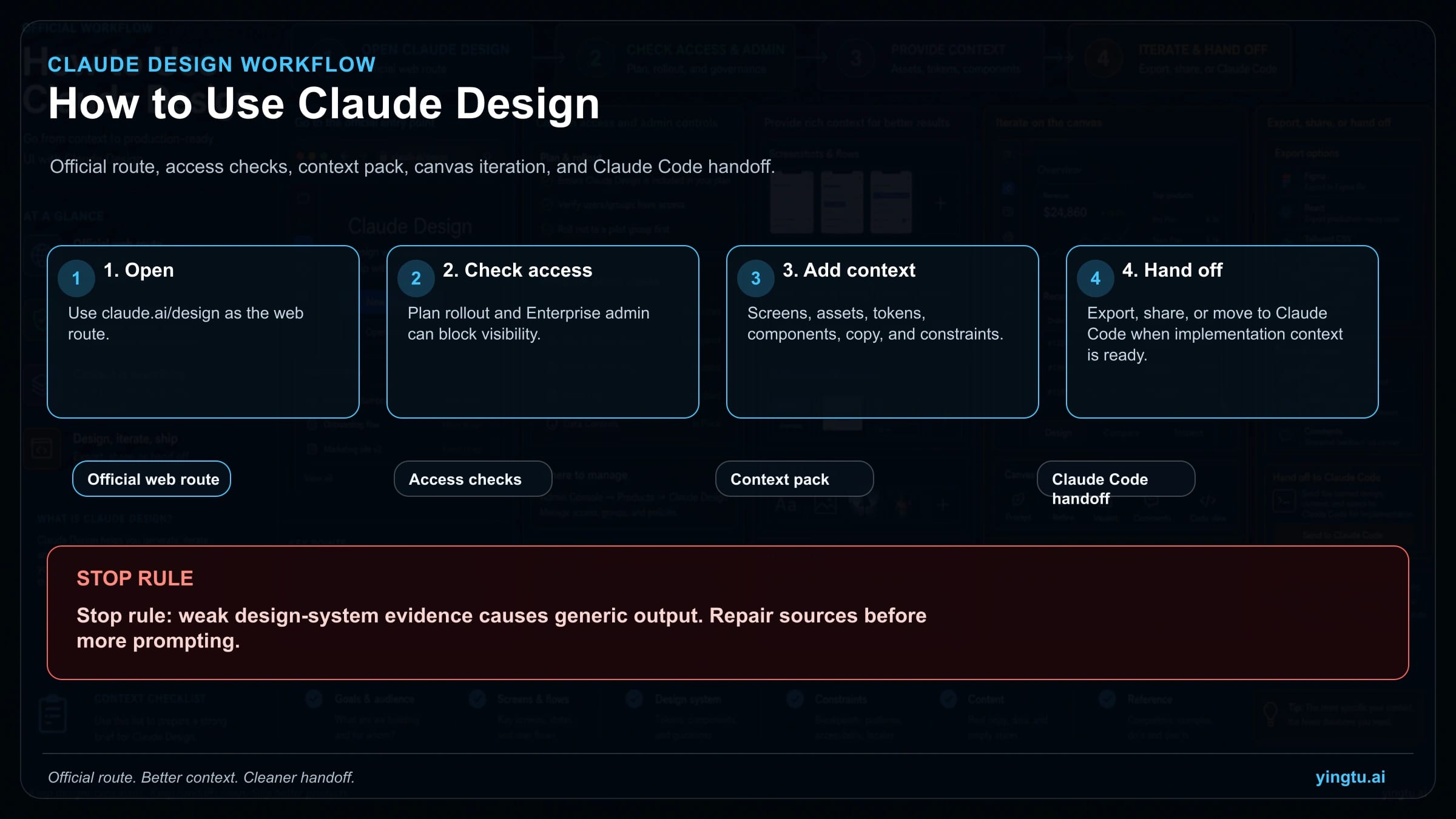
Open Claude Design at claude.ai/design first; if the Design entry is missing, check your plan rollout and, for Enterprise, admin enablement before looking for a desktop download, installer, or Claude Code skill. Claude Design is the visual canvas for creating and refining screens, decks, one-pagers, prototypes, and variants; Claude Code skills are separate SKILL.md files for carrying project implementation rules after the design is ready to build.
Use this route board before the first prompt:
| Decision | Use this route | Stop if |
|---|---|---|
| I cannot find Claude Design | Start at claude.ai/design, then check eligible plan rollout and Enterprise admin enablement. | You are searching desktop, mobile, downloads, or community skills before checking the official web route. |
| I need a first design or prototype | Stay in Claude Design and attach screenshots, assets, copy, tokens, component examples, and constraints. | The request is only "make it better" with no product context or design-system evidence. |
| I need repo-specific implementation | Hand off to Claude Code or a project skill after the design has specs, assets, decisions, and QA expectations. | The visual direction is still unresolved or key states and breakpoints are missing. |
| I need reusable design governance | Fix tokens, components, accessibility rules, approval flow, and acceptance checks before generating more. | The design system is stale, undocumented, or contradicted by screenshots and code. |
As of April 25, 2026, official Claude and Anthropic pages describe Claude Design as a research-preview product with gradual rollout and separate usage tracking. The practical rule is simple: open the official route, verify access, feed it real context, iterate visually, and stop when the design-system evidence is too weak to support a reliable output.
Quick answer: start with the web route, not an installer
The working entry point is the official Claude Design web route, claude.ai/design. Anthropic describes Claude Design as an Anthropic Labs research-preview product, not as a Claude Desktop feature, a mobile install, or a downloadable design package. If you can open the route, create the project there, then bring in the material Claude needs to make the design specific.
If the entry is missing, treat that as an access diagnosis before treating it as a workflow problem. The official help pages describe eligibility and rollout by plan, and Enterprise organizations may need an admin to enable the feature in settings. That means a teammate with the same account type might see it before you do, and an Enterprise user may be blocked by organization settings even when the product is otherwise available.
Use this access check in order:
| Symptom | Check first | Likely next action |
|---|---|---|
claude.ai/design opens normally | Product access exists | Start a project and attach context before prompting |
| The Design entry is missing | Plan eligibility and rollout | Wait for rollout or use a plan/account that has access |
| Enterprise account cannot use it | Admin setting | Ask the workspace admin to review Claude Design access |
| You found a community "Claude Design skill" | Product versus skill boundary | Do not use that as proof of official product access |
| You are looking for a desktop app | Route mismatch | Return to the web route and official help pages |
This route-first habit prevents the most common failure: spending time on prompts, installers, or Claude Code files when the account simply does not have the product enabled yet. It also keeps volatile claims out of the workflow. Avoid promises about universal access, free access, exact weekly allowance, or unbounded usage unless the current official page for your account proves it.
Claude Design is not a Claude Code skill
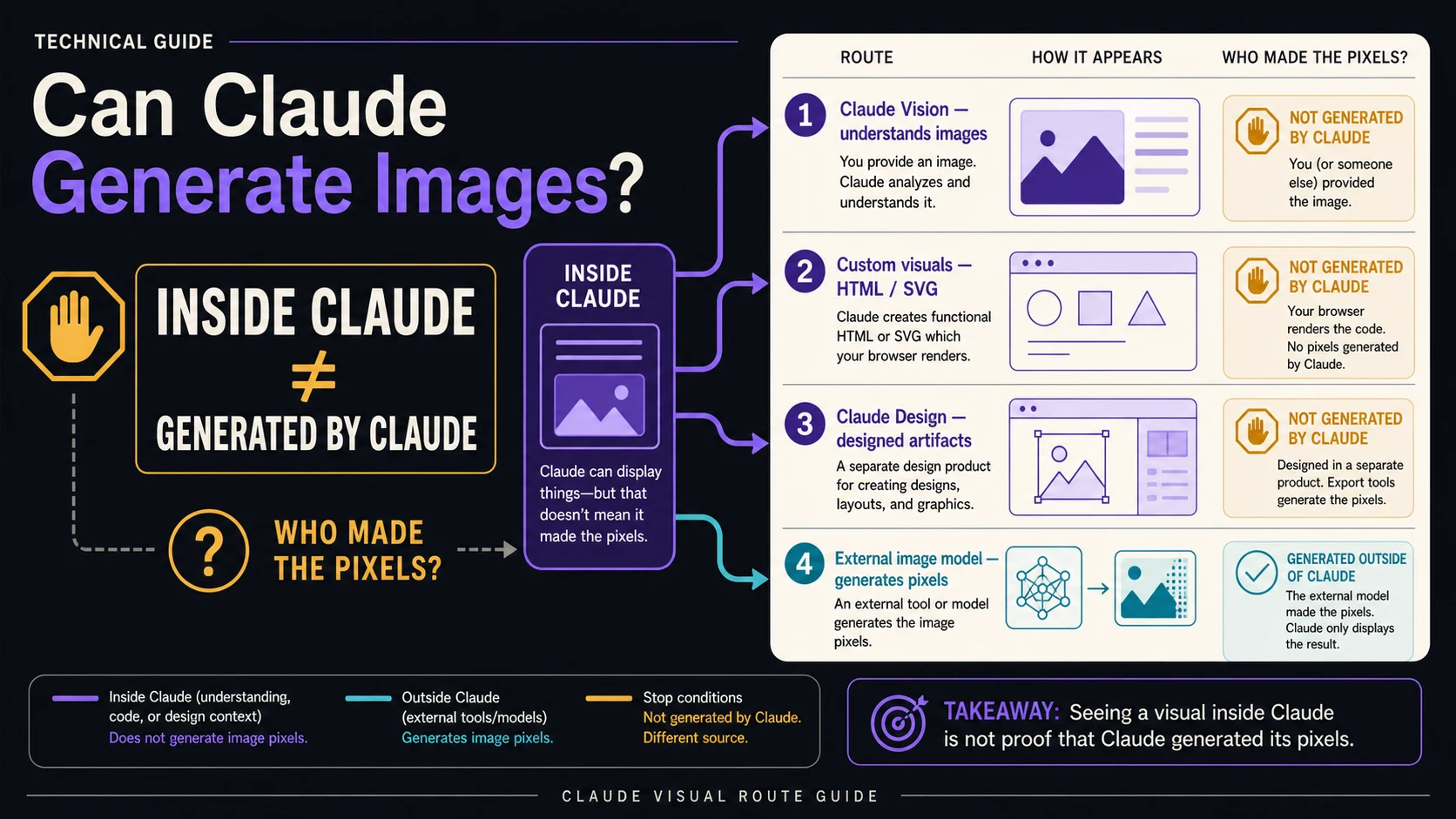
Claude Design and Claude Code skills solve different parts of the job. Claude Design is the visual product surface where you create screens, prototypes, decks, one-pagers, visual variants, and design-system-aware drafts. A Claude Code skill is a project or personal workflow package stored as SKILL.md, used by Claude Code to apply rules, scripts, references, and implementation standards in a codebase.
The boundary matters because the phrase "Claude Design" is now used in several ways across tutorials, team notes, and community repos. Some people mean Anthropic's official visual canvas. Some mean a design-system skill for Claude Code. Some mean a community prompt package. Those can be useful, but they do not carry the same product contract.
| Surface | What it owns | Use it when | Do not use it as |
|---|---|---|---|
| Claude Design | Visual exploration, layouts, decks, prototypes, variants, canvas review | You need a design artifact or visual direction | A repo automation system or desktop installer |
| Claude Code skill | Implementation rules, project commands, standards, reusable codebase context | The design is ready to build and the repo needs explicit rules | A way to unlock Claude Design access |
| Community design skill | Third-party workflow instructions | You want a reusable prompt or repo convention and can inspect it | Official evidence of availability, pricing, export, or security |
| Design-system governance | Tokens, components, brand rules, accessibility, QA acceptance | The output must match a real product system | A decorative checklist after the design is done |
If you need the mechanics of SKILL.md, the adjacent guide on Claude Code skills versus slash commands covers how Claude Code loads skills, arguments, and supporting files. For Claude Design itself, keep the first job simpler: make the visual artifact specific enough that a later implementation handoff has something real to preserve.
Prepare the context pack before your first prompt
A better prompt will not fix missing design-system evidence. Claude Design can reason over attached context, but it still needs the context that a human designer would ask for: the product goal, audience, content, existing UI, brand system, component examples, responsive targets, accessibility rules, and acceptance criteria. Without that material, the design may look polished while still being impossible to ship.
Build a compact context pack before the first project:
| Context item | What to include | Why it changes the output |
|---|---|---|
| Product brief | User, job, surface, business constraint, primary action | Keeps the design from becoming a generic pretty screen |
| Existing screenshots | Current product, competitor examples, states that must be preserved | Gives Claude visible structure and interaction expectations |
| Design-system evidence | Tokens, typography, spacing, colors, components, icon style | Lets the design follow a repeatable system instead of inventing one |
| Content source | Final copy, draft copy, pricing text, form labels, error messages | Prevents the layout from hiding behind placeholder text |
| Accessibility and device rules | Breakpoints, contrast, keyboard, touch target, localization constraints | Catches production issues before the handoff |
| Acceptance checks | What must be true before the design is usable | Gives review a concrete stop condition |
The stop rule is strict: if brand assets, tokens, component examples, screenshots, accessibility rules, product copy, or acceptance criteria are missing, pause and repair the inputs before asking for more variants. Claude Design is useful for exploration, but it should not become the place where unresolved product strategy gets disguised as visual progress.
Create the first project with a prompt that names the job
Once access and context are ready, create a Claude Design project for one concrete outcome. Do not start with "make this better." Start with the artifact you need: onboarding screen, pricing comparison, dashboard redesign, landing-page first screen, sales one-pager, executive deck, workflow prototype, or component variant.
Use this prompt structure:
hljs textGoal: Create [artifact type] for [specific user and job]. Audience: [Who will use or approve it, and what they already know.] Surface: [Web app, mobile, deck, one-pager, prototype, component, or campaign asset.] Context: Use the attached screenshots, copy, product notes, brand assets, component examples, and constraints. Design system: Follow [tokens, typography, spacing, component rules, accessibility expectations]. Constraints: [Device sizes, states to include, claims to avoid, localization or compliance rules]. Output: Return a first canvas with [layout, sections, states, and review notes]. Review criteria: It is successful only if [specific acceptance checks].
For a first product screen, a usable prompt might read:
hljs textCreate a first-screen redesign for a B2B analytics dashboard used by operations managers who need to find stalled workflows quickly. Use the attached current screenshot, component examples, product copy, and spacing tokens. Keep the existing left navigation and table density, but make the alert summary, filter state, and next action clearer above the fold. Produce desktop and narrow-tablet variants. The design is successful only if a reviewer can identify the delayed workflows, the owner, and the next action in under ten seconds.
This kind of prompt works because it gives Claude a job, a user, a surface, source material, constraints, and an acceptance test. The output can still be visually creative, but it is not free-floating. If the first result is too generic, do not ask for "more premium" or "more modern." Ask for the missing evidence to be applied: component density, copy hierarchy, navigation constraints, responsive behavior, or the exact state the user must resolve.
Iterate on the canvas without restarting the design
Claude Design is strongest when you treat the first canvas as a review object, not a final asset. Use chat for directional changes, inline comments for targeted fixes, direct text edits for copy precision, and variants when you need to compare different product choices. Starting over too early often loses useful structure.
| Change needed | Best interaction | Example instruction |
|---|---|---|
| Direction is wrong | Chat | "Reframe this around task recovery, not executive reporting." |
| One area is unclear | Inline comment | "Make this state show owner, delay reason, and next action together." |
| Copy is nearly right | Direct edit | Replace the label or headline yourself, then ask Claude to rebalance layout. |
| Stakeholders disagree | Variant | "Create two variants: dense operator view and calmer manager review." |
| Design-system fit is weak | Context repair | Attach the correct component example and ask for a constrained revision. |
Review each iteration against the same checks: Does the first screen answer the user's job? Are real states present? Are empty, error, loading, and narrow-width states considered when they matter? Does the design respect the product's density and brand? Can an engineer identify components, hierarchy, and behavior without guessing?
Use variants carefully. Three targeted variants can clarify a decision; ten broad variants usually create more review work. The better move is often to name the tradeoff explicitly: speed versus explanation, density versus scan comfort, brand expression versus implementation cost, or executive polish versus operator efficiency.
Export, share, or hand off when implementation context is ready
Handoff starts when the design has decisions, not just pixels. The official Claude Design help pages describe sharing inside an organization, exporting project files as .zip, PDF, PPTX, Canva, standalone HTML, and handoff paths to Claude Code locally or Claude Code on the web. Use those routes according to the next job.
| Next job | Route | Include before handoff |
|---|---|---|
| Stakeholder review | Organization sharing, PDF, or PPTX | Decision context, open questions, variant rationale |
| Marketing or sales artifact | PDF, PPTX, Canva, or standalone HTML | Final copy, brand review, claim approval |
| Prototype inspection | Standalone HTML or project export | Target device, interaction notes, known gaps |
| Repo implementation | Local Claude Code or Claude Code Web handoff | Specs, assets, component mapping, states, QA checks |
| Reusable design workflow | Claude Code project skill after design lock | SKILL.md rules, references, scripts, acceptance tests |
For a Claude Code handoff, do not simply paste a visual idea and ask for implementation. Carry over the decisions that matter:
- The user job and target surface.
- The selected variant and why it won.
- Component mapping to the existing codebase.
- Tokens, spacing, typography, and responsive breakpoints.
- Copy source and states for empty, loading, error, disabled, and success flows.
- Assets and alt text.
- Accessibility and QA acceptance checks.
- Items intentionally left out of scope.
This is where a Claude Code skill can help. If the team repeatedly turns Claude Design output into the same repo, a project skill can store implementation rules, component preferences, testing commands, and review expectations. The skill should preserve codebase behavior. It should not pretend to be the official visual product.
Know the usage, limitation, and recovery boundaries
Claude Design usage is tracked separately from normal Claude chat and Claude Code usage according to the official usage and pricing help page. Treat any exact allowance as account-specific and date-sensitive. For planning, assume only that Claude Design has separate usage tracking and verify availability or extra usage details inside the current official account and help pages.
The official limitations are also practical. Help pages list issues such as intermittent inline comment persistence, compact-view save errors, lag or browser problems with very large codebases, and upstream chat errors where opening a new chat tab can help preserve project continuity. Those limitations do not make the product unusable, but they do change how you work.
Use these recovery habits:
| Risk | Practical response |
|---|---|
| Inline comments do not persist reliably | Summarize critical decisions in chat or a project note before moving on |
| Compact view has save trouble | Work in the fuller project view when the edit matters |
| Very large codebases slow the experience | Attach narrower examples or hand off implementation context to Claude Code |
| A chat error interrupts work | Open a new chat tab and restate the current design decision and next step |
| Output drifts from brand or system | Reattach the design-system evidence and ask for constrained revision |
For production work, keep a review layer after export. Check text, claims, layout at target sizes, accessibility, brand fit, component feasibility, and whether the design relies on visual tricks that the codebase cannot support. Claude Design can accelerate exploration and artifact creation, but production still needs owner review.
FAQ
Is Claude Design a desktop app or download?
Use the official web route, claude.ai/design. Current official material describes Claude Design as a web product surface, not as a standalone desktop download or mobile installer.
What should I do if Claude Design is missing?
Check plan rollout and, for Enterprise, admin enablement. If those do not resolve the issue, treat it as an access limitation rather than a prompting problem. Community skills or tutorials do not unlock official product access.
Is Claude Design free?
Do not assume free or universal access. Official Claude pages describe plan-based rollout and separate usage tracking. Verify your account's current access and usage terms before relying on it for production work.
Can I use a Claude Code skill to open Claude Design?
No. A Claude Code skill is a SKILL.md workflow package for Claude Code. It can carry implementation standards after a design is ready, but it is not the official Claude Design product route.
Does Claude Design export to Figma?
Do not claim Figma export unless a refreshed official page for your account says so. Current official export and sharing routes include organization sharing, .zip, PDF, PPTX, Canva, standalone HTML, and Claude Code handoff paths.
What is the best first Claude Design prompt?
Name the artifact, user, surface, attached context, design-system rules, constraints, output format, and review criteria. A specific prompt with real screenshots, copy, tokens, and acceptance checks beats a broad style request.
When should I stop generating variants?
Stop when the problem is missing evidence rather than weak composition. If Claude does not have real content, component examples, brand rules, or acceptance criteria, more variants usually make the review messier instead of better.
Is Claude Design ready for production UI work?
Use it for exploration, prototypes, decks, variants, and structured handoff. Before shipping, review the exported result against product claims, accessibility, responsive behavior, component feasibility, brand rules, and QA expectations.