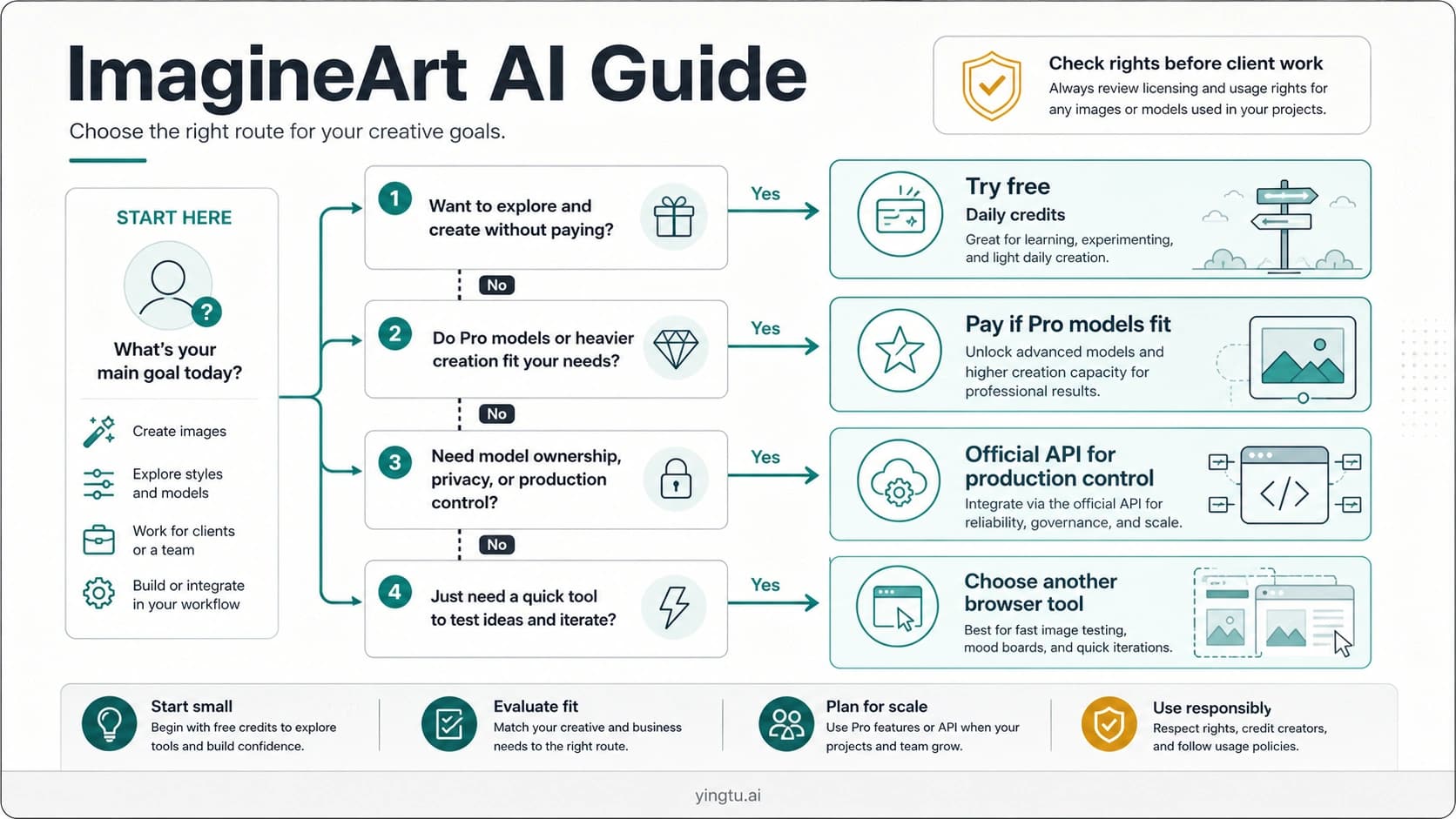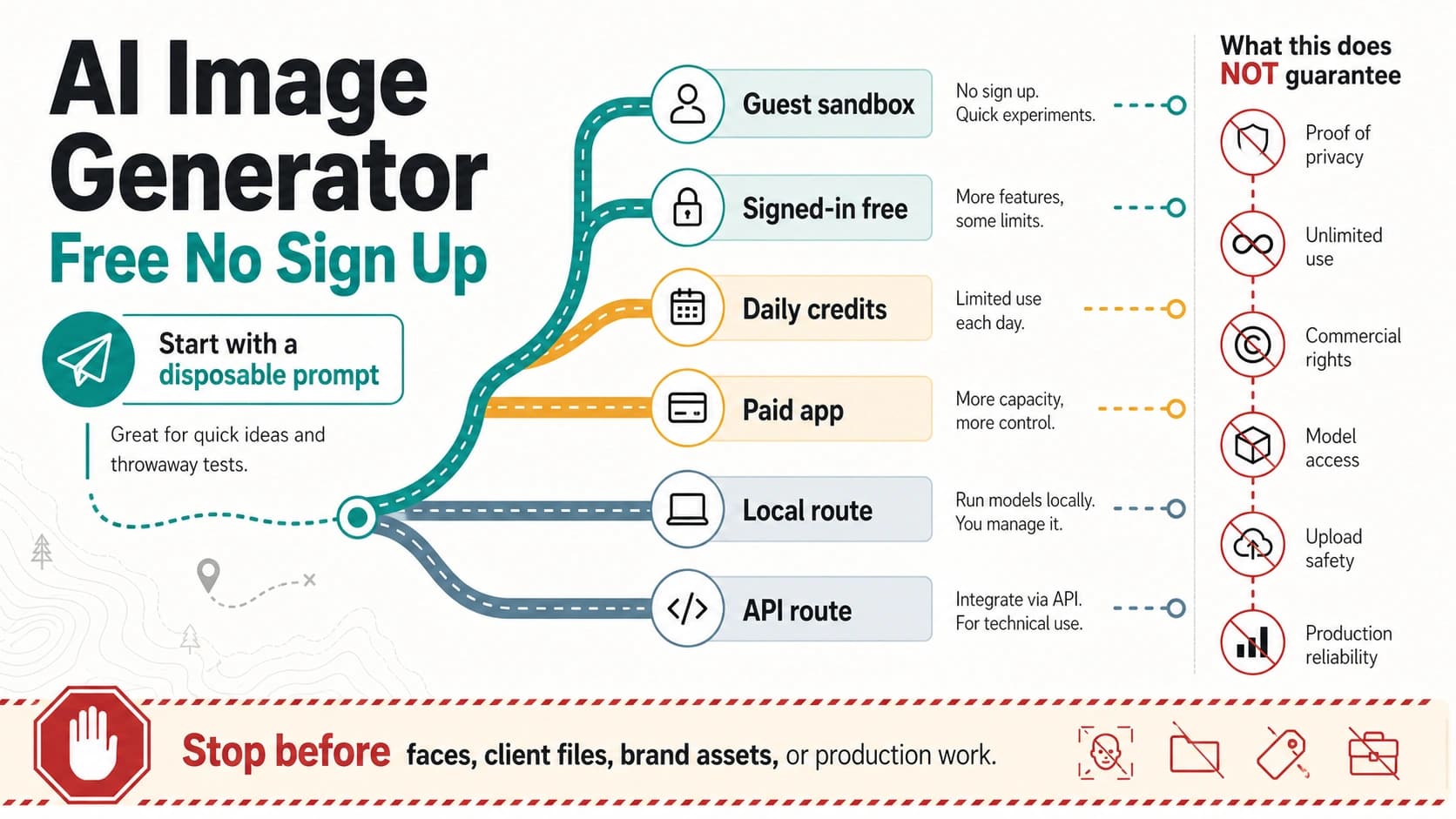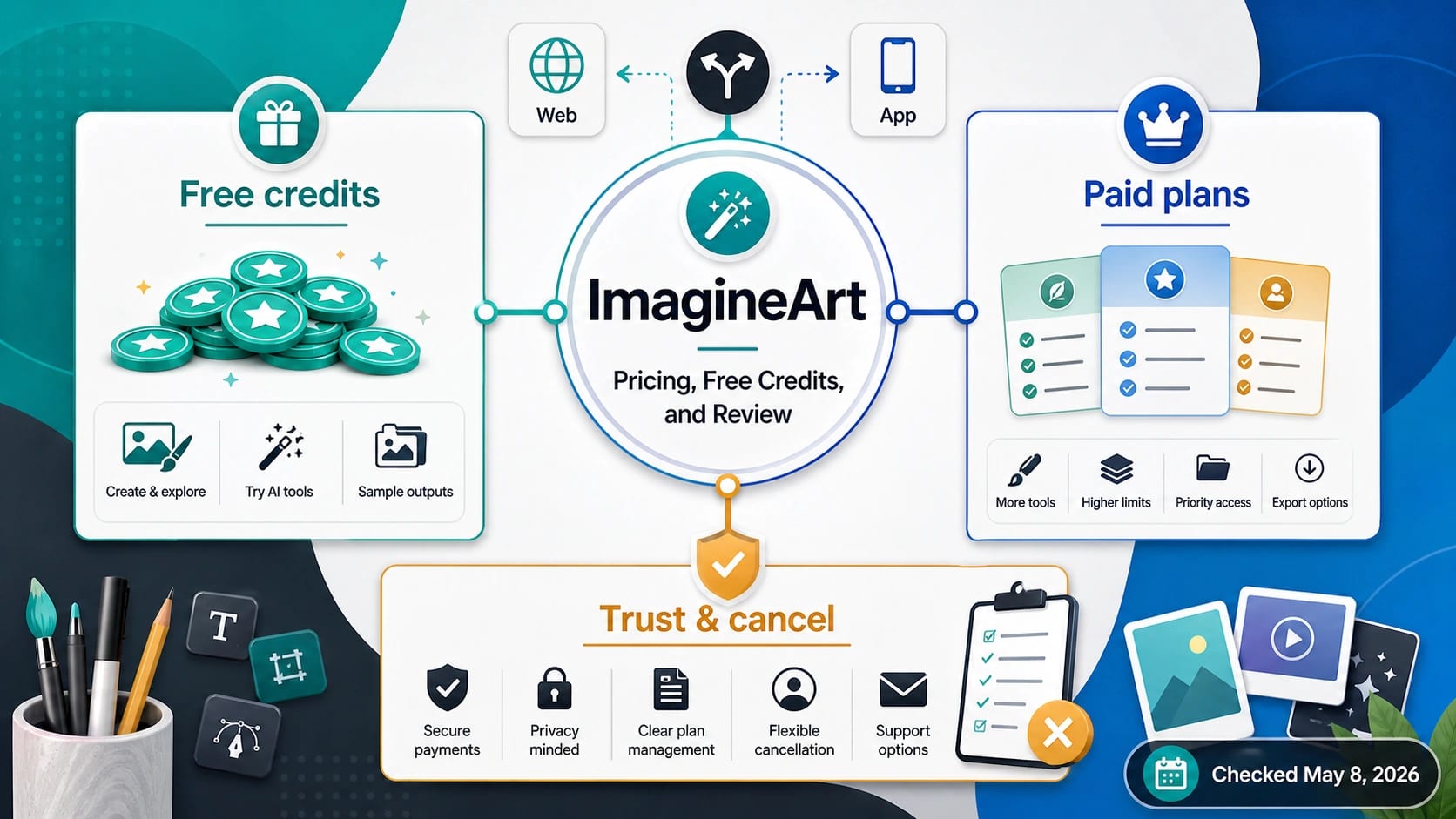
If you searched imageine art, read it as ImagineArt, the AI creative suite at Imagine.Art. The safest first move is to use the free credits before paying, then judge any paid plan by four checks: how credits refresh or expire, whether you subscribe on web or through an app store, what cancellation leaves behind, and whether its image or video tools match the work you actually need.
As checked on May 8, 2026, ImagineArt's docs described free daily credits, monthly subscription credits that do not roll over, and top-up credits that do not expire. That makes the first decision simple: test one real workflow for free, keep proof of the route you would pay through, and compare alternatives before subscribing if credits, cancellation, or review signals feel unclear.
Quick Decision: Try Free, Pay Only After Four Checks
ImagineArt is not hard to reach. The harder question is whether its credit model, app route, and review surface make sense for your work. A reader who only wants to make one casual image should not start with the highest plan. A reader who runs recurring prompt tests, image edits, video experiments, or batch creative variants may find the subscription model useful, but only after checking how fast credits disappear in the exact workflow.
Use this simple route before paying:
| Decision | What to do first | Why it matters |
|---|---|---|
| Just exploring | Use the free credits for one complete image or video workflow | Free access proves the interface and output feel, not long-term value |
| Considering a subscription | Check plan credits, rollover rules, and whether your route is web, iOS, or Android | Billing owner and credit behavior shape the real cost |
| Need occasional extra output | Compare top-up credits with monthly plans | Top-ups can make more sense when usage is irregular |
| Unsure about trust or cancellation | Read the cancellation page, app-store route, and review signals before subscribing | Payment friction is a decision factor, not an afterthought |
The stop rule is important: if you cannot confirm the credits you need, the billing route you will use, and the cancellation path you would rely on, stay on the free tier or compare alternatives first.
What ImagineArt Actually Is
ImagineArt presents itself as an AI creative suite, not just a single AI image model. Its public product pages describe image generation, image editing, video-related tools, model selection, styles, aspect ratios, and app-based creative workflows. As checked on May 8, 2026, the product page also described a multi-model setup with more than 30 models and named model families. Treat that coverage as a live product claim: useful for orientation, but something to recheck before making a plan around a specific model.
That distinction changes the review. If you need direct API control, predictable model IDs, enterprise procurement, or a specific model contract, ImagineArt may not be the best first route. If you want a browser or mobile creative workspace where models, styles, and editing tools are bundled into one subscription-like experience, the product is closer to the job you are trying to finish.
The practical workflow is straightforward. ImagineArt's help docs describe choosing an image mode, choosing a model, entering a prompt, setting aspect ratio and output count, and creating the image. That is useful for a first test because you can evaluate output quality, prompt control, edit flow, and credit consumption in the same session.
Free Credits Are A Test Budget, Not A Paid-Plan Verdict
As checked on May 8, 2026, ImagineArt's subscription docs listed a free tier with 100 credits per day. The same docs said free credits refresh daily and do not roll over. That makes free access useful, but it also defines its limit. You can test the product, but you cannot build up a free balance for a larger project later.
The right free-tier test is not "generate one attractive sample and decide." Run the workflow you would actually pay for. If your job needs image edits, multiple aspect ratios, video generation, background removal, or several prompt revisions, test those steps before assuming a monthly plan will fit. A free result that looks good after one prompt is not the same as a reliable creator workflow.
Use free credits to answer three questions:
| Test question | What to observe |
|---|---|
| Does the interface support the output you need? | Model choice, aspect ratio, editing tools, output count, and export flow |
| How quickly do credits disappear? | Prompt attempts, regeneration, image editing, video steps, and failed experiments |
| Would you repeat this weekly? | If the workflow is one-off, a subscription may be premature |
If free credits are not enough to test the real job, the answer is not automatically "upgrade." It may mean you need a smaller controlled paid test, a top-up, or a different tool with clearer pricing for your workload.
Paid Plans And Credits Need A Dated Read
ImagineArt's plan table is volatile, so do not treat any copied price table as permanent. As checked on May 8, 2026, the first-party subscription docs listed these monthly plan labels and prices: Basic at $9, Standard at $30, Ultimate at $50, Creator at $250, and Enterprise as custom. The docs also listed plan-specific credit allowances and feature differences. Before subscribing, open the live ImagineArt subscription docs or pricing page and confirm the current numbers for your account and region.
The more durable lesson is how the credit types behave:
| Credit type | Checked behavior | Practical meaning |
|---|---|---|
| Free credits | Refresh daily and do not roll over | Good for testing, not for saving toward a project |
| Subscription credits | Refresh monthly and do not roll over | Use them within the billing cycle or risk wasting value |
| Top-up credits | Do not expire according to the docs checked on May 8, 2026 | Better fit for irregular usage if the live top-up terms still match |
This is why the cheapest monthly price is not the only question. A lower plan can become expensive if you regularly run out of credits and top up. A higher plan can be wasteful if your usage comes in short bursts and subscription credits expire unused. The best plan is the one whose refresh cycle matches your real creative workload.
Also be careful with "unlimited" language. If a plan table says unlimited generation for a specific plan, treat that as a plan-scoped product claim, not a universal promise that every workflow, model, queue, or policy boundary is unlimited. Check the live plan language before using that claim in a purchase decision.
Web, iOS, And Android Are Different Payment Routes
ImagineArt has both web and mobile surfaces. As checked on May 8, 2026, the Apple App Store listing identified an iOS app with in-app purchases, and Google Play listed the Android app with image generation and editing features. Those listings prove mobile routes exist, but they do not prove that every web price, credit rule, cancellation step, or promotion is identical inside each app store.
Before you subscribe, write down the route you are using:
| Route | What to verify |
|---|---|
| Web subscription | Plan price, credit allowance, renewal date, cancellation page, billing support contact |
| iOS app | App Store in-app purchase terms, Apple subscription management, app version, ratings and recent reviews |
| Android app | Google Play subscription or purchase surface, app listing, developer identity, recent reviews |
| Team or high-volume use | Whether Enterprise/custom terms are needed rather than consumer plan assumptions |
The billing owner matters because cancellation and refund expectations often follow the route of purchase. If you subscribed through an app store, start by checking the app-store subscription management path. If you subscribed on the web, use ImagineArt's own account and support docs. Do not assume a web help page can override app-store billing rules or that an app-store listing is a full replacement for the web plan table.
Reviews Are Signals, Not A Final Verdict
Review surfaces are useful because they show what users complain about after payment. They are not proof by themselves. As checked on May 8, 2026, Trustpilot showed a 4.1 TrustScore, about 1.1K reviews, and a visible 1-star share. The Apple listing showed a 4.5 rating with about 5.2K ratings. Those numbers can change, and they measure different user populations, so use them as prompts for your own checklist rather than as a simple safe/unsafe verdict.
Read recent negative reviews for patterns: billing confusion, cancellation friction, credit consumption, output quality gaps, or support response. Then pair those patterns with official docs. If the official docs answer the risk clearly, you know what to monitor. If the official docs and recent reviews point in different directions, that is a reason to test smaller or wait.
The fair review question is not "Is ImagineArt good?" It is "Will this route behave predictably for my usage?" A casual user may be satisfied after a few free outputs. A creator who needs recurring branded assets, video variations, or commercial approval needs more proof: consistent output, predictable credits, clear billing route, and a cancellation path that is documented before the renewal date.
Cancellation And Unused Credits Are Part Of The Price
ImagineArt's cancellation docs are one of the most important pages to read before paying. As checked on May 8, 2026, the docs said cancellation stops future billing, while paid access remains available until the end of the current billing period. They also said subscription credits do not roll over and cannot be refunded if unused, while top-up credits do not expire.
That means cancellation risk is not only about whether you can stop the next renewal. It is also about whether you will use the credits you already paid for. A monthly plan can be a poor fit if you generate heavily for a few days and then leave most subscription credits unused. A top-up can be safer for occasional work if the current top-up terms still say those credits do not expire.
Before subscribing, take a screenshot or save the current route details:
| Proof to keep | Why it helps |
|---|---|
| Plan name and price | Confirms what you agreed to on that route |
| Credit allowance and refresh rule | Shows whether unused value can roll over |
| Billing owner | Determines whether web, Apple, or Google handles subscription management |
| Renewal date | Gives you a real cancellation deadline |
| Cancellation page or support contact | Reduces confusion if you need to stop billing |
This is not alarmism. It is normal subscription hygiene for any credit-based creative tool.
When ImagineArt Fits, And When To Compare First
ImagineArt fits best when you want a bundled creative workspace and you expect to use it repeatedly. It is especially worth testing if your work involves fast prompt exploration, multiple styles, image edits, social visuals, light video experiments, or mobile creation. In that case, the free credits are a practical first filter, and a paid plan may make sense if the credit cycle matches your output volume.
Stay free or use a small top-up when the work is occasional. A birthday image, a single concept board, or a short campaign test does not automatically justify a monthly subscription. The credit rules matter because recurring plans reward recurring usage.
Compare alternatives before paying when any of these are true:
| Situation | Better first move |
|---|---|
| You need direct API control or logs | Use a first-party API route or a developer-focused provider instead |
| You need a guaranteed specific model | Confirm the model contract directly, because suite coverage can change |
| You handle sensitive production data | Check privacy, enterprise, and support terms before using a consumer workflow |
| You need predictable procurement | Ask about Enterprise/custom terms rather than stretching a consumer plan |
| Recent reviews match your exact concern | Test smaller, wait, or choose a route with clearer support obligations |
The strongest use case is not "best AI art generator." It is "one workspace where the credit model, route, and output tools match the job." If those three pieces do not line up, a different tool may be safer even if an individual ImagineArt output looks good.
FAQ
Is ImagineArt free to use?
ImagineArt had a free tier with 100 daily credits in the first-party docs checked on May 8, 2026. The same docs said free credits refresh daily and do not roll over. Use the free tier for testing, but check the live plan page before treating any credit number as permanent.
How much does ImagineArt cost?
As checked on May 8, 2026, ImagineArt's subscription docs listed Basic at $9/month, Standard at $30/month, Ultimate at $50/month, Creator at $250/month, and Enterprise as custom. Prices, credits, promotions, and region-specific app-store terms can change, so verify the live route before paying.
Do ImagineArt credits roll over?
The docs checked on May 8, 2026 said free credits refresh daily and do not roll over, subscription credits refresh monthly and do not roll over, and top-up credits do not expire. That difference is central to the buying decision.
Should I subscribe on the web or through the app?
Choose the route you can manage and document. Web subscriptions should be checked against ImagineArt's web account and billing docs. iOS and Android purchases may follow App Store or Google Play subscription management. Do not assume the route rules are identical without checking.
Can I cancel ImagineArt after paying?
The cancellation docs checked on May 8, 2026 said cancellation stops future billing and paid access remains until the end of the current billing period. They also warned that unused subscription credits do not roll over and cannot be refunded. Keep the renewal date and billing route before you subscribe.
Are ImagineArt reviews good or bad?
Treat reviews as signals, not a verdict. Trustpilot and app-store ratings can help you spot billing, credit, support, or output-quality concerns, but they should be paired with the official plan and cancellation docs. The question is whether recent review patterns affect your exact workflow.
Is ImagineArt good for commercial work?
Check the live plan terms, usage terms, and any client or brand requirements before using outputs commercially. A creative tool being available does not automatically answer licensing, model coverage, privacy, or enterprise approval questions for your project.
When should I skip ImagineArt?
Skip or compare first if you need direct API control, guaranteed model identity, enterprise procurement, sensitive-data handling, or a billing route with stronger support obligations. ImagineArt is most attractive when you want a bundled creative workspace and its credit cycle fits your actual output volume.