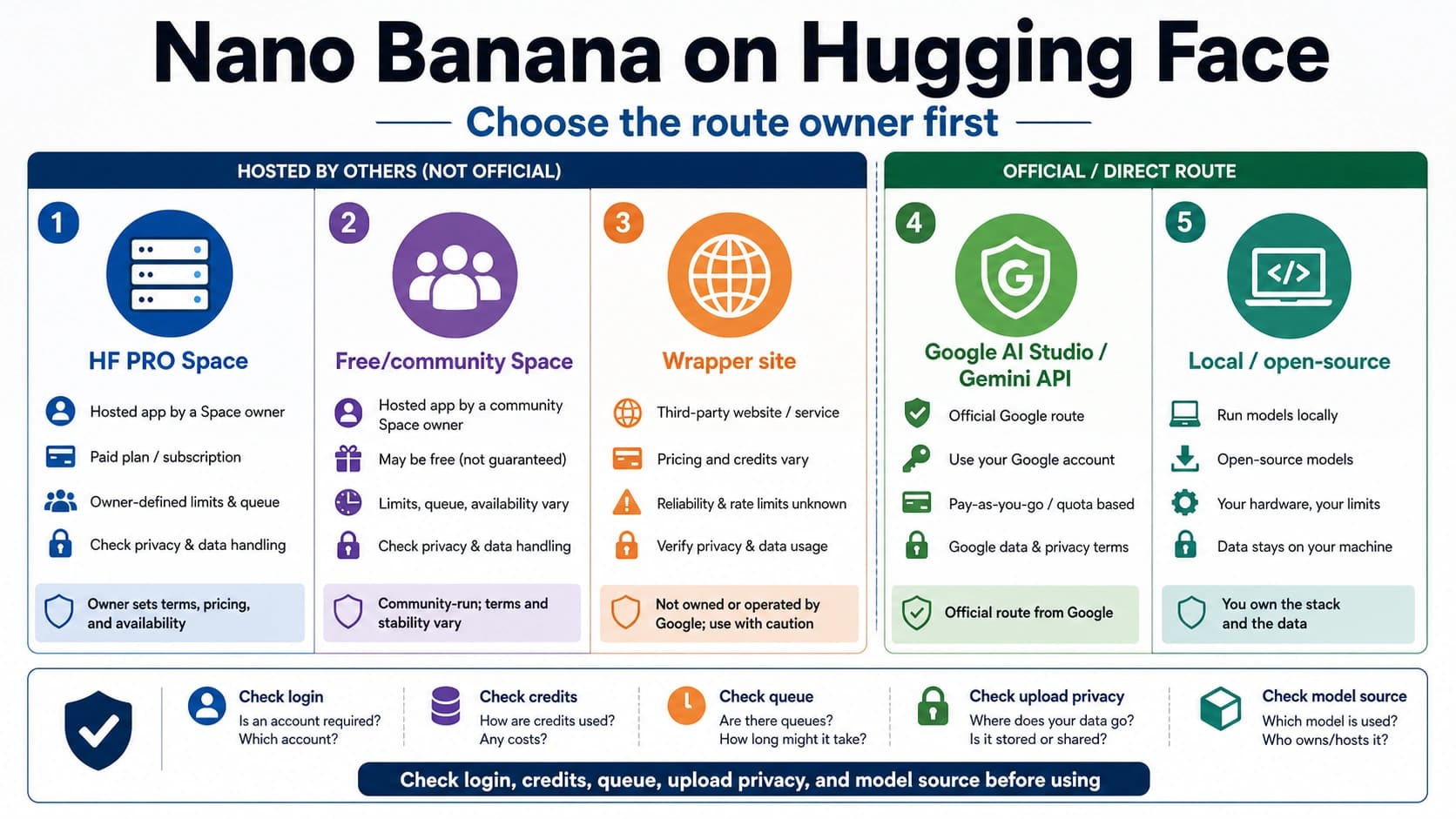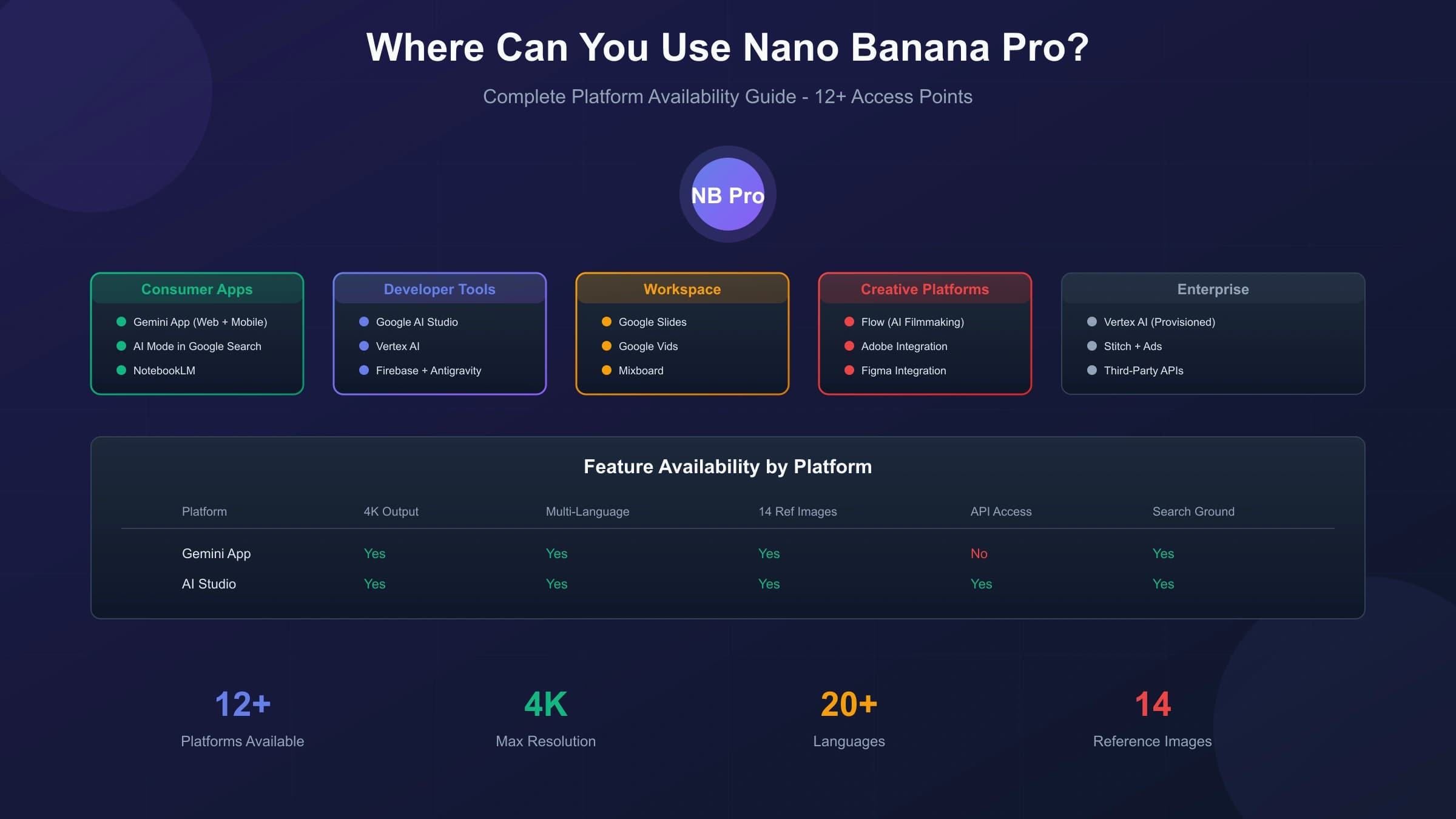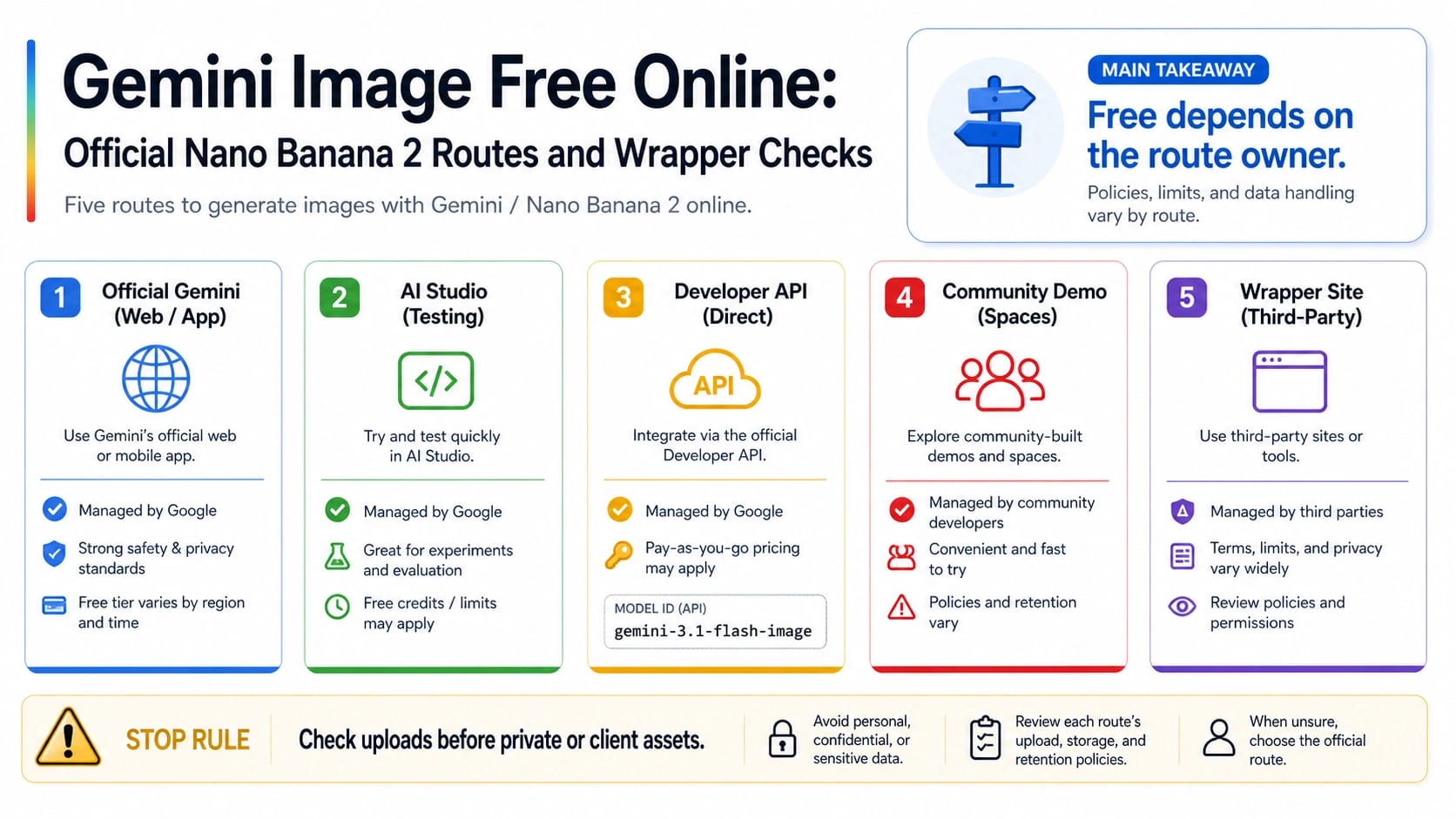
If you want Gemini image generation online, start with the official Gemini/Nano Banana 2 browser route and treat every "free" label as route-specific. AI Studio is useful for first-party prompt testing; the current Developer API image model, gemini-3.1-flash-image, has no official Free Tier row for Standard or Batch image generation in Google pricing checked on June 29, 2026; wrapper sites own only their own credits, uploads, watermarks, privacy rules, and commercial-use terms.
| Route | Who owns the route | What "free" can mean | Best first use | Stop rule |
|---|---|---|---|---|
| Official Gemini / Nano Banana 2 | Google Gemini surfaces | App or browser access where Gemini is available | Casual generation and editing with the lowest ownership risk | Check your account's visible limits before planning volume work. |
| Google AI Studio | Google developer testing surface | First-party testing, not production API entitlement | Prompt trials and model behavior checks | Do not treat it as a free backend quota promise. |
| Developer API | Google AI API pricing and model docs | Paid image rows for gemini-3.1-flash-image as checked on June 29, 2026 | Production integration after cost planning | Do not call the current image API free. |
| Community demo | The demo host or Space owner | Demo access, queue time, or host-provided limits | Low-stakes experiments | Verify model owner, upload handling, and output rights. |
| Wrapper site | The wrapper provider | Provider credits, trial exports, watermark limits, or signup gates | Only after terms are clear | Do not upload private photos, face references, brand assets, or client files until privacy, storage, watermark, and commercial-use rules are explicit. |
The safest shortcut is not a list of "free Gemini image" sites. It is a route decision: use the official Gemini route for first-party casual work, use AI Studio when the job is testing, use the API when a paid production contract is acceptable, and use wrappers only after their credit and upload rules are clear.
Pick The Route Before You Pick A Tool
A search for Gemini image free online usually mixes five different jobs. Someone may want the official Gemini app, a Google AI Studio test, a production image API, a Hugging Face or community demo, or a third-party website that uses Gemini branding. Those routes can all produce images, but they do not give the same ownership, billing, privacy, or support contract.
Use the official Gemini/Nano Banana 2 route when you want the lowest ownership risk for casual image generation and editing. The Gemini image-generation overview is the first-party consumer surface for trying Google's current Gemini image experience where it is available. That route is the best first click for personal prompts, simple edits, and reference-image experiments that do not need backend integration.
Use Google AI Studio when the job is prompt testing or model behavior checking. AI Studio is still a first-party Google surface, so it is cleaner than inferring model behavior from a wrapper. The catch is that an AI Studio test is not a promise of free production API traffic. If you are building an app, the model row on Google's pricing page controls the API cost question.
Use the Developer API only when the workflow needs repeatability, logs, project ownership, billing control, and integration. That is the right route for an app, internal creative tool, content pipeline, or automation. It is also the route where the current paid boundary matters most.
Use community demos and wrapper sites as provider-owned routes. They may be convenient, and some may be useful for a disposable experiment, but they do not prove Google's official pricing, quota, watermark, privacy, or commercial-use terms.
What "Free Online" Can Mean
The word free has to stay attached to the route owner. If it floats away from the owner, the page becomes misleading even when each sentence sounds plausible.
| Free claim | What it can really mean | What it does not prove |
|---|---|---|
| Free in Gemini | The Gemini app or browser route may allow image generation for your account and region. | It does not prove production API calls are free. |
| Free in AI Studio | You may be able to test a first-party model in a project context. | It does not create a universal backend quota promise. |
| Free API | Only the current Google pricing row can prove a Free Tier for a specific model and surface. | A key, demo, or screenshot is not enough. |
| Free credits | A provider may grant trial usage or promotional exports. | Credits are provider-owned and can change without changing Google's contract. |
| No sign-up demo | A page may let you try a prompt before account creation. | It does not settle privacy, storage, export rights, or model source. |
| No watermark | A provider may export without a visible mark, or only under a plan. | It does not prove commercial-use rights or Google ownership. |
For the current image API route, the important boundary is simple: Google's pricing page checked on June 29, 2026 listed no Free Tier for Standard or Batch image generation rows for gemini-3.1-flash-image. That statement belongs only to the Developer API route. It does not say that no one can try Gemini images in the browser, and it does not say that every wrapper is paid. It says the current official image API row is not a free-tier production lane.
Nano Banana 2 And The Current API Model ID
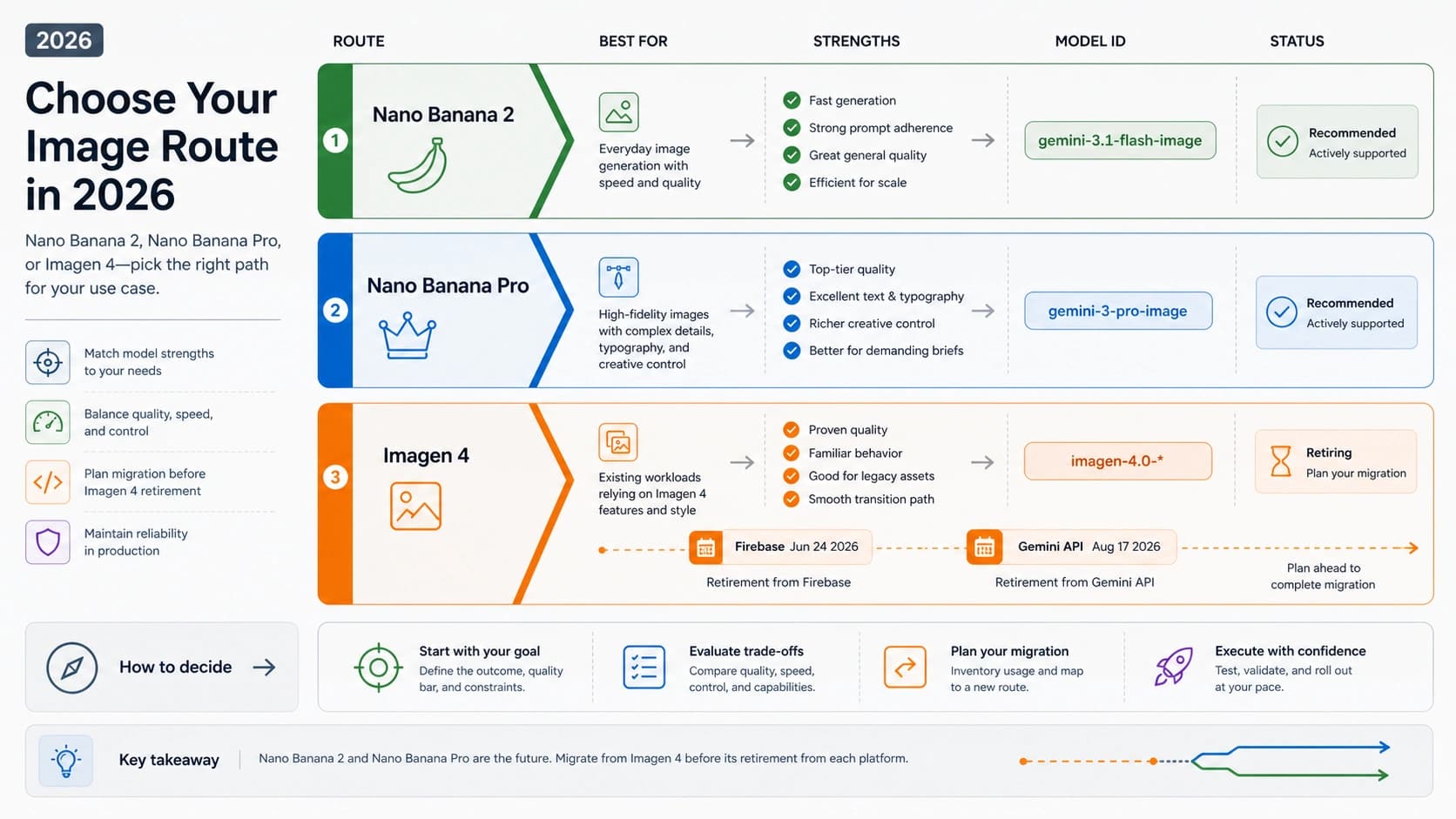
For reader-facing use, Gemini and Nano Banana 2 are the names most people see. For developer work, the exact current model ID matters. Google's image generation documentation maps Nano Banana 2 to gemini-3.1-flash-image. Use the product name in human explanation and the model ID in code, logs, billing checks, allowlists, and internal runbooks.
That naming split prevents two common mistakes.
The first mistake is copying an old Gemini 2.0 or Gemini 2.5 wrapper label and assuming it is the current Nano Banana 2 API contract. A wrapper may still show an older name because its landing page is stale, its backend is different, or it is using a provider alias. Treat the wrapper label as the wrapper's claim until the provider explains the backend route.
The second mistake is reading a consumer product page as API pricing. The Gemini app route can be the right place to create or edit an image online. The Developer API route is where model IDs, request shapes, project billing, and quota belong. A real production plan needs both facts separated.
For deeper API-specific pricing and free-tier detail, use the model-focused Gemini 3.1 Flash Image API free-tier guide. For broader Gemini API free-tier rules across non-image models, use the Gemini API free tier limits guide.
When The Official Route Is Enough
The official Gemini route is enough when the output is personal, exploratory, or easy to regenerate. Use it for casual prompts, quick reference edits, creative brainstorming, and visual tests where you do not need an API log or repeatable backend behavior.
It is also the cleanest first route when the input is sensitive enough that you do not want a third-party website between you and the model. Private photos, faces, product mockups, brand assets, and client-provided references all raise the cost of using an unknown wrapper. Even if a wrapper feels convenient, the official route gives you a clearer owner before you start asking harder questions about rights and storage.
The official route is not automatically the best route for automation. If you need a server to generate images, record request IDs, retry failures, split workloads, monitor spend, or connect output to a product workflow, move the decision to the API route. At that point, "online free" is the wrong planning unit; project billing, model ID, request shape, and accepted-output cost are the planning units.
When AI Studio Helps And When It Does Not
AI Studio is a useful first-party test surface because it lets you inspect model behavior before building around the API. Use it to compare prompt wording, reference-image behavior, style consistency, and whether Nano Banana 2 is good enough before you decide whether a paid API route is worth it.
Do not use AI Studio as evidence that the Developer API is free for production traffic. A project can expose a testing surface while the official pricing row for a specific image model remains paid. That is why the safe workflow is:
- Test the prompt and expected output behavior in AI Studio.
- Confirm the exact model ID in Google's image generation docs.
- Confirm the current pricing row for that model and surface.
- Build only after the cost and quota route match the workload.
If you are comparing community demos, AI Studio is also a useful reference point. It gives you a first-party baseline before you decide whether a third-party output is actually better, merely different, or not using the model you thought it was using.
Audit Wrappers Before Uploading Anything Sensitive
Wrapper sites are not automatically bad. They can reduce friction, bundle models, expose a simpler UI, or offer starter credits. The problem is that a wrapper headline can compress too much: Gemini, Nano Banana, free, online, no sign-up, API, commercial use, and no watermark can all appear in one screen even though each claim has a different owner.
Before you upload anything sensitive, check the route owner. Look for who operates the site, whether the page names the model route, whether uploads are retained, whether a privacy policy covers generated and uploaded images, whether deletion is possible, whether output can be used commercially, whether exported images carry a watermark, and what happens when credits run out.
Use this practical wrapper checklist:
| Check | Why it matters |
|---|---|
| Provider identity | You need to know who owns the upload, support, and billing path. |
| Model source | "Gemini" in a headline does not prove the current Nano Banana 2 API route. |
| Credits and limits | Trial credits are provider-owned and can change separately from Google. |
| Watermark and export size | A free preview may not be the deliverable you can use. |
| Privacy and retention | Uploaded references may be more sensitive than the generated result. |
| Commercial-use terms | Client, product, and brand assets need terms you can defend. |
| Delete controls | A safe test route should explain what happens after upload. |
| Support and logs | Production use needs a route owner when a job fails or bills incorrectly. |
If the page does not make these answers clear, use a disposable prompt and a non-sensitive input, or return to the official route. A fast first generation is not enough evidence for client work.
Choose By Job
The easiest way to avoid wrong-route decisions is to start from the asset and consequence, not from the tool name.
| Your job | Better starting route | Why |
|---|---|---|
| Try a casual image idea | Official Gemini / Nano Banana 2 | First-party route with the lowest ownership risk. |
| Test prompt behavior before coding | Google AI Studio | First-party testing without treating the API as free. |
| Build a backend workflow | Developer API | You need model IDs, logs, billing, quota, retries, and support boundaries. |
| Try a public demo with disposable inputs | Community demo | Acceptable when owner, model, and upload handling are clear. |
| Compare wrapper convenience | Wrapper site after audit | Useful only when credits, watermark, privacy, and rights are explicit. |
| Upload private photos or client assets | Official or contractually clear route | Convenience is not worth unclear upload handling. |
For a Hugging Face-specific route, use the Nano Banana Hugging Face online guide. For a broader no-account generator decision, use the free no-sign-up AI image generator guide. For paid model choice between Google's image models, use the Gemini 3 Pro Image vs Gemini 3.1 Flash Image comparison.
A Safe Testing Workflow
Use a staged workflow when the route is not obvious.
Start with a low-risk prompt in the official Gemini route. Confirm that the model family can produce the type of image you want without relying on private input. If the result is close, test a few prompt variations in AI Studio so you can see whether behavior is stable enough for your goal.
If the job still needs automation, move to the Developer API and price it as a paid image workflow. Confirm gemini-3.1-flash-image, the request shape, the current pricing row, and whether Standard or Batch fits the user's wait time. Do not convert a browser test into an API promise without this step.
If a wrapper looks better, test it only with disposable material first. Record the route name shown by the provider, whether credits moved, whether the output was watermarked, and whether terms answer your actual asset class. Keep private references, faces, brand assets, and client files out of the wrapper until the owner and terms are clear.
FAQ
Is Gemini image generation free online?
It can be accessible online through official Gemini surfaces where your account and region support it, but "free" is route-specific. App or browser access, AI Studio testing, provider credits, and official API pricing are separate contracts.
Is Nano Banana 2 free in the API?
For the Developer API route, Google pricing checked on June 29, 2026 listed no Free Tier for Standard or Batch image generation rows for gemini-3.1-flash-image, the current Nano Banana 2 API model ID. Recheck the pricing page before production because model rows can change.
Is Google AI Studio the same as free API quota?
No. AI Studio is a first-party testing surface. It is useful for prompt and behavior checks, but it should not be treated as a production API entitlement.
Are third-party Gemini image sites official?
Not by default. A wrapper site owns its own credits, uploads, watermarks, privacy rules, support, and commercial-use claims. Use it only after those terms are clear enough for the material you are uploading.
What should I use for private photos, faces, or client assets?
Start with the official route or another contractually clear route. Do not upload sensitive material to a wrapper until the provider explains upload handling, retention, deletion, watermarking, rights, and support.
What is the current Nano Banana 2 API model ID?
Google's image generation docs map Nano Banana 2 to gemini-3.1-flash-image. Use that ID for API planning, logs, billing checks, and code. Treat older Gemini 2.0, 2.5, or preview labels as stale or provider-owned unless the current source proves otherwise.