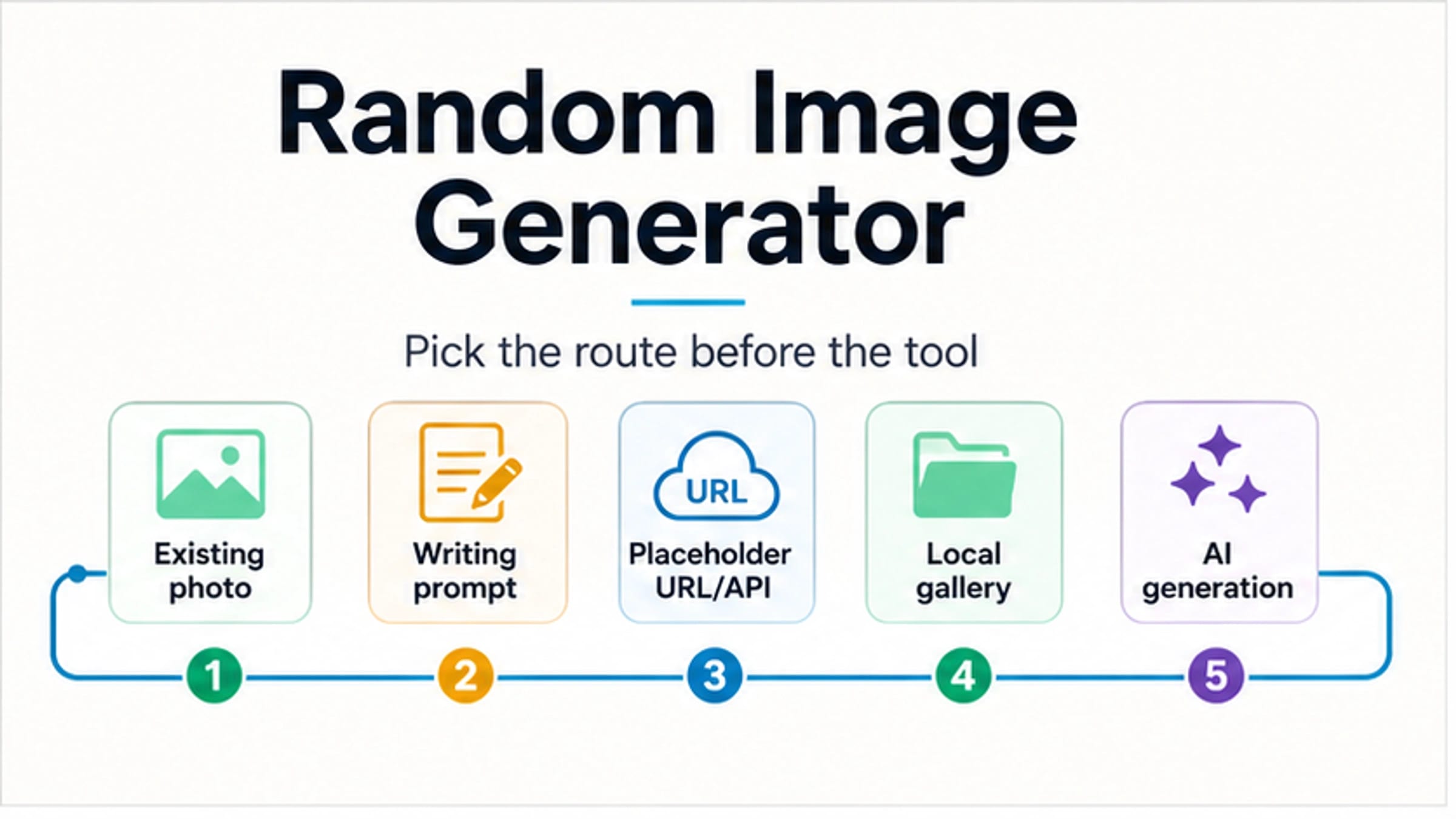
Choose the route by the image job, not by the first random image generator result you find. Use a random photo or picture pool when you need surprise inspiration, a writing-prompt image when the picture is only a story starter, a placeholder URL/API when a mockup needs a repeatable size, a local-gallery randomizer when the source should be your own photos, and an AI image generator only when you need a new image made from text.
| Need | Start with | Avoid when |
|---|---|---|
| Quick visual inspiration | Random photo or picture pool | You need commercial-use certainty or a repeatable asset |
| A story, classroom, or drawing prompt | Writing prompt image | The image must be licensed final artwork |
| Layout filler for a page or app | Placeholder image URL/API | The placeholder will ship as production creative |
| Rediscover your own pictures | Local-gallery randomizer | You need fresh public-domain or stock imagery |
| A new concept from words | AI image generator | You cannot verify rights, privacy, watermark, or output reuse terms |
Before you reuse any output, check the source, license, privacy exposure, watermark, commercial-use terms, and whether you can reproduce or retrieve the result. Free, no-login, unlimited, and commercial-use wording is provider-specific; do not treat it as a category guarantee.
Start With The Job, Not The Generator Name
The phrase "random image generator" is useful because it is how people search, but it hides several different jobs. Someone looking for a mood-board spark does not need the same route as a developer filling a card grid, a teacher starting a writing exercise, a phone user rediscovering old photos, or a creator asking an AI model for a brand-new concept.
That distinction matters because the output changes the risk. Existing-photo tools can be fast and visually varied, but the source and license still matter. Writing-prompt tools are excellent for observation and imagination, but they are not necessarily final artwork. Placeholder URL tools are repeatable enough for development, but they are not content strategy. AI generators create new images, but free, no-login, private, unlimited, and commercial-use claims need proof from the provider you actually use.
Use this quick split before choosing any site:
| Route | Best when | Main check |
|---|---|---|
| Random photo or picture pool | You need immediate visual surprise, inspiration, or a non-final placeholder | Source and reuse rights |
| Writing prompt image | You need a scene to describe, interpret, or use in class | Whether the image is only a prompt or a reusable asset |
| Placeholder URL/API | You need dimensions, seeds, lists, or cache behavior for a mockup | Repeatability and production replacement |
| Local-gallery randomizer | You want your own photos surfaced at random | Device privacy and local-source boundary |
| AI image generator | You need a new image from text or a controlled concept | Provider terms, storage, watermark, credits, and output rights |
Use A Random Photo Route For Inspiration, Not Rights Certainty
Random photo and random picture tools are the fastest route when you just need something to look at. Random Word Generator's random picture page presents categories, picture counts, duplicate control, and use cases such as writing inspiration, artistic inspiration, brainstorming, relaxation, and placeholders. Random Picture Generator focuses on immediate photo discovery, topic routes, favorites, and batches of random images.
Those tools are useful because they get the reader to an image quickly. They are weaker when the image must survive publication review, client delivery, paid ads, merchandise, or anything where the license trail matters. A page may say its images are free to use, or that it collects photos from free-to-use sources, but that is still the provider's claim. Treat it as a starting point, then confirm the original source and license before using the image as a final asset.
This route is also good for non-committal work: a sketch warm-up, a composition idea, a classroom observation exercise, a conversation starter, or a temporary mood-board slot. If the image becomes part of a deliverable, stop and ask where it came from, whether people or landmarks are identifiable, whether a watermark or signature appears, and whether you can retrieve the same image again later.
Use A Writing Prompt Image When The Image Is A Trigger
A writing-focused random image generator solves a different problem. WritingExercises.co.uk frames random images as writing exercises: free writing, observation, description, sensory detail, and all-age use. That makes the image a thinking trigger, not a production asset.
This is the right route when the reader wants a scene to interpret. A photo of an empty street can become a setting exercise. A person in motion can become a character prompt. A landscape can force sensory details: light, texture, scale, sound, weather, and mood. The quality test is not whether the picture is commercially usable; it is whether it gives the writer enough concrete detail to respond.
For classrooms, workshops, and daily practice, keep the workflow simple. Generate or reveal one image, set a time box, and ask students or writers to describe what they can see before inventing what might be happening. If the image will be published in a worksheet, slide deck, or book, switch back to the rights check. Prompt usefulness does not equal publishing permission.
Use A Placeholder URL Or API When The Layout Needs A Stable Image
Developer and design mockups need a more repeatable route. Lorem Picsum is the clean example: it supports size-based image URLs, seeded images with /seed/{seed}, cache-busting with ?random=, file extensions such as .jpg and .webp, list endpoints, and image-info endpoints. That is not the same job as looking for a beautiful final photo.
Use a placeholder route when the important facts are width, height, aspect ratio, loading behavior, and whether a layout still works when images vary. A 400x300 card image, a seeded avatar placeholder, or a random hero image can reveal broken crops, text overlap, lazy-loading issues, and image-grid spacing before final content exists.
The stop rule is simple: do not let placeholder images ship as real brand content unless the source and rights have been checked separately. Placeholder services are excellent for layout testing and development demos. They are poor substitutes for art direction, licensing review, accessibility review, and final image selection.
If you need your own simple random-image endpoint, keep the logic separate from the article or app design. Put approved image files in a directory or storage bucket, choose one by ID or seed, and return a stable URL. Add cache rules deliberately. A random query parameter is useful for testing variety; a seed is better when a bug report or screenshot needs to be reproduced.
Use AI Only When You Need A New Image, Then Audit The Claim
An AI random image generator is the right route when the image should be created rather than selected. This can mean asking for a random concept, letting the tool surprise you from a short prompt, or generating several variations from the same idea. Canva, Fotor, Perchance-style pages, and many newer tools all position themselves around random or inspirational AI generation, but that branch should not take over every random-image job.
AI is stronger when you need control over subject, style, aspect ratio, brand mood, or text-to-image variation. It is weaker when the job is just "show me a random photo from the real world" or "give my mockup a stable placeholder URL." It also adds extra checks: prompt and upload storage, whether outputs are public, whether watermarks are added, what commercial-use terms actually say, how credits or queues work, and whether the result can be reproduced.
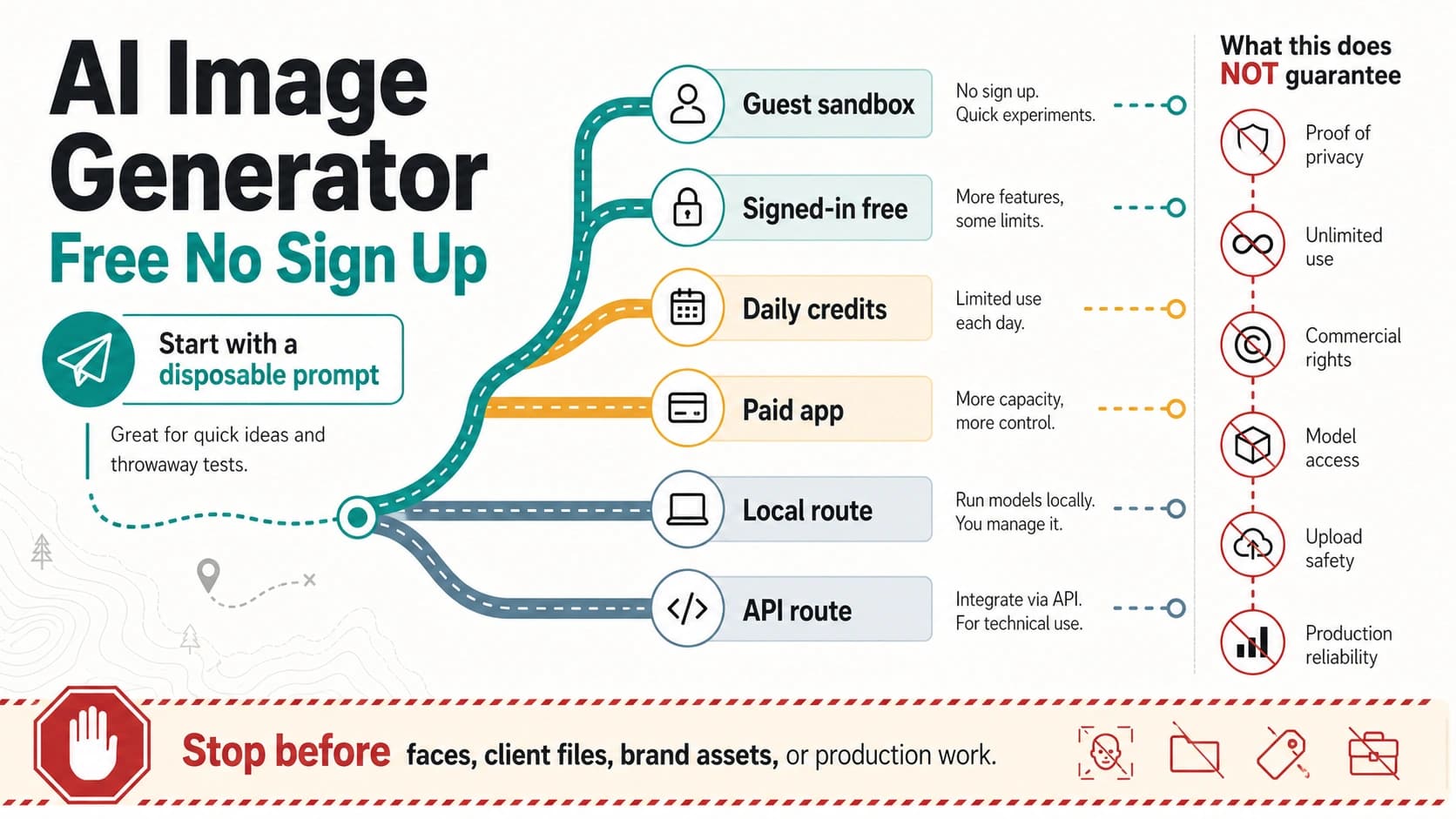
Do not copy "free," "no sign-up," "unlimited," "private," or "commercial use" from a landing page into your decision without checking the current provider terms. If your real question is low-friction AI access, use a more specific sibling guide: AI Image Generator No Restrictions for no-filter, no-login, private, and safety claims, or Free AI Image Generator Daily Credits for daily-credit and allowance mechanics. First decide whether AI is the right random-image route at all.
Use A Local-Gallery Randomizer For Your Own Photos
The local-gallery branch is easy to miss because it is not a web generator in the usual sense. A mobile app can show a random image from the user's own device, widget, notification, or selected folder. The Google Play Random Image listing, for example, describes random access to images stored on the device rather than random images from the public web.
Use this route when the value comes from your own archive: rediscovering travel photos, picking a sketch reference from a personal folder, surfacing screenshots, or rotating memories on a home screen. The main advantage is source ownership. You already know where the pictures came from, and you are not asking a web service to invent or fetch a public image.
That does not remove every risk. Device permissions, backup state, private images, and sharing behavior still matter. A local-gallery randomizer is a good personal workflow; it is not a shortcut for finding reusable stock imagery or public-domain assets. If the output will be posted, sold, or sent to a client, run the same permission and privacy check you would use for any other photo from your library.
Check Source, License, Privacy, Watermark, And Repeatability Before Reuse
The reuse check is where many random-image workflows fail. A quick random result feels disposable, so it is easy to skip questions that would be obvious in a formal asset workflow. Ask them anyway:
| Check | Ask before reuse | Why it matters |
|---|---|---|
| Source | Where did this image come from, and can I trace it? | A screenshot or random result without source context is hard to defend later. |
| License | What use is actually allowed? | Personal inspiration, classroom use, commercial design, and advertising are different contexts. |
| Privacy | Does the image show people, homes, locations, documents, or private details? | Random selection can expose sensitive context by accident. |
| Watermark or signature | Is there a logo, creator mark, model watermark, or embedded signature? | Removing or ignoring marks can create rights and authenticity problems. |
| Commercial use | Does the provider or source explicitly allow this use? | "Free" is not the same as "commercially safe." |
| Repeatability | Can you retrieve the same image or seed again? | Reproducibility matters for bug reports, design review, and content updates. |
If any answer is unclear, keep the image in the inspiration bucket. Replace it before publication, client delivery, or production deployment. That rule is stricter than most random-image sites sound, but it prevents the common mistake of treating speed as permission.
FAQ
Is a random image generator the same as an AI image generator?
No. It can be an AI image generator, but it can also be a random photo picker, a writing prompt tool, a placeholder image URL, a street-view discovery tool, or a local-gallery shuffle. Use AI only when the image needs to be newly created from text or controlled creative direction.
What is the best free random image generator?
The best free route depends on the job. For inspiration, a random photo or picture pool is usually fastest. For mockups, a placeholder URL service is cleaner. For new creative assets, an AI generator may fit, but free, no-login, unlimited, watermark, and commercial-use terms must be checked on the provider's current page.
Can I use random images commercially?
Only when the image source and license allow your specific use. Some random-picture pages make free-use claims, but those claims are source-specific, not universal. If the image will appear in ads, client work, products, templates, or paid content, verify the original source, commercial-use terms, people/privacy risks, and watermark status before relying on it.
How do I get a random image URL or API for development?
Use a placeholder-image route. Lorem Picsum is a practical example because it supports size-based URLs, seeded routes, cache-busting random parameters, file extensions, and list/info endpoints. Use it for layout and development testing, then replace placeholders with approved assets before production.
Can I build a random image generator in Python or JavaScript?
Yes, if your image set is already approved. The safest simple version stores a list of image URLs or file IDs, chooses one at random or by seed, and returns the selected image. Keep rights and privacy outside the random function: the code can choose an image, but it cannot make an unlicensed image safe.
Is a random image generator useful for writing prompts?
Yes. For writing, the image's job is to trigger observation, description, character, setting, conflict, or sensory detail. A writing prompt image does not need to be the final asset. If you publish the image in a worksheet or article, check rights separately.
What should I choose first?
Choose the lowest-risk route that completes the task: photo pool for inspiration, writing prompt image for exercises, placeholder URL/API for mockups, local-gallery shuffle for your own photos, and AI generation for new concepts. Then run the source, license, privacy, watermark, commercial-use, and repeatability check before reuse.