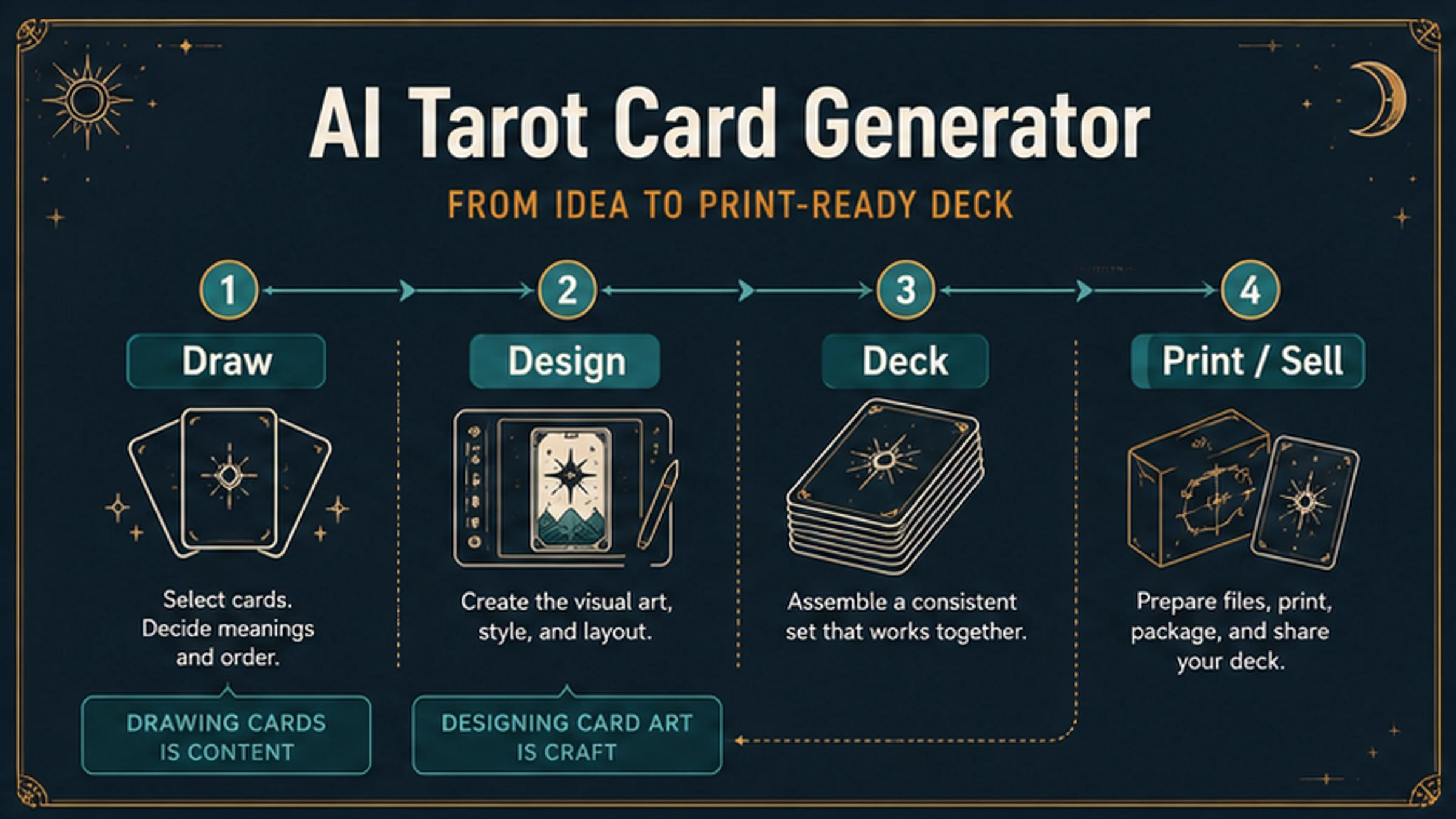
There are two different jobs behind "tarot card generator": drawing tarot cards for a reading and designing tarot card art. Use a draw or spread tool when you want a card answer now; use an AI image workflow when the output you need is a custom card, mini-set, or deck.
| Route | Use it when | Avoid it when |
|---|---|---|
| Random draw tool | You want one-card, three-card, spread, meanings, or reversals | You need custom art, print files, or a consistent deck |
| AI image generator | You need a visual concept for one card or a small set | You need guaranteed text accuracy, rights, or finished print files without review |
| Deck editor or designer | You need a repeatable style system, card list, and layout control | You only want a quick reading |
| Print / sale workflow | You plan to publish, sell, or crowdfund the cards | You have not checked export quality, watermark status, copied-style risk, AI disclosure, and commercial terms |
Stop before print or sale if the file has a watermark, unverified commercial terms, a copied deck style, unclear AI disclosure, or export dimensions you have not checked.
A single card can start with card anatomy: title, number, suit, archetype, central symbol, border, palette, and a text check. A deck needs a style guide before it needs 78 prompts.
Use A Random Draw Tool When You Want A Reading
A tarot reading workflow is not an art-production workflow. It should draw cards, reveal meanings, support the spread you need, and help you interpret the result without forcing you into image creation.
That is why random draw tools are still the right first move for many searches. When checked on June 2, 2026, Daily Tarot Draw described a random tarot card generator with all 78 cards in upright positions and adjacent paths for reversals, multi-card spreads, and yes/no readings. Tarotap offered one to eight cards, all 78 cards, reversed positions, and a Major Arcana-only mode, while Serennu focused on spread layouts such as one-card, three-card, horseshoe, Celtic Cross, and 12 Houses.
Use that route when the deliverable is the reading itself:
| Reading need | Better route | Why AI art is the wrong first step |
|---|---|---|
| One-card reflection | Random draw tool with meanings | The card answer matters more than custom imagery |
| Three-card spread | Spread generator | You need layout and interpretation, not a new deck |
| Reversals | Tool that supports reversed positions | Generated art does not decide reversal logic |
| Learning card meanings | Reading or study app | A pretty card does not teach the system by itself |
| Daily or yes/no pull | Fast draw surface | The reader needs immediacy, not production control |
Switch to an AI image workflow only when the card image is the deliverable. That means you are making a custom illustration, an oracle-style visual, a themed mini-set, a printable card, a campaign prop, a game asset, or a coherent deck concept.
Build One Custom Card With Card Anatomy, Not A Vibe Prompt
A weak prompt asks for "a mystical tarot card of the moon" and hopes the model invents the system. A stronger prompt names the card parts that make the image usable as a card: title, number, suit, archetype, central symbol, border, palette, and text handling.
Start with the card job before style:
| Prompt field | What to decide | Example for one card |
|---|---|---|
| Card title | The visible card name or no-text choice | The Star, The Moon, Ace of Cups, or "no readable title" |
| Number and suit | Whether the card belongs to Major Arcana, Minor Arcana, or an oracle deck | XVII, Cups, Swords, Wands, Pentacles, or custom suit |
| Archetype | The card's emotional or narrative role | recovery, uncertainty, threshold, renewal, restraint |
| Central symbol | The main visual object | lantern, cup, river, gate, mirror, seed, tower, crescent |
| Border and frame | How it reads as a card rather than loose art | single border, ornamental corners, title band, bottom caption zone |
| Palette | The suit or deck color logic | indigo and silver for night cards, green and copper for earth cards |
| Text rule | Whether generated text should appear | no text, title only, or title plus number with manual review |
Generated text is the fragile part. Even when the image looks strong, card titles, roman numerals, suit names, and small captions can be misspelled, misplaced, or inconsistent. Treat text in the image as a draft. If text accuracy matters, regenerate with a simpler text requirement, keep a blank title band for manual design in a separate professional workflow, or use a deck editor where text layout is controlled.
A usable one-card prompt can be compact:
Create a tarot card illustration for "The Star", Major Arcana XVII. The card should show a calm figure near water, a large guiding star, smaller stars, a thin gold border, deep blue and ivory palette, and a clear title band. Keep the symbolism original and avoid copying any named tarot deck. Use only the title and roman numeral as visible text.
That prompt is still not a finished product. Review whether the figure, symbol, title, number, border, and style all support the card's role. If the model adds random glyphs, inconsistent numerals, extra labels, or a copied deck look, revise the prompt by naming the part that failed instead of adding more adjectives.
Turn A Mini-Set Or Deck Into A Style System
One strong card does not prove the deck works. A full tarot deck, oracle deck, or themed mini-spread needs a style system before it needs dozens of prompts. Without that system, the first five cards may look impressive and the next ten may drift into different borders, proportions, typography, camera angles, or symbolic rules.
Create a deck style guide before batch generation:
| Style guide field | Decide this before generating many cards |
|---|---|
| Canvas and aspect ratio | Tall card, square oracle card, poker-size card, or web-only preview |
| Border system | Same frame on every card, suit-specific accents, or major/minor distinction |
| Title placement | Top band, bottom band, no generated text, or controlled editor text |
| Suit language | Cups, Swords, Wands, Pentacles, or custom suits with shared symbols |
| Palette rules | One palette for the whole deck or suit-specific palettes |
| Character rule | Recurring figures, no human figures, silhouettes only, or symbolic objects |
| Texture and finish | Ink, engraving, watercolor, flat vector, stained glass, paper collage |
| Negative prompts | No copied Rider-Waite-Smith composition, no artist-name imitation, no fake signatures |
Then build a card list. For a small set, this may be five to twelve cards. For a full tarot deck, it means 78 entries with titles, numbers, suits, archetypes, and one or two symbols each. Do not ask for "the whole deck" in one vague request unless the tool is explicitly built for deck management and you have checked its export and edit controls.
Batch generation works best when each prompt has the same spine:
- Deck style guide summary.
- Specific card title, number, and suit.
- Card-specific archetype and central symbol.
- Shared border, palette, and text rule.
- Avoid list for copied deck styles, random extra text, and inconsistent framing.
- Review note for what must match the previous cards.
Track outputs in a simple table: card name, prompt version, accepted image, rejected reason, text status, border status, palette status, and regeneration notes. A deck is ready to move forward only when the repeated system is visible across the set, not when one card looks impressive in isolation.
For broader image-system thinking, the same hierarchy, grouping, contrast, spacing, rhythm, and unity checks in Visual Design Principles apply to tarot deck boards. The subject is more symbolic, but the design problem is still a system problem.
Choose The Tool Route By Output Control
An AI tarot card workflow can involve several tool types. Treat them as routes, not as one ranking list.
| Tool route | Best for | Main limitation |
|---|---|---|
| General AI image generator | One-card concepts, mood exploration, quick visual variations | Text, layout, export, rights, and deck consistency still need review |
| AI tarot landing page | Prompting a card from tarot-specific examples | Provider claims about free use, watermark, resolution, and commercial rights are volatile |
| Deck editor or card designer | Repeatable layout, card list, box design, and print preparation | May trade creative freedom for template structure |
| Professional design workflow | Final typography, print files, packaging, and commercial polish | Slower and needs design judgment |
| Random draw tool | A reading or spread right now | Not for custom card art or deck production |
When checked on June 2, 2026, Pixelcut's AI tarot page and getimg.ai's tarot card use case showed the prompt-to-image branch: describe the card, generate an image, then download or continue editing. TarotDesigner redirected to a card-design app route, which points at a more structured deck creation job. Those pages are useful examples of tool shapes, but their claims about high-resolution output, watermark-free download, full-deck support, credits, privacy, and commercial use are provider-specific. Check the current terms and export flow before treating any claim as production-ready.
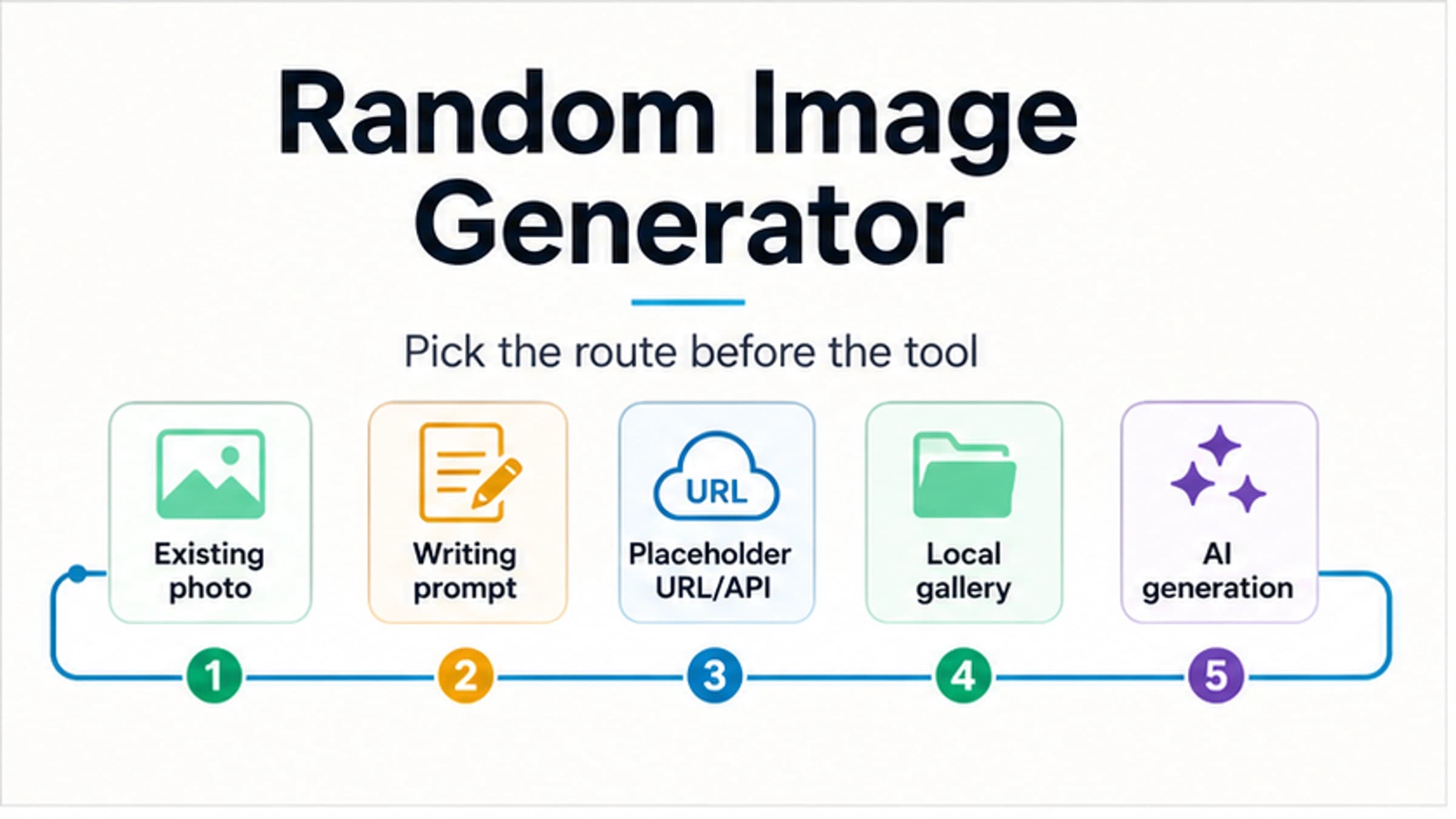
If you are still deciding whether the job is image selection, placeholder output, local-gallery reuse, or AI creation, start with the broader Random Image Generator route split. If the job is definitely tarot card art, stay here and solve the card/deck system.
Check Export, Rights, And Disclosure Before Print Or Sale
The highest-risk moment is not the first generation. It is the moment a custom tarot card becomes a printable deck, digital product, marketplace listing, crowdfunding reward, client deliverable, or public brand asset.
Run this stop check before publishing:
| Check | What to confirm | Safe wording |
|---|---|---|
| Export size | Pixel dimensions, bleed, margins, color mode, and print vendor requirements | "Meets this printer's file spec" |
| Watermark | No visible watermark, hidden provider mark, or license conflict | "Clean export under the current provider terms" |
| Copied-style risk | The prompt and result do not imitate a named deck, living artist, brand, or protected character | "Original symbolic direction, not a clone" |
| AI disclosure | The target platform's AI rules are understood | "Disclosed where this platform requires it" |
| Commercial terms | The provider, source assets, fonts, and editing tools allow the planned use | "Allowed for this specific product route" |
| Human contribution | There is meaningful selection, editing, layout, writing, or design authorship where it matters | "Documented creative contribution" |
The law and platform rules are not identical. As checked on June 2, 2026, the U.S. Copyright Office AI page remained the right authority surface for U.S. registration and copyrightability questions involving AI-generated materials. For marketplace use, Etsy's Creativity Standards said seller-prompted AI creations are treated as designed by the seller and that sellers must disclose AI use in listing descriptions. For crowdfunding, Kickstarter's AI policy required projects using AI-generated images, text, or outputs to disclose relevant details and distinguish original from AI-created elements.
Those rules should not be compressed into a blanket "AI tarot cards are legal to sell" or "AI decks cannot be copyrighted." The practical rule is narrower: check the jurisdiction, platform, provider terms, source assets, and human contribution before sale. If the deck uses commissioned artists, public-domain references, stock textures, fonts, or template components, those inputs need their own permissions.
Prompt Examples For One Card, A Spread, And A Deck
Use prompt examples as structure, not as a script to paste unchanged.
One Custom Card
hljs textCreate a tarot card illustration for "Ace of Cups". Card role: new emotional opening, generosity, and intuition. Central symbol: a single chalice overflowing into a quiet pool. Deck system: tall card, thin ivory border, small title band, blue and silver palette. Text: title only, no extra words. Avoid: copied tarot deck compositions, artist-name style imitation, fake signatures, random glyphs. Review: title spelling, cup symbol, border consistency, no extra labels.
Three-Card Visual Set
hljs textCreate three related tarot-style card illustrations for a past / present / future mini-set. Shared system: same border, same title-band position, same paper texture, same palette family. Card 1: "The Gate" with an old stone arch and dim dawn light. Card 2: "The Mirror" with a reflective pool and one central figure. Card 3: "The Seed" with a small sprout under a bright star. Text: title only, no captions. Review: consistent border, scale, color rhythm, and title placement across all three.
Full Deck Production Spine
hljs textDeck style guide: - tall tarot cards, warm ivory paper, ink-and-gouache illustration - thin geometric border with suit accent color - title band at bottom, card number at top - no copied Rider-Waite-Smith compositions, no named artist style - no extra symbols outside the card anatomy Card prompt: Create [CARD TITLE], [NUMBER], [SUIT]. Archetype: [one sentence]. Central symbol: [one object or scene]. Suit accent color: [color]. Keep the shared border, title-band placement, paper texture, and palette rules. Use only the card title and number as visible text.
The best deck prompts are boring in one way: they repeat the same production contract. The variety should come from the card's symbolism, not from changing the border, typography, camera, aspect ratio, or text rules every time.
FAQ
Is an AI tarot card generator the same as a tarot reading generator?
No. A reading generator draws cards and explains meanings. An AI tarot card generator creates card visuals. Use a draw or spread tool when you want a reading; use AI when the card image is the deliverable.
Can AI make a full 78-card tarot deck?
AI can help generate images for a full deck, but the hard part is consistency. You still need a style guide, card list, prompt spine, review table, regeneration rules, export checks, and rights/disclosure review.
Should I include card meanings inside the generated image?
Usually no. Small generated text is prone to errors and can make the card look crowded. Put meanings in the article, booklet, guidebook, app, or product description unless the tool gives you controlled text layout.
Can I sell AI tarot cards?
Possibly, but do not treat the generated image as automatically sale-ready. Check provider commercial terms, source rights, copied-style risk, print specs, platform AI disclosure rules, and the level of human creative contribution. Legal and platform answers can differ.
What if I only want a free tarot card pull?
Use a random draw or spread tool. Look for the card count you want, whether reversals are supported, whether the tool uses all 78 cards or Major Arcana only, and whether it gives meanings without requiring an account.
What makes a good tarot card art prompt?
A good prompt names the card title, number, suit, archetype, central symbol, border, palette, and text rule. It also says what not to copy and what must be checked after generation.