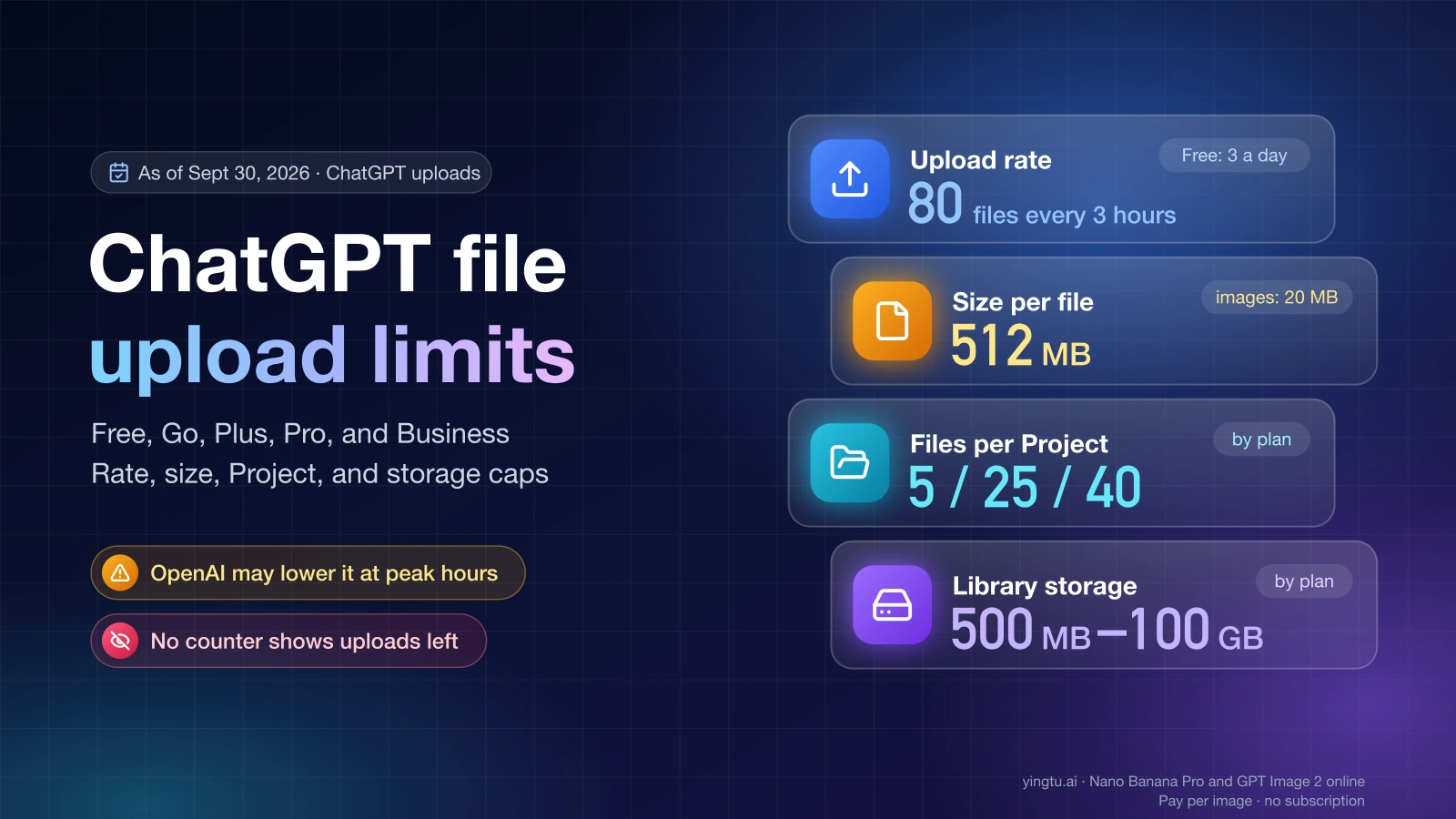
As of September 30, 2026, OpenAI lets ChatGPT users upload up to 80 files every 3 hours, while Free users are limited to 3 file uploads per day, and OpenAI says it may lower both numbers during peak hours. Each file can be up to 512 MB, and each image up to 20 MB. What differs by plan is how many files a Project holds and how much Library storage you get; OpenAI publishes no separate hourly upload number for Go, Plus, Pro, or Business.
A ChatGPT upload limit is any of the caps OpenAI applies to files you attach: how many you can send in a time window, how large each one can be, how many a Project can hold, and how much your account can store. They are separate counters, so "upload limit reached" can mean different things.
ChatGPT upload limits by plan
| Limit (as of September 30, 2026) | Free | Go | Plus | Pro | Business |
|---|---|---|---|---|---|
| Uploads per time window | 3 file uploads per day | Up to 80 files every 3 hours; no plan-specific number published | Up to 80 files every 3 hours; no plan-specific number published | Up to 80 files every 3 hours; no plan-specific number published | Up to 80 files every 3 hours; no plan-specific number published |
| Size per file | 512 MB (text files: 2M tokens; spreadsheets: about 50 MB; images: 20 MB) | Same | Same | Same | Same |
| Files per Project | 5 | 25 | 25 | 40 | 40 |
| Library storage | 500 MB | 4 GB | 20 GB | 100 GB | 20 GB |
| Knowledge files per GPT | 10 or 20 (OpenAI pages disagree) | Same | Same | Same | Same |
| Creating new GPTs | Not available | Not available | Not available | Not available | Available when workspace settings allow |
The upload window, per-file sizes, and the 10-file GPT figure come from OpenAI's File Uploads FAQ, which says OpenAI "may lower these limits during peak hours." The Project numbers come from the same FAQ and from Projects in ChatGPT, which also lists collaborators: 5 on Free, 10 on Go and Plus, and 100 on Pro. The storage row comes from Using Library to manage files in ChatGPT. The 20-file GPT figure and the GPT creation rules come from Creating a GPT and the ChatGPT Free Tier FAQ.
Two rows need a caveat because OpenAI's own pages give different numbers:
- Storage. The File Uploads FAQ sets a usage cap of 25 GB per end user and 100 GB per organization, shared across chats, Projects, and custom GPT knowledge. The Library page gives the per-plan figures in the table. The Library page is the only one that breaks storage down by plan, so use its number for your plan and check Settings > Storage for what you've actually used.
- GPT knowledge. The File Uploads FAQ says "up to 10 files per GPT for the lifetime of that GPT." Creating a GPT says "You can attach up to 20 files to a GPT. Each file can be up to 512 MB." When the two disagree, the GPT editor's own message is the one that applies to you. On personal plans (Free, Go, Plus, and Pro) you can keep using existing GPTs, but as of September 30, 2026 you can't create or publish new ones.
How the 3-hour upload window works
The 80-file cap is a rolling rate limit: it counts the files you uploaded during the previous 3 hours, not since midnight. As of September 30, 2026, three details in OpenAI's wording change how you should read it:
- "Up to" 80. OpenAI may lower the number during peak hours, so 80 is a ceiling, not a guarantee.
- Files, not images. PDFs, spreadsheets, documents, and images all draw from the same count. According to the Image Inputs FAQ, video attachments count toward your plan's file-upload limits too.
- Failed attempts can count. The File Uploads FAQ says failed upload attempts "can sometimes count toward the upload-rate cap," so retrying the same file over and over can make things worse.
ChatGPT doesn't show a counter for this window. OpenAI states that ChatGPT "does not currently show how much of your rolling upload-rate quota has been used or how much remains." The only way to estimate when you can upload again is to remember when you uploaded.
Here is an illustration, assuming no peak-hour reduction and a window that rolls the way OpenAI describes it. You attach 50 files at 9:00 a.m. and 30 more at 10:30 a.m. An 81st file at 11:00 a.m. can be refused. The 9:00 batch starts leaving the window around noon, so room comes back in batches rather than all at once. If a few of those uploads failed and were still counted, you'd hit the wall sooner than your own tally suggests.
For Free users, the binding number is 3 file uploads per day. That runs out long before the 80-file window matters.
"Upload limit reached": which limit did you hit?
"Upload limit reached" means ChatGPT refused a file because one of two different limits is full: the rolling upload rate, or your storage. The File Uploads FAQ describes both. The fix depends on which one it is, and Settings > Storage is the only place you can check. It shows your Library usage, remaining space, and limit, but not the upload rate.
Start by confirming you're signed in to the account and plan you expect, because the limits follow the account you're using. Then use this rule:
| What you see | Which limit | What to do |
|---|---|---|
| The error appears after a burst of uploads, and Settings > Storage shows space left | Upload rate (80 files every 3 hours, or 3 a day on Free) | Stop retrying. Wait until your earliest uploads are more than 3 hours old (on Free, try again the next day), then upload one small file. |
| Settings > Storage is at or near your plan's limit | Storage | Delete files you no longer need from chats, the Library, and your GPTs, then retry. |
| Only one Project refuses new files | Files per Project (5 / 25 / 40) | Remove files from that Project or start a new Project. |
| One specific file fails while others upload | Per-file size (512 MB, 20 MB images, about 50 MB spreadsheets, 2M tokens for text) | Split, compress, or convert the file. Waiting won't help. |
| Uploads fail everywhere, including a small file after a long wait | Service or account problem | Check status.openai.com, then contact OpenAI support. |
Deleting files from recent chats or from your GPTs frees file usage, because they share the same caps. A file you saved to the Library is a separate copy: deleting the chat does not delete it, so remove it from the Library itself. OpenAI permanently removes deleted files within 30 days.
If you contact support, OpenAI asks for this information, which also helps you avoid a long back-and-forth:
- The email address on your ChatGPT account.
- A screenshot of the error.
- The time it happened, with your time zone.
- Your platform: web, desktop app, or mobile app, plus the browser if you used one.
- The request ID, if the error shows one.
Image upload limits
As of September 30, 2026, ChatGPT accepts PNG, JPEG, and non-animated GIF images up to 20 MB each, on Free and paid plans. The Image Inputs FAQ gives no fixed number of images per message. It says the number you can add "depends on various factors, including the size of the images and the amount of text accompanying them." If a batch of photos fails, try fewer images or a shorter message before assuming you've hit the 3-hour cap.
There is also no separate daily image count for Plus. Images use the same file-upload window as everything else: up to 80 files every 3 hours on paid plans, and 3 uploads a day on Free.
A few other rules affect what ChatGPT actually sees:
- ChatGPT resizes images before analyzing them and doesn't read file names or metadata.
- On plans other than Enterprise, ChatGPT reads documents as text only, and images inside a PDF or document are discarded. If the chart in your PDF matters, upload it as a separate image.
- You can add images with the + button ("Add photos & files"), by dragging them in, or by pasting.
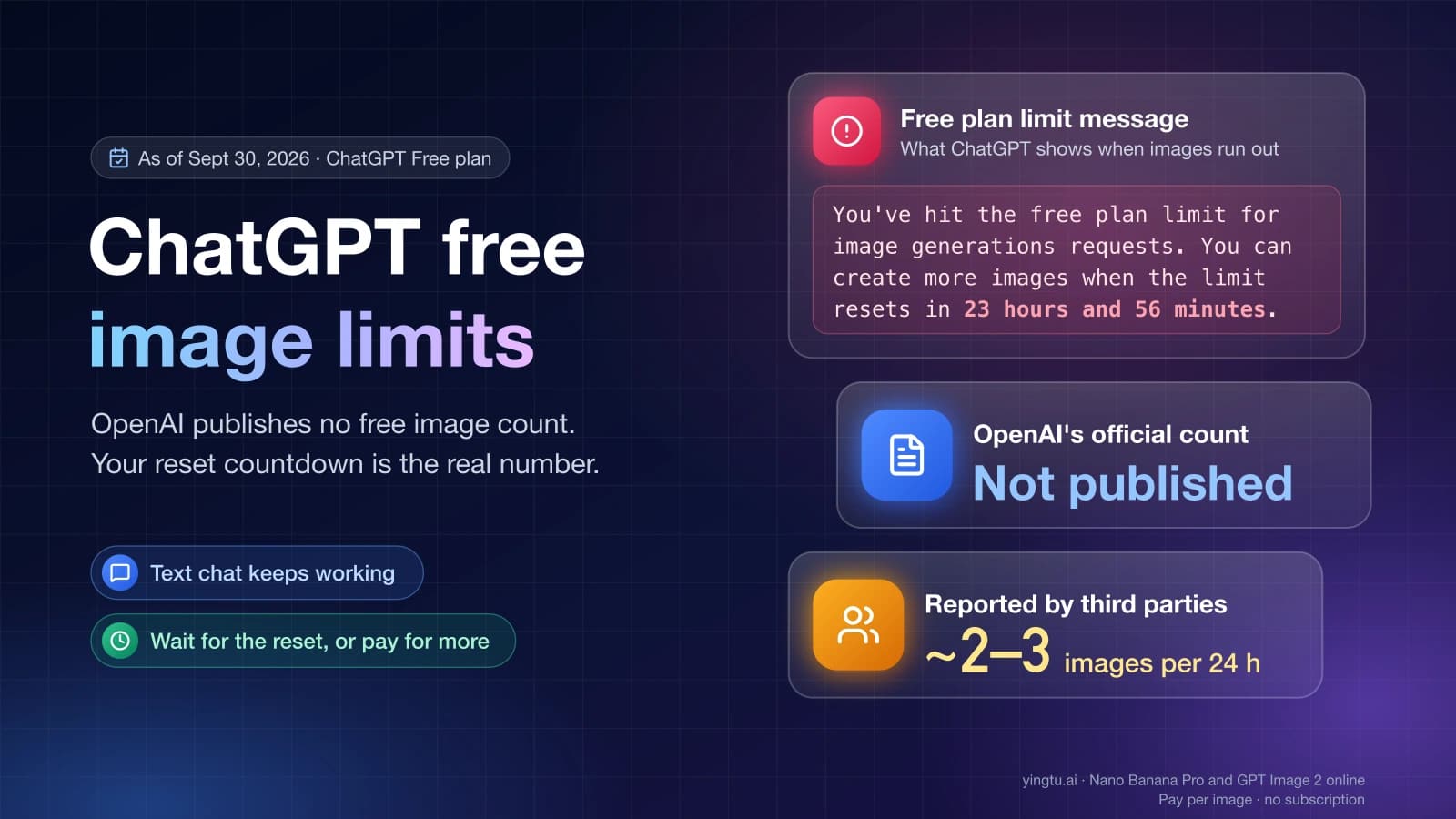
Uploading an image is not the same as generating one. Image generation has its own quota, covered in How Many Images Can ChatGPT Generate for Free?.
If you're uploading photos only to edit them and ChatGPT's cap is in the way, you can use a separate image editor. GPT Image 2 Online on YingTu accepts up to 5 reference images of 20 MB each and, as of September 30, 2026, charges $0.03 per image for GPT Image 2 VIP. You pay per image with your own LaoZhang API key, or sign in with Gmail for a $0.1 trial credit (first 500 users, valid for 30 days). It's billed separately and doesn't change your ChatGPT limits.
Projects, Library, and GPT files are different places
The same file can count in more than one place, which is why the table has several rows that look alike.
- Project files are the documents you attach to a Project so every chat in it can use them. The cap is a file count: 5 on Free, 25 on Go and Plus, 40 on Pro and Business, as of September 30, 2026. If you upload a file with a name that's already in the Project, ChatGPT asks whether to "Upload anyway" or "Skip."
- Library is where ChatGPT keeps files you save. Its cap is a size: 500 MB on Free, 4 GB on Go, 20 GB on Plus and Business, and 100 GB on Pro, as of September 30, 2026. OpenAI notes that "Library storage is separate from daily chat and attachment limits." A full Library doesn't use up your upload rate, and waiting 3 hours won't free Library space. Files you upload in a temporary chat aren't saved to the Library.
- GPT knowledge files stay with a GPT until the GPT is deleted. Files attached in chats are kept for as long as that chat is retained. After you delete a chat, a GPT, or your account, OpenAI deletes the files within 30 days, with exceptions for de-identified data and for security or legal reasons.
When your plan changes
Upgrading resets a Free account's rate limits. The Free Tier FAQ says that if you reach a rate limit on Free, "your usage rates will reset when you update your account to a Plus plan, a Pro plan, or a Business plan." Go isn't named in that sentence, so don't count on an upgrade to Go resetting anything. As of September 30, 2026, Plus costs $20 a month. The $100 Pro plan is open, while new sign-ups for the $200 Pro plan have been paused since September 10, 2026. Local prices can differ.
Going the other way, ChatGPT may warn that your Plus access is ending and that you'll lose Plus benefits such as file uploads. When that happens, the lower plan's limits apply. On Free that means 3 file uploads per day, 5 files per Project, and 500 MB of Library storage, as of September 30, 2026. OpenAI's help pages don't say what happens to files you already stored above those lower caps, such as a 20-file Project or a 3 GB Library. If those files matter, download copies before the plan ends.
FAQ
How many files can I upload to ChatGPT at once?
OpenAI doesn't publish a per-message file count. The limits that apply are the rolling cap of up to 80 files every 3 hours (3 per day on Free), 512 MB per file, and, inside a Project, 5, 25, or 40 files depending on your plan, as of September 30, 2026.
What is the ChatGPT Plus image upload limit per day?
Plus has no separate daily image limit. Images count toward the same file-upload cap as other files, which is up to 80 every 3 hours as of September 30, 2026, and OpenAI can lower it during peak hours. Each image can be up to 20 MB.
How do I see how many uploads I have left?
You can't. ChatGPT doesn't show how much of the 3-hour upload quota you've used. Settings > Storage shows only your Library storage.
When does the ChatGPT upload limit reset?
On paid plans the cap covers a rolling 3-hour window, so room comes back as your earlier uploads age out; OpenAI describes no fixed midnight reset. Free users get 3 uploads per day, and upgrading from Free to Plus, Pro, or Business resets Free rate limits.
Does deleting a chat free up upload space?
OpenAI says deleting files from recent chats frees file usage, but a file you saved to the Library stays until you delete it there. Deleting doesn't give back upload-rate quota, which returns only as your earlier uploads age out of the 3-hour window.
![Chat window with a failed image attachment and the popup "Unable to upload [filename]. Max 0 uploads at a time"](/_next/image?url=%2Fblog%2Fen%2Fchatgpt-image-upload-not-working%2Fimg%2Fcover.webp&w=3840&q=76&dpl=dpl_BGAt4QdPtxZmyt8iGGyUC3wZ4CL4)