![Chat window with a failed image attachment and the popup "Unable to upload [filename]. Max 0 uploads at a time"](/_next/image?url=%2Fblog%2Fen%2Fchatgpt-image-upload-not-working%2Fimg%2Fcover.webp&w=3840&q=82&dpl=dpl_FHF2KNWMCxXf9oG6yyEn1frne37H)
A ChatGPT image upload fails when the picture never becomes an attachment in your message: the button is missing, the file is refused, the upload spins forever, or a message such as "Unable to upload [filename]. Max 0 uploads at a time" appears. The fastest way to find the cause is to try one small PNG or JPEG in a new, normal chat. If that works, the problem is your original file or the GPT or Project you were in. If it fails too, look at upload caps, your browser or network, and OpenAI's status page, in that order.
Match your symptom to the likely cause
The table below covers ChatGPT on the web, iOS, and Android as of September 30, 2026. Start with the row that matches what you see, then jump to the section for details.
| What you see | Most likely cause | First check | Fix |
|---|---|---|---|
| Upload button missing or greyed out | Signed out, a GPT or Project that doesn't take files, workspace policy, or an old app build | Open a new normal chat while signed in | Upload there; update the app; ask your admin if it's a work account |
| File refused or never attaches | Unsupported type (HEIC, WebP, animated GIF) or an image over 20 MB | Try a small PNG or JPEG | Convert to PNG or JPEG and shrink it below 20 MB |
| "Unable to upload [filename]. Max 0 uploads at a time" | Upload quota used up, a context that doesn't allow uploads, or a temporary incident | New normal chat, another device, status page | Wait out the window, move to a normal chat, or wait for recovery |
| "Upload limit reached" | Rolling upload cap (80 files every 3 hours; Free: 3 a day) or storage full | Settings > Storage, then wait a window | Wait, or delete old files if storage is the problem |
| "User does not have permission to upload files to the requested gizmo" | Custom GPT or Project permissions, or a GPT or Project that was unshared or deleted | Same file in a normal chat | Upload in a normal chat; ask the GPT or Project owner, or your admin |
| Endless spinner or a network error | Browser extension, VPN, secure DNS, or a company network blocking *.oaiusercontent.com | Incognito window with extensions off | Turn off the blocker or ask IT to allow the domain |
| Works on your phone, not on your computer | Desktop browser state: extensions, cache, network | Second browser on the same computer | Clear cache and cookies or switch browser |
| Fails everywhere, for every file | OpenAI incident | status.openai.com | Wait for recovery and avoid repeated retries |
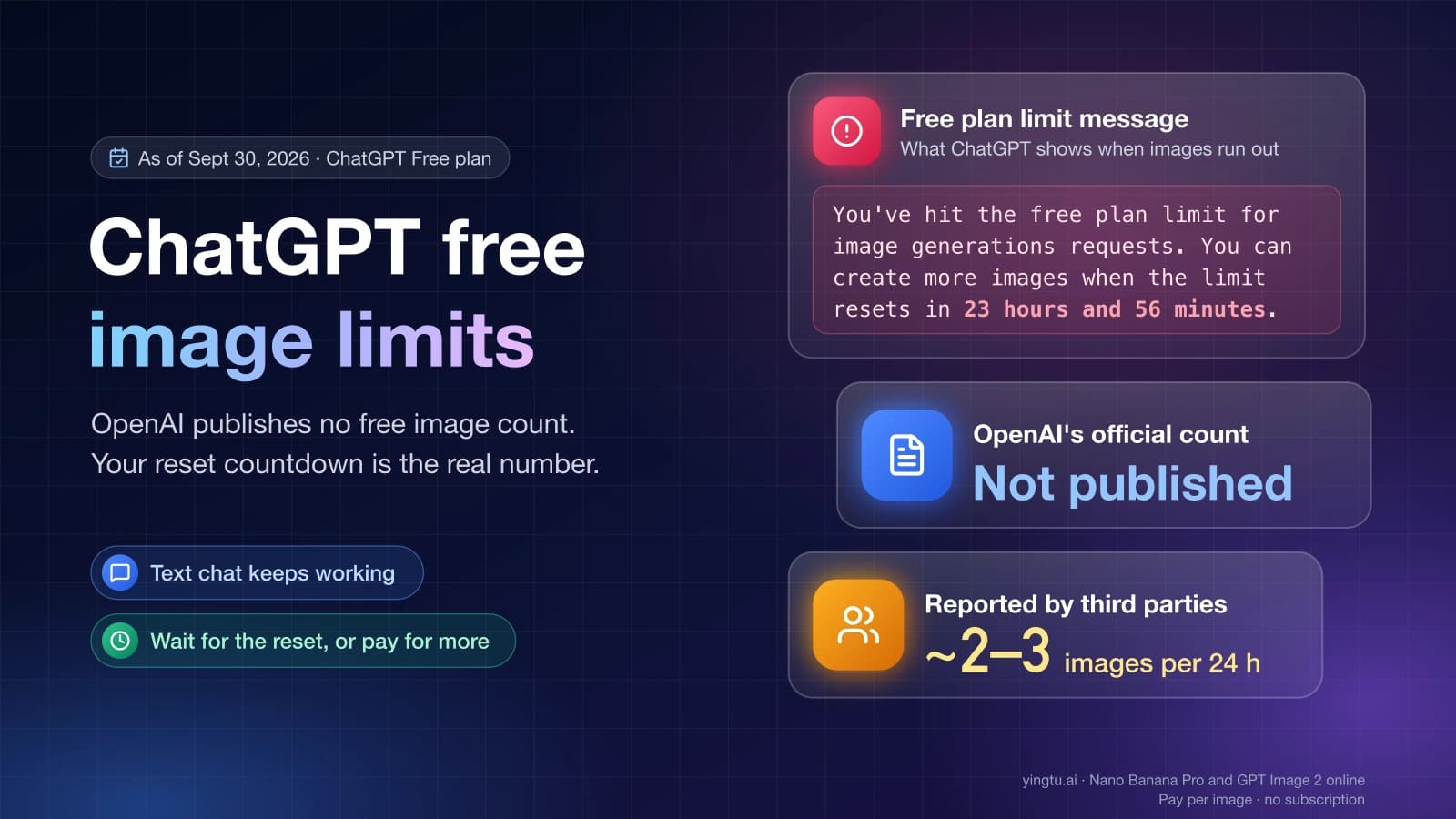
If the image uploads fine but ChatGPT then refuses or fails to create a new picture, that is a generation limit rather than an upload problem; see How Many Images Can ChatGPT Generate for Free? Limits Explained.
Start with one small image in a new chat
A small PNG or JPEG in a new, normal chat is the single test that splits file problems from everything else. Pick a plain screenshot or photo well under 20 MB, open a new conversation outside any custom GPT or Project, and attach only that file.
OpenAI's Image Inputs FAQ says, as of September 30, 2026, that image inputs are available on Free and paid plans, that all ChatGPT models accept images, and that you can add one with the + button ("Add photos & files"), by dragging it into the text box, or by pasting it.
What the result tells you:
- The test image works, your original doesn't. The original file is the problem. Go to the file section below.
- The test image works in a normal chat but not inside your GPT or Project. The context is the problem, not the file or your account.
- The test image fails too. Look at limits, the browser or network, and the status page, before touching your plan.
Keep the test to one or two attempts. OpenAI's File Uploads FAQ notes that failed upload attempts can sometimes count toward the upload-rate cap, and ChatGPT does not show how much of that cap is left. Ten retries of a broken upload can turn a small problem into a lockout.
"Unable to upload [filename]. Max 0 uploads at a time"
"Max 0 uploads at a time" means ChatGPT is allowing zero uploads in the chat you're in right now, but OpenAI has not documented what triggers it. Users have posted the exact popup on Reddit's r/ChatGPT and r/OpenAI, including a Plus subscriber who saw it around 7:30 p.m. Pacific on January 12, 2026, and found it cleared later on its own, and another report from August 8, 2026.
Three explanations fit what's publicly known, and each one has a check that confirms or rules it out:
| Possible cause | What points to it | Check | What to do |
|---|---|---|---|
| Upload quota used up | You uploaded many files in the last few hours, or you're on Free and already sent 3 files today | It works again after waiting; Settings > Storage looks normal | Wait out the window (up to 3 hours for the rolling cap, until the next day on Free) |
| Uploads not allowed where you are | It appears only inside a custom GPT, a Project, or a work or school workspace | Try the same small image in a new normal chat | Upload in a normal chat, or ask the GPT owner or admin |
| Temporary incident | Several files and devices fail at once, including on paid plans | status.openai.com shows an active ChatGPT issue | Wait for recovery; don't keep retrying |
A quick way to tell them apart:
- Open a new normal chat and try one small PNG. If it uploads, the GPT, Project, or workspace was the block.
- Try the same account on another device or browser. If it works there, the problem is local to the first browser or app.
- Check the status page. An active incident explains a sudden "Max 0" on a paid account.
- Check Settings > Storage to rule out a full file library.
- If none of these change anything, stop uploading and try again after 3 hours (or the next day on Free).
If it still says "Max 0" after a full window, in a normal chat, on a second device, with no incident listed, contact OpenAI support with the details listed in the support section below.
"User does not have permission to upload files to the requested gizmo"
This message is tied to the custom GPT or Project you're uploading into, not to your file. OpenAI doesn't document the wording, but users on the OpenAI Developer Community and elsewhere associate "gizmo" with custom GPTs and Projects. One bug report from August 26, 2026, describes a Project that vanished shortly after a "gizmo" permission error appeared.
Work through these checks:
- Try the same image in a new normal chat. If it uploads there, your account and file are fine and only the GPT or Project is blocking it.
- Check whether the GPT or Project still exists and is still shared with you. If someone unshared or deleted it, uploads to it can fail even though the chat still opens.
- In a work or school workspace, ask your admin. Workspace settings may limit what members can upload or which GPTs they can use.
- If you rely on files in a Project, save copies elsewhere until the error clears, given the report of a Project disappearing after this message.
New GPT creation isn't available on personal plans (Free, Go, Plus, and Pro) as of September 30, 2026, but existing GPTs can still be used. If a GPT you depended on changed behavior, that is one more reason to test uploads in a normal chat first.
"Upload limit reached" and other cap messages
A limit message means you hit either the rolling upload rate or your storage, and they need different fixes. As of September 30, 2026, OpenAI's File Uploads FAQ lists:
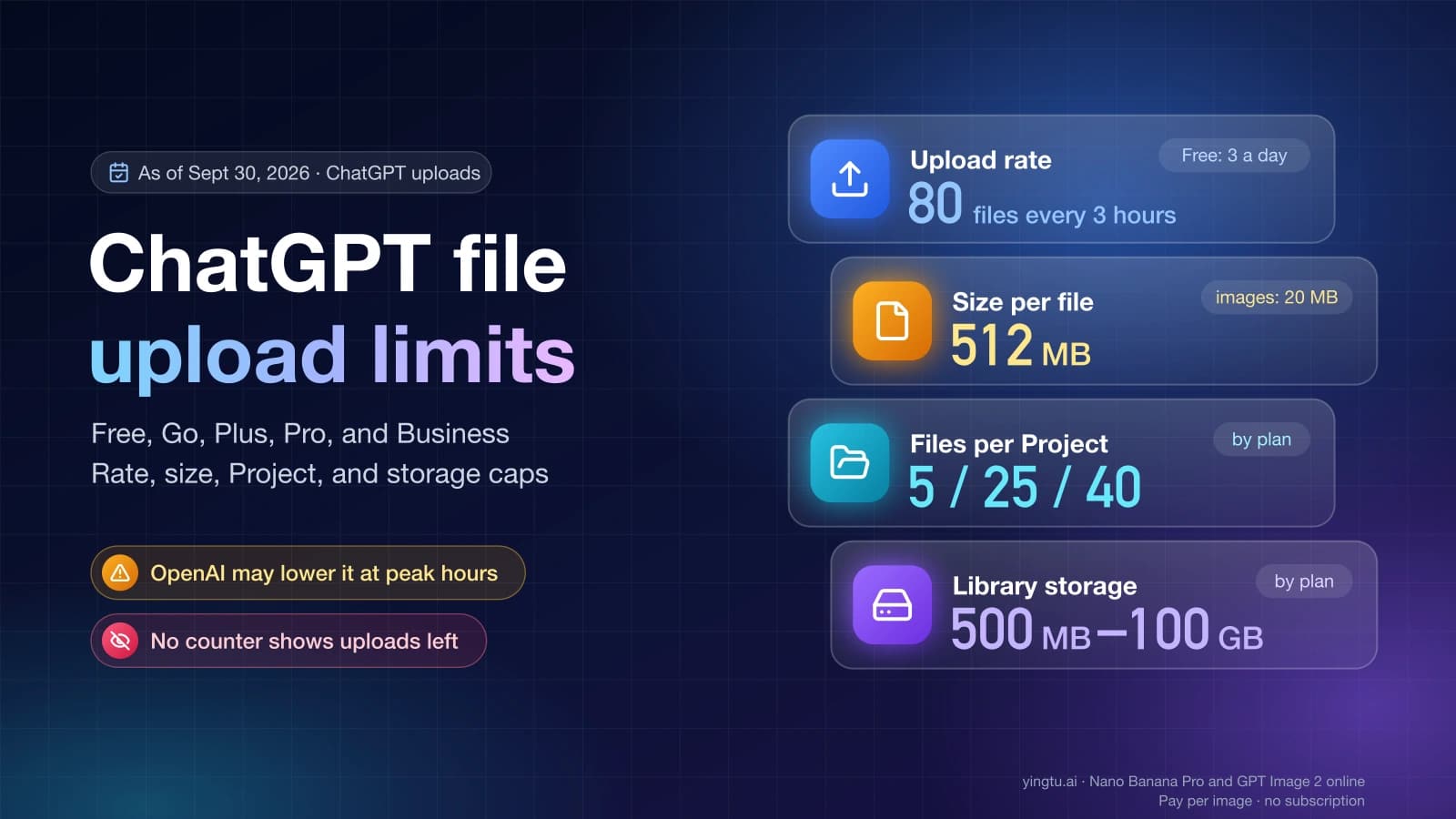
- up to 80 files every 3 hours, with Free users limited to 3 file uploads per day, and OpenAI "may lower these limits during peak hours";
- 20 MB per image and 512 MB per file;
- 25 GB of storage per user and 100 GB per organization.
The rolling rate resets with time, and deleting files doesn't help it. Storage fills up and only frees space when you remove files. Settings > Storage shows how much of your library you've used, but ChatGPT doesn't show how much of the rolling upload quota remains. OpenAI also suggests confirming you're signed in to the account and plan you think you are, since a work account and a personal account have separate limits.
Videos count toward the same file-upload limits, so a few clips can use up a Free day on their own. For the full per-plan breakdown, including Project file limits and library storage by plan, see ChatGPT File Upload Limits for Free, Go, Plus, Pro, and Business.
When the upload button is missing or greyed out
A missing or disabled button means ChatGPT isn't offering uploads in this session, so resizing or converting your image won't help. Check these in order:
- Sign in. OpenAI's Image Inputs FAQ mentions attaching photos before signing in only for mobile web, so on a computer, sign in first.
- Leave the GPT or Project. Open a new normal chat and look for the + button there.
- Update or restart the app. On iOS and Android, install the latest version and force-close the app.
- Check phone permissions. Give ChatGPT access to Photos. If a video won't show up in Photos, OpenAI suggests attaching it through Files instead.
- Check your workspace. On a Business, Enterprise, or school account, an admin setting can hide or limit uploads.
- Check the status page if the button disappeared suddenly on every device.
When the file is refused
A refused file usually fails on type or size. As of September 30, 2026, OpenAI lists these supported image types for ChatGPT: PNG, JPEG (.jpeg and .jpg), and non-animated GIF, up to 20 MB per image.
| Your file | Why it may fail | What to try |
|---|---|---|
| Over 20 MB | Above the per-image limit | Export a smaller JPEG or reduce the resolution |
| HEIC (iPhone default) | Not in OpenAI's supported list | Convert to JPEG, or set the iPhone camera to "Most Compatible" |
| WebP, TIFF, SVG | Not in OpenAI's supported list | Convert to PNG or JPEG as a test |
| Animated GIF | Only non-animated GIFs are listed | Export a single frame as PNG |
| One file fails, a copy works | The file may be damaged or have odd metadata | Re-export or take a fresh screenshot |
| PDF with pictures inside | On non-Enterprise plans, ChatGPT keeps the text of uploaded documents and discards images inside PDFs | Upload the page as a PNG or JPEG instead |
HEIC and WebP aren't necessarily rejected; they're simply not on the list. Converting them is the quickest way to take format out of the question.
How many images fit in one conversation isn't a fixed number. OpenAI says it depends on several factors, including image size and the amount of text in the chat. If uploads start failing deep into a long conversation, try a new chat.
When it spins forever or shows a network error
An upload that starts and never finishes usually points to something between your browser and OpenAI's servers. OpenAI's error troubleshooting guide recommends these steps as of September 30, 2026:
- Refresh the page or start a new chat.
- Open an incognito or private window, where most extensions are off.
- Disable extensions one at a time, starting with ad blockers, privacy tools, and security add-ons. The error "There was a problem preparing your chat." often points to an extension or URL blocker.
- Turn off your VPN and any secure DNS or "Web Protect" feature.
- Clear cache and cookies for chatgpt.com.
- Switch networks, for example from office Wi-Fi to a phone hotspot.
On a company or school network, uploads can fail even when chat works, because files travel through a different domain. OpenAI's network recommendations say IT will likely need to allowlist *.oaiusercontent.com when VPN or security software breaks uploads. The same page lists *.chatgpt.com, *.openai.com, *.oaistatic.com, and challenges.cloudflare.com, plus the WebSocket connection wss://ws.chatgpt.com over TCP port 443. An error mentioning files.oaiusercontent.com is a strong sign this is your problem.
When it works on your phone but not on your computer
If your phone uploads the same image on the same account, your account and the file are fine, and the computer's browser is the problem. Narrow it down without changing two things at once:
- Same file, same account, a second browser on the computer.
- Same browser, a private window with extensions off.
- Same browser, a different network.
- Only then clear cache and cookies or reinstall the desktop app.
If the second browser works right away, the first browser's extensions or stored data are the cause. If nothing on the computer works but the phone does on the same Wi-Fi, look at security software or a VPN installed on that computer.
When OpenAI is having an incident
When the same small image fails on every device and every chat, check status.openai.com before changing anything else. On September 30, 2026, for example, OpenAI's help center displayed "Elevated errors across ChatGPT, Codex, and the API including the Agents API — We are monitoring recovery."
During an incident, stop retrying. Failed attempts can count toward your upload-rate cap, so repeated clicks can use up quota you'll want once the service recovers. Note the time and your time zone; they help if you need to contact support later.
What to send OpenAI support
If the small test image still fails after a new chat, a second device, the network steps, and a clean status page, contact OpenAI support with details they can look up. OpenAI's help pages ask for:
- the email address of the ChatGPT account;
- a screenshot of the full error or the greyed-out button;
- the exact time and your time zone;
- the platform and version: web browser, iOS app, Android app, or desktop app;
- the request ID, if the error shows one;
- for persistent web errors, a HAR file and console errors with timestamps, plus the model and the conversation link.
Add what you already tested: the file type and size, whether a normal chat worked, and whether another device worked. That saves a round of back-and-forth.
If your goal was to edit a photo and ChatGPT still won't take the upload, another option is a separate image editor. On GPT Image 2 Online, YingTu runs GPT Image 2 VIP in the browser at $0.03 per image as of September 30, 2026, with up to 5 reference images of 20 MB each. You sign in with Gmail for a limited trial credit or paste your own LaoZhang API key. It is a separate paid tool, not ChatGPT, so it doesn't draw on your ChatGPT upload limits.
FAQ
Why can't I upload files to ChatGPT?
The usual causes are an unsupported or oversized file, a used-up upload cap, a custom GPT or Project that doesn't accept files, browser extensions or a network block, or an OpenAI incident. Try one small PNG or JPEG in a new normal chat to see which applies.
Why does ChatGPT say "Max 0 uploads at a time"?
ChatGPT is allowing zero uploads in that chat, and OpenAI hasn't documented why. The most likely causes are a used-up upload quota, a GPT, Project, or workspace that doesn't allow uploads, or a temporary incident. A new normal chat, a second device, and the status page tell them apart.
How many images can I upload to ChatGPT for free?
Free users are limited to 3 file uploads per day as of September 30, 2026, according to OpenAI's File Uploads FAQ, and images count as file uploads. Each image can be up to 20 MB.
How long do I have to wait after hitting the upload limit?
For the rolling cap of 80 files every 3 hours, up to 3 hours. On Free, the limit is per day. ChatGPT doesn't show a countdown, and OpenAI may lower limits at peak times.
Is there a ChatGPT plan without an upload cap?
OpenAI's File Uploads FAQ states the rolling cap of 80 files every 3 hours without naming a plan that is exempt, as of September 30, 2026. Paid plans remove the Free 3-per-day limit and add more storage, but they still have a rolling cap.
Does upgrading to Plus fix image upload problems?
Only if the problem is the Free daily limit. Plus won't fix an unsupported file, a blocked network, a browser extension, a GPT or Project permission error, or an outage.
Why is the ChatGPT upload button greyed out?
Usually because you're signed out on a computer, inside a GPT or Project that doesn't take files, on a workspace that restricts uploads, or using an old app version. Open a new normal chat while signed in and look for the + button there.
Can I upload HEIC or WebP images to ChatGPT?
They aren't on OpenAI's supported list, which names PNG, JPEG, and non-animated GIF as of September 30, 2026. Convert them to PNG or JPEG if they fail to attach.