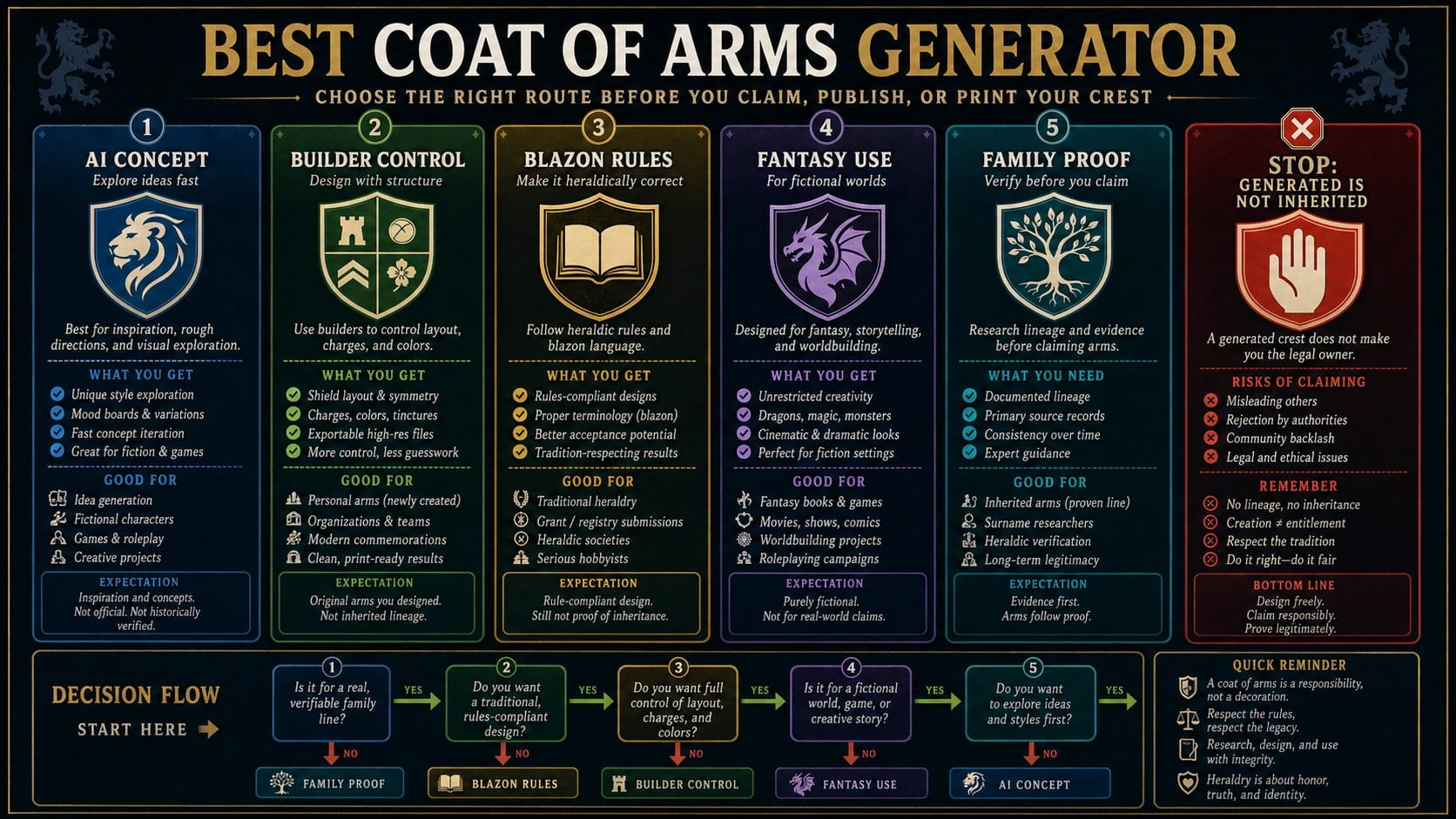
The best coat-of-arms generator depends on what you are making. Use an AI prompt generator for fast concept art, a builder when you need control over symbols and colors, a blazon or heraldry editor when rules matter, and a fantasy tool for fictional houses, clans, or games. If you want a real family coat of arms, slow down: a generated or surname-based crest is not proof of inherited arms.
- Use the AI route when you need visual directions, style exploration, or quick crest concepts.
- Use a builder when the exact shield, animal, color, charge, crest, or motto placement matters.
- Use a blazon or rule-aware heraldry editor when you want formal structure rather than decorative heraldic style.
- Use a fantasy or game route for DnD houses, CK3-style shields, guild emblems, clans, and worldbuilding.
- Use a genealogy, heraldist, registry, or authority route when the claim is about a real family coat of arms.
Before you print, sell, publish, or use the emblem as a logo, check the output contract: PNG or SVG, source file, resolution, watermark, commercial-use rights, privacy, editable parts, and motto text. Those details decide whether the result is only a fun image or a usable crest for the job.
Start With the Route, Not the Tool Name
A coat-of-arms generator query hides several different jobs. Someone making a fantasy guild shield needs a different route from someone looking for family-history proof. A designer exploring brand symbolism needs different checks from a player building a tabletop house crest. A person typing a family surname into a generator needs the strongest warning of all: the output may be decorative, but it is not evidence that the family historically bore those arms.
Use this route table before comparing tools:
| Job | Start with this route | Slow down if... |
|---|---|---|
| Quick crest concept, gift mockup, style exploration | AI prompt generator | You need exact heraldic structure, perfect motto text, or commercial certainty |
| Controlled shield with chosen symbols and colors | Drag-and-drop builder | The tool cannot export the format or rights you need |
| Formal-looking heraldry or learning blazon language | Blazon or rule-aware heraldry editor | You need a simple image faster than you need structure |
| DnD house, CK3-style shield, guild, clan, or fictional world | Fantasy or game route | The emblem will be sold, branded, or presented as real family arms |
| Real family coat of arms or surname claim | Genealogy, heraldist, registry, or authority path | You only need a new decorative emblem |
The route matters because the same words appear across very different products. CoaMaker and drag-and-drop crest makers optimize for assembling an emblem. AI pages such as Pixelcut or getimg.ai optimize for prompt-to-image speed and style. DrawShield belongs closer to the blazon and heraldry-learning lane. Treat those as separate routes, not as one ranked list.
Family Crest, Coat of Arms, and the Inherited-Arms Stop Rule
The most important checkpoint is not visual. It is the claim attached to the image. The American Heraldry Society explains heraldry as unique, heritable emblems and distinguishes the shield, crest, coat of arms, and full achievement. Its FAQ also warns that surname-based "family coat of arms" marketing can be misleading. In plain terms, everyone with the same last name does not automatically own the same arms.
That does not mean generators are useless. It means you should name the job accurately:
| What you have | What it can mean | What it does not prove |
|---|---|---|
| Generated emblem from a prompt or builder | A new decorative crest-like design | Historical ownership or inheritance |
| New assumed arms | A personal design adopted under a context where assumption is acceptable | That ancestors used the same arms |
| Documented inherited arms | A claim supported by genealogy and heraldic evidence | That every person with the surname can use them |
| Registered or granted arms | A record or authority-backed status depending on jurisdiction | A universal worldwide right without context |
In the United States, the American Heraldry Society notes that there is no government heraldic authority equivalent to some older official systems, and private practice often treats new assumed arms differently from inherited or officially granted arms. That is useful, but it is not legal advice for every country. If the claim is public, commercial, formal, or family-history specific, use a heraldist, genealogist, register, or relevant authority instead of trusting a generator.
AI Coat-of-Arms Generators: Fast Concepts, Not Proof
Use an AI coat-of-arms generator when you need visual exploration quickly. This route is strongest for mood, palette, style, symbolism, gifts, fictional factions, logo exploration, and early concept art. You can prompt for a black shield with a silver tower, a blue river, oak leaves, a rising sun, and a short motto, then compare several visual directions in minutes.
AI is weak at three things that matter for heraldry. First, text can be wrong. Motto ribbons often contain misspellings, nonsense letters, or words that look correct only at a glance. Second, AI may ignore heraldry rules or invent symbols that look plausible but do not fit a formal blazon. Third, rights and privacy depend on the specific tool, plan, and terms. A page may mention high-resolution downloads or commercial rights, but those claims are tool-specific and can change.
For AI, use this workflow:
- Write the emblem idea in human terms first: values, place, animal, object, color, motto, and use case.
- Generate several visual concepts without treating any one as final heraldry.
- Check text manually. Re-type the motto in an editor if exact lettering matters.
- Check whether the tool allows commercial use, high-resolution export, private generation, and watermark-free downloads for your account.
- If the output will become a logo, merchandise, or public identity, move to a designer or formal review before launch.
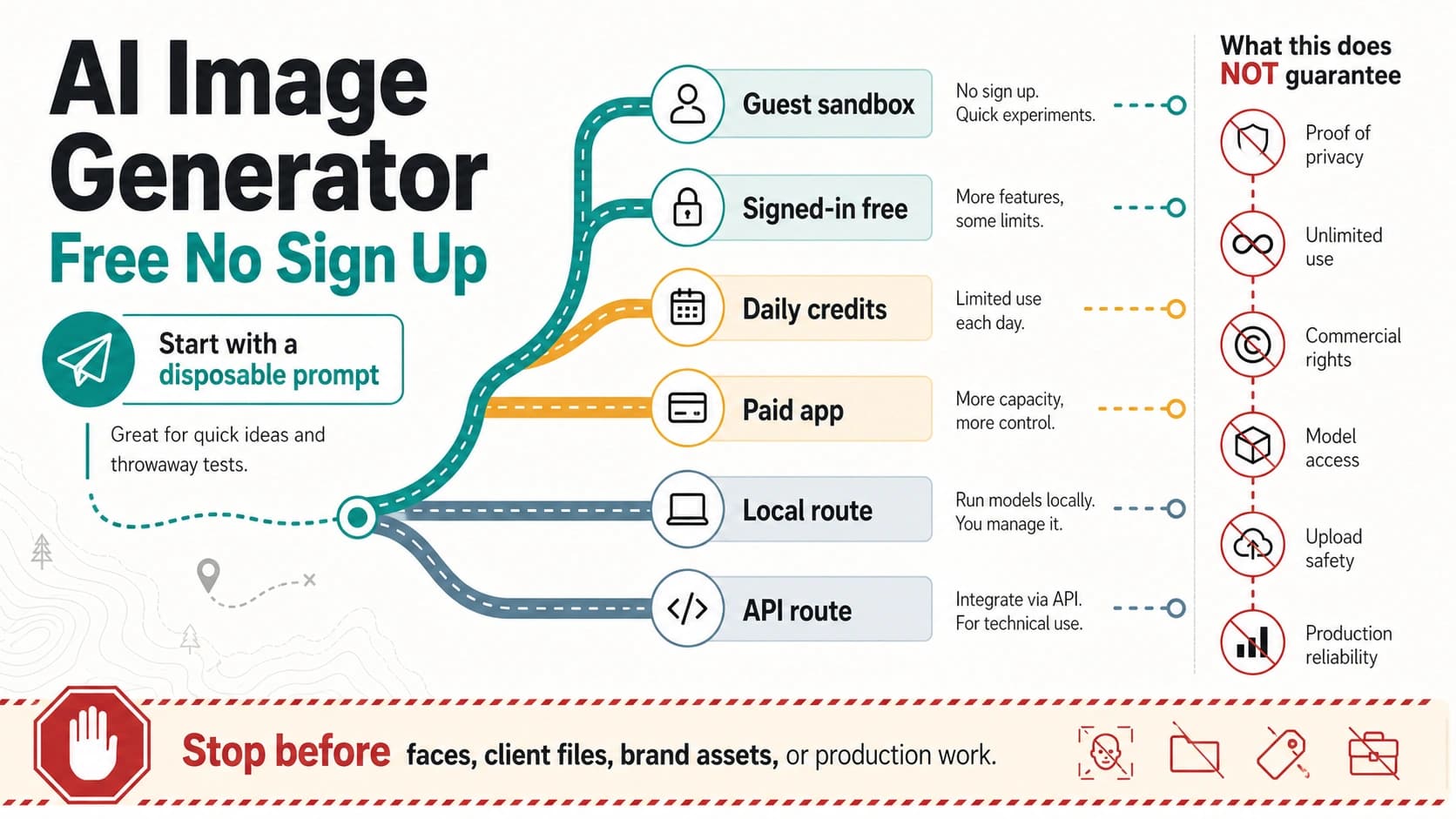
This route overlaps with broader image-creation workflows, but do not treat it like a generic image prompt job. A coat of arms carries identity and legitimacy signals. If you only need general image-tool selection, the broader free AI image generator daily credits guide is a better fit. If you need a crest, keep the heraldry checks inside the workflow.
Builders: Better Control Over Shields, Symbols, and Exports
Use a builder when the output needs controlled parts. A traditional coat-of-arms maker usually lets you choose shield shapes, charges, animals, colors, banners, icons, and motto placement. This is often better than AI when the user already knows the components and wants repeatable edits rather than surprise.
A builder route is useful for school projects, gifts, club emblems, event graphics, fictional houses, and early brand symbolism. It can also be easier to explain to someone else: the lion means courage, the tower means protection, the blue field means water, and the motto sits below the shield. That clarity is harder when an AI model invents decorative details that the user cannot edit.
The risk is contract blindness. A free builder may let you create an image, but the export could be low-resolution, watermarked, limited to PNG, or restricted to personal use. Roll for Fantasy's coat-of-arms creator, for example, is a useful fantasy-style builder, but its page separates generated-use expectations from commercial permission. Do not assume every builder output is a logo-ready file.
Before you commit to a builder, check:
| Check | Why it matters |
|---|---|
| Can you edit the parts later? | A crest often changes after feedback. |
| Does it export PNG, SVG, or another source file? | Print, merch, and logo workflows need different formats. |
| Is the output high enough resolution? | A social icon and a banner print have different requirements. |
| Are commercial rights clear? | Free download does not always mean commercial use. |
| Can you remove or avoid watermarking? | Public use can fail if the output carries a tool mark. |
For many readers, the best first pass is AI for broad visual directions, then a builder for cleaner symbol control. Keep the generated concept as reference, rebuild the final emblem with deliberate parts, and document the export and rights terms.
Blazon and Rule-Aware Heraldry Editors
Use a blazon or rule-aware heraldry editor when the design should behave more like heraldry than decorative art. A blazon is the formal descriptive language of arms. Instead of asking for "a cool medieval shield," a blazon-style route describes the field, tinctures, charges, orientation, crest, and other elements in a structured way.
DrawShield is useful here because it lets readers work from blazon language, menu choices, or random blazons, while also reminding users that granting arms belongs to the relevant heraldic authority. That combination is exactly the right mental model: a blazon tool can help you learn and render heraldic structure, but it is not a substitute for an official grant or historical proof.
If you want a formal-looking new design, learn at least these basics:
| Term | Practical meaning for a generator user |
|---|---|
| Shield | The main field where the arms are displayed |
| Tinctures | Traditional color and metal categories |
| Charges | Animals, objects, symbols, or geometric shapes placed on the shield |
| Crest | A separate element above the shield, not the same thing as the whole coat of arms |
| Motto | Text associated with the design, often outside the shield |
| Rule of tincture | A contrast convention that keeps metal-on-color and color-on-metal legible |
The rule-aware route is slower, but it pays off when the design must look coherent to people who know heraldry. It also prevents a common AI failure: a pretty emblem with impossible structure, conflicting symbols, and unreadable text.
Fantasy, Game, and Worldbuilding Route
Fantasy and game use deserves its own lane. A DnD house, a CK3-style shield, a guild emblem, a faction banner, or a fictional royal mark does not need to prove ancestry. It needs to fit the world, look consistent, and carry the right story signal.
That freedom is useful. You can choose symbols because they fit a campaign: a broken spear for an exiled house, three moons for a desert order, a black river for a cursed city, or a silver key for a thieves' guild. The design can borrow heraldic structure without pretending to be real heraldry.
The main checks are different:
- Can players or readers recognize the emblem at small sizes?
- Does the symbol repeat across maps, handouts, tokens, or character sheets?
- Is the output allowed for the campaign book, stream overlay, merch, or published module?
- Does the emblem accidentally copy a real state, military, school, sports, or family symbol?
For adjacent creative identity work, a character creator route guide can help when the emblem belongs to a character, party, or fictional setting. Keep the jobs separate: character design chooses the person or creature; coat-of-arms design chooses the symbolic identity system.
Output Rights, Export, and Privacy Checklist
The final file matters as much as the first image. A crest that looks good in the browser can still fail because the download is too small, the watermark is visible, the text is wrong, the license is personal-only, or the tool stores private family details.
Use this checklist before public use:
| Check | Safer working move |
|---|---|
| File type | Use PNG for simple web use, SVG or source files when editing and print scaling matter |
| Resolution | Test the actual downloaded file, not only the preview |
| Watermark | Confirm whether it appears on the downloaded asset |
| Commercial use | Read the current tool terms or plan page before selling or branding |
| Editability | Keep a source file, layer file, or builder project when revisions are likely |
| Motto text | Re-type and proofread all text manually |
| Privacy | Do not upload private genealogy, client assets, photos, or family records unless the tool's handling is acceptable |
| Protected symbols | Avoid national, state, military, university, sports, and existing family arms unless you have a right to use them |
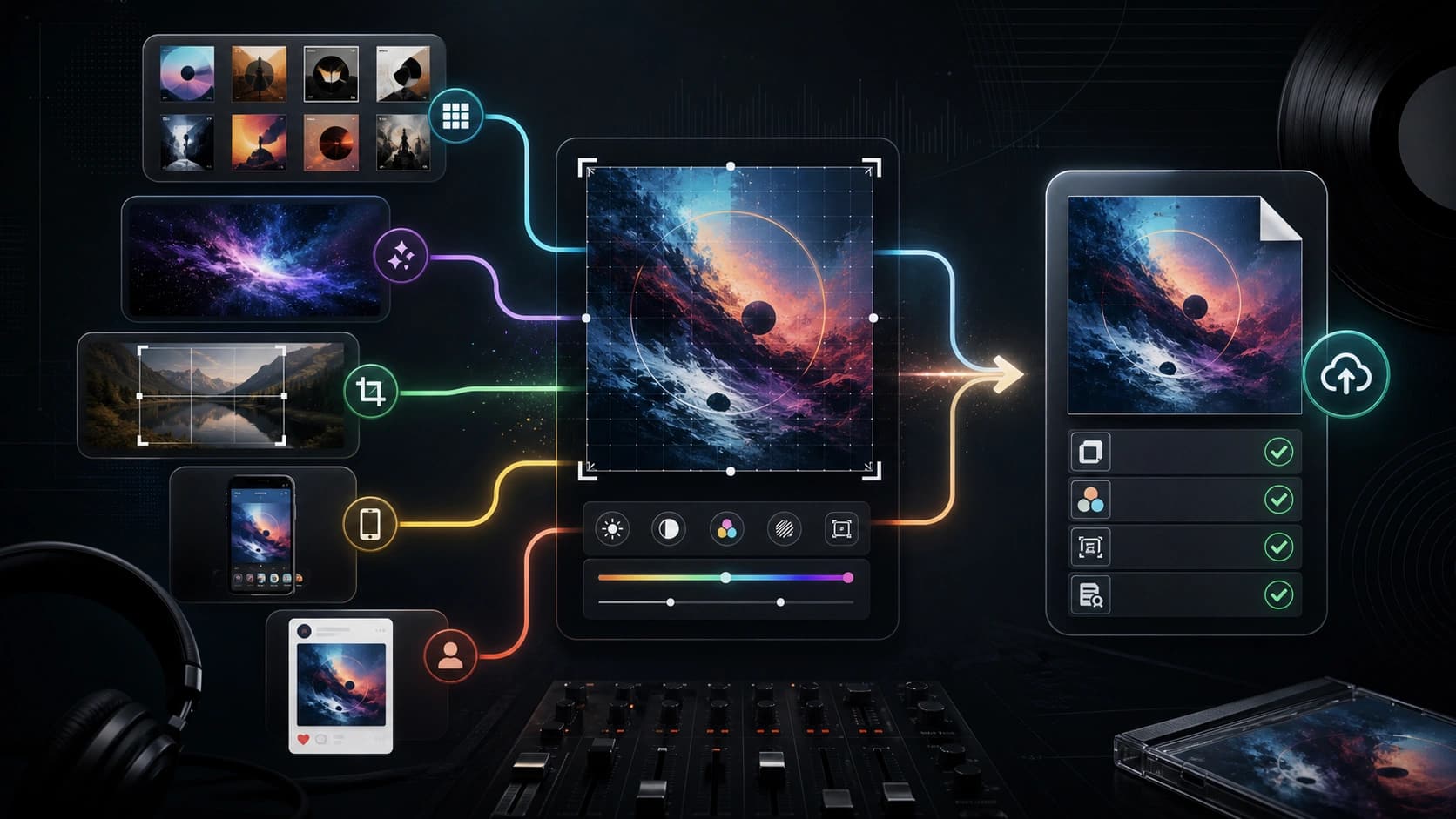
This is the same discipline used in other visual output pages, such as an album cover maker workflow: the creative preview is not the final contract. The usable artifact is the file plus the rights and proof around it.
Prompt and Builder Checklist
Whether you use AI or a builder, start from a brief. A vague prompt like "make my family crest" gives the tool too much room to invent. A stronger brief names the job, symbols, colors, style, motto, and output requirements.
Use this structure:
| Brief field | Good input |
|---|---|
| Use case | "fictional guild emblem for a fantasy campaign" or "new personal emblem for a wedding sign" |
| Shield | shape, field division, simple layout preference |
| Tinctures | two or three colors with enough contrast |
| Charges | one to three main symbols, not a crowded collage |
| Crest or top element | optional, separate from the shield |
| Motto | exact text, language, capitalization, or "no text" |
| Style | traditional, clean modern, medieval manuscript, flat vector, engraved, storybook |
| Avoid | real national arms, state seals, school crests, trademarked logos, existing family arms |
| Output | PNG, SVG, high-resolution file, transparent background, editable parts |
Example prompt for an AI concept route:
Create a heraldic-style emblem for a fictional river guild. Deep blue shield, silver bridge, three gold stars, oak leaves, clean medieval manuscript style, no real national symbols, no readable motto text.
Example builder brief:
Shield: blue field. Main charge: silver bridge. Secondary charges: three gold stars above. Support motif: oak leaves around the shield. Motto: "Cross With Care" below the shield. Export: transparent PNG plus editable source if available.
The best prompt is not the longest prompt. It is the one that makes the tool's job clear while leaving enough room for a coherent composition.
When to Use a Designer, Heraldist, Genealogist, or Authority Route
Use a professional route when the stakes exceed a fun image. That includes a crest for a company identity, paid merchandise, a public organization, a wedding brand that will be printed widely, a family-history publication, or a formal claim that ancestors bore particular arms.
A designer helps with composition, file systems, typography, print readiness, and brand fit. A heraldist helps with heraldic structure, blazon, tradition, and uniqueness. A genealogist helps with family evidence. A registry or official authority route depends on jurisdiction and purpose. Those jobs overlap, but they are not the same person or tool.
Use this threshold:
| Situation | Better route |
|---|---|
| One-off fantasy image or personal fun | AI or builder route |
| Club, school, event, or social avatar | Builder plus rights/export check |
| Public brand, merch, or paid client work | Designer plus rights review |
| Formal-looking new personal arms | Heraldist or rule-aware design route |
| Claim about inherited family arms | Genealogy and authority evidence |
| Official grant or registration question | Relevant heraldic authority or register |
If you are unsure, keep the wording modest. "A custom crest-like emblem" is safer than "our official family coat of arms" when the evidence is only a generator output.
FAQ
What is the best free coat-of-arms generator?
The best free route depends on the job. Use an AI generator for quick visual concepts, a drag-and-drop builder when you need specific symbols and colors, a blazon editor when rules matter, and a fantasy tool for games or worldbuilding. Check export size, watermark, editability, and commercial-use terms before treating any free output as usable.
Is a family crest maker the same as a coat-of-arms generator?
In everyday tool language, the phrases often overlap. In heraldry, they are not identical. A crest is only one part of a fuller heraldic achievement, while a coat of arms usually refers to the shield or arms more broadly. More importantly, a generated family crest is not proof that the family inherited those arms.
Can I create my own coat of arms in the United States?
The American Heraldry Society describes a US environment where individuals may assume original arms, but it also separates that from inherited proof and official grant systems in other jurisdictions. If the design is personal and new, a generator can help with concepts. If the claim is historical, formal, or public, use evidence and specialist guidance.
Are AI coat-of-arms generators accurate heraldry?
Not by default. AI can create compelling heraldic-style art, but it can misspell motto text, ignore heraldry rules, invent inconsistent symbols, and confuse visual authenticity with real legitimacy. Treat AI output as concept art unless a rule-aware review or heraldic process confirms it.
Can I use a generated coat of arms commercially?
Only if the specific tool, plan, and source material allow it. Commercial-use rights, watermark removal, high-resolution export, privacy, and source-file access vary by tool. Do not use one provider's paid-plan language as a universal rule for every generator.
What should I use for DnD, CK3, or a fantasy guild crest?
Use the fantasy or game route. You can prioritize mood, lore, readability, faction identity, and repeatable use across handouts or maps. Keep the ancestry claim out of it unless the emblem is intentionally tied to a fictional lineage inside the world.
When should I avoid a generator completely?
Avoid a generator as the final authority when the crest will support a legal, historical, commercial, or public identity claim. Use it for exploration, then involve a designer, heraldist, genealogist, registry, or official authority when the outcome needs proof, rights, or formal standing.