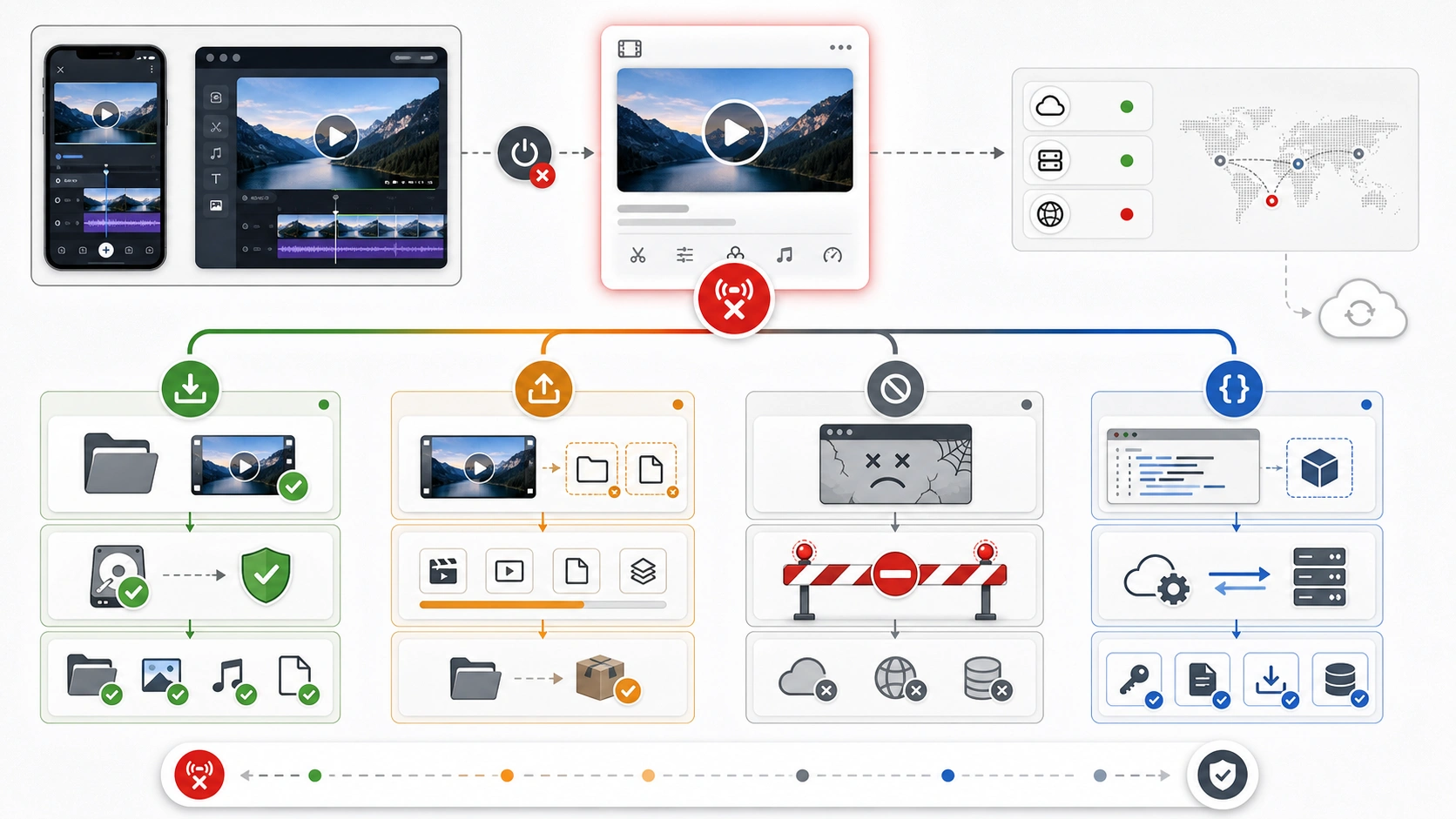
If Sora 2 says a video failed to post, start with the surface and saved-file state before touching retry. As of May 7, 2026, OpenAI's Sora web and app experiences have been discontinued; OpenAI says those experiences ended on April 26, 2026, while the Sora API is scheduled to end on September 24, 2026. A local video file, an unsaved draft, an app-side policy block, and a Videos API job now have different next steps.
| What you still have | What it means now | First move | Stop rule |
|---|---|---|---|
| Finished video saved on your device | Sora posting is no longer the owner | Upload the file on the destination platform and edit the caption there | Stop retrying Sora if the file itself plays locally |
| Draft only inside the old Sora surface | Recovery depends on export or support availability | Try the official export path, then preserve evidence for support | Do not assume another post attempt can revive an unsaved draft |
| Error appeared before the shutdown and the account still exposes export controls | A same-surface check may be useful once | Refresh once, export if available, and record the result | Do not loop retries after the export window fails |
| Caption, character, or policy-related failure | The post may be blocked by content or media rules | Remove risky caption terms, simplify the asset, and retry only if the surface exists | Never try to bypass a safety refusal |
API job using sora-2 or sora-2-pro | This is a developer lifecycle issue, not an app post | Check the Videos API job, current docs, and migration timing | Do not debug API failures through old app advice |
The practical rule is simple: recover the file if it exists, export the draft if OpenAI still offers the control, and separate policy or API failures from the discontinued posting surface.
Decide Whether the Failed Post Is Recoverable

The first question is not "which cache should I clear?" It is "where does the video exist?" A saved MP4, MOV, or exported file is recoverable because the file is already outside Sora. Test playback locally, keep the original filename and creation time, then upload it wherever the audience should see it. If the destination platform rejects the upload, the owner has moved to that destination platform's format, copyright, caption, or account rules.
An unsaved Sora draft is different. OpenAI's discontinuation notice says Sora web and app ended on April 26, 2026 and points users to the export path at sora.chatgpt.com/sunset while export remains available. If the video never left the Sora draft system, a post button is not a durable copy. Preserve the screenshot, account email, approximate generation time, prompt title, and any draft identifier visible in the interface before contacting support.
API jobs are a third branch. A request to sora-2 or sora-2-pro through the Videos API is not fixed by changing app captions or waiting for a social post queue. Use the API job id, response body, model name, request timestamp, and current platform documentation.
Why Failed to Post Is Not Failed to Generate
Many old reports describe videos that had already generated but could not be published. That matters because a generated video and a posted video are two different states. Generation answers whether Sora produced media. Posting answers whether the app, caption, social feed, account state, and policy layer accepted that media for publication.
When the app surface existed, a failed post could sometimes be a queue bug, a caption issue, a character upload issue, a temporary service problem, or a policy block. After the web and app shutdown, the same visible phrase has an extra meaning: the surface that owned posting may no longer be available. A retry-first checklist can waste time because it treats the old button as if it were still the recovery owner.
Keep these branches separate:
| Branch | Useful evidence | Bad assumption |
|---|---|---|
| Saved media file | Local playback, file size, export timestamp | "Sora must post it for me" |
| Unsaved draft | Screenshot, title, prompt, draft time, export control | "The post button is a backup" |
| Policy or caption block | Exact message, caption text, asset type | "Adding random text will bypass review" |
| Status or account issue | OpenAI Status, login state, subscription/account state | "Green status restores an old draft" |
| API job | Job id, model, endpoint, response body | "Mobile app fixes apply to API output" |
If the Video File Is Saved Locally
Treat the saved file as the winning recovery path. Open it locally, confirm audio and duration, duplicate it before editing, and upload the duplicate to the destination platform. If the destination rejects it, change only one variable at a time: format, duration, caption, cover frame, or account. Do not keep returning to Sora unless you need metadata that only Sora still exposes.
If the original Sora caption caused trouble, write a neutral caption outside Sora. Remove slang, profanity, third-party names, impersonation language, or claims that could trigger review. A simple descriptive caption is better than repeated small edits to a risky phrase.
For teams, store the recovered file with a short incident note: source account, creation date, prompt title, original caption, local filename, upload target, and the final working caption. That note prevents the same asset from being re-tested through a discontinued path.
If the Draft Is Stuck Inside Sora
Start with the official export path. OpenAI's help article says users can export created Sora content from sora.chatgpt.com/sunset and receive an email when it is ready. If the export path is visible, use it before doing anything else. If the export path is not visible or fails, do not overwrite the evidence with repeated retries.
Before escalating, collect a support packet:

Include the account email, local timezone, approximate generation time, draft title, prompt summary, exact error text, screenshot, browser or app surface, export attempt result, and whether the video ever played. Do not include private API keys, payment details, or unrelated account screenshots.
If the draft was never saved and no export control is available, be direct with yourself and the team: the likely outcome is support review, not a self-service post fix. The highest-value action is preserving evidence quickly, not trying every old phone-app workaround.
Caption, Policy, Character Upload, and 500 Branches
When a failed post happened while the app surface still worked, community reports often pointed to captions, character uploads, and temporary 500-style errors. Those reports are useful as symptom evidence, not as a current guarantee. Use them only when the same surface is still available to your account.
For captions, remove risky wording and test a plain caption once. For character or people uploads, confirm consent, file format, duration, and whether the account is allowed to use that feature. For a 500 or generic temporary error, check OpenAI Status, wait, and retry once with the same asset. If the message becomes a policy refusal, stop trying to transform it into a technical bug.
Some old social posts mention adding a short non-music audio track for certain character-upload failures. Treat that as an anecdotal legacy test, not a rule. It should never be used to bypass policy, and it does not solve an unavailable app surface.
App/Web Shutdown Versus Videos API

The discontinued app and the API lifecycle need different diagnostics. OpenAI's discontinuation notice separates the Sora web/app shutdown from the Sora API shutdown date. If your failure came from a ChatGPT/Sora app draft, the relevant actions are saved-file recovery, export, support, and account evidence. If your failure came from code, the relevant actions are API job inspection, model availability, endpoint behavior, and migration timing.
For API work, keep the original request id or job id, model name, endpoint, request body size, account or organization, and timestamp. If the API returns an error, preserve the JSON response instead of translating it into "failed to post." If the app says a draft failed, do not waste developer time debugging an API endpoint that never handled that draft.
Related Sora API issues have their own owners: Sora 2 API access, Sora 2 API size errors, broad Sora 2 error codes, and invalid prompt or content-policy fixes. Use those only after the saved-file, draft, policy, status, or API branch is clear.
What to Check Before Contacting Support
Support is easier when the packet separates recoverability from blame. Use this sequence:
| Check | Why it matters | Evidence to keep |
|---|---|---|
| Local saved file | Proves whether the media already escaped the discontinued surface | File path, size, duration, playback result |
| Official export path | Best chance for drafts that still exist in Sora data | Export URL state, email result, timestamp |
| Exact error text | Separates post, upload, policy, and API language | Screenshot, copied text, surface |
| OpenAI Status | Identifies broad service problems without assuming draft recovery | Status page state and time checked |
| Caption and asset changes | Prevents content review from being misread as a queue bug | Original and neutral caption |
| API job data | Keeps developer failures out of app troubleshooting | Job id, model, endpoint, response body |
If multiple team members are involved, name one owner for the evidence packet and one owner for the recovered media upload. Parallel random retries make the record worse.
FAQ
Can I still fix a Sora 2 failed post after the app shutdown?
You can fix it only when the video is saved locally, export remains available, or the error belongs to a current API or policy branch. An unsaved draft with no export control may require support and may not be self-recoverable.
Does OpenAI Status tell me whether my draft can be recovered?
No. Status helps identify broad service health. It does not prove that an old app draft still exists, can be exported, or can be posted.
Should I keep pressing post?
No. Try one controlled same-surface check only if that surface is still available. After that, move to file recovery, export, support evidence, or API diagnostics.
Does adding audio fix failed to post?
Not as a general rule. Some old reports mentioned audio for character-upload failures, but that is not a current guarantee and should not be used to bypass content policy.
Is a Sora API error the same thing as an app failed-post error?
No. API errors belong to the Videos API job, model, endpoint, and account lifecycle. App failed-post messages belong to saved files, drafts, captions, account state, export, and support.