ImagineArt is a browser and app creative suite for generating images, videos, voice assets, and edits from one product surface. It is useful when you want quick multi-model exploration, prompt tests, or social/design drafts; it is not the same thing as an official model API or an unlimited free production contract.
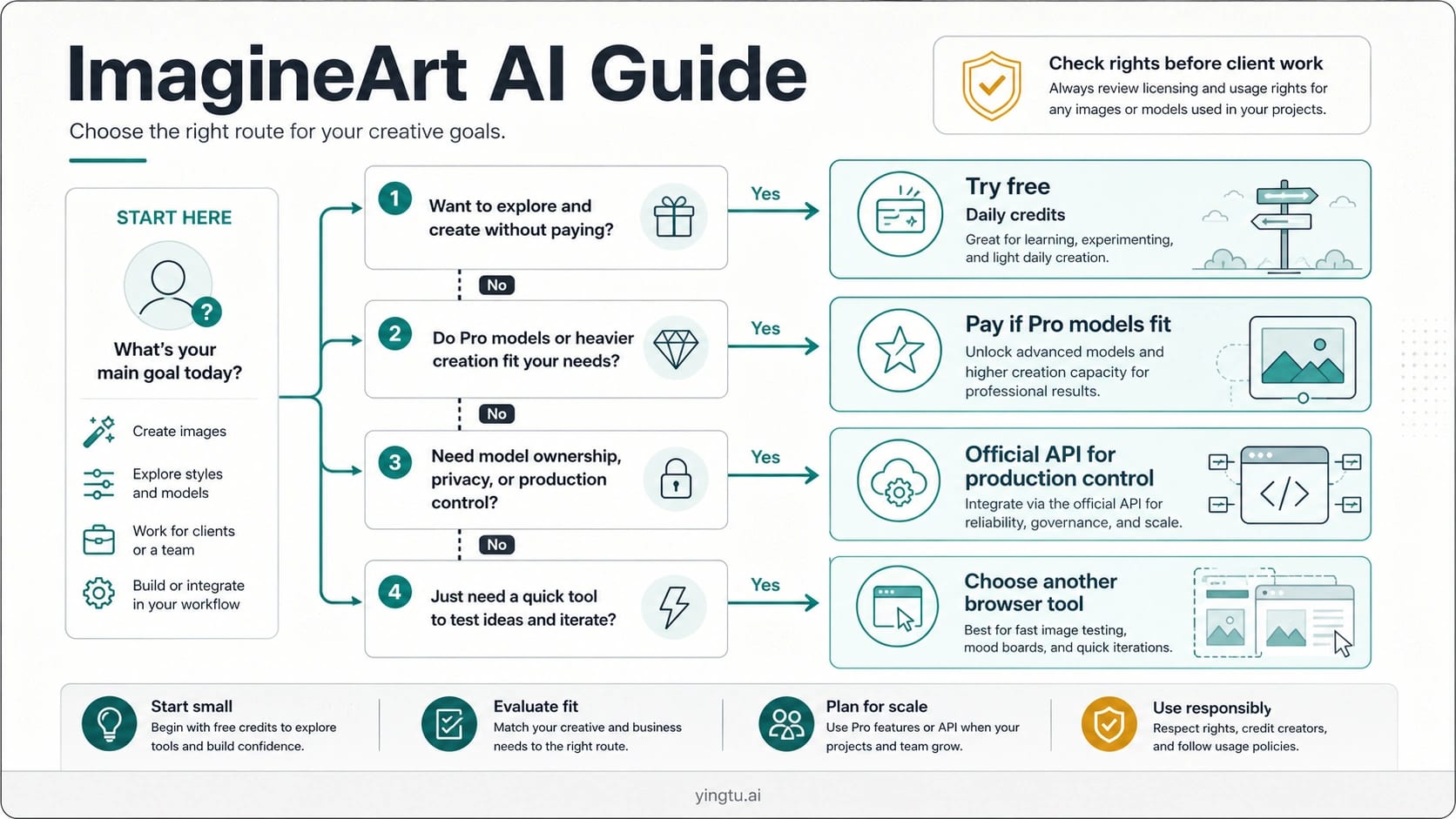
The practical decision is simple: try ImagineArt free when daily credits are enough to test the workflow, consider a paid plan only when Pro-model access or heavier creation volume fits your job, and choose an official API or another tool when production control, private uploads, or client licensing matter more than convenience.
| If your job is... | Best first route |
|---|---|
| Test prompts or make quick creative drafts | Try ImagineArt with the free daily-credit route. |
| Use Pro models or repeat heavier image/video work | Compare the current paid plan and credit lifecycle first. |
| Build an accountable production workflow around a specific model | Use the model owner's official API route instead of treating bundled suite access as ownership. |
| Upload client, private, or rights-sensitive material | Check the plan terms, input rights, and commercial-use boundary before generating. |
Quick Verdict
ImagineArt is best understood as a creative-suite route. The value is not that it owns every model under the hood; the value is that a creator can move between image generation, video generation, editing, voice, style exploration, and app/browser workflows without assembling a separate stack for every experiment.
That makes it strong for ideation, social content, concept boards, ad mockups, video experiments, and multi-model comparison when speed matters more than infrastructure ownership. It is weaker when the job requires a specific model's official API behavior, private enterprise controls, auditability, predictable data handling, or a legal/commercial-use review that must survive client scrutiny.
Use this rule:
| Decision | Choose it when | Pause when |
|---|---|---|
| Try ImagineArt free | You need to test prompts, styles, image ideas, or short video concepts. | The daily credit limit blocks a realistic test. |
| Subscribe | You need Pro models, heavier generation volume, or private-generation features described by the plan you choose. | The current checkout, credit expiry, or rights terms do not match the work. |
| Use a model-owner API | You need official API identity, logs, cost control, automation, or production accountability. | The task is only a manual creative draft. |
| Use another browser tool | You only need a quick image test or a simpler surface. | You need ImagineArt's specific model mix or video/editor suite. |
If you are mainly comparing official API economics for OpenAI image models, the dedicated GPT Image 2 API cost guide is the better place to start. If the work is just browser image creation or quick visual testing, yingtu.ai is a separate browser route to consider, not a pricing or rights claim about ImagineArt.
Free Credits And Paid Plans
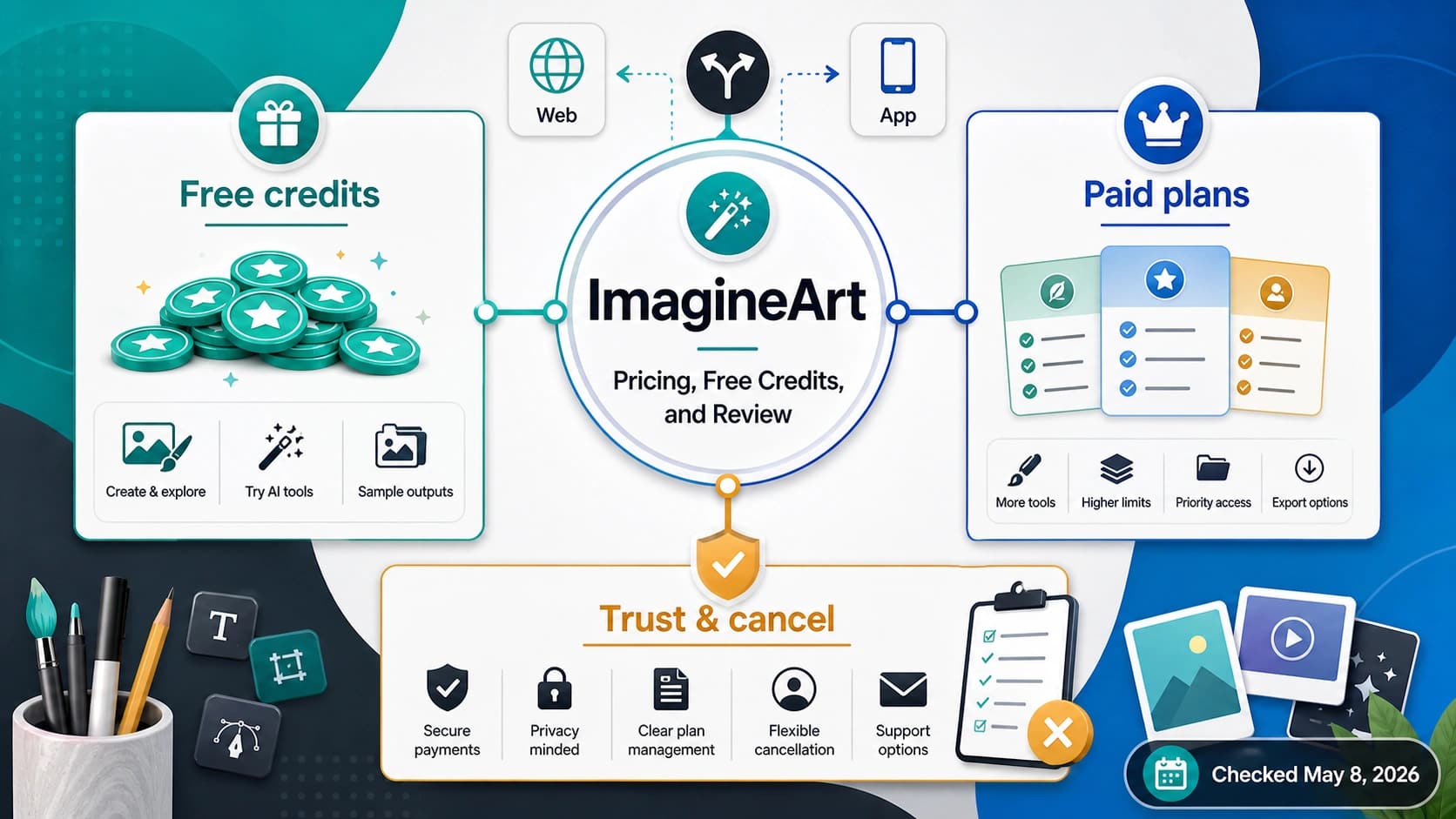
On May 8, 2026, ImagineArt's official Getting Started docs said new accounts receive 100 free credits per day and that free credits reset every 24 hours. The same docs said Pro models require an active subscription, so the free route is useful for testing but should not be treated as unlimited production use.
The most important pricing idea is that credits are not one uniform bucket. Free daily credits, subscription credits, top-up credits, Pro-model access, private-generation features, and plan renewal rules can behave differently. A person who only asks "is ImagineArt free?" misses the actual buying question: which credit source pays for the model and workflow they need?
ImagineArt's Help Center subscription page listed these plan rows on May 8, 2026: Free, Basic, Standard, Ultimate, Creator, and Enterprise. It also listed monthly credits for paid plans, top-up options, credit expiry, and rollover behavior. Treat those rows as volatile. The live checkout screen, your account region, active promotions, and the terms in force when you subscribe are the final decision surface.
| Credit or plan element | What it means for the reader | Drafting rule |
|---|---|---|
| Free daily credits | Good for prompt tests and small experiments. | Do not call this unlimited or production-ready by default. |
| Subscription credits | A monthly paid allowance tied to the plan. | Check renewal and expiry before assuming unused credits carry value. |
| Top-up credits | Extra paid credits for heavier use. | Check whether they depend on an active subscription and current terms. |
| Pro model access | Paid route for higher-end models and features. | Confirm the model you need is included before subscribing. |
| Private generation | Plan-specific privacy or visibility feature. | Do not upload sensitive work until the exact plan supports the needed boundary. |
The safest first purchase path is intentionally small: test the free route, list the models and tools you actually need, compare the current plan page against that list, and subscribe only if the credit lifecycle and rights terms fit the job. A low price does not help if the model you need is locked, the credit type expires before the work happens, or the output license is not appropriate for the client.
What The Suite Includes
ImagineArt's current docs frame the product as more than a text-to-image generator. The Getting Started flow points users to image generation and video generation studios, while the model docs list many image and video models available from the suite. On May 8, 2026, the image-model docs described access to 25 image models, and the video-model docs described access to 32 video models.
Those counts and names are useful orientation, not a permanent promise. Model rosters move quickly. A good article should not ask the reader to memorize every model name; it should help them understand why a suite route feels different from choosing one official model API.
Use the suite when the work benefits from quick switching:
| Work type | Why ImagineArt can fit |
|---|---|
| Prompt and style exploration | You can try several visual directions before committing to a production route. |
| Social and design drafts | The browser surface can be faster than building a custom generation stack. |
| Video experiments | The video studio can help test motion ideas without starting from an API integration. |
| Multi-model comparison | A single UI can reveal which model family fits the look or workflow. |
| Editing and remixing | The value is the creative workflow, not only the first generated image. |
The same breadth can create confusion. When a suite exposes model names that also exist elsewhere, bundled access does not automatically mean official API ownership, model-owner pricing, or model-owner support. A suite can be the right creative workspace while still being the wrong production contract.
For example, if you are testing an image style manually, ImagineArt may be the fastest surface. If you are building a backend feature around a specific OpenAI image model, the route should be the official API or a clearly labeled provider contract. If your real question is whether GPT Image 2 is free or how to budget it, use the GPT Image 2 free/unlimited boundary guide and the cost calculator instead of treating ImagineArt's suite access as the same thing.
Best-Fit Workflows
ImagineArt fits workflows where creative iteration is more important than infrastructure control. The strongest use cases are early-stage visual ideation, quick campaign boards, short-form content drafts, image-to-video experiments, character or style exploration, and creator workflows that benefit from a browser-first tool.
It also fits teams that are still deciding which model family they like. Running a few prompts through a suite can reveal whether the desired output leans toward illustration, product mockup, photoreal edits, anime, vector-style graphics, cinematic video, or social ad creative. That learning can happen before a team decides whether to subscribe, build on an official API, or move to another specialist tool.
Do not confuse a good creative fit with a good production fit. Production work needs repeatability, logging, predictable cost, data-handling review, exact model ownership, error handling, and a support path. A browser suite may still be part of that workflow, but it should not silently become the whole production contract.
| Scenario | Use ImagineArt first? | Why |
|---|---|---|
| Solo creator testing image directions | Yes | The free route can validate whether the style and workflow feel right. |
| Designer making social ad drafts | Often | Browser iteration is faster than writing an API integration. |
| Developer building a server-side image feature | Usually no | Official API behavior, billing, logs, and automation matter more. |
| Agency using client assets | Only after review | Rights, privacy, and plan terms need explicit approval. |
| Team comparing multiple AI image tools | Yes, as one route | It is useful in a comparison set, not automatically the final stack. |
The best workflow is often two-step. First, use a browser suite to learn what the visual job needs. Second, choose the production route based on ownership, cost, privacy, support, and automation. That keeps creative discovery fast without letting convenience decide infrastructure.
Stop Rules Before Client Or Sensitive Work
Commercial use is where casual AI-image experimentation can become risky. ImagineArt's help terms say users are responsible for inputs and outputs, and they describe different treatment for free/trial use, paid subscriptions, and commercial licenses. They also place responsibility on the user to have rights to the content they upload and generate.
Use a stop rule before client work:
| Check | Why it matters |
|---|---|
| Plan and license | Free, trial, paid, and licensed output rights may not be identical. |
| Input rights | Uploading reference images, brand assets, people, or client material requires permission. |
| Private generation | Public sharing, remixing, or gallery behavior can expose work that should stay private. |
| Model route | A suite route may not give the same audit trail or API control as the model owner. |
| Client requirements | Some client contracts require clear ownership, data handling, or tool approval. |
If the answer to any row is unclear, do not solve it by generating more images. Clarify the plan terms, use non-sensitive test assets, or move the job to a route with stronger ownership and documentation.
The same caution applies to model names. If you need the exact behavior, pricing, and support promises of a specific model owner, use that owner's official route or a provider contract that clearly explains the mapping. A suite result can be useful inspiration, but it is not a substitute for a production governance decision.
Alternatives To Compare
ImagineArt is one credible creative-suite route, but it is not the only route. The right comparison depends on the reader's job.
| Reader job | Better comparison set |
|---|---|
| Manual image and video creation | ImagineArt, OpenArt, Canva, Midjourney, Gemini/ChatGPT app surfaces, and other creator tools. |
| Official API development | OpenAI, Google, model-owner APIs, or provider routes with documented mapping. |
| Budgeting OpenAI image models | Official pricing and cost examples, not browser-suite plan pages. |
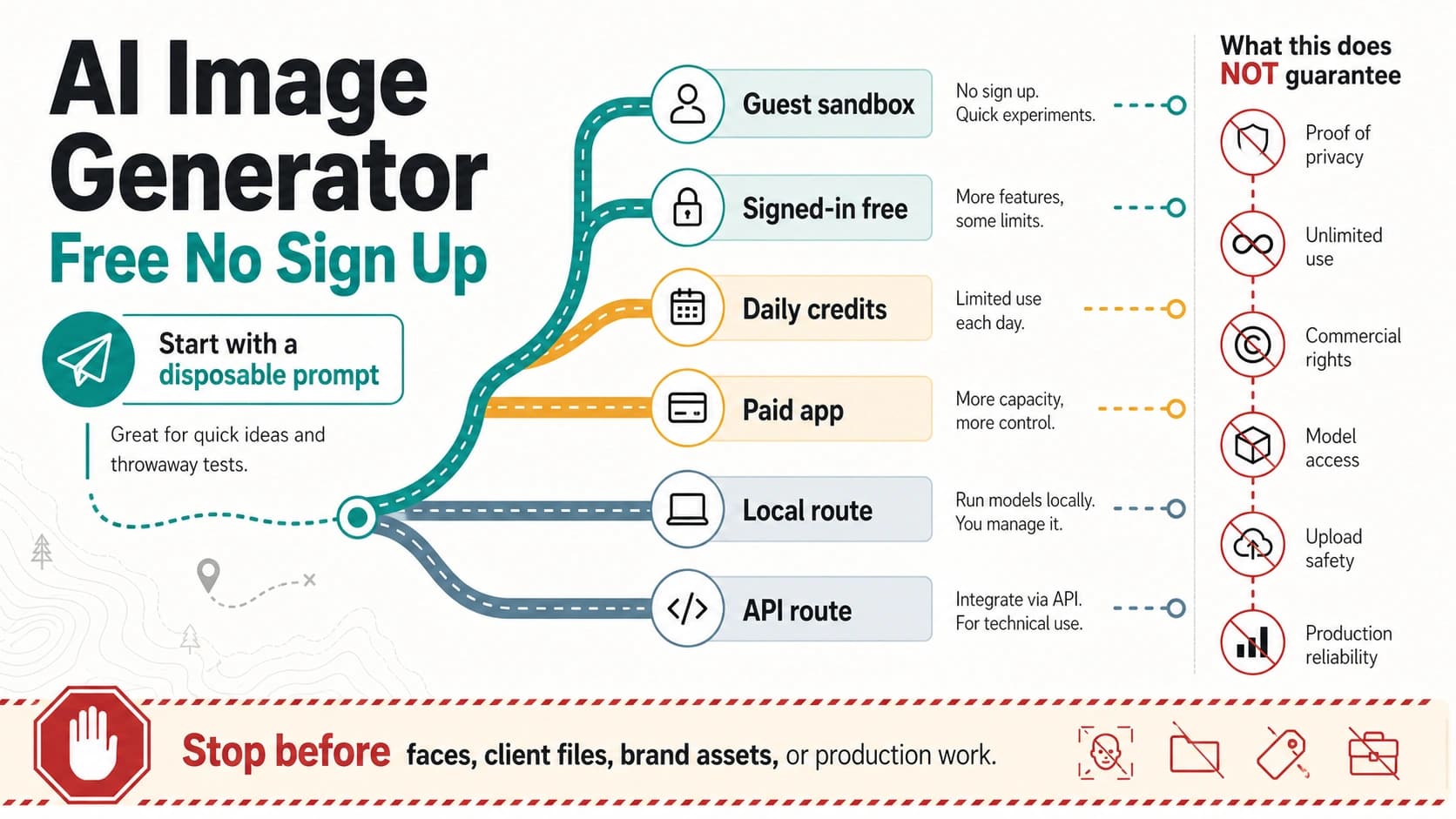
| Free or free-to-start image generation | The actual free-credit, quota, or app-plan boundary for each route. |
| Character or brand consistency | Specialist tools that preserve style, reference identity, and repeatability. |
If the decision is "which browser tool should I try tonight?", ImagineArt belongs in the comparison. If the decision is "which API should my product use?", the comparison should move to official model APIs or well-documented providers. If the decision is "what free route can I use without overpromising?", compare free-credit mechanics rather than marketing labels.
For broader free-to-start alternatives after another tool becomes too restrictive, the Grok alternative image-generation guide is a better neighboring page. Keep that alternative search separate from the ImagineArt subscription decision so each page answers one job well.
Practical First Setup Path
Start with a non-sensitive test. Create a simple prompt, generate a few images with free daily credits, and note which model, style, and editing tools you actually used. If the result is promising, repeat the test with the kind of content you will create most often, but still avoid private or client material until the plan and rights boundary are clear.
Then check three things before paying:
- Does the plan include the model or feature that made the test useful?
- Do the monthly credits, top-up rules, and expiry behavior match your expected volume?
- Do the commercial-use, privacy, and input-rights terms fit your work?
If all three answers are yes, a subscription can make sense for creative production inside the suite. If the model access is unclear, the credit lifecycle is too tight, or the client-rights review is unresolved, keep the tool in the testing lane and choose another route for production.
FAQ
Is ImagineArt free?
ImagineArt has a free route. On May 8, 2026, its official docs said new accounts receive 100 free credits per day and that free credits reset every 24 hours. That does not make the product unlimited or automatically suitable for production work.
How much does ImagineArt cost?
ImagineArt's Help Center listed multiple paid plans and monthly credit amounts on May 8, 2026, but plan rows are volatile. Check the live ImagineArt subscription page and checkout flow before paying, especially if the decision depends on Pro models, top-ups, credit expiry, or private-generation features.
What are ImagineArt credits?
Credits are the usage unit behind generation and feature access. Free daily credits, subscription credits, and top-up credits can have different reset, expiry, and access rules. The important question is not only how many credits you receive, but which model and workflow those credits can actually run.
Does ImagineArt include Pro models?
ImagineArt's Getting Started docs said Pro models require an active subscription. Confirm the current model list and your chosen plan before subscribing, because model names and access rules can change.
Can I use ImagineArt outputs commercially?
Do not assume one universal commercial-use answer. ImagineArt's terms place responsibility for inputs and outputs on the user and distinguish free/trial use, paid subscriptions, and commercial licensing. Check the current terms, your plan, input permissions, and client requirements before using outputs commercially.
Is ImagineArt an official API for models like GPT Image 2, Veo, or Sora?
No. ImagineArt is a suite interface. It may expose or route access to many model families, but that is different from using a model owner's official API contract. Use the official API route when you need direct model identity, billing, logs, automation, and production accountability.
Which official ImagineArt pages should I check?
Start with ImagineArt's Getting Started docs, subscription-plan page, image-model docs, video-model docs, and terms. Use those for current credits, pricing, model access, and rights boundaries.