Nano Banana Pro troubleshooting starts with route ownership. If you are using Google direct, diagnose against Google's Gemini API error codes, model page, pricing, rate limits, safety settings, and region rules. If you are using a gateway, keep Google as the official model baseline but diagnose the gateway's route string, throttle, logs, orders, balance movement, and support evidence separately.
Use this page as a triage hub. It does not promise a universal fix, because the same symptom can come from quota, bad request shape, safety filtering, billing, region availability, upstream capacity, client timeout, or a gateway queue.
| Symptom | Likely owner | First move |
|---|---|---|
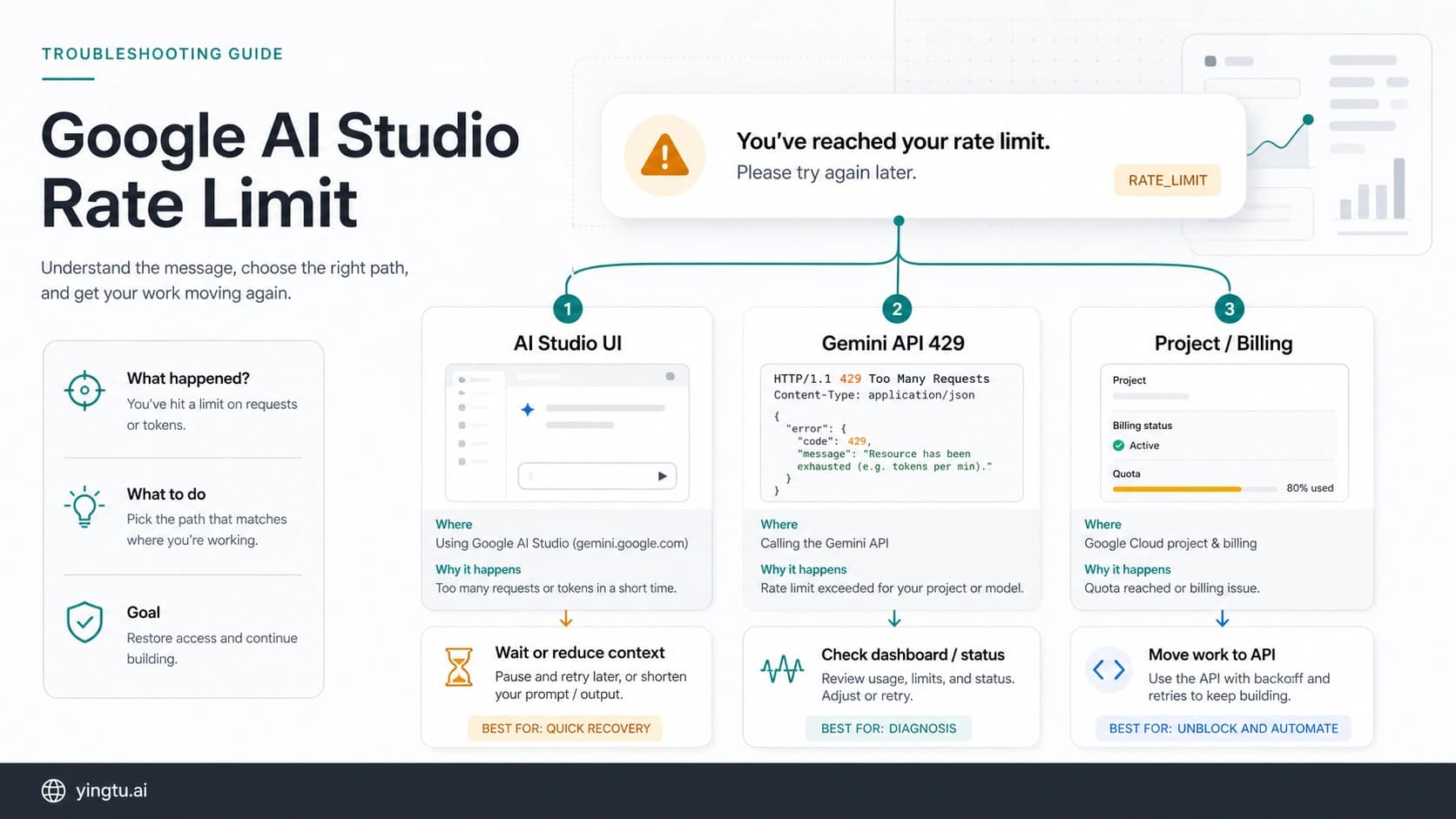
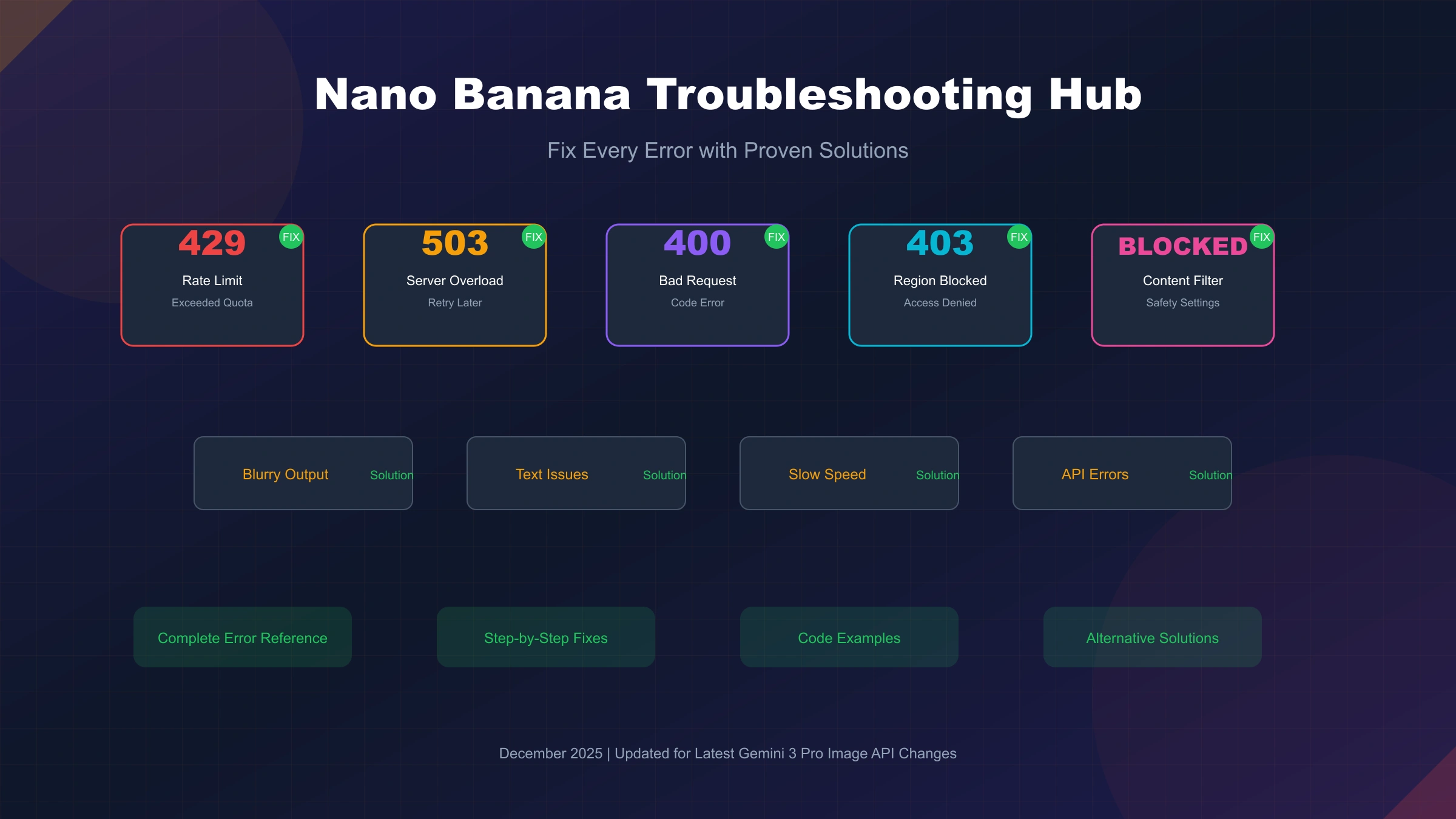
429 or RESOURCE_EXHAUSTED | Google project limit, spend limit, model limit, or gateway throttle | Check the exact limit type, reduce request rate, and retry with bounded backoff |
400 or INVALID_ARGUMENT | Request body, API version, model route, or unsupported parameter | Compare your request with the current API docs and remove legacy parameters |
403 or PERMISSION_DENIED | API key, billing, permission, or account access | Confirm the key, billing state, project, and account permissions |
| 500, 503, or 504 | Google-side incident, capacity, timeout, or too-large request | Check status, shrink input, increase timeout where appropriate, then retry later |
| Content blocked | Prompt or response safety classification | Inspect safety feedback and rewrite the prompt with clearer allowed context |
| No image returned | Response shape, safety stop, unsupported parameter, or gateway billing edge | Save response body, request ID, route, order ID, and charge record |
| Region or app availability error | Google AI Studio or Gemini API availability boundary | Check supported regions, account requirements, billing, and enterprise alternatives |
For a deeper route decision, use the Nano Banana Pro API route guide. For quota-specific planning, use the Gemini 3 Pro Image API quota guide.
Before You Debug: Identify The Route
Do this before changing code:
| Question | Why it matters |
|---|---|
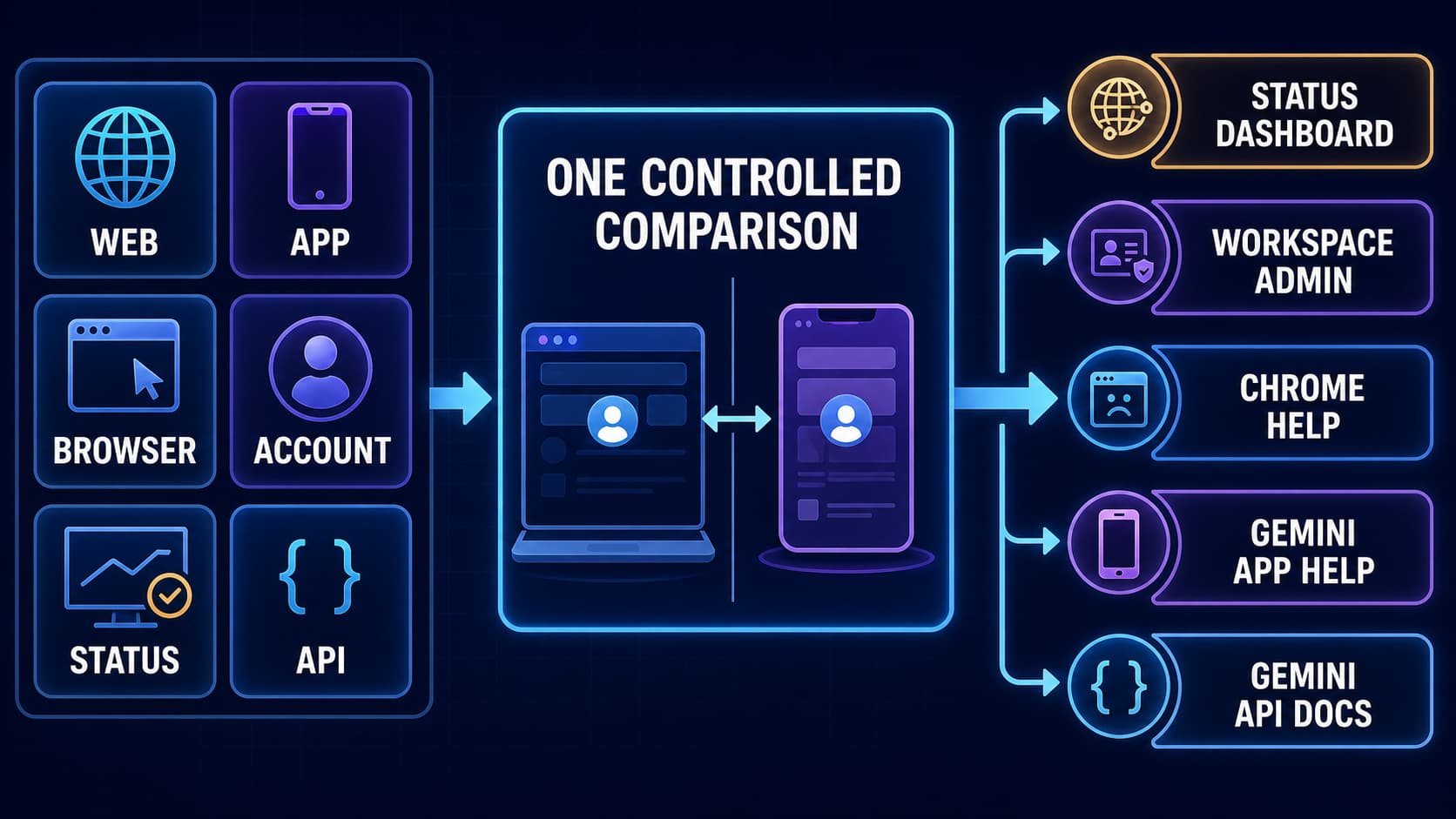
| Are you calling Google direct, Gemini Enterprise, AI Studio, the Gemini app, or a gateway? | Each route has different owners for logs, quota, billing, and support |
| What model or route string did the request use? | Google direct should be checked against gemini-3-pro-image; gateway route names may differ |
| Did the response contain an image, text only, safety feedback, or an error body? | A successful HTTP status can still fail the image task |
| Was the request charged? | Billing evidence changes whether retry is safe |
| Did the problem appear at low load or only after traffic increased? | Separates request-shape errors from quota and capacity problems |
In Google's current model documentation, the official Gemini 3 Pro Image model code is gemini-3-pro-image. If your code still uses a preview-style route, confirm whether it is a gateway alias, a stale route, or an unsupported official call before debugging anything else.
Error Code Map
Google's Gemini API troubleshooting guide maps common backend errors to concrete causes. Use the error body first; do not guess from the HTTP code alone.
| Code | Status | What it usually means | Immediate action |
|---|---|---|---|
| 400 | INVALID_ARGUMENT | Malformed request, typo, missing field, unsupported version, or parameter mismatch | Validate model, endpoint version, parameter names, and request body |
| 400 | FAILED_PRECONDITION | Free-tier route is not available from the request context and billing may be required | Check country, billing state, and AI Studio account requirements |
| 403 | PERMISSION_DENIED | Wrong key, missing permission, tuned-model auth issue, or access boundary | Check key, project, auth route, and account permissions |
| 404 | NOT_FOUND | Referenced file, model, or resource was not found | Confirm file IDs, model ID, and API version |
| 429 | RESOURCE_EXHAUSTED | RPM, TPM, RPD, spend, project tier, or route throttle exceeded | Reduce rate or request size, wait, and request higher limits when justified |
| 499 | CANCELLED | Client closed the request before completion | Check client timeout, proxy, serverless timeout, and network path |
| 500 | INTERNAL | Google-side error or input context too large | Check status, shrink input, retry later, and report if persistent |
| 503 | UNAVAILABLE | Service is temporarily overloaded or out of capacity | Check status, retry later, or temporarily use another route |
| 504 | DEADLINE_EXCEEDED | Request could not finish before deadline | Increase timeout where safe and reduce prompt or reference payload |
The key is to preserve the exact error body. A 429 from Google direct and a 429 from a gateway can require different fixes.
Fix 429 Rate Limits
A 429 means the route has exhausted a limit. Google's rate-limit documentation says limits are applied per project, not per API key, and that limits depend on model and usage tier. That means creating more keys is not a real fix.
Use this order:
- Read the error detail and identify whether the limit is request, token, image, spend, project tier, or gateway throttle.
- Reduce concurrency and request size first; retry storms can make the problem worse.
- Add bounded exponential backoff with jitter.
- Queue non-urgent work instead of retrying in the request path.
- Use Batch or Flex when the job can wait.
- Request a rate-limit increase only after logs show the workload need.
- Test a gateway only when integration, payment, logs, support, or fallback value solves a real problem.
hljs tsexport function nextRetryDelayMs(attempt: number) {
const cappedAttempt = Math.min(attempt, 5);
const base = 1000 * 2 ** cappedAttempt;
const jitter = Math.floor(Math.random() * 250);
return Math.min(base + jitter, 30000);
}
export function shouldRetryGemini(status: number) {
return status === 429 || status === 500 || status === 503 || status === 504;
}
Do not present a gateway as a magic quota fix. A gateway can have a different throttle, but it can also add queueing, upstream dependency, or billing complexity. Test it with a small prompt set and compare accepted-output cost.
Fix 400 Invalid Request Errors
A 400 usually means your request shape is wrong for the route you are calling. Common causes include a stale model string, old parameter names, mismatched API version, unsupported image size, invalid file reference, or using a gateway request shape against Google direct.
Checklist:
| Check | What to do |
|---|---|
| Model ID | Use gemini-3-pro-image for Google direct checks |
| Endpoint version | Confirm whether the feature requires /v1 or /v1beta |
| Request body | Remove copied legacy fields and rebuild from current docs |
| Image parameters | Confirm supported output size, reference image count, and response type |
| Files | Confirm every referenced file exists and belongs to the project |
| Gateway route | Use the route string shown in the gateway's current docs or console |
When a request was copied from an older article, rebuild it from the official docs before editing around the error. Small compatibility differences can be more important than the visible error text.
Fix 403, Billing, And Region Errors
A 403 can be a key problem, an account problem, or a route availability problem. Google's troubleshooting docs also list a FAILED_PRECONDITION path where free-tier access is not available in the request context and billing is needed.
Check these in order:
- Confirm the API key belongs to the intended project.
- Confirm the key has not been exposed or blocked.
- Confirm billing state and project ownership.
- Check whether the request is coming from a supported region.
- Check whether the account meets Google AI Studio requirements.
- Use the official available regions page before assuming a local workaround will help.
Avoid publishing unsupported routing workarounds as a fix. For production, use a route whose access, billing, and data-handling terms you can defend.
Fix Content Blocked And Safety Stops
Google's safety settings documentation explains that adjustable filters cover harassment, hate speech, sexually explicit content, and dangerous content, while core harms such as child-safety risks remain always blocked. If the prompt or candidate is blocked, inspect promptFeedback, finishReason, and safetyRatings where available.
Safer fixes:
| Problem | Better move |
|---|---|
| Prompt is ambiguous | Add legitimate context, audience, and allowed use |
| Creative prompt triggers a category | Rewrite the risky phrase instead of lowering filters blindly |
| Response finishes with safety | Save safety ratings and simplify the request |
| Gateway hides safety details | Reproduce through Google direct or ask support for the upstream signal |
| User asks for disallowed content | Refuse or route to a safe alternative |
Lowering safety settings is a product decision, not just a debugging trick. Test the intended use case, keep policy boundaries, and document why the setting is appropriate.
Fix No-Image Responses
No-image responses are common enough that every image workflow should log them explicitly. A route may return text, a safety stop, a partial candidate, a transport success without usable image data, or a gateway order record that needs review.
Capture:
| Field | Why it matters |
|---|---|
| Route and model string | Shows whether the error belongs to Google direct or a gateway |
| Request ID and timestamp | Lets support find the call |
| Response body | Shows status, finish reason, safety feedback, or missing fields |
| Prompt summary and resolution | Helps reproduce without exposing sensitive content |
| Retry count | Prevents hidden duplicate charges |
| Billing or order ID | Connects output status to actual credit movement |
| Accepted-output flag | Distinguishes returned image from usable image |
Do not retry blindly after a no-image result. First learn whether the request was charged and whether the route can explain the failure.
Fix Slow Or Timed-Out Jobs
Slow image jobs can come from large reference payloads, high output resolution, upstream capacity, gateway queueing, serverless timeout, or client-side network limits. A 504 means the operation did not finish before the deadline; a 499 often means your client or infrastructure closed the connection first.
Use this order:
- Increase client timeout only if your product can tolerate the wait.
- Reduce reference image count, prompt size, or output resolution for the test.
- Move non-interactive work to a queue.
- Use Batch or Flex when latency is less important than cost.
- Record P50 and P95 latency by route before changing providers.
- Keep a fallback route for production incidents, but prove it with the same prompt set.
Gateway Fallbacks
A gateway is a troubleshooting option only when it solves a real route problem: OpenAI-compatible migration, local payment, logs, order review, support, POC speed, or fallback design. It should not be promoted as a universal fix for quota, access, or stability.
Before switching traffic, run the same 20 to 50 prompts through the candidate route. Keep resolution, timeout, retry count, and acceptance criteria fixed. Compare returned images, accepted images, status codes, latency bands, support clarity, and charges.
For gateway evaluation, keep the canonical owner as the Nano Banana Pro API route guide. It separates Google direct, official Batch/Flex, gateway validation, and fallback design without reviving old provider rankings.
Production Logging Template
Use a compact log shape before the first production launch:
hljs json{
"route": "google-direct-or-gateway-name",
"model_route": "gemini-3-pro-image",
"request_id": "provider-request-id",
"status": 429,
"error_status": "RESOURCE_EXHAUSTED",
"returned_image": false,
"accepted_image": false,
"retry_count": 1,
"latency_ms": 12000,
"charged": "unknown",
"order_id": "optional-provider-order-id"
}
The charged field should become true or false after reconciliation. Leaving it unknown is a sign the route is not ready for larger traffic.
FAQ
Why am I getting a 429 error?
The route exceeded a request, token, image, spend, project-tier, or gateway throttle limit. Check the exact error body, reduce request rate, add bounded backoff, and remember that Google applies limits per project rather than per API key.
Why does Nano Banana return text instead of an image?
Usually the response shape, route, safety feedback, unsupported parameter, or gateway behavior is different from what your code expects. Save the full response body and check whether image data is actually present before retrying.
What model ID should I use for Google direct?
Use gemini-3-pro-image when checking Google official docs, pricing, quota, and direct API behavior. Gateway route strings can differ and should come from the provider's current docs or console.
How should I handle content blocked errors?
Inspect the safety feedback, rewrite ambiguous prompts with clearer legitimate context, and avoid lowering filters casually. Built-in protections for core harms cannot be disabled.
Is a third-party API the best fix for rate limits?
Only sometimes. A gateway can be worth testing for integration, payment, logs, support, POC, or fallback needs, but it must be verified with current docs, request logs, order records, and accepted-output cost.
Should I keep retrying after 503?
Retry with backoff, but do not loop indefinitely. Check the Gemini API status page, reduce request size where relevant, queue non-urgent jobs, and consider a tested fallback route for production incidents.
Bottom Line
Fix Nano Banana Pro problems by identifying the route, preserving the exact response, and separating official Google facts from gateway evidence. For indexable troubleshooting content, the safest answer is a runbook: diagnose the owner, record the evidence, make the smallest corrective change, and scale only after logs explain both output and billing.