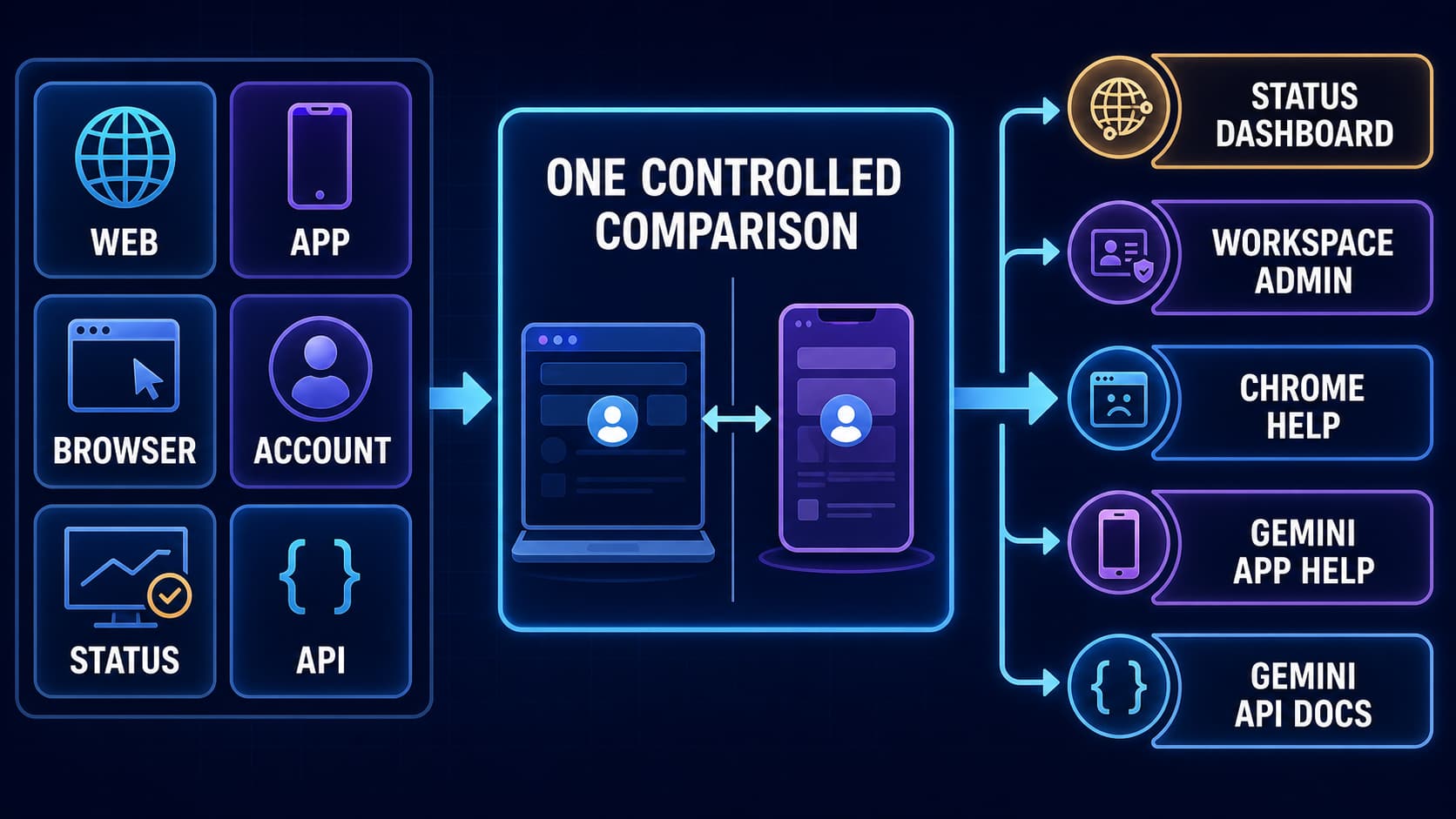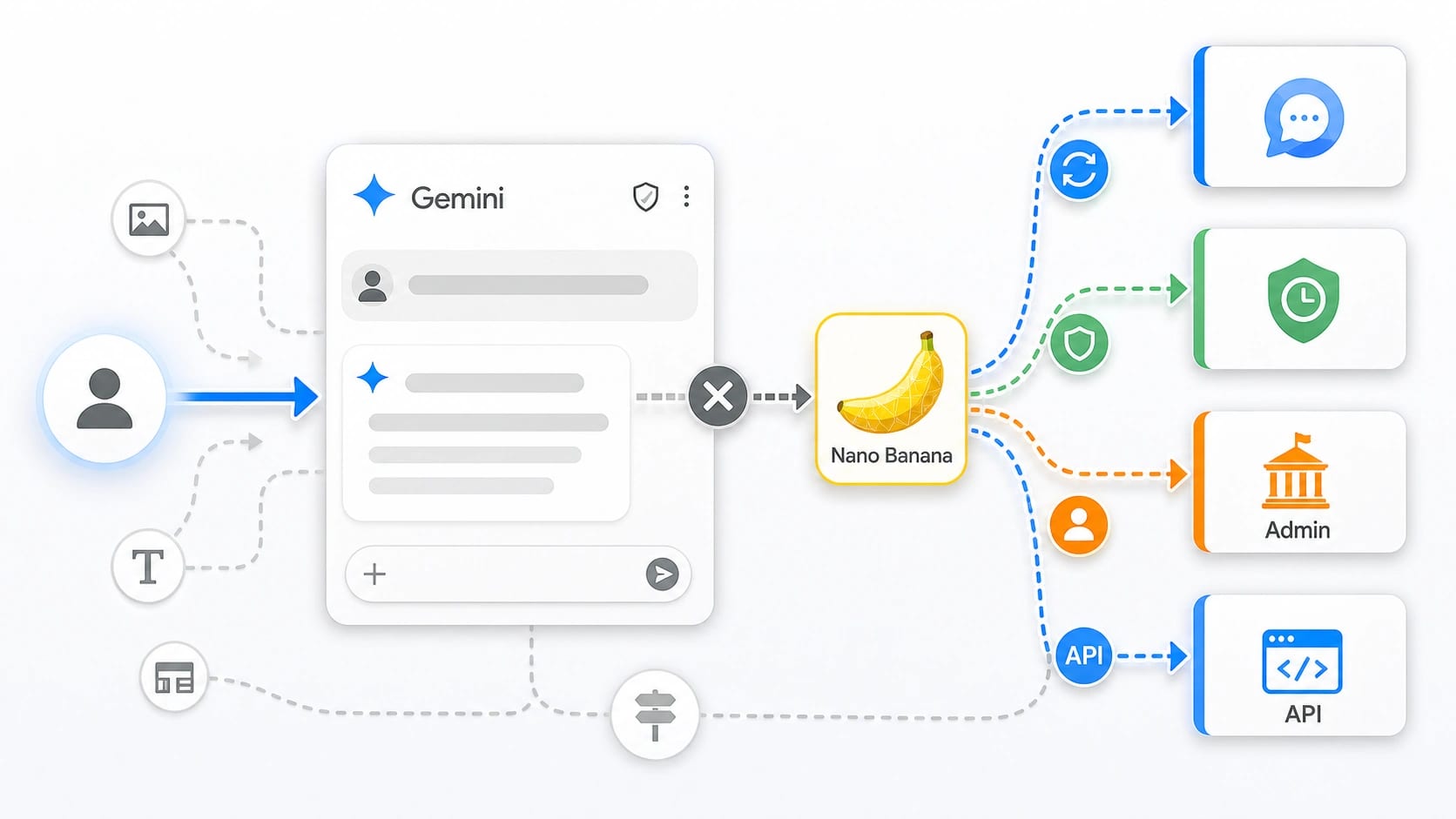
Current Gemini help does not show a confirmed personal-account switch that turns off only Nano Banana everywhere. If Gemini keeps falling into image generation, start by leaving that chat route: open a new Gemini chat, ask for a text-only answer, remove image attachments or image verbs from the prompt, and run one clean retry before touching Activity, admin, or API settings.
| If you are using... | What you can control first | What it does not prove |
|---|---|---|
| Personal Gemini chat | Start a new chat and make the next request text-only. | It does not create a global Nano Banana-off setting. |
| Gemini Apps Activity | Delete or pause saved activity for privacy/history. | Activity is not a direct image-model selector. |
| Google Workspace account | Ask an admin to check Gemini app service status or device policy. | Personal users will not find this admin control in their own account. |
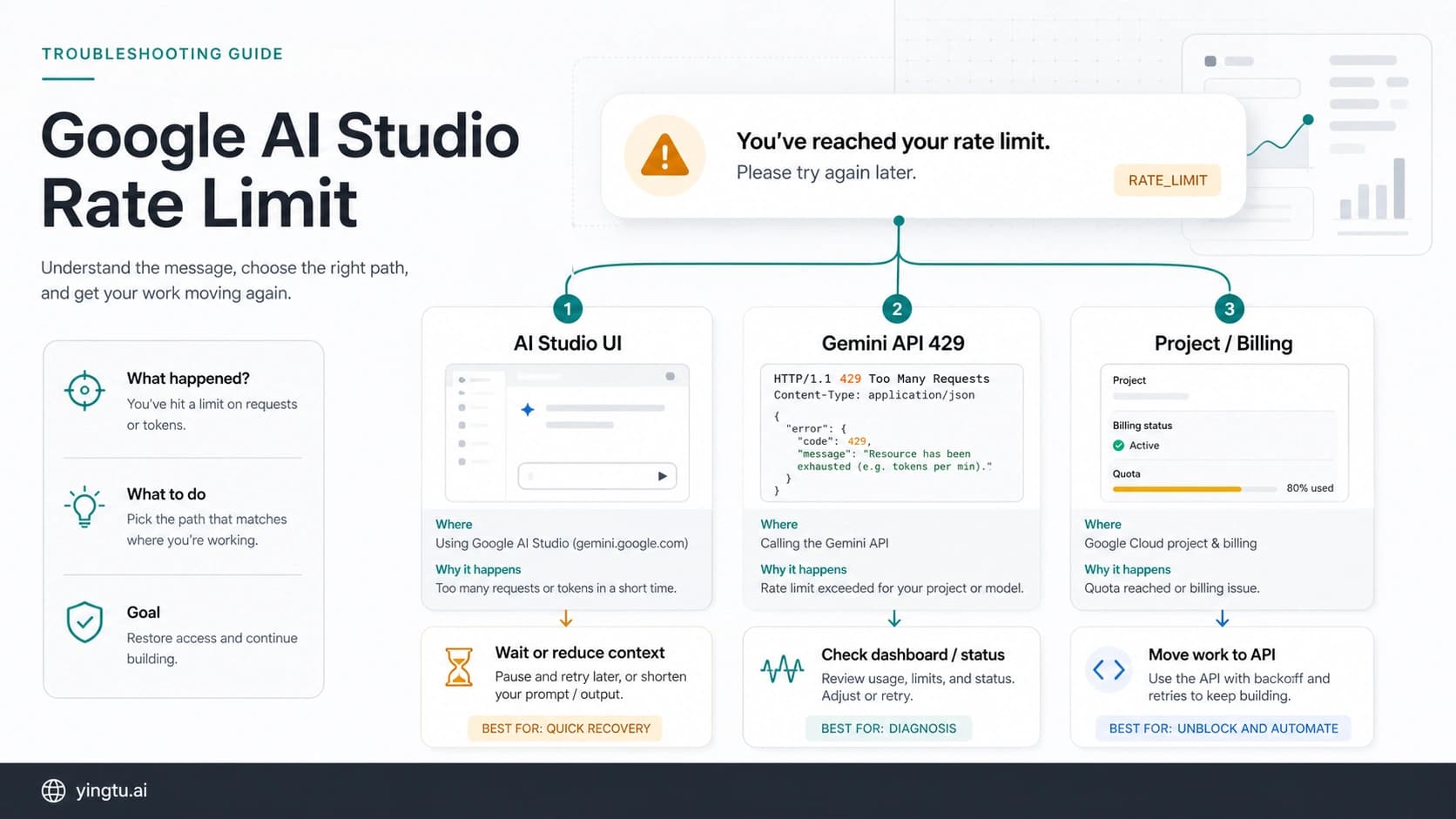
| Gemini API or AI Studio | Choose a non-image model, or intentionally call the image model ID. | Chat instructions in Gemini do not control your API route. |
| Chrome Gemini Nano, watermark cleanup, or Nano Banana Pro loading | Use the route-specific fix for that problem. | These are adjacent jobs, not the main Gemini chat disable switch. |
Stop after one clean text-only retry. If Nano Banana still appears, classify the owner before changing settings: chat/session carryover, saved Activity, managed Workspace policy, API model choice, Chrome on-device Gemini Nano, watermark removal, or a Nano Banana Pro loading failure.
As of May 17, 2026, Google's public help pages document Gemini image generation, Gemini Apps Activity, Workspace admin service controls, and Gemini API image model IDs as separate surfaces. Treat them as separate controls, not one hidden switch.
Why Gemini Keeps Returning to Nano Banana
Nano Banana is the reader-facing name people use for Gemini image generation. Google's Gemini Apps image-generation help describes image creation with Nano Banana 2 and paid regeneration with Nano Banana Pro, so the image route is a real Gemini capability, not a rogue extension. The same help surface explains how to create or refine images; it does not present a personal-account setting that disables only Nano Banana across every chat.
The most common practical cause is route carryover. If the previous turns asked for an image, uploaded an image, requested visual editing, or used phrases such as "make this look like," the conversation may stay near image generation. That does not mean the account is permanently locked to Nano Banana. It means the current thread has enough visual context that Gemini is treating the next request as part of the same image task.
A second cause is wording. "Analyze this design," "make a prompt for this image," "describe the picture," and "turn this into a clean layout" can all sit close to image generation. If you want text, say that explicitly: "Answer in text only. Do not generate or edit an image. Do not call Nano Banana for this request." Use that once in a fresh chat. Repeating it ten times inside the same stuck image thread is usually weaker than opening a new chat.
The third cause is surface confusion. Activity, Workspace controls, API model IDs, Chrome Gemini Nano, watermark cleanup, and Nano Banana Pro loading failures all sound related, but they solve different jobs. Activity changes history and privacy behavior. Workspace controls decide whether a managed user can access Gemini services. API model IDs decide which model your code calls. None of those is the same as a personal Gemini chat toggle named "turn off Nano Banana."
Personal Gemini: Leave the Image Route First
For a personal Gemini account, use a small recovery sequence before changing settings.
- Start a new chat instead of continuing the image thread.
- Remove image attachments, screenshots, or files from the first retry.
- Ask for a text-only result in the first sentence.
- Avoid image-generation verbs such as create, render, draw, edit, upscale, or transform.
- Run one clean text task, such as "summarize these requirements in bullets."
If that works, the old thread was the problem. You can either continue in the new text-first chat or go back to the old thread only when you actually want image generation again. If the new chat still returns an image task, do not keep rewriting the same prompt. Check whether you are using a managed Workspace account, a browser feature, an image attachment, or a Gemini surface that is not the normal personal chat.
Use a stop rule. One new chat plus one direct text-only prompt is a good test. After that, more prompt wording is usually noise. Move to the route that owns the next likely cause.
Activity Controls Are Privacy Controls First
Gemini Apps Activity is easy to confuse with routing because it is one of the few visible settings readers can change. Google's Gemini Apps Activity help documents deleting activity and turning Keep Activity off. It also says conversations can still be saved for a limited service-processing period even when Keep Activity is off, and that some connected app behavior can change.
That matters for privacy and history. It does not make Activity a Nano Banana model selector. Turning Activity off may reduce saved activity and change some connected-app availability, but it is not the right control if the current thread keeps deciding your next answer should be an image.
Use Activity when the question is "what gets saved?" or "do I want Gemini to retain this history?" Use a new chat and text-only wording when the question is "why is this answer becoming an image task?" Those are different decisions. Mixing them creates a bad loop: the reader turns off history, the same image-thread prompt still routes toward Nano Banana, and the reader concludes the setting failed.
If you delete old image conversations, treat that as cleanup, not proof. It can remove confusing history from your account view. It does not prove that Gemini has a hidden global image-model switch.
Workspace Accounts Are Policy-Owned
Work and school accounts add another layer. Google's Workspace Admin help for the Gemini app says admins can turn the Gemini app on or off for users, organizational units, or groups, and that changes can take time to apply. That is an organization-level access control, not a personal preference inside the Gemini chat composer.
If you are using a managed account and Gemini keeps behaving differently from a personal account, ask three concrete questions before changing prompts:
| Workspace question | Why it matters |
|---|---|
| Is the Gemini app service enabled for my unit or group? | A disabled or restricted service can make the surface behave unlike a personal account. |
| Is mobile app access blocked by device policy? | Admin pages and mobile app policy are not always the same control. |
| Am I mixing a personal account and a work account in the same browser? | Gemini can look like one product while each signed-in identity has different access rules. |
Personal users should not spend time looking for admin controls they cannot own. Managed users should not assume a personal-account prompt fix can override organization policy. If the owner is the admin console, collect the account, device, surface, timestamp, and exact behavior before escalating to the administrator.
The same boundary helps when a work account and a personal account are open in the same browser. Test the account that actually shows the unwanted Nano Banana behavior, not the nearest signed-in identity, or the setting you change may belong to the wrong owner.
Developers: Pick the Model Route Explicitly
API calls do not inherit what you typed in the Gemini app. If your code calls an image model, a consumer chat instruction such as "do not use Nano Banana" will not change the API route. The route is in your request: the model ID, request shape, response parsing, and any wrapper alias your code uses.
Google's Gemini API image-generation docs map the current image models to specific IDs, including gemini-3.1-flash-image-preview, gemini-3-pro-image-preview, and gemini-2.5-flash-image. If you want text-only behavior in code, call a text-capable non-image model and parse text responses. If you want an image, call the image model intentionally and handle image response parts. Do not ask an image model to "avoid being an image model" and then debug the result as a Gemini chat setting.
The safest developer checklist is short:
| API control | What to check |
|---|---|
| Model ID | Is the final request using an image model ID or a text model ID? |
| Wrapper alias | Does a gateway or SDK alias silently map to an image route? |
| Response parts | Is the client ignoring inline image data and printing only text? |
| Prompt class | Is the prompt asking for design instructions, image generation, or text analysis? |
| Project limits | Are preview-model limits, capacity, or rate limits changing the result? |
If the failure is in API code, keep the support packet API-specific: model ID, timestamp, project, response status, response parts, request shape, and whether the same request works with a text model. A screenshot of the Gemini app will rarely explain an API model-routing issue.
Adjacent Problems That Need Different Fixes
Some Nano Banana-looking problems should leave this control flow quickly.
Chrome Gemini Nano is not Nano Banana. Gemini Nano in Chrome or on-device features is a different surface from Nano Banana image generation in Gemini. If the task is about local browser AI, flags, enterprise browser policy, or on-device model availability, do not debug it as a Gemini image-generation route.
Watermark removal is a separate safety and ownership question. If the issue is a visible watermark on an output, the next decision is rights, provenance, and whether the platform provides an allowed removal or export path. Do not upload private faces, client images, unreleased product shots, or sensitive documents to random watermark tools just because the phrase "Nano Banana" appears near the problem.
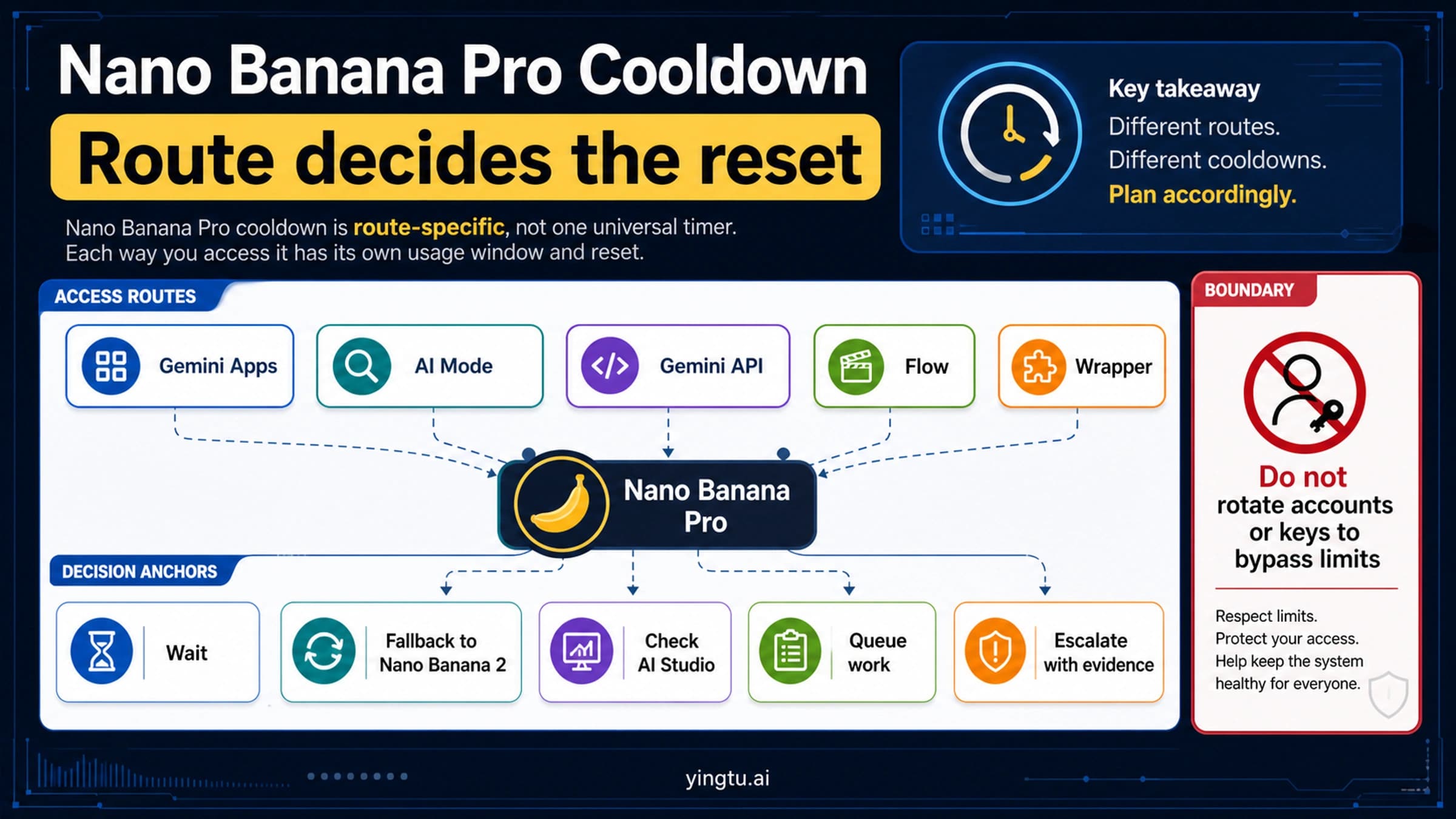
Nano Banana Pro loading failures have their own recovery path. If your problem is "Loading Nano Banana" never finishes, Pro regeneration hangs, the mobile app fails, or the image route breaks across iPhone, Android, AI Mode, API, Flow, or a wrapper, use the dedicated Nano Banana Pro not working recovery guide. That failure job is narrower than making Gemini stop choosing Nano Banana when you want text.
Plan and entitlement questions need current account evidence. A missing Pro option, a capacity message, or a paid-plan mismatch can look like a disable problem, but the fix is account route verification. Check the same account on web, mobile, and the relevant official surface before assuming the model is disabled or permanently forced.
Evidence Packet Before Escalation
If one clean retry and the right owner check do not fix the problem, capture the evidence before changing more variables. A good packet prevents support, admins, or developers from repeating the same guess.
Record:
- the surface: personal Gemini web, Gemini mobile app, Workspace account, AI Studio, API, Chrome, or wrapper;
- the account type: personal, Workspace, family-managed, developer project, or third-party provider;
- the exact first clean retry prompt;
- whether a new chat changed the result;
- whether Activity was changed, and whether the issue is privacy/history or routing;
- the model ID and response parts for API cases;
- the timestamp and whether the same account works on another official surface.
Do not collect evidence by trying every possible fix first. That destroys the signal. The useful order is one clean session reset, one route-owner check, then escalation with the owner-specific packet.
FAQ
Can I turn off Nano Banana in Gemini completely?
For a personal Gemini account, current official help does not show a confirmed switch that disables only Nano Banana everywhere. You can usually stop unwanted behavior by leaving the image-generation thread, starting a new chat, and asking for text-only output. Workspace admins and API developers have different controls.
Does turning off Gemini Apps Activity stop Nano Banana?
No. Activity controls are about saved activity, history, and related privacy behavior. They are not a direct model selector. Use Activity for data-history decisions; use a new chat and text-only wording for session routing.
Why does Gemini use Nano Banana when I asked for text?
The chat may still carry image-task context from earlier turns, uploaded images, or image-like wording. Start a new chat, remove image context, and make the first sentence text-only. If that fails once, move to account, Workspace, API, or adjacent-route diagnosis.
How do I stop Nano Banana in the Gemini API?
Change the API route. Call a non-image model for text-only work, or call an image model intentionally when you want generated images. Consumer Gemini chat instructions do not override a model ID in API code.
Is Gemini Nano in Chrome the same thing as Nano Banana?
No. Gemini Nano in Chrome is an on-device browser AI surface. Nano Banana is the Gemini image-generation route readers are usually referring to in Gemini. Chrome policy, local browser features, and Gemini image generation need separate fixes.
What if Nano Banana Pro is loading forever?
That is a failure or route-recovery problem, not the same as disabling Nano Banana for text work. Use the Nano Banana Pro loading and mobile/API recovery flow if the issue is hanging, fallback, missing Pro regeneration, or wrapper failure.