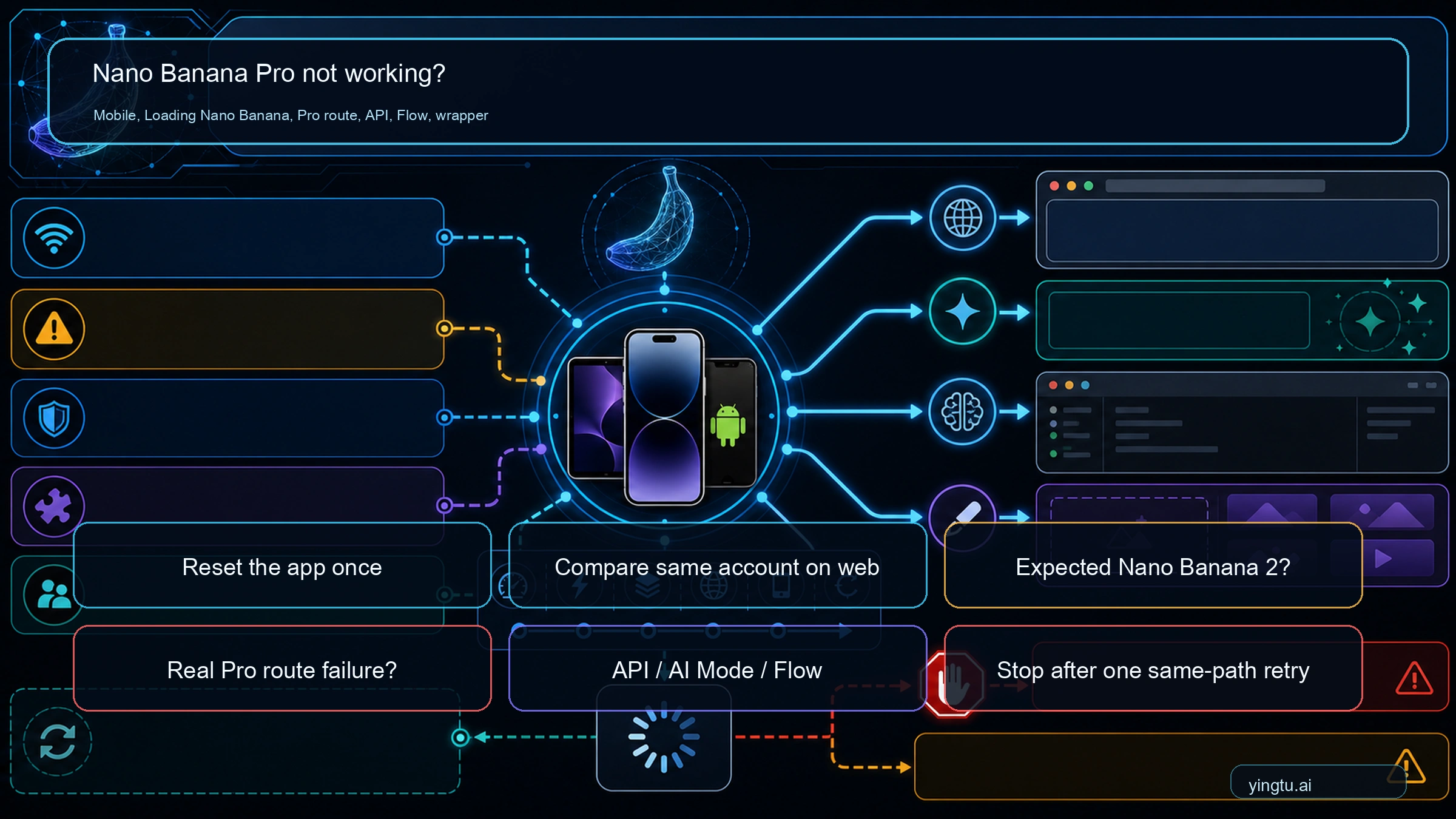
If Nano Banana Pro is not working on your iPhone, iPad, or Android phone, or Gemini is stuck on "Loading Nano Banana," start with one bounded Gemini app check, not a long reinstall loop. Force close the app, update Gemini or the Google app if an update is pending, restart the device once, then run one short image request. If the same account still fails on Gemini web, stop treating it as a mobile cache issue and classify the route.
On February 26, 2026, Google announced Nano Banana 2 and said it replaces Nano Banana Pro across Fast, Thinking, and Pro models in the Gemini app, while eligible Google AI Pro and Ultra users can still use Nano Banana Pro for specialized tasks through regeneration. That means Gemini returning Nano Banana 2 can be expected routing; "Loading Nano Banana never finishes," "Redo with Pro hangs," "AI Mode image creation fails," or "the API returns 503" is a different branch.
| Surface | Check first | Stop rule |
|---|---|---|
| iPhone or iPad Gemini app | Did one force close, app update, device restart, and fresh chat fix the stuck mobile session? | Do not reinstall before comparing the same account on Gemini web. |
| Android Gemini or Google app | Did one update, force stop, cache clear, and restart fix a stuck mobile session? | Do not repeat cache clearing after one clean app reset; compare the same account on Gemini web. |
| Gemini app route | Is "Loading Nano Banana" a stuck image route, simple Nano Banana 2 default routing, or a failed Nano Banana Pro regeneration path? | Do not keep opening new chats until you know which route you are testing. |
| Search AI Mode | Did you select the Pro image path and do you still have daily plan capacity? | Treat limit/capacity messages as AI Mode limits, not API errors. |
| AI Studio or Gemini API | Are you calling gemini-3-pro-image-preview and checking active project limits? | Do not rotate keys for capacity or project-limit failures. |
| Flow | Does Flow work when the Gemini app path does not? | Use Flow as a route test, not proof that the app is broken for everyone. |
| Third-party wrapper | Is the wrapper reporting its own incident or credit issue? | Check the wrapper owner before blaming Gemini direct routes. |
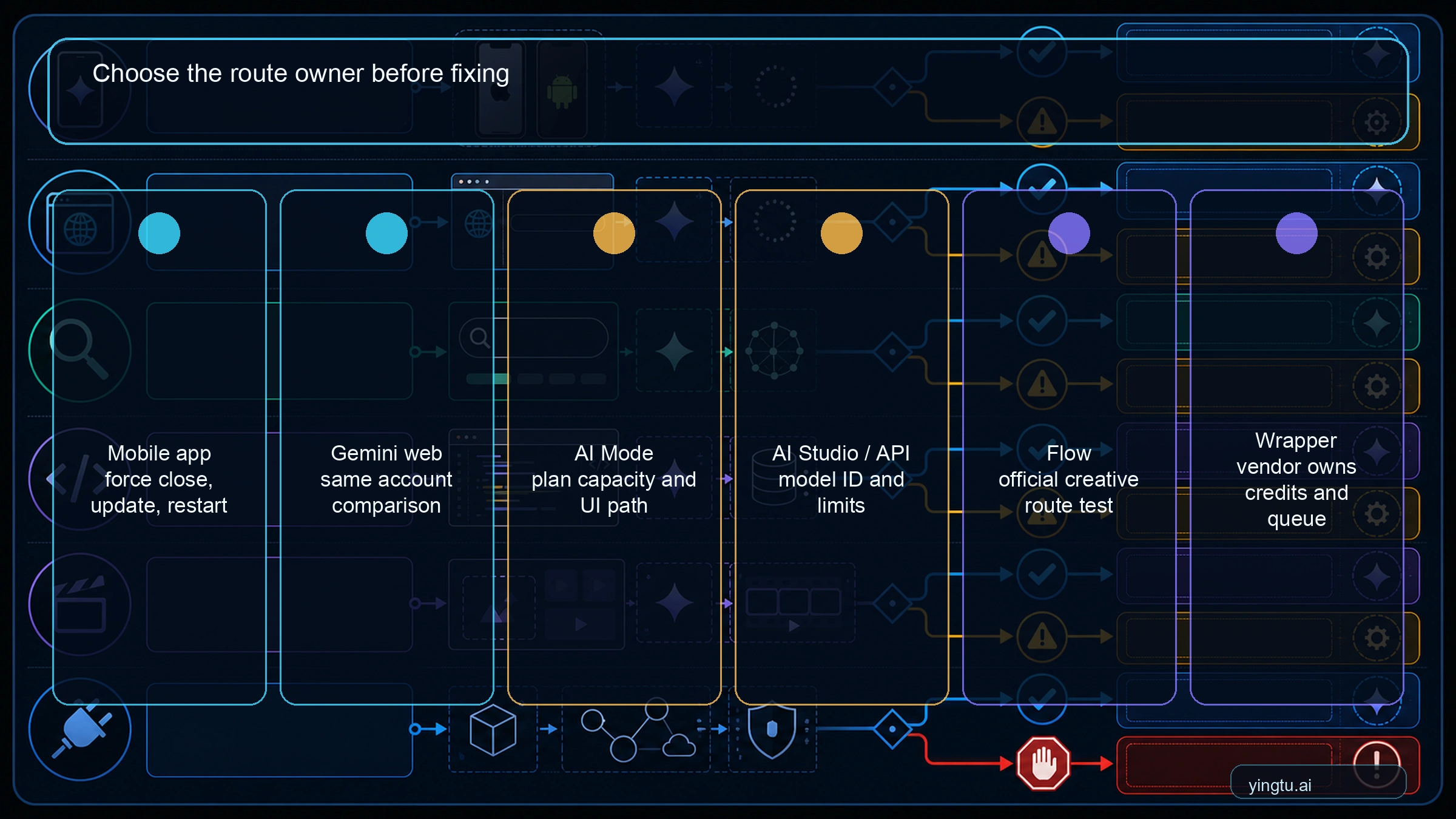
Stop after one same-path retry. If a new chat, one auth refresh, or one short verification request does not change the loading result, switch to route diagnosis: Gemini app, Gemini web, AI Mode, API, Flow, or wrapper.
For support or team handoff, record the exact surface that stayed on Loading Nano Banana before you switch routes; otherwise the next person may repeat the same prompt instead of testing the owner that actually failed.
Quick diagnosis: expected route or real failure
The fastest useful question is not "is Nano Banana Pro down?" It is "which surface owns the failure?" A paid Gemini account, a Search AI Mode session, an AI Studio project, a Flow generation, and an Adobe-style wrapper can all use related Google image models while failing for different reasons.
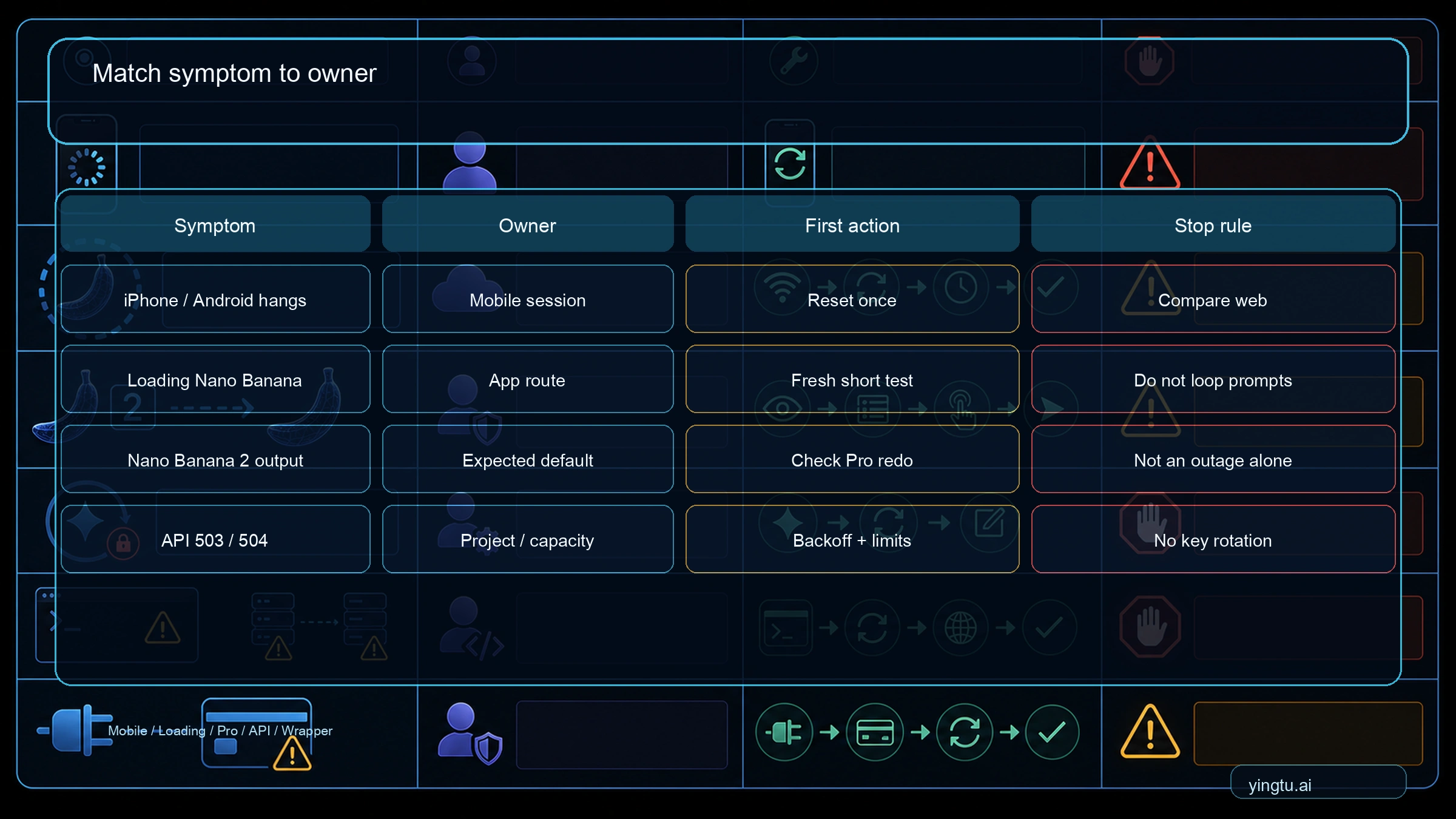
Use this branch table before changing accounts, upgrading, clearing every browser setting, or rewriting the prompt:
| What you see | Most likely owner | First action | What not to do |
|---|---|---|---|
| iPhone or iPad app hangs, button disappears, or web works with the same account | iOS app state, rollout, or mobile session | Force close once, update if available, restart once, then compare Gemini web | Do not reinstall before the web comparison |
| Android app hangs, button disappears, or the same account works on web | Android app state, rollout, or mobile session | Update the app, force stop, clear cache once, restart, then compare Gemini web | Do not keep deleting storage or changing accounts before the web comparison |
| "Loading Nano Banana" stays on screen | Gemini app session, image-route trigger, or capacity | Open one new chat and repeat one short image-or-text test | Do not keep sending the same long prompt |
| Gemini returns Nano Banana 2 output | Gemini app default route | Check whether Pro regeneration is available from the result menu | Do not call default routing an outage by itself |
| "Redo with Pro" hangs or falls back | Gemini app session, account, or capacity | Start one new chat and sign out/in once | Do not repeat the same long prompt ten times |
| Search AI Mode image creation fails | AI Mode plan, daily limit, or capacity | Re-check the Pro image UI path and current limit state | Do not debug it as an API-key issue |
| API returns 503 or 504 | Preview capacity, project limits, or request shape | Verify model ID, active limits, and retry policy | Do not assume key rotation is a durable fix |
| API returns no image or text only | Request parsing, image config, safety, or model mismatch | Inspect response parts and image config | Do not treat every text answer as model removal |
| Wrapper burns credits but no image arrives | Wrapper incident or vendor route | Check wrapper status and support evidence | Do not use Google status alone as the answer |
The branch matters because each owner has a different safe first move. Gemini mobile routing starts with the current UI path, local app state, and account state. AI Mode starts with plan capacity and the selected Pro image mode. API failures start with the model ID and project limits. Wrapper failures start with the wrapper vendor, even when the underlying model is from Google.
Why Gemini may use Nano Banana 2 now
Google's Nano Banana 2 announcement changed the baseline. In the Gemini app, Nano Banana 2 became the default image route across Fast, Thinking, and Pro model selections. Google also described a Pro regeneration path for eligible Pro and Ultra subscribers when they need specialized image tasks.
That wording creates the most common misunderstanding. If Gemini gives you Nano Banana 2 output, the first interpretation should be "the app may be following the current default route." It becomes a failure only when the surface promises a Pro path and that path hangs, disappears, falls back, refuses image output, or stays unavailable after the smallest clean verification.
For API work, use a stricter boundary. Google's Gemini image generation docs list Nano Banana Pro as gemini-3-pro-image-preview and Nano Banana 2 as gemini-3.1-flash-image-preview. UI names, community names, and API model IDs are not interchangeable. If the request is going to the Flash Image preview model, a Pro Image result cannot appear no matter how the prompt is phrased.
Mobile app, Gemini app, and AI Mode checks
On iPhone or iPad, keep the first fix narrow. Google's Gemini Apps image-generation help for iPhone and iPad makes this an app-surface check, while Apple's app troubleshooting guidance starts with force close, restart, update, then delete and redownload only if smaller fixes fail. For Gemini, that means force close Gemini once, update the app if an update is available, restart the device once, and test one small image request. If Gemini web works with the same account after the iOS app fails, you have an iOS app or mobile rollout branch. If web fails too, move to account, route, limit, or capacity diagnosis.
On Android, use the same bounded logic with Android-specific controls. Update the Gemini app or the Google app that hosts your Gemini entry point, force stop it from Android settings, clear the app cache once, restart the phone, and test one small image request. Avoid clearing storage unless you are prepared to sign in again and lose local app state. If Gemini web works with the same account after the mobile app fails, you have an Android app or mobile rollout branch, not proof that Nano Banana Pro is broadly down. If web fails too, move to account, route, limit, or capacity diagnosis.
For the Gemini app, isolate account and session state before assuming product removal. Start a new chat, ask for one simple image task, and check whether the result is merely Nano Banana 2 default behavior. If the Pro regeneration option is visible, use it once on a simple prompt. If it hangs, sign out and back in once, then repeat the same small test.
Keep the test small. A long multimodal prompt, a many-step infographic request, or a prompt near a safety boundary can make the failure look like model unavailability when the actual issue is request complexity or policy handling. The clean test is one account, one surface, one short prompt, and one Pro path if the UI exposes it.
Plan, account type, age, region, and Workspace context can matter. A personal Google AI Pro account, a Workspace account, a family-managed account, and a mobile app session may not expose identical image controls. If the Pro path is missing on one route, try the same account on web before changing accounts. If the route works on web but not on the app, the app route is the branch to debug. If the same account fails on iOS, Android, and web, do not spend time on storage cleanup, VPN toggles, or repeated reinstalls until the account and route checks are clean.
Search AI Mode is separate from the Gemini app. Google's AI Mode image help describes plan-based image generation limits that can change with demand, capacity, and plan. If AI Mode says you are limited or cannot create Pro images, treat that as an AI Mode branch. Clearing Gemini app cache will not reset AI Mode daily capacity.
When the request hangs, keeps loading, falls back, or returns text
A hanging "Thinking" state or persistent "Loading Nano Banana" state usually deserves one clean reset, not an afternoon of random fixes. On iPhone, iPad, or Android, reset the app branch once and start a fresh chat; on web, refresh the signed-in session once. If the same short prompt hangs again, stop and check whether the route is under capacity pressure, whether the account is recognized correctly, and whether another official surface can complete the same small task.
If Gemini returns text, SVG instructions, or a refusal instead of a bitmap, separate the failure types. A policy refusal is not the same as Pro being removed. A text answer can also mean the prompt asked for design instructions instead of image output, the current route is not an image route, or the response parser in an API client is ignoring inline image data. Rewrite the prompt once to explicitly request a generated image, then inspect the route and response.
If Nano Banana 2 works while Pro fails, use Nano Banana 2 as a temporary completion route only after you know the reason. It is reasonable to finish a low-risk draft image through Nano Banana 2 when Pro is congested or unnecessary. It is not reasonable to treat Nano Banana 2 success as proof that a paid Pro entitlement, API setup, or wrapper billing path is healthy.
AI Studio and API checks
For developers, the model ID is the first boundary. A Nano Banana Pro API request should use gemini-3-pro-image-preview; a Nano Banana 2 request should use gemini-3.1-flash-image-preview. If the code is still using an older example, a market nickname, or a wrapper alias, verify the final model sent over the wire before debugging anything else.
Google's image docs show image generation through generateContent, with image data returned in response parts. A client that only prints the first text part can make a successful image call look like a text-only failure. Inspect every response part, save inline image data, and check image config fields such as size only where the selected model supports them.
Rate limits are project-specific. Google's rate-limit documentation says limits depend on project usage tier and account status and can be checked in AI Studio. Google's pricing page also flags preview-model constraints. That means a public RPM table is less useful than your current project screen. If the error is 429, 503, or 504, check active limits, capacity notes, request volume, concurrency, prompt size, and retry timing.
Use backoff for transient capacity. Wait long enough for the retry to be meaningful, reduce concurrency, and test one small image request before resuming a batch. Do not keep rotating API keys when the failure follows the same project, model, capacity window, or request shape. Key rotation can briefly change symptoms while leaving the real owner untouched.
Flow and wrapper branch
Flow is useful as an official creative-route test. If Gemini app image generation fails but Flow completes a similar task, the result tells you that Google image generation is not universally dead for your account. It does not prove that the Gemini app route is healthy. Keep the conclusion narrow: Flow worked, the Gemini app route still needs diagnosis.
Third-party wrappers need their own branch. A wrapper can have queue delays, credit accounting problems, policy layers, upload issues, or vendor-side errors even when Google direct routes work. An Adobe Community incident, for example, is evidence that a wrapper path can fail in a way the Gemini app and official API do not share. If credits are consumed without usable output, collect wrapper-specific proof and contact that vendor first.
Avoid switching to a gateway or wrapper as the default answer. A different route can be useful when official routes are unavailable for a specific workflow, but it changes support ownership, billing evidence, data handling, and refund path. Check the official or direct route first unless the current task is explicitly about third-party access.
Wait, switch, or escalate
Wait when the evidence points to broad capacity, preview-model congestion, or an active wrapper incident. Switching accounts, buying another plan, or rotating keys during a capacity window usually adds noise. A cleaner move is to save the prompt, retry later, and use Nano Banana 2 for non-critical output if it is good enough.
Switch route when the task is urgent and the alternate route has a different owner. Try Gemini web if the iPhone, iPad, or Android app fails. Try AI Studio when the Gemini app UI route is unclear. Try Flow if a creative workflow matters more than preserving the exact Gemini app surface. Try API only when you are prepared to handle model IDs, limits, response parsing, and billing as developer concerns.
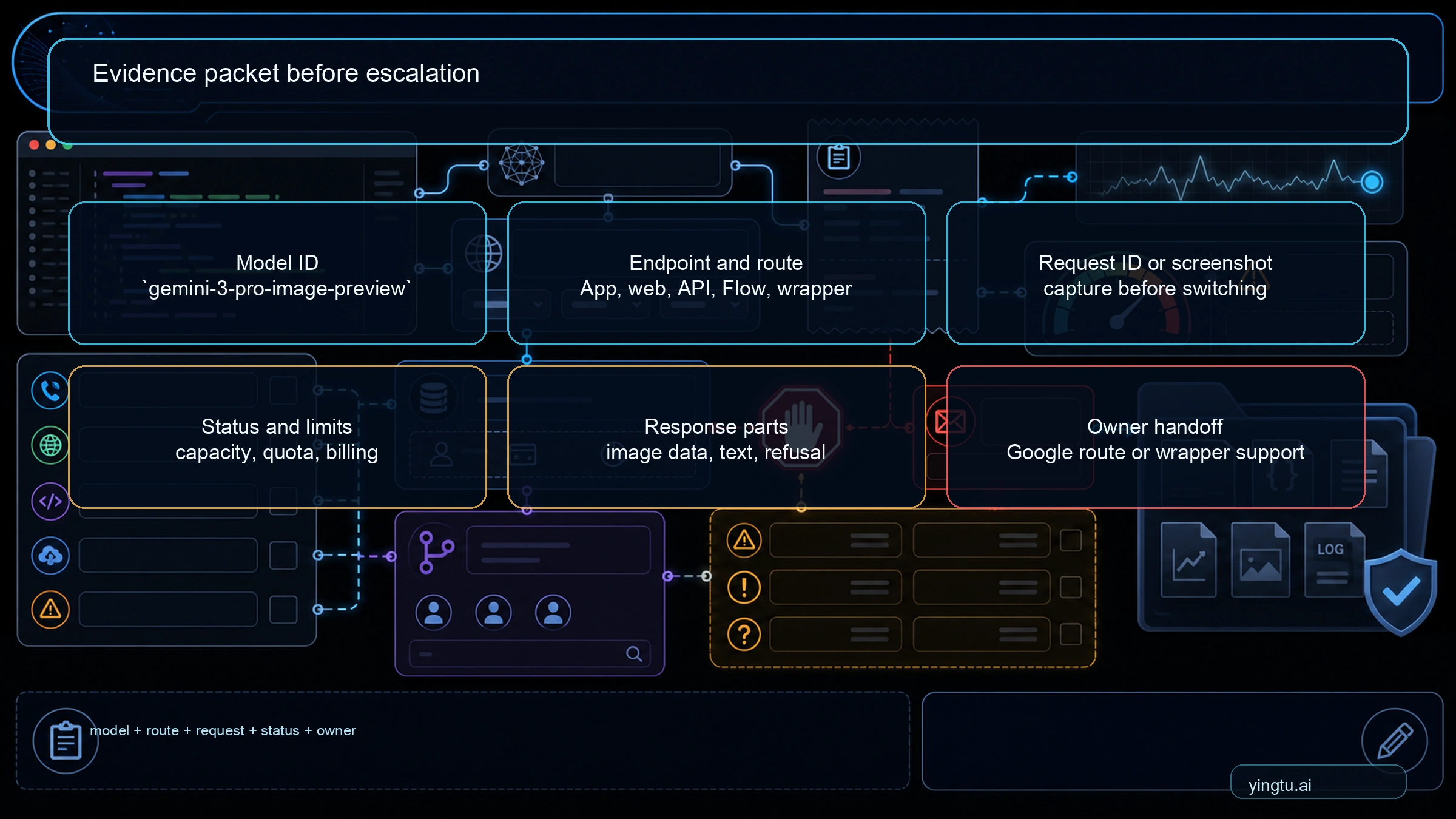
Escalate when the failure is reproducible after one clean same-path retry and one route comparison. A useful packet includes the exact screenshot, timestamp with timezone, Google account type, surface used, plan or Workspace context if relevant, prompt class, status/limit state, API model and request ID if available, wrapper receipt if applicable, and the alternate-route result. Redact API keys, full payment data, private account tokens, and private images.
Where adjacent problems belong
If the issue is a visible HTTP code, use the Nano Banana Pro error-code quick reference after the route owner is clear. Error-code pages are better for 400, 403, 429, 500, 503, and parsing failures than for Gemini app default routing.
If the question is whether Nano Banana Pro is free, paid, limited, or quota-bound, use the Nano Banana Pro pricing and quota guide. Pricing and quota decisions need their own plan/API split and should not be hidden inside a live troubleshooting branch.
If the symptom is resolution, size, 4K output, or saved-file quality, use the Gemini 4K image generation API guide. A route that generates an image but not the size you expected is not the same failure as Pro not running at all.
For a broader catalog, the Nano Banana Pro troubleshooting hub still helps once you know the branch. Start here only when the visible problem is Gemini not using or completing Pro; then hand off to the narrower page that owns the confirmed branch.
FAQ
Is Nano Banana Pro gone from Gemini?
No. The Gemini app may default to Nano Banana 2 after Google's February 26, 2026 rollout, but Pro still exists through specific routes such as eligible regeneration paths and the API model gemini-3-pro-image-preview. Treat "Nano Banana 2 appeared" as a routing question before calling it removal.
Why is Nano Banana Pro not working on iPhone or iPad?
Usually the iOS app branch should be tested once before deeper troubleshooting: force close Gemini, update the app if available, restart the device, and try one short image request. If the same account works on Gemini web, keep debugging iOS app state or rollout. If web fails too, the likely owner is account eligibility, Nano Banana 2 default routing, a failed regeneration path, AI Mode limits, API capacity, or a wrapper.
Why is Nano Banana Pro not working on Android?
Usually the Android app branch should be tested once before deeper troubleshooting: update the Gemini or Google app, force stop it, clear cache, restart, and try one short image request. If the same account works on Gemini web, keep debugging Android app state or rollout. If web fails too, the likely owner is account eligibility, Nano Banana 2 default routing, a failed regeneration path, AI Mode limits, API capacity, or a wrapper.
Why does Gemini keep loading Nano Banana when I asked for text?
Gemini may be interpreting the request as an image-generation task because of uploaded screenshots, image-like wording, or a prior image route in the session. Start a clean chat and ask for "text analysis only, no image generation" once. If it still loads Nano Banana, treat it as a Gemini app route loop rather than rewriting the whole prompt repeatedly.
Should I reinstall the Gemini iOS app?
Only after the smaller checks. Reinstalling can help a broken app state, but it will not fix expected Nano Banana 2 routing, a missing Redo with Pro path, account eligibility, daily capacity, API limits, or a wrapper incident. Run one fresh-chat test and one same-account web comparison first.
Why does Gemini keep using Nano Banana 2 instead of Pro?
The most likely reason is expected default routing in the Gemini app. If a Pro option is visible and fails, then check account recognition, plan or Workspace context, usage limits, session state, and capacity.
Is Nano Banana Pro down right now?
Do not infer a global outage from one failed Gemini session. Check the relevant Google or wrapper status surface, then run one alternate-route test. A green status page does not prove your account route is healthy, and a community spike does not prove every Google route is down.
Does paying for Google AI Pro guarantee Pro image output every time?
No public contract should be read that broadly. A paid plan can unlock Pro routes, but the exact surface, account state, daily limits, demand, and UI path still matter. Verify the route you are using before paying again or changing plans.
Why does the API return 503 for Nano Banana Pro?
For API calls, 503 usually points to preview-model capacity, project limits, request complexity, or transient service pressure. Verify gemini-3-pro-image-preview, check AI Studio active limits, reduce concurrency, and retry with backoff before changing keys.
Why does Gemini return text or SVG instead of an image?
That can be prompt shape, policy refusal, a non-image route, response parsing, or model fallback. Ask explicitly for a generated image once, then check whether the selected route supports image output and whether the response contains inline image data.
Should I use Flow, AI Studio, or the API instead?
Use an alternate route when it changes the owner of the failure. Flow can test an official creative route. AI Studio can test model selection and limits. The API is best when you can handle model IDs, response parsing, retries, and billing directly.
What evidence should I send to support?
Send the exact failure screenshot, timestamp and timezone, account type, surface, plan or Workspace context, prompt class, status/limit state, route tried, and alternate-route result. For API cases, add the model ID, endpoint, request ID if available, response code, retry timing, and redacted request shape.