Nano Banana 2.1 online: Google’s newest Nano Banana model for $0.045 an image
Use Nano Banana 2.1 online for $0.045 an image: 1K to 4K, ratios up to 8:1, up to 5 reference images, with same-prompt samples next to Nano Banana 2 and Pro.
BalancedPrice $0.045/ image1K / 2K / 4KEditing: Supported$0.1 for new users
Nano Banana 2.1 is Google’s newest Nano Banana model (API ID gemini-nano-banana-2.1). On YingTu it costs $0.045 per image, less than Nano Banana 2 at $0.055, makes 1K, 2K or 4K images in 14 ratios up to 8:1, and edits with up to 5 reference images. It has been the studio’s default model since October 9, 2026.
Nano Banana 2.1 (model ID gemini-nano-banana-2.1) is Google’s image generation and editing model built on Gemini 3.6 Flash, according to Google DeepMind’s model card; Google released it on October 6, 2026. YingTu is an independent site that runs it through the LaoZhang API.
Price here: $0.045 per image at 1K, 2K or 4K, in 14 ratios from 1:8 to 8:1. That is less than Nano Banana 2 ($0.055) and half of Nano Banana Pro ($0.09). No subscription; LaoZhang bills each image.
In the Gemini app, Google lists Nano Banana 2.1 for Google AI Pro, Plus and Ultra plans; free users get Nano Banana 2. Here it is pay per image, with no Google plan.
Measured time: median 20 s over 10 real generations on YingTu (fastest 15 s, slowest 26 s); Nano Banana 2 median 14 s.
Edits: up to 5 reference images of up to 20 MB each. New users who sign in with Gmail get $0.1, about 2 Nano Banana 2.1 images.
Ready-made prompts
Click one to open the image studio with that prompt and aspect ratio already set.
Poster with exact text
3:4
A clean poster for a weekend farmers market: the headline "HARVEST MARKET" and the line "Saturday 9 AM – 1 PM · Riverside Park", wooden crates of pumpkins and apples, warm autumn palette, crisp legible text.
Product in a new scene
4:5
Keep the product from the reference image exactly, including its shape, color and label, and place it on a sunlit marble kitchen counter next to a few fresh herbs, soft morning light, natural shadows.
Ultra-wide banner
21:9
An ultra-wide website banner of a quiet coastal town at dusk, warm window lights, calm sea, a wide empty sky on the left for a headline.
Made with Nano Banana 2.1 on YingTu
Real outputs from the prompt template library, each with its prompt and the time the request took. Open one to run the same prompt.
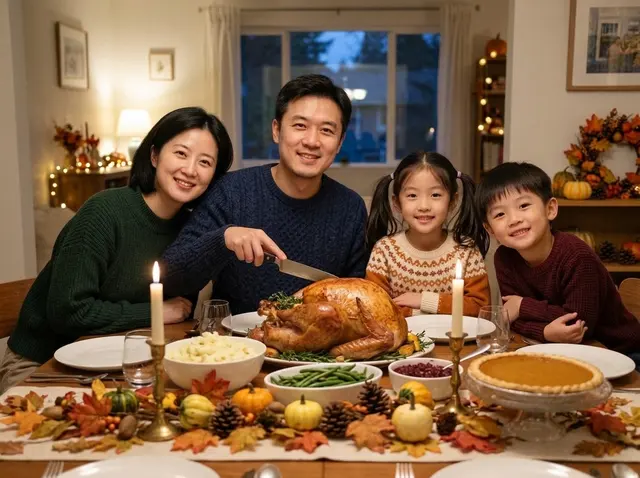
Thanksgiving family dinner photo · 17 sPrompt
Place the family in the reference image around a Thanksgiving dinner table at home: a golden roast turkey in the center, mashed potatoes, green beans, cranberry sauce and a pumpkin pie, taper candles and a table runner of autumn leaves and small gourds. Everyone wears a cozy fall sweater and smiles at the camera, the father holding the carving knife. Warm evening window light, soft string lights behind, a natural family-photo look. Keep each person's face, hairstyle and age.
Turn the person in the reference image into a professional headshot: beige blazer, chest-up framing, body slightly angled and smiling at the camera. Blurred modern office background, soft key light from the left with a rim light, 85mm lens look, natural skin tones, same facial features. Suitable for LinkedIn and a résumé.
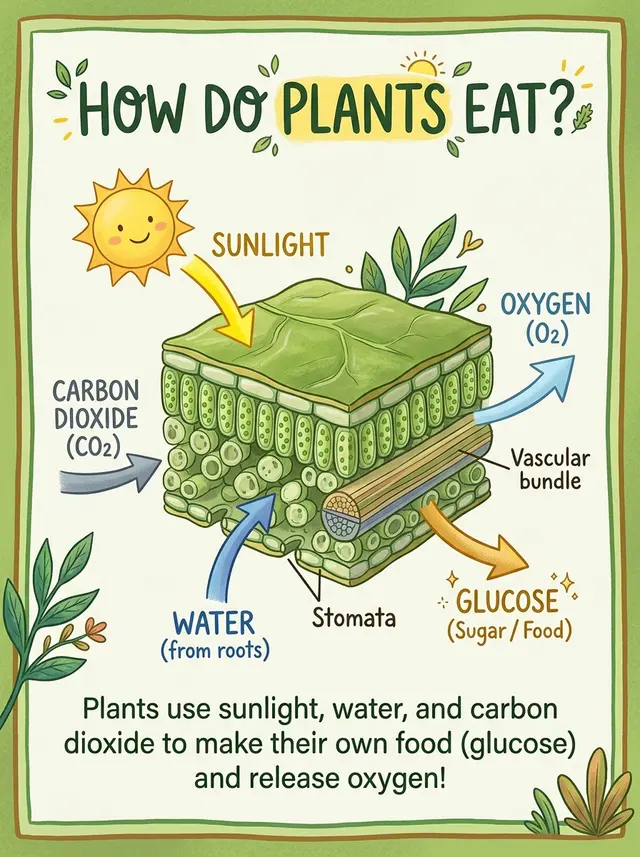
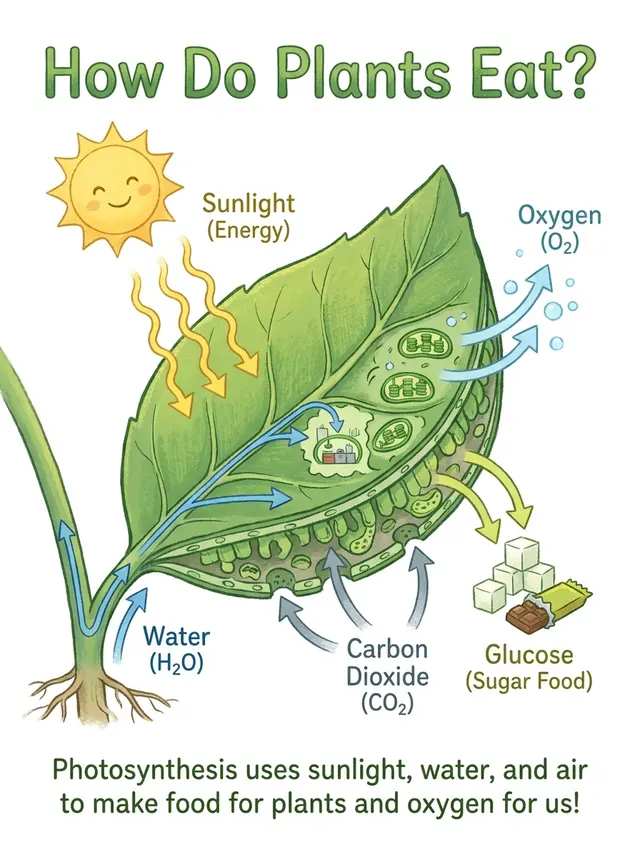
An explainer card about photosynthesis: a cross-section illustration of a leaf in the middle, with arrows showing sunlight, carbon dioxide and water going in, and oxygen and glucose coming out. Title at the top "How Do Plants Eat?", a one-line summary at the bottom. Fresh green palette, children's science book style, clear and accurate labels.
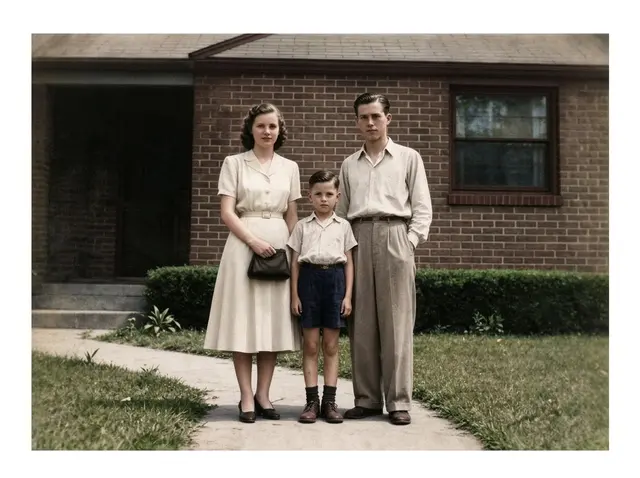
Restore this old photo: remove scratches, creases, mold spots and noise, fill in missing areas, sharpen it, then colorize it naturally with period-accurate skin, clothing and background colors. Keep every face, expression, pose and the composition exactly the same, no beautifying, so it looks like it was shot on color film at the time.
Nano Banana 2.1 vs Nano Banana 2 vs Nano Banana Pro: same prompt, same input
Four prompts run on all three models on YingTu. One example each, so read them as examples, not a benchmark.
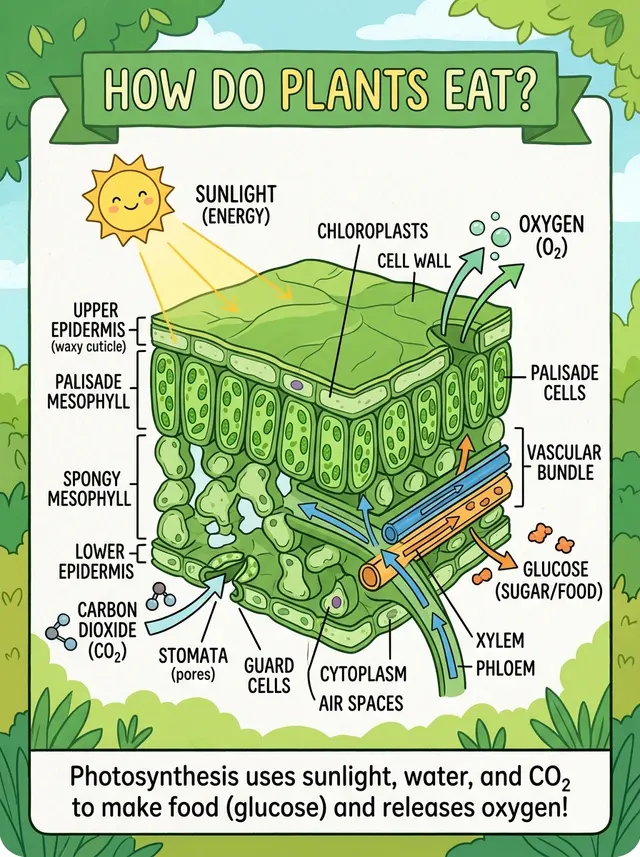
Explainer card
Asked for a simple children’s-book explainer. Nano Banana 2.1 drew a leaf cross-section with a handful of labels: simpler than Nano Banana 2’s full anatomy chart, busier than Pro. Every label and the summary line are spelled correctly.
Nano Banana 2.1 · 26 s
Nano Banana 2 · 18 s
Nano Banana Pro
Prompt
An explainer card about photosynthesis: a cross-section illustration of a leaf in the middle, with arrows showing sunlight, carbon dioxide and water going in, and oxygen and glucose coming out. Title at the top "How Do Plants Eat?", a one-line summary at the bottom. Fresh green palette, children's science book style, clear and accurate labels.
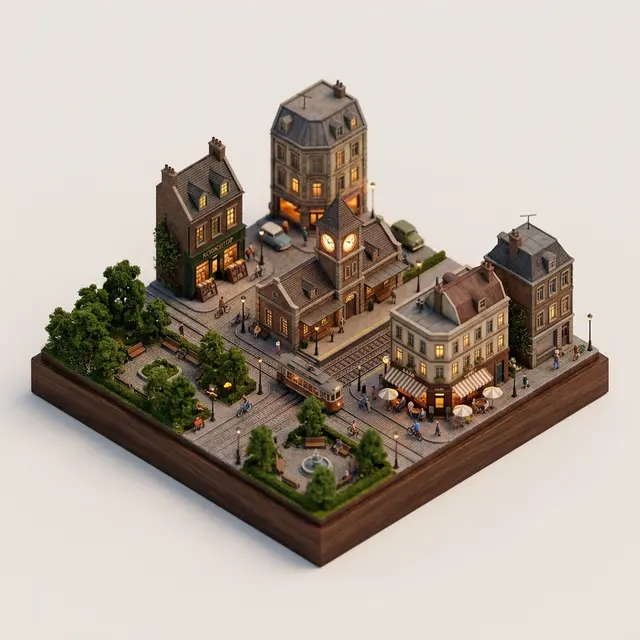
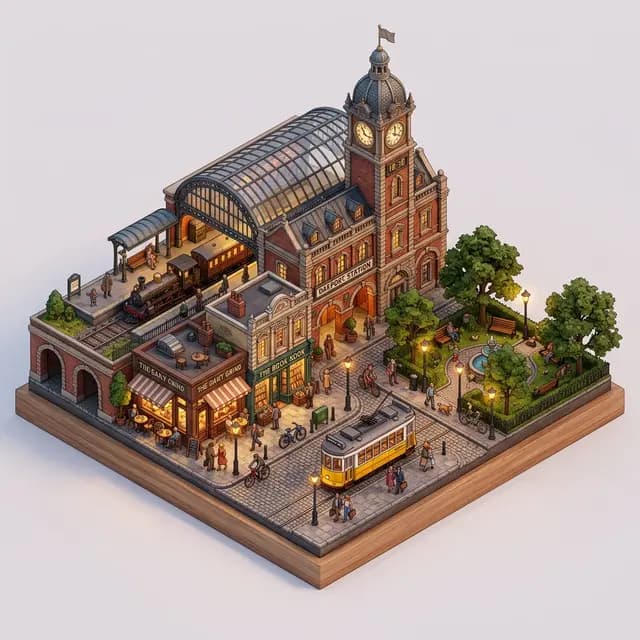
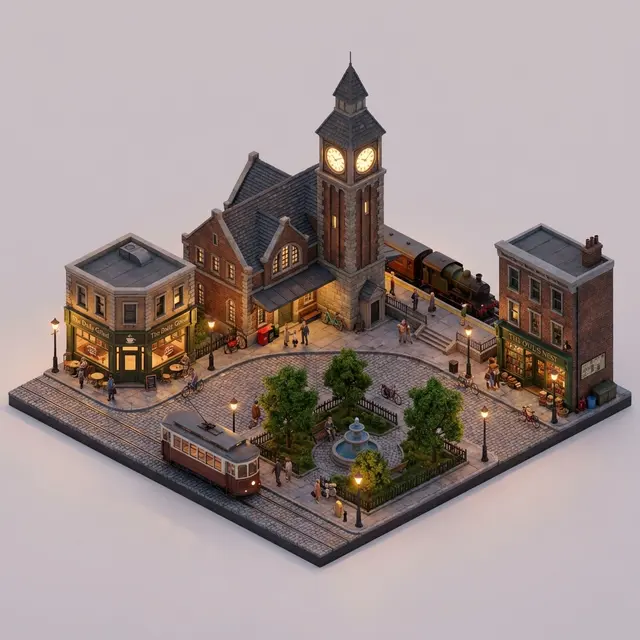
Isometric mini city
All three drew the station clock tower, café, bookshop, park and tram. Nano Banana 2.1, like Nano Banana 2, set the block on a wooden base; Pro left it on a plain background.
Nano Banana 2.1 · 16 s
Nano Banana 2 · 13 s
Nano Banana Pro
Prompt
A 45° isometric miniature city block: an old train station with a clock tower in the middle, surrounded by a café, a bookshop, a small park and a tram, with people and bikes on the streets. Detailed 3D render, soft evening light, warm streetlights just turning on, plain light background, like a fine tabletop model.
Professional headshot
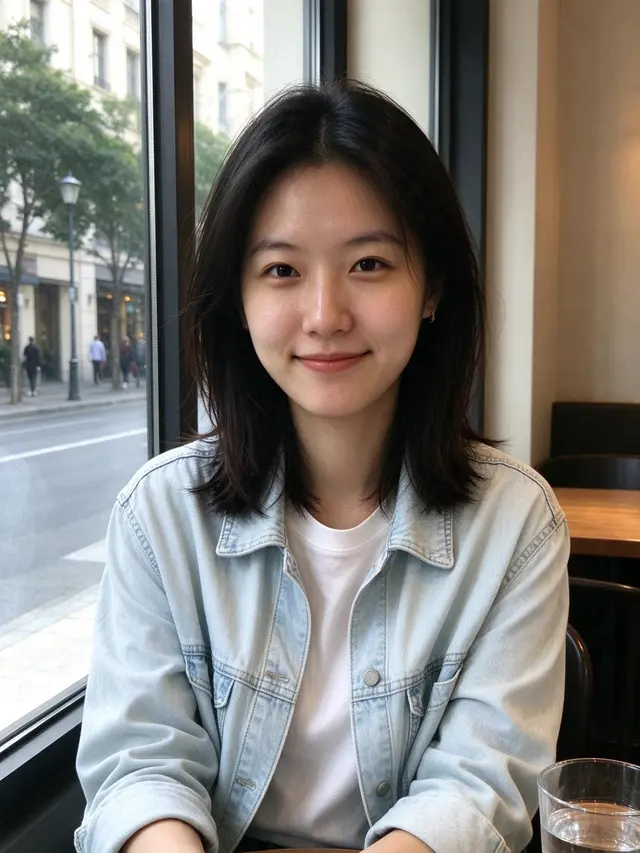
All three kept the woman’s face. Nano Banana 2.1 showed more of the office behind her; the headshots are otherwise close.
Input (AI-generated)
Nano Banana 2.1 · 16 s
Nano Banana 2 · 14 s
Nano Banana Pro
Prompt
Turn the person in the reference image into a professional headshot: beige blazer, chest-up framing, body slightly angled and smiling at the camera. Blurred modern office background, soft key light from the left with a rim light, 85mm lens look, natural skin tones, same facial features. Suitable for LinkedIn and a résumé.
Restore & colorize old photos
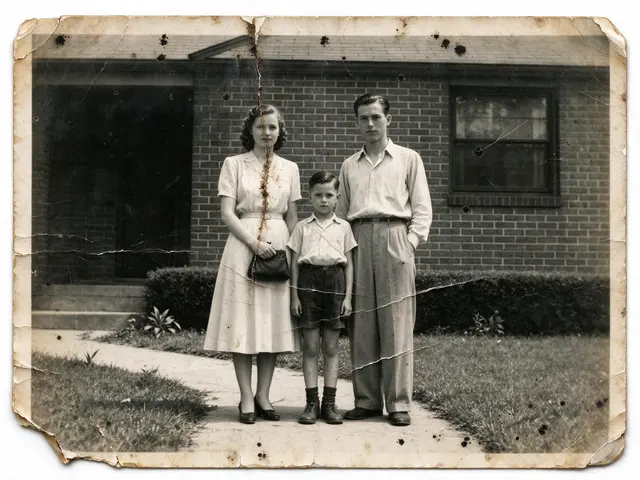
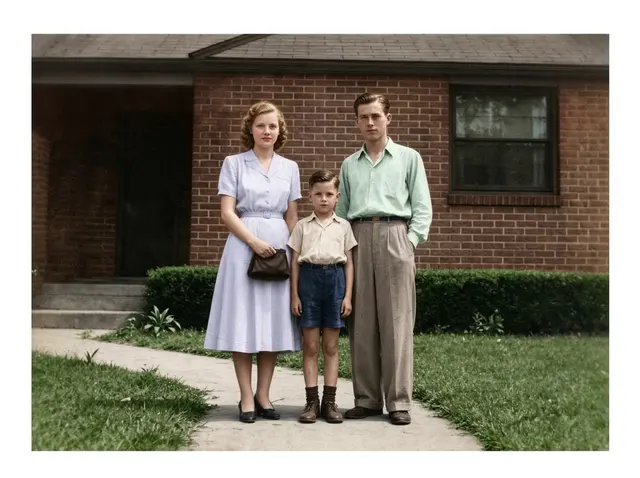
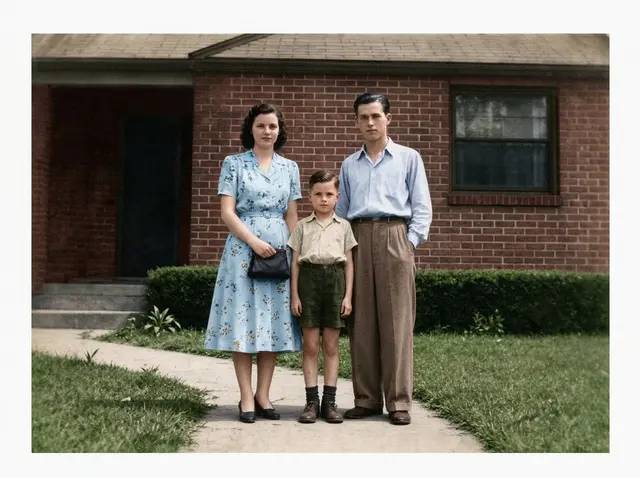
The prompt says to keep every face and use period colors. Nano Banana 2.1 kept the woman’s dark hair and the pale dress and shirts of the original, with the most muted color. Pro kept the hair but gave her a blue floral dress; Nano Banana 2 turned her hair light auburn.
Input (AI-generated)
Nano Banana 2.1 · 20 s
Nano Banana 2 · 18 s
Nano Banana Pro
Prompt
Restore this old photo: remove scratches, creases, mold spots and noise, fill in missing areas, sharpen it, then colorize it naturally with period-accurate skin, clothing and background colors. Keep every face, expression, pose and the composition exactly the same, no beautifying, so it looks like it was shot on color film at the time.
Nano Banana 2.1, Nano Banana 2, Nano Banana Pro or GPT Image 2?
Model
Price
Pick it when
Nano Banana 2.1
$0.045
Start here for everyday images and edits: the cheapest Nano Banana with 4K, median 20 s. In our restoration example it changed the least.
Nano Banana 2
$0.055
You need a 512 px draft, or a prompt already works well on it. Median 14 s.
Nano Banana Pro
$0.09
Nano Banana 2.1 misses part of a long, detailed prompt; Pro costs twice as much ($0.09). Median 21 s.
GPT Image 2 VIP
$0.03
Exact pixel sizes, a flat print-ready card or poster, or the lowest price ($0.03).
Settings
Every setting here is available in the YingTu image studio, and new users get $0.1 free.
Best for
• Everyday images at a lower price than Nano Banana 2
• Edits that should keep the original look
• Cards, menus and posters with exact words
Before you use it
• No 512 px draft size: the smallest output is 1K.
• Google’s model card says small text can blur at 1K and long paragraphs are weak: use 2K or 4K for small print and proofread every word.
• Masked or doodle edits may only partly follow the instruction (model card): describe the change in words too.
Image editing: Supported
API quickstart
Same request format as the image studio. Copy it and run.
import base64
import mimetypes
import os
import sys
import requests
API_KEY = os.environ.get("LAOZHANG_API_KEY")
ifnot API_KEY:
raise RuntimeError("Set the LAOZHANG_API_KEY environment variable before running this example.")
API_URL = "https://api2.laozhang.ai/v1beta/models/gemini-nano-banana-2.1:generateContent"
REQUEST_TIMEOUT_SECONDS = 500
headers = {
"Authorization": f"Bearer {API_KEY}",
"Content-Type": "application/json",
}
payload = {
"contents": [{
"parts": [
{"text": "A clean poster for a weekend farmers market: the headline \"HARVEST MARKET\" and the line \"Saturday 9 AM – 1 PM · Riverside Park\", wooden crates of pumpkins and apples, warm autumn palette, crisp legible text."}
]
}],
"generationConfig": {
"responseModalities": ["IMAGE"],
"imageConfig": {
"imageSize": "2K"
}
}
}
try:
response = requests.post(
API_URL,
headers=headers,
json=payload,
timeout=REQUEST_TIMEOUT_SECONDS,
)
except requests.Timeout as error:
print(
"Request timed out after 500 seconds. The result status may be unknown; ""check call and billing logs before retrying.",
file=sys.stderr,
)
raise SystemExit(1) from error
if response.status_code != 200:
print(f"API error {response.status_code}: {response.text}", file=sys.stderr)
raise SystemExit(1)
try:
result = response.json()
except ValueError as error:
print("API returned a non-JSON response.", file=sys.stderr)
raise SystemExit(1) from error
ifnotisinstance(result, dict):
print("API returned an unexpected JSON shape.", file=sys.stderr)
raise SystemExit(1)
image_part = Nonefor candidate in result.get("candidates", []):
for part in candidate.get("content", {}).get("parts", []):
inline_data = part.get("inlineData") or part.get("inline_data")
if inline_data and inline_data.get("data"):
image_part = inline_data
breakif image_part:
breakifnot image_part:
response_id = result.get("responseId", "not provided")
print(f"No image data in response. responseId={response_id}", file=sys.stderr)
raise SystemExit(1)
mime_type = image_part.get("mimeType") or image_part.get("mime_type") or"image/png"
encoded_image = image_part["data"]
if encoded_image.startswith("data:"):
header, encoded_image = encoded_image.split(",", 1)
mime_type = header[5:].split(";", 1)[0] or mime_type
extension_by_mime = {
"image/jpeg": "jpg",
"image/png": "png",
"image/webp": "webp",
"image/gif": "gif",
}
extension = extension_by_mime.get(mime_type, "bin")
output_path = f"output.{extension}"withopen(output_path, "wb") as output_file:
output_file.write(base64.b64decode(encoded_image, validate=True))
print(f"Image saved: {output_path} ({mime_type})")
FAQ
What is Nano Banana 2.1?
Google’s image generation and editing model that follows Nano Banana 2, built on Gemini 3.6 Flash (Google DeepMind model card). Its API model ID is gemini-nano-banana-2.1, and Google released it on October 6, 2026. It makes images from text and edits photos with reference images.
Is this the official Nano Banana 2.1 website?
No. Google offers Nano Banana 2.1 in the Gemini app, Google AI Studio and the Gemini API. YingTu is an independent studio that calls the same model (gemini-nano-banana-2.1) through the LaoZhang API and bills per image.
Is Nano Banana 2.1 free?
Not in the Gemini app: Google lists it for Google AI Pro, Plus and Ultra plans, and free users get Nano Banana 2. Here, new users who sign in with Gmail get $0.1, about 2 Nano Banana 2.1 images; after that it is $0.045 per image with no subscription.
How much does Nano Banana 2.1 cost?
$0.045 per image on YingTu at 1K, 2K or 4K, the same price at every size. Nano Banana 2 is $0.055, Nano Banana Pro $0.09 and GPT Image 2 $0.03.
Nano Banana 2.1 vs Nano Banana 2: what changed?
Here it is cheaper ($0.045 vs $0.055) but has no 512 px size. In the four same-prompt examples on this page it stayed closer to the prompt than Nano Banana 2: a simpler explainer card and a restored photo that kept the original hair and clothes. Median time 20 s vs 14 s.
Nano Banana 2.1 vs Nano Banana Pro: which should I use?
Start with Nano Banana 2.1: it costs half as much ($0.045 vs $0.09), and in our examples it kept faces as well as Pro. Switch to Pro when 2.1 misses part of a long, detailed prompt; on the children’s explainer, Pro kept the drawing the simplest.
What sizes and ratios does Nano Banana 2.1 support?
1K, 2K and 4K (1024, 2048 and 4096 px on the long side at 1:1), in 14 ratios from 1:8 to 8:1, including 21:9 and 4:1. An 8:1 image comes out at 2928 × 352 px. There is no 512 px option.
Can Nano Banana 2.1 edit my photos?
Yes. Upload up to 5 reference images (20 MB each) and describe the change. Check faces, logos and text at full size before you use the result.
How good is Nano Banana 2.1 with text?
In our samples it spelled every word right on a Thanksgiving card, a dinner menu and an explainer card. Google’s model card says small text can blur at 1K and long paragraphs are weak, so use 2K or 4K for small print. It also tends to draw cards as a photo of a card; ask for a flat design if you need a print file.
Can I call Nano Banana 2.1 from my own code?
Yes. The code block on this page is the same LaoZhang API request the studio sends with model gemini-nano-banana-2.1; the Nano Banana API page has cURL and Node.js versions.