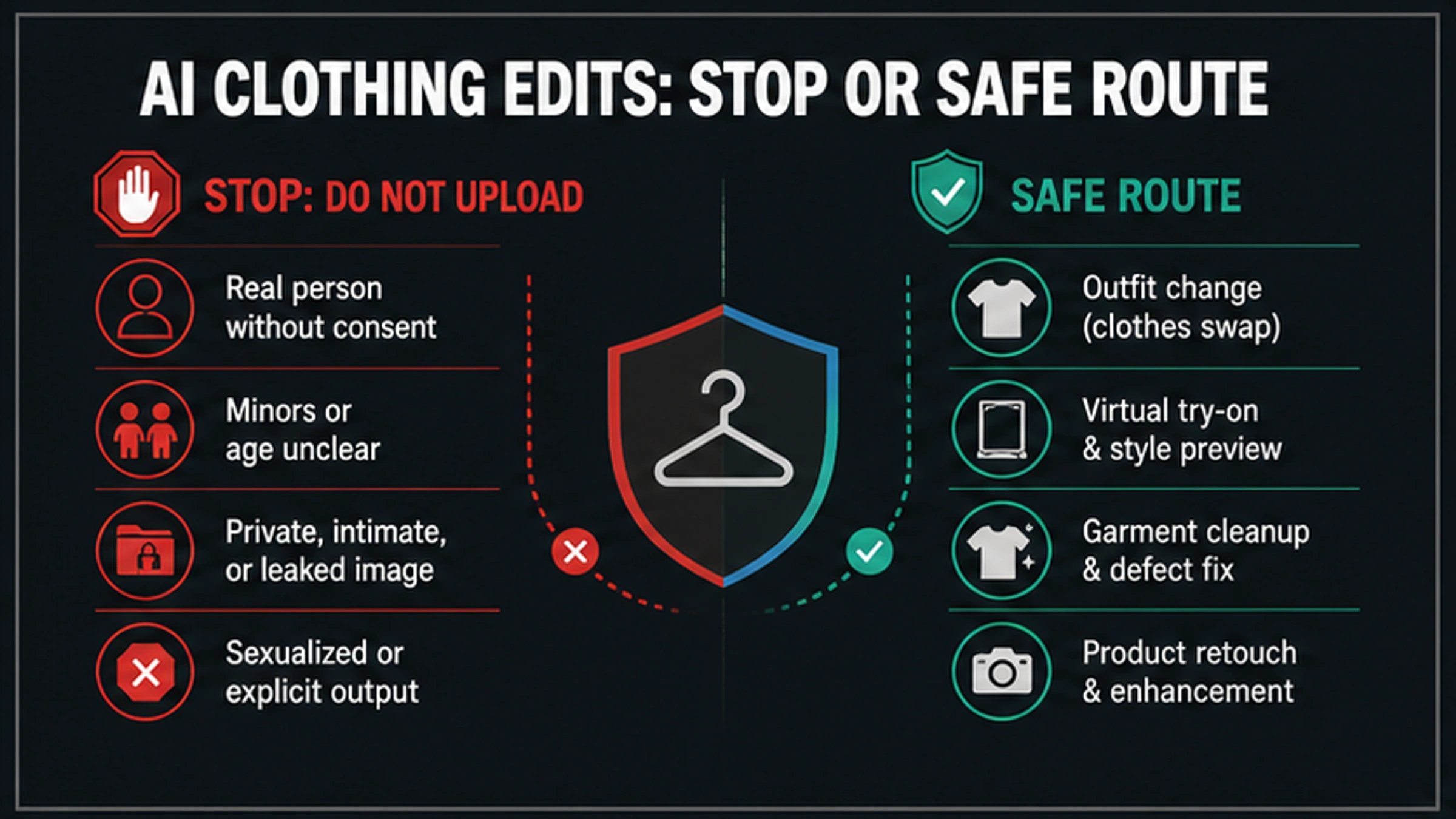
As of May 9, 2026, a free no-sign-in AI clothing remover is not a safe default for photos of people. If the edit would make a real person nude, sexualized, falsely consenting, or involve a minor, unclear age, private image, or leaked image, stop before upload.
| What you are trying to do | Safer route | Stop or check first |
|---|---|---|
| Remove clothing from a real person | Stop | Do not upload if the person did not clearly consent or the result would be sexualized. |
| Preview a different outfit | Use a SFW clothes changer or virtual try-on | Use your own adult image, a consenting model, a licensed product photo, or fictional adult art. |
| Clean a garment photo | Use lint, wrinkle, dust, crop, blur, or product-retouch tools | Keep the edit about fabric or product quality, not exposing a person. |
| Edit ecommerce or fashion assets | Use licensed product retouch and outfit-preview workflows | Confirm image rights, model consent, and platform rules before publishing. |
| You found a harmful AI nude or fake sexualized image | Report and remove; do not remix it | Preserve evidence safely, avoid resharing explicit material, and use platform or legal reporting routes. |
No sign-in is a privacy warning, not a privacy proof. A site can still store uploads, show files in a public gallery, keep metadata, limit deletion, or require support access later, so legitimate clothing edits should pass the consent check first and the upload-policy check second.
Quick answer: should you use a no-sign-in clothing remover?
Use the phrase carefully. A "clothing remover" search can describe two very different jobs: a harmful attempt to expose or sexualize a person, or a legitimate clothing-editing task such as outfit preview, product retouching, lint cleanup, wrinkle removal, cropping, or background-safe fashion editing. The first job should stop. The second job needs a narrow SFW route and an upload-risk check.
For a real person, the safe default is not "try a free tool and see what happens." It is "do I have rights and specific consent for this image and this output?" Consent is not a footer note. It is the workflow gate. If the image includes a person who did not agree, a child, an age-ambiguous subject, a private or leaked photo, or a requested sexualized result, changing tools does not fix the request.
For a legitimate edit, use the tool category that matches the job. If the goal is to preview a shirt, use a clothes changer or virtual try-on. If the goal is to clean fabric, use garment cleanup. If the goal is ecommerce quality, use licensed product retouching. If the goal is to hide something sensitive, crop or blur instead of trying to expose more detail.
Check consent before you check any tool
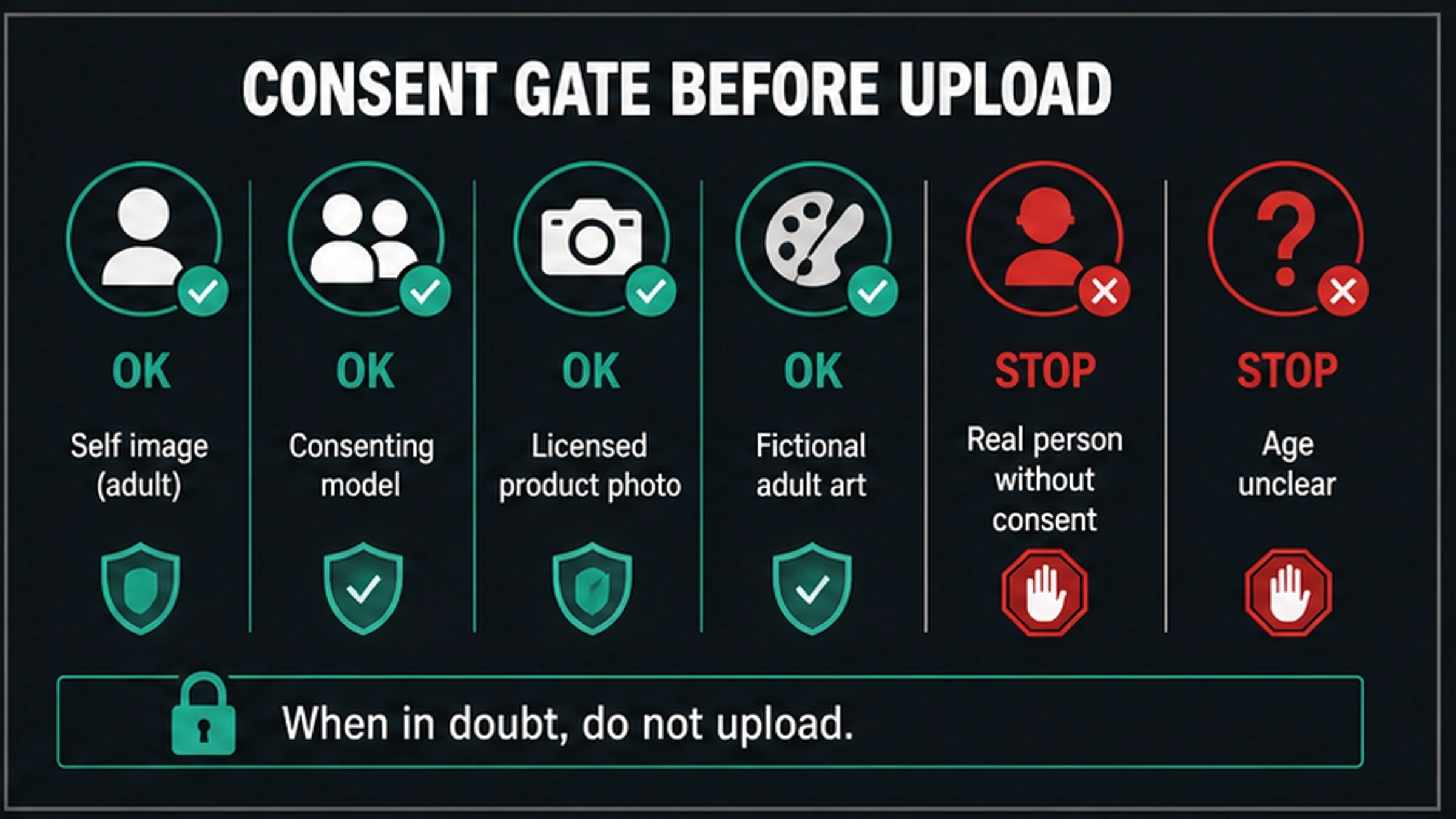
The first useful question is not whether the tool is free. It is whether the image can be uploaded at all.
| Source image | Safer reading | Action |
|---|---|---|
| Your own adult image | Lower consent risk, but still sensitive | Continue only for SFW clothing edits and check storage, deletion, and output use. |
| A consenting adult model | Possible for fashion, ecommerce, or portfolio work | Consent must cover this exact AI edit, storage, distribution, and publishing context. |
| A licensed product photo | Appropriate for product retouching or outfit preview | Confirm license scope and marketplace rules before publishing. |
| Fictional adult artwork | Lower real-person identity risk | Still check age depiction, platform rules, and lawful use rights. |
| A real person without consent | Likeness, privacy, harassment, and NCII risk | Stop before upload. |
| A minor or age-ambiguous person | Child-safety boundary | Stop and use reporting resources if harmful content exists. |
| A private, intimate, or leaked image | High privacy and non-consensual intimate image risk | Do not upload, generate, share, or remix it. |
This gate also applies when the output is "only for myself." Private intent does not make a non-consensual image safe, and a no-account website does not mean the file disappears. Images can be processed, cached, logged, reviewed, or exposed through public galleries depending on the service.
The FTC's consumer guidance on nonconsensual distribution of intimate images explicitly covers digitally altered and AI-created images. OpenAI's usage policies also treat privacy, likeness consent, minors, sexual exploitation, and safeguard circumvention as hard safety boundaries. Use those as boundary signals: if your intended edit would create a person they did not agree to be, stop.
Clothes remover, clothes changer, virtual try-on, and garment cleanup are different jobs
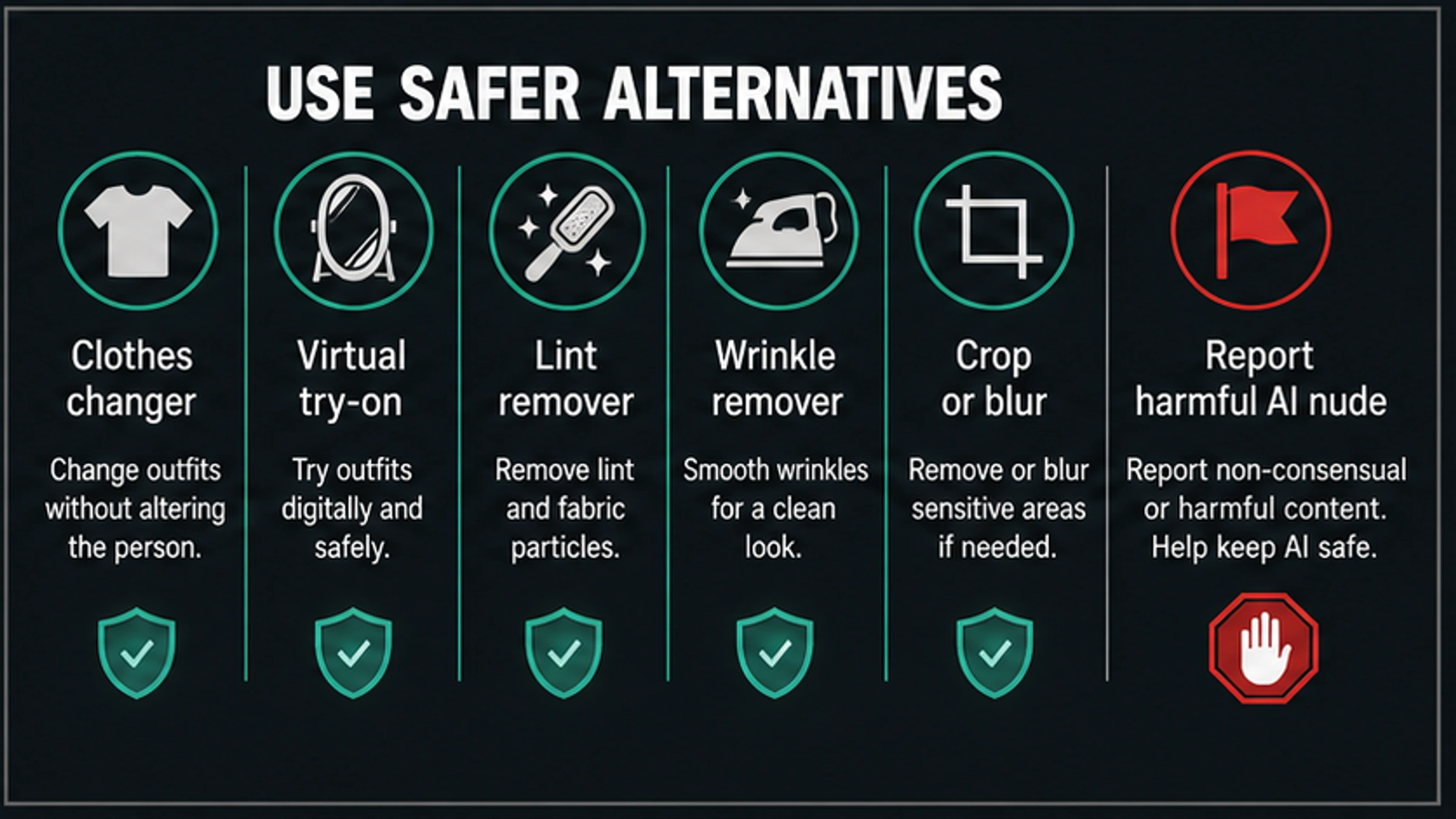
Most safe clothing-editing tasks do not require a remover at all. The better route is usually a narrower tool category.
| Reader job | Better wording | What the tool should do | What it should not do |
|---|---|---|---|
| Preview a new outfit | Clothes changer | Replace visible clothing with another SFW garment style | Expose a body or imply nudity. |
| Check style fit | Virtual try-on | Show how a garment, color, or silhouette might look | Turn a non-consenting person into a sexualized image. |
| Improve fabric quality | Garment cleanup | Remove lint, dust, wrinkles, pilling, stains, or distracting folds | Change the person's body or intimate areas. |
| Prepare ecommerce assets | Product retouch | Improve a licensed product photo for a listing | Hide missing rights, consent, or model-release gaps. |
| Protect privacy | Crop, blur, redact | Remove sensitive areas, faces, metadata, or background details | Reconstruct hidden detail. |
| Respond to harm | Report and remove | Document and report a fake or harmful AI nude | Download, repost, or remix the harmful content. |
The distinction matters because tool names blur quickly. A site may use "clothes remover" for SFW background cleanup, garment isolation, or virtual try-on. Another site may use similar wording for unsafe exposure. The publishable decision is not the label. It is whether the edit changes clothes in a lawful, consented, non-sexual way or tries to make a person appear exposed.
For fashion, ecommerce, and creative styling, write the job in safer terms before choosing software: "replace the jacket with a blue blazer," "remove lint from a sweater product photo," "preview this dress on a consenting model," or "blur a sensitive area before sharing." If you cannot describe the task without exposing someone, the request is not a legitimate clothing edit.
Why no-sign-in tools can be riskier, not safer
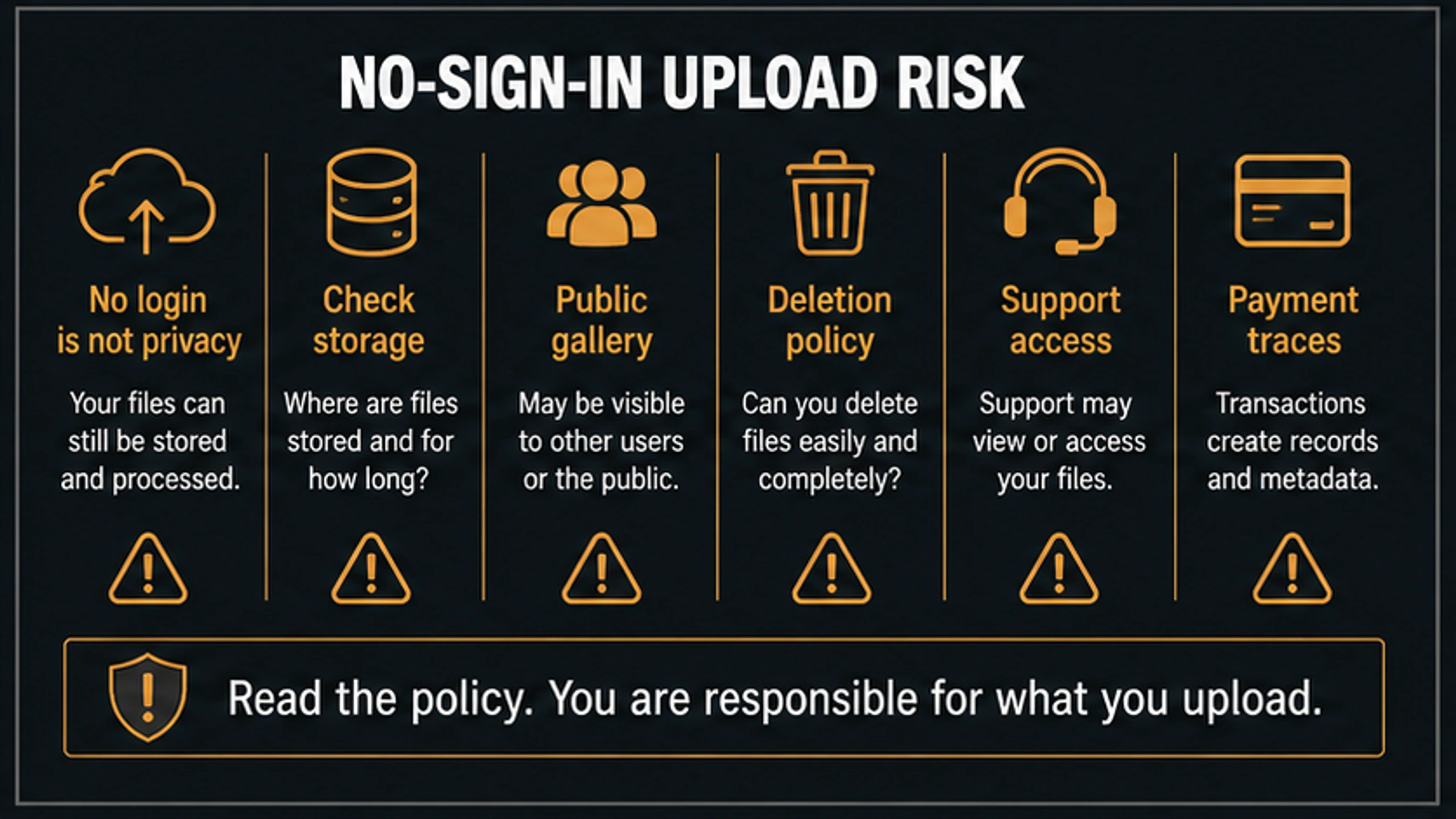
No sign-in can reduce friction, but it can also remove accountability and make the data contract harder to inspect. A service can accept an upload without an account and still retain the file, log metadata, place outputs into a gallery, use support review, or connect activity to a device, payment, IP address, or browser fingerprint.
Check these points before uploading any people photo, even for a legitimate SFW edit.
| Risk area | What to look for | Red flag |
|---|---|---|
| Storage | Where source images and outputs are stored, for how long, and whether they are used for training | The page says "private" but gives no retention or training language. |
| Public exposure | Whether outputs are private by default or may appear in a gallery, feed, template, or examples page | The gallery shows user uploads or offers public sharing by default. |
| Deletion | Whether deletion covers source images, derived files, thumbnails, logs, and backups | The site has no deletion path or only deletes the visible output. |
| Support access | Whether staff, contractors, moderation vendors, or automated review systems can inspect files | Sensitive uploads can be reviewed without a clear reason or notice. |
| Payment and metadata | Whether a "free" tool later requires payment, export credits, watermarks, or billing traces | Privacy claims disappear once export or support is needed. |
| Abuse response | Whether there is a clear report, appeal, or takedown process | The site markets "no filters" but does not explain abuse handling. |
If a privacy claim cannot be checked, do not compensate by using a more anonymous workflow. Use less sensitive inputs, local-only SFW editing, licensed product assets, or no AI edit. For people photos, the easiest file to protect is the one you never upload to a vague service.
Why mainstream tools block sexualized or non-consensual edits
Mainstream image-editing systems are not merely trying to be inconvenient. Their policies usually exist around predictable harm surfaces: real-person likeness misuse, non-consensual intimate imagery, minors, harassment, privacy violations, and attempts to get around safeguards.
OpenAI's policy page prohibits using a person's likeness without consent in ways that could confuse authenticity, as well as sexual exploitation, child-safety violations, and bypassing protective measures. Other mainstream providers use their own language, but the practical pattern is similar: if a request asks the model to expose or sexualize a real person, the tool may refuse because the request crosses a safety boundary.
That refusal should change the workflow. Do not rephrase the request until it slips through. Classify the reason instead:
| Blocked request pattern | Likely boundary | Safer next move |
|---|---|---|
| "Make this person nude" | Non-consensual or sexualized real-person edit | Stop. |
| "Use this photo of my ex, classmate, coworker, celebrity, or stranger" | Likeness and consent risk | Stop unless there is explicit consent and the edit is SFW. |
| "The person might be under 18" | Child-safety risk | Stop and use reporting paths if harmful content exists. |
| "It is a leaked/private image" | Privacy and NCII risk | Do not upload or remix. |
| "Tell me how to bypass the filter" | Safeguard circumvention | Stop. |
| "Clean lint from this sweater product photo" | SFW garment cleanup | Use a garment or product retouch tool. |
That is why a safe answer should not rank no-filter or adult remover tools. Ranking them would solve the wrong problem and increase the harm surface. Legitimate editors need the correct SFW route; everyone else needs the stop conditions quickly.
What to use instead for legitimate clothing edits
When the request is legitimate, choose the tool type by output, not by a sensational label.
For personal style preview, look for a SFW clothes changer or virtual try-on flow. Use your own adult image or a consenting model, keep the target output clothed, and check whether the service stores or republishes the upload. The right result is a different garment, not an exposed person.
For ecommerce and fashion catalogs, use licensed product retouching. This usually means color correction, wrinkle cleanup, lint removal, garment shape correction, background cleanup, or showing a garment on a consenting model. Keep model releases and image rights tied to the actual marketplace or campaign where the image will appear.
For a messy photo, use a narrower cleanup tool. Lint, wrinkles, dust, tags, straps, and background clutter can often be fixed without changing identity or body exposure. Cropping and blurring are valid privacy tools when the goal is to hide sensitive detail.
For creative fictional art, keep the character adult-coded, non-real, and inside the platform's allowed use. Fictional status reduces some real-person identity risk, but it does not override age depiction rules, platform content limits, copyright, or distribution requirements.
The strongest rule is simple: if the safer route still depends on making a real person appear nude or sexualized without clear consent, it is not a safer route.
If someone made or shared an AI nude
If harmful AI sexualized content already exists, stop thinking like an editor. Think like someone preserving evidence and reducing spread.
Record URLs, usernames, timestamps, platform names, and screenshots where it is lawful and safe to do so. Do not download, repost, or send explicit material around unless a reporting workflow specifically requires a safer form of evidence. For child-related material, NCMEC's Take It Down FAQ tells users not to download or share nude, partially nude, or sexually explicit images while using the service.
For U.S. non-consensual intimate image context, the FTC's TAKE IT DOWN Act page and the Congressional Research Service summary of the TAKE IT DOWN Act describe federal rules that include digital forgeries and platform notice-and-removal obligations. This is U.S. context, not global legal advice. Platform rules, state law, local law, school or employer support, trusted organizations, and qualified legal help may all matter.
For minors or suspected child sexual abuse material, use child-safety reporting paths rather than AI-editing tools. For adults, use platform reporting, takedown processes, trusted support organizations, and legal advice where appropriate. The goal is removal, documentation, and safety, not experimenting with more generations.
Related video or Grok routes
For still-image clothing edits and no-login upload risk, keep the decision around consent, privacy, and safer SFW alternatives. If your actual job has moved into video generation, use the AI image-to-video NSFW route guide instead; that route separates mainstream image-to-video tools, adult-specific routes, local workflows, consent, storage, posting, and reporting.
If the question is specifically Grok Imagine, Spicy Mode, or xAI policy, use the Grok Imagine adult content guide for consumer access and the Grok xAI NSFW image generation policy guide for policy boundaries. Grok is a separate product contract, not a workaround for unsafe clothing-removal requests.
FAQ
Is a free no-sign-in AI clothing remover safe?
Not by default. No sign-in does not prove privacy, deletion, or lawful use. For people photos, first check consent, age, real-person likeness, privacy, and whether the output would be sexualized. If any stop condition applies, do not upload.
Can I use my own photo?
You can use your own adult image for SFW outfit preview, virtual try-on, garment cleanup, or product-style edits if the service terms and privacy policy are acceptable. Avoid edits that create explicit or harmful content, and check whether the tool stores or republishes uploads.
Can I use someone else's photo if the output stays private?
Do not use another real person's photo for a sexualized or exposing edit without explicit consent for that exact use. "Private" output does not remove likeness, harassment, privacy, or non-consensual intimate image risk.
What is the difference between a clothes changer and a clothing remover?
A clothes changer or virtual try-on should keep the person clothed while changing garment style, color, fit, or product preview. A harmful remover request tries to expose or sexualize a person. The safer label is not enough; the actual output decides.
Are garment cleanup tools okay?
Usually yes when the edit stays about fabric or product quality: lint, wrinkles, dust, stains, folds, cropping, background cleanup, or ecommerce polish. The edit should not reconstruct hidden body detail or create sexualized exposure.
Are no-login virtual try-on tools private?
Not automatically. Check storage duration, deletion controls, public-gallery defaults, training language, support access, and export limits. No-login can mean fewer account steps, not stronger privacy.
What if the tool says it has no filters?
Treat "no filters" as a warning sign. Look for terms of use, prohibited-content rules, privacy policy, deletion controls, and abuse reporting. If the site cannot explain those basics, do not upload sensitive people photos.
What should I do if someone shared a fake AI nude of me or someone else?
Preserve evidence safely, report through the platform, avoid resharing explicit material, and use trusted reporting or legal support. For minors or suspected child sexual abuse material, use child-safety reporting resources such as NCMEC's Take It Down workflow rather than downloading or circulating the image.