When ChatGPT says "There was an error generating a response," it means the current answer failed to finish; it does not by itself prove your account is blocked, your prompt is gone, or ChatGPT is down.
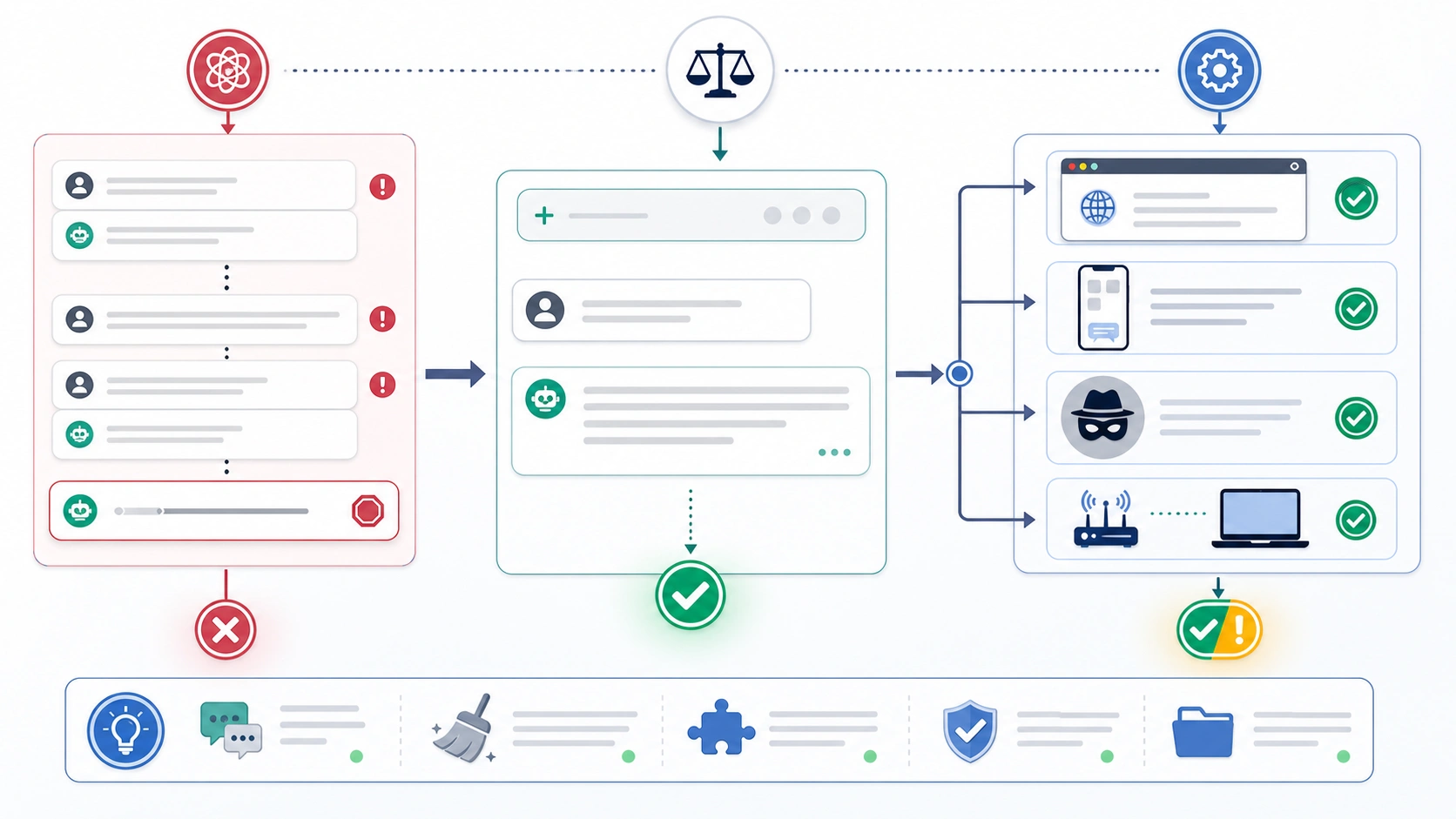
Before changing settings, copy your prompt or any partial output, then click Regenerate once. If the same message comes back, use the branch board below to isolate the likely owner: OpenAI service status, one broken conversation, browser or app state, VPN/proxy/security filtering, a long or heavy request, or a case that needs OpenAI support evidence.
| What you see | First safe test | Stop rule |
|---|---|---|
| Many chats fail at once | Check OpenAI Status, then wait and retry later if an incident is active | Do not clear local data during an active incident |
| Only one conversation fails | Start a new chat with the same short prompt | Move useful context into a fresh thread if the new chat works |
| One browser or app fails | Try incognito, another browser, or the mobile/web app counterpart | Clear site data only after saving your prompt |
| VPN, proxy, DNS, office network, or security tools are involved | Test a different network or temporarily disable the filter you control | Restore security settings after the test |
| The prompt is long, file-heavy, or buried in an old thread | Split the request and ask for a smaller first answer | Stop repeating Regenerate on the same overloaded thread |
| Clean browser, clean network, new chat, and simpler prompt all fail | Gather timestamp, screenshot, device/browser, network, and steps tried | Contact OpenAI support with the evidence packet |
What the Error Means
OpenAI's ChatGPT error-message troubleshooting describes this message as a failed response when ChatGPT cannot produce an answer. The important part is the scope: it is a response attempt failure, not a full diagnosis.
That is why the first retry should be small and reversible. Use Regenerate once, because OpenAI lists that as the first action for this exact message. But do not keep hitting Regenerate blindly. If the same chat keeps failing, repeated retries can waste time, hide the real branch, and increase the chance that you lose track of the original prompt.
The message also does not mean the same thing as a login challenge, a ChatGPT Plus payment problem, an image generation quota, or an OpenAI API 429. Those surfaces may use frustrating wording, but they have different owners. Keep this recovery path focused on the ChatGPT web or app conversation where an answer failed while being generated.
The Five-Minute Recovery Board
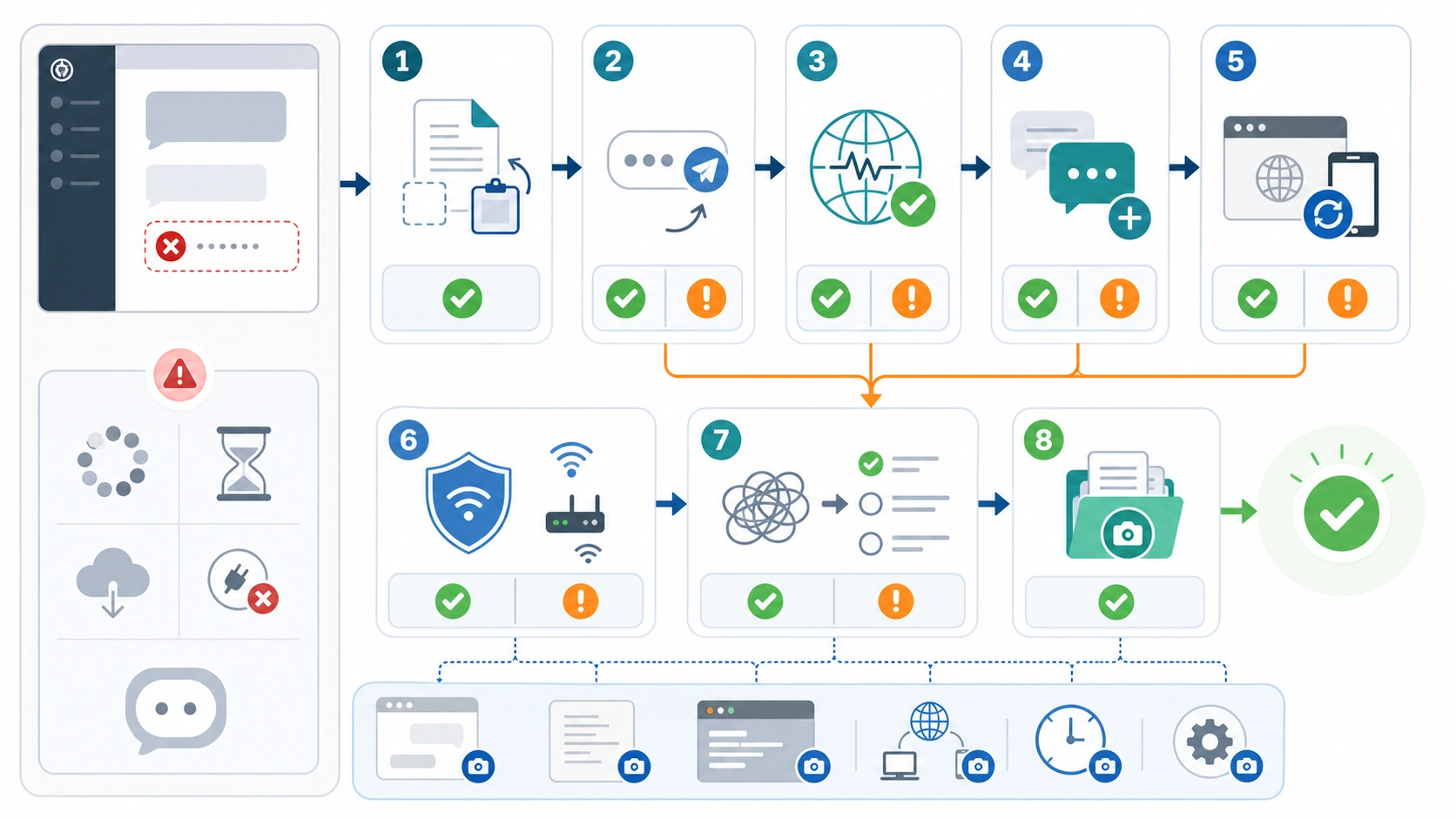
The fastest path is to change one variable at a time. Start with the version of the prompt that failed. If it is long, copy it into a note before you touch the page. If ChatGPT produced a partial answer, copy the useful part as well. Now you can test without losing the work.
Use this order:
| Step | Action | What it tells you |
|---|---|---|
| 1 | Save the prompt and partial output | You can reload, switch chats, or contact support without losing context |
| 2 | Click Regenerate once | A one-time response failure can recover immediately |
| 3 | Check whether other chats fail too | Many simultaneous failures point toward service status or local environment |
| 4 | Start a fresh chat with a short version of the same request | A fresh chat working points to a broken or overloaded thread |
| 5 | Try incognito, another browser, or another device | A clean client working points to browser/app state or extensions |
| 6 | Try a different network or disable a filter you control | A network change working points to VPN, proxy, DNS, or security filtering |
| 7 | Split the request or remove heavy files | A smaller request working points to prompt, file, or context pressure |
| 8 | Collect evidence if clean tests fail | Persistent clean-environment failure belongs with support evidence |
This sequence protects the main job: recover the answer with the least disruptive move. Clearing cookies, signing out, reinstalling the app, or switching accounts can be useful later, but they are poor first moves when the prompt itself is still at risk.
If OpenAI Status Shows an Incident
Open OpenAI Status before you spend ten minutes rebuilding your browser profile. On May 19, 2026, OpenAI Status said systems were fully operational and did not list known issues affecting systems. That statement is only a timestamped check. Status can change, so refresh it when you are troubleshooting.
If the ChatGPT component shows an active incident or degraded performance, the correct move is usually restraint. Save your prompt, wait for the incident to clear, and retry later. Local fixes such as clearing cookies, switching browsers, or changing networks may not help when the service branch is the owner.
If status is normal, do not stop there. A normal status view only says there is no declared broad incident. It does not rule out one damaged conversation, one browser extension, a workplace filter, a VPN route, a heavy file, or a prompt that is too large for the current thread.
If Only One Conversation Is Broken
One broken thread is common enough to test early. Start a new chat and send a short version of the same request. If the new chat answers, the account and service are probably usable. The old conversation may be too long, carrying conflicting instructions, stuck around a tool/file state, or simply damaged in the current session.
Do not paste the whole old thread into the new chat. Move only the minimum useful context: the goal, constraints, key facts, and the latest prompt. If the old answer was long, ask for a smaller first response such as "give me the outline first" or "answer the first three items only." That makes the next response easier to complete and easier to recover if it fails again.
If the fresh chat also fails with a short prompt, the owner probably is not one thread. Move to browser/app, network, status, or support branches instead of continuing to regenerate inside the same failed conversation.
If the Browser or App Is the Variable
OpenAI's troubleshooting advice for ChatGPT errors includes restarting the browser or device, trying a different browser or incognito mode, disabling extensions, and clearing cache or cookies if the problem continues. The order matters. A private window or a second browser is a safer diagnostic step than deleting site data immediately.
Use a clean-client test:
| Test | If it works | If it fails |
|---|---|---|
| Incognito/private window | Extension, cookie, cache, or profile state is likely involved | Try another browser or device |
| Another browser | The original browser profile is suspect | Try network or prompt-pressure branch |
| Mobile app instead of web, or web instead of mobile app | The failing client surface is suspect | Check status, network, or account-support branch |
| Hard refresh or app restart | A temporary client state was stuck | Keep going only if the same message returns |
Disable privacy, script-blocking, ad-blocking, password-manager injection, translation, automation, and security extensions only for the test you control. If a clean browser works, re-enable extensions one by one later. If you clear ChatGPT site data, do it after saving the prompt and anything important from the conversation.
If VPN, Proxy, DNS, or Security Filtering Is Involved
Network and security tools can let the ChatGPT page load but still interfere with response streaming or server connections. OpenAI specifically lists VPNs, proxies, secure DNS tools, Web Protect-style filters, browser extensions, and different network/device tests in its troubleshooting flow.
The safe test is temporary and narrow. If you are using a VPN, disconnect it and retry once. If you are on an office, school, hotel, or public Wi-Fi network, try a mobile hotspot. If a browser security tool rewrites scripts, blocks websockets, or filters content, disable it only long enough to test ChatGPT, then restore the setting.
Do not treat a successful network change as proof that security should stay off. Treat it as proof of ownership. The durable fix may be an allowlist, a different DNS profile, a less aggressive extension rule, or your IT team's policy. If you cannot change the network because it belongs to an employer or school, gather the visible error, timestamp, browser, and network context before asking an admin.
If the Prompt, File, or Thread Is Too Heavy
Some response failures are workload-shaped. The request may include a large file, too many instructions, a long conversation history, a table that needs heavy transformation, or a demand for a single huge answer. ChatGPT may start generating, then fail before it finishes.
Shrink the next attempt instead of repeating the same prompt:
| Heavy request shape | Smaller test |
|---|---|
| Long conversation with many turns | Start a new chat with a concise task summary |
| Large file or many pasted records | Ask for the first slice or a schema check first |
| Many constraints in one prompt | Split into goal, constraints, and first deliverable |
| Very long requested output | Ask for outline, first section, or numbered plan first |
| Tool or file state seems stuck | Remove the attachment and test a plain-text prompt |
This is not about making the request less important. It is about finding the point where ChatGPT can complete a response again. Once a smaller answer succeeds, build forward in chunks. You can ask it to continue, expand one section, or process the next file slice.
If Every Clean Test Fails
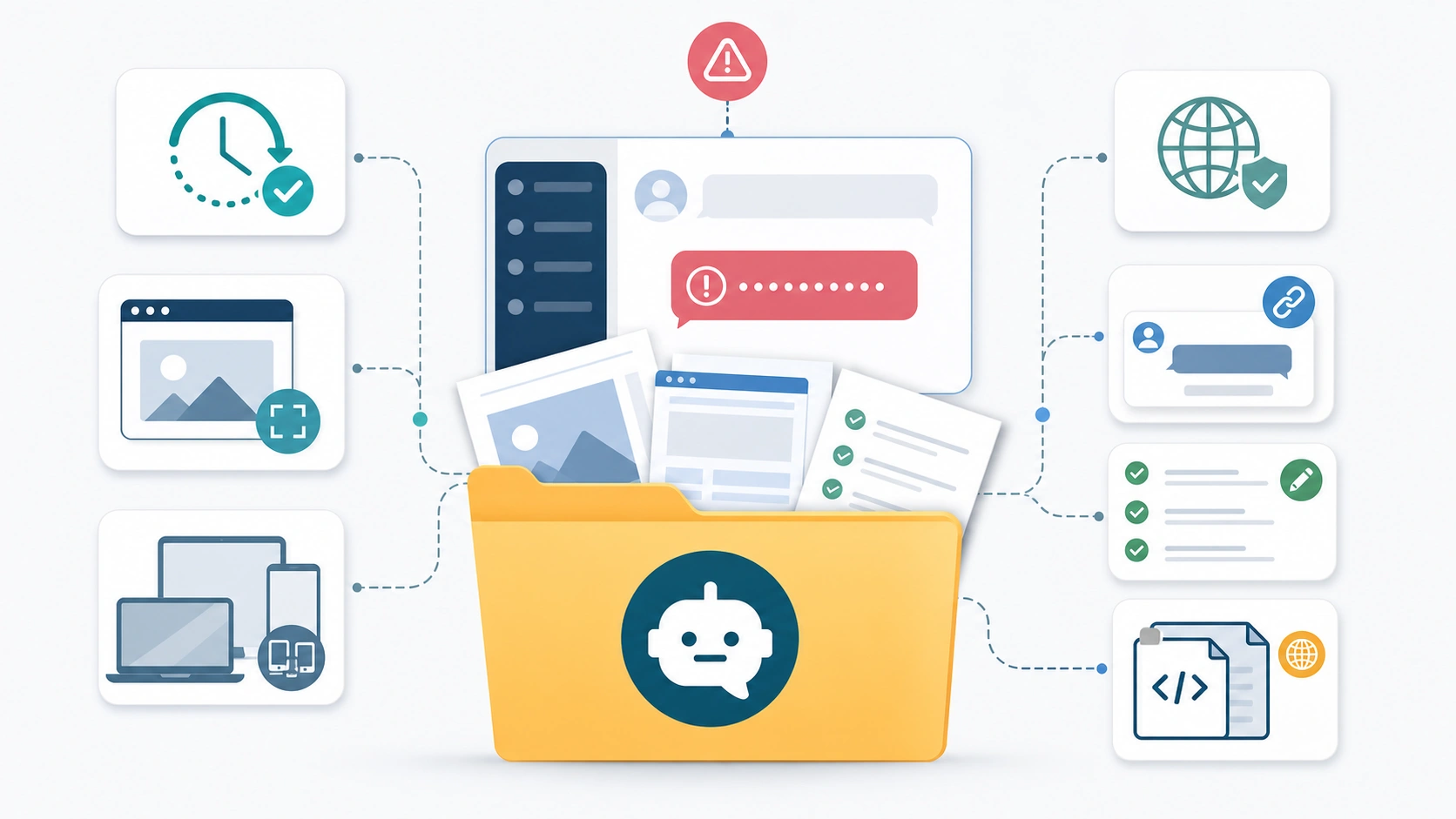
If a new chat, a short prompt, a clean browser, a different network, and a fresh status check all fail, stop random fixes and build an evidence packet. OpenAI's troubleshooting flow asks persistent cases to collect useful details such as timestamps, browser console errors, HAR files where relevant, model used, and conversation URL or ID before contacting support. Treat HAR files and console logs as sensitive because they can contain session or request information.
Your support packet should include:
- the exact error message
- timestamp with timezone
- ChatGPT surface: web, desktop app, iOS, or Android
- browser/app version and device
- network context: home, office, VPN, proxy, secure DNS, or hotspot test
- whether OpenAI Status showed an incident at that time
- whether a new chat with a short prompt failed
- whether incognito or another browser failed
- whether another network or device failed
- screenshot with private content hidden
- conversation URL or ID if the support flow asks for it
- HAR or browser console data only through an official support path
Good evidence keeps support from asking you to repeat every local test. It also protects you from changing several variables at once and no longer knowing what failed.
Wrong-Surface Cases That Need a Different Fix
If the visible problem is a login code, do not use response-generation troubleshooting. A verification-code prompt belongs to an account-control branch, and the safe path is to identify email OTP, app approval, MFA, SSO, missing code, or unexpected-code risk. Use the ChatGPT verification code recovery path for that surface.
If the problem happens only while generating images, especially around limits, missing image outputs, stuck image jobs, or plan-specific image access, use an image-generation branch instead. The ChatGPT free image generation limit explainer separates text-chat response failure from image quota and access behavior.
If the message comes from code calling the OpenAI Platform API, check the HTTP status and error body before applying ChatGPT UI fixes. An API 429, insufficient_quota, billing stop, project mismatch, or model access problem belongs to an API contract. Use the OpenAI API quota and 429 recovery path for that branch.
FAQ
Does "There was an error generating a response" mean ChatGPT is down?
Not by itself. It can be a one-time failed response, one broken conversation, a browser/app issue, a network/security filter, a heavy prompt, or an account-specific support case. Check OpenAI Status if many chats fail at once, but keep a local diagnosis path when status is normal.
Should I clear cache and cookies first?
No. Save the prompt and partial output first, then try Regenerate once, incognito, or another browser. Clearing site data can be useful when a browser profile is the owner, but it should not be your first move if the conversation content is still at risk.
Why does editing the prompt sometimes fix it?
Editing can create a smaller or cleaner request. If the old prompt carried too much context, a huge file, or conflicting instructions, a shorter version may complete. Treat that as prompt or thread pressure, not proof that the original idea was invalid.
Why does ChatGPT work in a new chat but not the old one?
The old conversation may be too long, stuck around a tool or file state, or carrying context that makes the next answer harder to complete. Move the necessary facts into a fresh chat instead of pasting the whole thread.
Can a VPN or office network cause this after ChatGPT already loaded?
Yes. The page can load while response streaming or server connections still fail. Test a different network, mobile hotspot, or a temporary VPN/proxy disablement that you control. Restore security settings after the test.
Is this the same as an OpenAI API quota error?
No. A ChatGPT web/app response failure is not the same as an API 429, insufficient_quota, billing, project, or model-access error. API errors need the response body, headers, project, organization, model, billing, limits, and request id.
When should I contact OpenAI support?
Contact support when a short prompt fails in a new chat, clean browser, clean network, and another device or app path, and OpenAI Status does not explain the failure. Bring the evidence packet: timestamp, screenshot, device/browser, network, steps tried, and any official support-requested logs.