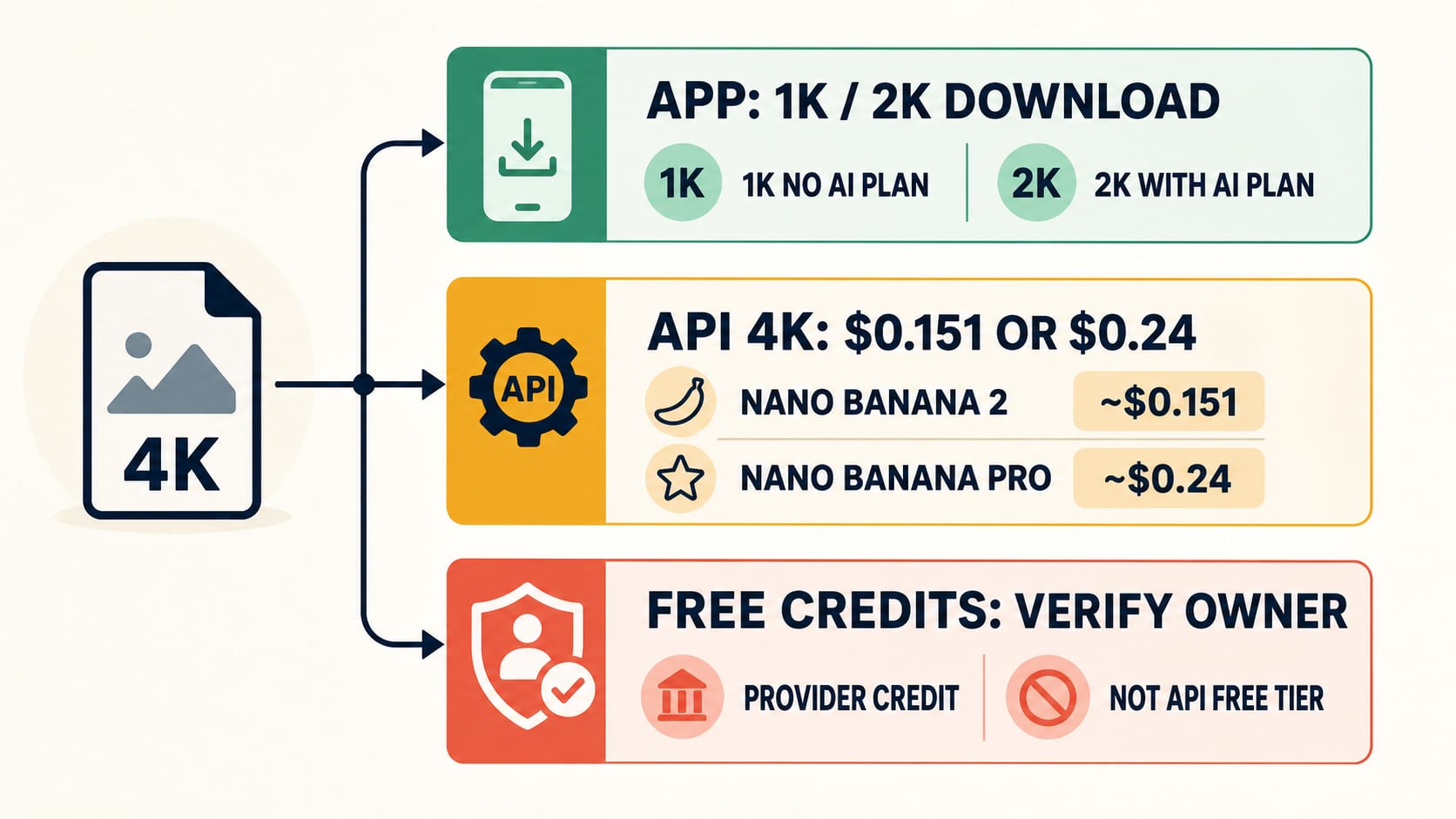
No—the official Nano Banana Pro API route does not currently include free 4K image output. As checked on July 20, 2026, Google lists a Standard 4K output example of about $0.24 for gemini-3-pro-image, with the Free Tier marked unavailable for that image-output row.
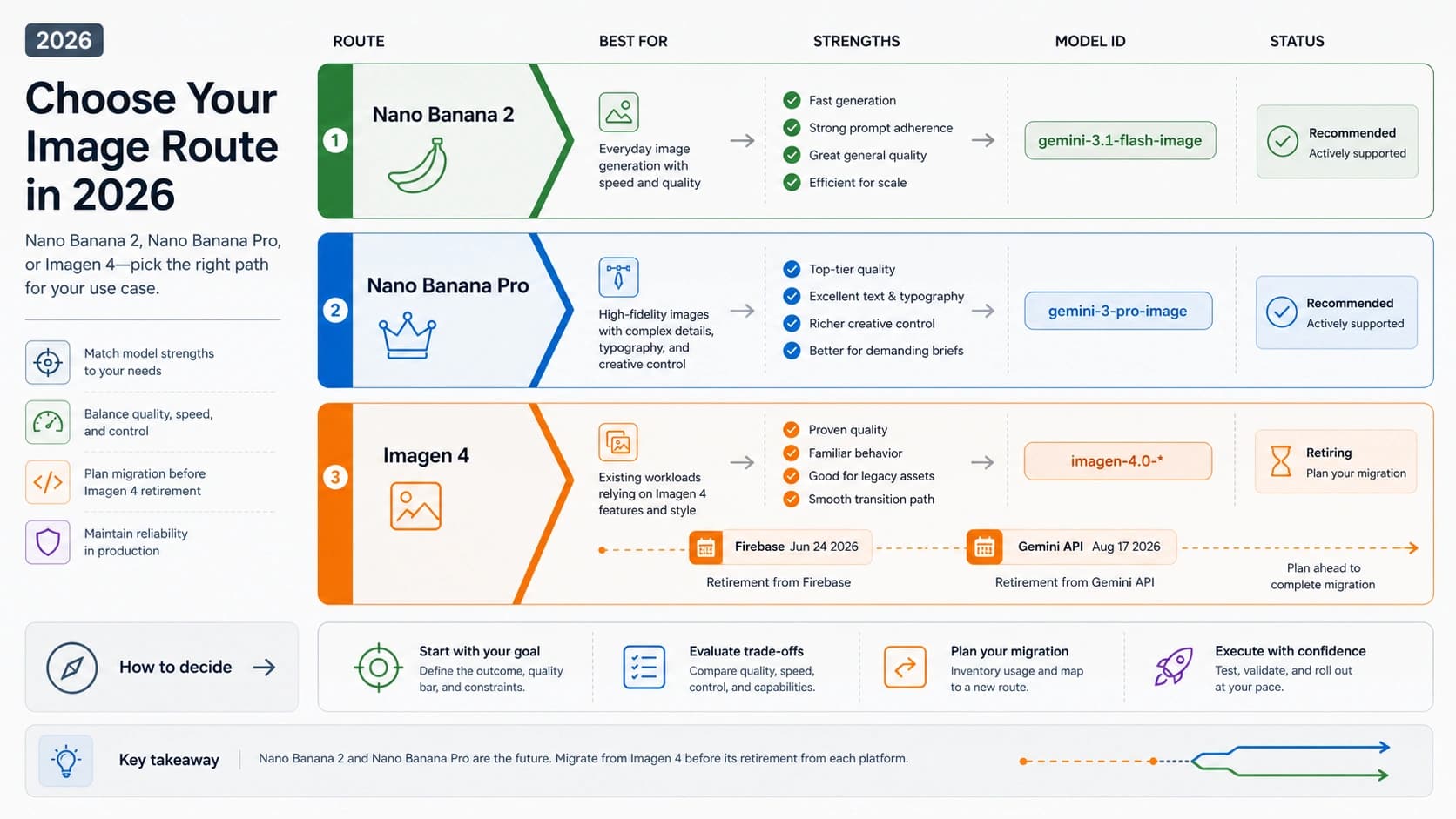
There is a cheaper official 4K option. Nano Banana 2, whose API model ID is gemini-3.1-flash-image, supports 4K and has a Standard 4K example price of about $0.151. Pro is the route to evaluate for unusually complex professional assets—not a fee every 4K job must pay.
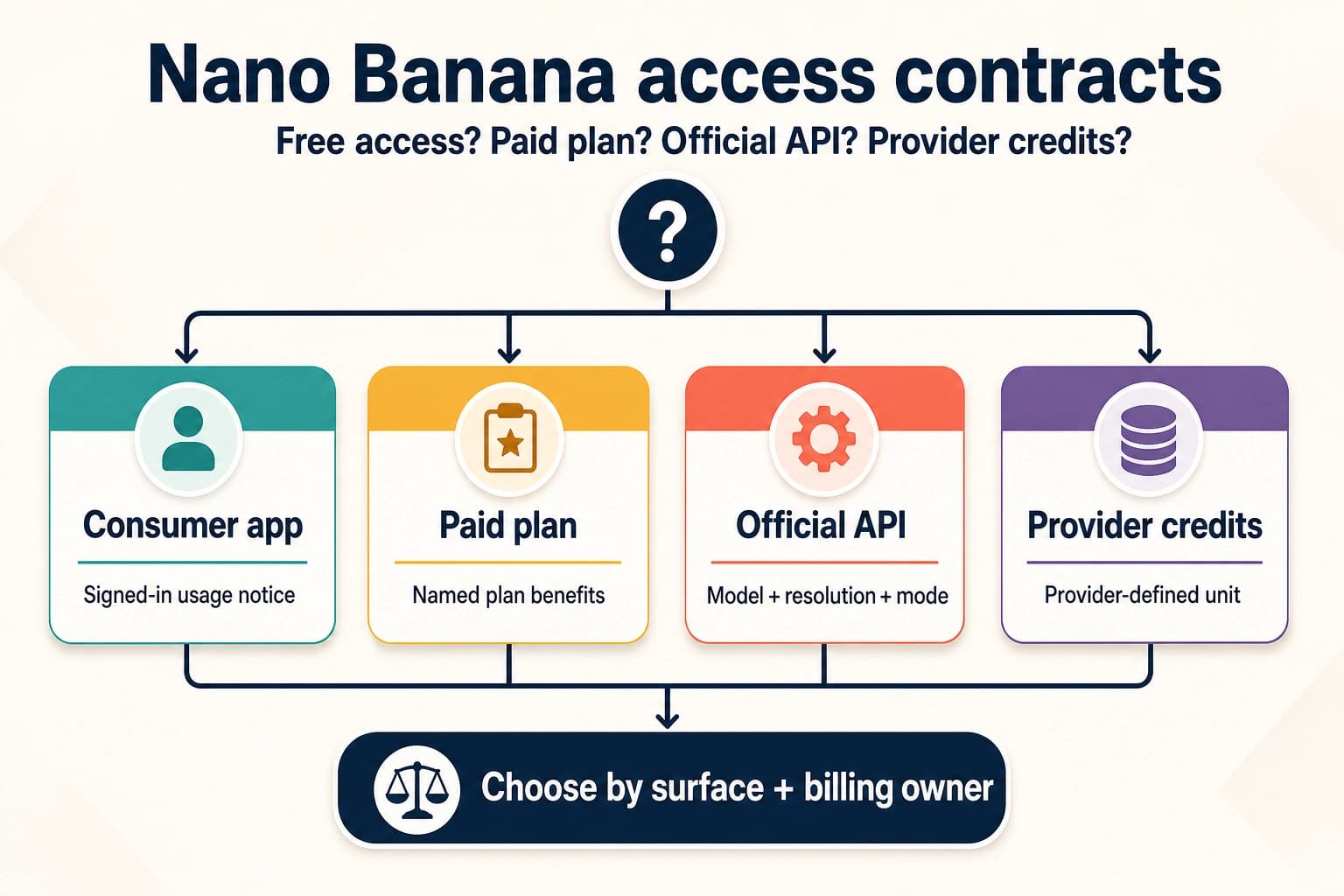
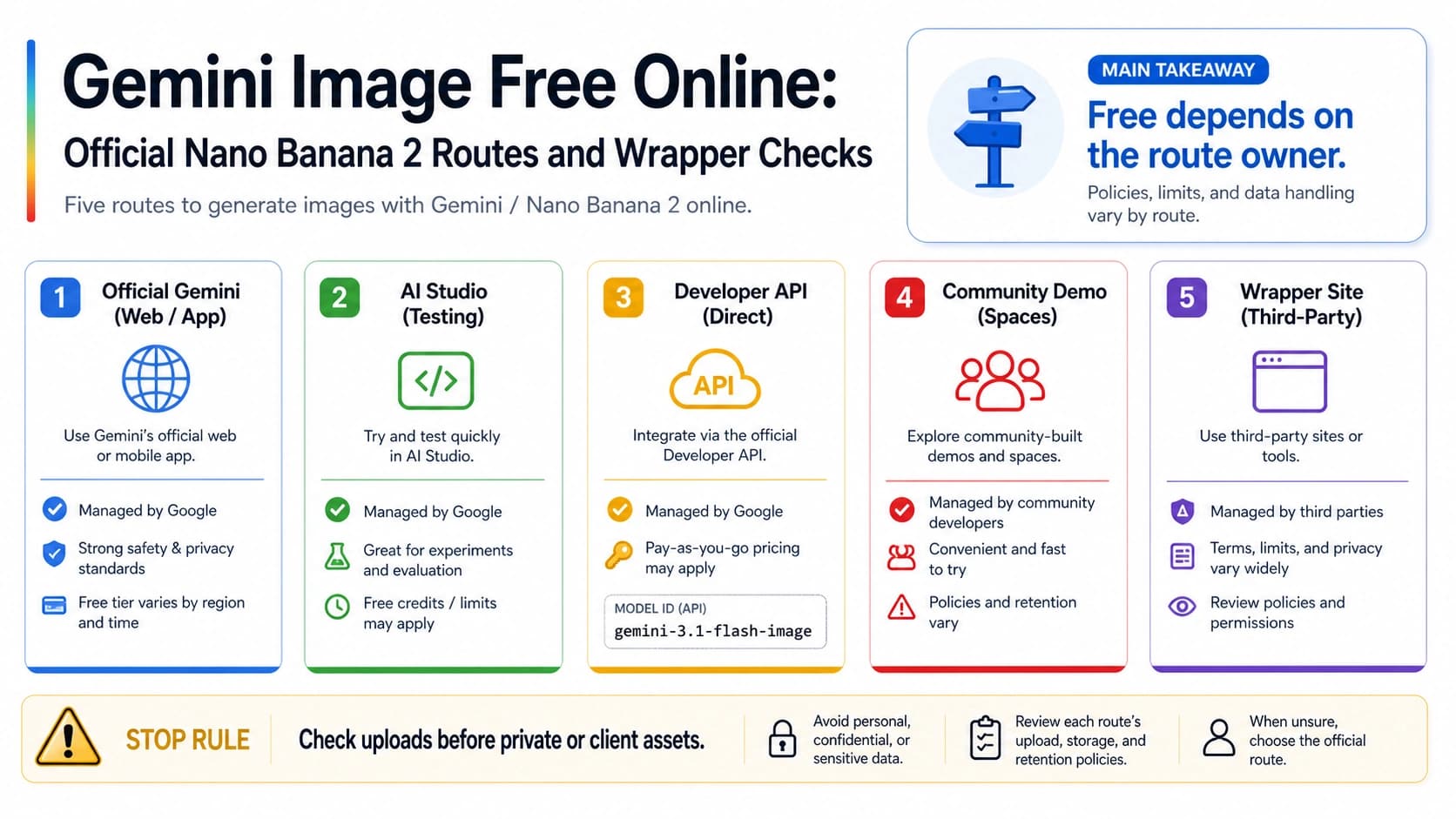
“Free credits” can still be real, but the issuer matters. A Gemini Apps allowance, an AI Studio project, a cloud promotion, and a third-party signup balance are separate contracts. None of them changes the official Gemini API Free Tier column.
| What you actually need | Start here | The important limit |
|---|---|---|
| A casual image in the Gemini app | Gemini Apps | Current downloads are 1K without a Google AI plan and 2K with a plan—not an official 4K export route. |
| The lowest-cost current official 4K API option | Nano Banana 2 | About $0.151 per Standard 4K output; test it against your acceptance criteria. |
| A complex, text-heavy, brand-sensitive professional asset | Nano Banana Pro | About $0.24 per Standard 4K output; higher price does not guarantee a usable result. |
| A website offering free 4K credits | Audit the provider first | Confirm who issued the credits, the exact model, the 4K charge, failure policy, privacy terms, and saved dimensions. |
What Google Actually Charges for 4K
The most useful comparison is not “free versus Pro.” It is surface, model, resolution, and billing lane.
Google's current Gemini API pricing table gives these dated Standard image-output examples:
| Official API model | Reader-facing name | Supported output sizes | Standard 4K example | Standard image-output Free Tier |
|---|---|---|---|---|
gemini-3.1-flash-image | Nano Banana 2 | 0.5K, 1K, 2K, 4K | ~$0.151 | Not available |
gemini-3-pro-image | Nano Banana Pro | 1K, 2K, 4K | ~$0.24 | Not available |
The lower-resolution rows also matter when 4K is unnecessary. Nano Banana 2 is about $0.045 at 0.5K, $0.067 at 1K, and $0.101 at 2K. Nano Banana Pro is about $0.134 for either 1K or 2K. These are output examples, not complete project invoices: text, image inputs, thinking output, grounding, retries, and other operational costs can add to the total.
Google also lists lower asynchronous or flexible lanes. On the same checked page, Nano Banana 2 Batch 4K is about $0.076, while Nano Banana Pro Batch and Flex 4K are about $0.12. Those lanes trade against workflow and latency requirements; they are lower paid prices, not free entitlements.
For a simple budget baseline, 100 Standard 4K outputs are approximately:
- Nano Banana 2: 100 × $0.151 = $15.10 in image-output examples.
- Nano Banana Pro: 100 × $0.24 = $24.00 in image-output examples.
That $8.90 difference is meaningful at volume, but the cheapest attempt is not always the cheapest accepted asset. You still need a task-specific sample.
“4K Capable” Does Not Mean “Every Surface Downloads 4K”
The current Gemini API image-generation guide says both Gemini 3.1 Flash Image and Gemini 3 Pro Image can produce 1K, 2K, and 4K visuals. That is an API model capability.
The Gemini app has a different export contract. Google's current Gemini Apps image Help page says downloaded images are 1K without a Google AI plan and 2K with a plan. A high-resolution preview, a Pro model label, or a paid consumer subscription therefore does not prove a 4K downloaded file.
Google AI Studio is another distinct surface. It is useful for prompt exploration and for inspecting what a particular account and project currently expose. It should not be described as a permanent free 4K production quota. If AI Studio shows a balance, limit, or billing prompt, that is evidence about that account and project—not a new Free Tier row for the Standard API.
Cloud and Vertex have their own project, region, quota, access, and billing terms. Treat them as first-party production surfaces, but verify the exact Cloud contract you intend to use instead of importing a consumer-app allowance into a developer budget.
The rule is simple: capability belongs to the model; allowance and export behavior belong to the surface.
Nano Banana 2 vs Pro: Choose by Rework, Not by the Name
Google currently presents Nano Banana 2 as the versatile, speed-oriented workhorse and Nano Banana Pro as the premium choice for the most complex visual tasks. That positioning supports a practical default: start with Nano Banana 2 for general 4K work, then test Pro when the job has a concrete reason to need it.
| Workload signal | Evaluate Nano Banana 2 first | Consider a Pro comparison |
|---|---|---|
| High-volume general image generation | Yes | Only if rejection or rework is costly |
| Straightforward product scene or social asset | Yes | If references or layout repeatedly drift |
| Dense infographic or exact typography | Run a controlled test | Pro's official positioning makes it a reasonable challenger |
| Brand-sensitive multi-reference composition | Test consistency first | Compare Pro when reference adherence is the bottleneck |
| One-off casual image | Usually | Rarely worth an API premium without a clear failure |
| “I need 4K” with no other requirement | Yes | 4K alone is not a Pro-only requirement |
Do not infer that Pro will always win. This article did not run the two models, and model positioning is not an acceptance guarantee. Use the same prompt, reference inputs, aspect ratio, size, and pass/fail checklist for both.
A useful cost calculation is:
hljs texteffective image-output cost per accepted asset = per-attempt image-output price / acceptance rate
For example, if Nano Banana 2 passed only 50% of a hypothetical workload, its output-only cost would be roughly $0.151 / 0.50 = $0.302 per accepted 4K asset. If Pro passed 80% of that same controlled workload, its output-only cost would be $0.24 / 0.80 = $0.30. In that illustrative case, Pro would nearly break even despite the higher attempt price.
Those percentages are examples, not measured quality claims. Replace them with your own results and include human review time, input costs, retries, and failure charging.
How to Audit a “Free 4K Credits” Offer
A credit number by itself is not a usable allowance. Before you create an account or upload a reference image, convert the offer into an explicit contract.
| Check | Question to answer | Stop if… |
|---|---|---|
| Issuer | Is this Google, a cloud promotion, or the wrapper's own balance? | The page makes provider credits look like official Google credits. |
| Model | Does it name gemini-3-pro-image, gemini-3.1-flash-image, or only a vague “Nano Banana” label? | The backend model cannot be identified. |
| 4K denominator | How many credits does one 4K attempt consume, and do free credits unlock 4K? | The page shows a signup number but hides the 4K charge or resolution gate. |
| Failed jobs | Are credits deducted on start, success, or delivery? Are failed attempts refunded? | The policy is absent and the workload matters beyond a disposable test. |
| Data and rights | How are prompts, uploads, faces, client assets, and outputs stored or used? | Sensitive inputs must be uploaded before privacy, retention, deletion, or rights terms are visible. |
| Delivery proof | What are the downloaded pixel dimensions? Is the file generated at 4K or enlarged later? | “4K” appears only in a badge or prompt preset. |
| Support | Is there job history, a receipt, and a real support path? | A failed charge or missing file would be impossible to trace. |
Here is why the denominator matters. Suppose a provider grants 20 signup credits but charges 25 credits for one 4K attempt. The free balance buys zero 4K generations, even though both “free credits” and “4K” appear on the page. If it grants 60 credits at the same rate, the theoretical maximum is floor(60 / 25) = 2 attempts, with 10 credits left. Whether that produces two usable images still depends on failures, refunds, and output dimensions.
This calculation says nothing about whether the provider is trustworthy. It only prevents the credit headline from being mistaken for a usable 4K allowance.
Request 4K in the API, Then Inspect the Saved File
Prompt text is not a resolution control. “Make it 4K” may describe the desired look, but the developer route must set the image-size field and then verify the returned file.
The current Interactions API documentation uses image_size in response_format. This request fragment selects the cheaper current 4K route:
hljs json{
"model": "gemini-3.1-flash-image",
"response_format": {
"type": "image",
"mime_type": "image/png",
"aspect_ratio": "16:9",
"image_size": "4K"
}
}
For a Pro comparison, change the model to gemini-3-pro-image while keeping the prompt, references, aspect ratio, and acceptance test unchanged.
The uppercase K is not cosmetic. Google's current guide says 1K, 2K, and 4K must use uppercase K; lowercase values such as 4k are rejected.
After saving the response, inspect it rather than trusting the UI label:
hljs pythonfrom PIL import Image
with Image.open("generated-image.png") as image:
width, height = image.size
print({"width": width, "height": height, "format": image.format})
Record the dimensions with the model ID, requested size, aspect ratio, route, and job ID. Different aspect ratios need not produce the same square dimensions, so compare the file against your actual deliverable requirement. If a wrapper returns a large canvas after upscaling, label it as an upscaled delivery rather than proof of native model output.
A Low-Waste 4K Evaluation Workflow
Use this sequence before committing a batch or a subscription budget:
- Define the deliverable. Write down required aspect ratio, minimum dimensions, typography, reference fidelity, prohibited artifacts, and maximum review time.
- Choose the surface. Use the Gemini app for casual 1K/2K downloads, an official developer surface for controlled 4K, or a wrapper only after its contract passes the credit and data audit.
- Start with Nano Banana 2 for general 4K. Its official Standard 4K example is lower and 4K is not Pro-exclusive.
- Run a controlled Pro challenger. Keep inputs and acceptance criteria identical. Escalate because of a repeatable failure—such as dense text or brand drift—not because “Pro” sounds safer.
- Inspect every saved file. Capture dimensions, format, model ID, route, job status, and any post-processing.
- Calculate accepted-output cost. Include rejected outputs, failed-job rules, input charges, reviewer time, and any wrapper credit loss.
- Recheck volatile terms before scale-up. Pricing, plan access, app limits, and provider credits can change without preserving the assumptions in your test notes.
For implementation details beyond this decision, the Gemini 4K image-generation API guide covers size and aspect-ratio configuration. For a broader model comparison, use the Gemini 3 Pro Image vs Gemini 3.1 Flash Image guide.
The Bottom Line
Nano Banana Pro 4K is a real official capability, but it is not a free Standard API output tier. The dated official comparison is approximately $0.151 for Nano Banana 2 4K versus $0.24 for Nano Banana Pro 4K. Most general or high-volume 4K API jobs should evaluate Nano Banana 2 first; Pro is a controlled upgrade test for harder professional assets.
Gemini Apps currently download at 1K without an AI plan and 2K with one, so the app does not establish a 4K export path. A wrapper's free balance establishes only that the wrapper issued credits. Until you know the model, 4K charge, failure policy, privacy terms, and saved dimensions, the number of usable free 4K images is unknown.
FAQ
Is Nano Banana Pro 4K free through the official Gemini API?
No. As checked on July 20, 2026, Google's Standard gemini-3-pro-image pricing row marks the Free Tier as unavailable and gives an example price of about $0.24 per 4K output. Recheck the official pricing page before budgeting.
Does Nano Banana 2 support true 4K API output?
Yes. Google's current image-generation guide lists 4K support for gemini-3.1-flash-image. Its dated Standard 4K output example is about $0.151. Configure image_size as uppercase 4K, save the result, and verify the file dimensions.
Can the Gemini app download 4K images with a paid plan?
Not according to the current English Gemini Apps image Help page. It states downloads are 1K without a Google AI plan and 2K with a plan. App behavior is separate from API capability and pricing.
Is Google AI Studio free for Nano Banana Pro 4K?
Do not infer a universal entitlement. AI Studio can show account- and project-specific access or limits, but that does not change the Standard API image-output row. Check the live project, model, billing state, and output file for the account you will actually use.
How many 4K images do free credits buy?
The answer is unknown until the credit issuer states the starting balance, credits charged per 4K attempt, resolution restrictions, expiry or reset rule, and failed-job policy. Calculate floor(free balance / credits per 4K attempt) only after those facts are visible.
Does a “4K” button prove the output is native 4K?
No. It may represent an API size, an export option, or post-generation upscaling. Inspect the downloaded pixel dimensions and determine whether the provider discloses upscaling.
Are generated images free of watermarks?
Google's current Gemini API guide says generated images include SynthID. Visible watermark presentation is a separate surface-specific question. The absence of a visible mark does not prove that SynthID is absent.
Do Gemini app limits have one fixed daily Nano Banana Pro number?
The current English limits page uses relative plan language and warns that limits can change due to testing, availability, and capacity. Check the live Usage Limits screen for your account instead of relying on an old universal daily number.