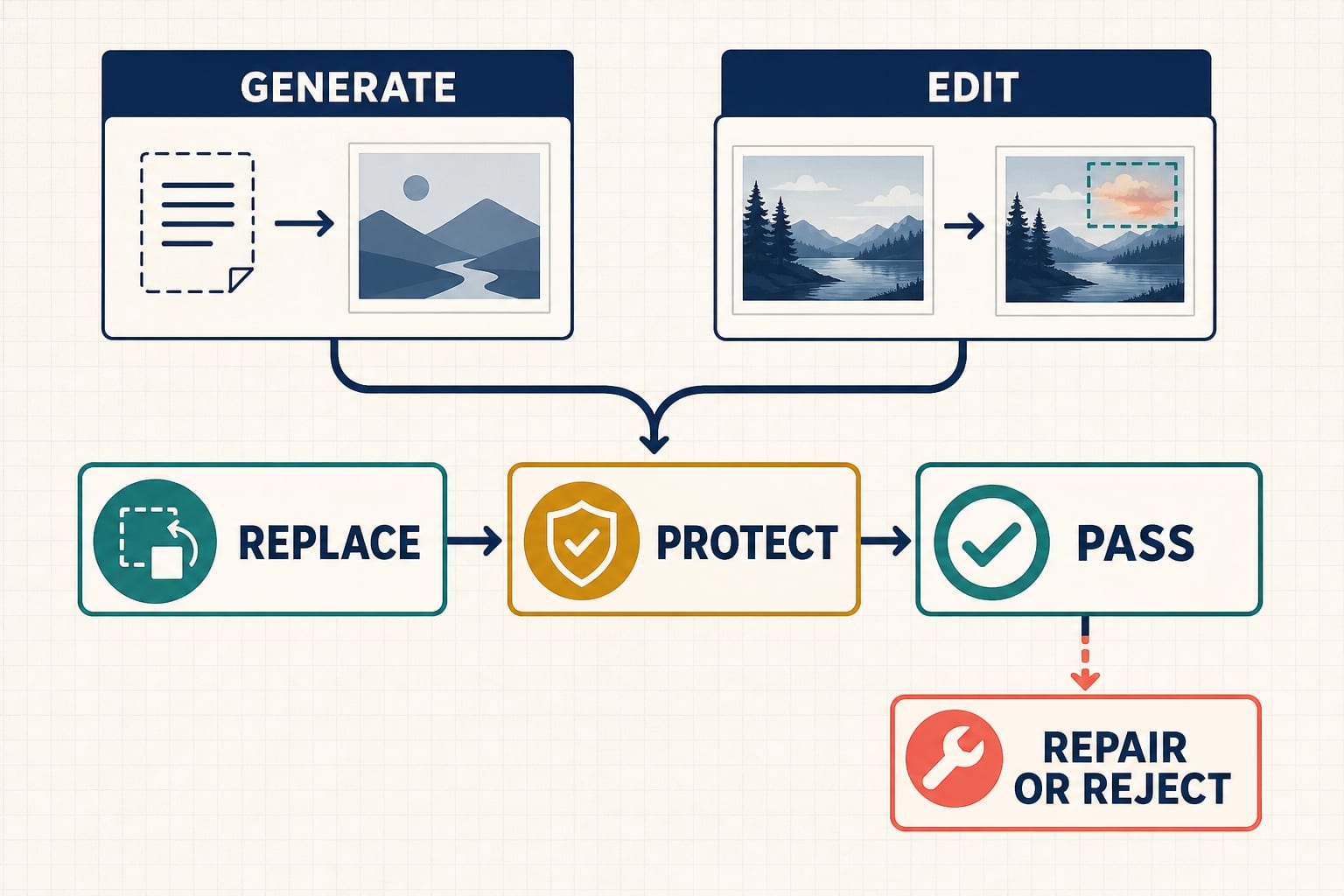
A useful Gemini AI photo prompt is not a pile of camera words. It is a small contract: replace the bracketed details, protect anything that must not drift, and define a pass check you can see in the finished image.
The 12 templates below are ready to copy into Gemini Apps after you replace the fields in square brackets. They cover both image generation and uploaded-photo editing. Choose the operation first—generation may invent a scene, while editing needs a source image and an explicit boundary around the change.
Pick the right prompt in 30 seconds
| Your job | Start with | Attach first? | Most important check |
|---|---|---|---|
| Create a new headshot concept | Prompt 1 | No | Framing, expression, and person count |
| Create a lifestyle scene | Prompt 2 | No | Subject, setting, and empty copy space |
| Change one detail in a portrait | Prompt 3 | Yes | Only the requested detail changed |
| Replace a background | Prompt 4 | Yes | Edges, shadows, and perspective agree |
| Remove an object | Prompt 5 | Yes | Reconstructed area matches its surroundings |
| Clean up a product photo | Prompt 6 | Yes | Product geometry and label stay unchanged |
| Build a poster or thumbnail | Prompt 7 | Optional | Approved text matches character for character |
| Combine several reference images | Prompt 8 | Yes, all inputs | Every input has one declared role |
| Apply an illustrated style to a portrait | Prompt 9 | Yes | Likeness request is inspected, not assumed |
| Restore an old family photo | Prompt 10 | Yes | No invented facial or historical detail |
| Stage an empty room | Prompt 11 | Yes | Architecture and camera position stay fixed |
| Repair one failed result | Prompt 12 | Use prior result | One failed field changes; passes stay fixed |
Square brackets are ordinary placeholders, not special Gemini syntax. Replace every bracketed field before submitting. If a field does not matter, delete it rather than leaving Gemini to interpret [optional].
How to use these prompts in Gemini Apps
As checked on July 22, 2026, Google's Gemini Apps help says you can enter a prompt at gemini.google.com, upload an image to edit, or ask Gemini to edit an image it generated. The same help page currently describes Nano Banana 2 for image creation and editing; paid subscribers may also see More → Redo with Pro after creating an image. Availability still depends on the app, supported country and language, account type, age, and plan. Work and school accounts may have different terms. See Google's current Gemini Apps image help before relying on a particular button or feature.
For an edit, attach the source image before pasting the prompt. For a multi-image job, identify the uploads as Image 1, Image 2, and so on in the same order shown in the attachment tray. Then:
- Replace the bracketed fields.
- Submit the prompt once.
- Open the result at full size and run the stated pass check.
- If it fails, use Prompt 12 to change one meaningful field—not five adjectives at once.
These are app prompts, not Developer API requests. API model IDs, image sizes, reference limits, quotas, and pricing are separate contracts and are intentionally not imported here.
The Replace–Protect–Pass pattern
Replace contains project variables: the subject, color, setting, exact copy, aspect ratio, or intended use. Protect names what is already correct or must remain fixed. Pass turns “make it good” into an observable acceptance test.
For generation, protected details are constraints such as “exactly one person,” “no logo,” or “leave the upper third empty.” For editing, protection is stricter: identify the source image, name one bounded change, and preserve the crop, geometry, pose, lighting, or copy that must not move. Preservation wording reduces ambiguity; it does not guarantee compliance.
1. Professional headshot generated from scratch
Use this when you need a fictional or non-identifying headshot concept, not an edit of a real person's photo.
Replace: role, age range, appearance, wardrobe, background, expression, crop, and format. Protect: one adult subject, natural anatomy, no brand marks, no text. Pass: one person appears; the requested crop, expression, wardrobe, and background are visible; no stray lettering or extra people appear.
hljs textOPERATION: Generate a new photograph from scratch. Do not imitate a real or named person. SUBJECT: One fictional adult [professional role], approximately [age range], with [non-sensitive appearance details], wearing [wardrobe]. SCENE: A [background] with [background detail kept subtle]. COMPOSITION: [tight head-and-shoulders / chest-up] portrait, eye-level camera, subject centered with [amount of negative space], [portrait aspect ratio]. LIGHT: [soft window light / diffused studio light] from [direction], natural skin texture, realistic catchlights, neutral color balance. EXPRESSION: [approachable / calm / confident], looking [at camera / slightly off camera]. PROTECT: Exactly one adult. No logos, badges, captions, extra people, or distorted hands. OUTPUT INTENT: A believable [profile / team page / speaker bio] headshot concept. PASS: The image contains one adult, uses the requested crop and background, shows the requested expression, and contains no visible text or logo.
2. Lifestyle campaign photo with planned copy space
This generation template is useful when a designer needs room for copy later. It does not ask the image model to render final marketing text.
Replace: subject, action, setting, product category, lighting, format, and empty area. Protect: a single focal action, clean copy space, no invented brands. Pass: the subject and action read immediately, and the specified area remains visually quiet.
hljs textOPERATION: Generate a new lifestyle photograph. SUBJECT AND ACTION: [subject description] is [specific action] with a generic [product category]. SETTING: [location], with [two concrete environmental details]. COMPOSITION: [wide / medium] shot in [aspect ratio]. Place the subject in the [left/right] two-thirds and reserve the [upper-left/right] area as uncluttered negative space for copy to be added later. LIGHT AND MOOD: [time of day], [light direction and softness], [restrained mood]. PROTECT: One clear focal action. No lettering, logos, trademarks, watermarks, or unrelated props in the reserved copy area. OUTPUT INTENT: A [homepage hero / social campaign / event banner] background that remains usable after a designer adds approved copy. PASS: The action is readable at thumbnail size, the reserved area is empty enough for text, and no accidental brand or lettering appears.
3. Change one clothing color in an uploaded portrait
Use only a photo you have the right to edit. If another person is recognizable, obtain their permission for this use. A prompt can request stable appearance; it cannot promise exact identity preservation.
Replace: garment, target color, and intended destination. Protect: face, hair, skin tone, expression, pose, hands, crop, background, and lighting. Pass: only the named garment color changed when compared at full size.
hljs textOPERATION: Edit the uploaded portrait. Use it as the source image, not as inspiration for a new person. CHANGE: Change only the [garment] from its current color to [target color and finish]. Keep its fabric texture, seams, folds, fit, and shadows consistent with the source. PROTECT: Keep the person's recognizable appearance, facial proportions, hair, skin tone, expression, gaze, pose, hands, accessories, crop, background, and lighting visually stable. Do not retouch the face or reshape the body. OUTPUT INTENT: A realistic color-variant preview for [personal styling / approved campaign use]. PASS: At full-size comparison, only the named garment color has changed; the face, body, garment construction, background, crop, and lighting remain visually stable.
If the face changes, reject the result. Do not describe it as “the same person” merely because it looks plausible.
4. Replace a portrait background without moving the subject
Background replacement fails most visibly at hair edges, contact shadows, reflections, and perspective. Name those checks instead of adding “seamless” repeatedly.
Replace: new setting and its light source. Protect: subject pixels, pose, wardrobe, crop, and scale. Pass: edges are clean and the new environment agrees with the subject's light and perspective.
hljs textOPERATION: Edit the uploaded photo by replacing only the background. CHANGE: Replace the existing background with [specific setting]. Include [two restrained setting details]. The new scene's primary light comes from [direction] and should agree with the light already visible on the subject. PROTECT: Keep the subject's recognizable appearance, expression, pose, clothing, accessories, body proportions, position, scale, and crop visually stable. Do not add or remove people. EDGE AND DEPTH RULES: Preserve fine hair and clothing edges. Create natural contact shadows and depth separation. Match horizon, camera height, perspective, color temperature, and noise/grain to the source. OUTPUT INTENT: A believable environmental portrait for [use]. PASS: At full size there are no halos or cutout edges; shadow direction and perspective agree; the subject, crop, and clothing have not drifted; no extra person or text appears.
5. Remove one unwanted object
“Remove the object” is incomplete. The model also needs to know how the newly exposed area should be reconstructed.
Replace: object and reconstruction surface. Protect: every other object, composition, lighting, and texture. Pass: the object and its shadow/reflection are gone, while surrounding patterns continue naturally.
hljs textOPERATION: Make one localized edit to the uploaded image. CHANGE: Remove only [object, including its precise location]. Also remove the object's associated [shadow / reflection / attachment] where physically necessary. RECONSTRUCT: Fill the exposed area with a continuation of [wall / pavement / tabletop / landscape], matching the surrounding perspective, texture, pattern spacing, focus, light, and image grain. PROTECT: Keep all people, products, furniture, signage, crop, camera angle, color balance, and every object not named above unchanged. OUTPUT INTENT: A clean version of the original composition without [object]. PASS: The named object and its dependent shadow or reflection are absent; the reconstructed area has no repeated patch, warped line, blur seam, or new object; everything else remains in place.
6. Ecommerce product cleanup that protects the label
For a real product, the source photo is the authority. Never let an attractive render silently change packaging geometry, required labeling, or approved brand assets.
Replace: background, surface, shadow style, and output format. Protect: silhouette, proportions, cap, materials, label layout, logo, and approved copy. Pass: overlay comparison shows stable geometry and every visible character is correct.
hljs textOPERATION: Edit the uploaded product photo for ecommerce presentation. CHANGE: Replace the background with [solid color / subtle gradient / named non-branded setting]. Place the product on [surface] and create a physically plausible [soft contact / directional] shadow. COMPOSITION: Keep the current camera angle and product scale. Center the item with [margin] in [aspect ratio]. PROTECT: Preserve the product silhouette, dimensions, cap or closure, material, color, reflections, label placement, logo shape, and all approved package copy. Do not invent seals, claims, ingredients, ratings, or accessories. OUTPUT INTENT: A clean product listing image for [marketplace or catalog placement]. PASS: The product outline aligns with the source; the label has the exact approved words and characters; the cap, logo, color, and proportions are unchanged; the new shadow touches the product naturally; no extra claim appears.
For regulated or safety-critical packaging, route the result through the same legal and artwork approval used for a conventional retouch.
7. Poster or thumbnail with exact approved text
Better text rendering is not a spelling guarantee. Keep the copy short, provide it separately, state hierarchy, and inspect it character for character.
Replace: exact copy, format, visual topic, palette, and hierarchy. Protect: quoted copy and text-free areas. Pass: every character, line break, and number matches the approved copy.
hljs textOPERATION: Generate a [poster / thumbnail / social card] from scratch. FORMAT: [aspect ratio and orientation]. VISUAL: [one central visual idea], using [palette] and [graphic or photographic style]. TEXT — render only these lines: Headline: "[EXACT APPROVED HEADLINE]" Supporting line: "[EXACT APPROVED SUPPORTING LINE]" Callout: "[EXACT DATE, NUMBER, OR CTA]" HIERARCHY: Headline largest, supporting line second, callout smallest but readable. Keep generous spacing and strong contrast. PROTECT: Copy spelling, capitalization, punctuation, numerals, and requested line breaks exactly. Do not add a logo, URL, price, disclaimer, badge, or any other text. OUTPUT INTENT: A first-layout concept for [channel]. PASS: Read the image character by character: all three approved lines match exactly, remain legible at intended size, and no extra text appears. Reject and repair if any character differs.
8. Multi-image product composition with one role per input
Attach every image and verify its order before submitting. This template avoids a universal reference-count claim: actual availability and attachment behavior are app- and account-dependent.
Replace: the role of each input, setting, layout, and use. Protect: the product identity from Image 1 and role boundaries for all inputs. Pass: every attachment contributes only its assigned information.
hljs textOPERATION: Create one new product scene using the attached images as separate references. INPUT ROLES: - Image 1 is the authoritative product reference. Preserve its geometry, material, color, label layout, and approved logo. - Image 2 supplies only the [surface / background palette / setting mood]. Do not copy its products, people, or text. - Image 3 supplies only the [prop or arrangement reference]. Include [specific prop] but not its branding or background. SCENE: Place the Image 1 product in [setting], arranged [composition]. Use [aspect ratio], [camera angle], and [light direction]. PROTECT: Do not merge labels, logos, shapes, or people between inputs. Do not invent package copy or duplicate the product unless explicitly requested. OUTPUT INTENT: A [campaign / catalog / social] composition with one clear hero product. PASS: Image 1's product remains recognizable and geometrically stable; Image 2 contributes only the named environmental quality; Image 3 contributes only the named prop or arrangement; no source text or logo leaks into the wrong element.
9. Stylized portrait transformation with a consent boundary
Use your own portrait or one you are authorized to transform, and get the recognizable person's consent for the intended context. Do not use this template for deceptive impersonation, undisclosed political or commercial endorsement, or sexualized content.
Replace: medium, palette, setting, and intended use. Protect: recognizable traits requested from the authorized photo, pose, clothing coverage, and context. Pass: the style changed, the intended person remains recognizably represented on inspection, and no deceptive context was added.
hljs textOPERATION: Transform the authorized uploaded portrait into a [watercolor illustration / clay model / ink-and-wash illustration / other medium]. STYLE: Use [palette], [line or surface treatment], and [background treatment]. Keep the result clearly illustrated rather than presenting it as documentary evidence. CHANGE: Translate the source photo into the named medium and replace the background with [setting]. PROTECT: Keep the person's recognizable appearance, expression, pose, hairstyle, clothing coverage, accessories, crop, and number of people visually stable. Do not sexualize, age-shift, add an endorsement, or place the person in a deceptive event. OUTPUT INTENT: A disclosed creative portrait for [personal gift / authorized profile art / approved campaign]. PASS: The medium and background changed as requested; the person count, pose, clothing coverage, and expression remain stable; the result is clearly stylized and contains no invented logo, quote, endorsement, or event.
If Gemini refuses a real-person or sensitive-photo request, stop. You may narrow an ambiguous lawful task, remove unnecessary personal data, or substitute a fictional subject. Do not rewrite the prompt to evade a safety filter. Google's Generative AI Prohibited Use Policy bars privacy and intellectual-property violations, non-consensual intimate imagery, deceptive impersonation, and safety-filter circumvention.
10. Restore an old family photo without inventing history
Restoration should repair visible damage, not manufacture facial features, medals, text, dates, or locations that the source does not support. Confirm that you are entitled to upload and edit the image.
Replace: damage types and restoration level. Protect: people, expressions, era cues, framing, and surviving details. Pass: defects are reduced without rewriting identity or history.
hljs textOPERATION: Conservatively restore the authorized uploaded historical photograph. CHANGE: Reduce only [dust / scratches / crease / color cast / fading]. Reconstruct small missing areas from immediately adjacent visual evidence. Apply [grayscale tonal repair / restrained color correction] without modernizing the scene. PROTECT: Keep every person's recognizable appearance, age, expression, pose, clothing, objects, architecture, crop, grain character, and period details visually faithful to the source. Do not invent eyes, teeth, jewelry, insignia, signs, dates, names, or background events. OUTPUT INTENT: A cleaned archival viewing copy, not a claim of perfect historical reconstruction. PASS: The named damage is reduced; faces and surviving details align with the source; no new person, text, insignia, object, or historical claim appears; uncertain missing detail remains restrained rather than sharply invented.
Keep the original file. The generated restoration is a derivative, not a replacement for the archival source.
11. Stage an empty room while freezing the architecture
This is a visualization, not proof of dimensions, code compliance, or build feasibility.
Replace: room use, furniture list, style, palette, and layout. Protect: walls, windows, doors, floor, ceiling, built-ins, camera, and daylight direction. Pass: architecture aligns with the source and every new item fits the requested plan without blocking circulation.
hljs textOPERATION: Edit the uploaded empty-room photo by adding virtual furnishings only. ROOM PLAN: Stage it as a [room use] in [design style]. Add exactly: [furniture and decor list]. Use [palette and materials]. Arrange the major pieces [layout instructions], leaving a clear path from [point A] to [point B]. PROTECT: Keep wall, ceiling, floor, doors, windows, vents, outlets, built-ins, room proportions, camera position, lens perspective, crop, and daylight direction unchanged. Do not move or enlarge architectural openings. OUTPUT INTENT: A concept visualization for layout discussion, not a measured construction plan. PASS: Source and result architecture align; the requested item count is correct; no doorway, vent, outlet, or path is blocked; furniture scale and shadows are plausible; no unrequested structural change appears.
12. Repair one failed field without losing the passes
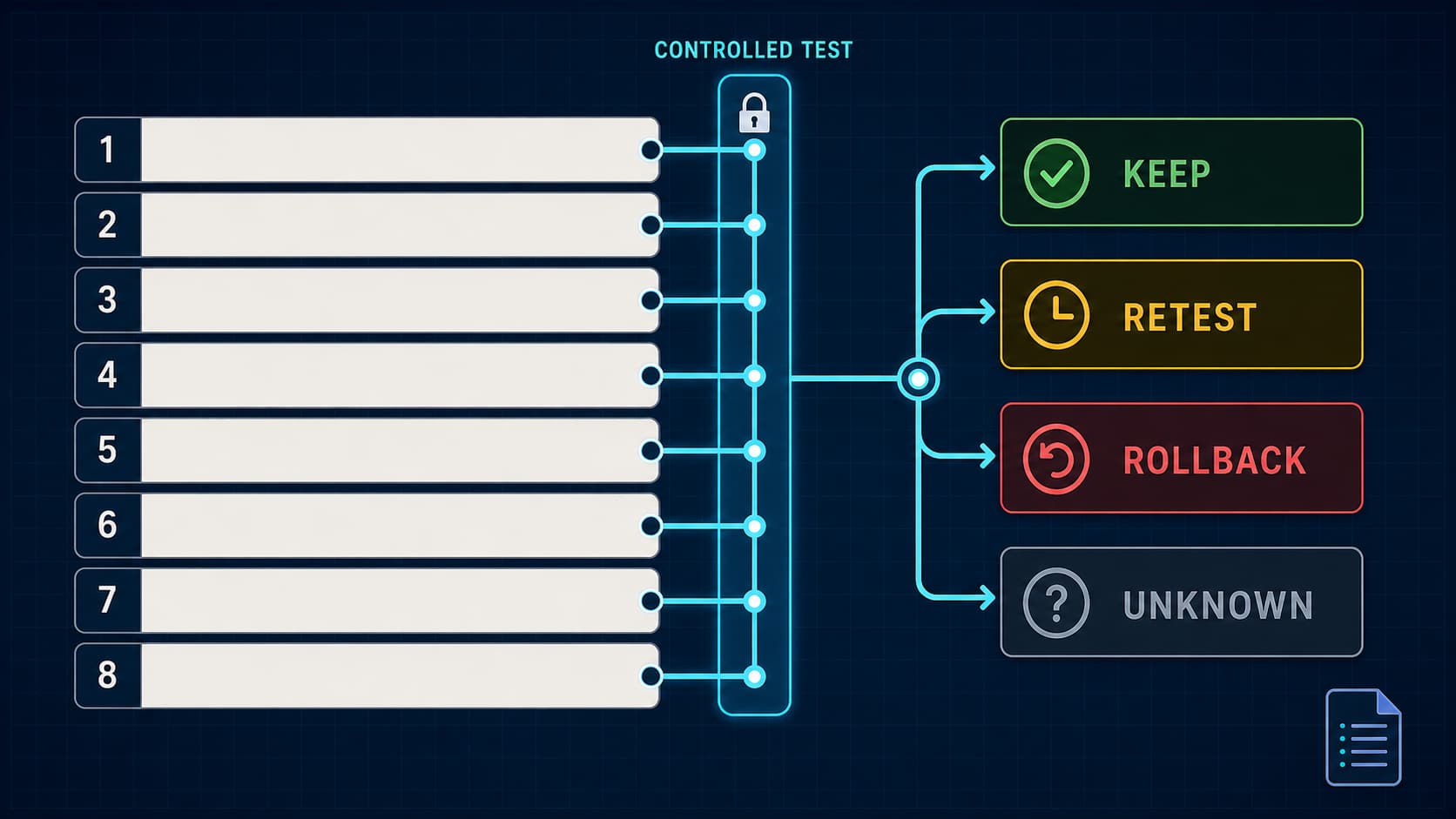
Do not start with “make it better.” Compare the result with the pass check, name one failure, keep successful fields fixed, and make one repair with a reason.
Replace: failed field, observed failure, requested correction, and preserved passes. Protect: everything already accepted. Pass: the named failure is corrected and the previous passes remain true.
hljs textOPERATION: Revise the most recent image with one localized correction. FAILED FIELD: [for example: headline spelling / left hair edge / product cap shape / background shadow direction]. OBSERVED FAILURE: [describe exactly what is visible and where]. ONE CORRECTION: [state one specific replacement or repair]. REASON: [tie the correction to the source image or approved copy]. PROTECT THE PASSES: Keep [list the already-correct subject, crop, geometry, colors, text lines, background, pose, and lighting] unchanged. OUTPUT INTENT: The same accepted image with only the named failure repaired. PASS: [observable test for the repaired field], while every item in PROTECT THE PASSES still matches the prior accepted result.
If the same protected detail fails twice and you do not have a more specific repair hypothesis, stop the loop. Return to the source image, reduce the number of simultaneous constraints, or choose a conventional editor for the exact adjustment.
A five-point inspection before you use any result
- Compare at full size. Check faces, hands, product edges, reflections, labels, and small background objects—not just the thumbnail.
- Read text aloud, character for character. Check capitalization, punctuation, dates, prices, units, and line breaks against approved copy.
- Overlay important edits. A quick before/after opacity comparison reveals crop shifts, changed geometry, moved windows, and facial drift.
- Check provenance and disclosure. Google says its AI-generated and edited content can carry invisible SynthID. Detection may be uncertain for very simple content or small edits, so verification is evidence, not a universal authenticity verdict. See Gemini's current verification help.
- Use the right approval owner. A usable-looking image may still need the subject's consent, brand approval, product-artwork review, accessibility work, or an AI-content disclosure for its destination.
Personal Intelligence and Google Photos: optional, not required
These templates work with manual uploads; they do not require Gemini to search your connected apps. Google's current US help says image generation with Personal Intelligence is limited to eligible users age 18 or over, signed in with a personal Google Account, and may depend on Google Photos eligibility and regional availability. The broader feature also requires Keep Activity and is rolling out gradually. If you choose it, connecting apps is optional and controllable in settings. Review the current Personal Intelligence eligibility page before assuming it is available on a work, school, supervised, or particular US account.
For a controlled production job, manual uploads often make the input roles easier to audit. Minimize personal data, attach only the files needed for the task, and do not assume that access to someone's photo grants permission to transform or publish it.
When this guide is not the right owner
This page is for general, app-friendly generation and editing templates. If your real job is route-specific model selection and deeper Nano Banana production cards, use the Nano Banana Pro prompt guide. For mask-like object removal, inpainting boundaries, and edit-region troubleshooting, use the Nano Banana image editing guide. If a harmless request is being refused, use the Gemini image refusal troubleshooting guide—and keep the refusal as a stop rule, not an invitation to bypass safeguards.
FAQ
Can I paste these prompts exactly as written?
Replace every bracketed field first. The brackets are editorial placeholders. Gemini does not know your approved copy, source-of-truth product geometry, consent status, or intended aspect ratio unless you provide them.
Should I say “keep everything exactly the same” in a photo edit?
Name the bounded change first, then list the specific protected details. “Everything” is hard to inspect. A pass check such as “only the jacket color changed; face, pose, crop, and background remain visually stable” is clearer and auditable. Even then, compare the output; preservation is a request, not a guarantee.
Which Gemini model should I choose?
For this app workflow, start with the image-generation/editing path your eligible Gemini Apps account presents. Current Google help names Nano Banana 2 and describes a paid-subscriber Redo with Pro option. Model labels and access can change. Use a separate model-comparison or API guide if the choice itself—not the photo task—is your question.
How many photos can I attach or generate per day?
There is no safe universal number for this guide. Gemini Apps access and limits can vary by account, plan, model, feature, prompt complexity, chat length, and capacity, and Google says they may change. Follow the notice shown in your own account. Do not import Developer API reference limits or quotas into the consumer app.
Can a prompt guarantee the same face?
No. You can request that recognizable appearance, expression, pose, and crop remain visually stable, but a generated edit is not a biometric identity guarantee. Get appropriate rights and consent, inspect the result at full size, and reject facial drift.
What should I do when Gemini misspells poster text?
Shorten the copy, supply each approved line separately, forbid extra text, and use Prompt 12 to repair only the failed line. Check every character again. If exact typography remains critical, generate the visual without text and place approved copy in a conventional design tool.
Why did Gemini change something I asked it to protect?
The request may contain competing constraints, or the protected detail may be difficult to preserve during the requested transformation. Reduce the operation to one meaningful change, make the protected fields concrete, and define a visual pass check. If the same detail fails twice without a better repair hypothesis, stop and use a more controlled editing method.
Can I use a celebrity, coworker, customer, or family photo?
Possession of a file is not automatically permission to transform or publish it. Use material you are authorized to edit, obtain consent appropriate to the intended context, avoid deceptive impersonation or endorsement, and follow the destination's disclosure and approval rules. This is a workflow safeguard, not state-specific legal advice.