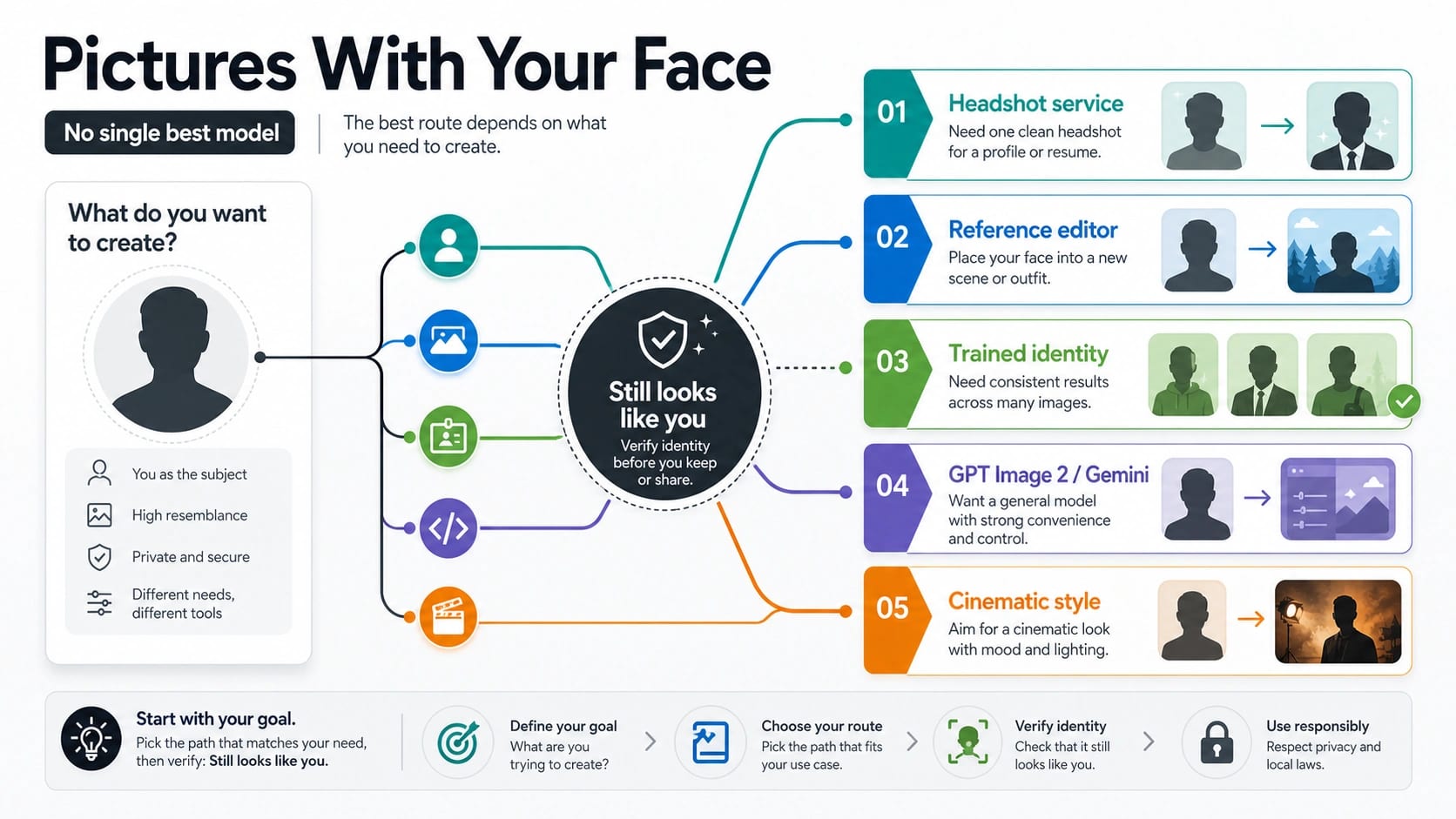
The right route is the one that protects what must stay true about your face. Use a headshot service for one polished professional portrait, a reference-image editor for one face in a new scene, a trained identity workflow when the same person must stay stable across many scenes, GPT Image 2 or Gemini when your product stack needs official image generation and editing, and Midjourney-style tools when cinematic style matters more than exact likeness.
Before you upload anything, separate polish from likeness: a beautiful image can still fail if the face shape, eyes, age, skin texture, or repeatability drift. Start with the smallest route that can pass a same-face proof check, then only upload your own face or a face you are authorized to use.
| If you need... | Test this route first | Why it fits | Stop or switch when |
|---|---|---|---|
| One polished professional portrait | A dedicated AI headshot or portrait service | The deliverable is a finished profile image, not an open-ended model workflow. | The service will not explain deletion, training use, refund, or commercial terms clearly. |
| Your face in one new scene | A reference-image editor such as a FLUX Kontext-style route | It can use a reference face while changing clothing, background, pose, or scene. | One selfie is not enough to keep key features stable. |
| The same person across many scenes | A trained identity workflow, LoRA, or custom-person route | Repeatability usually needs more identity evidence than a single prompt can carry. | You only need one image or cannot govern the training data safely. |
| An app or API workflow you own | GPT Image 2 or a Gemini image route | The model owner, account, logs, moderation, and integration path matter as much as taste. | A third-party wrapper hides the owner, logs, or data terms you need. |
| Cinematic, stylized, or editorial concepts | Midjourney-style creative tools | They can be visually strong when exact real-person likeness is secondary. | The output must look exactly like a real person. |
What "with my face" really means
The phrase sounds simple, but it hides three different input contracts. A tool can make a person who vaguely resembles you from one selfie. It can edit your face into one new setting from a reference image. Or it can learn a repeatable identity from a larger photo set so the same person survives new outfits, lighting, scenes, and camera angles.
That is why the "best model" answer changes. A headshot buyer cares about one accepted deliverable. A creator trying one fantasy scene cares about reference control. A brand, creator, or developer building many scenes cares about repeatability. An engineering team cares about the route owner: which account owns generation, edits, logs, policy responses, and support.
Use this threshold before comparing names:
| Input you have | What it can usually support | What to watch |
|---|---|---|
| One clean selfie | A quick headshot test, avatar, or one new scene. | The model may preserve hairstyle or vibe while drifting face shape or age. |
| Several varied references | Better one-off likeness, better lighting and angle coverage, stronger reference edits. | More references still do not guarantee the same person across many prompts. |
| A trained identity set | Repeatable subject work, series images, campaign variants, character-like continuity. | Training data, consent, storage, deletion, and misuse risk become more serious. |
| A public figure or someone else's face | Usually a stop condition unless you have explicit rights and a route that supports that use. | Do not turn likeness work into impersonation or filter evasion. |
Use a headshot service when the deliverable is one profile image
If you need one LinkedIn portrait, team page photo, resume headshot, or clean profile image, a headshot service is often the easiest first route. The value is not that it owns a magic model. The value is that the product is packaged around selfie upload, pose selection, wardrobe/background presets, review, and a finished portrait.
That route is strongest when you want a polished output and do not want to build prompts, tune references, or manage an API. It is weaker when you need creative control, repeated scenes, or a clear model-owner path. Many headshot platforms use marketing pages that change quickly, so avoid publishing or trusting live claims about price, turnaround, refund, deletion, training use, or commercial rights unless you check that exact provider at the time you upload.
Before paying, ask four questions: can you delete uploaded selfies, are the images used for training, who can access the originals, and what happens if the faces do not look like you? If the service cannot answer those plainly, test a lower-risk route first. If the portrait route works but you still need background choices, the adjacent headshot background guide is the better place to decide office, studio, outdoor, or neutral background style.
Use a reference editor when you want one face in one new scene
For a single "put me in this outfit," "make this look like an editorial portrait," or "change the setting while keeping me recognizable" job, a reference-image editor is usually the first serious route. FLUX.1 Kontext is relevant here because Black Forest Labs positions it around in-context image editing and character consistency from reference imagery. Replicate also recommends flux-kontext-pro in its AI face generator collection, but treat that as provider-owned market evidence, not a neutral benchmark.
The practical setup is simple: choose a clear reference photo, write the scene change, and inspect whether the output still passes likeness checks. Do not judge only by beauty. A reference editor may create a striking image while changing eye spacing, face shape, age, skin texture, or the small asymmetries that make the person recognizable.
Reference editors work best when the target is one image or a small set of similar images. They become less reliable when every prompt asks for a new identity-preserving scene. At that point, the workflow is asking for repeatability, not just one reference edit.
Use trained identity only when repeatability is the job
A trained identity workflow, LoRA, custom-person model, or similar route is justified when the same person must survive across many images: multiple outfits, locations, poses, products, camera angles, and campaign variants. The key word is many. Training is usually overkill for one polished profile photo and under-governed for a casual experiment with someone else's face.
The upside is stability. More identity evidence can help the route learn consistent face structure and reduce drift across prompts. The cost is responsibility. Training inputs may be stored, reused, shared with a team, or hard to delete depending on the route. If the person is an employee, client, actor, customer, or creator, get permission before you upload or train. If the person is public, famous, private, or not clearly authorized, stop.
A useful rule: if you cannot write down who authorized the face, where the training images came from, where they are stored, who can access them, and how to delete them, do not train an identity workflow yet.
Use GPT Image 2 or Gemini when the product route matters
OpenAI's official image-generation documentation identifies gpt-image-2 as the current GPT Image route for generation and editing, with support for image inputs and reference-style workflows. OpenAI also exposes image generation inside the Responses API through the image_generation tool path, which matters when the image is part of a broader OpenAI-native app flow.
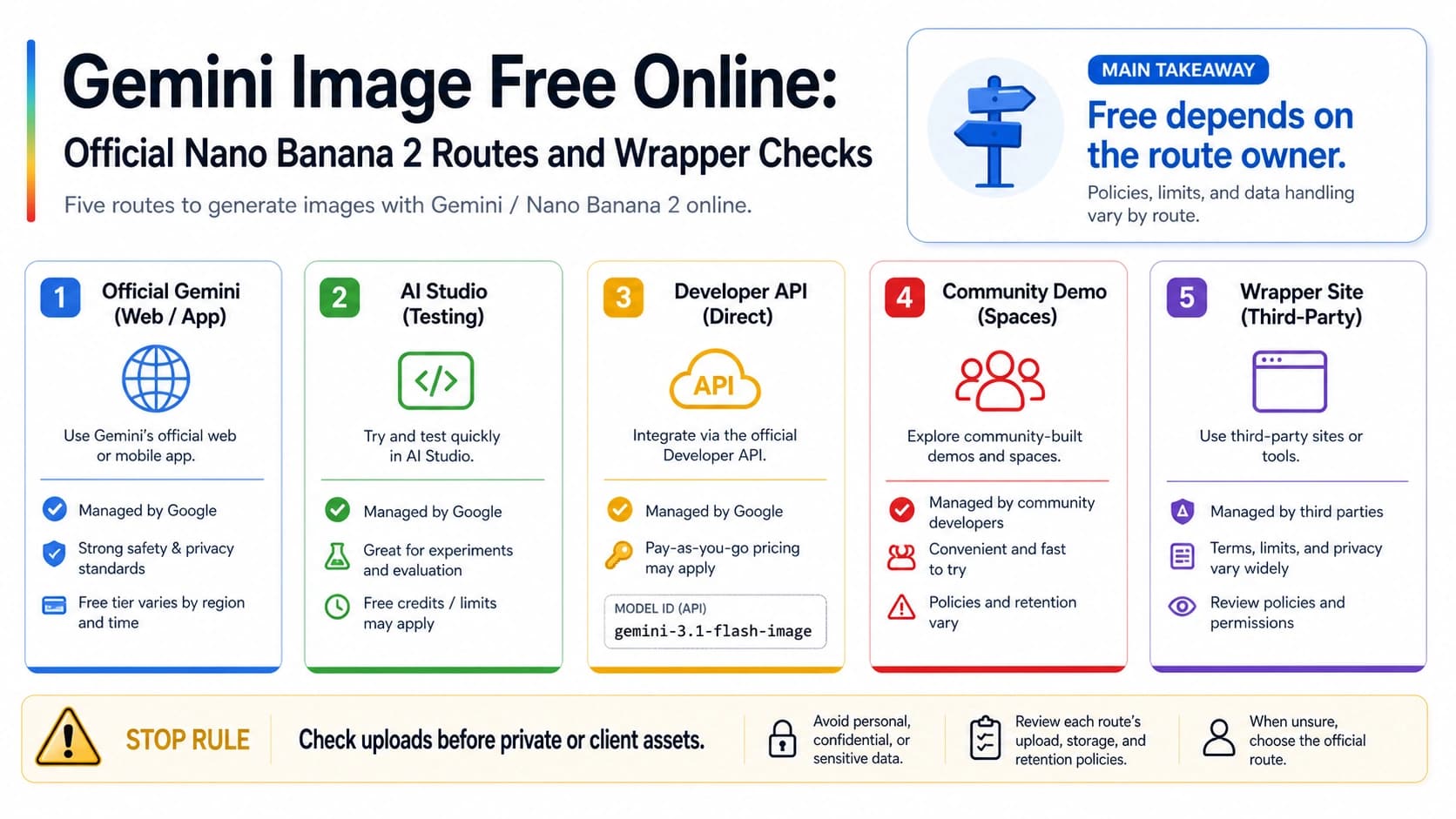
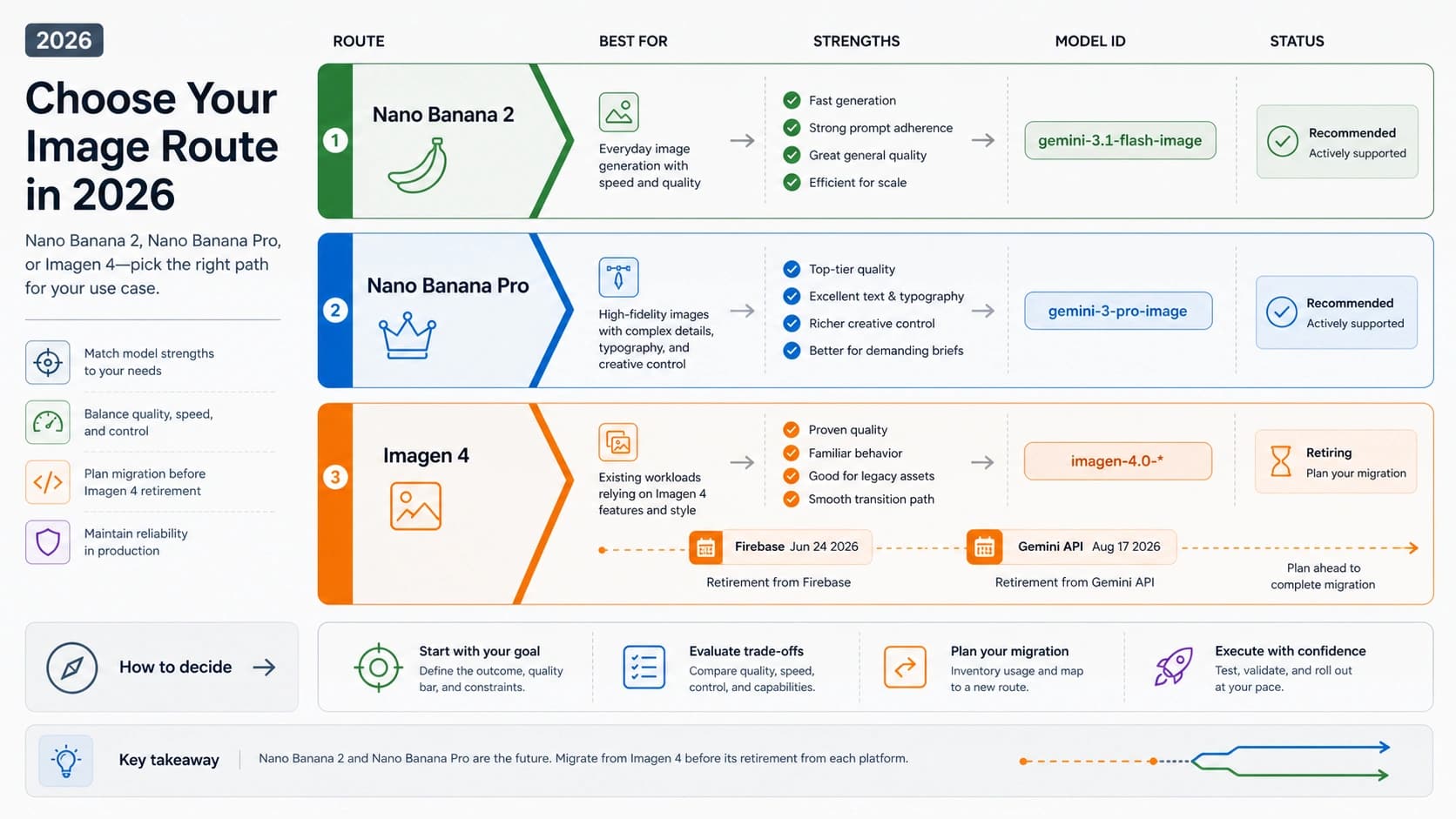
Google's Gemini image documentation lists current image routes including gemini-3.1-flash-lite-image, gemini-3.1-flash-image, and gemini-3-pro-image, with image generation and editing capabilities. Those IDs matter when a developer or product team needs an official model owner rather than a wrapper's marketing name.
If you are comparing official image routes more broadly, use the dedicated GPT Image 2 vs Gemini image route guide. For this face-specific job, the question is narrower: does the route keep your face recognizable enough for the intended use, and does the owner give you the account, moderation, logging, support, and data controls your workflow requires?
| Route owner question | Why it matters for face pictures |
|---|---|
| Who owns the model call? | Face uploads should not disappear behind an unknown wrapper when the work is sensitive. |
| Can it edit from references? | A text-only generation route is not enough for most "my face" jobs. |
| Can you keep logs and rejected outputs? | Likeness review needs prompt, reference, model ID, retry count, and failure notes. |
| Are moderation and rights boundaries clear? | Face work can cross into impersonation or non-consensual use quickly. |
| Does the route support the output size and format you need? | A route that looks good in a sample may not fit the deliverable. |
Use Midjourney-style tools when style beats exact likeness
Midjourney can be a strong creative route when cinematic mood, composition, lighting, and editorial taste matter more than exact real-person likeness. Its own Character Reference documentation warns that real people typically will not look exactly like themselves. That warning is useful: it positions Midjourney as a style route, not the safest default when the output must be accepted as "this is definitely me."
Midjourney's Omni Reference can place a referenced person or object into V7 images, but the docs also list compatibility limits and higher GPU cost. That makes it a candidate for creative exploration, not a shortcut around likeness proof. If the reader's job is a dramatic concept portrait, test it. If the job is a client headshot, ID-like profile image, employee campaign, or repeated brand character based on a real person, use a route with clearer likeness and authorization controls.
Score the result before you upload more faces
The output either passes a same-face review or it does not. Do not let a sharp suit, perfect lighting, or cinematic background hide drift in the person.
Use a simple score before you order more images or build a workflow:
| Check | Pass signal | Fail signal |
|---|---|---|
| Face shape | Jaw, cheeks, forehead, and proportions still resemble the person. | The person looks like a sibling, model, or generic version. |
| Eyes | Spacing, eyelids, gaze, and expression stay recognizable. | The eyes carry a different identity even if the rest looks polished. |
| Nose and mouth | Feature shape and smile line survive the edit. | The output beautifies by replacing the person's features. |
| Age drift | The person stays in the intended age range. | The image makes them noticeably younger, older, or artificial. |
| Skin texture | Texture looks plausible without erasing identity markers. | The model over-smooths or invents unrealistic skin. |
| Lighting and scene | Lighting supports the face instead of changing identity. | Shadows or stylization hide the face mismatch. |
| Artifacts | Hands, hairline, ears, teeth, glasses, and edges do not distract. | Small artifacts make the likeness unusable. |
| Repeatability | A second output can still look like the same person. | One lucky output cannot be repeated. |
| Reviewer confidence | Someone who knows the person recognizes them without prompting. | Reviewers need the source photo to see the connection. |
Set the acceptance bar by use case. A creative avatar can tolerate more drift. A professional headshot, actor asset, customer story, or team page image needs stricter review. A repeated identity campaign needs the same person to survive multiple prompts, not only one lucky image.
Upload checklist for selfies and reference photos
Face images are sensitive even when the goal is ordinary and positive. Treat upload decisions as part of the workflow, not as an afterthought.
Before you upload, answer these questions:
| Question | Safer answer | If the answer is unclear |
|---|---|---|
| Do I own this photo or have permission to use it? | Yes, and the person understands the intended AI use. | Do not upload. |
| Is the face my own or explicitly authorized? | Yes. | Stop, especially for public figures, private people, employees, clients, or minors. |
| Can I delete the upload later? | The route explains deletion clearly. | Use a less sensitive test asset first. |
| Will the photo train the system? | The route explains training use and opt-out or non-training behavior. | Do not assume. |
| Who can access the image? | Access is limited and documented. | Avoid client or private material. |
| Does the route allow commercial use? | Terms match your intended use. | Do not use the output commercially. |
| Can I prove the output still looks like the person? | It passes the same-face worksheet. | Do not publish or order a large batch. |
For real-person video, consent and route ownership become stricter again. The adjacent Seedance human-face guide covers video-specific verified-face and rejection boundaries; still-image face work should stay focused on route choice, likeness proof, and safe upload decisions.
A practical first-test plan
Start with the smallest route that can plausibly pass your job.
- For one professional portrait, test a headshot service or a reference editor with a clean selfie.
- For one new scene, test a reference editor and score the output with the worksheet.
- For repeated scenes, collect authorized references and evaluate whether identity training is justified.
- For a product or API workflow, test the official route that already owns your app stack before adding wrappers.
- For cinematic concepts, test a style-first route but label exact likeness as lower priority.
- Stop if the face is not yours, not authorized, or not safe to upload.
Keep the proof record compact: input type, route, model or product name, reference count, prompt, accepted output, rejected-output reason, retry count, and reviewer notes. That record is more useful than a generic model ranking because it tells you which route passed your face, your output job, and your risk boundary.
FAQ
What is the best AI model for pictures with my face?
There is no single winner. Use a headshot service for one polished professional portrait, a reference editor for one face in one new scene, a trained identity workflow for repeatable scenes, GPT Image 2 or Gemini when the product/API route matters, and Midjourney-style tools when cinematic style matters more than exact likeness.
Is GPT Image 2 good for pictures with my face?
It can be a good route when you want OpenAI-native image generation, editing, reference inputs, and account ownership. Do not treat it as a perfect same-face guarantee. Test the output against face shape, features, age drift, artifacts, and repeatability.
Is Gemini image better than GPT Image 2 for faces?
It depends on the route and the job. Gemini image routes are relevant when your product stack, Google-side workflow, output requirements, or editing route points there. GPT Image 2 is relevant when OpenAI owns the app flow. Compare them with the same references and same acceptance checklist.
Is FLUX Kontext the best route for face reference photos?
It is one of the strongest route types to test when you have a face reference and want one new scene or style. Its official positioning around in-context editing and character consistency makes it relevant, but you still need a same-face proof check and a rights-safe upload workflow.
Is Midjourney good for exact pictures of a real person?
Midjourney can be strong for style, mood, and cinematic composition. Its own Character Reference documentation warns that real people typically will not look exactly like themselves, so do not make it the default when exact likeness is the job.
How many selfies do I need?
One clean selfie can support a quick test or one-off edit. Several varied references help with angles and lighting. Repeatable identity across many scenes usually needs a trained identity workflow and stronger consent, storage, and deletion controls.
Can I use someone else's face?
Only use a face you own or are clearly authorized to use. Do not use public figures, celebrities, private people, employees, clients, or minors without the right route and explicit permission. If rights are unclear, stop before upload.
How do I know the result still looks like me?
Use a same-face worksheet. Check face shape, eyes, nose and mouth, age drift, skin texture, lighting, artifacts, repeatability, and whether someone who knows you recognizes the person without being told.