hljs json{"error":{"code":429,"message":"Resource has been exhausted (e.g. check quota).","status":"RESOURCE_EXHAUSTED"}}
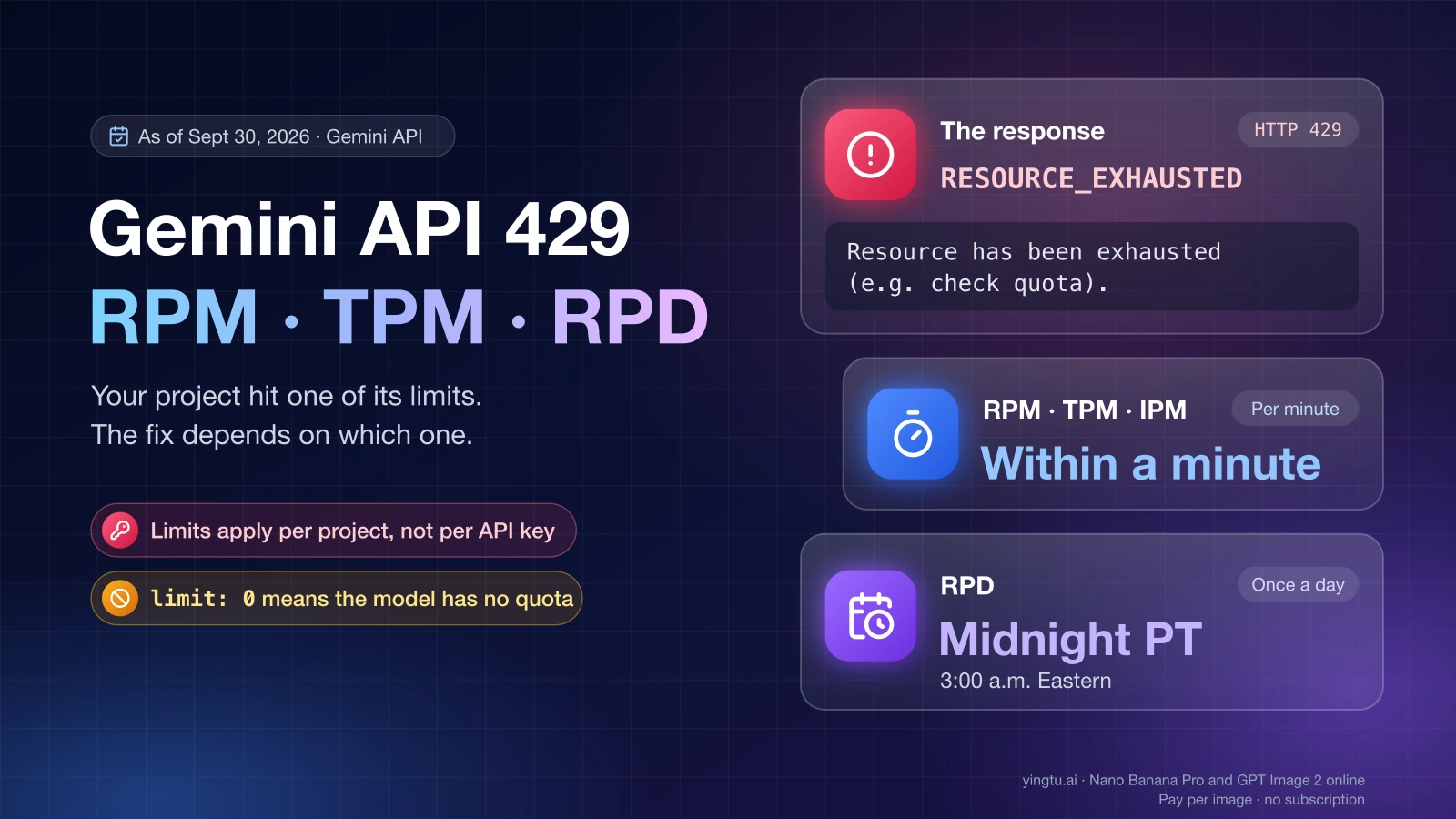
This response means your Google project went over one of its Gemini API limits: requests per minute (RPM), input tokens per minute (TPM), requests per day (RPD), images per minute (IPM), or, on paid tiers, the spend limit for a rolling 10-minute window. The fix depends on which one. Per-minute limits clear within a minute and need only a retry with backoff, the daily count resets at midnight Pacific time (3:00 a.m. Eastern), and limit: 0 in the message means the model has no quota for your project at all.
RESOURCE_EXHAUSTED is the status name Google's APIs pair with HTTP 429 Too Many Requests. The request itself was valid, but when it arrived your project had no room left under one of its limits.
"Resource has been exhausted (e.g. check quota)": what the 429 means
"Resource has been exhausted (e.g. check quota)" tells you that your project, not your code or your key, ran past one of its Gemini API rate limits. Google's rate limits page (last updated September 2, 2026) says usage is evaluated against each limit and "exceeding any of them will trigger a rate limit error." The same page states that "rate limits are applied per project, not per API key."
That second rule settles a common first attempt. A new API key in the same project draws on the same counters, so it returns the same 429. Only a different model, a higher tier, or less traffic changes the outcome.
Google's API errors page (last updated September 20, 2026) describes 429 as "You have exceeded the per-minute or per-second request or token limit" and prescribes "Wait and retry with exponential backoff." That covers the most common case. The daily limit and the spend window return the same code, though, and for those a few seconds of backoff changes nothing.
The same error reaches you in different wrappers:
- From the REST API or an SDK: the JSON above, sometimes wrapped in a list, with casing that varies by SDK.
- From Gemini CLI:
[API Error: Resource has been exhausted (e.g. check quota).] - From some client libraries:
error: RetriableError: [RESOURCE_EXHAUSTED]
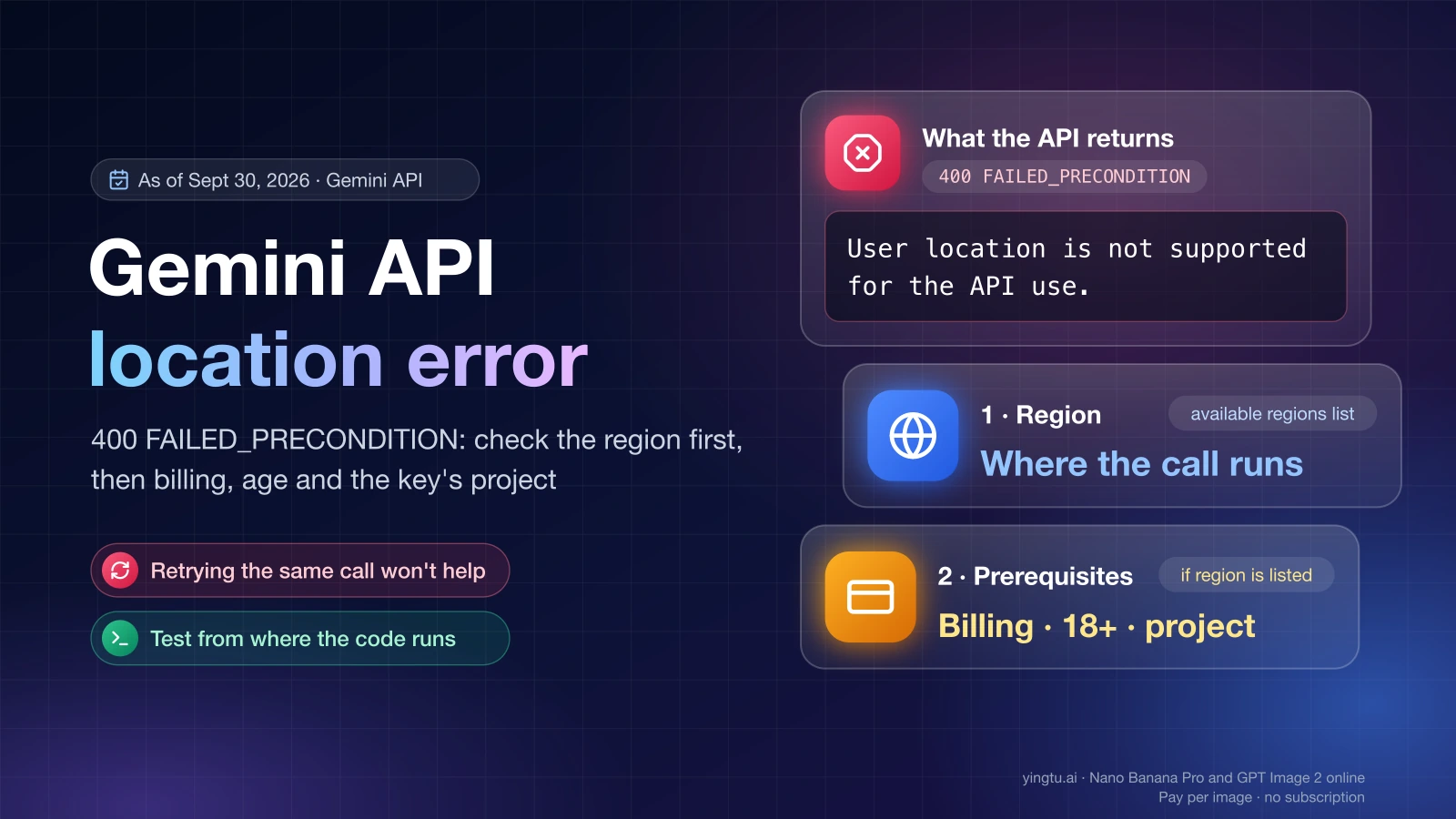
Three neighboring errors look similar but are not quota problems, and retrying them won't help. HTTP 402 means a prepay credit balance has reached $0. A 400 FAILED_PRECONDITION means a prerequisite such as billing is missing. A 403 PERMISSION_DENIED means the key lacks access to the resource.
RPM, TPM, RPD, IPM, TPD and the 10-minute spend limit
Each limit counts something different and frees up on a different schedule. The table follows Google's rate limits page; your actual numbers per model are on the AI Studio rate limit page.
| Limit (as of September 30, 2026) | What it counts | When room frees up | What to do after a 429 |
|---|---|---|---|
| RPM | API calls within 60 seconds | Within a minute | Retry with exponential backoff and send fewer calls in parallel |
| TPM | Input tokens sent per minute | Within a minute | Shorten prompts, split large files, space out big requests |
| RPD | Requests per day | Midnight Pacific time: 3:00 a.m. Eastern, which is 07:00 UTC until November 1, 2026 and 08:00 UTC after that | Wait for the reset, move traffic to another model, or move to a higher tier |
| IPM | Images generated per minute (image models only) | Within a minute | Queue image jobs and back off |
| TPD | Tokens per day (only some models) | Daily; check the model's row in AI Studio | Reduce daily volume or move to a higher tier |
| Spend limit (paid tiers only) | Dollars spent in any rolling 10-minute window: $10 on Tier 1, $50 on Tier 2, $200 on Tier 3 | Within 10 minutes, as earlier spending leaves the window | Slow down expensive calls or wait; the limit rises with the tier |
TPM counts input, not output. One long prompt or a large PDF can use up TPM while you are far below RPM. The reverse happens too: a steady stream of short calls leaves TPM untouched and drains RPD by the afternoon.
Agent-style tools make this worse because one user prompt can trigger several API calls. A Gemini CLI user reported in GitHub issue #19976 (February 2026) that "some requests cause gemini to fire many api calls at the same time," which is why a handful of prompts can hit RPM.
How to tell which limit you hit
Start from your project's live numbers, not from figures in forums. In December 2025, users on Reddit and Google's developer forum reported persistent free-tier 429s after Google lowered free limits. Numbers from that period are history, and the dashboard shows what applies to your project today.
- Sign in to Google AI Studio with the account that owns the API key and open the rate limit page.
- Select the project behind the key your code uses.
- Find the model ID you call, for example
gemini-2.5-flash, and compare current usage with its RPM, TPM and RPD. - Read the full error body, not just the first line. Quota errors often name the metric that ran out and its limit value.
Then match what you see to a cause:
- If the error text contains
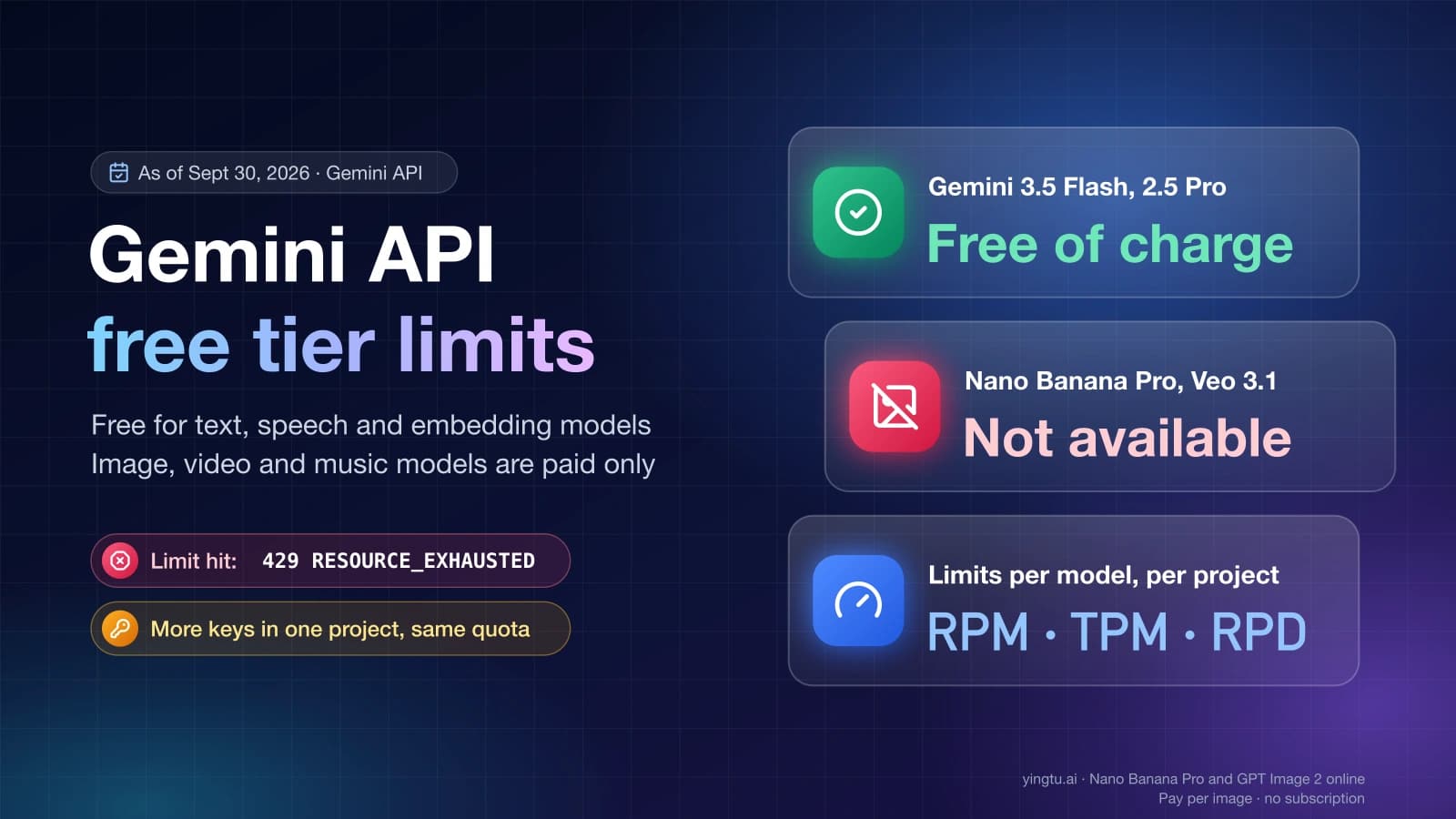
limit: 0, the model has no quota for your project on its current tier. As of September 30, 2026, that is the case on the free tier for models such as Nano Banana 2, Nano Banana Pro, Veo and Gemini 3.1 Pro Preview. Waiting won't help; switch to a model with a free tier or set up billing. Gemini API Free Tier Limits: Free Models, Quotas, and 429 Fixes lists which models are free. - If RPM, TPM or IPM is at its ceiling around the time of the error, retry with exponential backoff and lower your concurrency.
- If RPD is used up, nothing works before midnight Pacific time. Move the traffic to another model that still has daily room, or move to a paid tier.
- If the project is on a paid tier, the per-minute counters look fine, and you send expensive requests in bursts, you hit the 10-minute spend limit. Spread those requests out, or wait up to 10 minutes.
- If every counter shows room, check that you are looking at the right surface (next section) and fall back to backoff. The GitHub report above came from a paid user on
gemini-3.1-pro-previewwhose Cloud Console showed no quota exceeded, so a 429 does not always point to a counter you can see.
Retry with exponential backoff, but not on every 429
Google's troubleshooting guide (last updated September 20, 2026) gives the recipe: wait about 1 second before the first retry, double the delay each time (2, 4, 8 seconds), add random jitter, retry only transient errors such as 429, 408 and 5xx, never 400, 402 or 403, and cap the number of attempts.
The example below applies that recipe with the Google Gen AI SDK for Python (google-genai). It retries 429 and 503 only, gives up at once when the error contains limit: 0, and stops after five attempts. It is an example to adapt, not a drop-in library.
hljs pythonfrom random import random
from time import sleep
from google import genai
from google.genai import errors
client = genai.Client() # reads GEMINI_API_KEY from the environment
RETRYABLE = {429, 503} # rate limited, temporarily overloaded
def generate(prompt, model, max_attempts=5):
for attempt in range(max_attempts):
try:
return client.models.generate_content(model=model, contents=prompt)
except errors.APIError as e:
no_quota = "limit: 0" in str(e) # model has no quota on this project
last_try = attempt == max_attempts - 1
if e.code not in RETRYABLE or no_quota or last_try:
raise
sleep(2 ** attempt + random()) # ~1, 2, 4, 8 s plus jitter
Five attempts add up to roughly 15 to 20 seconds of waiting. That is enough to get past an RPM or TPM spike. If the call still fails, the cause is almost always RPD, the spend window or capacity on Google's side, and a bigger max_attempts only adds more failed requests. Log the final error and check the dashboard instead.
The SDK also has built-in retries that you configure with types.HttpRetryOptions. With its default values, that means five attempts including the first, a 1-second initial delay, a 60-second cap, and retries on 408, 429 and 5xx. Use either the built-in retries or your own loop, not both, or one request can turn into 25 attempts. Neither the built-in retries nor a plain status-code check can tell limit: 0 apart from a per-minute 429, which is why the loop above reads the error text.
AI Studio key, Vertex AI or Gemini CLI: which quota ran out
The error string is the same on all three surfaces, but the quota behind it is not, and the fix depends on which one you are using.
| Where the call comes from | Whose limits apply | Where to check |
|---|---|---|
| Gemini API key created in Google AI Studio | The key's project and its usage tier (the RPM, TPM and RPD above) | AI Studio rate limit page |
| Vertex AI on Google Cloud (now documented as Gemini Enterprise Agent Platform) | A separate Google Cloud quota system, including standard quota and Provisioned Throughput | Google Cloud's Error code 429 page and quota settings |
| Gemini CLI signed in with a Gemini API key | That key's project, exactly like your own code | AI Studio rate limit page |
| Gemini CLI signed in with a Google account | The limits of that login, not an AI Studio project | The CLI's own message and /about |
Because the two quota systems are separate, the AI Studio dashboard won't explain a Vertex AI 429, and Vertex AI quota settings don't change an AI Studio key's limits. If your code calls Vertex AI, follow Google Cloud's 429 guidance rather than the tier table below.
In Gemini CLI, run /about and look at the Auth Method line. With gemini-api-key, a free project runs out of RPD just as it would from a script, only faster, because each prompt can make several calls. With a Google account login, the CLI prints its own advice after the error: "Please wait and try again later. To increase your limits, upgrade to a plan with higher limits, or use /auth to switch to using a paid API key from AI Studio." That text comes from GitHub issue #1848 (June 2025), where a user hit the error "after only three prompts."
How to raise your Gemini API limits
Rate limits are tied to the project's usage tier, and higher tiers get higher limits for the same model. Setting up billing moves a project from Free to Tier 1; after that, the tier follows what the project has paid and how long ago.
| Tier (as of September 30, 2026) | How a project qualifies | Spend cap | Spend limit per rolling 10 minutes |
|---|---|---|---|
| Free | Active project or free trial | Not applicable | Not applicable |
| Tier 1 | Billing account linked | $250 | $10 |
| Tier 2 | $100 paid, plus 3 days | $2,000 | $50 |
| Tier 3 | $1,000 paid, plus 30 days | $20,000 to $100,000+ | $200 |
Beyond the tiers, three options change how much work fits under the limits:
- For large jobs that don't need an answer right away, the Batch API runs under separate limits: 100 concurrent batch requests, a 2 GB input file and 20 GB of storage. Bulk work there doesn't compete with your interactive RPM.
- Paid-tier projects that need more than their tier allows can ask for higher limits through the request form linked from the rate limits page.
- AI Studio lets you set a spend cap per project to protect your budget. If a paid project stops working while its rate limits look fine, check that cap too.
Lowering demand works on any tier: shorter prompts, fewer calls per task, cached answers for repeated questions, and a lighter model for simple tasks. There is no supported way around a limit itself.
If your tier is too tight and you can't wait for Tier 2 or Tier 3, a third-party gateway is another route. LaoZhang API serves Gemini models in the native Gemini format and an OpenAI-compatible format and charges from a prepaid balance, per token or per call depending on the model. It is not a Google service. Requests there run on the gateway's own quota and terms, not your Google project's limits.
FAQ
How do I check my Gemini API quota limit?
Open aistudio.google.com/rate-limit with the account that owns the key, select the project, and find the model you call. It shows that model's RPM, TPM and RPD for the project's current tier. Google's rate limits page doesn't list per-model numbers, so the dashboard is the reference.
How often does the Gemini quota reset?
RPM, TPM and IPM free up within a minute. RPD resets once a day at midnight Pacific time, which is 3:00 a.m. Eastern. The paid-tier spend limit looks back over a rolling 10 minutes, so it frees up within 10 minutes of your last burst.
How do I increase my Gemini quota?
Set up billing to move from Free to Tier 1. Tiers 2 and 3 follow cumulative payments ($100 plus 3 days, $1,000 plus 30 days) as of September 30, 2026. Paid projects can also request higher limits through the form linked from Google's rate limits page.
Will a new API key reset my Gemini quota?
No. Limits apply per project, so every key in the same project shares one set of counters and a new key returns the same 429. What changes the outcome is waiting for the reset, switching models, sending less, or moving to a higher tier.
Why do I get a 429 when the dashboard shows almost no usage?
Check the surface first. A Vertex AI call or a Gemini CLI session signed in with a Google account uses a different quota from the AI Studio project you are looking at. Next, check the error for limit: 0, which means the model has no quota on your tier. If neither applies, treat it as temporary and retry with backoff.