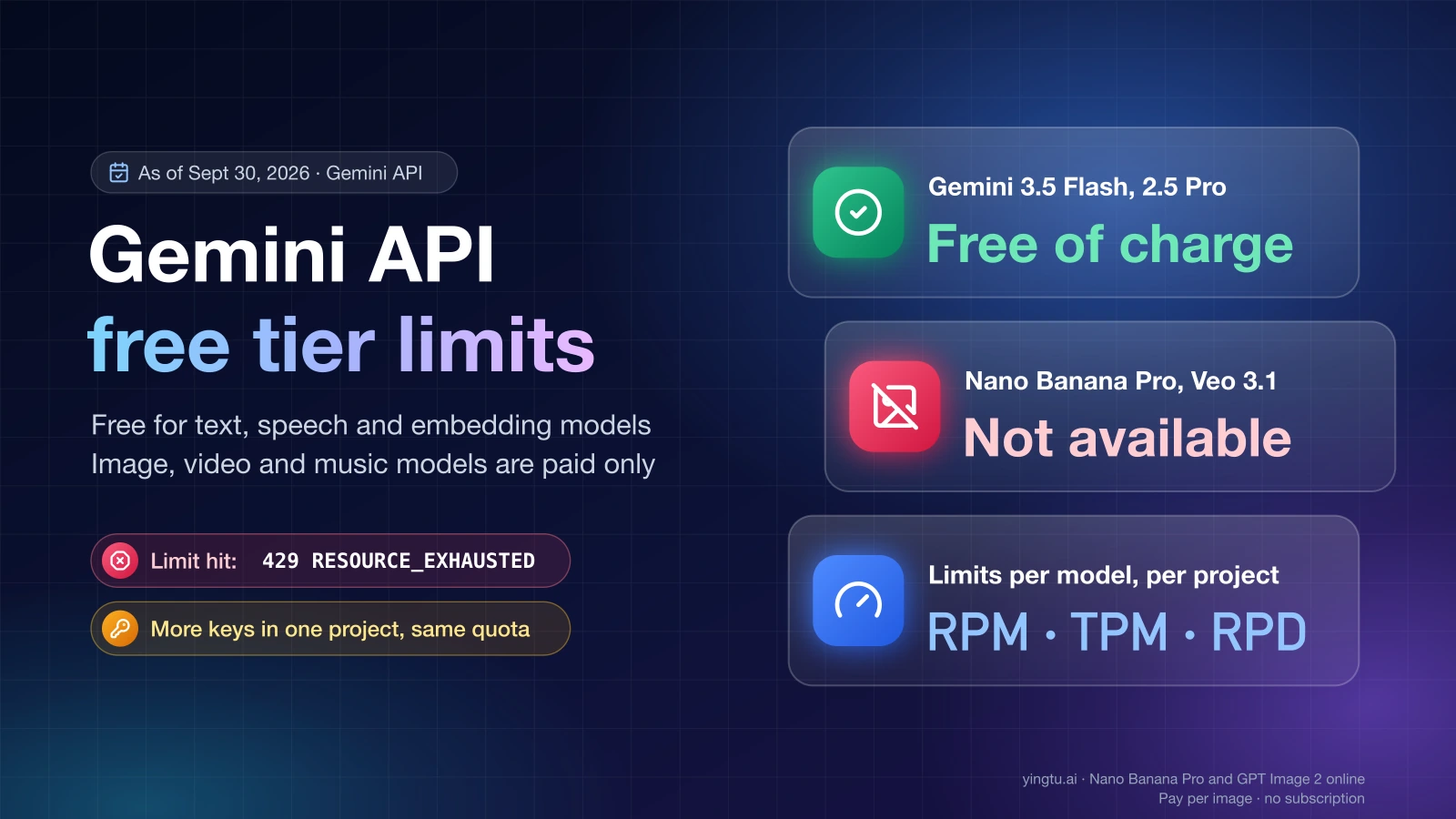
Yes, the Gemini API has a free tier, but only for eligible models. As of September 30, 2026, Google's text, speech and embedding models such as Gemini 3.5 Flash, Gemini 3.1 Flash-Lite and Gemini 2.5 Pro are free to call, while image models like Nano Banana 2 and Nano Banana Pro, plus video and music models, have no free tier at all. Free-tier limits apply per Google Cloud project, are measured in requests per minute (RPM), tokens per minute (TPM) and requests per day (RPD), and the daily count resets at midnight Pacific time.
The Gemini API free tier is the no-cost usage level every active project starts on: you pay nothing for eligible models, Google applies lower rate limits than on paid tiers, and the content you send can be used to improve Google's products.
Which Gemini API models have a free tier (as of September 30, 2026)
Google's Gemini API pricing page (last updated September 24, 2026) marks each model's free-tier input and output as either "Free of charge" or "Not available." A model family name is not enough: Gemini 3.1 Flash-Lite is free, while Gemini 3.1 Pro Preview and Gemini 3.1 Flash Image are not.
| Model (as of September 30, 2026) | Free tier | Notes |
|---|---|---|
| Gemini 3.8 Flash, 3.7 Flash, 3.6 Flash, 3.5 Flash | Yes | Standard input and output free of charge |
| Gemini 3.5 Flash-Lite, 3.1 Flash-Lite | Yes | Standard input and output free of charge |
| Gemini 2.5 Pro, 2.5 Flash, 2.5 Flash-Lite | Yes | Standard input and output free of charge |
| Gemini 3.8 Live | Yes | Standard input and output free of charge |
| Gemini 3.8 Flash TTS, 3.8 Flash-Lite TTS | Yes | Text-to-speech models |
| Gemini Robotics ER 2 Preview | Yes | Preview model |
| Gemini Embedding 2 | Yes | Embedding model |
| Gemma 4 | Yes | Open model served through the API |
| Gemini 3.1 Pro Preview | No | Paid tier only |
| Gemini 3.1 Flash Image (Nano Banana 2) | No | Image generation is paid only |
| Gemini 3 Pro Image (Nano Banana Pro) | No | Image generation is paid only |
| Gemini Omni Flash | No | Paid tier only |
| Veo 3.1 (video), Lyria (music) | No | Paid tier only |
Grounding with Google Search on Gemini 3.x models has its own allowance: 5,000 free search requests per month, shared across all Gemini 3.x models, then $14 per 1,000 requests as of September 30, 2026.
If the model you need sits in the "No" rows, no amount of waiting will make it work on the free tier. You need a billed project, or a different model from the "Yes" rows.
Free, Tier 1, Tier 2 and Tier 3: how usage tiers work
Google's rate limits page (last updated September 2, 2026) ties each project to a usage tier. The tier decides how much you can send and how much you can spend.
| Usage tier (as of September 30, 2026) | How a project qualifies | Spend cap | Spend-based limit per rolling 10 minutes |
|---|---|---|---|
| Free | Active project or free trial | Not applicable | Not applicable |
| Tier 1 | Set up and link an active billing account | $250 | $10 |
| Tier 2 | $100 paid, plus 3 days since the first successful payment | $2,000 | $50 |
| Tier 3 | $1,000 paid, plus 30 days since the first successful payment | $20,000 to $100,000+ | $200 |
Google upgrades projects automatically as usage and spending grow, so you don't apply for Tier 2 or Tier 3. The spend-based limit matters once you pay: if a Tier 1 project spends more than $10 inside any 10-minute window, the API returns 429 RESOURCE_EXHAUSTED even when RPM and TPM look fine. Batch API jobs have separate limits: 100 concurrent batch requests, a 2 GB input file limit and 20 GB of file storage.
How free tier limits are measured
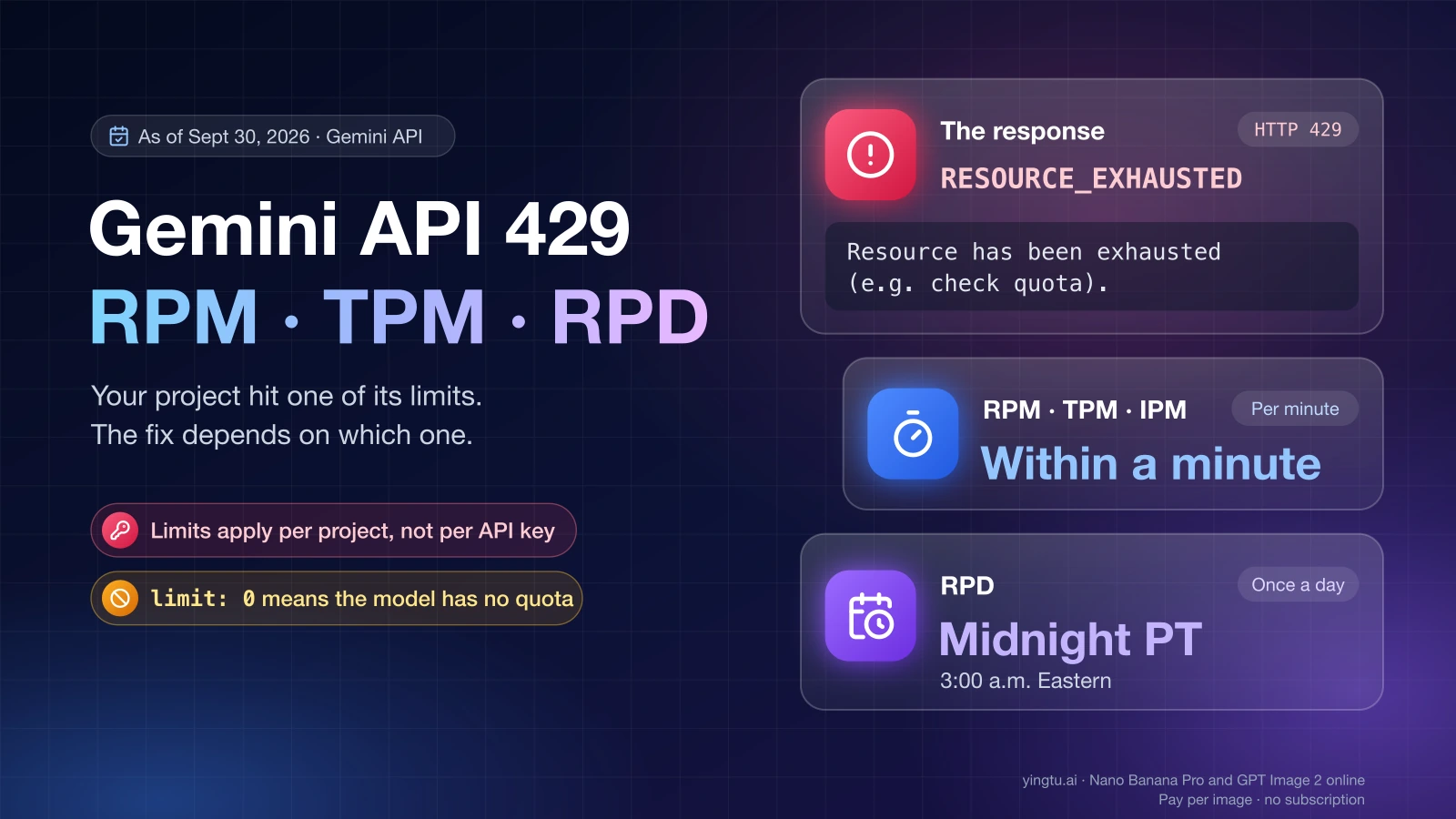
Each model has its own set of limits inside your project. According to Google's rate limits page, usage is measured across:
- RPM: requests per minute.
- TPM: input tokens per minute.
- RPD: requests per day, reset at midnight Pacific time.
- IPM (images per minute) for image models, and TPD (tokens per day) for some models.
Google states that "your usage is evaluated against each limit, and exceeding any of them will trigger a rate limit error." One long prompt can exhaust TPM while you are far below RPM, and a steady trickle of small calls can use up RPD by mid-afternoon.
The other rule is that "rate limits are applied per project, not per API key." Creating a second or third key in the same project gives you more credentials, not more quota. All keys in that project draw from the same RPM, TPM and RPD.
Where to see your exact numbers
Google's documentation no longer prints a per-model free-tier table. The live numbers for your project are in AI Studio:
- Sign in to Google AI Studio with the account that owns the API key.
- Open the rate limit page.
- Select the project behind the key your code uses.
- Find the model ID you call, such as
gemini-2.5-flash, and note its RPM, TPM and RPD along with the current usage tier. - Check again after you change models, enable billing or move to a new project.
Treat numbers from forums and older guides as history. In December 2025, Reddit users reported that the free tier for Gemini 2.5 Flash had dropped to about 20 requests per day, and third-party tables from January 2026 listed ranges of 5–15 RPM, 250,000 TPM and 100–1,000 RPD. These are reported figures from that period, not Google's current limits for your project. The dashboard shows the actual values.
"Free tier limit reached": what the 429 error means
"Free tier limit reached" means your project has used up one of its free-tier limits for that model, and the API answers with HTTP 429 and the status RESOURCE_EXHAUSTED. The fix depends on which limit you hit. Google's API errors page (last updated September 20, 2026) describes 429 as exceeding "the per-minute or per-second request or token limit" and recommends waiting and retrying with exponential backoff.
Use the error message and your dashboard to decide the next step:
| What you see | Limit behind it | What to do |
|---|---|---|
| 429 after a burst of requests | RPM | Retry with exponential backoff and lower concurrency |
| 429 on long prompts or big files | TPM | Shorten context, cache repeated input, space out large calls |
| 429 that persists for hours | RPD | Wait until midnight Pacific time, or move traffic to another free-tier model |
| 429 with "limit: 0" in the message | The model has no free-tier quota for your project | Switch to a model that has a free tier, or set up billing |
| 429 on a paid project with normal RPM | Spend-based limit (rolling 10 minutes) | Slow down spending, or wait for the tier to rise |
| 402 Payment Required | Prepay credit balance at zero | Add credits in AI Studio |
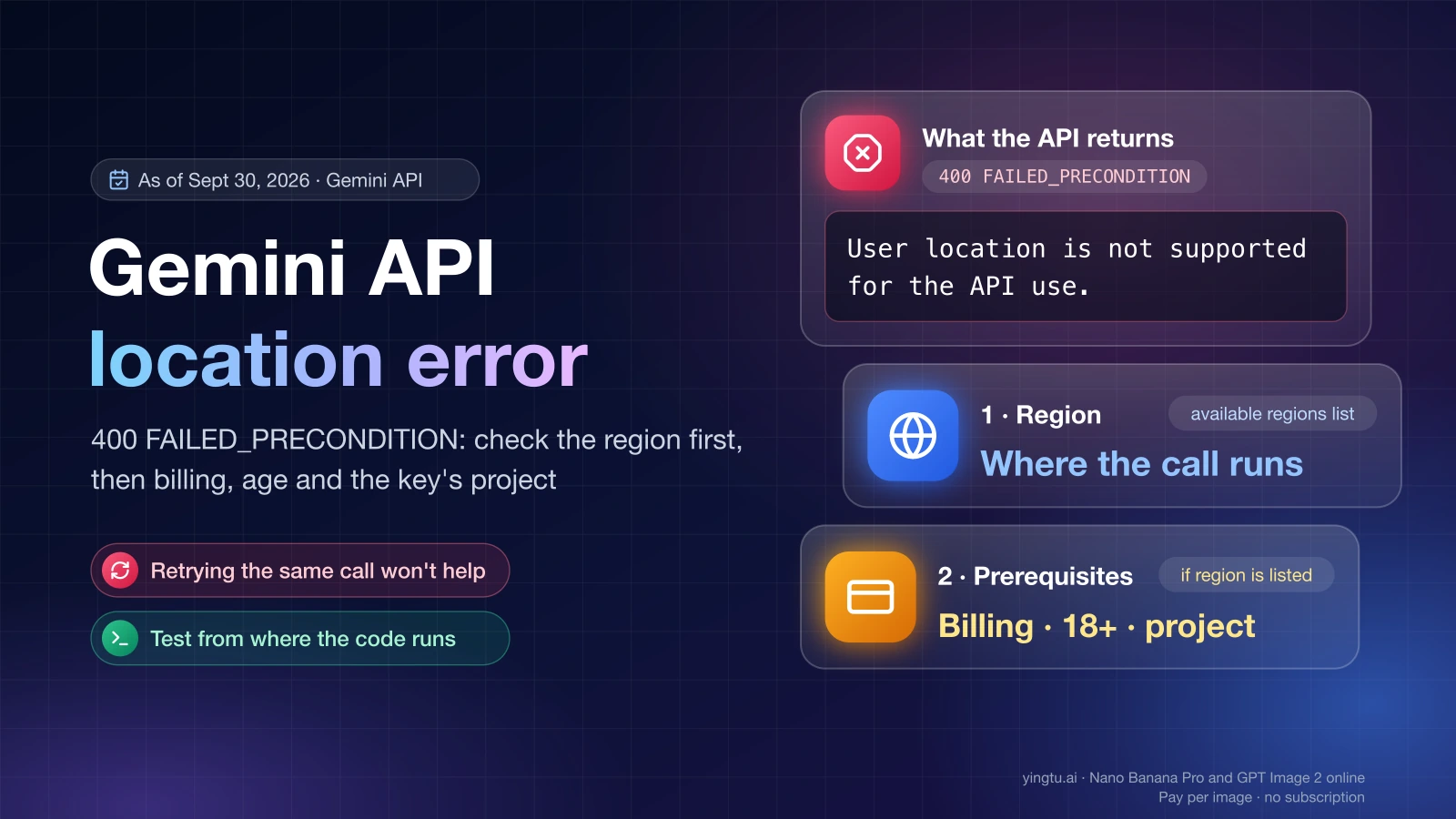
| 400 FAILED_PRECONDITION | A prerequisite is missing, such as disabled billing | Fix billing or project setup, retrying won't help |
| 403 PERMISSION_DENIED | The key lacks permission for this resource | Check the key, the project and the model access |
The "limit: 0" case trips up many people. On the Google AI Developers Forum in January 2026, developers reported 429 errors showing a limit of 0 on valid keys after Google removed free-tier access for several models. A limit of 0 is not a temporary block: that model is simply not available to your project on the free tier. Compare the model ID against the table above.
If the model is free and the 429 comes from RPM or TPM, backoff is enough. Here is a minimal version with the Google Gen AI SDK for Python:
hljs pythonfrom random import random
from time import sleep
from google import genai
from google.genai import errors
client = genai.Client() # reads GEMINI_API_KEY from the environment
def generate_with_backoff(prompt, model="gemini-2.5-flash", max_tries=5):
for attempt in range(max_tries):
try:
return client.models.generate_content(model=model, contents=prompt)
except errors.APIError as e:
if e.code != 429 or attempt == max_tries - 1:
raise
sleep(2 ** attempt + random()) # 1 s, 2 s, 4 s, 8 s plus jitter
Backoff doesn't help with RPD or a limit of 0. Retrying all afternoon against an exhausted daily quota just produces more 429s until midnight Pacific time.
There is no legitimate way around the limits themselves. Extra API keys in the same project share the same quota. What works is sending fewer and smaller requests, caching answers that repeat, routing simple tasks to a lighter free model such as Gemini 3.1 Flash-Lite, or paying for more capacity.
Does Google AI Pro include Gemini API quota?
No. A Google AI Pro or Ultra subscription does not add quota to your API key. Google's Google AI plans page (last updated August 18, 2026) says plan benefits for developers "apply only within the Google AI Studio web interface," and that "direct use of the Gemini API (such as using API keys or external applications) is billed and managed separately."
What subscribers can get is credit, not free quota. Google AI Pro and Ultra subscribers "with Google Cloud Platform (GCP) projects and Cloud Billing enabled are eligible to receive monthly Cloud credits from the Google Developer Program," and those credits can pay for Gemini API usage. Three conditions apply as of September 30, 2026:
- The project needs Cloud Billing, so it is on a paid tier, not the free tier.
- Prepay users need a paid balance above $0 in AI Studio to activate the promotional credits.
- Eligible Cloud credits are applied before your own balance.
Google's page doesn't state the credit amount. A Google AI Developers Forum thread from June 2026 reports $10 a month for AI Pro. Treat that figure as a user report and confirm the amount in your own billing account.
The general Google Cloud free trial is a different matter. Google's billing page says the Welcome or free-trial credit "can't be used towards the Gemini API or AI Studio," and Gemini API costs are excluded from the $300 Google Cloud Free Trial program.
When to stay free and when to turn on billing
The free tier fits learning the API, testing prompts, prototypes with low traffic and internal tools where an occasional 429 is acceptable. A billed project makes sense when any of these is true:
- The model you need is in the "No" rows, such as Nano Banana Pro or Veo 3.1.
- Normal traffic hits RPD or RPM limits on most days.
- Your users will see a failure when a request is throttled.
- Prompts contain customer data, business secrets or anything you don't want used to improve Google's products. The pricing page marks free-tier content as "used to improve our products," and paid-tier content as not used.
Upgrading takes a few minutes. In AI Studio, click Set up billing on the API keys page or the Projects page. With prepay, the minimum purchase is $5, and usage is deducted from your credit balance in near real time. With postpay, Google charges you at the end of the month or when costs reach the spend cap for your tier. When a prepay balance runs out, every API key in every project linked to that billing account stops working at once and returns 402 until you add credits.
Regions where the Gemini API free tier works
The free tier is only available where the Gemini API itself is available. Google's available regions list (last updated April 28, 2026) includes Japan, South Korea, Spain and Mexico, and the billing page confirms that both the free and paid tiers are offered in many regions, including the EEA, the UK and Switzerland. Mainland China, Hong Kong and Russia are not on the list as of September 30, 2026. From mainland China, AI Studio's rate limit page redirects to the available regions page instead of showing quotas as of September 30, 2026.
For organizations outside the listed regions, Google points to the Gemini API in Gemini Enterprise Agent Platform. Another option is a third-party gateway such as LaoZhang API, which serves Gemini models through the native Gemini format (generateContent, including the Google Gen AI SDK pointed at https://api.laozhang.ai) and an OpenAI-compatible format, billed pay-as-you-go by tokens or per call depending on the model. The same route covers image models like Nano Banana Pro that have no free tier at Google. It is not an official Google channel, so check its documentation and whether it meets your own compliance requirements before sending production data.
FAQ
Is there a free tier for the Gemini API key?
Yes. Any active project gets the free tier for eligible models, and every API key you create in that project uses it. The quota belongs to the project, not the key, so several keys in one project share one set of limits.
Does the Gemini app's free limit apply to the API?
No. The limits in the Gemini app and on gemini.google.com are consumer product limits. Gemini API limits are set per project and per model and appear in the AI Studio rate limit dashboard.
What time does the Gemini API free tier reset?
Requests per day reset at midnight Pacific time. Per-minute limits work on a much shorter window, so an RPM or TPM 429 is the kind that exponential backoff is meant to handle.
Is Nano Banana free in the Gemini API?
No. As of September 30, 2026, Gemini 3.1 Flash Image (Nano Banana 2) and Gemini 3 Pro Image (Nano Banana Pro) show "Not available" for the free tier on Google's pricing page. Developers on Google's forum report that calling models without a free tier from a free-tier project returns a 429 with a limit of 0.
Does Google use my free-tier prompts to improve its products?
Yes, on the free tier. Google's pricing page marks free-tier content as used to improve its products and paid-tier content as not used. If your prompts include sensitive data, use a billed project.
How much does it cost to leave the free tier?
A billed project on prepay starts with a $5 minimum purchase as of September 30, 2026. Tier 1 then applies, with a $250 spend cap. Models that were free are billed at their paid-tier rates from the pricing page, and paid-tier content is no longer used to improve Google's products.