To generate video with Grok/xAI in 2026, choose the route owner before copying a tutorial prompt. Use the official xAI API when you need repeatable developer control, use the Grok/X app only if your current account exposes video generation controls, and treat every third-party wrapper as provider-owned until its model, credits, upload terms, and download rights are clear.
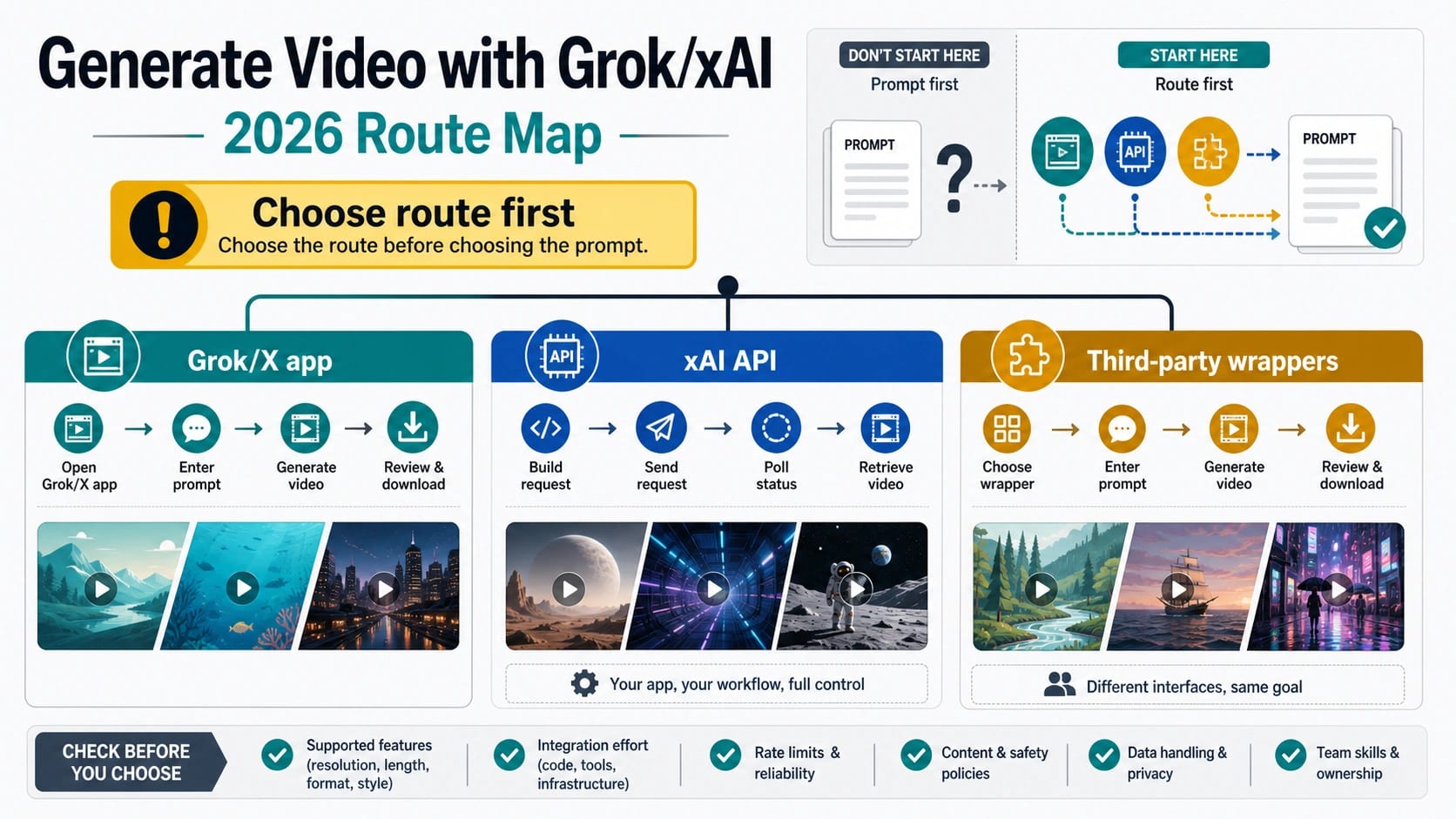
Start With the Route Owner
The same idea, "make a Grok video," leads to different steps depending on where the generation happens. The official API gives you a model ID, request lifecycle, polling, and a temporary output URL. The consumer app gives you whatever controls your signed-in account currently exposes. A wrapper gives you that provider's interface, wallet, upload policy, storage behavior, and support rules.
| Route | Use it when | First move | Stop rule |
|---|---|---|---|
| Official xAI API | You need a repeatable workflow, app integration, polling, or storage control | Use grok-imagine-video, submit a generation request, poll the request_id, then store the temporary video URL promptly | Do not make grok-imagine-video-1.5-preview the default text-prompt route; its current official page says it does not support text-to-video |
| Grok/X app | You want a one-off clip and your signed-in account already shows video controls | Use the controls visible in the current app/account screen, create one short test clip, then check download behavior | Do not assume another user's tutorial proves your account has the same quota, mode, or free access |
| Third-party wrapper | You want a simpler UI or bundled workflow and accept provider-owned terms | Verify model ownership, credit rules, upload handling, rights, watermark/download behavior, support, and refund rules before uploading media | Do not treat wrapper marketing as official xAI support or universal Grok access |
For most developer workflows, the official xAI route is the cleanest answer because it has a documented model, endpoint, status lifecycle, and output-handling pattern. For a casual creator, the app route can be faster, but only after the current account screen proves the controls are present. For a wrapper, convenience is a tradeoff: the UI may save setup time, but the proof shifts from xAI documentation to provider terms.
Pick the Current Model Without Overclaiming 1.5
The official text-to-video API route starts with grok-imagine-video. On June 4, 2026, xAI's model page described it as the current first-party video model for text, image, and video inputs to video output. That is the model ID to use when the job is a normal text prompt that should become a generated video.
The 1.5 preview branch needs a stricter label. The official grok-imagine-video-1.5-preview page was also current on June 4, 2026, but it stated that this preview model does not support text-to-video. That means "latest" is not the right selection rule. If the starting point is only a text prompt, route the official API request to grok-imagine-video unless xAI's current docs say otherwise.
Keep these model rules separate from app access. A consumer app tutorial can show that one account has a visible video UI, but it does not prove API model support. Official API docs can prove endpoint and model behavior, but they do not prove how many consumer-app generations your account gets today. A wrapper page can prove that the provider claims a route, but it does not prove first-party xAI support unless it gives current, specific evidence.
Use the Official xAI API for Repeatable Generation
The official xAI video generation docs describe video generation as an asynchronous workflow. You submit a request, receive a request_id, poll the status endpoint, and then use the returned video URL when the job is done. The output URL is temporary, so production code should download, store, or process it while it is still valid.
The REST shape is simple enough for a first test:
hljs bashREQUEST_ID=$(curl -s -X POST https://api.x.ai/v1/videos/generations \
-H "Content-Type: application/json" \
-H "Authorization: Bearer $XAI_API_KEY" \
-d '{
"model": "grok-imagine-video",
"prompt": "A calm product demo shot of a compact robot arm sorting colorful blocks on a clean desk",
"duration": 6,
"aspect_ratio": "16:9",
"resolution": "720p"
}' | jq -r '.request_id')
while true; do
RESULT=$(curl -s "https://api.x.ai/v1/videos/$REQUEST_ID" \
-H "Authorization: Bearer $XAI_API_KEY")
STATUS=$(echo "$RESULT" | jq -r '.status')
if [ "$STATUS" = "done" ]; then
echo "$RESULT" | jq -r '.video.url'
break
fi
if [ "$STATUS" = "failed" ] || [ "$STATUS" = "expired" ]; then
echo "$RESULT" | jq .
break
fi
sleep 5
done
Treat that snippet as a first controlled test, not a whole production worker. A real integration should set a timeout, log the request ID, record the model and mode, capture terminal states, store the output promptly, and decide what retry behavior is acceptable. The docs list statuses such as pending, done, expired, and failed; your application needs a response for each one.
For the first clip, keep the test short. Pick a six- to ten-second scene, choose one aspect ratio, set either 480p or 720p, and avoid changing multiple variables at once. When the output fails, you should be able to tell whether the issue came from prompt content, duration, resolution, account access, a temporary URL, or moderation.
Choose the Mode by the Input You Have
Video generation is not one mode with many random options. The right workflow depends on what material you already have.
| Starting material | Best route | What to send | Main boundary |
|---|---|---|---|
| Only a written idea | Text-to-video | Prompt, duration, aspect ratio, resolution | Use grok-imagine-video for the current official text-prompt API route |
| One image that should move | Image-to-video | Prompt plus source image | The image becomes the starting frame, so composition and crop matter |
| Several references for style or identity | Reference-to-video | Prompt plus reference images | Reference mode is separate and should not be mixed blindly with image-to-video or editing |
| An existing short clip that needs modification | Video editing | MP4 plus edit instruction | Editing has separate constraints and does not behave like a fresh generation request |
| A clip that should continue | Video extension | Existing video plus continuation instruction | Extension continues from the last frame and has its own duration limits |
The mode decision should happen before prompt polishing. A good text prompt cannot fix a mode mismatch. If the real task is "animate this exact product image," start with image-to-video. If the real task is "keep the same character and room style across clips," reference-to-video may fit better. If the real task is "change a shot I already have," editing is the branch to evaluate.
The official image-to-video docs allow a source image through a public URL or data URI, paired with prompt text. The reference-to-video docs describe a reference-image mode with a required prompt and separate combination rules. These are not cosmetic differences; they change what the model is being asked to preserve.
Write the First Text-to-Video Prompt
For a plain text-to-video test, write the prompt as a short production brief. The model needs enough direction to infer action, setting, camera, and style, but it does not need a paragraph of contradictory adjectives.
Use this structure:
- Subject: who or what should appear.
- Action: what changes over the clip.
- Setting: where it happens.
- Camera: shot type and motion.
- Style: realistic, product demo, cinematic, animation, or another controlled look.
- Safety and exclusions: what should not appear.
Example:
hljs textA clean product-demo video of a small white delivery robot rolling across a studio floor, carrying a sealed blue package, soft side lighting, slow dolly camera, realistic materials, no people, no logos, no unsafe behavior.
That prompt is boring in a useful way. It gives the route a clear subject and action, avoids unsafe or legally sensitive content, and leaves room for the model to create motion. If the first result is off-target, change one variable at a time. For example, adjust the action before changing the style, or adjust the camera before changing duration.
Do not start with long-form promises. xAI's current video docs describe short generated clips, configurable duration, aspect ratio, and resolution. If the outcome you want is a longer sequence, plan it as multiple clips, extension, or editing, then store outputs and track scene continuity yourself.
Animate Images, Use References, Edit, or Extend
Image-to-video is the right branch when a still image should become the first frame of the video. In practice, the source image does more work than the prompt. A clean crop, obvious subject, and stable background usually give the model less ambiguity than a cluttered image. If you use a public URL, make sure it is reachable. If you use a data URI, make sure the file size and format match the current docs.
Reference-to-video is different. It is useful when the output should follow a look, character, object, or environment from reference images. The official reference workflow supports multiple reference images, but it is not a license to mix every input type. Keep the prompt specific about what should be preserved and what may change.
Video editing and extension are separate routes. The video editing docs describe modifying an existing MP4 and include separate limits around input duration and output resolution. The video extension docs describe continuing an existing clip and inheriting its aspect ratio and resolution, capped by the current extension rules. If the user request is "make this exact clip longer," extension is usually a better mental model than starting a new text-to-video request.
This is where many failed workflows come from. A prompt that says "use this reference, animate this image, and edit this clip" may be trying to combine jobs that xAI documents separately. Split the task. Generate from text, animate a source image, guide from references, edit an existing clip, or extend a clip. Then chain outputs intentionally.
Run the Pre-Generation Checklist
Before spending credits, consuming app quota, or uploading media to a provider, run the smallest useful checklist.
| Check | Official API | Grok/X app | Third-party wrapper |
|---|---|---|---|
| Access | API key, project/team access, current model availability | Current signed-in account and visible video controls | Provider account, plan, and model listing |
| Mode | Text, image, reference, edit, or extend | Controls exposed by the app | Modes actually supported by the provider |
| Input media | Public image URL, data URI, MP4, or references as documented | App upload control and file behavior | Upload size, retention, rights, and privacy terms |
| Output handling | Temporary URL, local storage, downstream processing | Download or share behavior shown by the app | Download, watermark, storage, and rights rules |
| Failure policy | API status and current billing/account terms | App message and current limit screen | Refund, reserve, retry, and support policy |
| Safety | xAI policy and moderation response | App policy and account enforcement | Provider policy plus xAI or upstream policy if applicable |
The official xAI route is best when each row needs to be observable in your code. The app route is best when the user is making a small number of one-off clips and can inspect the current UI. The wrapper route is best only after the provider has answered the rows that matter for the project.
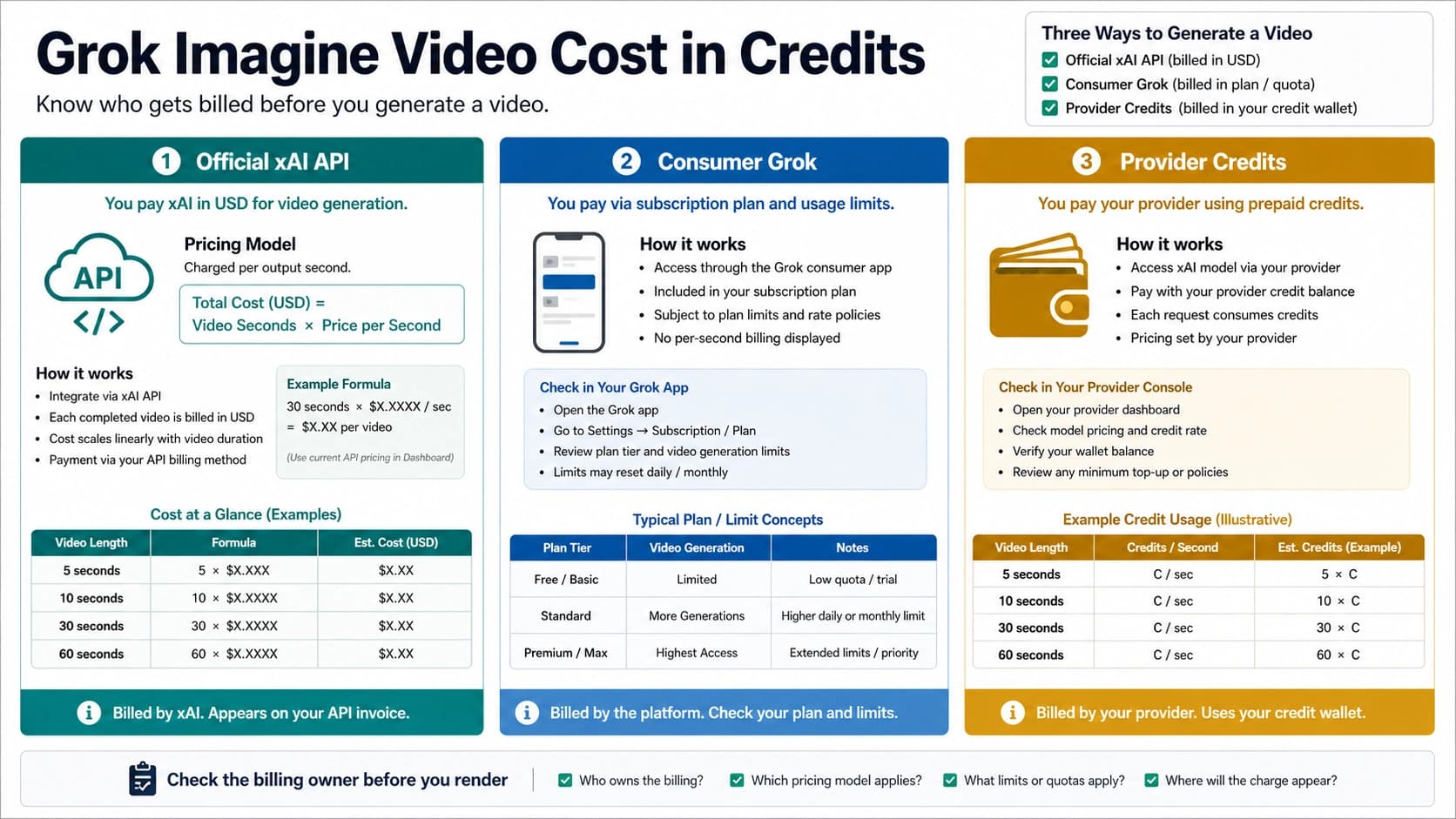
Cost belongs to the same owner split. If budget is the next decision, use the separate Grok Imagine Video cost and credits guide. Do not copy one provider's credit number into the official API route, and do not use an official API price row to predict a consumer app quota.
Use the Grok/X App Only When Your Account Shows Video Controls
The app route can be the fastest way to make a first clip, but it is also the least portable route. App controls can vary by account, plan, region, rollout, app surface, demand, and time. A video tutorial proves that the creator's account had a visible workflow; it does not prove that your account has the same route today.
Use this app checklist:
| Step | What to verify |
|---|---|
| 1 | You are signed in to the intended Grok/X account. |
| 2 | The current app screen exposes image or video generation controls. |
| 3 | The visible controls match the job: text-to-video, image-to-video, or another app mode. |
| 4 | The app shows enough information about limits, plan, queue, retry, or download behavior for your use case. |
| 5 | You can save or share the resulting clip in the way the project needs. |
If any row fails, do not turn the article into a workaround hunt. Use the official API if you need developer control. Use a wrapper only when the provider's route is acceptable. Use the broader Grok model route guide if the real problem is choosing between Grok text, image, video, voice, agent, and provider surfaces.
Treat Wrappers as Provider-Owned Routes
A wrapper can be useful. It may provide a browser editor, asset library, queue, presets, team billing, storage, or several video models in one interface. That convenience does not make every claim first-party xAI proof.
Before using a wrapper for Grok/xAI video, ask:
| Question | Why it matters |
|---|---|
| Which model is being used? | "Grok video" can be a label, a provider route, or a real model listing. |
| Who owns credits and billing? | Provider credits are not xAI API dollars. |
| What happens to uploaded media? | Images, videos, likenesses, and product assets may have privacy or rights implications. |
| Can the output be downloaded and used commercially? | Watermarks, licenses, and output rights vary by provider. |
| What happens on failure, moderation, or timeout? | Refunds, retries, and reserved credits are provider-specific. |
| Where does support happen? | xAI cannot support every wrapper's UI, wallet, or storage policy. |
If the wrapper answers those questions clearly and the project values speed over direct API control, it may be the right route. If the answers are vague, use the official API or pause. For free or low-cost image alternatives after a Grok workflow feels too constrained, use the separate Grok image-generation alternatives guide; do not turn a video workflow into a generic free-tool list.
Handle Failed, Expired, or Moderated Jobs
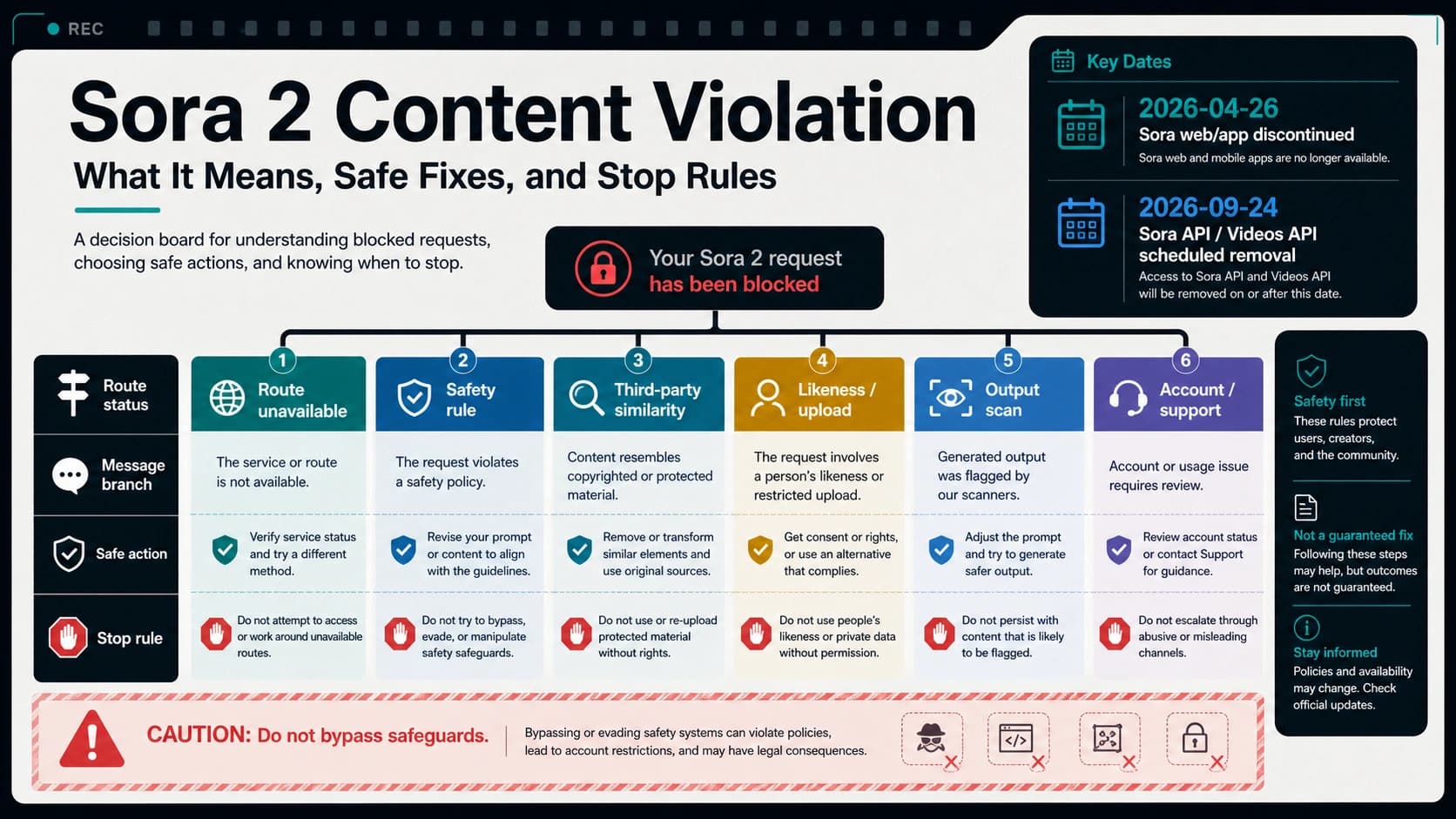
The official API route gives you a status field, so handle every terminal state deliberately. A done job should move into output storage or downstream processing. A failed job should record enough context to debug the model, prompt, mode, duration, resolution, and account state. An expired request should tell the application that the video URL or job is no longer usable. A moderated output should not trigger bypass advice.
For retries, use a controlled rule:
- Fix obvious prompt issues first: unsafe content, contradictory directions, missing subject, or unsupported request.
- Reduce complexity: shorter duration, simpler motion, one subject, one camera move.
- Keep the same route while testing one variable.
- Stop after a small retry budget and record the reason.
- Escalate only with request ID, timestamp, route, model, mode, prompt summary, and observed status.
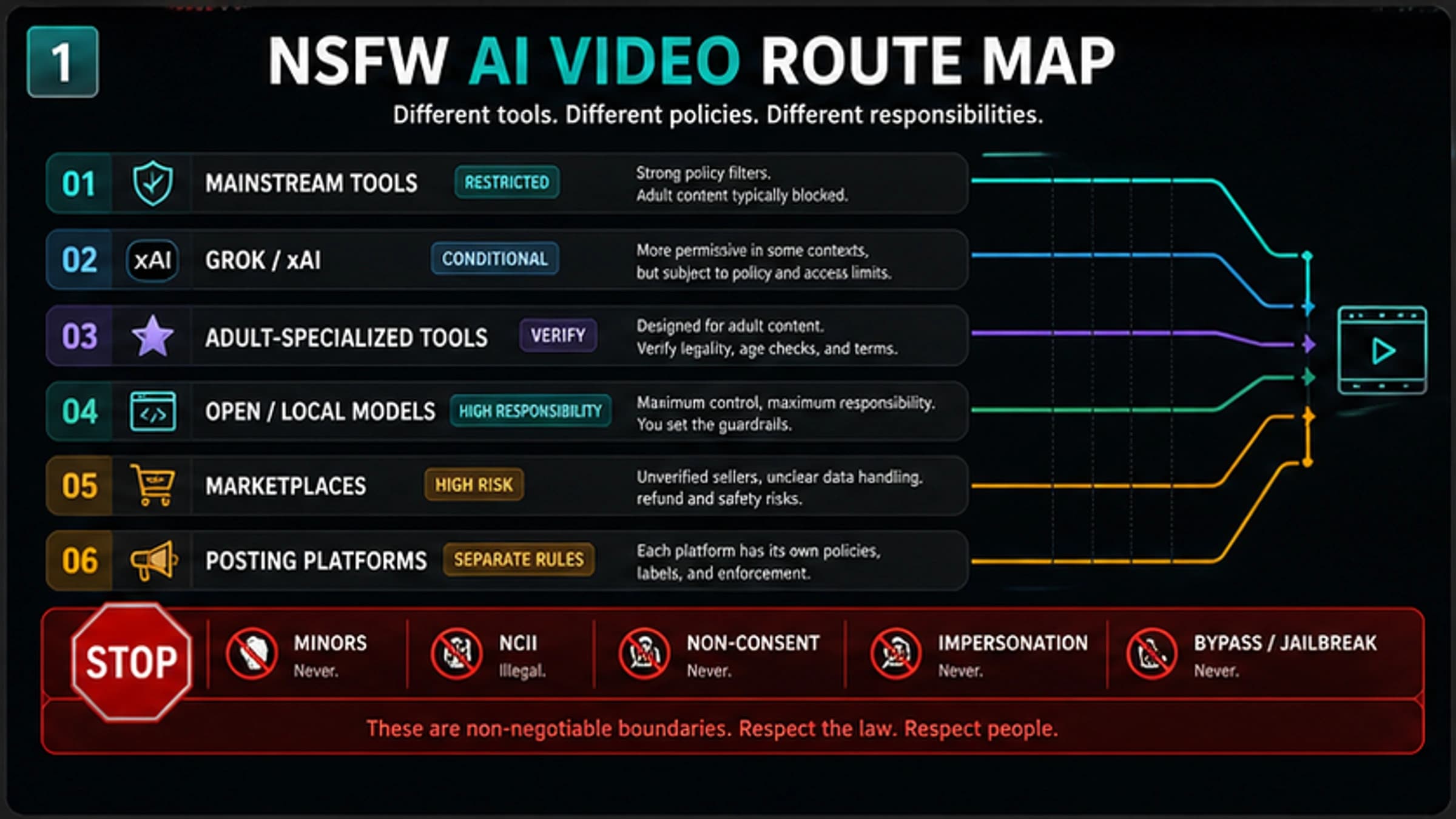
The xAI Acceptable Use Policy applies across consumer, developer, and business use. Do not try to route around safety controls, generate illegal content, violate privacy or publicity rights, or create unsafe likeness material. A publishable Grok video workflow should help users generate legitimate clips, not bypass safeguards.
Adult-content or Spicy Mode questions belong to a different page because they are controlled by account, policy, and surface availability. Use the Grok Imagine adult-content availability guide when that is the real task.
The Short Workflow to Keep
Use this compact order whenever the route gets confusing:
- Choose the route owner: official API, current app screen, or wrapper.
- Choose the model or surface that actually supports the job.
- Choose the mode: text, image, reference, edit, or extend.
- Generate one short test clip.
- Store or download the output promptly.
- Check failure, policy, and cost owner before scaling.
That order prevents most mistakes. It stops a consumer tutorial from being treated as API proof, stops a wrapper page from being treated as xAI support, and stops a preview model name from becoming the wrong text-to-video default.
FAQ
Can Grok generate video in 2026?
Yes, but the route matters. The official xAI API supports video generation through documented Imagine video workflows. The Grok/X app may expose video controls for a current account. Third-party wrappers may offer their own Grok-labeled or xAI-connected routes. Choose the owner before following steps.
What model should I use for text-to-video?
Use grok-imagine-video for the current official text-to-video API route unless xAI's current docs change. Do not assume grok-imagine-video-1.5-preview is the default text route; on June 4, 2026, its official model page said it did not support text-to-video.
How do I generate a video with the xAI API?
Submit a generation request to the video generation endpoint with model, prompt, and optional controls such as duration, aspect_ratio, and resolution. Store the returned request_id, poll the status endpoint until the job is done, then download or store the temporary video URL promptly.
Can I generate video from an image?
Yes, use image-to-video when the starting point is a still image. The source image becomes the starting frame, so crop, subject clarity, and image access matter. Use the official image-to-video docs for the current request shape.
Can I use reference images?
Yes, but reference-to-video is its own workflow. Use it when references should guide style, character, object, or setting. Do not blindly combine reference images with image-to-video or editing unless the current docs allow that combination.
How long can Grok/xAI videos be?
Do not assume long-form generation from a single prompt. The official video docs describe short generated clips and mode-specific limits. For longer output, plan multiple clips, editing, or extension, then manage continuity yourself.
Is Grok video free?
Free access is route-owned and volatile. Consumer app access depends on the current account screen. Wrapper free credits belong to the provider. Official API usage belongs to xAI's current pricing and account terms. Use the cost sibling when budget becomes the main question.
What should I do if the video URL expires?
Treat output URLs as temporary. If the API job is done and the clip matters, download, store, or process the file promptly. If the URL has already expired, rerun only after checking the route, prompt, mode, and retry budget.
Can I use Grok video for adult or likeness content?
Do not use a video workflow to bypass policy or rights boundaries. xAI's policy applies across consumer, developer, and business use, and adult or likeness questions depend on account controls and safety rules. Use the dedicated policy/access page for that task.
When should I use a wrapper instead of the official API?
Use a wrapper when its UI, presets, storage, team billing, or multi-model workflow is worth the provider-owned terms. Use the official API when you need direct model control, request IDs, polling, storage, and clearer developer accountability.